.jpg)


Restaurant Supplier Integration for Multi-Site Groups: How to Connect Ordering Systems and Retire Excel and Email POs
What Restaurant Supplier Integration Actually Means for a Multi-Site Group
When a restaurant group runs on four sites, spreadsheets and emailed purchase orders feel manageable. At forty sites they stop being an inconvenience and become the operation. Orders go out by email and text with no shared record, quantities get mis-keyed on the way in, and at month-end a finance team re-keys days of data from Excel into the accounting system by hand. The surprising part is how far up-market this reaches: even very large groups still run upstream buying on spreadsheets, not because they want to, but because their tools cannot move data reliably between the ordering system, their suppliers, and their finance stack.
Restaurant supplier integration for multi-site groups is the set of connections that close that gap. But the phrase gets used loosely, and most guides treat it as a single connector you switch on. The real capability is broader: orders and the data behind them flow from your ordering system to your suppliers and into your ERP without anyone re-typing them along the way, and someone other than your team is responsible for building and maintaining those connections. Done well, a manager raises a requisition, it becomes a purchase order, that order reaches the supplier through a supported channel, and the resulting cost and receiving data lands in your finance system on its own. Nobody exports a file, nobody re-keys a number.
For a single restaurant, most of this can be papered over with email and a spreadsheet. For a multi-site group it cannot, because the volume compounds. A 40-site group placing roughly 620 purchase orders a week across 45 active suppliers generates far more order lines than any finance team can reconcile by hand. Integration is the mechanism that keeps that volume flowing without adding headcount at every stage.
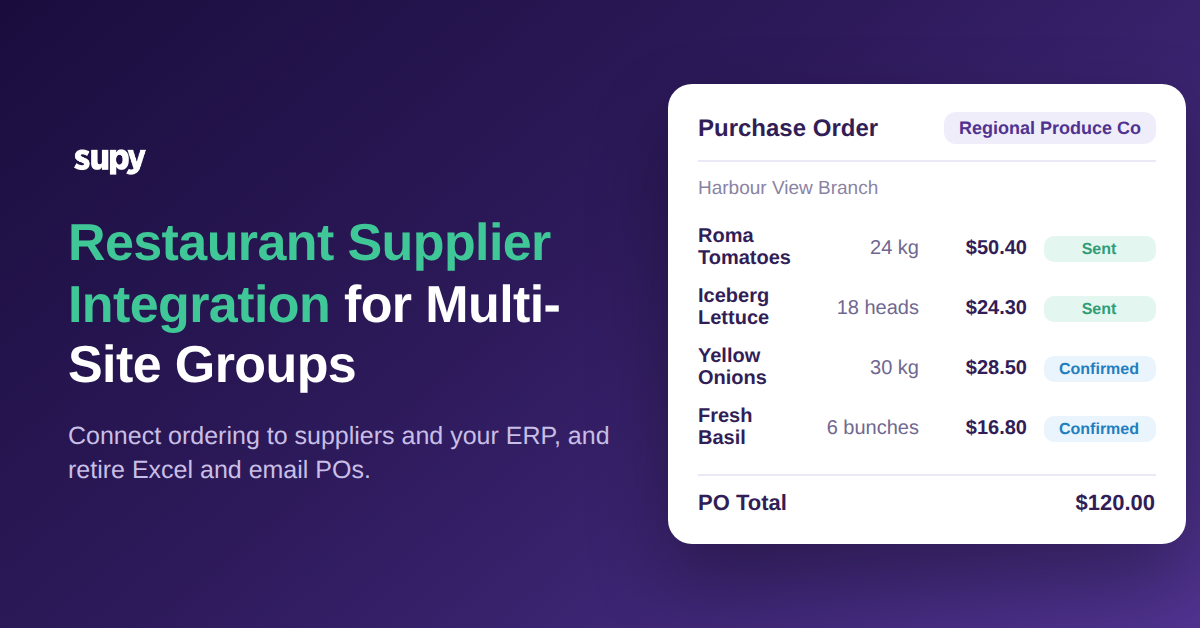
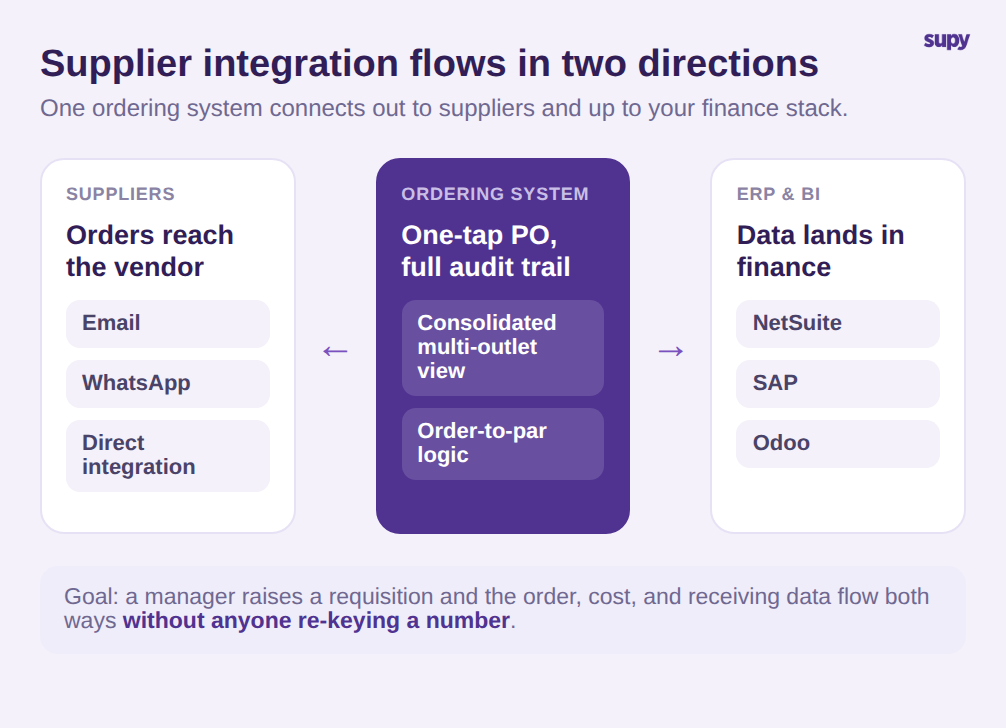
It helps to separate the two directions the word "integration" covers, because buyers routinely conflate them. The supplier-facing side is about how a purchase order actually reaches the vendor. In Supy, an order raised from the consolidated multi-outlet view becomes a purchase order with one tap and is sent to the supplier by email, WhatsApp, or a direct integration, with order-to-par logic and a full audit trail behind every send. The system-facing side is about where the order and cost data go next, which is the part that breaks down first at scale, and the part we will spend the most time on.
There is a third dimension that only shows up once a group is genuinely multi-site: repeatability. A connection that works beautifully at one location but has to be rebuilt by hand at the next one is not integration, it is a demo. The groups that scale cleanly are the ones that can capture a supplier, its prices, and its ordering rules once and reuse that setup as they open sites. Supy supports this through per-branch supplier configuration and reusable order and requisition templates that pre-fill an order for a given location and supplier, with standing orders for the recurring lines that never really change.
Where Excel and Email Ordering Breaks Down at Scale
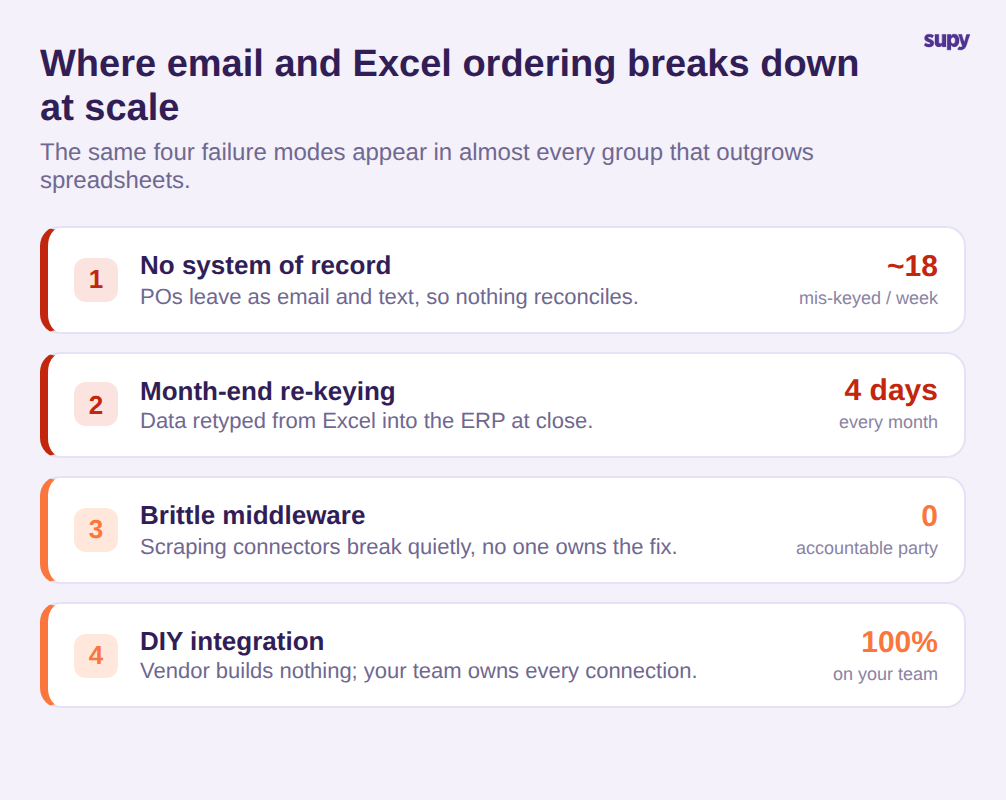
The failure modes are predictable, and they are the same across almost every group that has outgrown spreadsheets. Naming them precisely is the first step to evaluating any solution honestly.
The first is that purchase orders sent by email or text have no system of record. There is no single place that shows what was ordered, at what price, from whom, and whether it was confirmed. Quantities get mis-keyed on the way in, and nothing reconciles cleanly afterward. On a book of 620 orders a week, even a 3 percent mis-key rate is roughly 18 broken orders every week that someone has to chase.
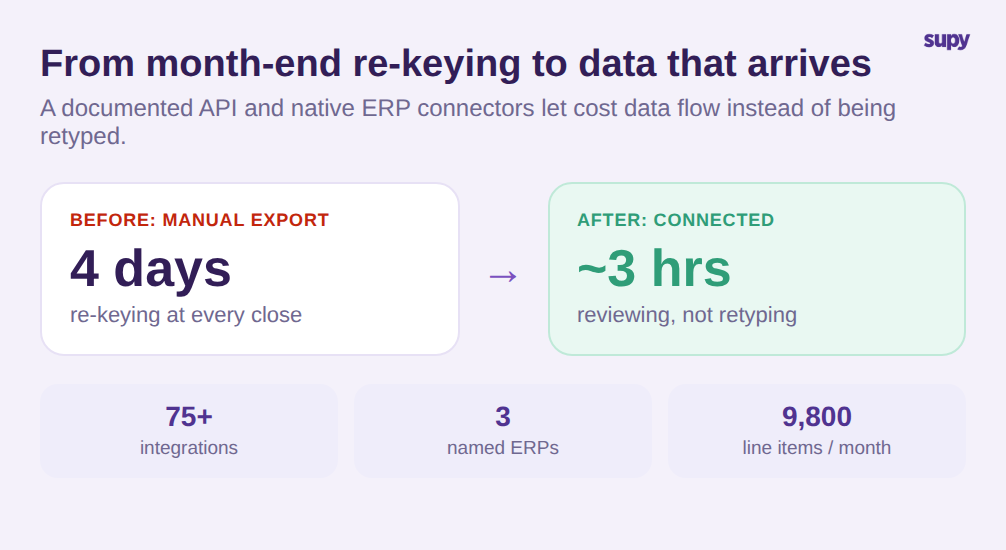
The second is the month-end grind. Sales and consumption data gets manually transferred from Excel into the ERP at close, a process one multi-location group's finance lead described as taking days and being error-prone the entire way through. When a finance team spends four days a month re-keying figures across 9,800 line items, that is not a data-entry task, it is a structural tax on every close.
The third is brittle middleware. Some groups bridge the gap with scraping-based connectors that sit between systems and break quietly. When they fail, the vendors involved point fingers and no one owns the fix. A cloud-kitchen operations lead described exactly this pattern: integration that works until it does not, with no single accountable party.
The fourth is who carries the build. One group evaluating platforms found that a competing product offered no ERP integration support at all and left every connection for the customer's own team to build and maintain. For a group with a complex finance environment, that is a hidden cost that surfaces months after signing.
Connecting Ordering Data to Your ERP Without Month-End Re-Keying
The strongest reason a multi-site group integrates supplier ordering is not the ordering itself, it is everything downstream of it. If order, receiving, and cost data can move into your finance and analytics systems on its own, the month-end re-keying disappears and the numbers stop drifting between systems.
This is where the evaluation should get concrete. Supy exposes a documented API that covers procurement, inventory, production, recipes, wastage, sales, and cost of goods sold, and it is built to feed data lakes and business-intelligence tools on a real-time or scheduled basis. Alongside it, the platform maintains more than 75 integrations across categories including point of sale, accounting, and ERP, with named ERP connections to NetSuite, SAP, and Odoo. For a finance team, the practical result is that the four days spent re-keying at close can collapse toward a few hours of review, because the data arrives rather than being retyped.
Receiving is the other half of clean cost data. Rather than trusting that an emailed invoice matches what arrived, Supy turns a purchase order into a goods-received note in one click, auto-populates line items from the invoice, and flags price and quantity conflicts for review before anything updates stock or accounts. A received-items view collects every line across deliveries and defaults to the price-discrepancy filter, so a controller works the exceptions instead of re-checking every line. That is the difference between data that is merely connected and data you can actually trust in your ERP.
Central production adds one more path worth checking. Groups that run a central kitchen have branches ordering from that kitchen as well as from outside suppliers, and those internal orders need the same treatment as external ones. Supy handles branch-to-kitchen ordering as consolidated cross-branch demand per item, so the central kitchen sees what every site needs in one view rather than a stack of separate messages. If your group runs or plans to run central production, make sure the integration story covers internal supply, not only third-party vendors, because that is often where the spreadsheets quietly persist.
The lesson buyers take from brittle middleware applies across all of this. A supported, documented path into your finance stack is worth more than a long connector list, because a connector that no one maintains is a future outage. When you evaluate, weigh the depth and support of the few integrations you will actually rely on over the raw count, and ask what happens the day one of them breaks.
How to Evaluate Supplier Integration Before You Commit
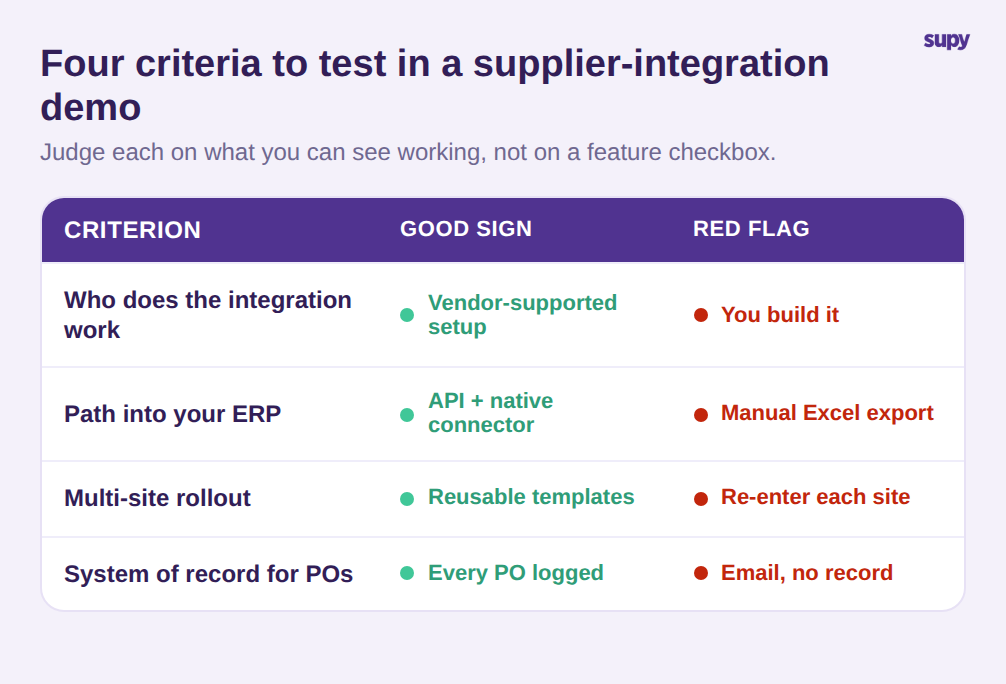
Because "integration" means so many different things, the most useful thing you can do in a demo is apply a short, consistent set of criteria and judge each one on evidence rather than a feature checkbox. Four questions separate real capability from a marketing claim.
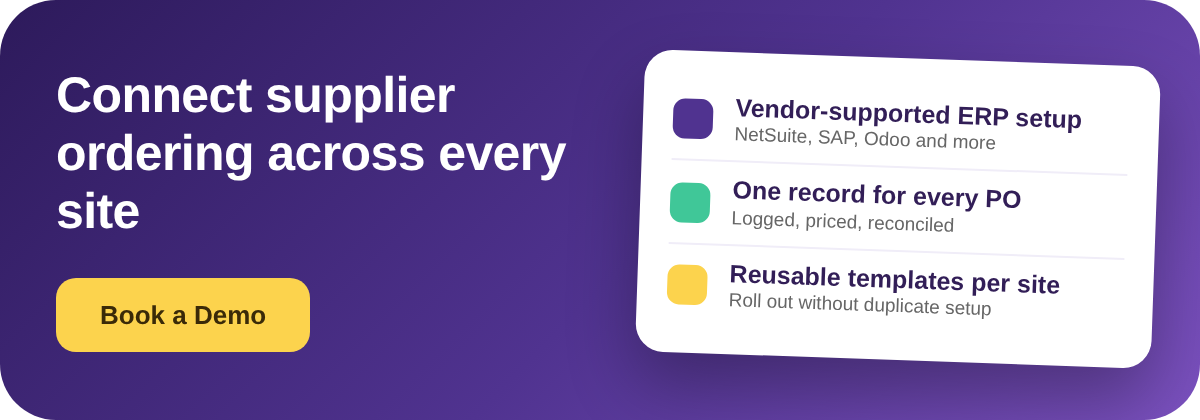
First, who does the integration work? Ask the vendor to walk through, step by step, who builds and maintains the connection to your ERP. Vendor-supported setup is a different product from a documentation link and a wish of luck. If the answer is that your team owns it end to end, price that engineering time into the deal.
Second, what is the path into your ERP? Look for a documented API and a native connector to your specific finance system, not a manual export. Name your ERP and ask to see the connection, not a slide. A real path means order and cost data lands in finance without a spreadsheet in the middle.
Third, how does it roll out across sites? A group adds locations, so setup has to be reusable. Ask whether supplier and item configuration can be captured once and applied to new sites through templates, or whether every location means re-entering the same suppliers, prices, and ordering rules by hand. Multiply the per-site setup time by your expansion plan before you decide it does not matter.
Fourth, is there a real system of record for purchase orders? Every order should be logged, priced, and reconcilable, with an audit trail, so nothing lives only in someone's sent folder. If purchase orders still leave as untracked emails, you have automated the sending and kept the original problem.
Score each criterion on what you can see, not what you are told. A platform that answers all four with a live demonstration is offering restaurant supplier integration in the sense that actually matters to a multi-site group. One that answers with logos and promises is offering a connector list.
Supplier integration is not a switch you flip, it is the plumbing that decides whether your group scales on people or on systems. Bring these four questions to every demo, insist on seeing each answer work rather than hearing it described, and you will buy the capability that removes the spreadsheets instead of the one that just moves them around.