.jpeg)


Lieferantenintegration fuer Multi-Standort-Restaurants: Bestellsysteme und ERP verbinden
Was Lieferantenintegration für Restaurants für eine Multi-Standort-Gruppe wirklich bedeutet
Wenn eine Restaurantgruppe an vier Standorten betrieben wird, lassen sich Tabellenkalkulationen und per E-Mail versendete Bestellungen noch gut handhaben. Bei vierzig Standorten hören sie auf, eine Unannehmlichkeit zu sein, und werden zum eigentlichen Geschäftsbetrieb. Bestellungen werden per E-Mail und SMS ohne gemeinsame Aufzeichnung versandt, Mengen werden beim Eingang falsch eingegeben, und am Monatsende gibt ein Finanzteam tagelang Daten manuell aus Excel in das Buchungssystem ein. Das Überraschende daran ist, wie weit oben dieses Problem auftritt: Selbst sehr große Gruppen führen das vorgelagerte Einkaufen noch immer über Tabellenkalkulationen - nicht weil sie es wollen, sondern weil ihre Systeme Daten nicht zuverlässig zwischen dem Bestellsystem, ihren Lieferanten und ihrem Finanzstack übertragen können.
Die Lieferantenintegration für Restaurants in Multi-Standort-Gruppen ist die Gesamtheit der Verbindungen, die diese Lücke schließen. Doch der Begriff wird unscharf verwendet, und die meisten Leitfäden behandeln ihn als einzelnen Connector, den man einfach aktiviert. Die tatsächliche Funktionalität ist umfassender: Bestellungen und die dahinterstehenden Daten fließen von Ihrem Bestellsystem zu Ihren Lieferanten und in Ihr ERP, ohne dass jemand auf dem Weg etwas neu eintippen muss, und eine andere Partei als Ihr Team ist für den Aufbau und die Pflege dieser Verbindungen verantwortlich. Richtig umgesetzt stellt ein Manager eine Anfrage, diese wird zu einer Bestellung, die Bestellung erreicht den Lieferanten über einen unterstützten Kanal, und die daraus resultierenden Kosten- und Wareneingangsdaten landen automatisch in Ihrem Finanzsystem. Niemand exportiert eine Datei, niemand gibt eine Zahl neu ein.
Für ein einzelnes Restaurant lässt sich vieles davon noch mit E-Mail und einer Tabellenkalkulation überbrücken. Für eine Multi-Standort-Gruppe ist das nicht möglich, weil das Volumen exponentiell wächst. Eine 40-Standort-Gruppe, die bei 45 aktiven Lieferanten etwa 620 Bestellungen pro Woche aufgibt, erzeugt weit mehr Bestellpositionen, als ein Finanzteam manuell abstimmen kann. Integration ist der Mechanismus, der dieses Volumen am Laufen hält, ohne in jeder Phase zusätzliches Personal hinzuzufügen.
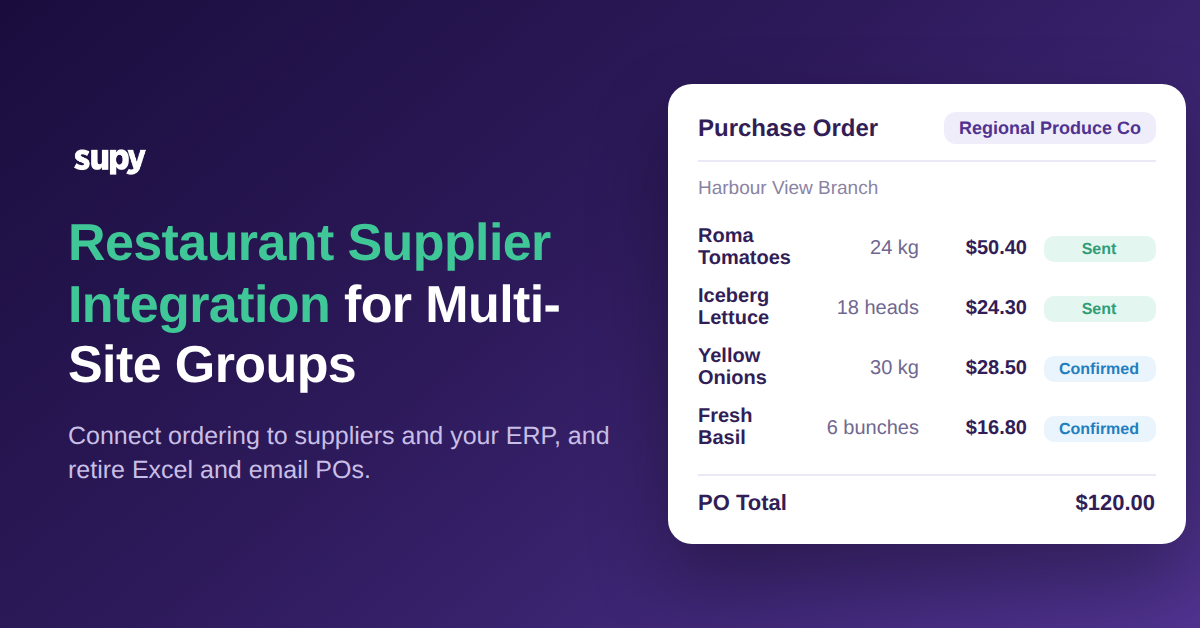
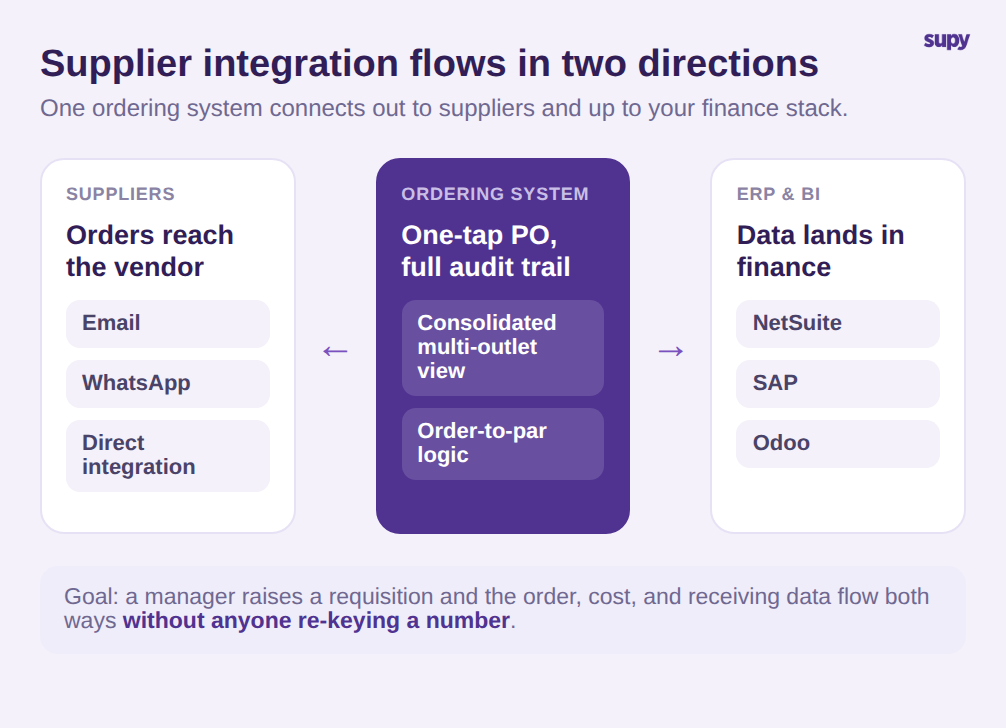
Es ist hilfreich, die zwei Richtungen zu trennen, die das Wort "Integration" umfasst, da Einkäufer sie regelmäßig verwechseln. Die lieferantenseitige Seite beschäftigt sich damit, wie eine Bestellung tatsächlich beim Lieferanten ankommt. In Supy wird eine Bestellung aus der konsolidierten Multi-Standort-Ansicht mit einem Tipp zur Bestellung und per E-Mail, WhatsApp oder direkter Integration an den Lieferanten gesendet, mit Order-to-Par-Logik und einem vollständigen Audit-Protokoll hinter jedem Versand. Die systemseitige Seite beschäftigt sich damit, wohin die Bestell- und Kostendaten als Nächstes gehen - das ist der Teil, der im größeren Maßstab zuerst zusammenbricht, und auf den wir die meiste Zeit verwenden werden.
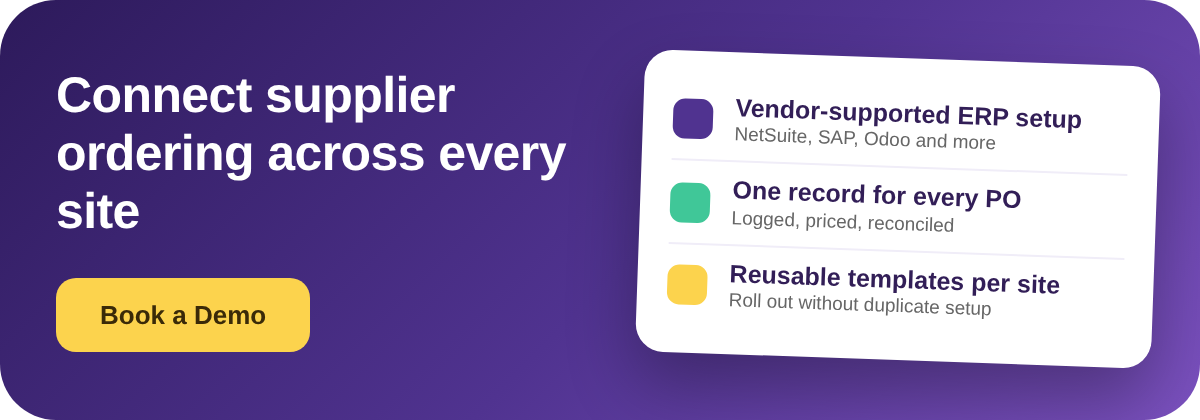
Es gibt eine dritte Dimension, die erst auftaucht, wenn eine Gruppe wirklich Multi-Standort ist: Wiederholbarkeit. Eine Verbindung, die an einem Standort hervorragend funktioniert, aber am nächsten manuell neu aufgebaut werden muss, ist keine Integration, sondern eine Demo. Die Gruppen, die sauber skalieren, sind jene, die einen Lieferanten, seine Preise und seine Bestellregeln einmal erfassen und dieses Setup beim Öffnen neuer Standorte wiederverwenden können. Supy unterstützt dies durch standortspezifische Lieferantenkonfiguration und wiederverwendbare Bestell- und Anfragevorlagen, die eine Bestellung für einen bestimmten Standort und Lieferanten vorausfüllen, mit Dauerbestellungen für die wiederkehrenden Positionen, die sich eigentlich nie ändern.
Wo Excel und E-Mail-Bestellungen im großen Maßstab versagen
Die Schwachstellen sind vorhersehbar und bei fast jeder Gruppe gleich, die Tabellenkalkulationen entwachsen ist. Sie präzise zu benennen ist der erste Schritt zur ehrlichen Bewertung einer Lösung.
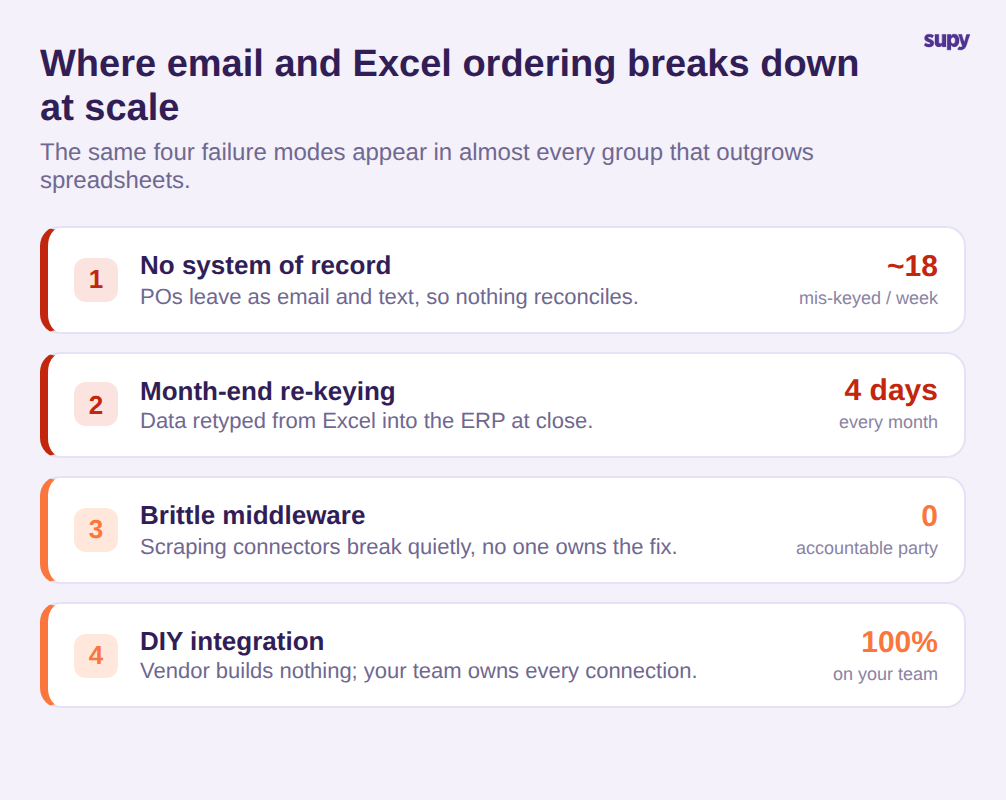
Die erste ist, dass per E-Mail oder SMS gesendete Bestellungen kein Aufzeichnungssystem haben. Es gibt keinen einzigen Ort, der zeigt, was zu welchem Preis, von wem bestellt wurde und ob es bestätigt wurde. Mengen werden beim Eingang falsch eingegeben und danach lässt sich nichts sauber abstimmen. Bei einem Auftragsvolumen von 620 Bestellungen pro Woche bedeutet selbst eine Falscheingaberate von 3 Prozent etwa 18 fehlerhafte Bestellungen pro Woche, die jemand nachverfolgen muss.
Die zweite ist der Monatsabschluss-Aufwand. Verkaufs- und Verbrauchsdaten werden am Monatsende manuell aus Excel in das ERP übertragen - ein Prozess, den der Finanzleiter einer Multi-Standort-Gruppe als tagelang dauernd und durchgehend fehleranfällig beschrieb. Wenn ein Finanzteam vier Tage im Monat damit verbringt, Zahlen über 9.800 Positionen neu einzugeben, ist das keine Dateneingabeaufgabe, sondern eine strukturelle Belastung bei jedem Abschluss.
Die dritte ist fragile Middleware. Einige Gruppen überbrücken die Lücke mit scraping-basierten Connectors, die zwischen Systemen sitzen und leise versagen. Wenn sie ausfallen, zeigen die beteiligten Anbieter aufeinander und niemand übernimmt die Verantwortung für die Behebung. Ein Betriebsleiter einer Cloud-Küche beschrieb genau dieses Muster: Integration, die funktioniert, bis sie es nicht mehr tut, ohne eine einzige verantwortliche Partei.
Die vierte ist, wer den Aufbau trägt. Eine Gruppe, die Plattformen evaluierte, stellte fest, dass ein Konkurrenzprodukt keinerlei ERP-Integrationsunterstützung anbot und jede Verbindung dem eigenen Team des Kunden zum Aufbau und zur Pflege überließ. Für eine Gruppe mit einem komplexen Finanzumfeld sind das versteckte Kosten, die Monate nach Vertragsabschluss auftauchen.
Bestelldaten ohne manuelle Dateneingabe am Monatsende mit Ihrem ERP verbinden
Der stärkste Grund, warum eine Multi-Standort-Gruppe die Lieferantenbestellung integriert, ist nicht das Bestellen selbst, sondern alles, was danach kommt. Wenn Bestell-, Wareneingangs- und Kostendaten von selbst in Ihre Finanz- und Controlling-Systeme fließen können, verschwindet die manuelle Dateneingabe am Monatsende und die Zahlen weichen nicht mehr zwischen den Systemen ab.
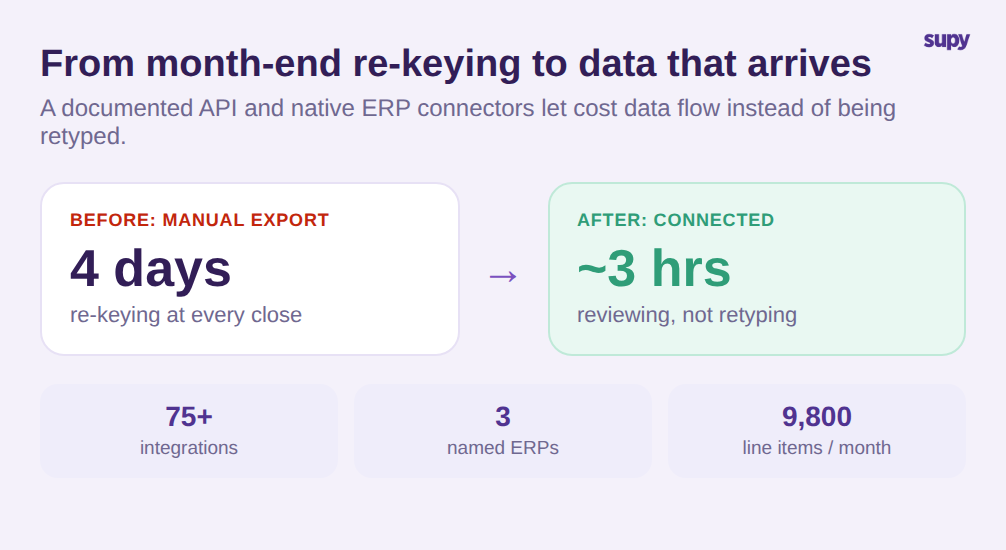
Hier sollte die Bewertung konkret werden. Supy bietet eine dokumentierte API, die Beschaffung, Warenwirtschaft, Produktion, Rezepte, Schwund, Verkauf und Wareneinsatz abdeckt und dazu entwickelt wurde, Daten-Lakes und Controlling-Tools in Echtzeit oder auf geplanter Basis zu speisen. Daneben pflegt die Plattform mehr als 75 Integrationen in Kategorien wie POS, Buchhaltung und ERP, mit namentlich genannten ERP-Verbindungen zu NetSuite, SAP und Odoo. Für ein Finanzteam ist das praktische Ergebnis, dass die vier Tage, die beim Abschluss mit manueller Dateneingabe verbracht werden, auf wenige Stunden der Überprüfung schrumpfen können, weil die Daten eintreffen statt manuell eingegeben zu werden.
Der Wareneingang ist die andere Hälfte sauberer Kostendaten. Anstatt darauf zu vertrauen, dass eine per E-Mail gesendete Rechnung dem Gelieferten entspricht, wandelt Supy eine Bestellung mit einem Klick in einen Wareneingangsbeleg um, füllt Positionen automatisch aus der Rechnung aus und markiert Preis- und Mengenkonflikte zur Überprüfung, bevor etwas Lagerbestände oder Konten aktualisiert. Eine Wareneingangsansicht sammelt jede Position über alle Lieferungen und zeigt standardmäßig den Preisabweichungsfilter, sodass ein Controller Ausnahmen bearbeitet, anstatt jede Position neu zu prüfen. Das ist der Unterschied zwischen Daten, die lediglich verbunden sind, und Daten, denen Sie in Ihrem ERP tatsächlich vertrauen können.
Die Zentralproduktion fügt einen weiteren Pfad hinzu, der es wert ist, geprüft zu werden. Gruppen, die eine Zentralküche betreiben, haben Filialen, die sowohl von dieser Küche als auch von externen Lieferanten bestellen, und diese internen Bestellungen benötigen die gleiche Behandlung wie externe. Supy verarbeitet Filial-zu-Küche-Bestellungen als konsolidierte Nachfrage pro Artikel über alle Filialen, sodass die Zentralküche in einer Ansicht sieht, was jeder Standort benötigt, anstatt einen Stapel einzelner Nachrichten zu erhalten. Wenn Ihre Gruppe Zentralproduktion betreibt oder plant, stellen Sie sicher, dass die Integration auch die interne Versorgung abdeckt, nicht nur Drittanbieter - denn dort bleiben die Tabellenkalkulationen oft still bestehen.
Die Lektion, die Einkäufer aus fragiler Middleware mitnehmen, gilt für all das. Ein unterstützter, dokumentierter Pfad in Ihren Finanzstack ist mehr wert als eine lange Connector-Liste, denn ein Connector, den niemand pflegt, ist ein zukünftiger Ausfall. Bei der Bewertung sollten Sie die Tiefe und den Support der wenigen Integrationen, auf die Sie tatsächlich angewiesen sein werden, höher gewichten als die bloße Anzahl, und fragen, was passiert, wenn eine davon ausfällt.
So bewerten Sie Lieferantenintegration vor der Entscheidung
Da "Integration" so viele verschiedene Dinge bedeutet, ist das Nützlichste, was Sie in einer Demo tun können, eine kurze, konsistente Reihe von Kriterien anzuwenden und jede einzelne nach Belegen statt nach einer Funktionsliste zu beurteilen. Vier Fragen trennen echte Funktionalität von einem Marketingversprechen.
Erstens: Wer übernimmt die Integrationsarbeit? Bitten Sie den Anbieter, Schritt für Schritt durchzugehen, wer die Verbindung zu Ihrem ERP aufbaut und pflegt. Ein vom Anbieter unterstütztes Setup ist ein anderes Produkt als ein Dokumentationslink und ein Wunsch viel Glück. Wenn die Antwort lautet, dass Ihr Team es von Anfang bis Ende besitzt, kalkulieren Sie diese Entwicklungszeit in den Deal ein.
Zweitens: Was ist der Pfad in Ihr ERP? Suchen Sie nach einer dokumentierten API und einem nativen Connector zu Ihrem spezifischen Finanzsystem, nicht nach einem manuellen Export. Nennen Sie Ihr ERP und bitten Sie darum, die Verbindung zu sehen, nicht eine Folie. Ein echter Pfad bedeutet, dass Bestell- und Kostendaten ohne eine Tabellenkalkulation dazwischen im Finanzsystem ankommen.
Drittens: Wie erfolgt der Rollout über Standorte? Eine Gruppe fügt Standorte hinzu, daher muss das Setup wiederverwendbar sein. Fragen Sie, ob Lieferanten- und Artikelkonfiguration einmal erfasst und über Vorlagen auf neue Standorte angewendet werden kann, oder ob jeder Standort bedeutet, dieselben Lieferanten, Preise und Bestellregeln manuell neu einzugeben. Multiplizieren Sie die Einrichtungszeit pro Standort mit Ihrem Expansionsplan, bevor Sie entscheiden, dass es keine Rolle spielt.
Viertens: Gibt es ein echtes Aufzeichnungssystem für Bestellungen? Jede Bestellung sollte protokolliert, mit Preis versehen und abstimmbar sein, mit einem Audit-Protokoll, sodass nichts nur im Postausgang von jemandem lebt. Wenn Bestellungen noch immer als nicht verfolgte E-Mails versendet werden, haben Sie das Senden automatisiert und das ursprüngliche Problem behalten.
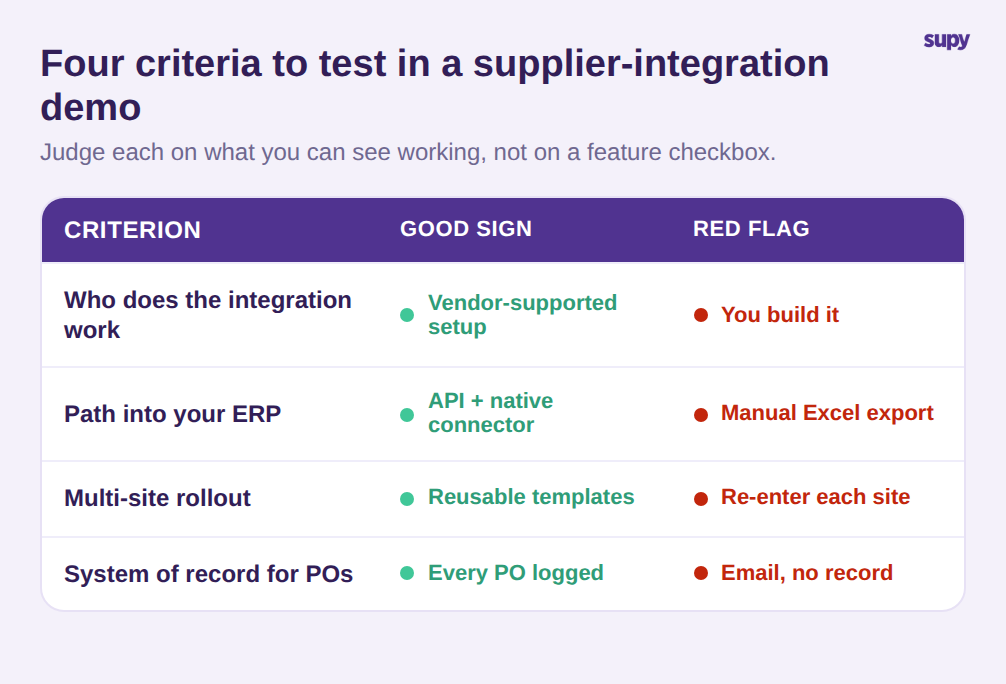
Bewerten Sie jedes Kriterium danach, was Sie sehen können, nicht was Ihnen gesagt wird. Eine Plattform, die alle vier mit einer Live-Demonstration beantwortet, bietet Lieferantenintegration für Restaurants in dem Sinne, der für eine Multi-Standort-Gruppe tatsächlich relevant ist. Eine, die mit Logos und Versprechen antwortet, bietet eine Connector-Liste.
Lieferantenintegration ist kein Schalter, den Sie umlegen, sie ist die Infrastruktur, die entscheidet, ob Ihre Gruppe über Mitarbeiter oder über Systeme skaliert. Bringen Sie diese vier Fragen zu jeder Demo mit, bestehen Sie darauf, jede Antwort in Aktion zu sehen statt sie beschrieben zu hören, und Sie werden die Funktionalität kaufen, die die Tabellenkalkulationen beseitigt, statt der, die sie nur umherschiebt.