Food cost

Restaurant Recipe Costs Wrong or Zero: How to Fix Each One
Restaurant recipe costs wrong or zero

A wrong recipe cost is a setup problem, not a maths problem

A restaurant recipe cost showing zero or reading wrong almost always comes from how the ingredient was set up, not from a broken calculation. A dish that should cost $4.20 shows $0.00 the moment one ingredient has no received purchase order behind it. A 25 kg sack of flour entered as 1 kg throws off every recipe that touches it. This article shows the six setup mistakes that make a recipe cost wrong, and the fix for each one.

The symptom looks like a software bug, so operators go hunting for one. The cause sits one level down, in the ingredient, its units, or its supplier packaging. You can check and correct every one of these causes yourself.
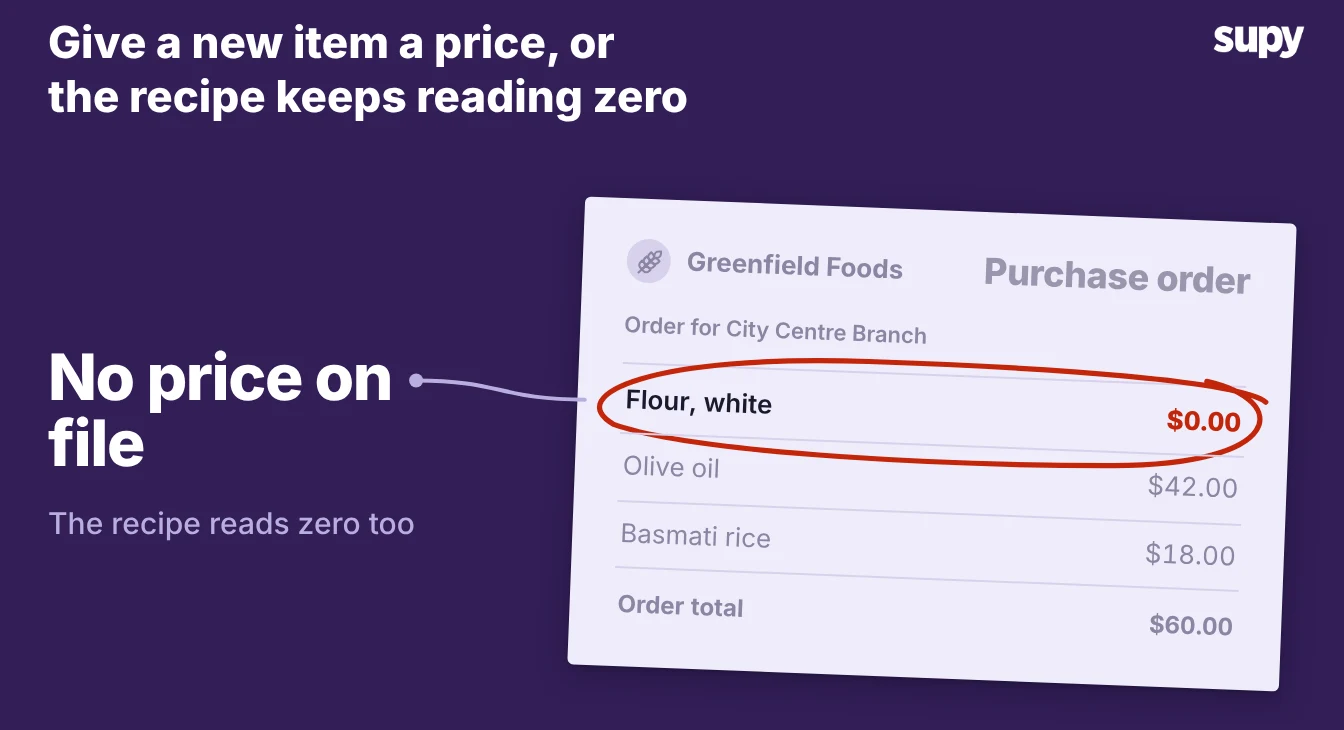
A purchase order with the flour line flagged at $0.00 because the item has no price on file

Six reasons your recipe cost reads wrong or zero

Work down the list and match each cause to what you see on the screen.

  1. The cost reads zero because the ingredient has no purchase history. A plate that should cost $4.20 shows $0.00. The ingredient has never been priced, because no purchase order for it was received and matched, so the system has nothing to cost from. Check that the purchase order was received and matched first, because that is usually the whole problem. If you genuinely have no purchases yet, give the ingredient a fixed cost per unit in your recipe costing setup. That fixed price stands in for the purchase-order price, so the recipe reads a real number from day one.
  2. The base unit and the buying unit are mixed up. Every recipe that uses the ingredient is off by the same factor. The base unit is how you count and cost the ingredient, such as grams or millilitres. The buying unit is the pack you order from the supplier, such as a case or a sack. Enter one where the other belongs, and every cost built on it inherits the error. Set the base unit to how you use the ingredient in recipes. Set the buying unit to how the supplier sells it, and let the conversion between them do the maths.
  3. The pack-to-base conversion ratio is wrong. One ingredient costs far too much or far too little while the rest look fine. The ratio between the buying unit and the base unit is wrong. Map a 25 kg sack of flour as 1 kg, and every recipe that uses flour inflates. Map a loaf that yields 20 slices as 1 slice, and the bread cost comes out wrong. Open the ingredient and correct the conversion so one buying unit equals the real number of base units.
  4. The same ingredient exists two or three times, once per pack size. The cost jumps around depending on which supplier delivered last. The same olive oil might arrive as a 5 litre case from one supplier and a 1 litre bottle from another. Operators often create a separate ingredient for each pack, and that splits the moving-average cost across the duplicates. Keep one ingredient master and link every supplier product and pack size to it, so all purchases feed one moving average and recipes read a single blended cost.
  5. The cost is years old and no longer matches what you pay. Food cost on paper sits inside your 28% to 32% target while the bank balance disagrees. The recipe was costed once and never refreshed, so it still carries last year's prices. Let supplier price updates cascade into the ingredient's average cost, or record a recent purchase so the cost catches up. Either way the recipe cost and your reports move with the prices you actually pay.
  6. A prepped sub-recipe reads zero even though its ingredients are costed. A sauce or a batch prep shows no value in a dish or a stock count. The sub-recipe has ingredient costs but no yield set, so there is nothing to divide the cost across. Cost the sub-recipe the way you cost any recipe, then set how much it yields. Each portion then carries its share of the batch cost into the dishes that use it.
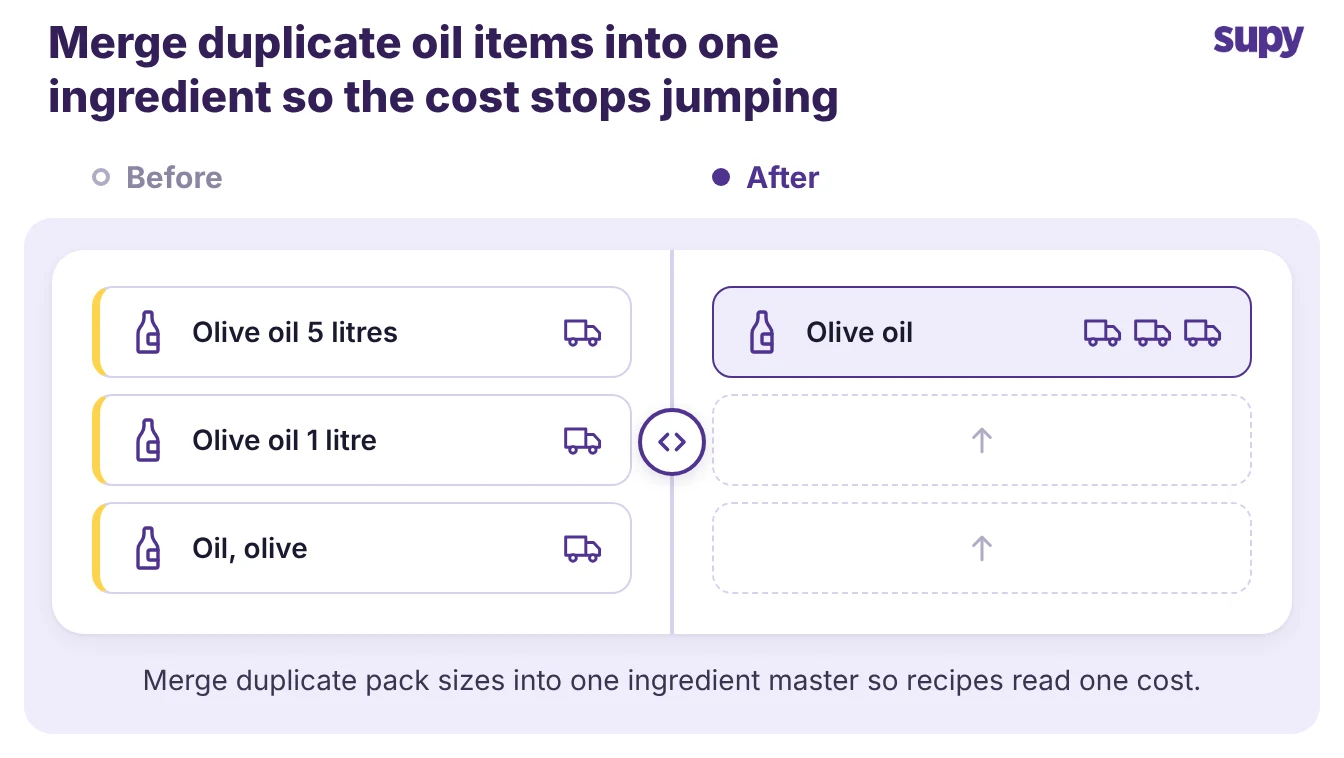
Three duplicate olive oil items folding into one ingredient master so recipes read one cost

Which cause to check first

Start with the symptom on the screen, because the reading itself points at the cause. Match what you see to the most likely cause below, then check that part of the setup first.

What you seeMost likely causeCheck first
Cost is exactly zeroNo purchase history, or an uncosted sub-recipeThe item's receiving, and the sub-recipe's yield
Cost is wrong but not zeroBase and buying units mixed up, or a bad conversionThe item's units, and its pack-to-base ratio
Cost no longer matches what you payDuplicate items, or prices never refreshedOne ingredient master per item, and recent purchases

Fix the one that matches what you see, re-cost the affected recipes, and the food cost percentage you report starts matching the money you actually spend.

Book a Demo with Supy - restaurant recipe costing

Ready to optimize your restaurant operations?

Blog

Our operational insights

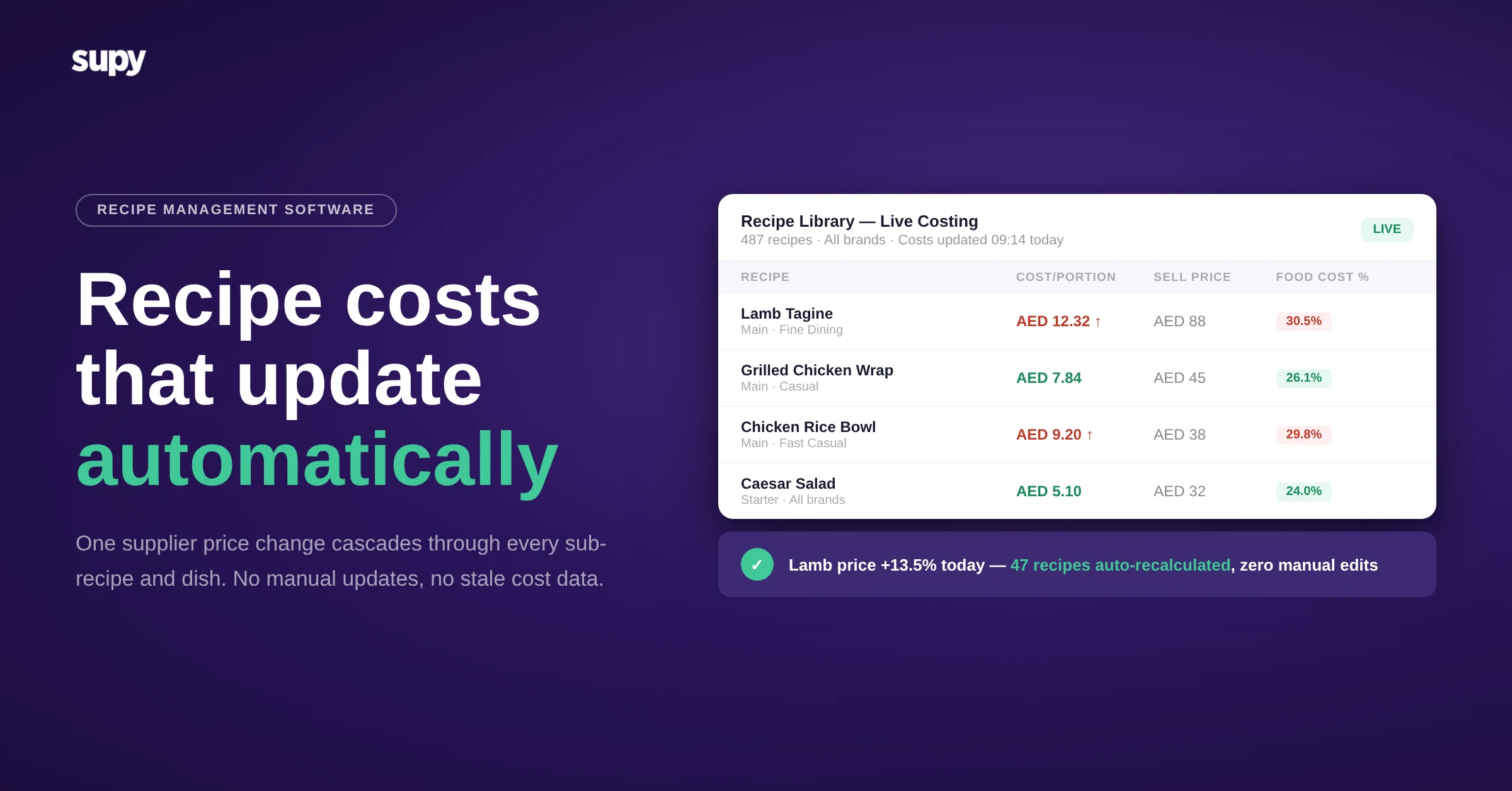
Supy recipe management and live costing dashboard
Recipe & Menu Costing

Best Recipe Management Software for Restaurant Groups

Analytics
Food cost
Integration
Inventory
Menu engineering

كيفية حساب نسب تكلفة الغذاء (مع الصيغ والأمثلة)

Recipe costing software guide for multi-location restaurant operators - Supy
Recipe & Menu Costing

Recipe Costing Software: A Practical Guide for Restaurant Operators

Your questions 
answered

Everything you need to know about Supy — from setup to integrations, pricing, and daily use. If it’s not covered here, just ask.

Why does my recipe cost show zero?
+
A recipe cost shows zero when at least one ingredient in it has no price the system can use. That happens when no purchase order for the ingredient has been received and matched, so there is no cost to pull from. Check the receiving first, because a purchase order that was created but never marked received leaves the ingredient at zero. If the ingredient is new and you have not bought it yet, set a fixed cost per unit so the recipe reads a real number. Once a received purchase exists, the cost fills in on its own.
What is the difference between a base unit and a buying unit?
+
The base unit is how you count and cost an ingredient, and the buying unit is how you purchase it. You count flour in grams or kilograms, but you buy it as a sack. You pour milk in millilitres, but you order it by the litre or the case. The software holds both and converts between them, so a recipe that uses a few hundred grams of flour prices correctly from the sack you bought. Mixing the two up, or setting the wrong conversion between them, is one of the most common reasons a recipe cost reads wrong.
How do I fix a wrong unit conversion in recipe costing?
+
Open the ingredient and correct the ratio between its buying unit and its base unit. The conversion tells the system how many base units are in one pack you buy, so a 25 kg sack of flour must convert to 25 kilograms, not to 1. A loaf that yields 20 slices must convert to 20, not to 1 slice. Get this number right and every recipe that uses the ingredient re-costs correctly at once, because they all read from the same conversion. If one ingredient's cost looks wildly off while the rest are fine, the conversion is the first place to look.
Should I create separate ingredients for different pack sizes?
+
No. Keep one ingredient and link every pack size and supplier to it. When the same olive oil comes as a 5 litre case from one supplier and a 1 litre bottle from another, a single ingredient master lets both purchases feed one moving-average cost. Creating a separate ingredient for each pack splits that average, so recipes read whichever duplicate was bought most recently and the cost jumps around. One ingredient with many packaging options is the setup that keeps a recipe cost stable. It also keeps your item list short enough to actually manage.
Why is my food cost percentage wrong even though my recipes are costed?
+
Your recipes are probably costed at old prices. A recipe costed once and never refreshed still carries the prices from whenever it was built, so the food cost percentage it feeds looks fine on paper while your real spend has moved. Ingredient prices change constantly, and a cost that does not move with them drifts further from the truth every month. Let supplier price updates flow into each ingredient's average cost, or record recent purchases, so the numbers refresh. A food cost percentage is only as current as the ingredient prices underneath it.
How does a sub-recipe get a cost?
+
A sub-recipe gets its cost from its own ingredients, then passes a share of that cost to every dish that uses it. Cost the sub-recipe the way you cost any recipe, adding each ingredient and its quantity. Then set the yield, meaning how much the batch produces, because without a yield there is nothing to divide the cost across and the sub-recipe reads zero. A batch of sauce that costs a known amount and yields a set number of portions passes a share of its cost into each dish. Miss the yield and every dish built on that prep loses the cost.
How often should I update recipe costs?
+
Update recipe costs whenever the ingredient prices behind them change, which in practice means continuously. If your software pulls cost from received purchase orders, the update happens on its own each time you buy, and a supplier price change cascades into the recipes that use that ingredient. If you cost manually, review the recipes that use volatile ingredients at least monthly, and after any big supplier price move. The point is that the cost on the recipe should match what you paid last time you bought it, so the food cost you report is the food cost you are actually running.

Ready to transform your operations?

Join 3500+ restaurant operators cutting costs, streamlining operations and making smarter decisions with Supy.