





How to Build One Restaurant Checklist Template for Every Site

What a restaurant checklist template should cover
A restaurant checklist template is the standard list of opening, closing, temperature and cleaning checks a site runs each shift. Give six sites a paper copy and within a month you have six different versions. One template, assigned by role and shift, is what head office can actually compare. This article shows what to put on the template and how to run one version at every site.
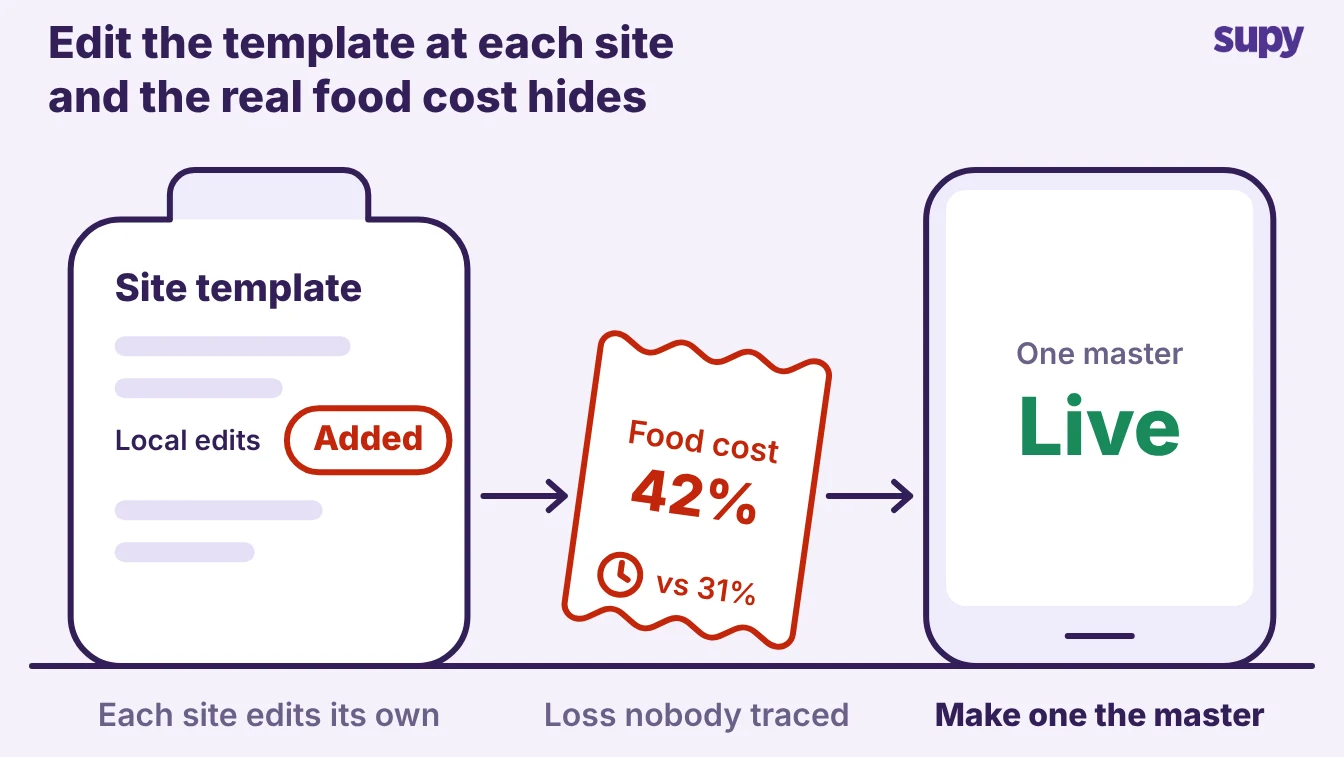
- Each site edits. Most groups never get that far. Staff keep the checklists on paper and in chat groups, and each site edits its own version. Nothing lines up when head office tries to compare them, and a skipped check goes unnoticed until the cost shows up weeks later.
- Template fixes this. One template fixes this. It sets out the same checks everywhere and names who owns each one. It records every completion, so a missed step is visible the same day. The checks below are the backbone most sites share. A dedicated opening checklist goes deeper on the start of the day, but the template holds the whole shift.
| Area | Checks | When |
|---|---|---|
| Open | Take fridge and freezer temperatures, count stock on hand, switch on equipment | Start of day |
| Front of house | Clean the floor and front, set the tables, stock the service stations | Before service |
| Service | Take hot-holding temperatures, stock handwash stations, put out allergen labels, log waste | During each shift |
| Deliveries | Check temperatures and use-by dates on arrival, log short or damaged items | On each delivery |
| Close | Clean surfaces and equipment, record waste, reconcile cash, secure doors and gas | End of day |
| Compliance | Sign the cleaning schedule, log the checks done, close any open corrective actions | Daily and weekly |
Treat the compliance rows as a starting point, and confirm the exact rules with your local food safety authority before you rely on them.
Split one template by role and shift
A single flat list of forty checks fails on the floor. The opening team, the kitchen, the closing team and the duty manager each own a different slice. A check nobody is named for is a check nobody does, so the template stays one document but each line carries a role and a shift.
Assigning the work this way does two things.
- Staff see theirs. Staff see only the checks that are theirs for the shift they are on, which is faster and harder to skip.
- Manager signs off. The duty manager reviews the completed lines and signs off at the end, which makes one person accountable for the whole shift.
One multi-site group trained each role on its own slice before go-live, and staff kept using the template.
| Role | Shift | Checks they own |
|---|---|---|
| Opening team | Open | Take temperatures, count stock, check equipment and floor |
| Kitchen and prep | Service | Log hot-holding, prep and waste, put out allergen labels |
| Closing team | Close | Clean down, record waste and cash, secure the premises |
| Duty manager | Whole shift | Review each line, close corrective actions, sign off |
Why every site ends up running its own version
Hand a paper template to six sites and within a month you have six templates.
- Adds a line. One manager adds a line after a bad delivery.
- A manager cuts checks. Another drops the checks their team keeps ignoring.
- Rebuilds the spreadsheet. A third rebuilds the whole thing in a spreadsheet nobody else can see.
The checks still happen, but no two sites record them the same way, so the group has no shared picture of what was done.
That gap is expensive because it is invisible.
- No obvious reason. Say a six-site group finds food cost running at 42% against a 31% target over a quarter, with no obvious reason.
- Branch stopped logging. One branch had quietly stopped logging prep and waste, so the loss never reached a report anyone read.
A standard template would have shown the missing sign-offs in the first week.
Make one template hold up across every site
A template holds up across sites when three things are true:
- The same checks everywhere. Every site runs the identical list, so head office can compare them.
- A role owns each check. A check nobody is named for is a check nobody does.
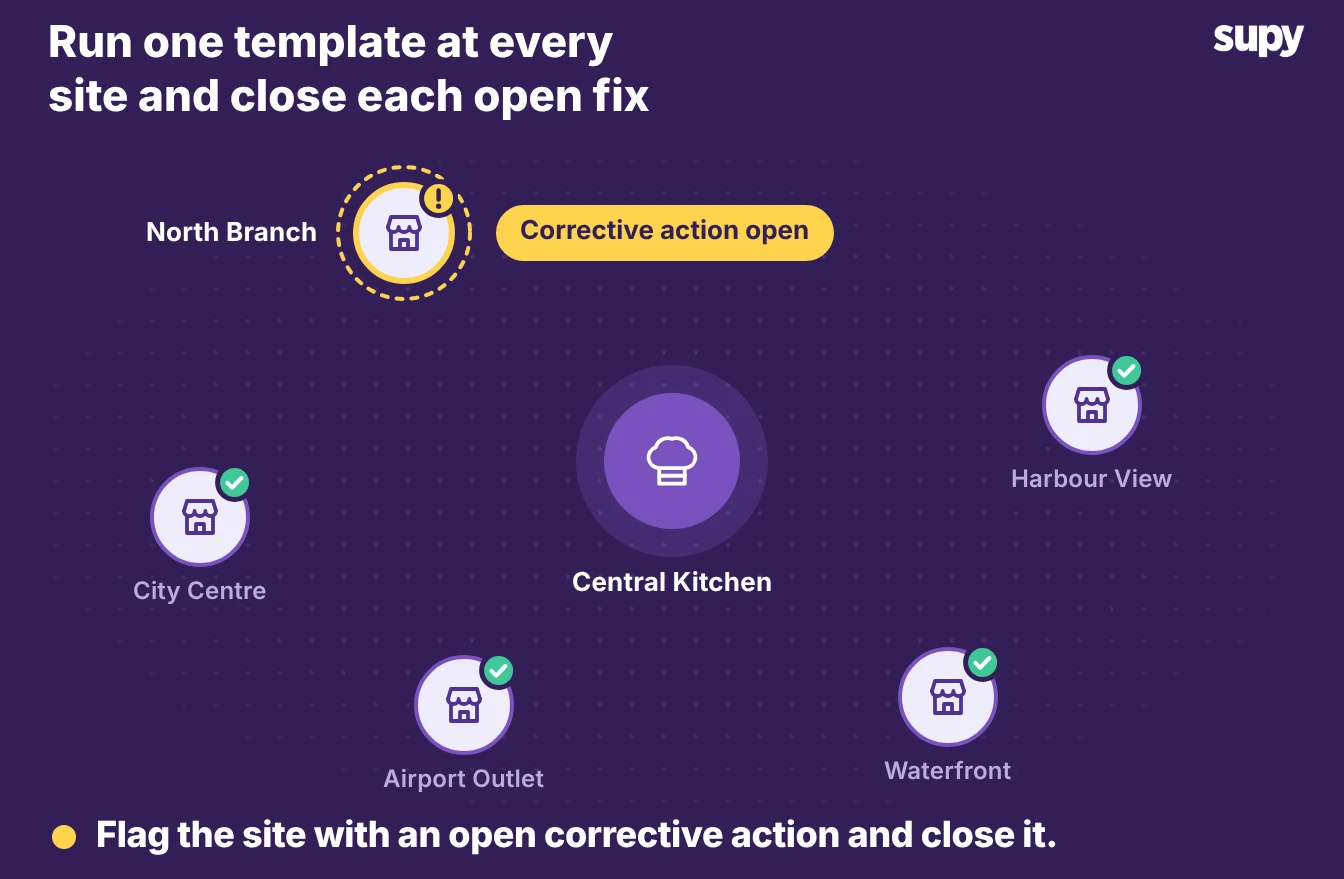
- Failed checks become tracked jobs. When a check fails, record who raised it, set a fix with a due date, and keep it open until someone verifies it.
The third is where most templates fall down. A failed check with no owner and no due date is the same as no check at all. The checklist becomes a record of what went wrong instead of a short list of what still needs doing.
- Build and run. Supy Ops, Supy's checklist software, does this across a group. You build a checklist once and run it on schedule at every branch.
- Each run carries. Each run carries manager sign-off, photo proof of who did what and where, and completion reports across sites. For the written procedures behind the checks, keep your SOPs in the same system so a new site inherits the standard.
A spreadsheet starts the template, the app keeps it running
A spreadsheet is a fine place to design the template and a poor place to run it.
- Run from memory. Staff will not open a shared sheet on a phone between covers, so they run the checks from memory instead.
- App already open. Staff use the template only when it is in the app they already open for stock counts and ordering, not a seventeenth app to download.
Switching is quicker than rebuilding from scratch. An AI checklist builder turns a photo or PDF of your current sheet into a checklist, which you then assign by role and shift. The table below shows what changes when the same template moves off the spreadsheet and into that app.
| What matters | On a spreadsheet | In the checklist app |
|---|---|---|
| Where staff reach it | A shared file few open mid-shift | On the phone they already carry |
| Who keeps it current | Each site edits its own copy | One template, updated once for all |
| Proof a check was done | A tick nobody can verify | Who did it, when and where |
| What head office sees | Nothing until someone sends the file | Completion across every site, live |
Start with one site's current checklist and make it the master. Strip it to the checks that matter. Assign each line to a role and a shift, and add a corrective action to every check that can fail.
Run that one template at every site for two weeks, then compare completion rates and the cost lines that move. The sites that were quietly skipping steps show up fast, and the first fix is usually the template itself, not the people.