.jpg)


Best SOP Software for Multi-Location Restaurants: Why Documented Procedures Fail at Execution
Why SOPs Fail in Multi-Location Restaurant Operations
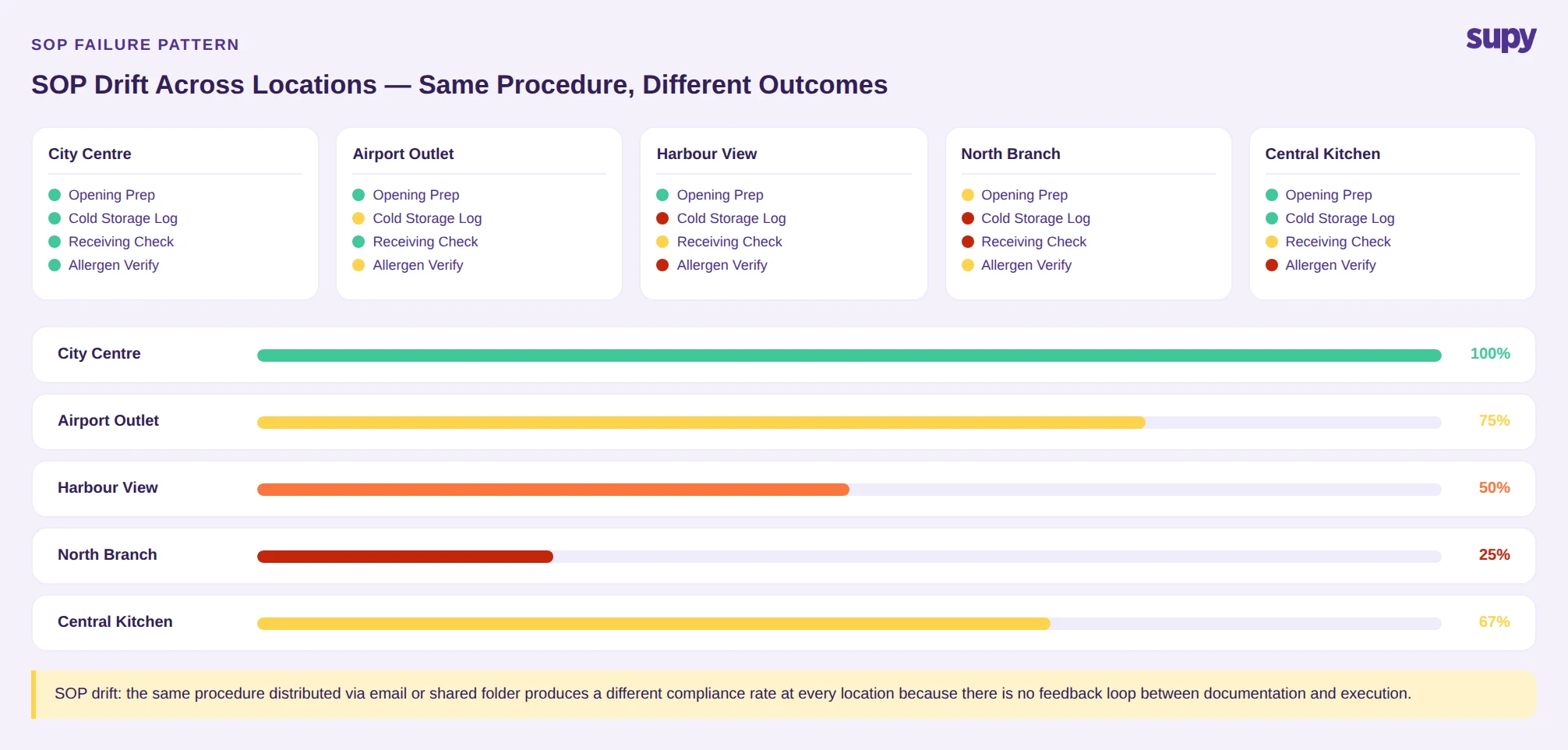
The failure pattern is consistent. A head office team documents a procedure, distributes it via email or a shared folder, and assumes the work is done. At the branch level, a shift manager prints it once, files it, and trains new staff verbally from memory. Within a few weeks, the written procedure and the practiced procedure have diverged.
This is not a motivation problem. It is a structural one. Without a system that assigns procedures to specific people, tracks whether tasks were completed, and surfaces deviations, there is no feedback loop between head office and what actually happens during service.
The result is SOP drift: over time, each location builds its own version of the same procedure. When a new menu item is introduced or a prep standard changes, some branches implement it, others do not, and no one knows which is which until an audit or a complaint surfaces the gap.
Three compounding factors make this worse at scale:
Training inconsistency. When SOPs are communicated verbally, quality depends on which manager is training and on what day. A staff member onboarded during a quiet period may receive a different version of a procedure than someone onboarded during a rush. There is no record and no way to verify what was covered.
Tool fragmentation. Most operations teams run four or more separate systems: scheduling in one app, maintenance requests via text message, inventory on a spreadsheet, and SOPs in a binder or shared PDF. None of these systems talk to each other, and BOH procedures sit outside all of them. When procedures are disconnected from daily tasks, following them becomes optional.
No completion proof. Documented procedures cannot prove execution. Without task assignment, due dates, and completion tracking, there is no operational record that a standard was met -- and no mechanism to intervene before a standard is missed repeatedly.
What SOP Software for Restaurants Actually Needs to Do
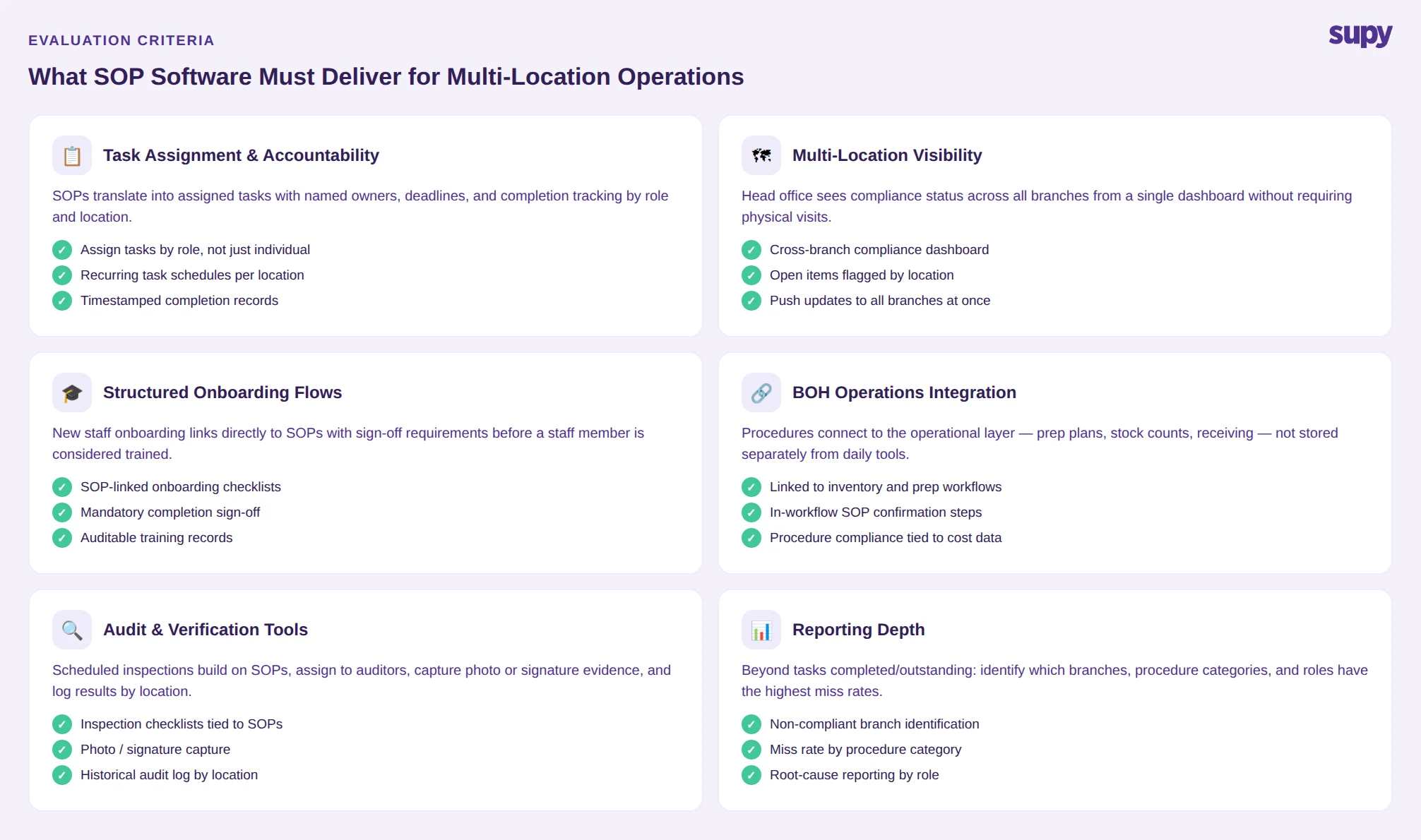
Evaluating SOP software for a multi-location restaurant operation requires a different lens than a single-site operator would apply. The core question is not "can we store our procedures here?" -- it is "can we verify that our procedures are being followed, at every location, without a physical visit?"
That shifts the evaluation criteria considerably. Here is what matters:
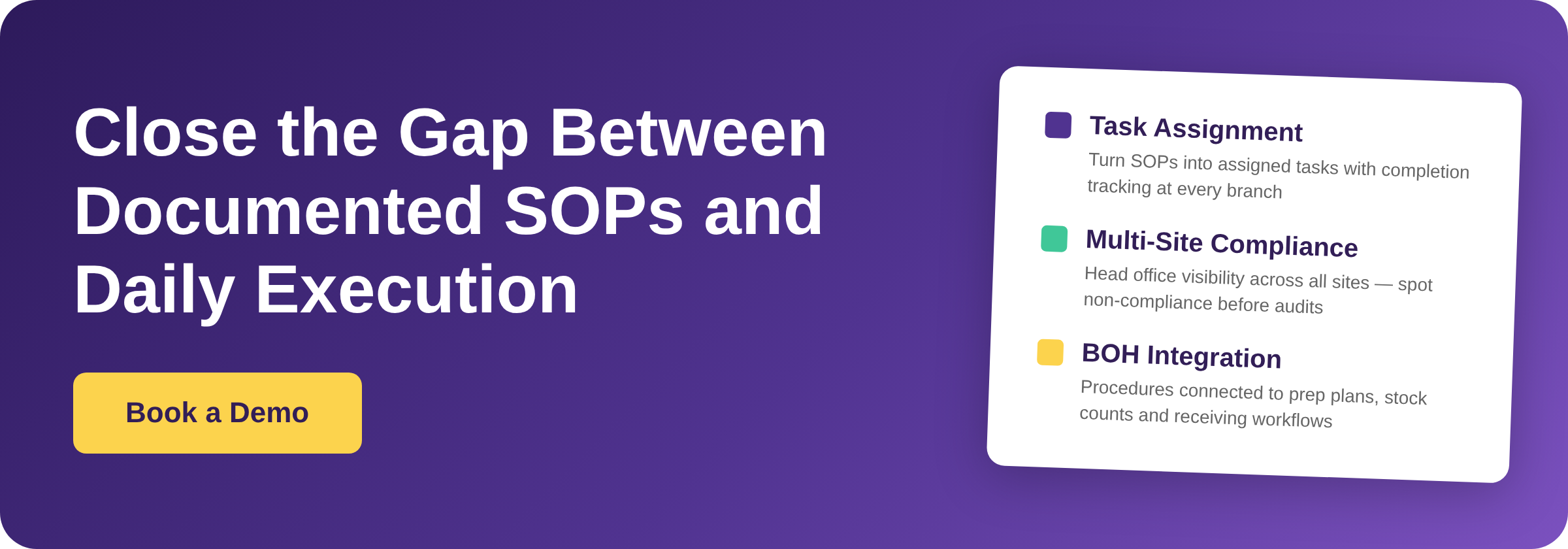
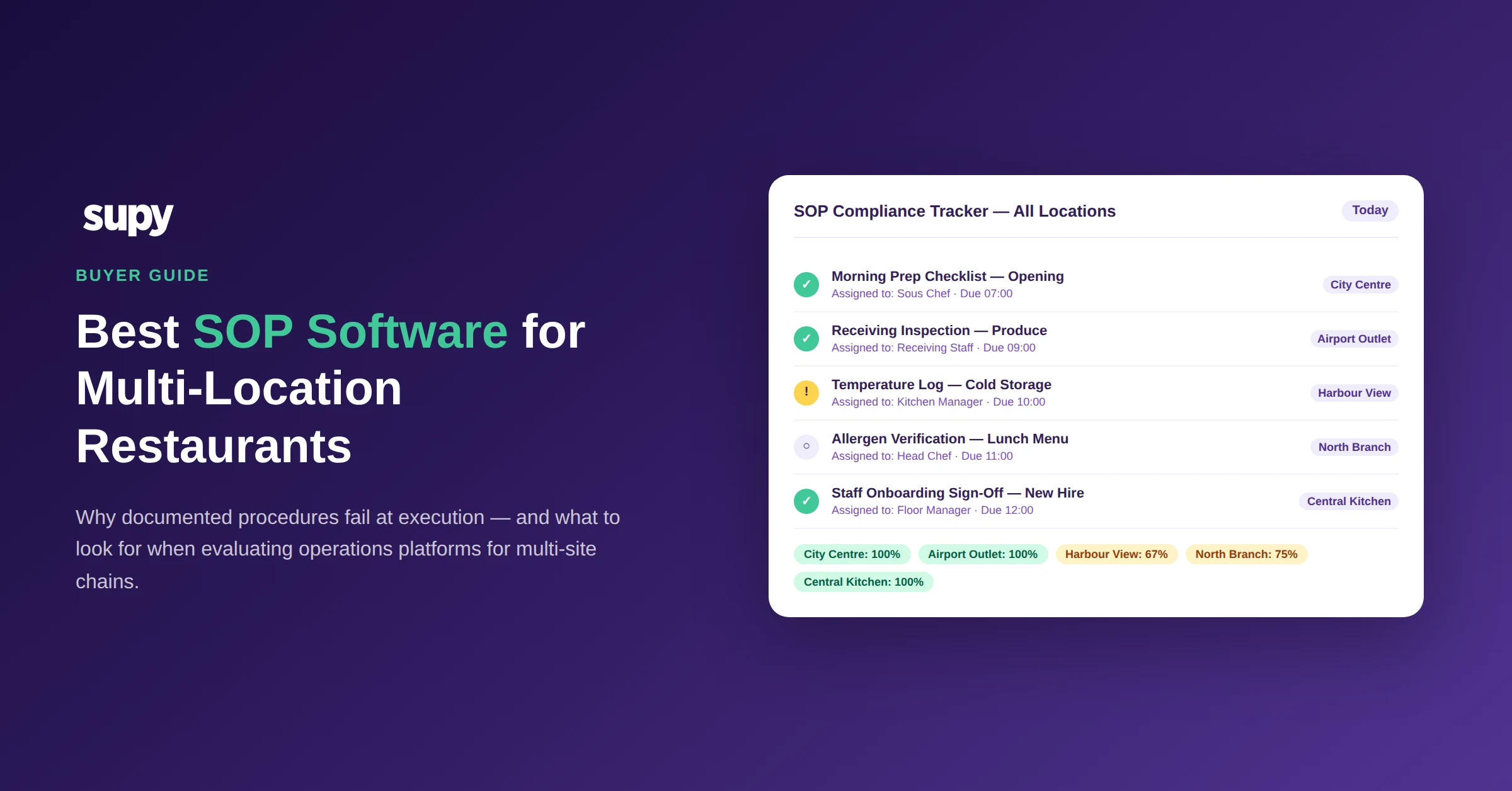
Task assignment and accountability. SOPs must translate into assigned tasks with named owners, deadlines, and completion tracking. Software that stores procedures without generating tasks creates a documentation repository, not an operations system. Look for the ability to assign recurring tasks by role and location, not just by individual.
Multi-location visibility. Head office should be able to see compliance status across all branches from a single view -- which sites completed which procedures, which have open items, and which have recurring gaps. Without this layer, multi-site oversight still depends on manual check-ins and area manager calls.
Structured onboarding flows. New staff onboarding is the most critical moment for SOP adoption. Software that links onboarding checklists directly to SOPs -- and requires completion sign-off before a staff member is considered trained -- removes the variance that comes from verbal training.
Audit and verification tools. Beyond daily tasks, operators need scheduled audits that tie back to SOPs. This means the ability to build inspection checklists, assign them to auditors, capture evidence (photos, signatures), and log results by location over time.
Integration with BOH operations. Procedures for food safety, prep standards, and inventory handling are meaningless if they exist in a separate system from the tools staff use for those tasks. The best sop software for multi-location restaurants connects procedures to the operational layer -- where prep plans, stock counts, and receiving workflows actually happen.
The Evaluation Shortlist: What to Compare
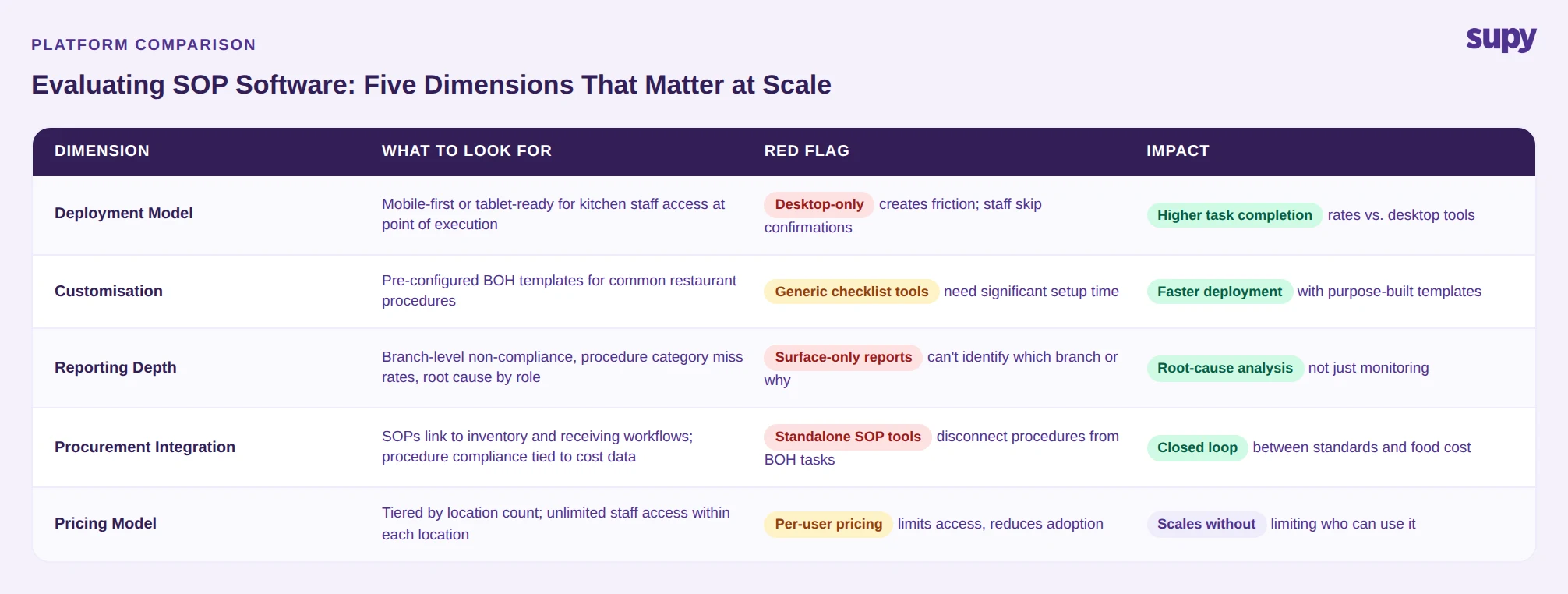
When shortlisting SOP software options for a multi-site restaurant chain, most operators compare on five dimensions:
Deployment model. Some platforms are desktop-first, which creates friction for kitchen and floor staff. Mobile-first or tablet-ready systems have significantly higher completion rates for task-based SOPs because staff can access and confirm procedures at the point of execution.
Customisation vs. rigidity. Generic checklist tools can be adapted for restaurants but require significant setup time. Purpose-built restaurant operations platforms carry pre-configured templates for common BOH procedures, which shortens time to deployment.
Reporting depth. Surface-level reporting (tasks completed / tasks outstanding) is table stakes. What distinguishes stronger platforms is whether they can identify which branches are non-compliant, which procedure categories have the highest miss rate, and which roles are the source of repeated gaps. This level of reporting is what enables root-cause analysis rather than just performance monitoring.
Connectivity to procurement and inventory. For restaurant operators managing food cost alongside operations standards, SOP software that integrates with restaurant inventory software creates a closed loop: procedures govern how stock is used, and inventory data reflects whether they were followed.
Pricing model. Per-location pricing scales linearly and becomes expensive at volume. Per-user pricing creates incentives to limit system access. The most suitable model for multi-site chains is typically a tiered model based on location count, with unlimited staff access within each location.
SOP Drift at Scale: What It Costs
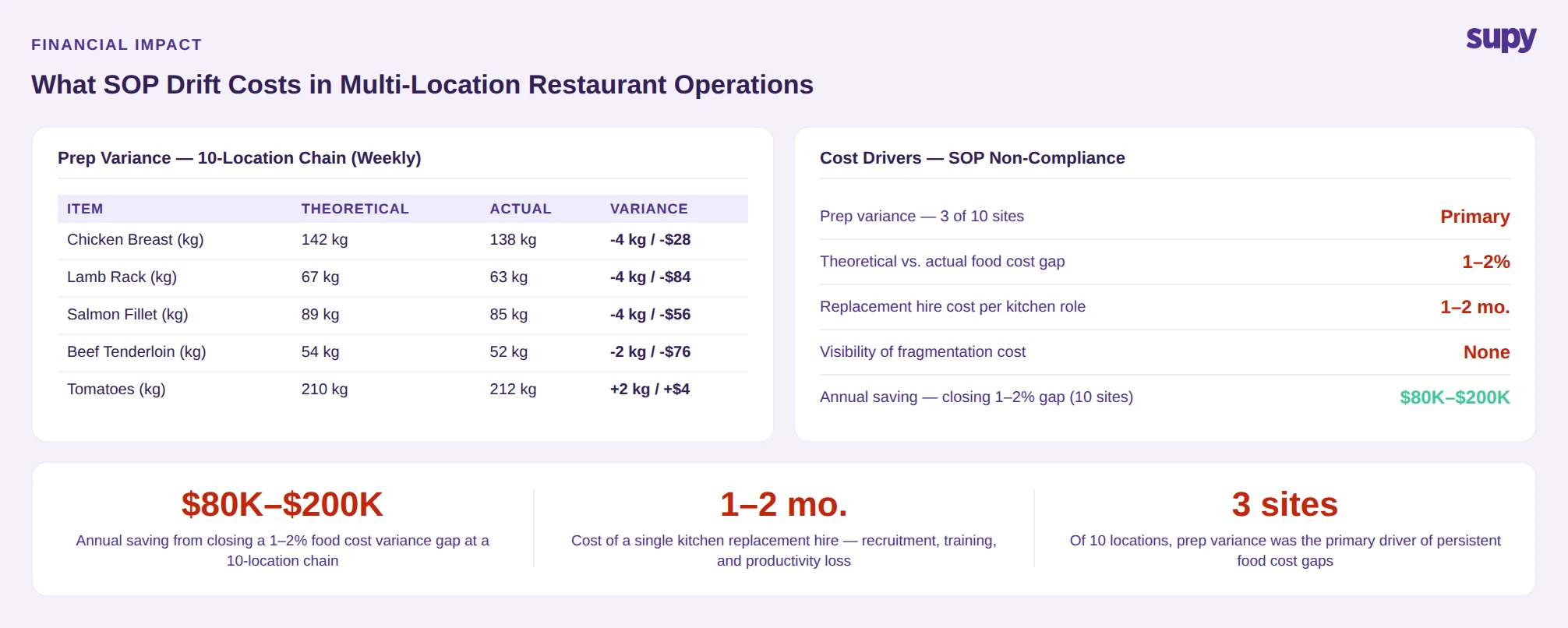
Without a quantitative benchmark specific to restaurant chains, the cost of SOP drift is best understood through its operational effects rather than a single headline number.
When procedures for food prep vary by location, cost variance follows. A protein prep standard that is not followed consistently produces yield differences that compound weekly. One multi-site operator running 10 locations found that prep variance alone -- the difference between what the recipe card specified and what was actually portioned -- was the primary driver of a persistent gap between theoretical and actual food cost at three of its sites.
Training inconsistency creates a parallel cost. When new staff are trained verbally from a manager's memory rather than against a documented standard, ramp time is longer, error rates are higher in the first 30 days, and turnover is more likely when expectations are unclear. The cost of a single replacement hire in a restaurant kitchen is estimated to run between one and two months of that role's total compensation when recruitment, training time, and productivity loss are included.
Tool fragmentation multiplies both. When procedures are stored outside the systems staff use every day, compliance becomes discretionary. The opportunity cost of that fragmentation -- measured in food cost variance, customer experience inconsistency, and audit failures -- is not visible in any single system, which is precisely why it persists.
How Supy Addresses the SOP Execution Gap
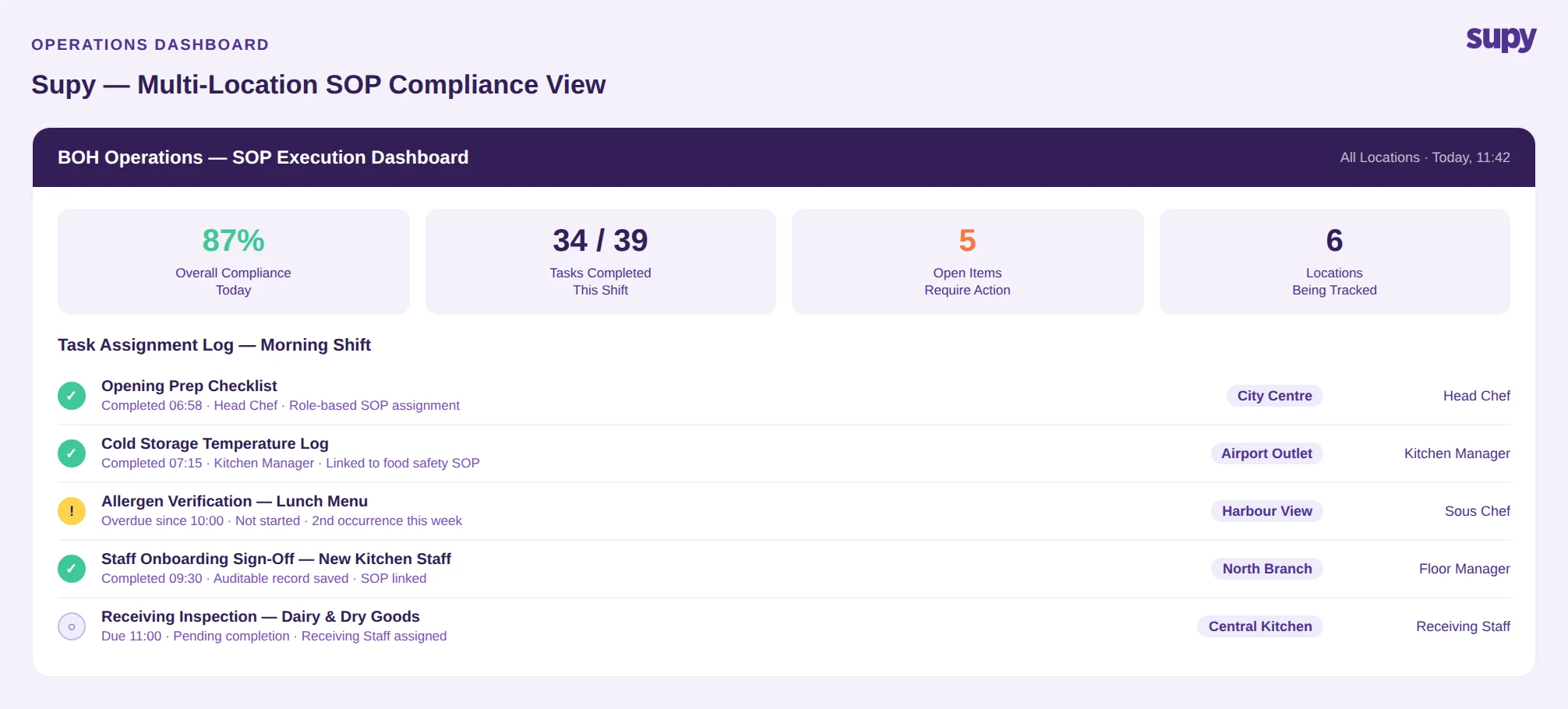
Supy is a BOH operations platform built for multi-location restaurant and F&B chains. Its operations module connects procedures directly to the daily operational layer -- prep plans, stock counts, receiving workflows, and kitchen tasks -- rather than sitting alongside them as a separate documentation tool.
Key capabilities relevant to SOP execution at scale:
Task and checklist management. SOPs are configured as assigned tasks with due dates, completion tracking, and role-based assignment. Head office can push procedure updates to all locations simultaneously, and branch compliance is visible from a central dashboard without requiring a physical audit or a manager call.
Onboarding workflows. New staff onboarding checklists are linked to SOPs and require completion sign-off. This removes verbal training variance and creates an auditable record of what each staff member was trained on and when.
Multi-site compliance reporting. Supy's reporting layer shows compliance status by location, procedure category, and time period. Operations directors can identify which branches are consistently behind on specific procedure types -- and whether that pattern correlates with other performance signals.
BOH integration. Because Supy also covers inventory, procurement, and production planning, SOPs for handling, prep, and receiving are connected to the tools staff use to perform those tasks. A prep procedure is not a document to consult separately -- it is embedded in the production plan.
For operators evaluating the best SOP software for multi-location restaurants, Supy is most relevant for chains that want to close the gap between documented standards and daily execution across BOH operations, and who want that execution layer connected to cost and inventory data rather than managed through a standalone checklist app.
Making the Switch: What Good Implementation Looks Like
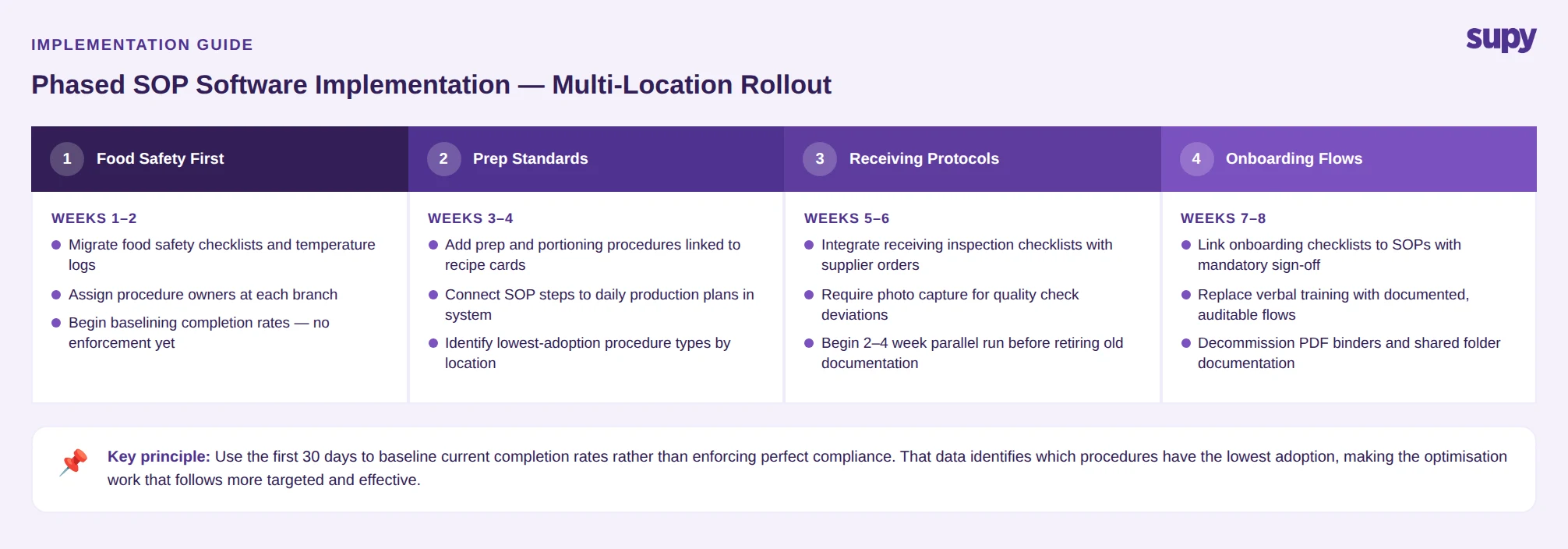
Switching SOP software is operationally disruptive if approached badly. The implementations that work share a few consistent characteristics:
Start with one procedure category, not everything. Operators who try to migrate all SOPs at once create change fatigue. A phased approach -- food safety first, then prep standards, then receiving -- allows teams to build familiarity with the system before it carries the full procedural load.
Assign ownership at the branch level. Implementation fails when it is managed entirely from head office. Designating a procedure owner at each location -- typically the head chef or kitchen manager -- creates local accountability and surfaces resistance early.
Use the first 30 days to baseline, not to optimise. The first month of any new SOP system should focus on capturing current completion rates, not on enforcing perfect compliance. Baseline data identifies which procedures have the lowest adoption before any change management effort begins, which makes the optimisation work that follows more targeted.
Connect SOPs to existing daily tools. If the new system requires staff to leave the tool they use for their primary task to confirm a procedure, completion rates will be low. The highest-adoption implementations are ones where the SOP confirmation step is built into a workflow staff are already completing.
Conclusion
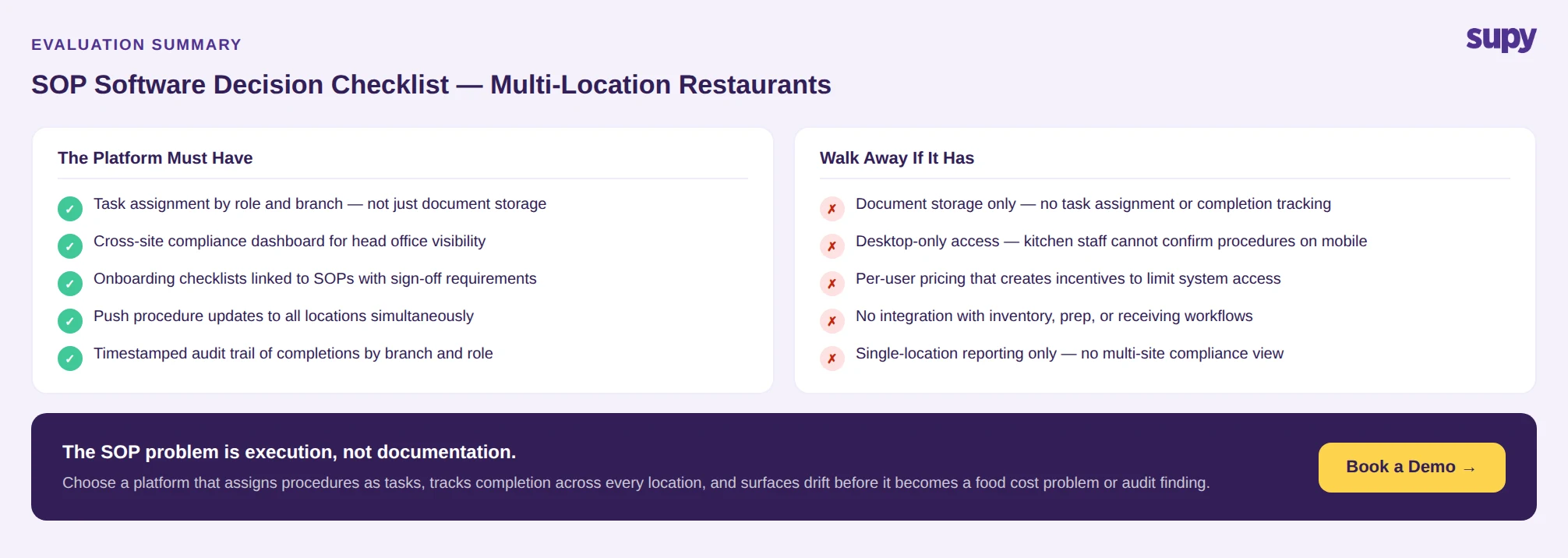
The SOP problem in multi-location restaurants is not documentation -- it is execution. Most operators have procedures written down. What they lack is a system that assigns those procedures as tasks, tracks completion across locations, and surfaces the drift before it becomes an audit finding or a food cost problem.
Evaluating SOP software for a restaurant chain requires looking past storage and search functionality to the accountability layer: who is responsible, whether completion is verified, and whether head office has real-time visibility across all sites.
For operators ready to close that gap, the right platform is one that connects procedures to the operational tools staff use every day -- not one that adds another document repository to the stack.