.jpg)


Stock Received at the Wrong Restaurant Outlet: Catch It at Receipt
Where the Cost Really Goes When Stock Lands at the Wrong Outlet
Receiving stock to the wrong outlet means a delivery is booked against a location that did not order it, so the cost lands on that outlet's books instead of the one that will actually use the goods. On a multi-site group that quietly distorts food cost and month-end allocation for two outlets at once: the one that gets overcharged, and the one that comes up short.
The useful news is that this is almost always fixable, and the right fix depends entirely on where you catch it. The cheapest place is the goods received note (GRN): the record you raise when a delivery is checked in against a purchase order. Catch a misroute there and it is a quick correction. Catch it after the note has been posted to your stock and cost records and your options narrow sharply. So before touching anything, work out which situation you are actually in.
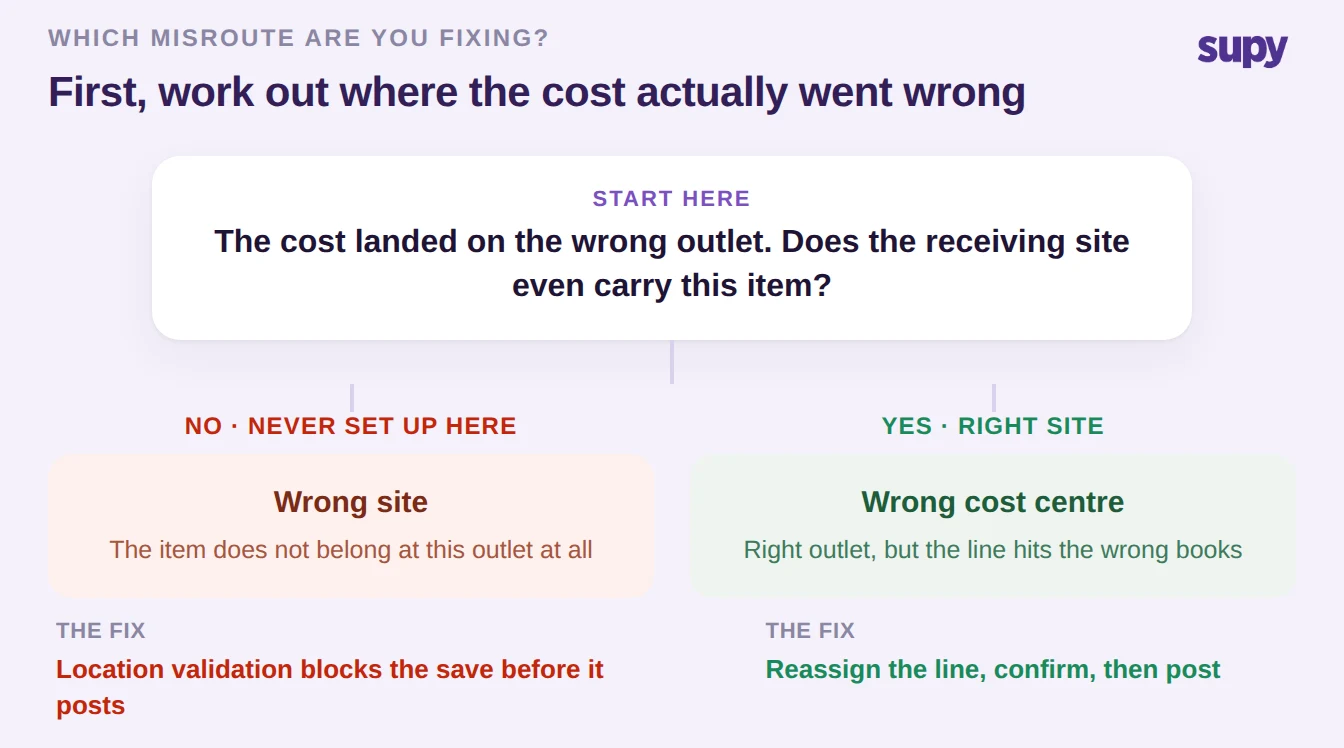
Two questions sort almost every case. First, does the receiving site even carry the item? If the item was never set up at that location, this is not a typo you correct after the fact; it is a setup mismatch the system should stop at the door. Second, if the site does carry the item but the cost is landing in the wrong place, you are looking at a cost-centre reassignment, not a rebuild. The rest of this guide takes each branch in turn, then covers the harder case: what to do when the note is already posted.
When the Item Was Never Set Up at the Receiving Site
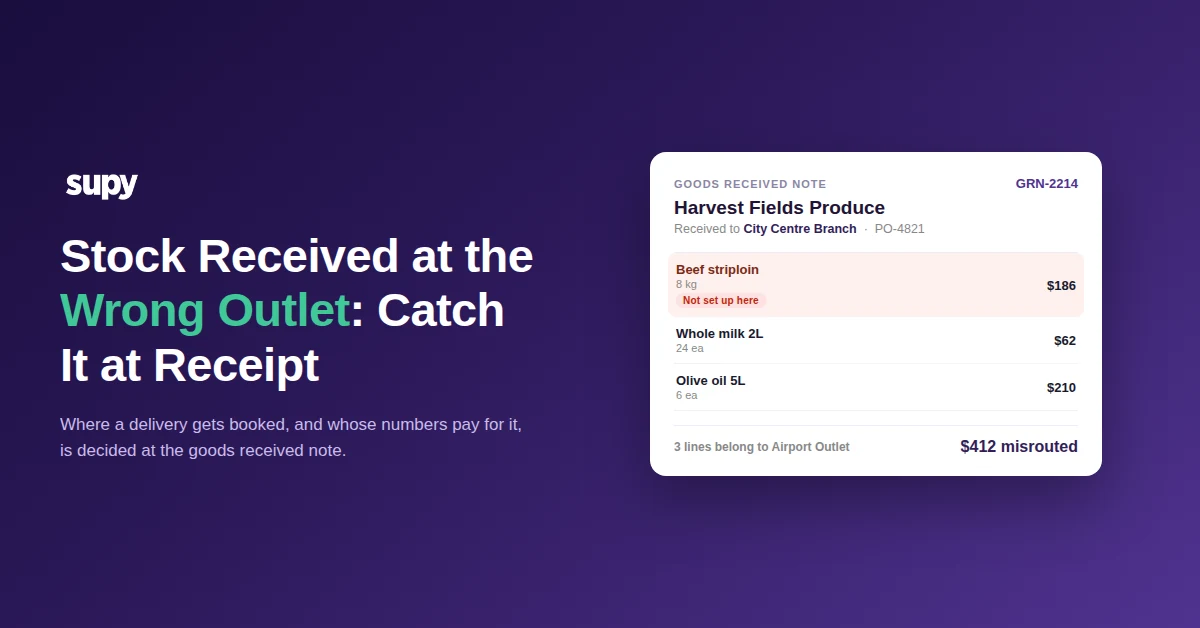
The worst misroutes are the ones where the item does not belong at the receiving outlet at all: a bar-only spirit booked into a coffee-shop branch, or a striploin destined for the Airport Outlet checked in at the City Centre Branch. Left alone, the cost sits on the wrong outlet's profit and loss and the stock shows on hand somewhere it will never be used.
Supy stops this before it can happen. When a goods received note is created, the platform verifies that every item on the note is available at the receiving location before the note can be saved, so goods cannot silently land at a site that has not been set up to carry them. A line for an item the outlet does not stock is blocked at receipt rather than discovered three weeks later in a variance report. That validation is the difference between catching a misroute in the moment and unwinding it after it has already moved your numbers.
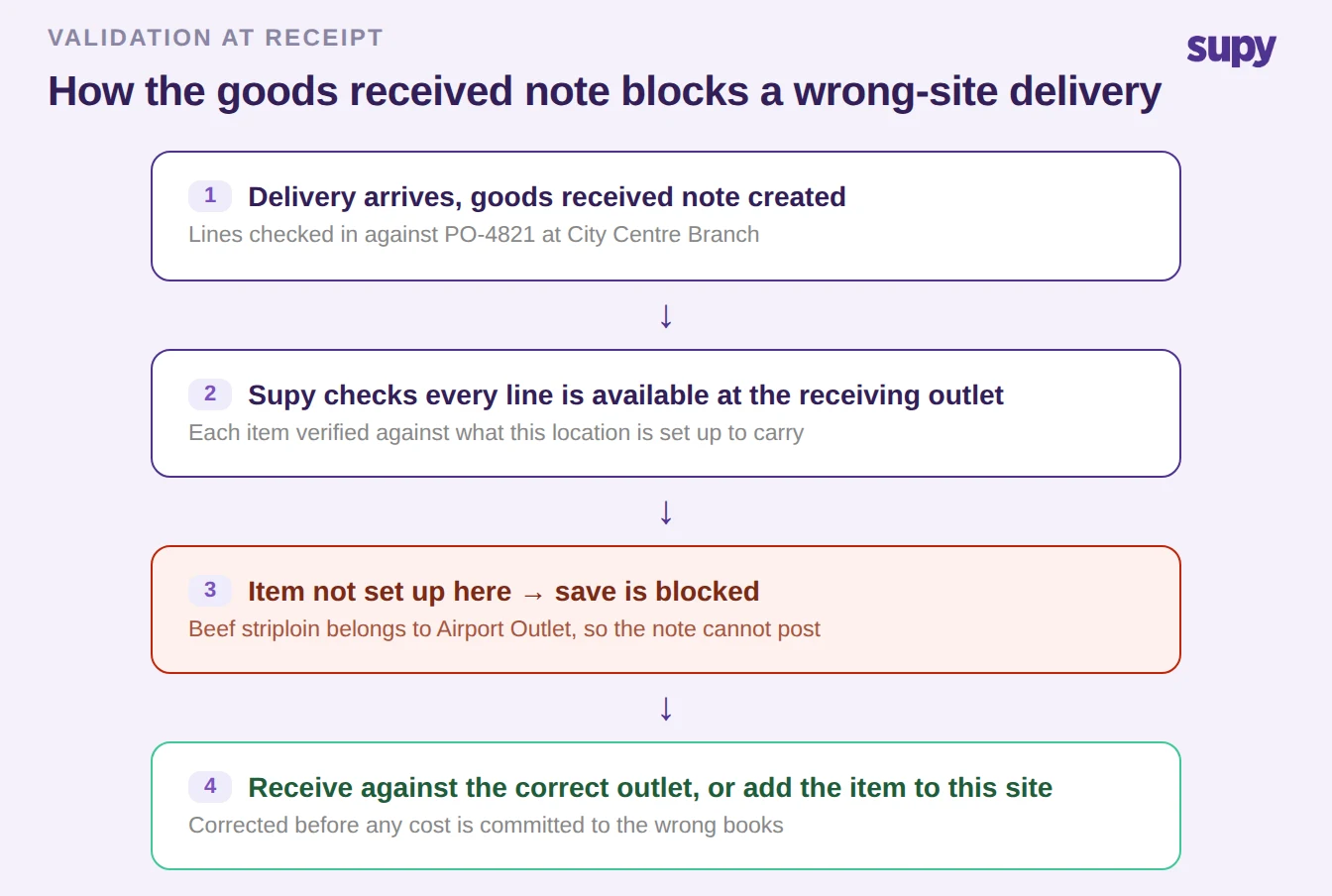
When the block fires, you have two clean choices. If the delivery genuinely belongs to another outlet, receive it against the correct location's goods received note instead. If the item legitimately belongs at this site and was simply never set up there, add it to that location's item list and receive it properly. Either way, the correction happens before the cost is committed. And once the goods are received against the right outlet, the received quantities and prices update the linked purchase order's fulfilment and cost automatically, so you always know how much of order PO-4821 has arrived and at what value, with no manual reconciliation on either side.
Right Site, Wrong Cost Centre: Reassign the Line Before It Posts
Not every misroute is a wrong-site problem. Often the goods reached the right building, but individual lines need to sit against a different cost centre: a delivery received centrally that should be split so the bar's items hit the bar's numbers and the kitchen's items hit the kitchen's. Deleting and rebuilding the whole note to fix a few lines is the slow, error-prone path most teams fall into.
You do not have to. On a multi-location goods received note, you can reassign individual received items to a different cost centre, with real-time availability validation on each move so you cannot reassign a line to a site that does not carry it. If every item on the note ends up relocated to the same place, the note's primary location updates automatically to match. That turns a wrong-cost-centre delivery into a line-level edit rather than a teardown, and the same validation that blocks a wrong-site receipt also stops a reassignment from creating a fresh misroute.
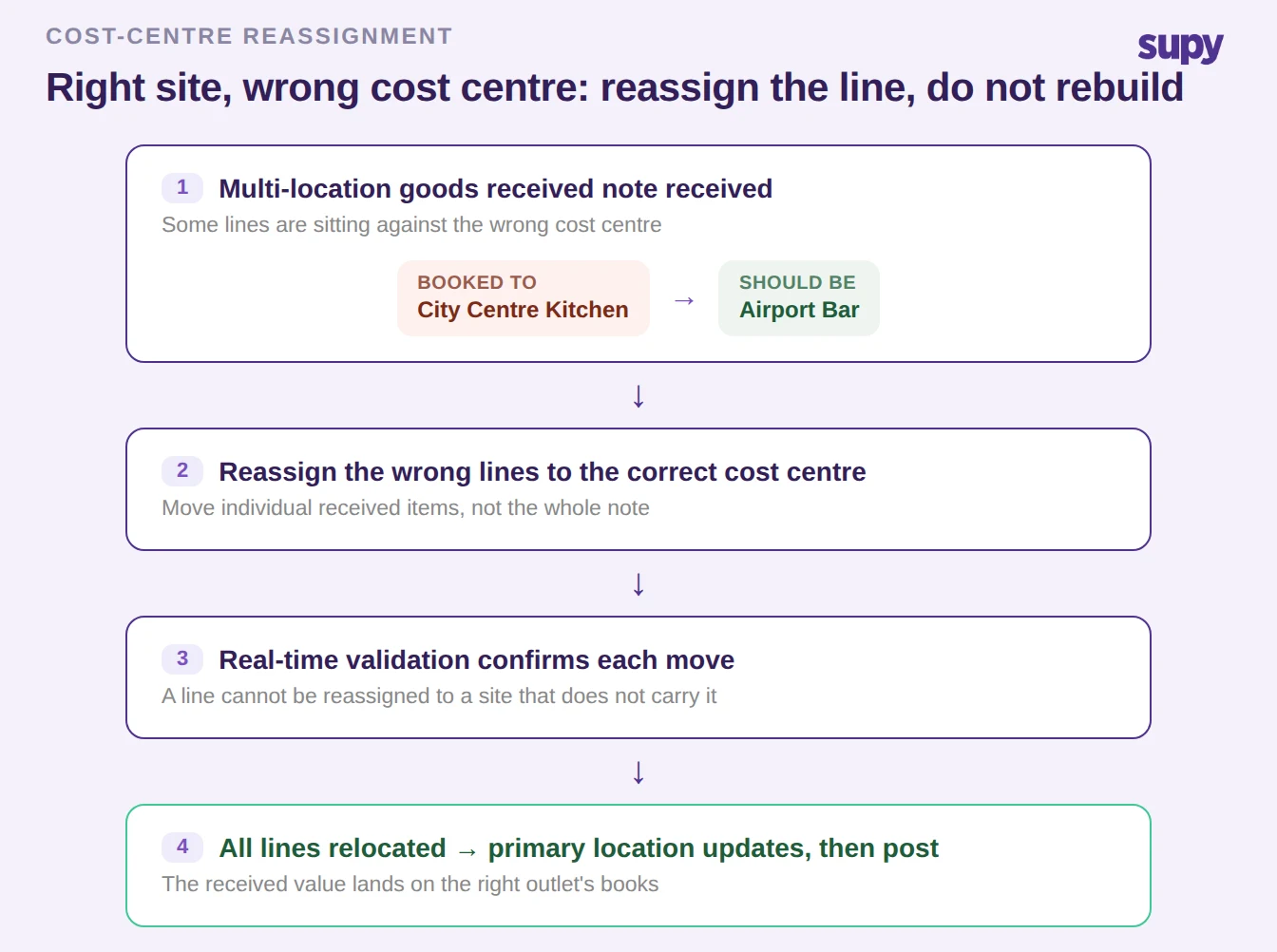
The practical rule: reassign, do not rebuild. Move the specific lines that are wrong, let the validation confirm each one, and post the note once it is right. For a group receiving into a central kitchen, the same logic carries through: when a central kitchen order is shipped, the linked note's item prices and quantities sync with the shipment data, so the receiving outlet's inventory reflects the actual warehouse cost at the point of shipping rather than a guess.
When the Goods Received Note Is Already Posted
Everything above assumes you catch the misroute while the note is still open. Once a goods received note is posted, the corrections above are no longer on the table, and that is deliberate. Posted notes cannot be deleted, because deleting a confirmed delivery would break the integrity of the stock and cost records that depend on it. Unposting exists, but it is restricted to super-admin roles rather than something a receiving clerk can do on the floor. And if the note has already been converted from a delivery note into an invoice, the invoice price is locked and cannot be edited after the conversion.
None of this is an obstacle to work around; it is the system protecting your ledger. But it is exactly why the fix belongs at receipt. The table below is worth keeping in front of anyone who checks in deliveries, because it makes the cost of a late catch concrete.
| Action once the note is posted | Available? | Why |
|---|---|---|
| Delete the posted note | No | Protects the integrity of confirmed stock and cost records |
| Unpost the note | Restricted | Limited to super-admin roles, not floor staff |
| Edit invoice price after conversion | No | Locked once a delivery note becomes an invoice |
| Fix it at receipt, before posting | Yes | Reassign the line or receive against the correct outlet |
If you are already past the point of a clean fix, the correction path runs through a super-admin unpost or a compensating adjustment posted to the correct outlet, both of which mean finance time and an audit trail entry that a receipt-stage catch would have avoided entirely. The lesson is not that posted notes are a trap; it is that the validation at receipt is the cheap insurance, and the review discipline at the door is what keeps you out of this section.
Run the delivery in front of you through three quick checks. If the item does not belong at the receiving outlet at all, let the location validation block the save and receive it against the correct outlet, or add the item to this site if it genuinely belongs here. If it is the right site but the wrong cost centre, reassign the specific lines on the note rather than deleting it, and let the real-time validation confirm each move before you post. And if the note is already posted, accept that the clean window has closed: route it through a super-admin unpost or a compensating adjustment, then tighten the receipt-stage check so the next delivery is caught at the door instead.
The through-line is that misrouted stock is a receiving-control problem, not an accounting clean-up problem. The teams that never see it in their month-end are the ones whose goods received note refuses to accept a line that does not belong. If checking in deliveries against the right outlet is still a manual habit rather than a system rule in your group, that is the gap worth closing first, and it is the core of what modern restaurant procurement software is built to enforce. For the wider receiving workflow this sits inside, see our guide to goods received note management for multi-site groups and the back-of-house food receiving procedure that stops errors at the door.