.jpg)


Restaurant LMS vs Lighter Training Options: How Multi-Site Groups Decide If They Actually Need One
What a Restaurant LMS Is, and the Question It Doesn't Answer
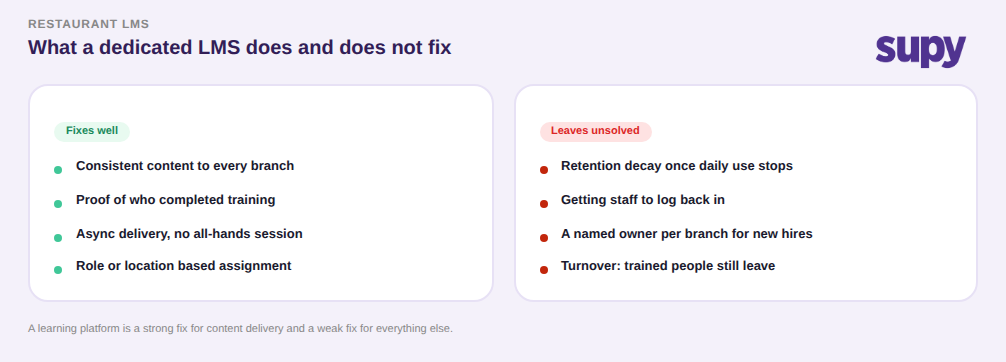
A restaurant LMS (learning management system) is software that stores training content, assigns courses to staff by role or location, and tracks who has completed what. It gives a multi-site group one place to push consistent material to every branch and prove that people were trained. What it does not decide for you is whether your training problem is actually a content-delivery problem at all.
That distinction matters because most groups reach for an LMS after a bad onboarding, and a bad onboarding is rarely bad because the content was missing. It is bad because people did not attend, because a location could not be left uncovered, because the trained staff left, or because a single session faded from memory before it became habit. An LMS is a strong fix for one of those failures and close to useless for the others. So the useful question is not which restaurant LMS to buy, it is which of your training failures you are actually trying to fix, and then whether a dedicated platform is the lightest thing that fixes them.
The rest of this comparison walks the real failure modes multi-site operators describe, then lays out when a dedicated LMS earns its cost and when a lighter mix of train-the-trainer, in-app reinforcement, and a shared procedure library does the same job for less.
Why One Training Session Decays Within Months
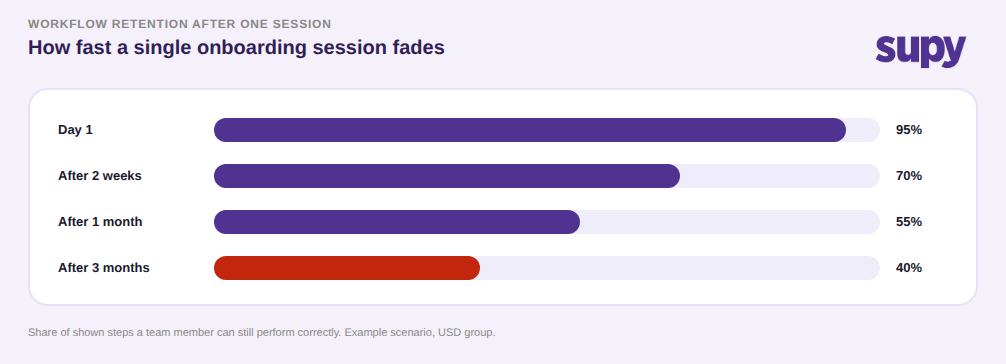
Take a single onboarding session as your baseline. In the weeks after it, the share of workflows a team member can still perform correctly falls steadily, because they do not use every workflow every day. In one example scenario, a new hire who could perform about 95 out of every 100 shown steps on day one is down to roughly 70 two weeks later, near 55 after a month, and around 40 by month three. The steps that survive are the ones repeated on every shift; the rest fade.
This is the single most important thing to understand before comparing tools, because it decides what a good fix even looks like. If retention decays the moment daily use stops, then the fix is repetition in context, not a better one-time delivery. A dedicated LMS helps here only if staff keep logging back in to refresh, which most frontline teams do not do once the badge is earned. That is why in-context reinforcement, where the workflow is re-performed inside the tool people already open each shift, tends to hold retention better than a course they finished once. If your problem is decay, the winning approach is whichever one puts the workflow back in front of staff repeatedly, and an LMS is only one candidate for that, not the obvious answer.
When Attendance and Branch Coverage Break the Session Model
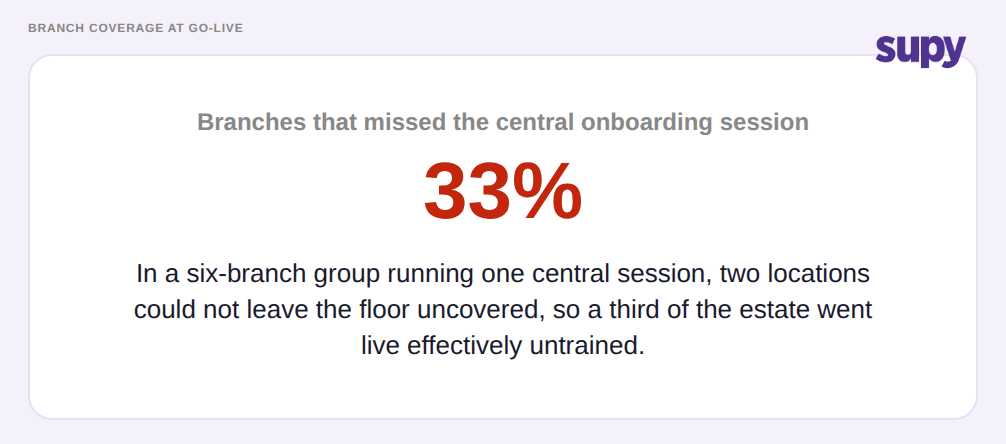
Before content ever decays, many multi-site training plans fail at attendance. Operators describe scheduled group sessions that few people actually attend, senior staff who leave the week before go-live, and branches that simply cannot send anyone because a location cannot be left uncovered. In a six-branch group running one central session, it is common for two branches to miss it entirely, so a third of the estate goes live effectively untrained no matter how good the material was.
This failure mode is the strongest argument for moving away from synchronous, all-hands training, and it is also where a dedicated LMS looks most attractive, because an asynchronous course does not require pulling a whole branch off the floor at once. But asynchronous does not have to mean a dedicated platform. A short procedure library, recorded walkthroughs, and a train-the-trainer model where one lead per branch coaches their own team all solve the coverage problem too, and they solve it closer to the actual shift. The question to ask is narrow: is your blocker that people cannot gather at the same time, or that no one owns making sure each new starter is walked through the workflow at their own branch? An LMS answers the first; it does nothing for the second, which usually needs a named owner per site, not a login. Role-based access in the systems staff already use can carry a lot of this weight, because it makes clear who at each branch is responsible for which workflow. Our guide to role-based access control for multi-site inventory covers how groups structure that ownership.
Restaurant LMS vs Train-the-Trainer vs In-App Reinforcement: How to Choose
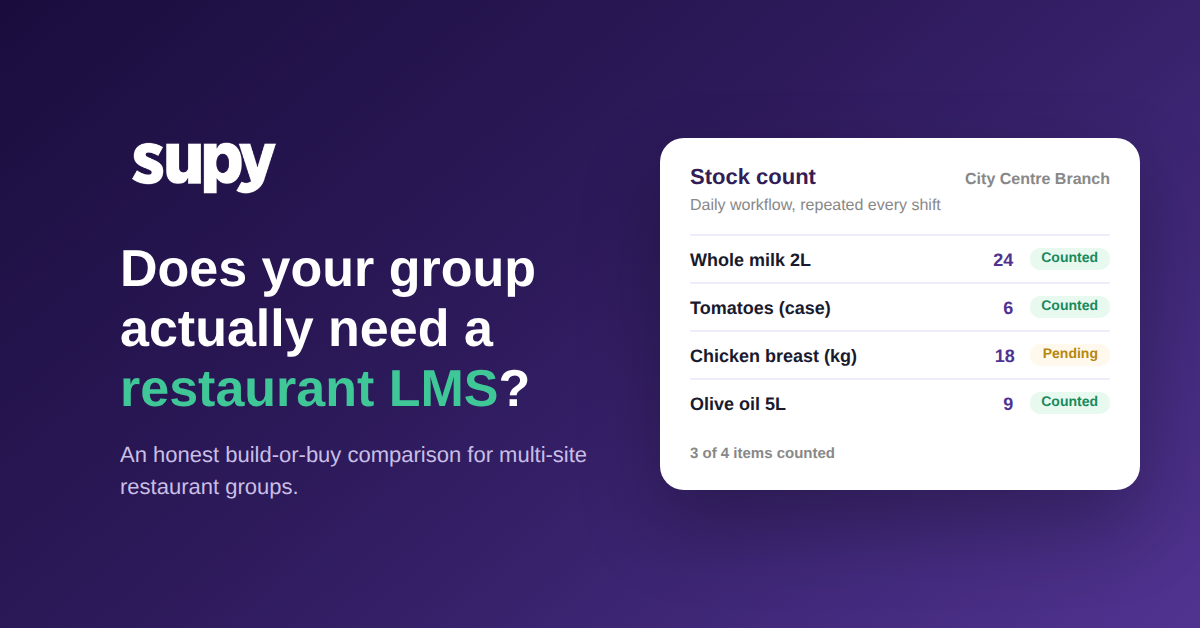
Put the options on two axes that actually separate them: how much setup and ongoing admin each one costs, and how durably it holds retention. A one-off live session is cheap but decays fast. A dedicated LMS that staff genuinely keep using is durable but carries real cost in licences, content upkeep, and someone to enforce completion. The expensive trap is the dedicated LMS that gets bought and built but not used, which costs the most and decays like a one-off because no one logs back in. And in-context reinforcement, where learning rides on the operational tool staff open every shift, is comparatively low-cost because it reuses a system you already run, and durable because the workflow is repeated daily rather than recalled from a class months ago. The stock count workflow, for instance, is re-performed on a schedule by the same people, so the habit reinforces itself without a separate course.
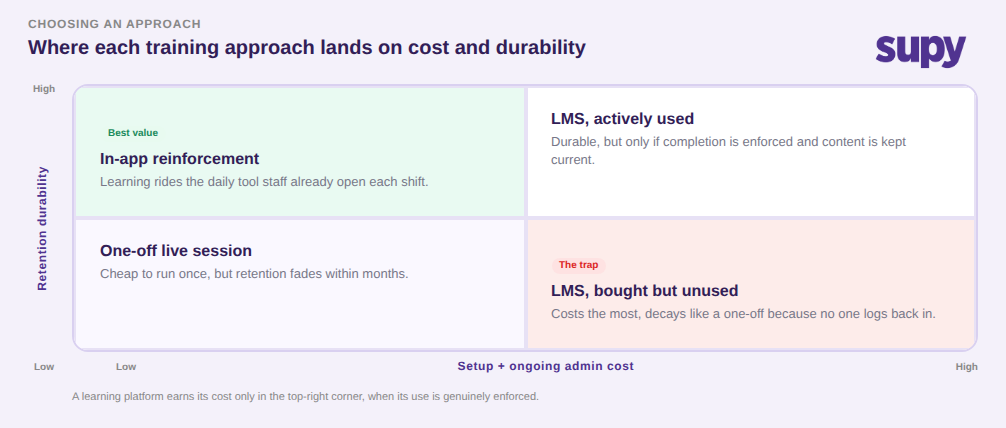
So the choice comes down to what you are really buying. Choose a dedicated restaurant LMS when you have formal courseware to deliver, compliance or certification you must track and prove, a training function that can maintain the content, and a realistic way to enforce completion across branches. Choose the lighter mix, train-the-trainer plus in-app reinforcement plus a shared procedure library, when your real problem is workflow retention and branch coverage rather than certification, which is where most multi-site food and beverage groups actually sit. If you cannot name who will enforce logins and refresh the content, assume the LMS will land in the bought-but-unused corner and cost you the most for the least, and start with reinforcement in the tools your team already use every day.