.jpg)


Role-Based Access Control for Restaurant Inventory Software: How Multi-Site Groups Control Governance
The fastest way to break a multi-site inventory system is to give everyone the same access. When any user who can log in can create an item, change a supplier, or flip an integration off, the shared item master and every report built on it start to drift. Nobody notices in the moment. The damage shows up weeks later as duplicate ingredients, counts that will not reconcile, and a month-end number that no one can trace back to a cause. Role-based access control for restaurant inventory software is what stops that drift, and for groups running several outlets it is not a nice-to-have setting. It is the thing that keeps your data trustworthy enough to make decisions on.
What Role-Based Access Control Governs in Restaurant Inventory Software
Access control decides who can do what, and where. In a single restaurant that is a light concern, because the same handful of people touch everything anyway. Across a group it becomes the backbone of data integrity, because every outlet writes into the same item master, the same supplier list, and the same reporting layer. Get access wrong and one person's mistake stops being local. It becomes everyone's problem, in every report, for as long as it goes unnoticed.
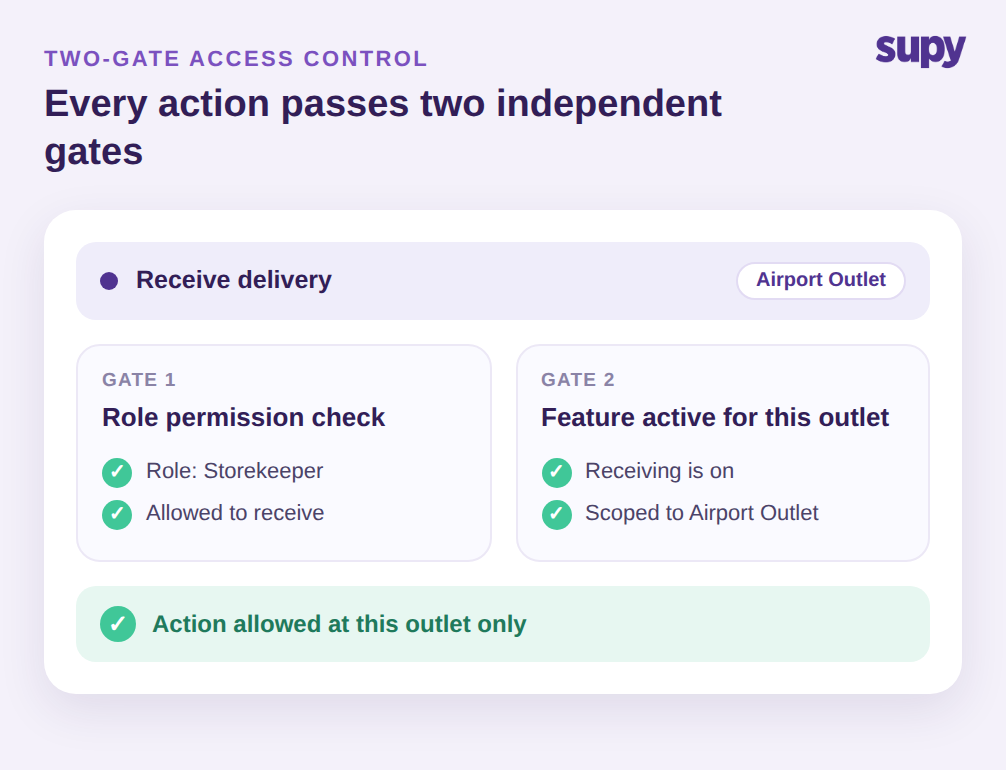
Supy handles this as two independent gates on every single action. First, a role permission check asks whether this user's role is allowed to perform the action at all. Second, a per-location feature-activation check asks whether the feature is even switched on for the specific outlet the user is working in. Both gates are scoped to that outlet, so viewing an order, receiving a delivery, or running a stock count is always evaluated against the site the person is actually operating, never a single global setting applied everywhere.
That distinction matters most for people who span sites. A regional manager might have full purchasing rights at three branches and read-only access at a fourth that a different team runs. Because the check happens per outlet at the moment of the action, that one account behaves correctly everywhere without an administrator maintaining separate logins. This two-gate access control is also why a Purchasing Manager can raise a requisition at one branch and be cleanly blocked from a module another branch simply does not run, with no hand-editing and no confusing error.
How an Open Item Master Quietly Corrupts Every Site's Numbers
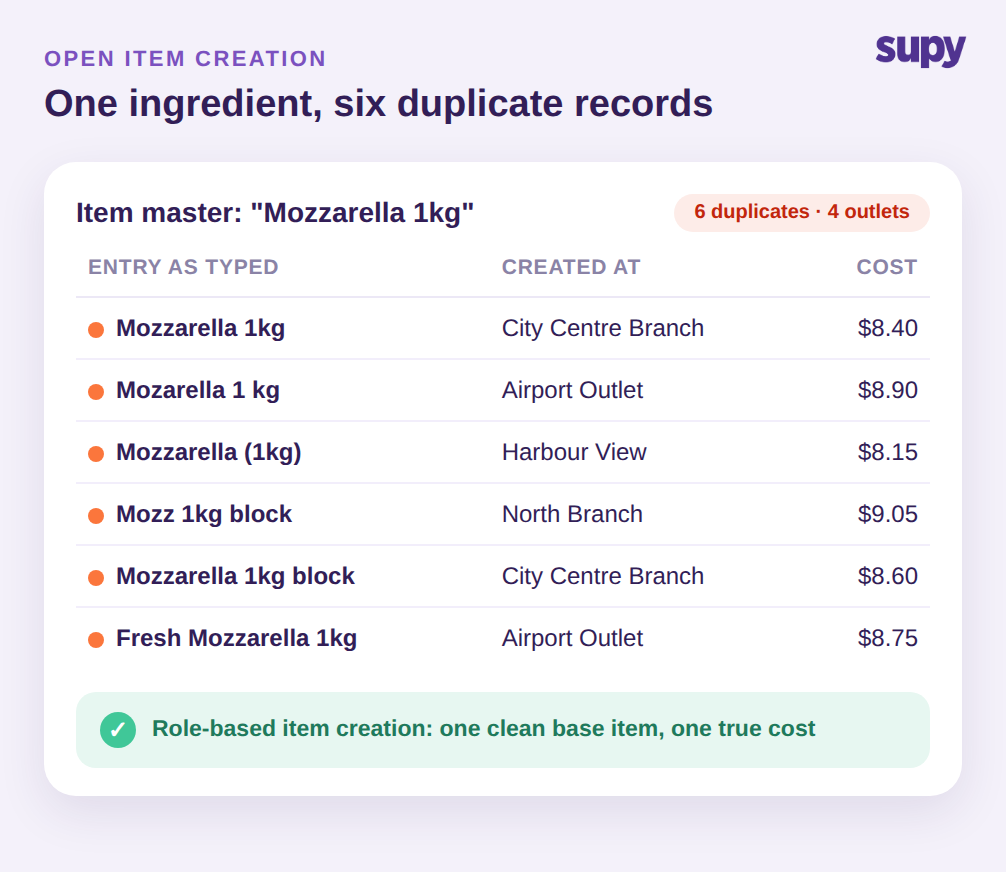
The most common failure is the one nobody flags: unrestricted item creation. When every user can add an item, the same ingredient gets entered again and again under slightly different names, spellings, and pack sizes. One operator saw a single line, Mozzarella 1kg, exist as 6 separate entries spread across 4 outlets. Each duplicate carries its own cost, its own supplier link, and its own count, so they behave like different products even though they are the same thing on the shelf.
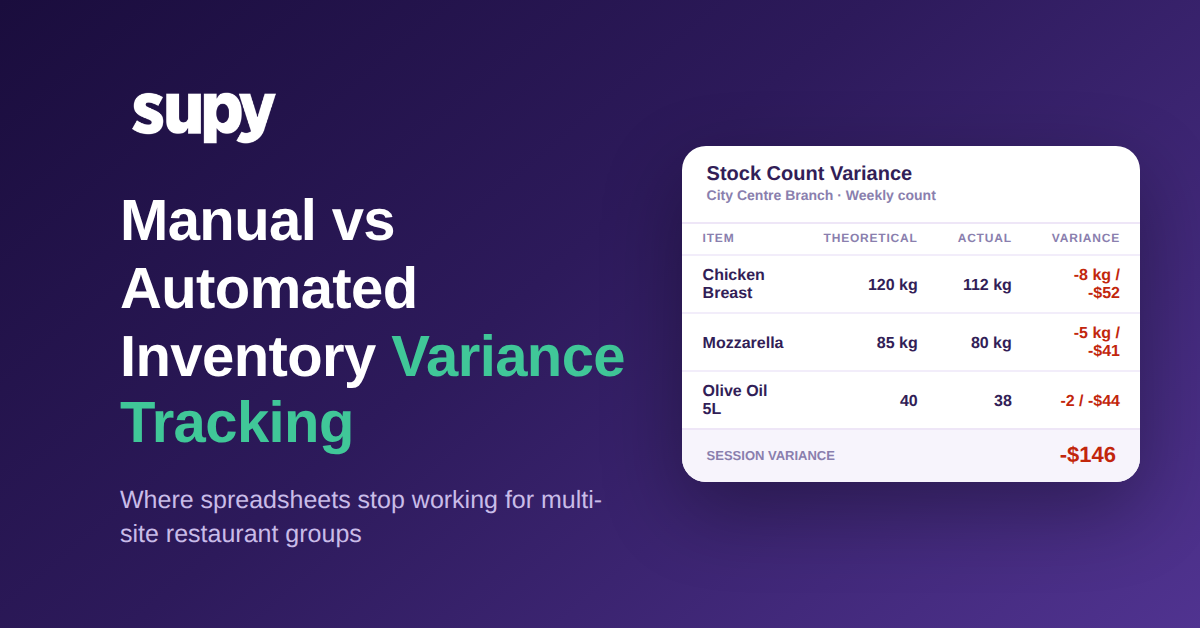
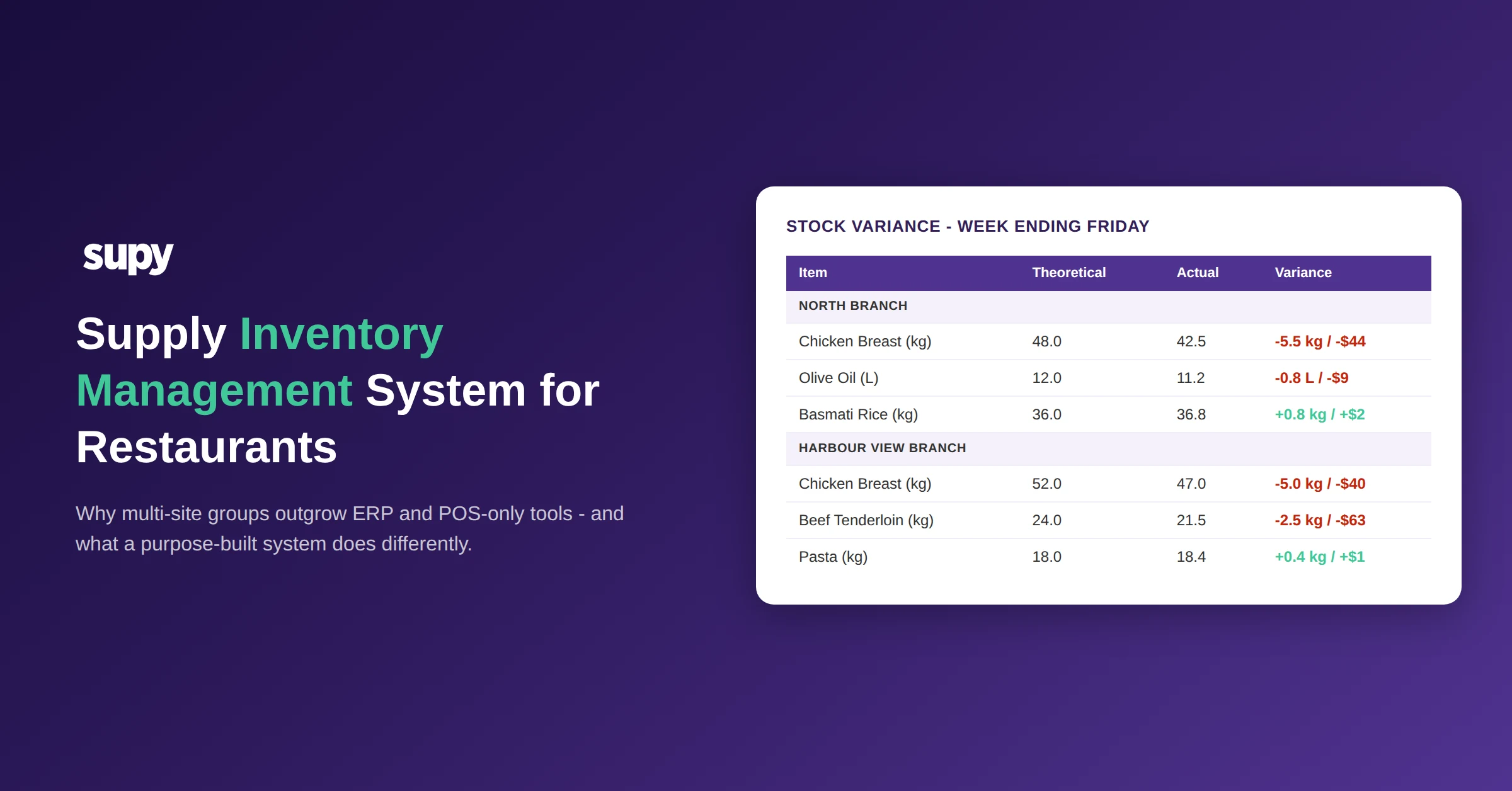
From there the corruption spreads on its own. Usage splits across the duplicates, so no single record shows the real consumption. Par-level ordering misfires because the system reorders against a fragment of true demand. Theoretical-versus-actual variance drifts, because the theoretical usage is calculated against a recipe pointing at one duplicate while the count lands on another. Food-cost reports quietly average across partial data. None of this throws an error. It simply makes the numbers a little less true every week.
The fix is not training people to be more careful. Careful people still fat-finger a new item at 7pm on a Friday. The fix is removing the ability to create items from roles that have no reason to hold it. With role-based access control, item creation lives with a small, named set of roles, so the master stays clean by design and everyone else works from the items that already exist. It is the same principle behind restricting some users to order templates only: the fewer hands that can reshape master data, the fewer ways it can go wrong. If you are still mapping this out, our guide to inventory control software for restaurants covers how the item master ties the rest of the system together.
Why the Same Role Must Behave the Same in Every Outlet
Badly built access control is inconsistent, and inconsistency is its own failure. An operations team found that a user with the right permission set could place a requisition in one location yet was blocked from item categories in another, even though the same permissions were meant to apply. When permissions are approximated globally instead of scoped cleanly per outlet, staff cannot predict what they are allowed to do, and administrators cannot explain why one branch works and another does not. Every unexplained block turns into a support message and a workaround, and workarounds are where clean data goes to die.
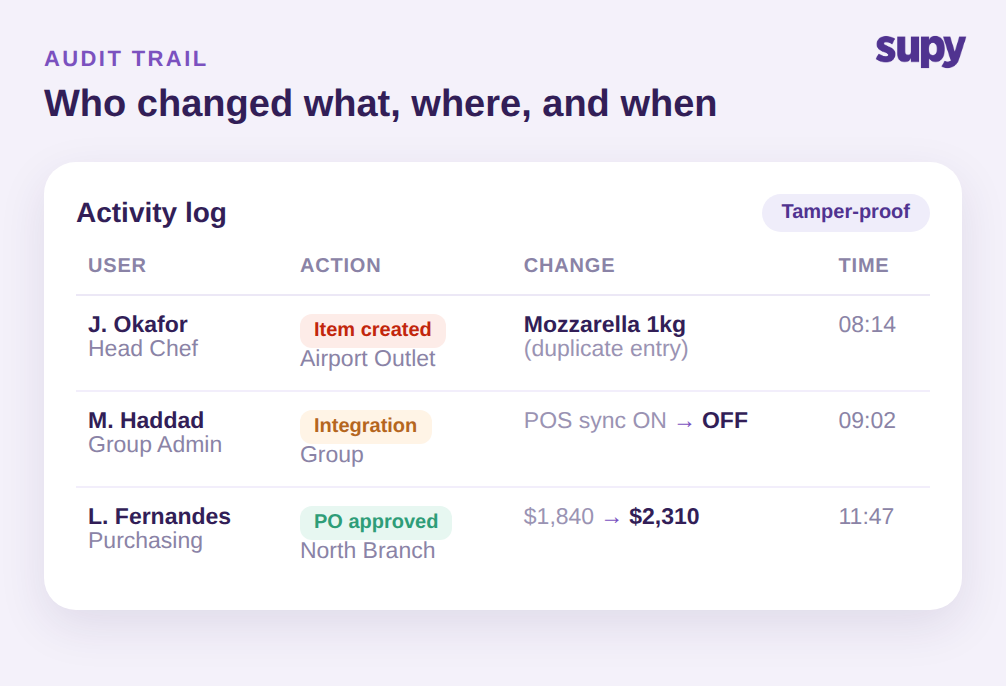
The second half of the problem is blast radius. A group admin reported an error on the orders tab that hit every user holding the group-admin role at once, not a single account, because a single change to a shared role propagates instantly to everyone assigned it. A role is a multiplier: it applies your intent, and your mistakes, to every person carrying it. That is why roles have to be explicit and controlled, and why you need a durable record of every change made under them.
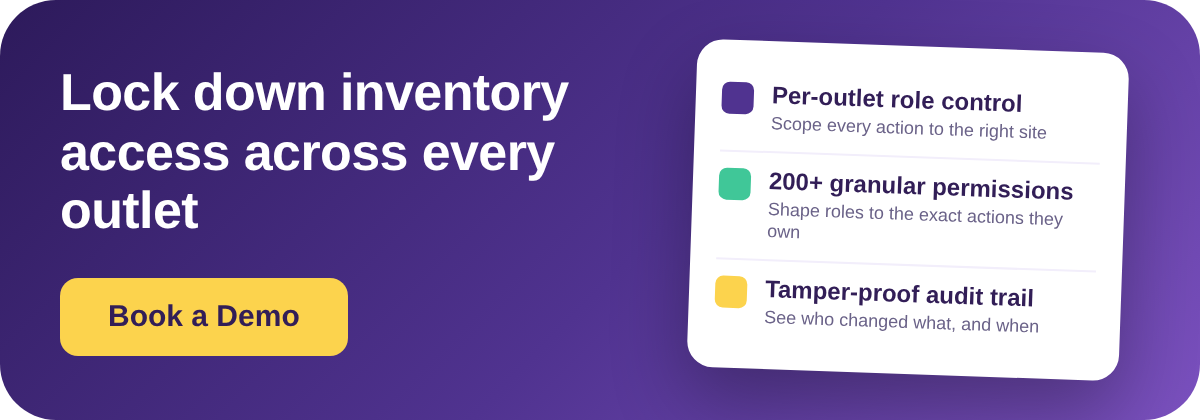
This is where an audit trail stops being paperwork and starts being useful. Supy's audit logs capture every action across modules with the before-and-after value, tied to a named user and a timestamp, filterable by user, branch, action, or date, and tamper-proof so no one can edit or delete the trail. When a variance appears at one branch, you do not guess. You filter the log to that branch and that week and see that a cost was changed from one figure to another by a named user at a specific time. The log turns an argument into a fact.
Access Control by Role: Permissions, Approval Limits, and Audit Trails
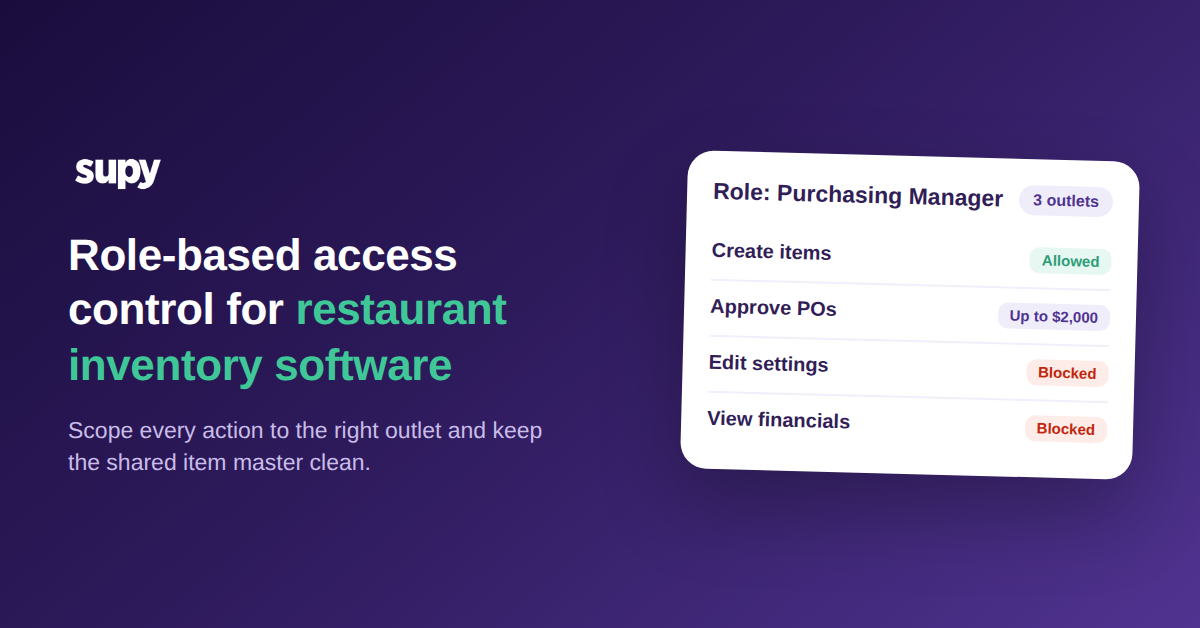
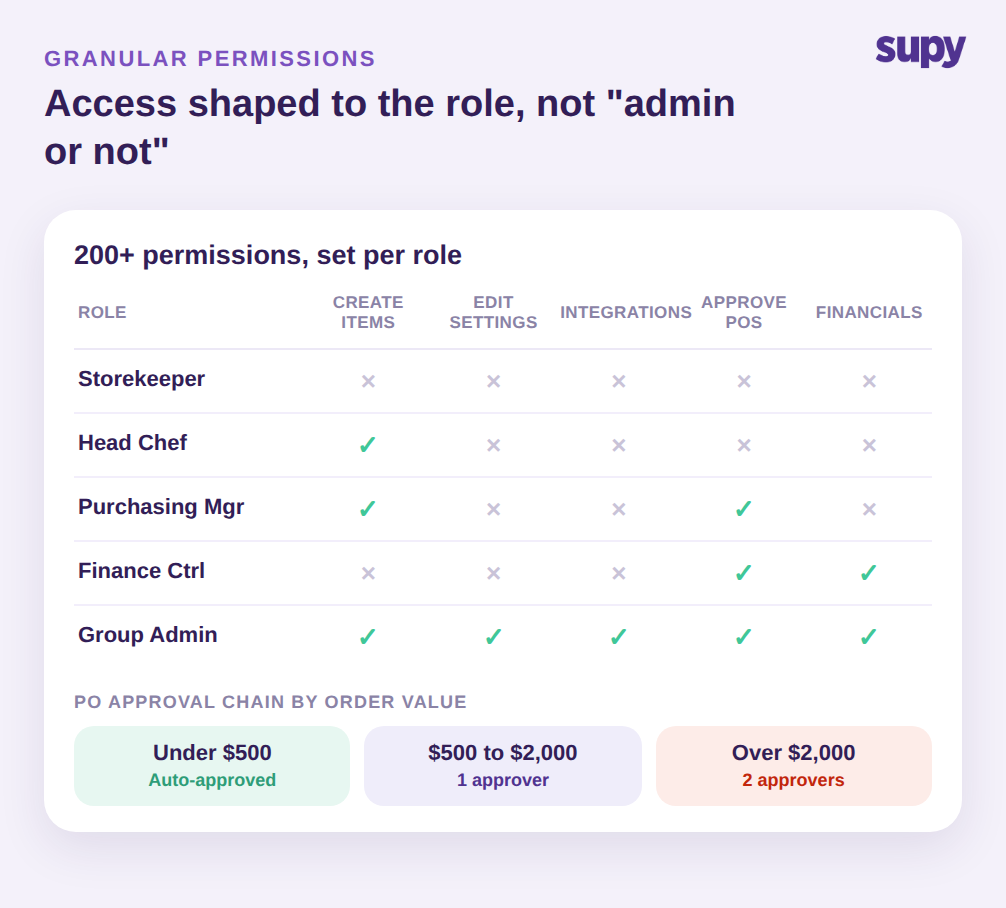
Granular control only helps if it is genuinely granular. Supy ships more than 200 customisable permissions, so a role can be shaped down to the exact actions it should own rather than a blunt "admin or not" switch. A Storekeeper counts and receives but cannot create items or approve spend. A Head Chef can create and manage recipes but not touch integrations. A Purchasing Manager approves purchase orders up to a limit. A Finance Controller sees financials without editing the item master. A Group Admin holds the keys. Each of those is a set of specific permissions, not a preset you are stuck with.
On top of the permission layer sit spend controls. Purchase-order value limits can be set by supplier, branch, category, user, or par level, and sequential approvals of up to 5 approvers are triggered by the branch and the order value. Requisition flows and purchase-order flows stay separate, so raising a request and committing spend are distinct, separately governed actions. In a sample chain, orders under $500 clear automatically, orders from $500 to $2,000 need one approver, and anything over $2,000 needs two. The result is that spend authority matches the org chart instead of fighting it, and the audit trail records each approval as it happens.
Roles also flex with reality. One person who wears several hats can hold multiple roles at once, so their access reflects every responsibility they actually carry rather than forcing an either-or choice. And because operators can enable or disable a role at any time with access rights updating immediately, onboarding a new manager or locking out a departing one does not wait on a support ticket or a developer. With 75+ integrations feeding the same platform, controlling who can change an integration matters as much as controlling who can change a price, because a single toggled-off POS sync can starve every downstream report.
A Quick Self-Check: Is Loose Access Already Costing You?
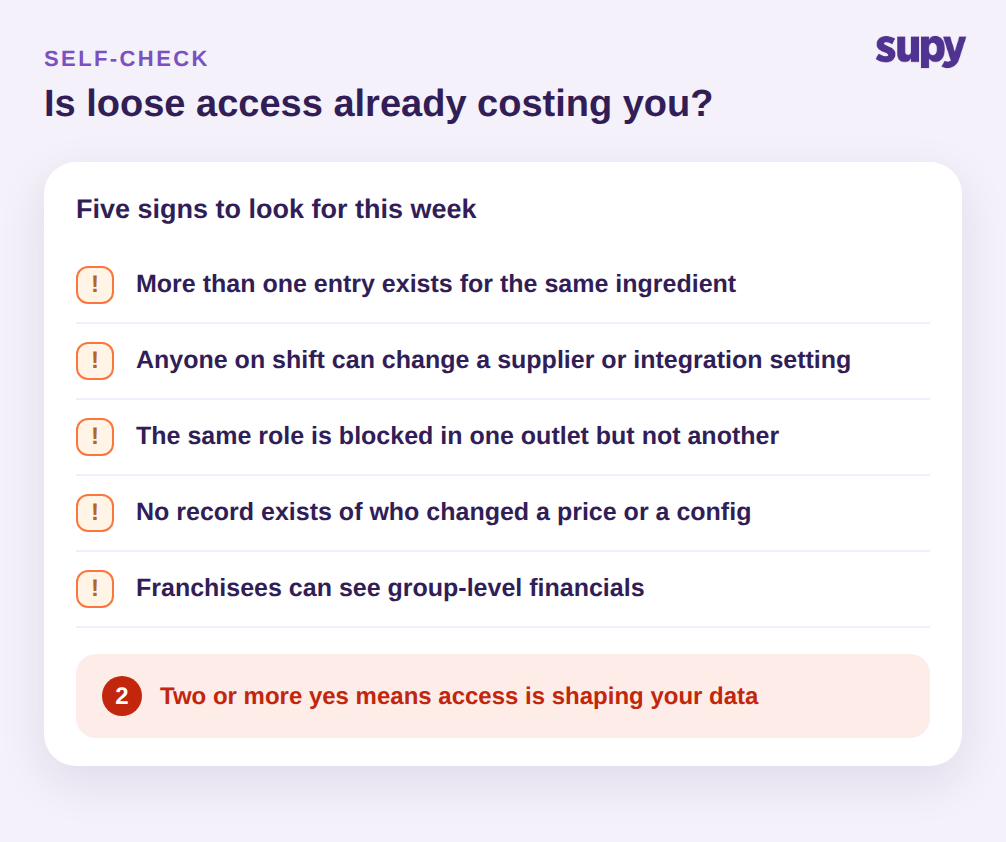
You do not need a formal audit to know whether this is happening. Look for five signs in your own operation. Does more than one entry exist for the same ingredient? Can anyone on shift change a supplier or an integration setting? Is the same role blocked in one outlet but not another for no clear reason? Is there no record of who changed a price or a configuration? Can franchisees or branch staff see group-level financials they should never see?
That last one deserves its own attention, because franchise and multi-brand groups have a harder version of the problem. They need financial-data visibility restricted per entity, custom metrics per franchisee, and a scalable parent-child structure that can span several brands without leaking one franchisee's numbers to another. Generic permission layers were never built for that shape, which is exactly why entity-scoped access is worth designing for from the start rather than retrofitting later.
A yes to even two of the five signs means access is already shaping your data, and not in your favour. The first move is the cheapest one: pull the item-creation permission back to a named few roles, then switch on the audit trail so the next change is visible. Everything else, from approval limits to per-entity financial visibility, builds cleanly on top of those two decisions.
Access control is not a security checkbox bolted on at the end. In a multi-site group it is the mechanism that keeps your item master, your counts, and your reports honest across every outlet. Decide who can create, change, approve, and see; scope every one of those decisions per outlet; and log every change under a named user. Do that and the quiet corruption that costs groups their month-end confidence simply stops starting.