.jpg)


Restaurant Supplier Returns: Keeping Multi-Site Credit Notes Traceable
Why Supplier Credits Get Lost Between Your Sites
Keeping supplier returns and credit notes traceable across multiple restaurant sites comes down to one thing: every return, its credit note, and the matching entry in your accounting system have to stay connected as a single record. When they live in three separate places, credits go missing, month-end never balances, and nobody can say for certain whether a refund actually landed.
In a single site this is annoying but visible, because the person who sends the stock back usually chases the refund. Across a group it breaks down, because the people raising returns are rarely the people who reconcile the books. A branch sends back a short-delivered case, a finance team two steps removed never sees the credit, and the gap only surfaces weeks later when the ledger and the stock figures disagree.
The usual cause is not carelessness, it is a workaround that looks reasonable at the time. Staff enter the credit as a negative goods received note to make the stock balance, or they key the refund straight into the accounting software and forget the inventory system, or the other way round. Each site quietly develops its own habit, and none of them leave a record that ties the return, the credit and the accounting entry together. Traceability starts the moment you collapse those three steps into one.
Raise a Credit Note, Not a Negative Delivery
The single highest-value habit to fix first is how the credit gets recorded. A negative goods received note makes the stock look right, but it never settles in your accounting software, because a negative delivery is not a credit your ledger recognises. The refund sits in limbo, and multi-site teams end up with a pile of credits that reconcile to nothing.
The correct path is a credit note raised against the original goods received note the delivery came in on. Because the credit is anchored to a real, referenced delivery, it can settle against the right supplier instead of floating free. Get this one rule adopted across every site and most of the reconciliation pain disappears on its own, whatever tools you use. The difference is not cosmetic, as the table below shows.
| What matters | Negative delivery entry | Credit note on the delivery |
|---|---|---|
| Settles in accounting automatically | No | Yes |
| Keeps the paper trail on the delivery | No | Yes |
| Quantity checked against what arrived | No | Yes |
| Clear for staff across sites | Confusing | Clear |
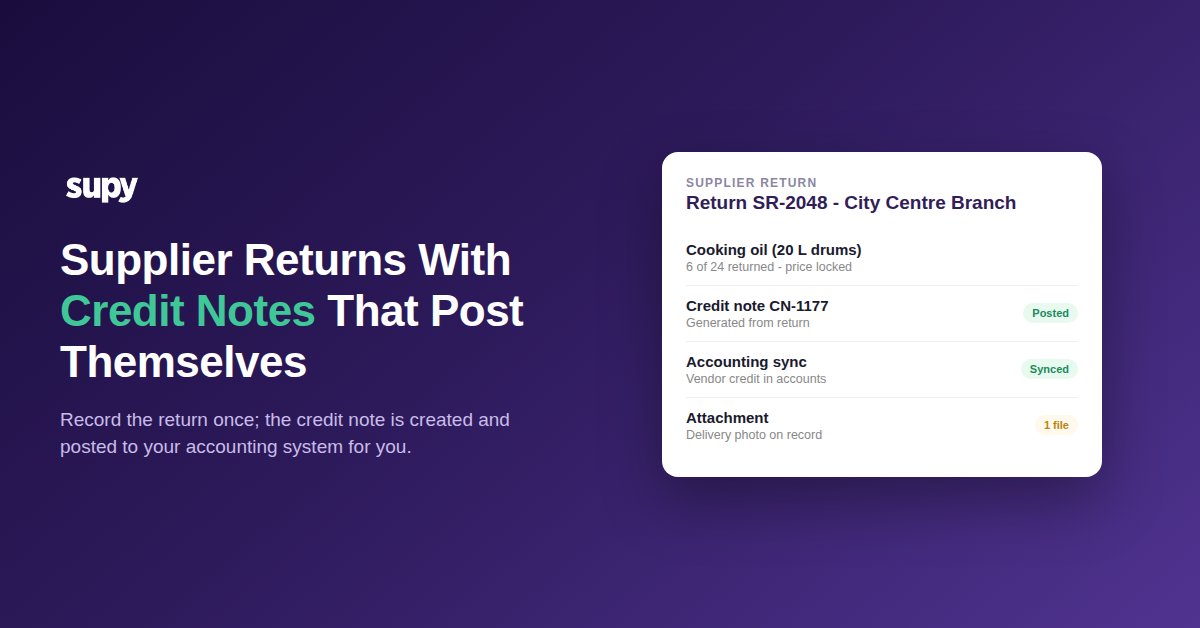
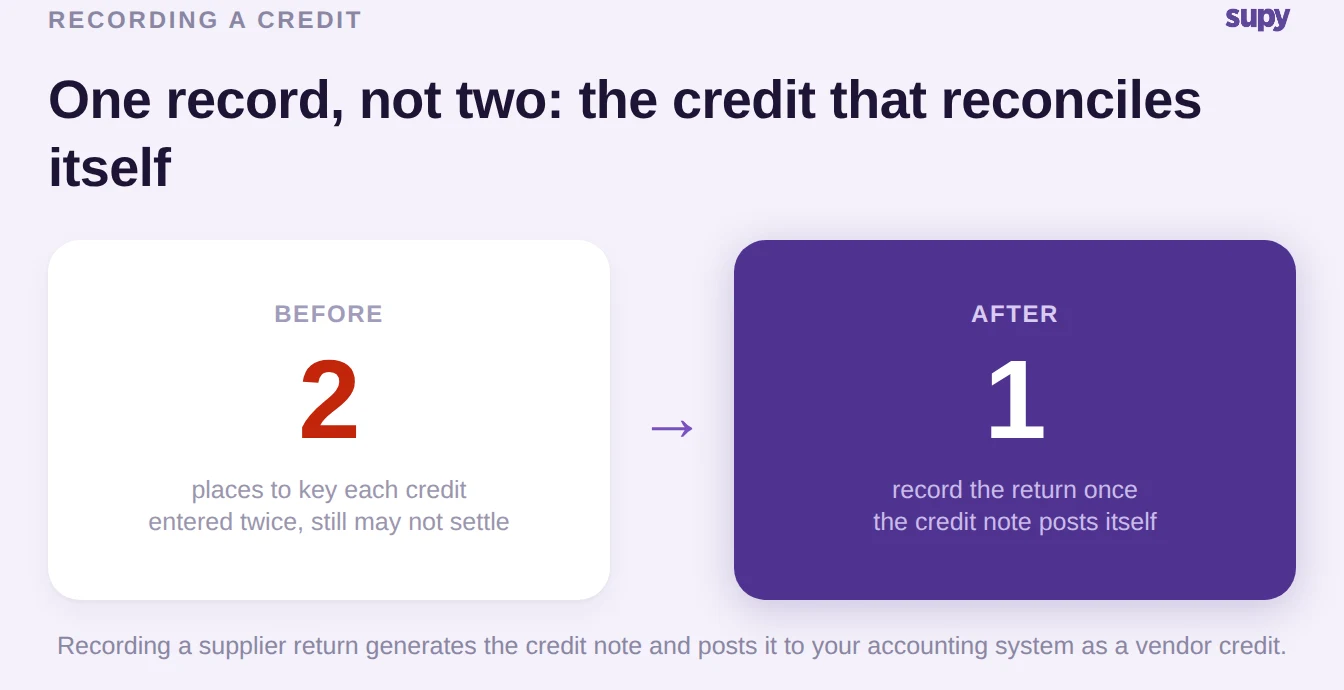
With Supy this is the default rather than a discipline you have to police: recording a supplier return generates the credit note for you and posts it to your connected accounting system as a vendor credit, so the refund is captured once and nobody re-keys it into Xero or QuickBooks. If your goods received notes are the anchor for all of this, it is worth getting that process right first; our guide to goods received note management across sites covers the foundation these credits are built on.
Make Every Credit Match What Actually Arrived
A credit is only useful if it matches reality, and the fastest way to a supplier dispute is a claim that does not line up with what was delivered. Before any credit is submitted, three things need to be true: it is priced at what you were actually charged, the quantity never exceeds what was received, and the evidence (a photo of the damage, the delivery paperwork) is attached to the same record. Hold to that and your credits stop being a negotiation.
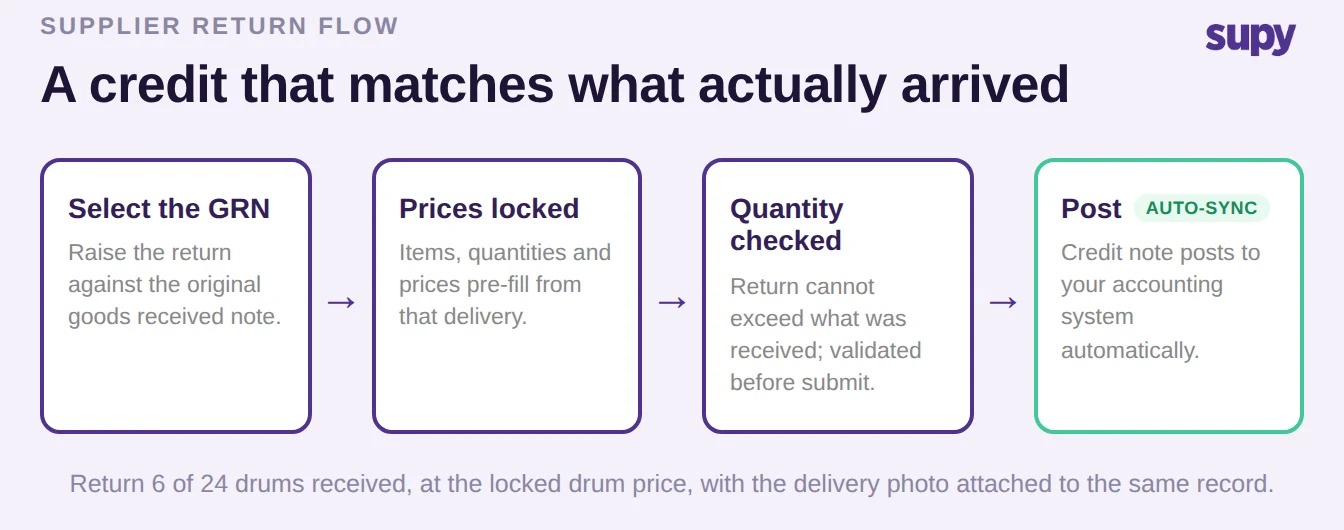
Doing this by hand across sites is where it falls apart, which is why building the return from the delivery earns its keep. In Supy a supplier return is raised against the original received goods received note and pre-filled with its items, quantities and locked prices, so the claim reflects exactly what arrived at the price you paid, not a figure typed in later. The return is capped at what was received and the allocation is validated before you submit, so an over-return cannot leave the building. If 6 of 24 drums of cooking oil were faulty, the return is capped at 6, priced at the drum's locked cost, with the supporting photos attached to the record, and the whole flow, approvals included, runs from the mobile app so the person holding the faulty stock is the one who raises it.
Keep Each Site's Credits Visible and Separate
Traceability across a group needs two guarantees a spreadsheet cannot give you: credits that cannot bleed from one brand into another, and a way to see, without asking anyone, whether each credit has actually posted. Miss the first and one site's refunds muddy another's numbers; miss the second and you find the hole at month-end instead of the day it happened.
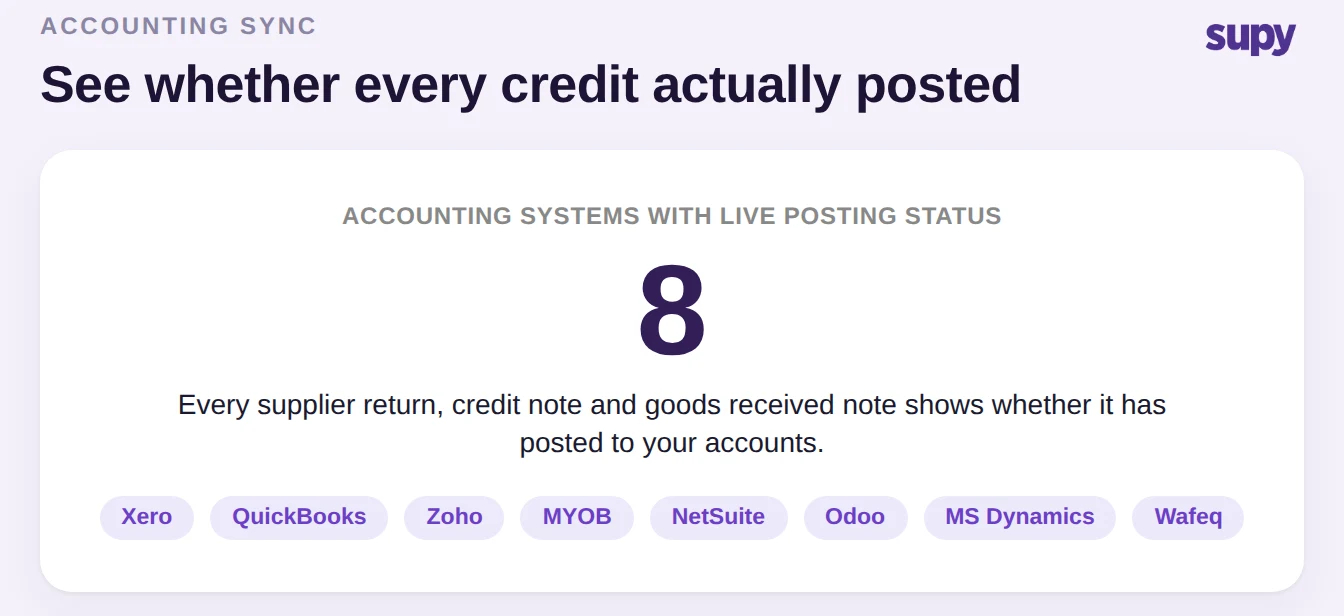
Supy scopes credit notes to a single operator account, so one brand's supplier credits never mix with another's even when the same finance team runs several. And every goods received note, supplier return and credit note carries its live accounting sync status across the major systems a group might run, so you can look at a record and know it has posted rather than hoping it did. That is what turns "did that credit ever go through" into something you answer by looking. It is the heart of how Supy handles invoices and credit notes, and it sits alongside the wider supplier management workflow a multi-site group runs day to day.
Getting Supplier Credits Under Control
If supplier credits are a recurring headache across your sites, three moves fix most of it, and you can start the first two today with whatever you run now. First, ban the negative-delivery workaround and raise every credit as a credit note against the original goods received note, so it can settle in accounting on its own. Second, always build the return from the received delivery rather than keying a fresh claim, so quantities and prices match what arrived. Third, agree one place where anyone can check whether a credit has posted, so a missing one surfaces the day it happens, not at month-end.
When you assess any procurement tool for a group, ask it to show you one thing in a demo: record a supplier return and watch the credit note appear, match the delivery, and post to a connected accounting system without a second manual entry, then post several at once the way a busy branch actually would. Accurate credits also keep your cost numbers honest, and our food cost calculator shows how much a single mis-recorded credit can move an item's cost. If a tool cannot close that loop in front of you, your credits will keep leaking across sites.