.jpg)


Scheduling Recipe Changes Across Locations: How to Roll Out New Versions on a Future Date Without Corrupting Mid-Period Cost Reports
How Future-Dating a Recipe Change Keeps Mid-Period Cost Reports Clean
To schedule a recipe change across restaurant locations, you set an effective date for the new version instead of editing the live recipe by hand. The updated version stays staged until that date, then takes over automatically, so every site switches on the same day and no reporting period is split between two versions of the truth.
Editing a recipe the day it goes live feels quick, but it quietly corrupts your numbers. The moment you overwrite the live version, every cost report for that period starts mixing pre-change and post-change costs with no clean boundary, and a cost controller is left reconciling actual food cost against a theoretical cost that changed underneath them. Across a 9-site group, that reconciliation can swallow 6 hours per site every reporting period, roughly 54 hours across the group spent proving numbers instead of acting on them.
Future-dating removes the guesswork. You prepare the new version in advance, tell the system the date it should apply from, and let it handle the switch. This guide walks through the three ways Supy applies a recipe change, when each one is correct, and how the effective date keeps inventory, wastage, and cost reporting on the right version for every period. If you also need to look backward at how a cost moved over time, pair this with our guide on how to track recipe cost changes over time.

Immediate, Scheduled, or Backdated: Choosing the Right Change Mode
Supy applies a recipe change in one of three ways, and picking the right one is the whole decision. An immediate change is active from today. A scheduled change is staged now and takes effect on a future date you set. A backdated change applies from a date in the past. The mode you choose decides which reporting periods see the old costs and which see the new ones.
Use an immediate change when the new recipe genuinely applies from today at every site, for example a supplier swap that is already in every kitchen. Use a scheduled change when the switch belongs to a known future date, such as a seasonal menu launch or a price change that starts on the first of the month; this is the mode that lets you stage 18 refreshed recipes ahead of a launch without touching the versions still selling today. Use a backdated change when a recipe was already changed in the kitchen earlier than it was entered in the system, so the restated costs land on the real change date rather than the day someone typed them in. Supy's recipe and prep recipe tools keep full version history behind all three, so you can always see which version was live for any given period.
Immediate, scheduled, or backdated: when each is correct
| Mode | Use it when | Effect on cost reports |
|---|---|---|
| Immediate Today | The change applies from today across every site | Old version costs the period up to today, new version from today on |
| Scheduled Future date | The switch starts on a known future date, such as a menu launch | Live version keeps costing until the date, new version takes over cleanly after |
| Backdated Past date | A recipe changed in the kitchen before it was entered in the system | Restated costs apply from the real change date, not the entry date |
Staging a Future-Dated Recipe Version Before a Menu Launch
Staging a scheduled version is a short, repeatable sequence. First, open the recipe and edit the new version: the ingredients, quantities, and yield for the reformulated dish. Second, choose Scheduled and set the effective date to your launch date. Third, confirm the one-active-schedule check passes. Fourth, leave the live version alone; it keeps serving and costing every sale until the date arrives. Fifth, on the effective date the new version activates on its own, at every location, with no one racing to update recipes on launch morning.
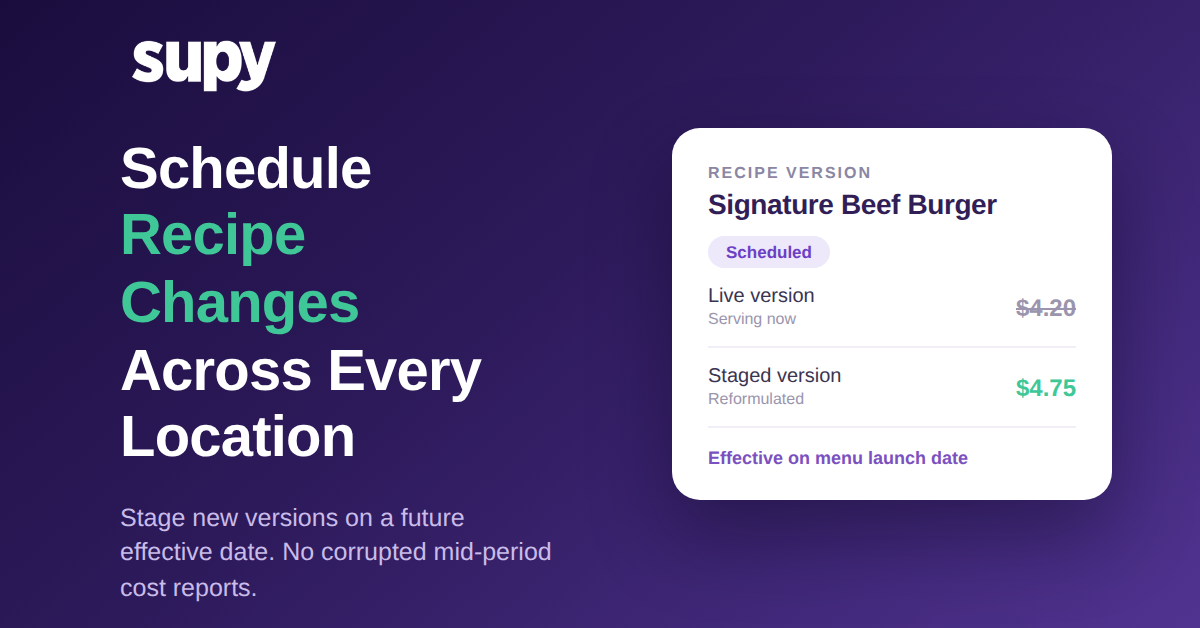
Take a Signature Beef Burger reformulation that lifts the plated cost from $4.20 to $4.75. Staged as a scheduled change for the launch date, the $4.20 version keeps costing every burger sold until then, and the $4.75 version takes over cleanly the moment the new menu goes live. Nobody has to remember to make the change at midnight, and no site is a day out of step with the others.

The One-Active-Schedule Guardrail: Why You Cannot Stack Conflicting Versions
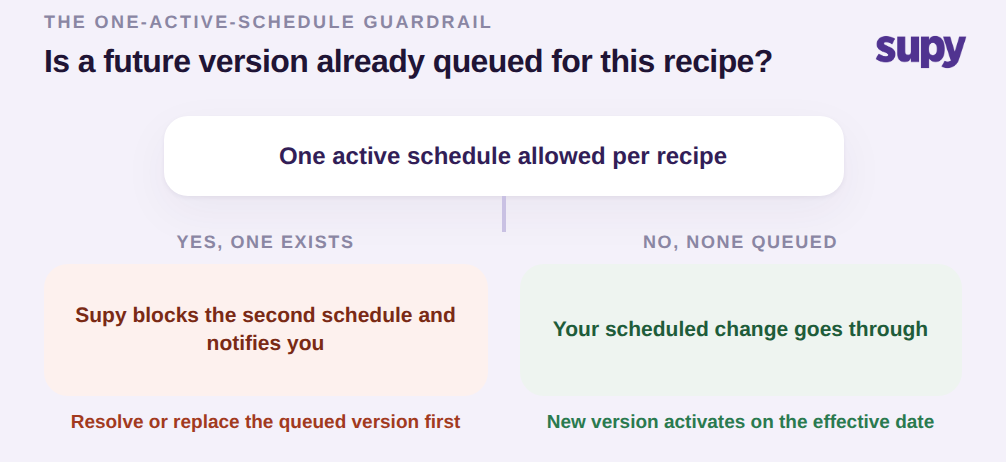
Supy enforces one active schedule per recipe. If a future version is already queued for a recipe and someone tries to schedule a second one, the system blocks the second update and notifies the user rather than silently lining up two conflicting versions for the same item. This is a guardrail, not a limitation, and it exists because stacked future versions are exactly how a rollout goes wrong: two people schedule different changes to the same dish, both think theirs is the one that will apply, and the reporting period inherits whichever one happened to win.
So the decision at this point is simple. If no future version is queued, your scheduled change goes through. If one already exists, the system stops you and shows you what is already lined up, so you resolve or replace the existing schedule before adding another. Either way you never end up with two futures fighting over the same recipe. This same discipline underpins Supy's wider recipe management approach, where version control is treated as part of cost accuracy rather than an afterthought.
Keeping Theoretical vs Actual Variance Clean Across Every Site
The payoff of a scheduled change shows up in your variance reporting. When a change activates it carries an effective date, and Supy uses that date to decide which recipe version every inventory transaction, wastage deduction, and cost report should read for each time period. That means theoretical cost and actual cost are always compared on the same version boundary, so the variance you see is real operational variance, not noise created by a recipe that changed mid-period.
Without that clean boundary, a multi-site cost controller ends up reconciling actual against theoretical by hand, because the recipe versions and their timing never line up with the reporting period. With it, the manual reconciliation that used to run 3 to 7 hours per branch every period drops toward zero, and menu-margin reporting reflects cost and price changes consistently across every location instead of being applied piecemeal, site by site.

The move to make next depends on the situation you are in right now. If a menu refresh or a cost change is coming on a known date, stage it now as a scheduled change so all your sites switch together and your current period stays clean. If a change already went live in the kitchen before it reached the system, use a backdated change so the restated costs land on the real date. And if you are still editing recipes live on the day they change, that is the habit corrupting your mid-period reports; moving that one workflow to scheduled effective dates is the single highest-value change you can make to your cost accuracy.