.jpg)


Restaurant Budgeting: How to Enforce Spend Targets at Every Location
Start With Budget Categories, Not One Big Number
A restaurant budget for a multi-site group works best as a set of spend targets you can enforce, not a single number you check after month-end. It starts by splitting spend into categories, then giving each category a target at every location. From there, the software can hold each order to the plan as it is placed.
The first move is to name the categories that actually drive spend. Food, labour, beverage, cleaning and consumables, repairs and maintenance. Each one gets a target, usually as a percentage of sales, so the budget scales with how busy a site is.
| Category | Example target | What it covers |
|---|---|---|
| Food | 30% of sales | Ingredients, prep, recipe spend |
| Labour | 28% of sales | Kitchen and front-of-house wages |
| Beverage | 4% of sales | Soft drinks, coffee, bar stock |
| Cleaning and consumables | 3% of sales | Packaging, cleaning, disposables |
| Repairs and maintenance | 2% of sales | Equipment servicing and fixes |
Categories give you something to enforce against. A site with no budget categories has spend sitting uncategorised in the point-of-sale, with nothing to check an order against. Doing this by hand does not scale either. One two-site operator tracked food cost with pen, paper, and a calculator for about an hour a day, and still had no way to compare one site against the other.
Set a Spend Target for Each Location
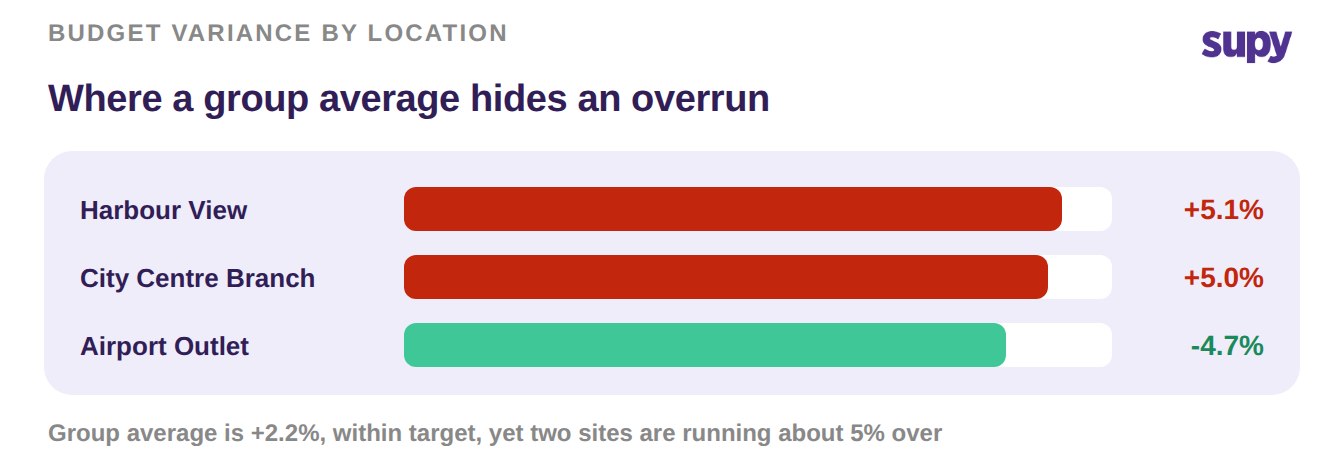
A single group target hides more than it shows. One location can run hot while another runs under, and the average looks fine until the overrun is large.
Give each site its own target instead. The same category, budgeted to what that location actually spends, so a 5% overrun shows up as a 5% overrun and not a rounding error in the group total.
Per-site targets also keep the food number honest. Supy costs recipes per location and per date, using the average or last purchase price with prep wastage and yield. So the food target at each site reflects what that kitchen actually pays, not a group-level average.
Wire Each Target to a Spend Limit
A target you cannot enforce is a wish. The step that makes a budget real is turning each target into a spend limit the system checks before an order is placed.
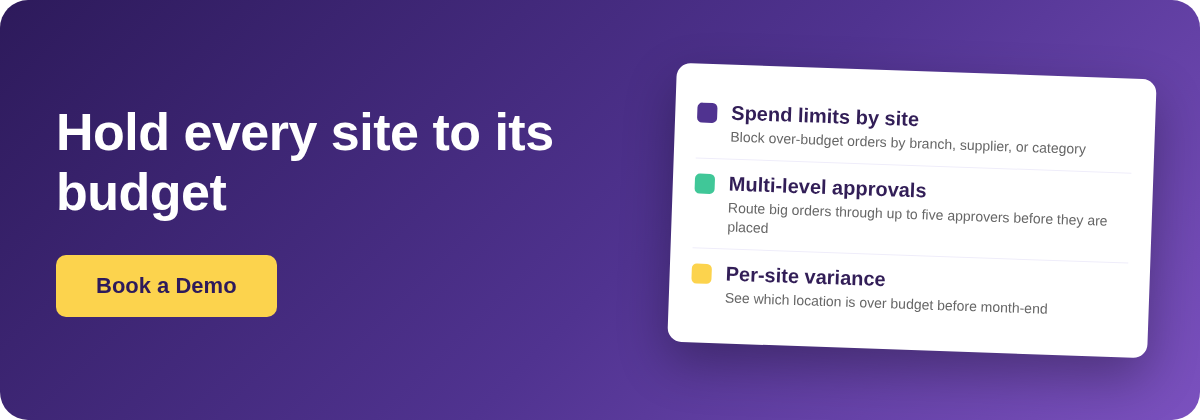
Set limits by branch, by supplier, and by category. When an order would breach one, say a branch purchase order above its $2,500 cap, Supy routes it to an approver instead of letting it through. This is the same machinery behind spending controls across a multi-site group, and it runs on the restaurant procurement platform rather than a separate finance tool.

Limits also stop off-list supplier leakage. If a chef reaches for an unapproved backup supplier, the per-supplier limit catches it before the spend lands, rather than after month-end when it is too late to act.
Build an Approval Ladder That Blocks Over-Budget Orders
Not every over-budget order should be blocked outright. Some just need a quick sign-off from the right person. An approval ladder decides who that is.
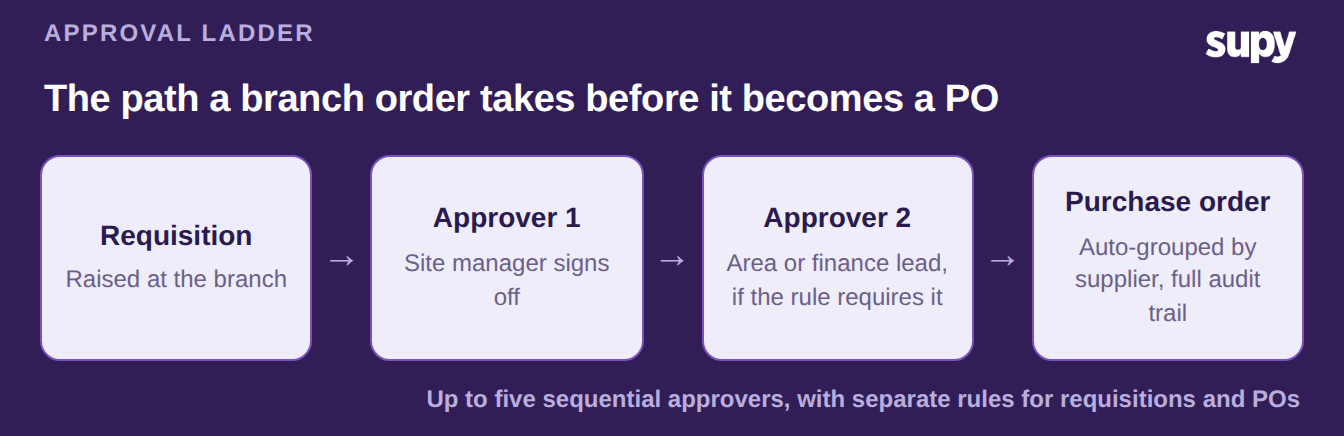
A branch requisition can travel up to five sequential approvers before it becomes a purchase order. A site manager clears small overruns, and a finance lead sees the large ones. Once approved, the requisition converts to a purchase order grouped by supplier, with a full audit trail of who approved what and when. The same multi-level purchase order approval works for requisitions and POs under separate rules.
Watch Per-Site Variance, Not the Group Average
With targets, limits, and approvals in place, the last job is to watch the right number. That number is per-site variance, not the group average.
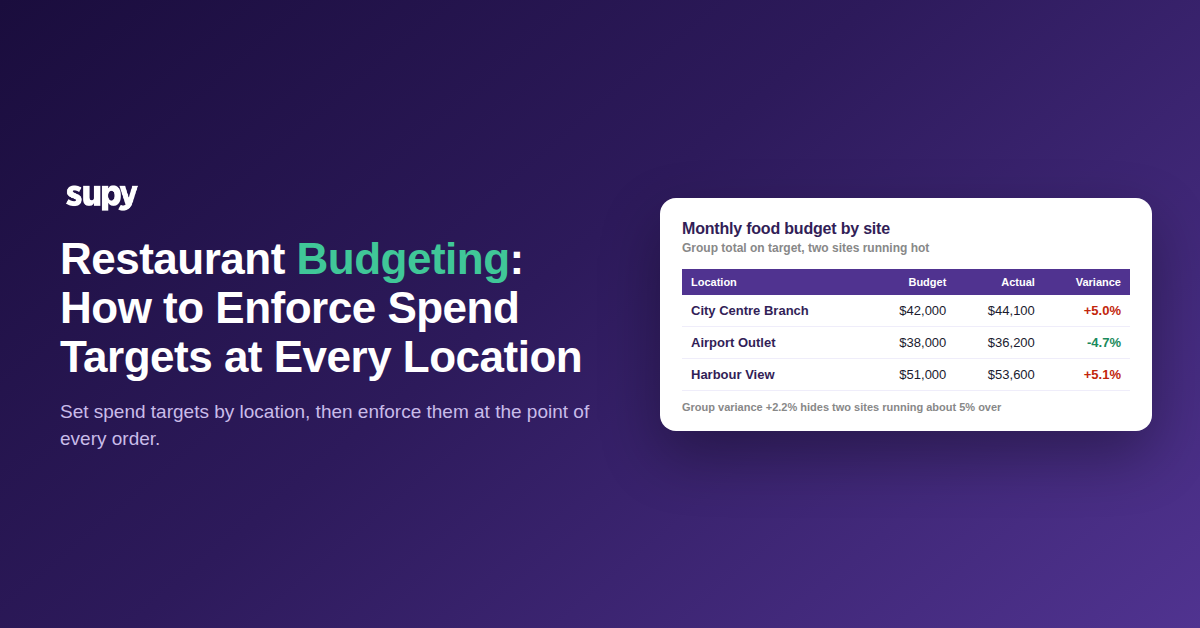
Per-item purchasing analytics show spend by ingredient across every location, so you can see which site is drifting and why. The view that matters is budget against actual, by location.
| Location | Budget | Actual | Variance |
|---|---|---|---|
| City Centre Branch | $42,000 | $44,100 | +$2,100 / +5.0% |
| Airport Outlet | $38,000 | $36,200 | -$1,800 / -4.7% |
| Harbour View | $51,000 | $53,600 | +$2,600 / +5.1% |
The group is only 2.2% over, which looks fine. Two of the three sites are about 5% over, which is not. Reading the sites, not the total, is what turns a budget into control.
If you are setting this up, start small. Pick one category, food, and set a target and a spend limit at your busiest site this month.
Then watch that site's variance against the target. If it runs more than a few points over for two weeks running, that is your signal to tighten the limit or move the approval up a level. One category enforced beats five categories budgeted and ignored.