.jpg)


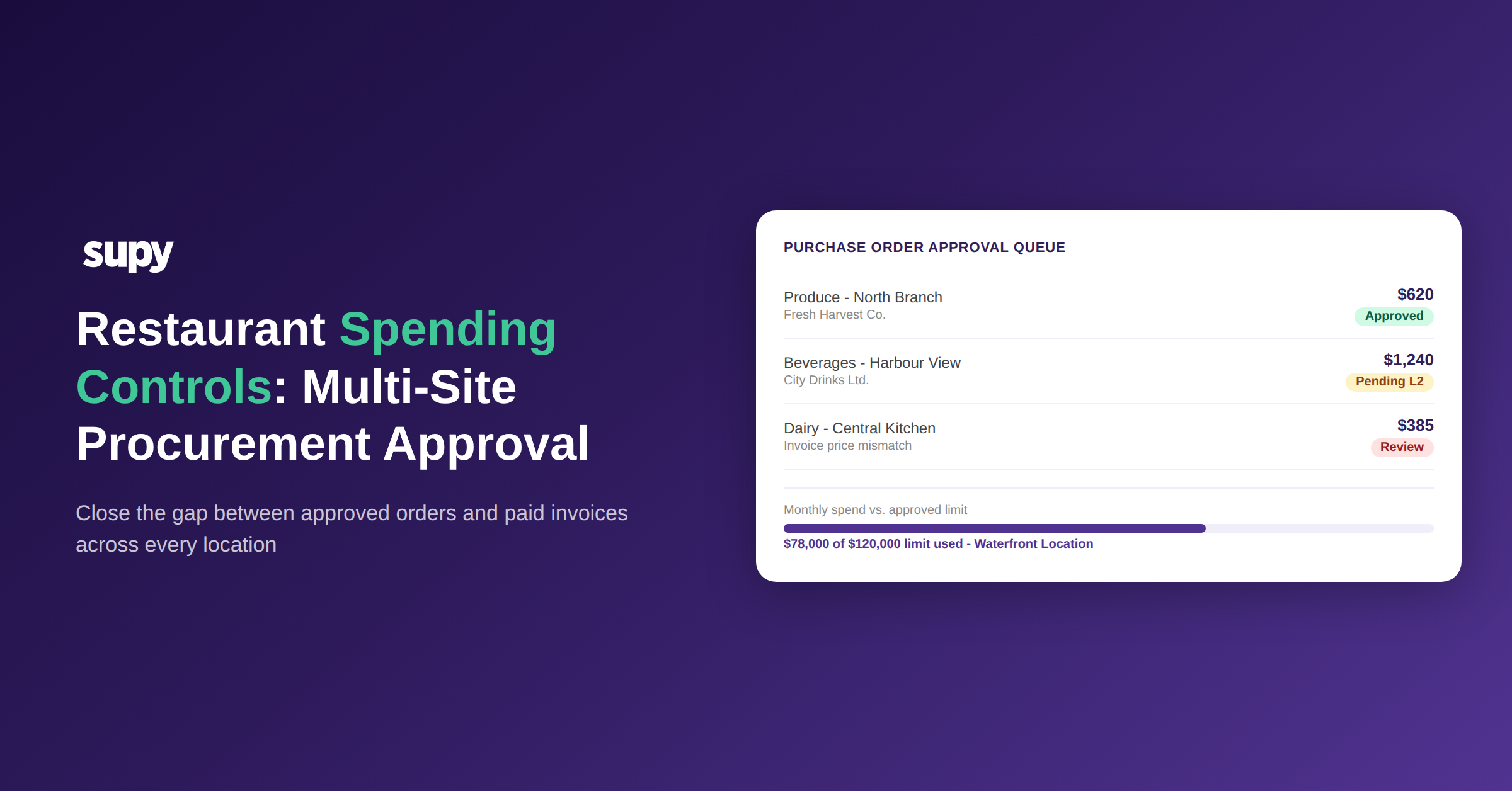
Restaurant Spending Controls: How Multi-Site Groups Lock Down Procurement Approval
Why Invoice Prices Change After Approval
The most common spending control failure in multi-site restaurant procurement is not a rogue order. It is a price change that happens after the purchase order is approved and before the invoice is matched.
One multi-location hospitality group found this pattern during a manual audit: invoices were being received at prices that differed from the approved purchase order values, with no system alert generated at any point. The discrepancy was only found because someone was manually checking. By then, the exposure had accumulated across multiple sites over several billing cycles.
This failure has two parts. First, most procurement systems enforce approval at the point of ordering, not at the point of receiving. Once an order is approved, the receiving step is treated as administrative. Second, without a dedicated receiving-stage price-discrepancy layer, there is no automatic flag when the invoiced price exceeds the approved price.
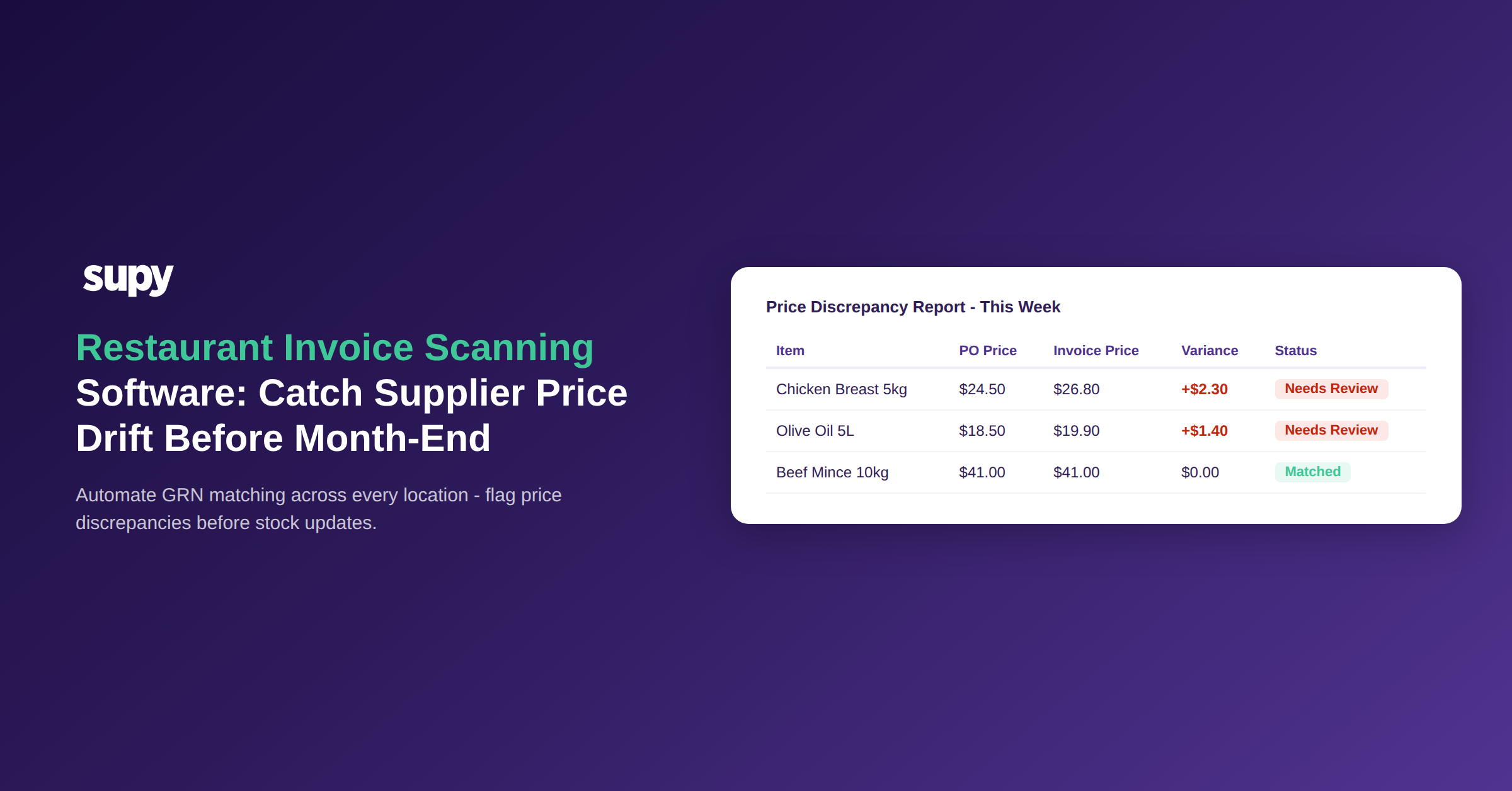
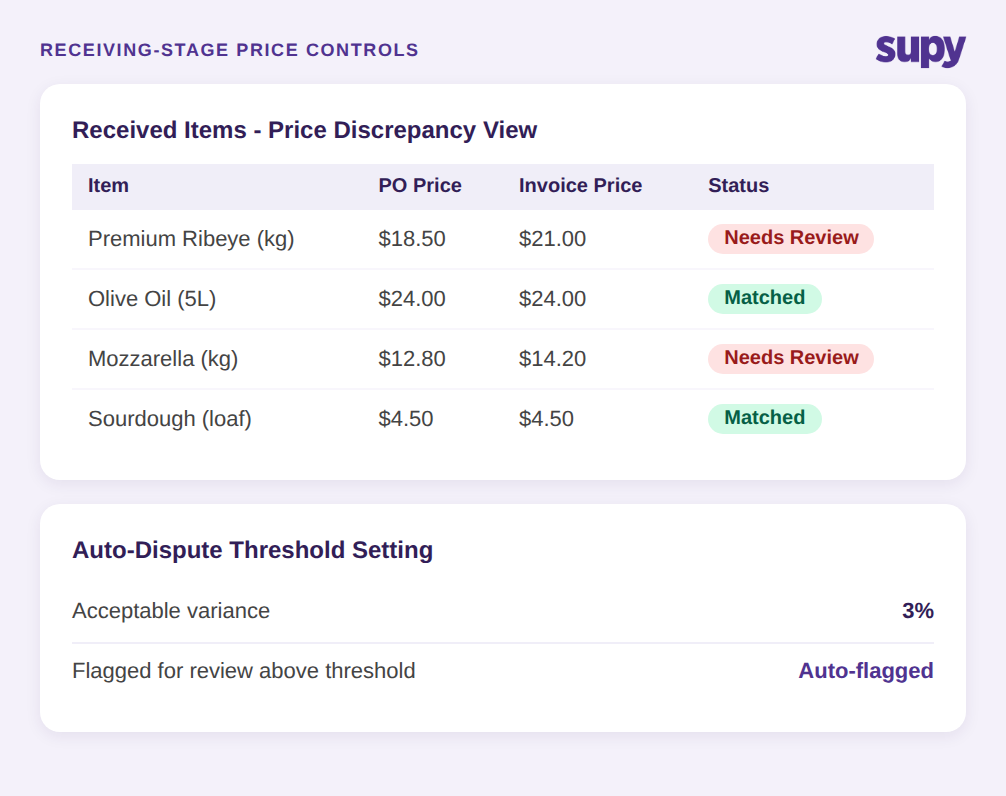
Supy's Received Items Page addresses this at the workflow level. Every received item across all goods receipt notes is listed as a row, with a default filter for price discrepancies. Any line where the invoiced price differs from the expected price surfaces immediately. The operations team can update the expected price, issue a credit, generate a supplier contact email, or mark the item for follow-up - all from a single screen. Bulk actions and export are available for high-volume sites.
Alongside this, the GRN Auto-Dispute Threshold sets a configurable acceptable variance. Below a defined percentage or value, minor discrepancies are auto-accepted. Above it, the system flags the line for review. This means the team is not chasing rounding errors - only genuine price deviations that exceed the group's own risk tolerance.
How Approval Thresholds Get Circumvented
Approval thresholds only work if orders cannot be structured to avoid them. In practice, multi-site restaurant groups face a specific circumvention pattern: a staff member places an order below the approval threshold, then verbally adjusts the delivery with the supplier so the actual goods received - and the invoice - reflect a larger quantity or higher price.
The order is never flagged for approval because it was within limits. The invoice is paid because the goods were received. The gap between what was approved and what was paid disappears into the receiving workflow.
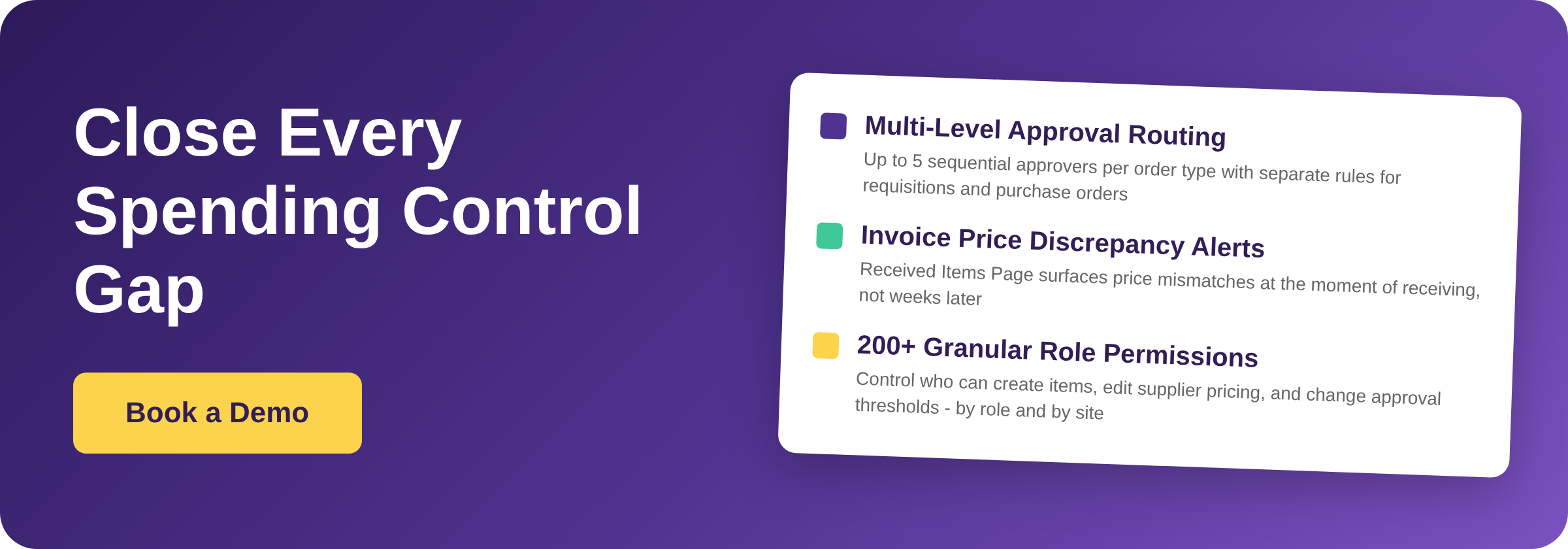
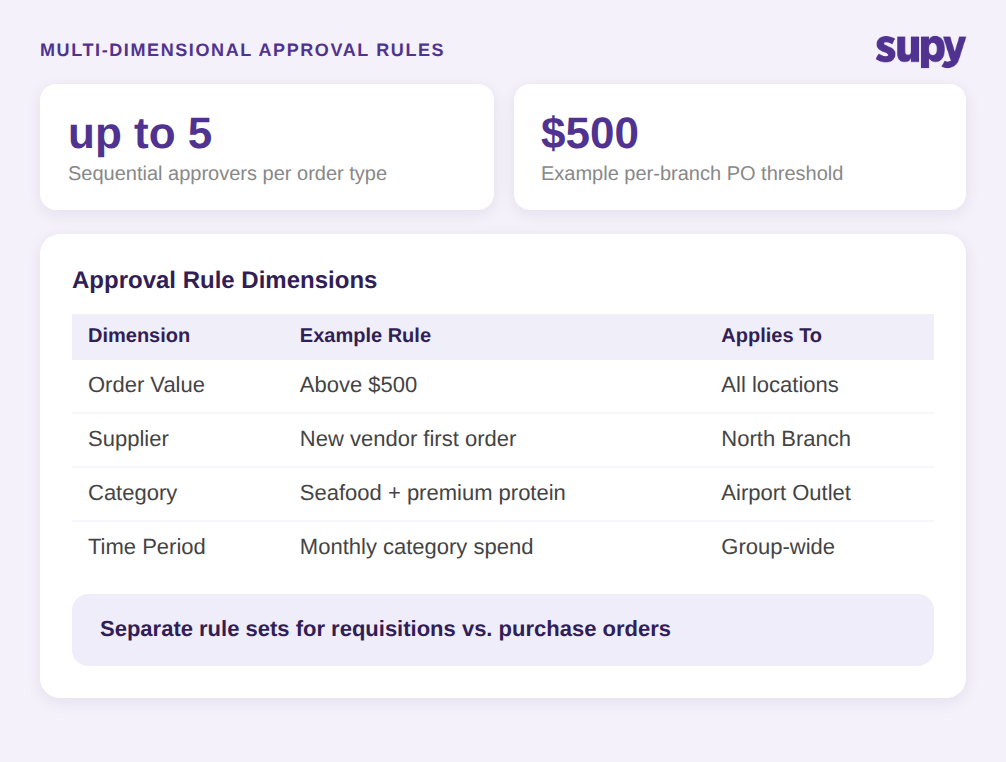
Closing this gap requires two things working together. The first is granular approval routing that covers not just order value but also supplier, branch, category, and user. Supy's Permissions and Limits feature supports spending policies per location, per supplier, and per category, with limits that can be set by day, week, month, or quarter. An order that exceeds any of these parameters triggers the approval routing, regardless of the individual order value.
The second is sequential multi-level approval. Supy supports up to 5 sequential approvers per order type, with separate rule sets for requisitions and purchase orders. An order that needs finance sign-off and then operations director sign-off must pass both in sequence before it can proceed. This makes it structurally difficult to route an order around a specific approver by timing or splitting.
When these two controls are combined, the approval threshold becomes a multi-dimensional gate, not a single number that can be gamed by breaking a large order into smaller ones placed at different times.
When Half Your Spend Has No Approval Trail
For some multi-site restaurant groups, the approval workflow problem is not that approvals are being circumvented. It is that more than half of total purchasing spend never enters the formal procurement system at all.
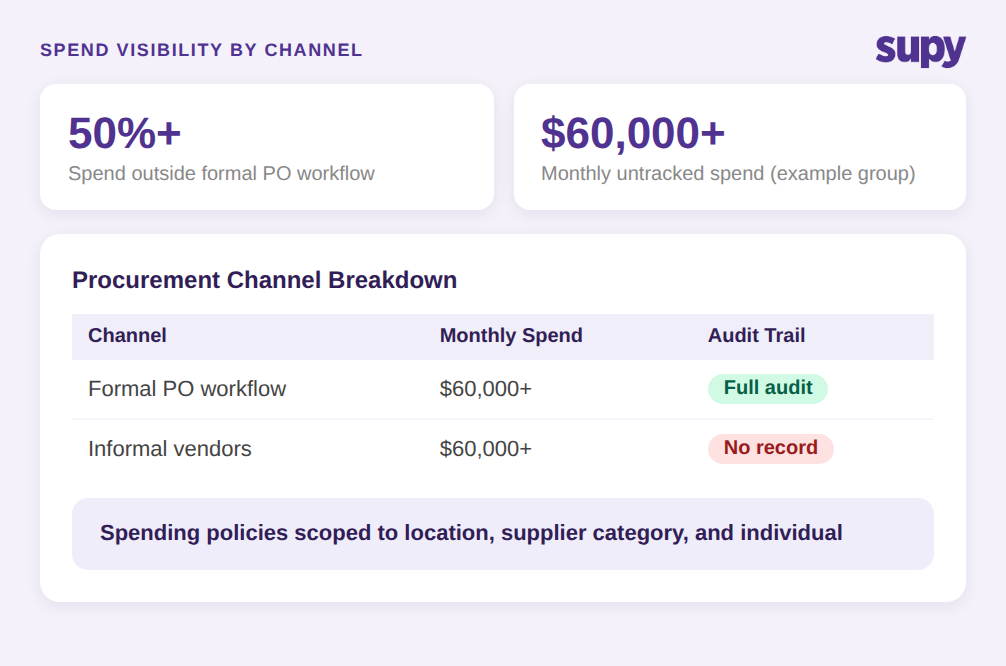
One operations director at a multi-location hospitality group identified that over 50% of their purchasing was being arranged through informal vendor relationships with no formal invoices and no purchase order workflow. Vendors were contacted via messaging apps, orders were placed verbally, and goods arrived with handwritten notes or no documentation at all. The audit trail for this spend was effectively zero.
This is a spending policy enforcement problem, not a technical one. The formal procurement system existed. Staff simply bypassed it when dealing with vendors who operated outside the formal channel.
Supy's Spending Policies and Guardrails feature addresses this by scoping policies to locations, regions, and individuals - not just order types. A policy can require that any spend with a given supplier category passes through the formal purchase order approval workflow regardless of value. The system logs what was ordered, by whom, for which location, and when. Spend that previously flowed through informal channels either enters the system or it is visible as a gap in the records.
The practical outcome is not that informal vendor relationships are eliminated. It is that the spend becomes traceable. An operations director who previously had no data on informal purchasing can now see, by location, which suppliers are generating purchase orders and which are generating nothing while still receiving payments.
Role Permissions as a Financial Control
Most restaurant groups treat role-based access control as an IT administration task. The question asked is usually: who should be able to log in, and what screens should they see? The more important question for spend integrity is: who can change the data that purchasing decisions are based on?
In a multi-site environment with a shared item master, a staff member who can edit an item's expected price across all locations is not just a data quality risk. They are a financial control risk. If item costs can be changed without an audit trail, the baseline against which invoice prices are compared becomes unreliable.
One multi-location hospitality group described needing granular permissions to restrict item creation, settings, integrations, and report access by role - separately, not as a block. The underlying concern was that shared data integrity required role-level restrictions on who could write to shared records, not just who could read them.
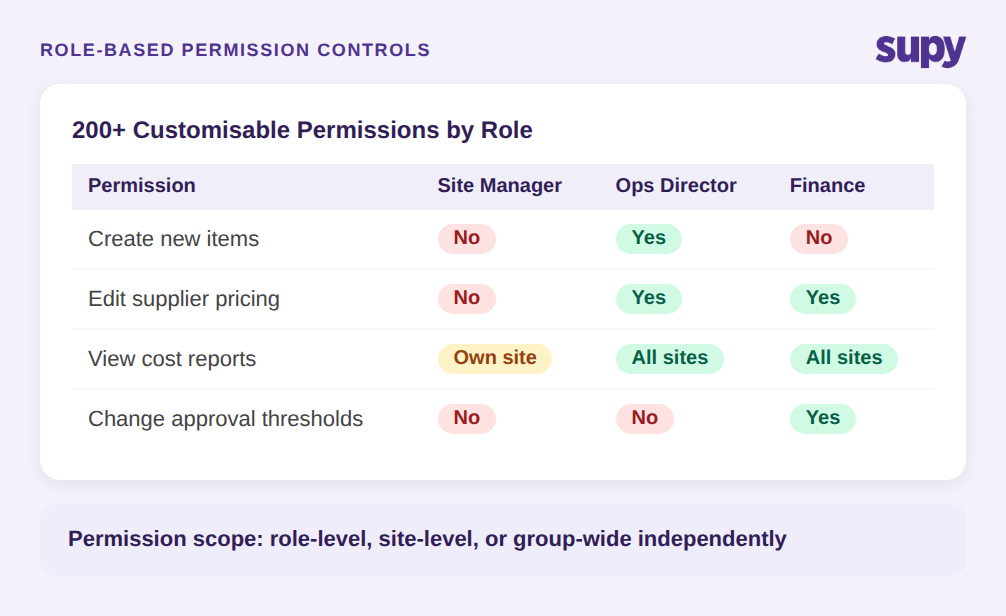
Supy's Permissions and Limits feature provides over 200 customisable permissions. These cover procurement-specific controls: which users can create new items, which can modify supplier pricing, which can access financial reports, and which can change system settings. Permissions are role-scoped, so a site manager at one location can have write access to their own data but read-only access to shared records that affect all locations.
This matters for spending controls because it closes the loop between approval routing and data integrity. An approval workflow that routes orders above a defined threshold to a finance approver only functions correctly if that threshold cannot be changed by the same staff member who placed the order.
Receiving-Stage Variance as the Last Line of Defence
Purchase order approval and role-based permissions address spend control at the ordering stage. The last failure mode sits at receiving: goods arrive, someone signs off the delivery, and any variance between what was ordered and what was actually received is absorbed into inventory without generating a flag.
One multi-location leisure and entertainment group described having no visibility into stock losses from staff giveaways or theft. Without structured receiving workflows, shrinkage was only detectable through manual stock counts, which typically ran monthly. By the time a loss was identified, it had been accumulating for weeks.
The receiving-stage problem is distinct from the invoice price problem. Invoice price discrepancies affect what the group pays. Receiving variances affect what the group actually holds in stock. Both create financial exposure; neither is visible without a system that captures the data at the point of receiving.
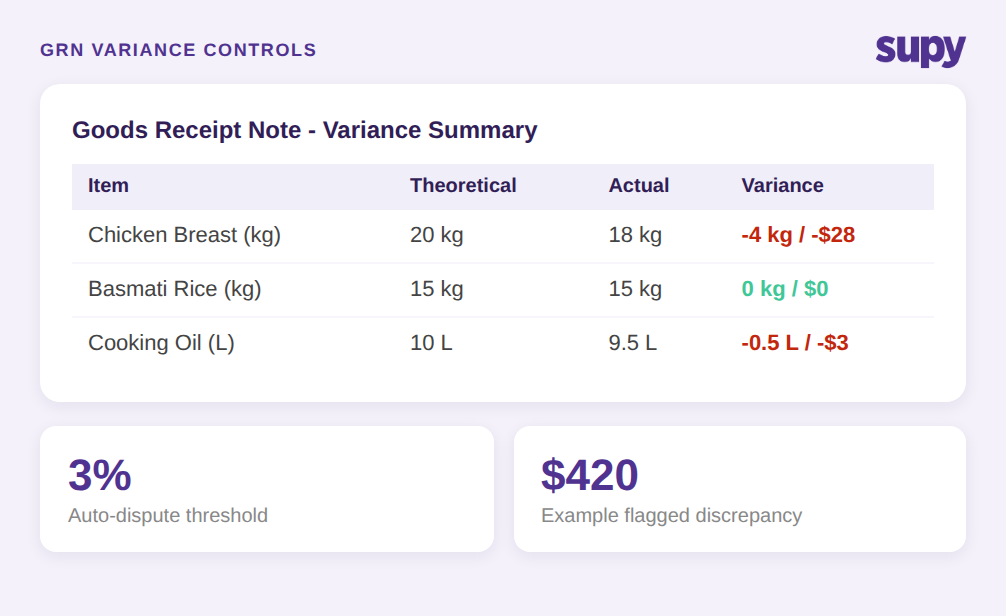
The Received Items Page captures both simultaneously. Each goods receipt note row records the quantity ordered, the quantity received, and the invoiced price. If the quantity received differs from what was ordered, the variance is visible immediately and can be actioned - not discovered six weeks later during a stock count.
The GRN Auto-Dispute Threshold adds a configurable tolerance layer. For a group with high-volume deliveries, reviewing every minor quantity variance is operationally impractical. The threshold allows the team to define what counts as a meaningful discrepancy for their operation - by value or percentage - and focus review effort on deviations that actually matter.
Multi-Location Approvals Without Manual Order Splitting
The operational complexity of multi-site procurement approval grows quickly once the group moves past a handful of locations. A central kitchen serving multiple sites, each with different suppliers and delivery schedules, generates a purchasing workload that manual order creation cannot keep pace with.
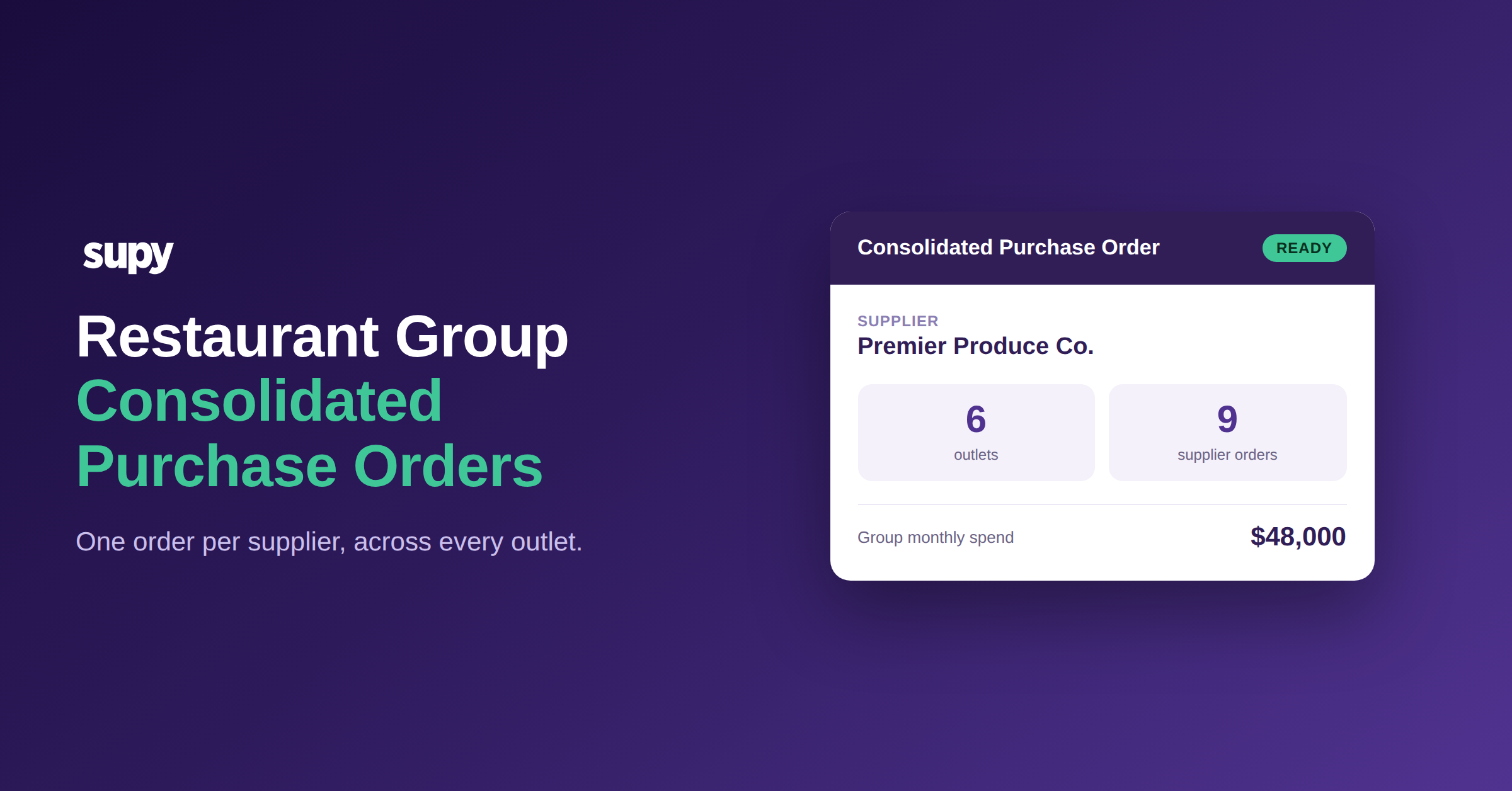
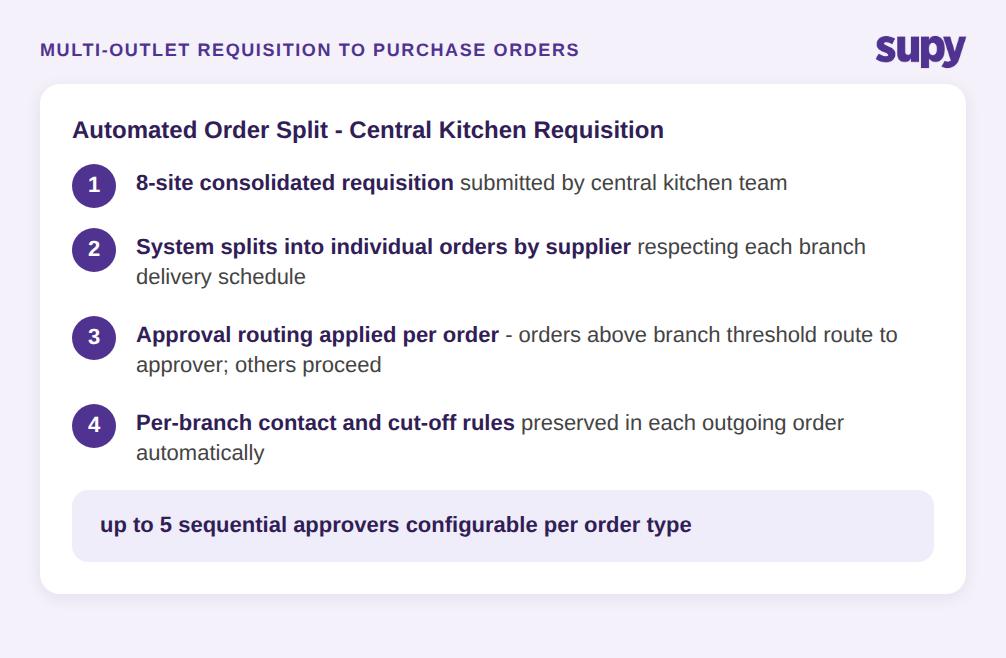
Supy handles multi-outlet requisition batches by converting them into individual purchase orders per supplier in a single step. The system groups line items by supplier, applies each location's contracted delivery schedule, and preserves per-branch contact and cut-off rules. The operations team sees one requisition process; the supplier communication and order generation happen automatically behind it.
Approval routing applies to each resulting order individually. If one supplier's order for one location exceeds that location's threshold, it routes to the appropriate approver for that location. Other orders in the same batch that are within thresholds proceed without delay. This means a multi-outlet purchasing run does not require manual attention to sort which orders need approval and which do not.
The combination of automated order splitting and location-specific approval routing means that approval controls scale with the group, not against it. Adding a new location adds a new set of policies, not a new manual step in the approval chain.
What to Check Before You Commit to a Procurement Approval System
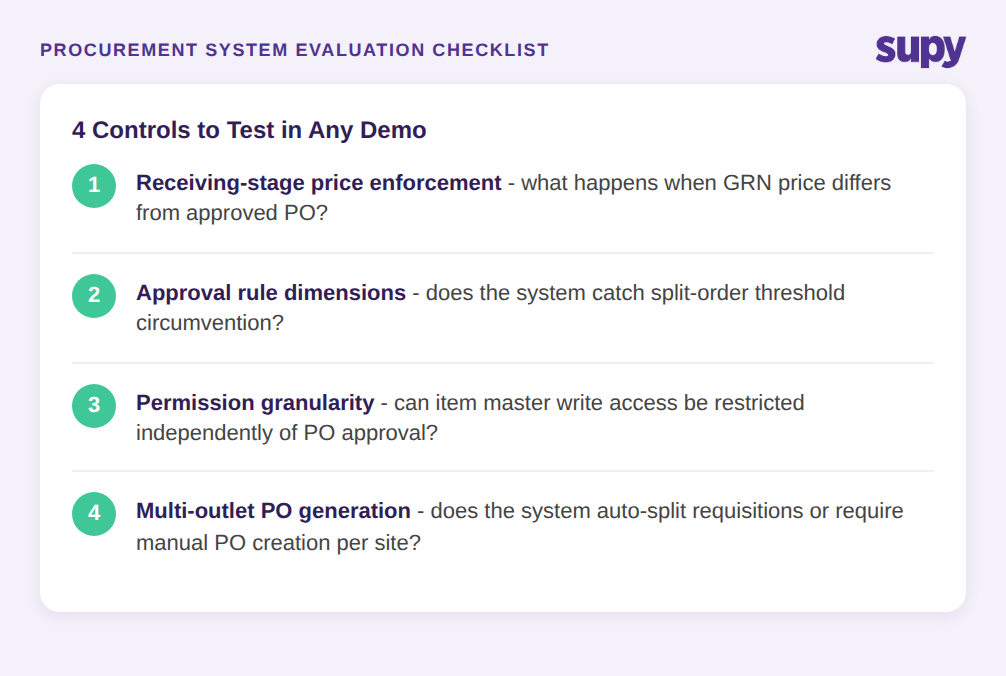
If you are evaluating procurement approval tools for a multi-site restaurant group, the approval routing feature list is rarely the differentiator. Most platforms cover basic order value thresholds. The gaps that cause problems in practice are narrower. Here are four areas to test before committing:
Receiving-stage enforcement. Ask the vendor to show you what happens when goods are received at a price that differs from the approved order. Is there a flag? Who sees it? What actions are available without leaving the system? If the answer is "the ops team gets notified" with no structured workflow, the gap that causes most invoice problems remains open.
Approval rule dimensions. A single order value threshold is not enough for multi-site operations. Check whether the system supports approval rules by supplier, by category, by location, and by time period. Ask specifically how split-order circumvention is handled - can the same team member place five orders below threshold in a week and avoid approval?
Permission granularity on shared data. Ask which users can edit the item master, change supplier expected prices, or modify approval thresholds. If the answer is "admin users," ask how many admin users the group typically has. If item-level permissions are not available, data integrity in a shared multi-site environment is difficult to maintain.
Multi-outlet order generation. For groups with central kitchens or shared suppliers across sites, ask how the system handles a requisition that spans multiple locations. If it requires manual order creation per location, the workflow cost of approval compliance will fall on the operations team rather than the system.
These four checks surface the capabilities that distinguish a procurement approval system that holds under real multi-site operating conditions from one that holds in a single-site demo. Supy's Permissions and Limits feature is built to pass all four.