.jpg)


Restaurant Invoice Price Discrepancies: Resolve Them at Receiving
Catch the Price Gap at the Door, Not at Month End
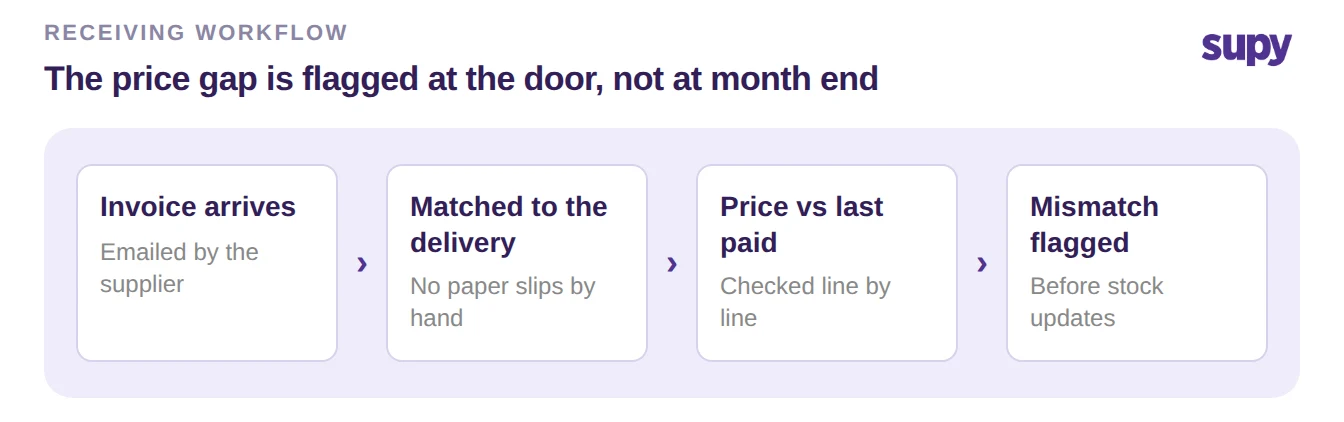
Resolving a supplier invoice price discrepancy is cheapest the moment the delivery lands, while the credit is still easy to claim. A discrepancy is any line where the invoice price differs from the price you last agreed or paid. Supy matches each supplier invoice to its delivery and flags those lines at receiving, not at month end.
The match happens on its own. When a supplier emails an invoice that references a delivery already in Supy, the two reconcile automatically. An open delivery is updated in place with the invoice's prices and quantities, and a closed one gets a separate linked invoice record. Nobody pairs paper slips to invoices by hand. Any line whose invoice price differs from the last recorded purchase price is flagged before the stock and accounts update.
That timing is the whole point. Caught at receiving, a changed price is a two-minute decision against the delivery in front of you. Caught at month end, it is a hunt through closed periods for a credit the supplier may no longer honour.
Three Ways to Close a Flagged Line
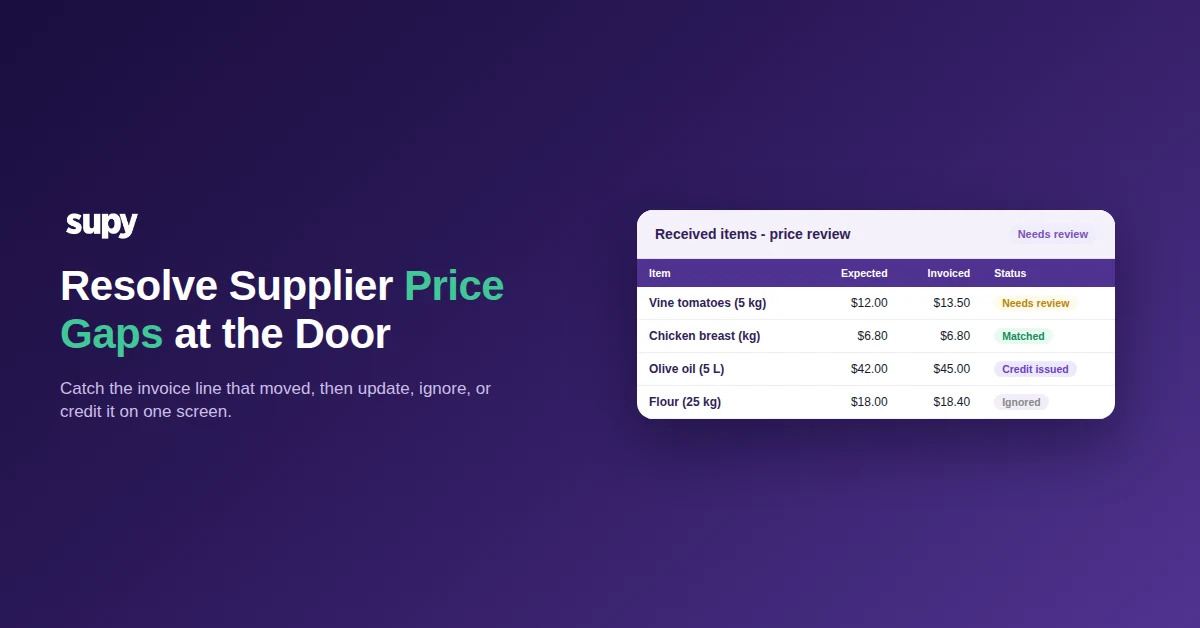
Every flagged line goes to the Received Items page. It opens on the price-discrepancy filter and lists each item still needing a decision. Each carries a status: Needs review, Price updated, Credit issued, or Ignored. You clear a line one of three ways, and the right one depends on why the price moved.
| Action | Use it when | What Supy does |
|---|---|---|
| Update the expected price | The new price is correct and will stick | Sets the invoice price as the expected price, so stock costs at the real figure |
| Ignore within tolerance | The gap is tiny and not worth a dispute | Closes the line and leaves the expected price as it was |
| Request a credit note | The supplier overcharged against an agreed price | Generates a supplier-contact email or opens the goods received note to raise a credit, with a full audit trail |
One screen, one pass. A cost controller works the filtered list top to bottom at receiving, and the page records who did what so a later query has an answer. The same match flags a quantity that does not agree, not only a price, and holds the invoice for approval before it touches stock or the accounts. A wrong figure never posts unchecked, and bulk actions clear a run of similar lines in one move.
Set a Tolerance So Small Gaps Clear Themselves
Most flagged lines are pennies, and chasing every one wastes the hour that matters. Set a variance tolerance, by value or percentage, below which Supy raises no dispute. Only the lines that move cost then reach a person. A supplier that nudges a case price by a few cents clears on its own; one that adds three dollars a bottle lands on the review list.
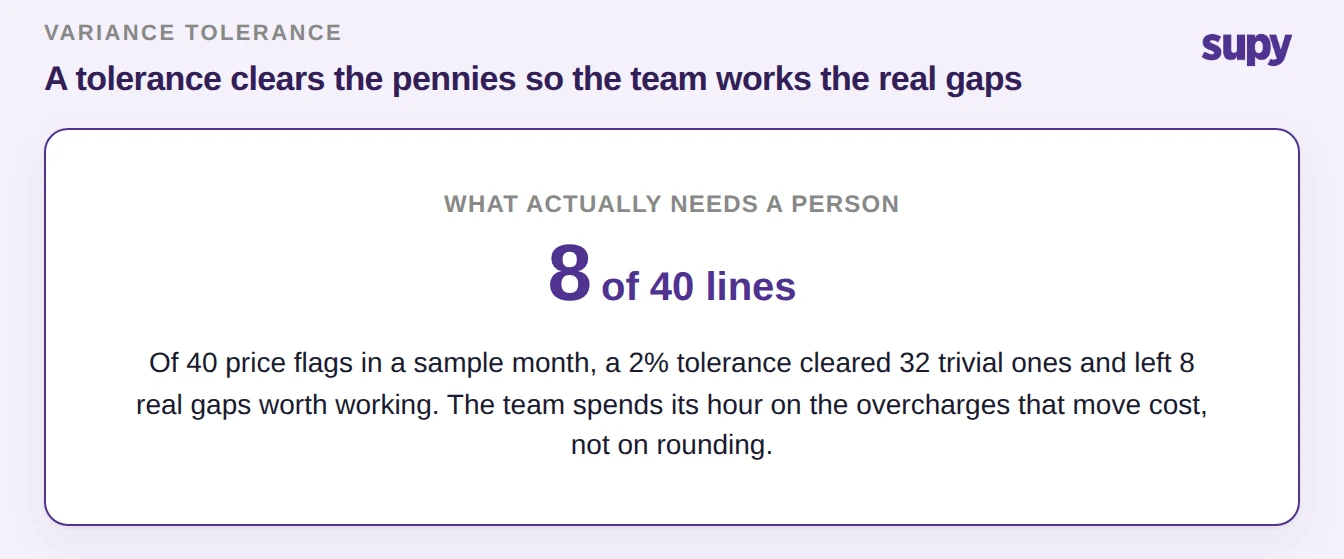
The effect is a shorter, sharper queue. In a sample month of 40 price flags, a 2% tolerance cleared 32 trivial ones and left 8 real gaps worth working. The team spends its time on the overcharges that actually erode margin, not on rounding.
When It Is a Real Overcharge, Issue the Credit and Keep the Trail
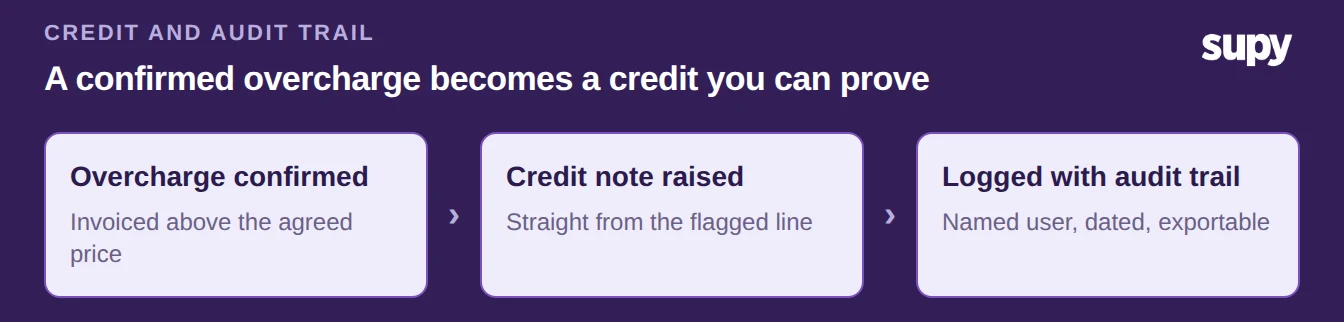
When a supplier bills above the agreed price, raise the credit from the line itself rather than settling and arguing later. Take a sample olive oil line billed at $45.00 against an expected $42.00: the $3.00 gap is a credit, not a price to accept. From the flagged line you generate the supplier-contact email or open the goods received note to issue the credit note, and Supy logs the whole exchange against a named user with a timestamp.
That trail is what settles the next conversation. A supplier querying the credit meets a dated record of the original price, the invoiced price, and the note raised. The dispute closes on evidence instead of memory. Credit notes for over or incorrect charges carry the same audit trail as the rest of the receiving flow.
Make It a Receiving Habit, Not a Month-End Chore
Pick the one change that fits your operation and start there. If invoices pile up to month end, move the review to receiving and open the Received Items page on the price-discrepancy filter each day. If the team drowns in trivial flags, set a tolerance and let the small gaps clear. If overcharges slip through unchallenged, make the credit note the default for any line above the agreed price. For a related angle, the guide to catching supplier price increases covers spotting a drift before it reaches an invoice. Supy's restaurant procurement software runs the matching and the credit workflow in one place.