.jpg)


Restaurant Standing Orders: When They Reorder Stock You Already Have
Why a Standing Order Reorders Stock a Branch Already Has
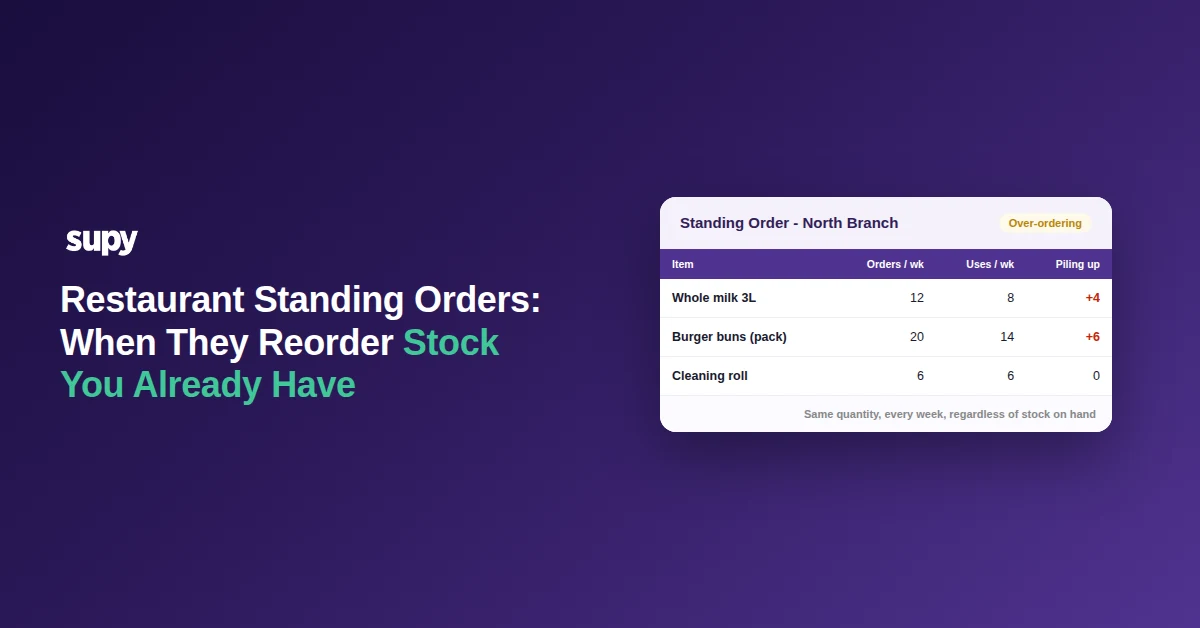
A standing order submits the same quantity on a fixed schedule. It does not read what a branch already holds on the shelf, or what is still in transit from the last delivery, so it reorders regardless. When the set quantity runs ahead of real use, the stock a branch already has keeps piling up, tying cash into a store room instead of the till.
That is the whole failure mode, and it is worth saying plainly before the fixes: a standing order is a scheduling tool, not a stock-aware one. It is excellent at making sure an order goes out on time and nothing gets forgotten. It has no idea how much is left in the walk-in when it fires. The good news is that every version of this problem has a specific, quick fix, and none of them mean abandoning recurring orders altogether.
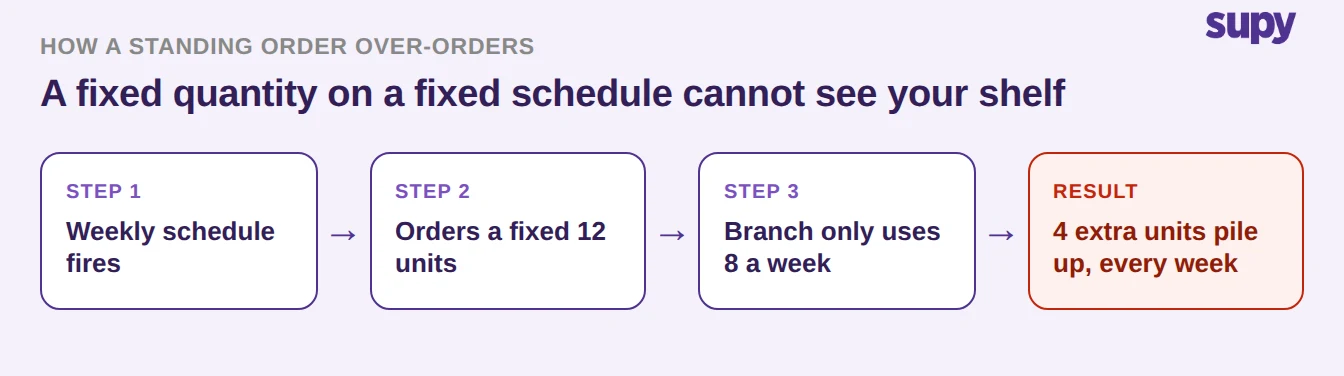
Take a single line as an example. A weekly standing order sends 12 units of an item, but the branch only gets through 8 in a normal week. Four units carry over, every week, until the shelf is full and the next delivery has nowhere to go. Nothing is broken, the order is doing exactly what it was set to do. It just cannot see the four units it is adding to a pile that was already there.
Six Signs Your Standing Order Is Over-Ordering (and the Fix for Each)
Over-ordering rarely comes from one big mistake. It builds up from a handful of small mismatches between how an order is set and how a branch actually trades. Here are the six that show up most often, each with the concrete fix.
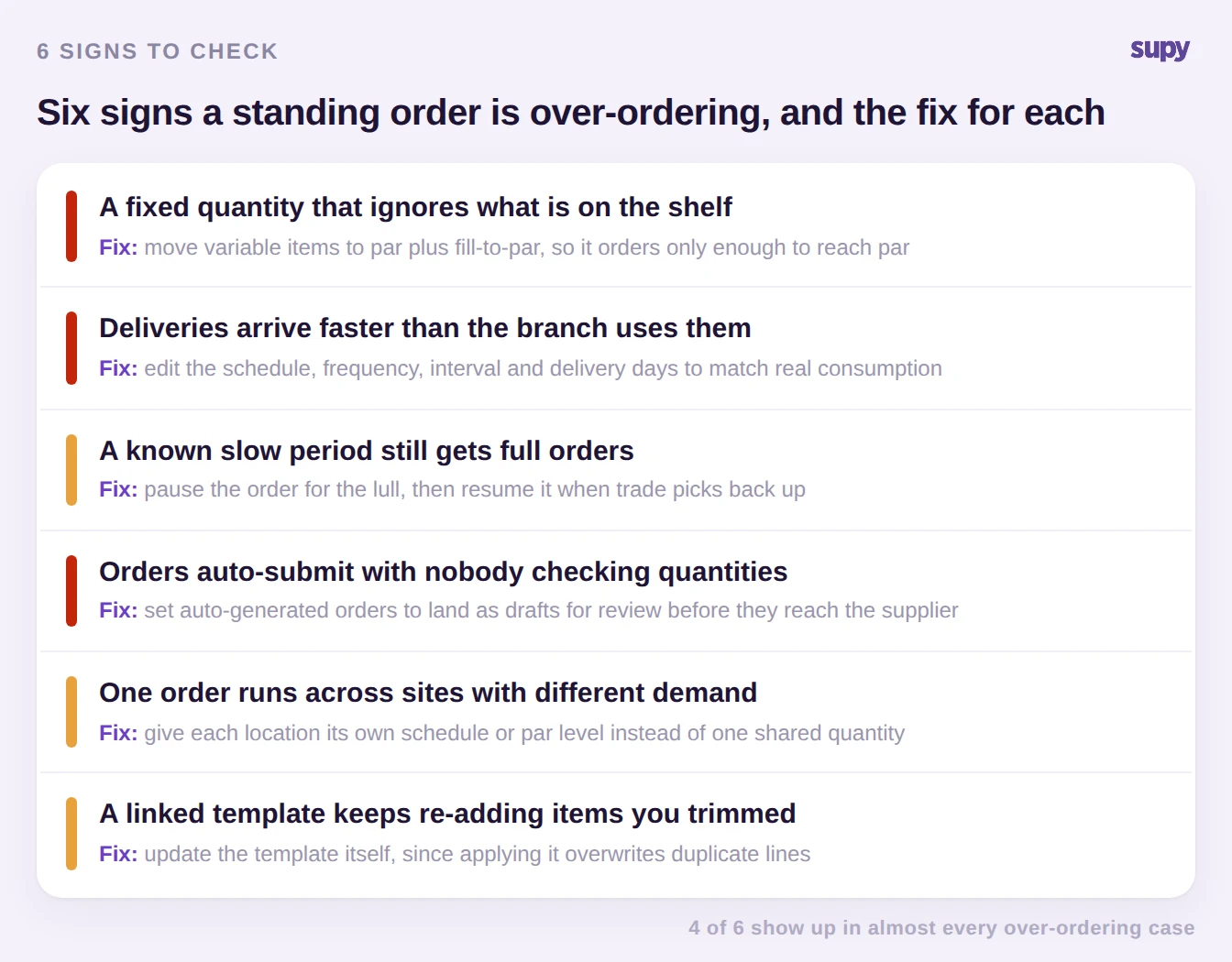
1. The quantity is fixed, not filled to par. The order sends the same amount whether the shelf is empty or nearly full. For anything whose usage moves week to week, that is the root cause. The fix: take those items off the standing order and drive them from a par level with fill-to-par instead, which suggests an order for just enough to bring stock back up to par, so it works from what is already there rather than ignoring it. Someone still reviews and confirms the suggested quantity before it goes out.
If you'd rather not work par out by hand, the free par level calculator does it for every item on your sheet from your usage, delivery days and supplier lead times.
2. Deliveries arrive faster than the branch uses them. A weekly cycle on an item a branch only gets through fortnightly guarantees a growing pile. The fix: edit the schedule. The frequency, interval, delivery days, lead time and submission time on a standing order are all editable, and every change is logged, so you can slow the cadence to match real consumption without rebuilding the order.
3. A known slow period still gets full orders. A renovation, a school break, a post-holiday lull, the order keeps firing at full volume through all of it. The fix: pause the standing order for the quiet stretch. Pausing suspends future automatic submissions without losing the setup, and a single action resumes it from the next scheduled date when trade returns.
4. Orders auto-submit with nobody checking quantities. If auto-generated orders go straight to the supplier, no one ever catches a line that has drifted too high. The fix: set the standing order so its generated orders land as drafts for review first. The right person then adjusts quantities against what is actually on hand before anything is sent.
5. One order runs across sites with different demand. A single quantity that suits a busy flagship will over-order a quiet neighbourhood branch and stock out the airport outlet. The fix: give each location its own schedule or its own par level, rather than sharing one quantity across sites that do not trade alike.
6. A linked template keeps re-adding items you trimmed. If the order is linked to an order template, reapplying that template merges its items back in and overwrites any duplicate lines, so quantities you carefully cut reappear at full size. The fix: update the template itself, or unlink it, so the order stops inheriting numbers you already corrected.
Most operators will recognise more than one of these on the same order. That is normal, and it is why a five-minute review beats a rewrite: you are usually adjusting a schedule and moving two or three volatile items to par, not starting over.
Which Items Should Come Off a Standing Order
Standing orders are not the problem, applying them to the wrong items is. The rule of thumb is simple: keep steady, predictable items on a fixed recurring order, and move anything whose demand swings onto par plus fill-to-par, which builds its suggested order from what is actually on the shelf. Use this to sort your own list.
| Item pattern | Best fit | Why |
|---|---|---|
| Steady, predictable use (dry goods, packaging) | Standing order | Consumption barely moves, so a fixed recurring quantity matches it well |
| Demand swings by day or season (fresh produce, proteins) | Par plus fill-to-par | Suggests only enough to reach par, so it works from what is on hand |
| Long shelf life, low unit cost | Standing order | The occasional over-stock ties up little cash and will not spoil |
| Perishable and high cost | Par plus fill-to-par | Over-ordering here turns into waste and locked cash quickly |
| Different demand across sites | Per-location par or schedule | One shared quantity cannot fit a busy and a quiet branch at once |
A quick note on the opposite failure, since it looks similar on the board. If a standing order shows as Blocked, it has auto-halted because the system could not generate it, so it is under-ordering, not over-ordering. That needs the blocker cleared rather than the quantity cut, and it is worth checking the order's status before you assume a shelf is full because it was ordered twice.
Run this quick self-audit. Pull up your standing orders and check three things in order. First, which lines are stable enough to stay on a fixed quantity, and which volatile ones should move to par plus fill-to-par today. Second, does each order's cadence match how fast that branch actually uses the items, and is any site sharing a quantity it should not. Third, are generated orders landing as drafts so someone reviews them before they send. If you fix only one thing this week, move your highest-cost perishable lines off fixed quantities first, that is where reordering stock you already have costs the most. For the wider picture of running recurring supplier orders well, see our guide to standing orders for restaurants, and to put par-based ordering and draft review in place across sites, look at Supy's restaurant procurement software.