Inventory

Spreadsheet Inventory: 7 Signs a Restaurant Group Has Outgrown It
The Seven Signs Your Restaurant Group Has Outgrown Spreadsheets

A restaurant group has outgrown spreadsheet inventory when the sheet stops describing what is actually in the building: counts go stale, costs lag weeks behind, and no two sites track the same way. The signs below are operational, not cosmetic, and each one has a concrete fix rather than a warning to worry about.

Read them as a checklist. Most multi-site groups recognise five of the seven, and any two together are usually enough to say the spreadsheet has become the thing holding the operation back.
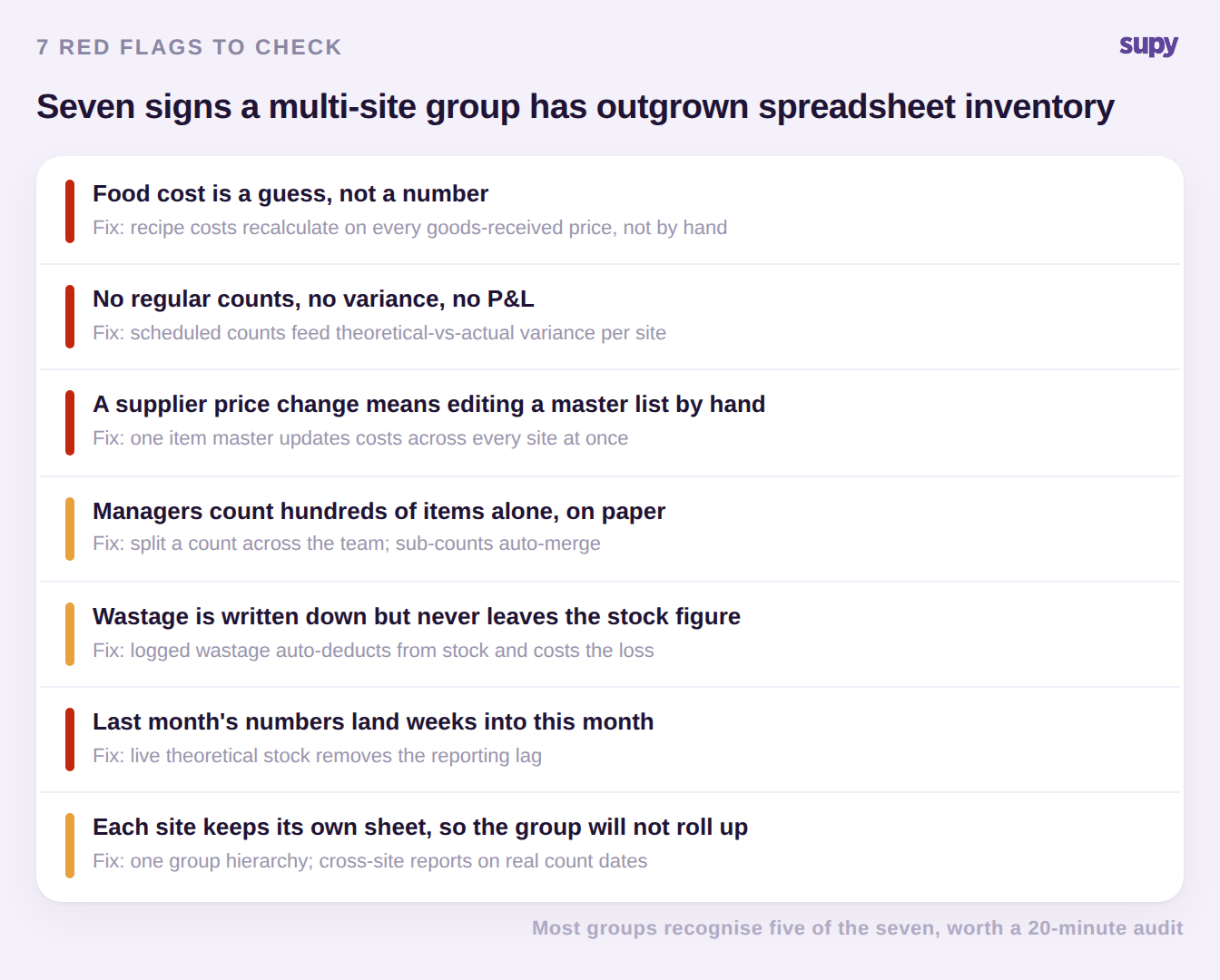
Seven red flags that a multi-site restaurant group has outgrown spreadsheet inventory, each paired with the fix


1. Food cost is a guess, not a number. The master ingredient price list only changes when someone remembers to type in a new supplier price, so recipe costs are wrong the moment a delivery arrives at a different rate. The fix is a system that recalculates every recipe from the real goods-received price, so your food cost reflects what you actually paid this week, not what you paid whenever the sheet was last touched. If you want a quick sense of where you stand today, a food cost calculator gives you the number in minutes.

2. There are no regular counts, no variance, and no profit and loss you trust. Groups in this position can feel money leaking but have no data to say where. The fix is a recurring count schedule per location that feeds a theoretical-versus-actual variance report, so a suspected leak becomes a specific line item at a specific site instead of a hunch.

3. A supplier price change means editing a master list by hand. When every brand or entity keeps its own copy of the catalog, one price change turns into a dozen manual edits, and they are never all made. The fix is a single item master, shared across the group, where an ingredient carries its supplier codes, pack sizes and cost once and updates everywhere at the same time. This is also the data most worth cleaning before any move; here is how to get item master data right.

4. Managers count hundreds of items alone, on paper. When one person walks 300 to 400 items with a clipboard every fortnight, counts are slow, late and easy to fudge. The fix is a count that can be split across the team, with each person locked to their own section and the sub-counts merged automatically, so a full count takes a fraction of the time and every line is attributed.

5. Wastage is written down but never leaves the stock figure. A waste log that does not deduct from stock is a diary, not a control. The fix is logging wastage by item and reason in seconds, with each entry deducting from stock and costing the loss at that day's price, so the stock number and the cost impact both stay true.

6. Last month's numbers land weeks into this month. When it takes six weeks for a period's cost of goods to become visible, the month is already lost before anyone can act on it. The fix is theoretical stock kept continuously up to date from every delivery and every sale, which removes the reporting lag entirely.

7. Each site keeps its own sheet, so the group will not roll up. Different templates and different habits per location make a group-level view impossible to assemble without a day of copy and paste. The fix is one group hierarchy with cross-site reports anchored to real stock-count dates, so a roll-up is a filter, not a project.

What Changes the Day You Move Off Spreadsheets

The point of leaving spreadsheets is not tidier files, it is that the numbers start describing the operation as it is right now. Two things do the heavy lifting: one item master that every site shares, and a theoretical stock figure that updates on every goods receipt and every recipe sale. Together they turn a six-week reporting lag into a same-day view.
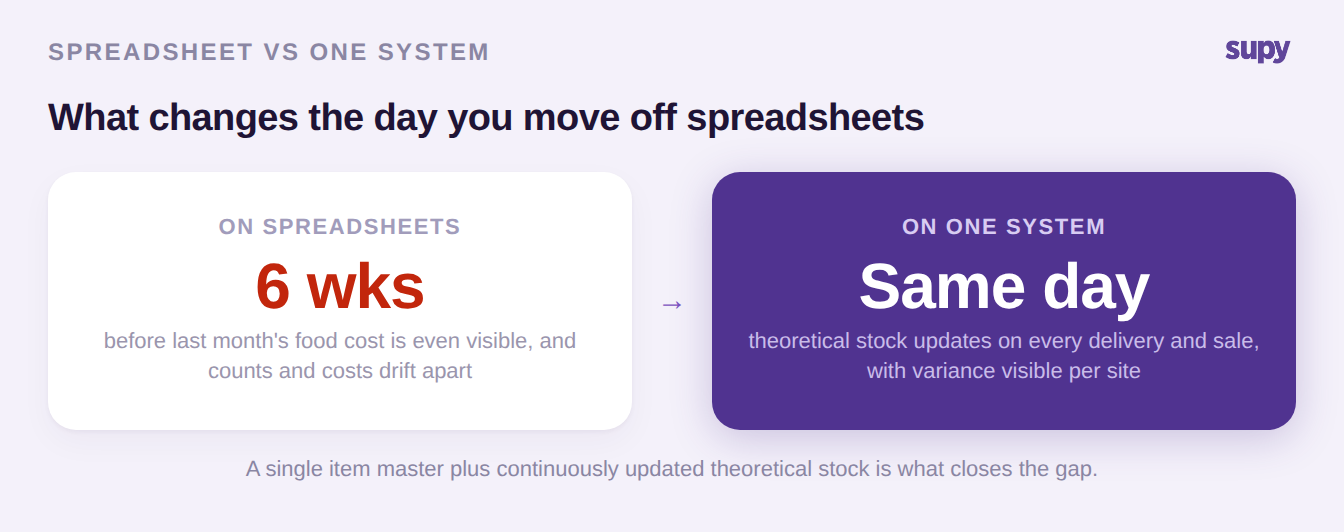
Before and after moving a restaurant group off spreadsheets: a six-week reporting lag becomes a same-day view


On that foundation, the rest of the signs resolve themselves. Variance is measured against real expected usage rather than a stale sheet, so a cost gap points to a specific ingredient at a specific location. Counts are scheduled per site and split across the team. Wastage logged on the floor deducts from stock and costs the loss automatically. Because each brand or entity sits in its own outlet within one group hierarchy, integrations to point-of-sale and accounting route per location, and a cross-site report is a filter away. A dedicated restaurant inventory management platform is what carries all of that, rather than a wider spreadsheet.

How to Switch Without Stalling the Business

The risk in a move is not the software, it is going live across the estate with a dirty catalog. Avoid it by proving the setup at one representative site first, cleaning the item master and accounting categories before each go-live, and phasing owned sites ahead of franchised ones, where adoption has to be earned rather than mandated.
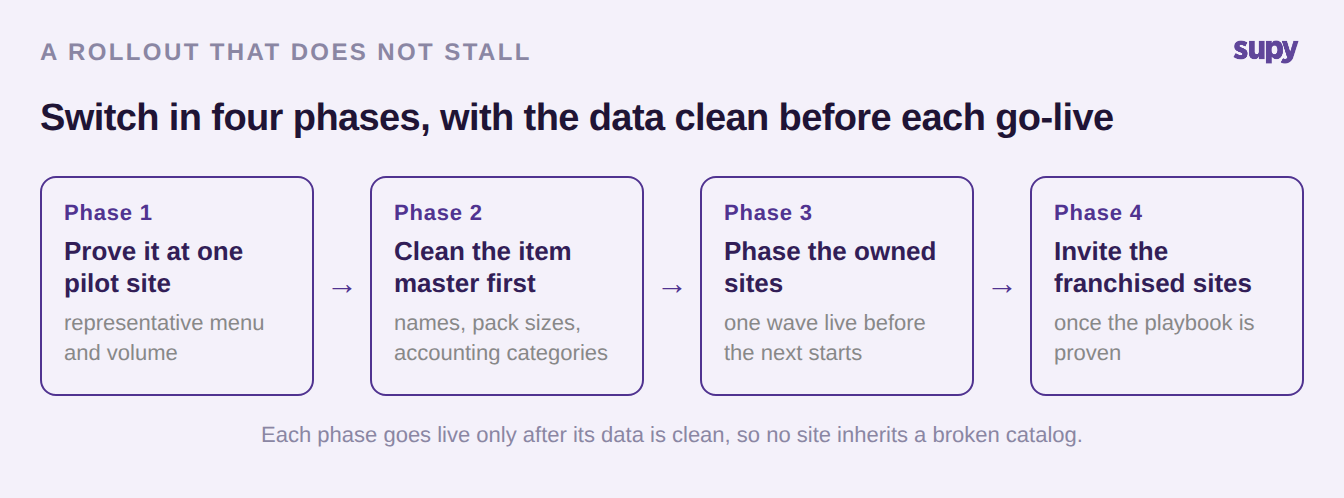
A four-phase rollout for a restaurant group: pilot site, clean the item master, phase owned sites, then invite franchised sites


Handled this way, the data prep that made spreadsheets painful becomes a one-time job done once per site, and each new location inherits a clean catalog instead of another team's shortcuts.

Your quick self-audit: run down the seven signs and mark the ones happening now. If you can only fix one this quarter, start with the single item master, because sign 1, sign 3 and sign 7 all trace back to not having one, and closing it moves three flags at once.

Book a Demo with Supy: trade spreadsheet inventory for one live system across every site

Ready to optimize your restaurant operations?

Blog

Our operational insights

No items found.

Your questions 
answered

Everything you need to know about Supy — from setup to integrations, pricing, and daily use. If it’s not covered here, just ask.

What are the signs a restaurant group has outgrown spreadsheet inventory?
+

The clearest signs are operational: food cost that only updates when someone edits the sheet, no regular counts or variance you trust, supplier price changes made by hand across separate copies, managers counting hundreds of items alone, wastage that is logged but never leaves the stock figure, month-end numbers that arrive weeks late, and each site keeping its own template so the group cannot roll up. Any two of these together usually mean the spreadsheet has stopped describing what is actually in your kitchens, and the cost of the workarounds now outweighs the cost of moving to a shared system.

Why do spreadsheets stop working for multi-site restaurant inventory?
+

Spreadsheets stop working because they are copies, not a shared source of truth. Every site keeps its own file, every supplier price change means editing several of them, and nobody can be sure which version is current. They also only ever show the last manual entry, so the numbers lag reality by days or weeks. At one or two sites that is manageable; across a group it multiplies, and the time spent reconciling versions grows faster than the business. The failure is structural, which is why adding more tabs or a tighter template never fixes it.

How is theoretical stock different from a spreadsheet count?
+

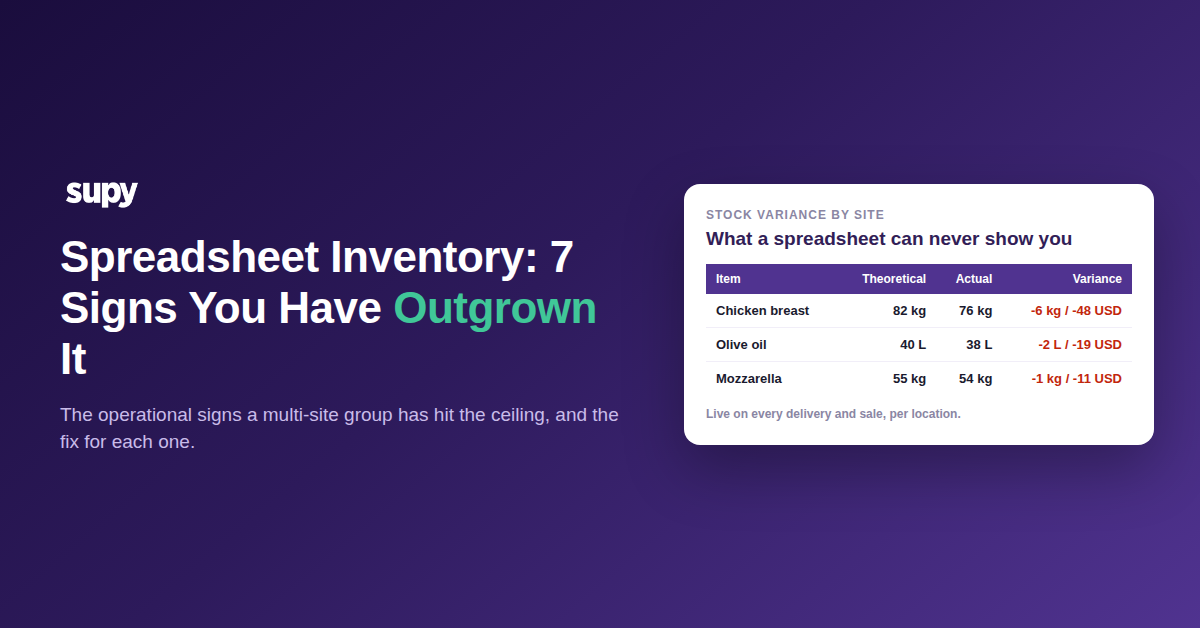
Theoretical stock is what the system expects you to have right now, calculated continuously from every delivery received and every dish sold, without anyone typing it in. A spreadsheet count is a manual snapshot that is out of date the moment the next order arrives. The difference matters at count time: variance measured against continuously updated theoretical stock points to a real discrepancy at a specific item and site, whereas variance against a stale sheet mostly measures how long ago someone last updated it. That is why theoretical stock turns a suspected leak into one you can actually locate.

When should a restaurant group move off spreadsheets to inventory software?
+

When the workarounds cost more than the switch. Practically, that is when you cannot trust your food cost, when month-end numbers arrive too late to act on, or when a group-level view means a day of copy and paste. Growth is the usual trigger: a template that held for two sites buckles at five or ten because every problem multiplies by location. If counts are late, variance is invisible, or a single price change takes a dozen edits, the group has already outgrown the sheet and is paying for it in leakage nobody can quantify.

Does moving off spreadsheets mean re-entering all our data?
+

No, and trying to re-enter everything by hand at go-live is the mistake that stalls rollouts. The right approach is a one-time cleanup of the item master per site: standardise ingredient names, pack sizes and accounting categories once, then bring that clean catalog live. A single shared item master means you do that work once for the group rather than repeatedly per file. Integrations to point-of-sale and accounting carry transactional data automatically after go-live, so the manual effort is front-loaded into data prep, not spread across every count and order forever.

How do you roll inventory software out across many sites without disruption?
+

Phase it. Prove the setup at one representative pilot site first, with a real menu and real volume, and define what success has to show before you expand. Clean the item master and accounting categories before each go-live so no site inherits a broken catalog. Then sequence owned sites in waves, letting one wave stabilise before the next starts, and bring franchised sites in afterwards. A big-bang switch makes software issues, data gaps and adoption problems all land at once, which is exactly how rollouts stall. Phasing keeps every failure small and cheap to fix.

Can franchised sites be included when the group does not mandate a system?
+

Yes, but adoption has to be earned rather than ordered. When most sites are franchised, you cannot force a switch, so lead with the owned sites, prove the playbook and the results there, and then invite franchisees with a clear incentive: less manual counting, tighter food cost, and reporting they do not have to assemble by hand. Because each site sits in its own outlet within one group hierarchy, franchised locations can join on their own schedule without disrupting the sites already live. The structure supports a voluntary, site-by-site rollout instead of a mandate.

Ready to transform your operations?

Join 3500+ restaurant operators cutting costs, streamlining operations and making smarter decisions with Supy.