.jpg)


Restaurant Checklist Corrective Actions: Assign an Owner and Due Date
What a corrective action adds to a failed check
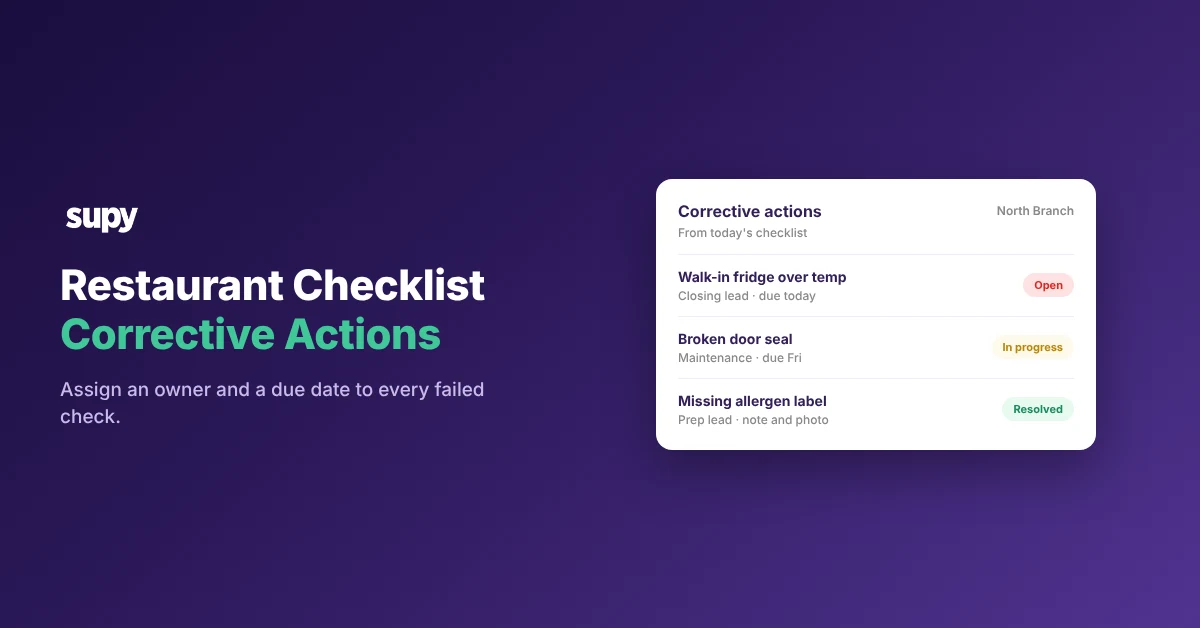
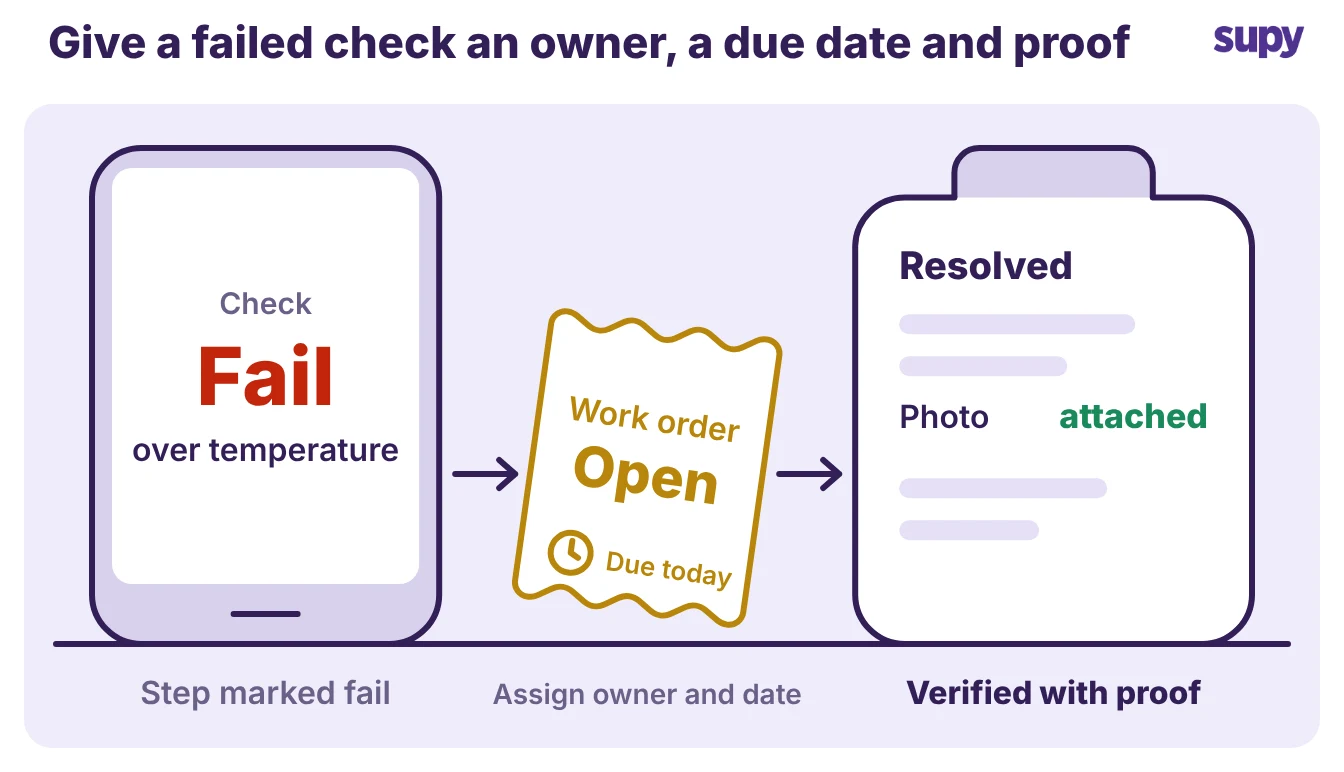
A corrective action is the tracked fix that follows a failed checklist step. It gives one failed check three things it never had on paper: a named owner, a due date, and a verification step that has to clear before the action closes. Without those, a "fail" is only a record that something was wrong once.
On most checklist apps, and on every paper checklist, the fail stops there. A manager marks the walk-in fridge over temperature, submits the checklist, and the entry drops into a log nobody reopens. The shift changes, the fridge stays warm, and the next person to notice is whoever finds the spoiled stock. The checks themselves come from your standard operating procedures; a corrective action is what happens when one of them fails.
Supy builds this onto the checklist directly. When an inspection step fails, the manager escalates it into a work order without leaving the app. The fix stays attached to the check that found it, not buried in an email or a WhatsApp message that scrolls away.
Which failed checks need a corrective action
Not every failed check deserves a work order. Some fails are done the moment you act and need no follow-up; others have to become tracked work with an owner, or the same problem returns next week. The test is whether the fix outlasts the shift.
Fix it on the spot when you can finish it in the moment and no one needs to check it afterwards. A spill wiped up, a mislabelled container relabelled, a utensil moved to the wash: record that the step passed on the second look and move on.
Open a corrective action when the fix needs a person, a part, or time, or when someone other than the reporter has to confirm it. A fridge running warm, a broken door seal, a missing allergen label, a deep-clean that was skipped: nobody follows these up unless one person owns them.
| What the check found | Right response | Close it when |
|---|---|---|
| Spill or clutter | Fix it and re-check the step | The step passes on the second look |
| Fridge over temperature | Open a corrective action for maintenance | The temperature log reads in range, with a photo |
| Broken door seal | Open a corrective action, order the part | The part is fitted and verified |
| Missing allergen label | Open a corrective action for the prep lead | The item is relabelled against the recipe |
| Skipped deep-clean | Open a corrective action, reschedule it | The clean is done and signed off |
Open a tracked work order the moment a check fails
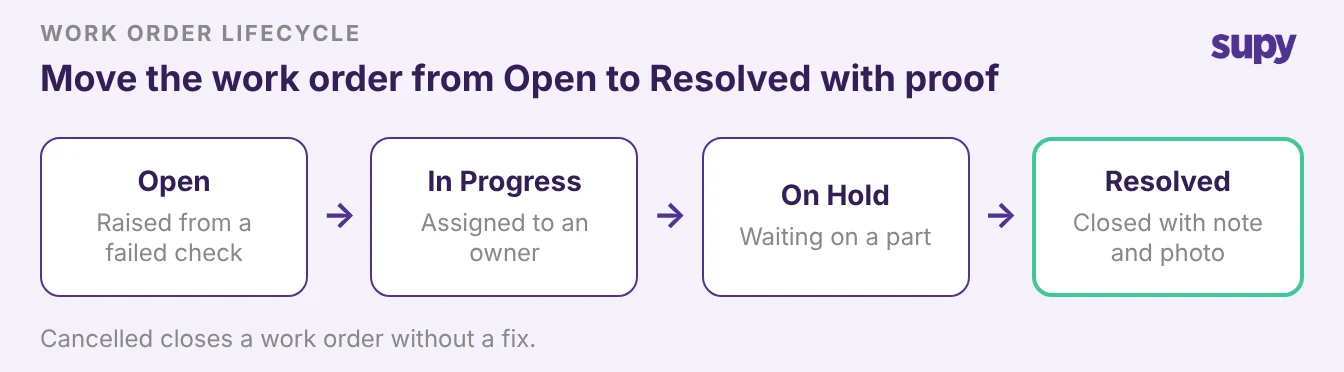
When a manager escalates a failed step, Supy turns it into a work order. The work order moves through a fixed lifecycle: Open, In Progress, On Hold, then Resolved or Cancelled. Anyone looking at the board sees which stage every job is at, so a corrective action cannot quietly stall between raised and done.
Assign each work order to a person or a team, never to the room. "The kitchen" is not an owner; the closing shift lead is. The assignee gets the job on their own task list, which is what turns a noted fail into work someone is expected to do.
Close it with proof, not a tick. Resolving a work order in Supy requires a written note and a photo, so the record shows what was done and what it looked like afterwards. A fridge logged back in range, a fitted seal, a relabelled container: the evidence sits with the action, and an area manager reviewing the week does not have to take "resolved" on trust.
A kanban board gives managers one live view of every open job across their locations, so a corrective action raised at one site is not invisible to the person accountable for all of them.
Why a failed check costs more the longer it waits
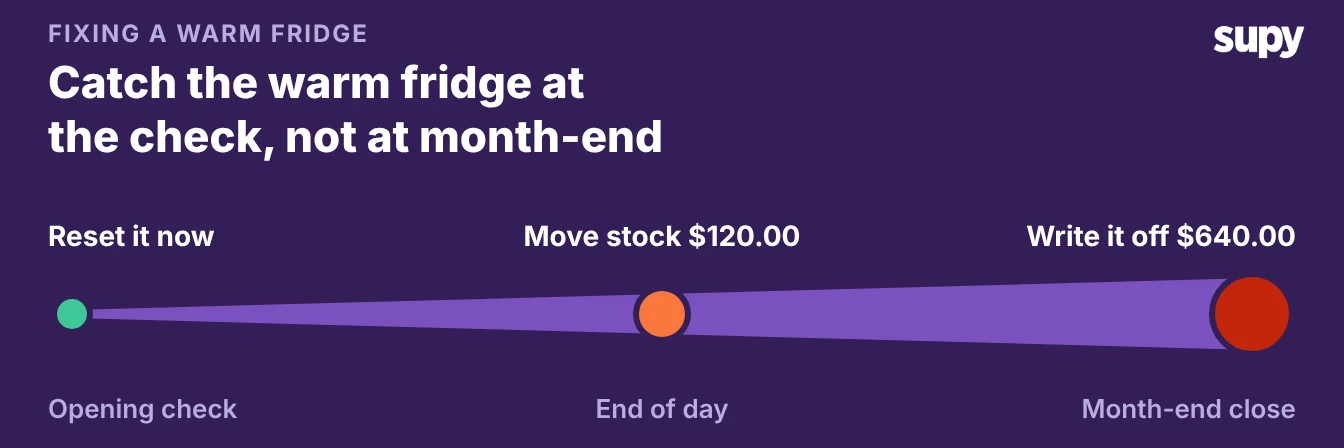
How soon you act on a failed check decides what fixing it costs. Take the walk-in fridge running 3°C above its safe limit. Rejected at the opening check, it costs nothing but a thermostat reset and a second look. Caught by the end of the day, you are moving chilled stock to a working unit and paying the labour, roughly $120.00 on one unit. Found only at month-end close, when the variance report shows stock that was counted but never sold, the spoiled chilled stock is a write-off of about $640.00, and by then nobody can prove what caused it.
The pattern holds for most operational fails. A due date is what keeps a corrective action on the cheap end of that line. Without a due date, nobody chases the action, so the fix only gets more expensive and the cause gets harder to prove.
Give every corrective action an owner and a due date
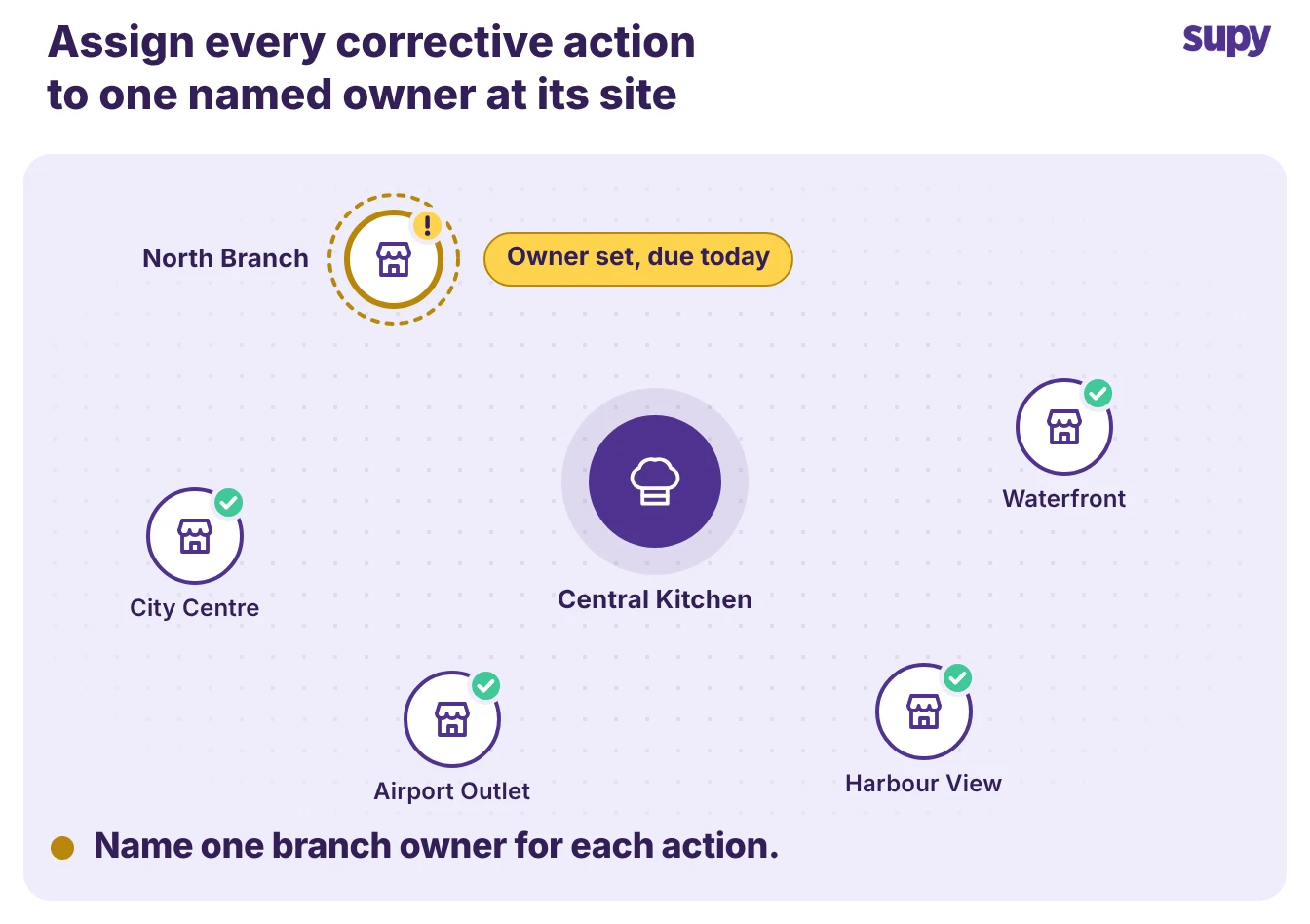
A corrective action with no name on it belongs to nobody. Multi-site operators feel this hardest. A fail raised at one branch is seen by an area manager who covers six. It has to land on one person at that site, with a date, or it competes with every other open job and loses.
Name the owner at the site, not the group. The person who can walk to the fridge is the one who should hold the action. An area manager assigns it, the branch owns it, and the record shows both who holds it and when it is due. Operators running several sites keep asking to see, on their phones, who logged and who dealt with each item. Without that, accountability stops at head office and never reaches the branch.
Set a due date that matches the risk. A food-safety fail is due today; a cosmetic repair can take the week. The due date is the difference between a corrective action and a wish.
An owner and a due date are also what make the record defensible. When a brand-standard visit asks how a failed check was handled, "assigned to the closing lead, due that evening, closed with a photo" is an answer. "We fixed it" is not.
Spot the same check failing across your sites
One failed check is a job. The same check failing every week is a pattern, and patterns are where the money is. Supy's checklist analytics dashboard is built to surface them, all filterable by location and time period. Its five views are a KPI summary, a branch completion ranking, an overdue heatmap, a failing-checklists view, and a corrective action log.
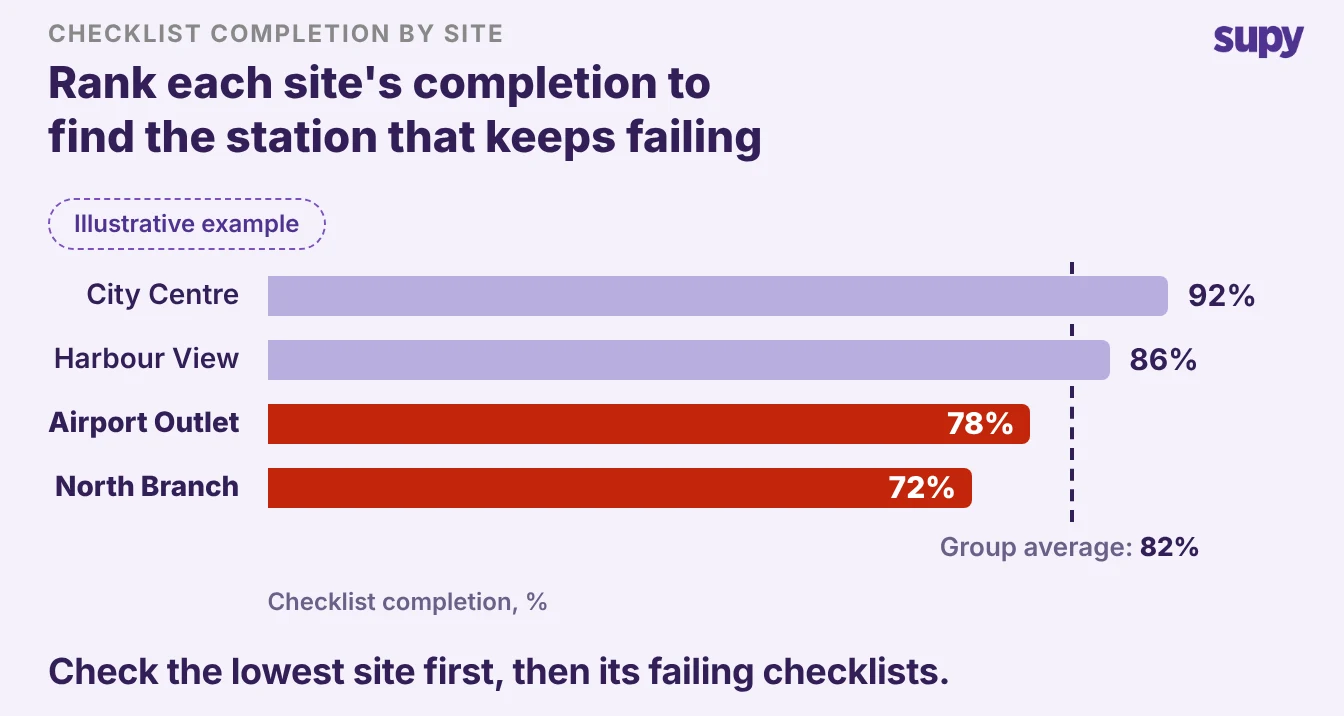
Read the branch completion ranking first. Last month City Centre Branch cleared 92% of its checks, Harbour View 86%, Airport Outlet 78%, and North Branch 72%, against an 82% group average. That spread is rarely about effort. It is usually one shift or one station missing the same steps. The ranking tells you where to look; the failing-checklists view tells you which checks.
Watch the overdue heatmap for corrective actions drifting past their due dates. 5 actions overdue across the group is 5 fixes you believed were done. Export the log as a CSV or a PDF when you need to hand it to a brand-standard auditor or review it in the weekly ops meeting.
Start with the fails you already have open. If a check failed today and the fix is done, record it and move on. If it failed and the fix needs a person or a part, open a corrective action, put a name and a date on it, and close it with a photo. If the same check keeps failing across sites, stop treating each one as a job and fix the pattern behind it: the station, the shift, or the training.
The move that changes the most is the smallest. Give the next failed check an owner and a due date before you submit the checklist. The lifecycle, the proof photo, and the dashboard all work only once a failed check belongs to someone.