Procurement

Manual Invoice Entry vs Automated Scanning: Which Fits Your Restaurant
Manual invoice entry vs automated invoice scanning for restaurants

A multi-site restaurant group keys hundreds of supplier invoices a week. Every one carries a header, a supplier, and a list of priced lines that has to reach the accounting system. Manual invoice entry and automated invoice scanning both get those numbers in. They differ in three ways: how many hours the work takes, how many figures a person keys wrong, and what each one needs from the document. This comparison sets out what each costs at scale, where automated scanning wins, where it still needs clean inputs, and how to choose.

What manual invoice entry costs a multi-site group

Manual invoice entry costs a multi-site group its procurement team's week. At 450 invoices a week and about 4 minutes to key each one, that is close to 30 hours of typing before anyone checks a price. The hours are only half of the cost.

Every figure typed by hand is a figure someone can mistype. A wrong unit price or quantity ends up in food cost and the month-end close. You find those errors late. A transposed price sits unnoticed until someone reconciles the supplier statement. By then the delivery is long gone, and the credit note is harder to request.
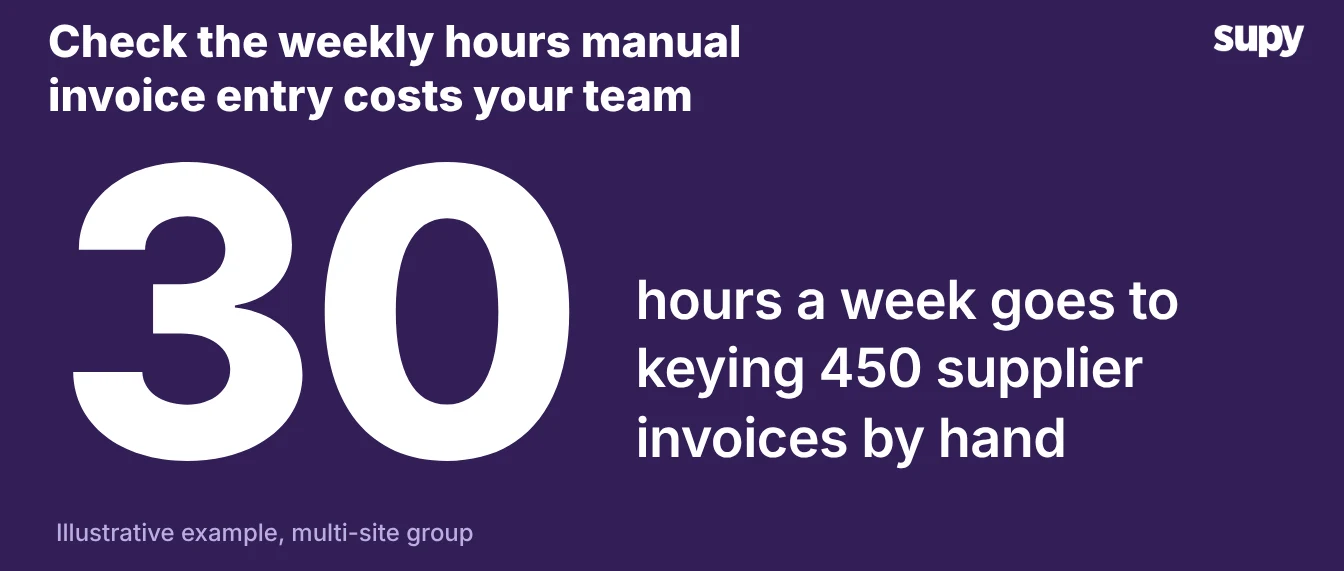
Manual invoice entry takes about 30 hours a week to key 450 supplier invoices by hand

Manual entry and automated scanning side by side

The two approaches split cleanly on effort, error exposure, and what they depend on to work.

CriterionManual entryAutomated scanning
Weekly effortAbout 30 hours of keyingAbout 8 hours of review
Where errors enterEvery typed fieldFields the capture reads wrong
Line populationTyped by handAuto-populated from the document
Order to receiptMatched by handOne click, multiple receipts per order
Posting to accountingOne invoice at a timeBulk post in one action
Weak pointVolume and fatigueMissing purchase orders or cost centres

Read the table as a decision aid, not a verdict. The right column wins on volume. The left column still handles a low, messy invoice load without new setup.

Where automated invoice scanning pays off

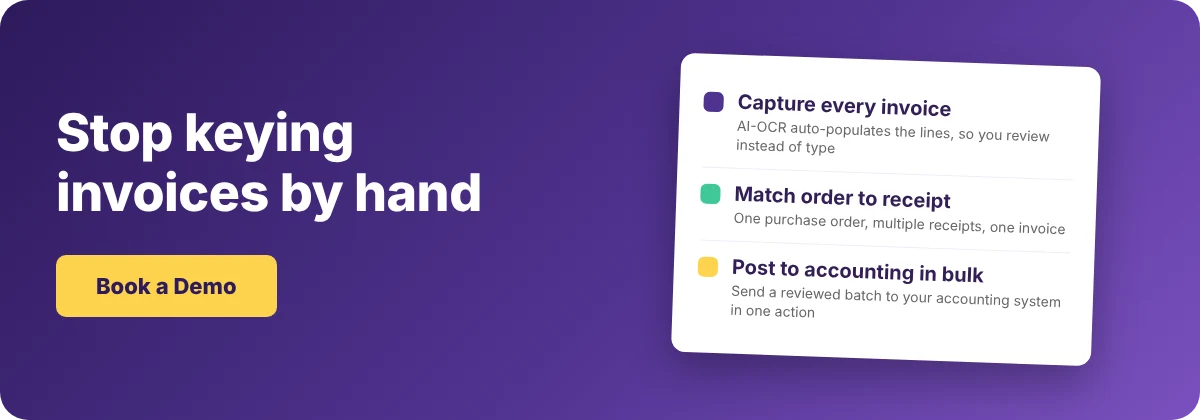
Automated invoice scanning pays off on volume. Supy's AI-OCR reads each invoice and auto-populates the lines, so a receiver reviews figures instead of typing them. Quantity and price stay editable on receipt. Purchase order to goods received note is one click. One purchase order can carry multiple goods received notes, and those receipts consolidate into a single invoice with a full audit trail.

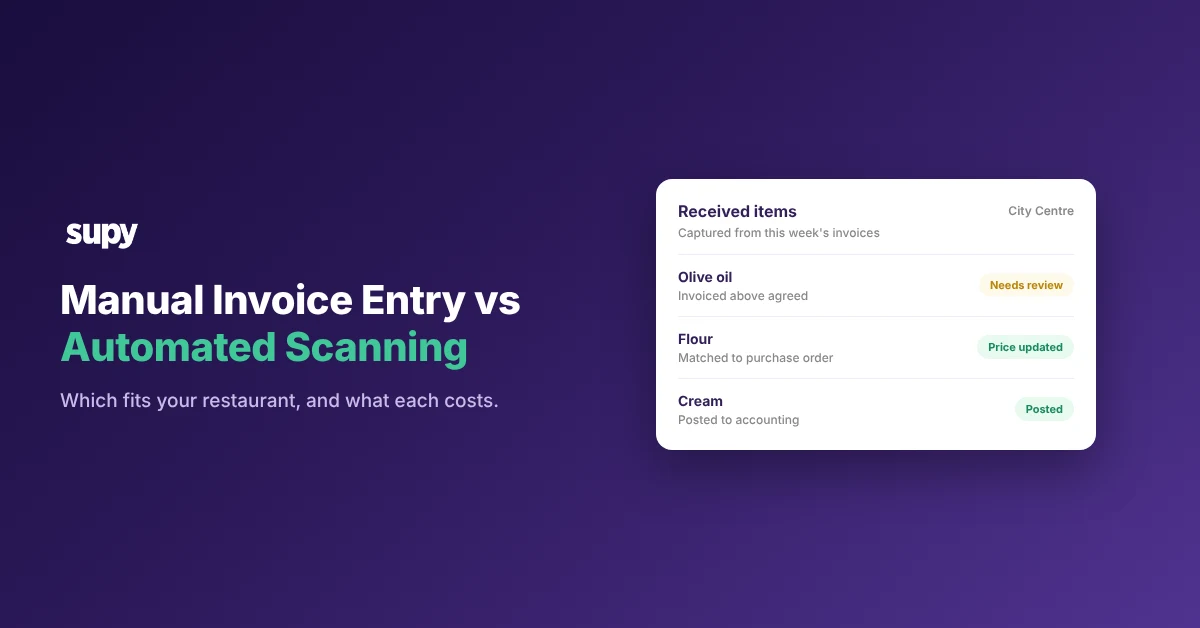
The review happens in one place. On the Received Items page, every captured line shows its expected price beside its invoice price. The page opens on a price-discrepancy filter that shows any line invoiced above the agreed price first. From the same list you update the expected price, contact the supplier, or ignore the variance, without opening each goods received note. You can read how Supy handles invoices and credit notes on the product page.

Posting to accounting is faster too. Your team selects many captured documents and posts them in one bulk action, instead of one invoice at a time. Supy connects to 75+ systems, so the posting fits the accounting platform you already run. For how this sits in the wider workflow, see our guide to restaurant invoice processing.
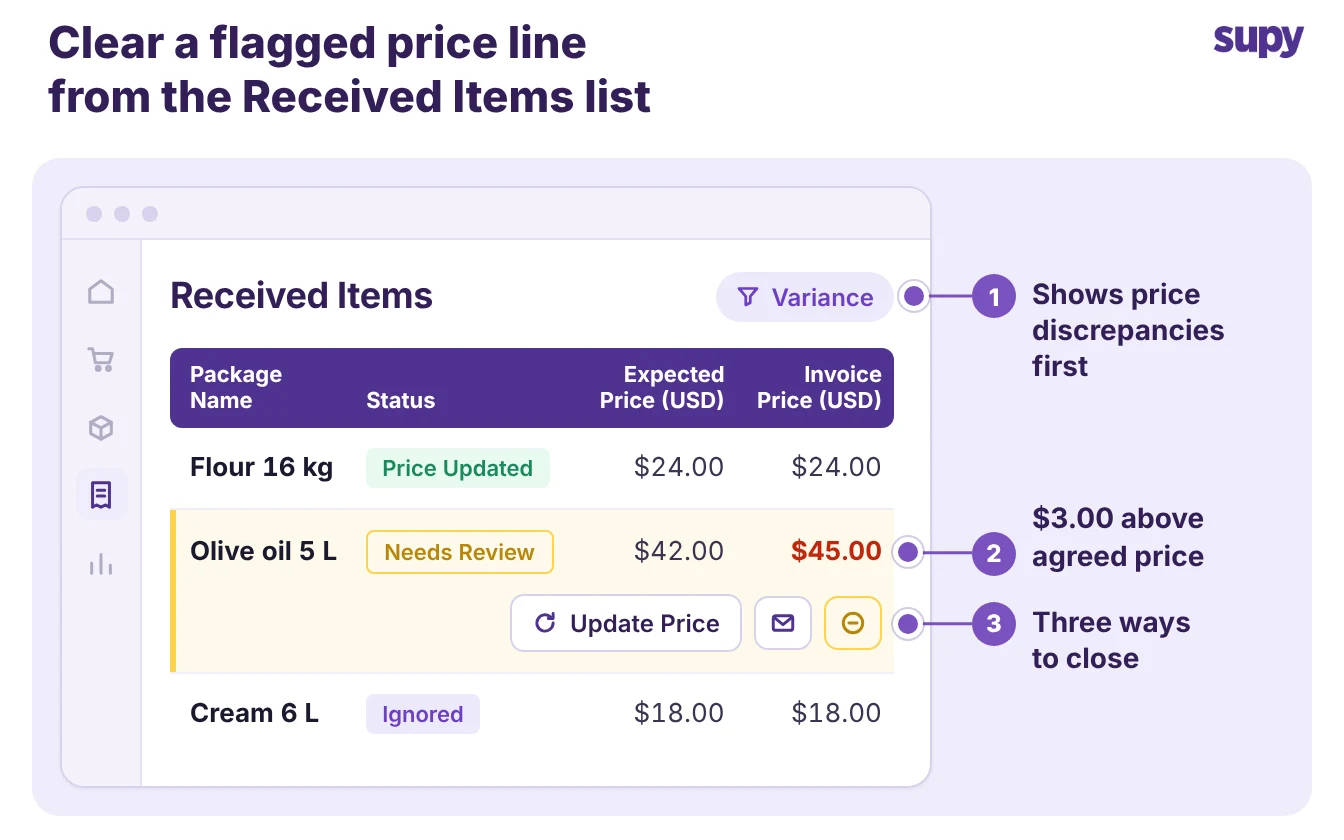
The Received Items page flags a price discrepancy and offers three ways to close it

Where automated scanning still needs clean inputs

Automated capture depends on clean inputs. When a document arrives without a purchase order number or a cost centre, the captured invoice stalls in a needs-more-info queue until a person supplies the missing field. About 10% of invoices still need a human before they post. Inconsistent supplier names cause the same stall.

The fix is setup, not typing. Add a supplier to the AI Invoice Inbox whitelist, and Supy reprocesses the invoices it previously skipped. Fewer invoices wait once your supplier names are consistent. Automated scanning removes the keying, not the need for consistent purchase orders, cost centres, and supplier names.
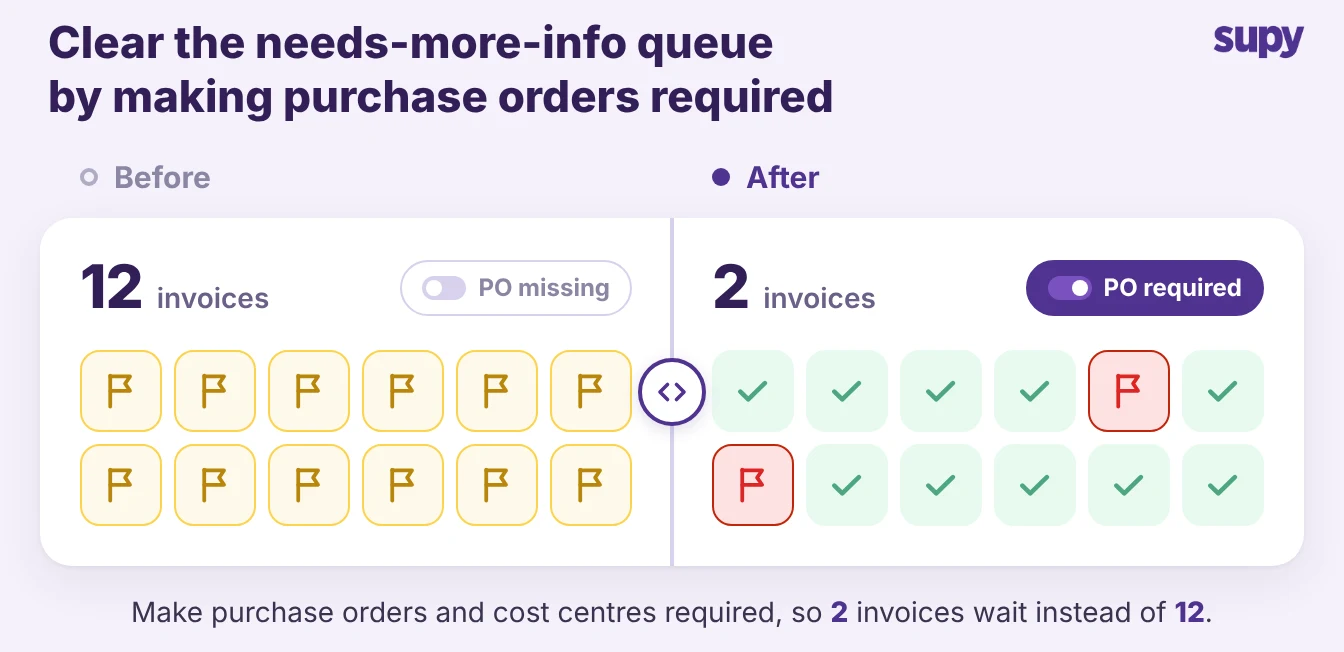
Making purchase orders required clears the needs-more-info queue from 12 invoices to 2

How to decide which your restaurant should use

Choose by invoice volume and input quality, not by preference.

  • Choose manual entry when your invoice count is low, your suppliers are few, and your purchase orders are too inconsistent to post without review.
  • Choose automated scanning when you run hundreds of invoices a week and your purchase orders and cost centres are consistent.
  • Fix the inputs first when volume is high but the data is messy: standardise supplier names and make purchase orders mandatory, then turn on capture.

The decision is rarely all or nothing. Most multi-site groups run automated scanning for the suppliers they order from every week. They keep a manual path for the rare, one-off invoice that is not worth the setup. Count your weekly invoices, and judge how clean your purchase orders and cost centres are. Move toward capture as the volume rises and the inputs become consistent.
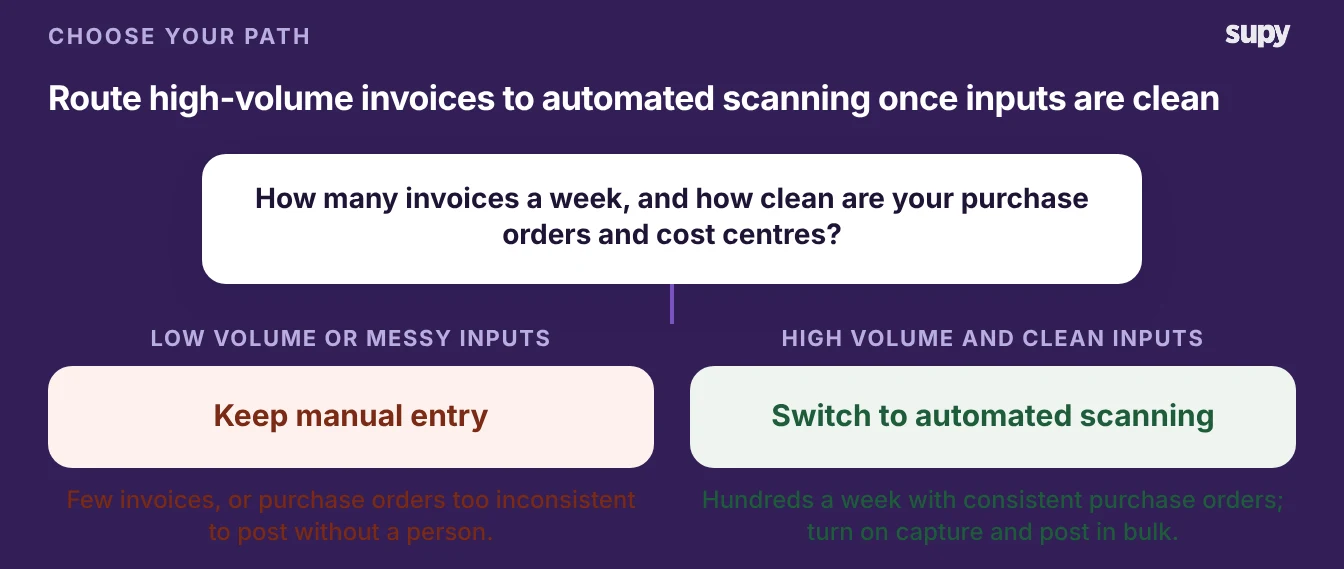
Decision tree: keep manual entry at low volume, switch to automated scanning at high volume with clean inputs
Book a Demo with Supy - stop keying invoices by hand

Ready to optimize your restaurant operations?

Blog

Our operational insights

A colourful arrangement of fresh produce representing restaurant procurement and food service purchasing
Procurement

Restaurant Procurement: A Complete Guide for Multi-Location Operators

Inventory
Procurement

Cost control strategies for multi-unit restaurants

Integration
Inventory

AI‑Driven Procurement: A Step‑by‑Step Guide to Slashing Food Waste and Food Costs

Your questions 
answered

Everything you need to know about Supy — from setup to integrations, pricing, and daily use. If it’s not covered here, just ask.

What is the difference between manual invoice entry and automated invoice scanning?
+

Manual invoice entry means a person types each supplier invoice into the system by hand, header to lines. Automated invoice scanning uses AI-OCR to read the document and auto-populate the lines, so the receiver reviews the figures instead of typing them. The practical difference is where the work goes. Manual entry spends hours on typing and exposes every field to keying errors. Automated scanning spends less time on review, but it depends on clean purchase orders and cost centres to post a document without a human step.

How many hours does manual invoice entry take at scale?
+

At scale it takes most of a procurement week. A multi-site group running 450 invoices a week at about 4 minutes each spends close to 30 hours just keying, before anyone checks a price against the agreed rate. That figure is illustrative, but the shape holds. Manual effort grows with invoice volume, because every new invoice is another document to type. Automated capture cuts that time, since a reviewer spends a fraction of the keying time on each document.

Does automated invoice scanning remove keying errors entirely?
+

No, it changes where errors can enter rather than removing them. Automated scanning takes out the hand-typing, so mistyped prices and quantities largely disappear. The capture can still read a field wrong on a faint or unusual document. That is why quantity and price stay editable on receipt, and the whole invoice keeps a full audit trail. The receiver's job shifts from typing every line to checking the lines the system populated, which is faster and catches the reads that need a correction.

Why do some scanned invoices stall in a needs-more-info queue?
+

They stall because the document is missing a field the system needs to post it. When a purchase order number or a cost centre is absent, or a supplier name does not match a known supplier, the captured invoice waits in a needs-more-info queue until a person supplies the missing detail. This is the honest limit of automated capture: it depends on clean inputs. Fewer invoices stall as purchase orders, cost centres, and supplier names become consistent, so the stall rate measures input quality, not the technology.

Can automated scanning post invoices to our accounting system?
+

Yes, and it can post many at once. Your team selects the captured documents and posts them to the connected accounting system in a single bulk action, rather than one invoice at a time. Supy connects to 75+ systems, so the posting step fits the accounting platform you already run. Bulk posting saves the most time. Once a batch is reviewed, you move it into the accounting system in one action instead of dozens, which shortens the month-end close.

When is manual invoice entry still the right choice for a restaurant?
+

Manual entry still fits when invoice volume is low and inputs are messy. A single site with a handful of suppliers a week may spend less effort typing than fixing the setup automated capture needs. The same is true of a group whose purchase orders are too inconsistent for most documents to post without review. Manual entry also handles the rare one-off invoice that is not worth whitelisting a supplier for. The volume at which automated scanning pays off is lower than most operators expect, but it is not zero.

What should we fix before switching to automated invoice scanning?
+

Fix the inputs capture reads before you switch. Standardise supplier names so the system can match each document to a known supplier. Make purchase order numbers and cost centres mandatory, so captured invoices carry the fields needed to post. Add your regular suppliers to the AI Invoice Inbox whitelist, which lets Supy reprocess documents it previously skipped. Clean inputs keep invoices out of the needs-more-info queue, so the work you do up front decides how much keying automated scanning removes.

Ready to transform your operations?

Join 3500+ restaurant operators cutting costs, streamlining operations and making smarter decisions with Supy.