.jpg)


Free Food Inventory Template Download For Restaurants
What a Food Inventory Template Needs to Include
Most food inventory templates start life as a tidy spreadsheet and quietly stop working the week a second location opens. A single manager can hold one site's stock in their head and a column of numbers; across three or four branches, the same sheet becomes a daily copy-paste job that eats hours and still leaves someone guessing what to reorder. Multi-site groups regularly report managers spending five to ten hours a week on manual counts, and the process stays error-prone even at that cost.
The problem is rarely the template's layout. It is that a plain count sheet records what was on the shelf and nothing else. A food inventory template that actually earns its place tells you not just what you have, but what to do about it: which items to reorder, how much, and where. This guide covers the fields that make that difference, how to set them per location, how to run the count so anyone on the floor can do it, and how often each item is worth counting.
A useful food inventory template has more than an item name and a quantity column. Six fields do the real work: the item, its category, the counting unit, the par level, the current on-hand quantity, and a status that compares the last two. Everything else is optional; these six are what let the sheet make a decision instead of just holding a number.
If you'd rather not work par out by hand, the free par level calculator does it for every item on your sheet from your usage, delivery days and supplier lead times.
The unit matters more than it looks. Counting patties in kilograms while ordering them in cases is how a count that looks complete still produces the wrong order. Fix the counting unit per item, write it into the template, and every counter records the same way. Category is the field that keeps a long list usable: grouping items into protein, dairy, produce, bakery, and pantry lets a counter work one section at a time and lets you read food cost by category later without re-sorting anything.
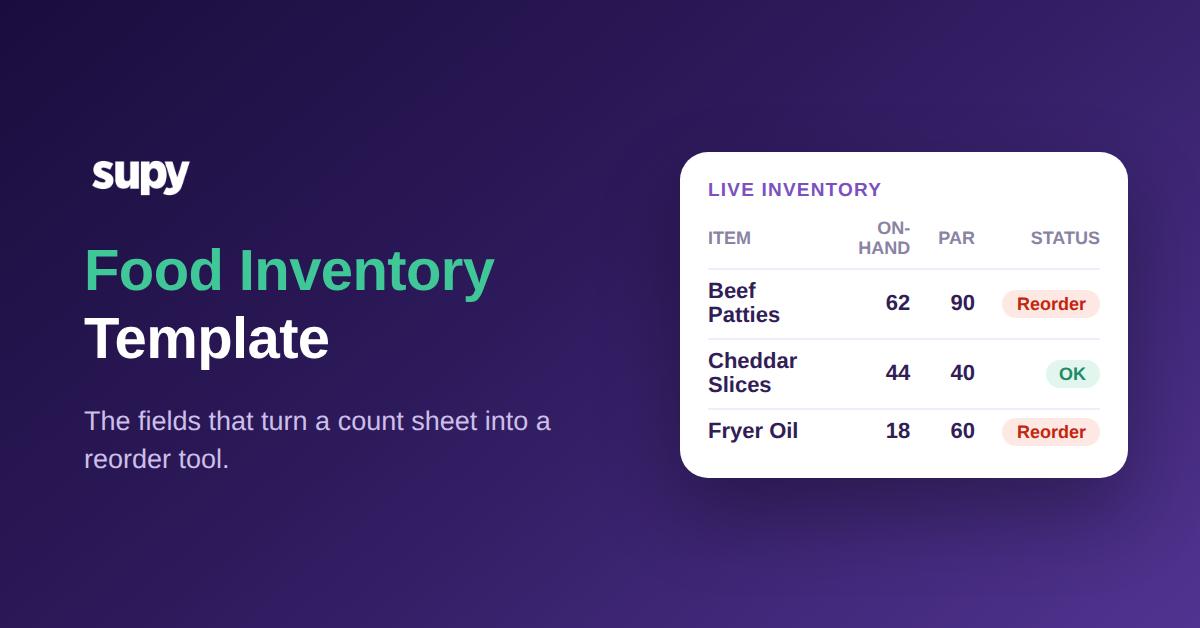
Laid out in practice, a single row reads cleanly: beef patties, protein, kilograms, par 90, on-hand 62, status reorder. Anyone can scan that line and know both where it stands and what to do, without opening a second sheet or asking a manager. A dozen rows like it, grouped by category, is a working count in a form a new starter can complete on their first shift.
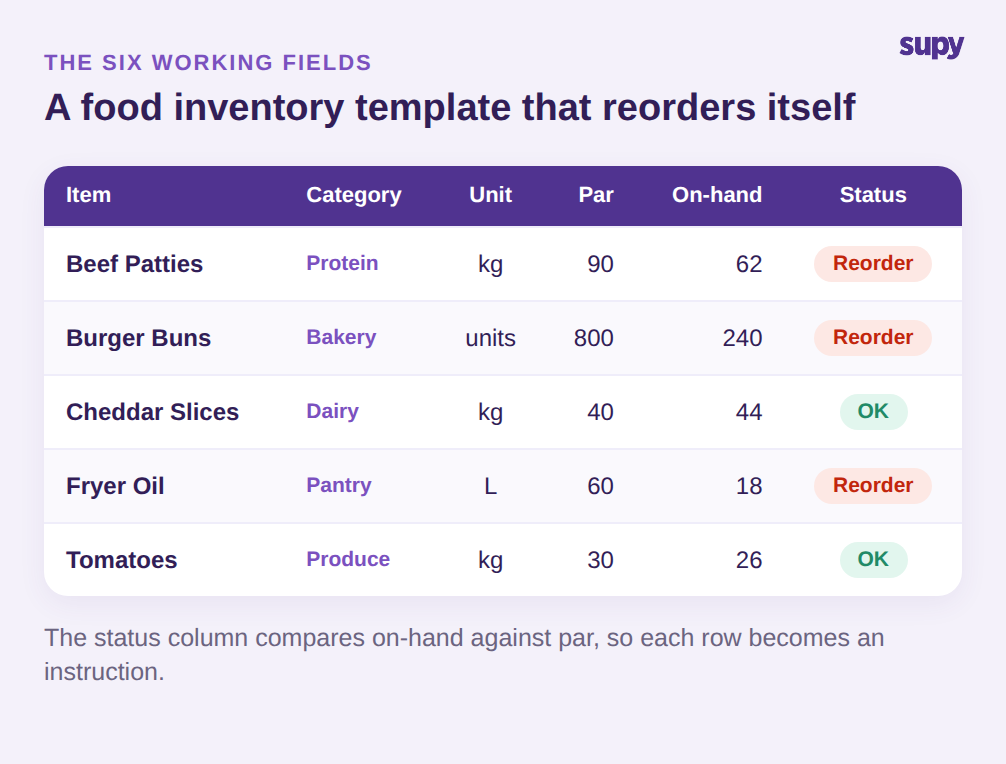
The status column is the field most spreadsheets miss. Once you have par and on-hand side by side, a simple rule (on-hand below par means reorder) turns the row into an instruction. A counter reading the sheet no longer has to know the reorder logic; the template carries it. That single column is the difference between a record and a reorder tool. Build the six fields in this order across the top, lock the header row, and resist the urge to bolt on extra columns nobody fills in: a template people actually complete beats a thorough one they skip.
Set Par Levels and Reorder Points per Location, Not per Group
The fastest way to make a food inventory template useless across a group is to set one par level for every site. A location beside a business district clears its lunch stock by 1pm; a quieter suburban site never touches the same volume. Give both the same par and you guarantee one runs out while the other over-orders and throws the difference away.
Par belongs at the item-and-location level. The same beef patties might carry a par of 90 kilograms at a city-centre branch, 140 at a high-traffic airport outlet, and 70 at a smaller north branch. Set each from that site's own usage over a normal week, not from a group average, and add a little headroom for delivery lead time.
The reorder point is simply the par minus what you expect to sell before the next delivery lands, so a site that gets deliveries twice a week can hold a lower reorder point than one supplied weekly. A worked example makes it concrete: if the airport outlet uses 20 kilograms of patties a day and the next delivery is two days out, it needs at least 40 kilograms on hand to bridge the gap, so a reorder point above that leaves no room for a busy weekend. Write the reorder point into the template beside par, and the status column can flag not just what is low but what is at genuine risk of running out before resupply. Get these numbers right once per location and the template does the thinking on every count after that, flagging exactly the items that have dropped below their own site's line.
| Item (par) | City Centre | Airport Outlet | North Branch |
|---|---|---|---|
| Beef Patties kg | 90 | 140 | 70 |
| Burger Buns units | 800 | 1,200 | 600 |
Standardise the Count Order in Your Food Inventory Template
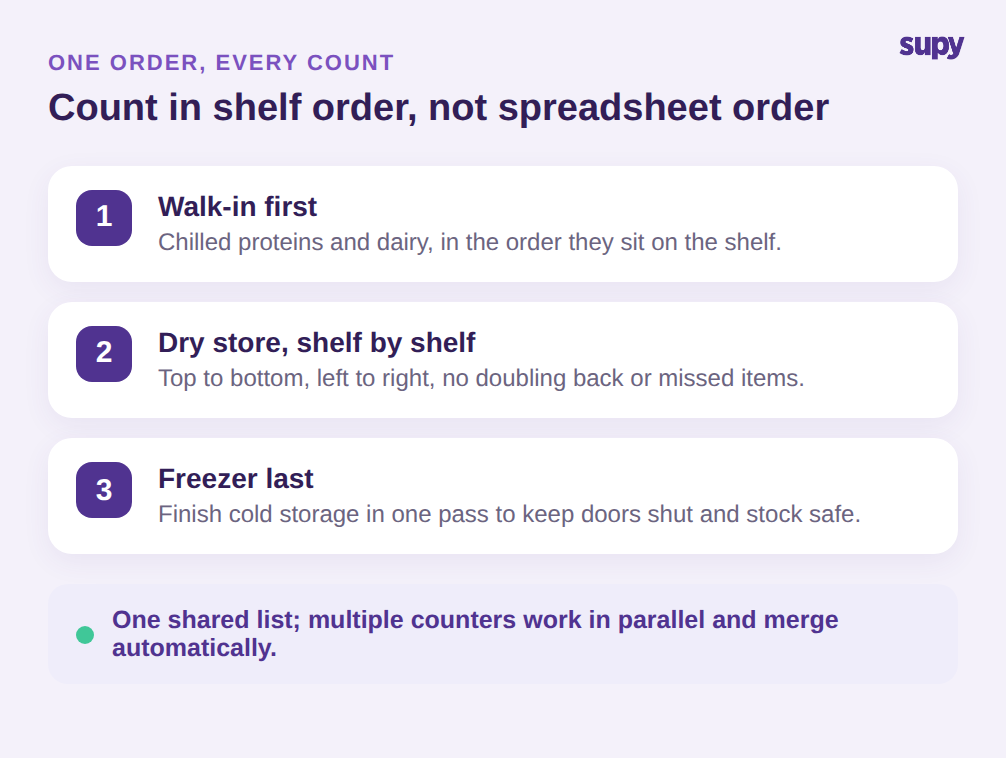
A count is only as fast and accurate as it is repeatable. If the template lists items in the order they were added to a spreadsheet, every counter walks the storeroom in a different path, doubles back, misses a shelf, and produces numbers no one fully trusts. Order the template to match the physical layout instead: walk-in first, then the dry store shelf by shelf, then the freezer. A counter follows the sheet top to bottom and never has to think about where to go next.
Reusability is the other half. Rebuilding the list from memory for each count is where items quietly fall off and variance creeps in. Keep one saved food inventory template per location that anyone can load and run, whether it is a quick daily spot-count or a full monthly stock-take. When you open a new site, clone the nearest existing template rather than starting from a blank sheet: the structure, units, and count order carry over, and you only adjust the par levels to the new location.
On a larger count, more than one person can work the same list at once, each taking a section, so a job that took one manager an evening takes a small team half an hour. That only works if everyone is counting from the identical list in the same order, which is exactly what a shared, standardised template guarantees. Running the count on a phone or tablet at the shelf, rather than on paper transcribed later, removes the transcription step where numbers get transposed or lost. The template stays the single source of what to count and in what order; only the number of hands changes.
Match Count Frequency to Value, Not Habit
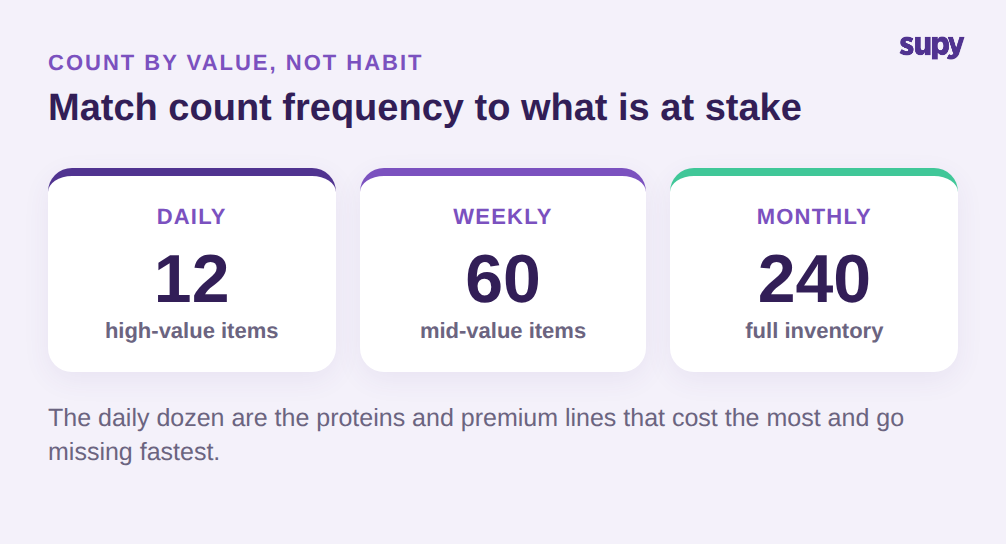
Counting everything monthly and nothing in between is a habit, not a strategy. The items that drive food cost and go missing fastest deserve to be counted far more often than shelf-stable stock that barely moves. A workable rhythm counts a short list of about a dozen high-value or high-theft items every day, a wider list of around sixty each week, and the full inventory of a couple of hundred lines once a month.
Choosing the daily dozen is not guesswork. It is the proteins, spirits, and premium ingredients that carry the most cost per unit and the most temptation to walk out the back door, plus anything that has surprised you with a bad variance recently. Those are the lines where a day of drift is expensive and a weekly-only count would let it hide. Everything else can wait for its tier, which is what keeps the daily count short enough that a shift lead actually does it.
Tiering the count this way keeps the daily effort small while catching problems early on the items that matter. A dozen daily lines take a few minutes at open or close; the weekly tier catches the mid-value items that drift; the monthly full count trues up everything, including the slow-moving pantry stock that rarely surprises anyone. Mark each item's tier in the template so the daily and weekly lists are just filtered views of the same master sheet, not separate documents that fall out of sync.
Tiering also gives you something a single monthly count cannot: a way to compare what your recipes and sales say you should have used against what the count shows you actually used. That theoretical-versus-actual gap, checked on your high-value items every week rather than once a month, is where you spot over-portioning, waste, or shrinkage while there is still time to act on it, instead of finding it buried in a month-end reconciliation you can no longer do anything about.
Your First Count This Week
You do not need a perfect system to start. Build the food inventory template with the six fields, order the rows to match your storeroom, and set a par and reorder point per location for your top twenty items by spend. Those twenty lines almost always cover the bulk of your food cost, so getting them right first delivers most of the benefit before you extend the template to the full list. Count those daily for a week, the next tier weekly, and the full inventory at month-end. Within two weeks you will have a template that tells each site what to reorder without a manager working it out by hand, and a variance figure on your highest-value items you can actually trust. From there, widening it to the rest of the range is a matter of adding rows, not rethinking the approach.
A spreadsheet gets you started, but it stops scaling at exactly the point a growing group needs it most. Supy turns the same template into a live system: reusable count templates per location that anyone can run on mobile, per-location minimum and par thresholds that flag what to reorder automatically, and parallel counts that multiple staff record at once and the system merges with a full attribution trail. Operators who move off spreadsheets report cutting stock counting time by up to 85%, and the numbers behind every reorder stay current instead of a week old.