.jpg)


Cloud Inventory Management: Why Multi-Site F&B Operators Outgrow On-Premise Systems
When On-Premise Systems Trap Stock Data at a Single Location
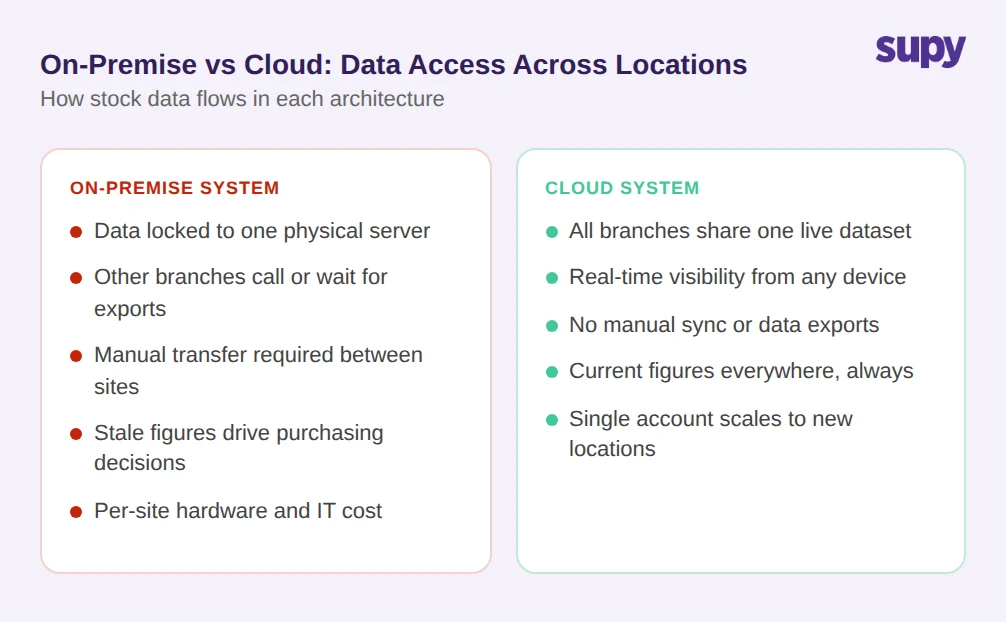
On-premise inventory software stores data locally, on hardware installed at a specific site. For a single-location operation, that architecture works. The moment a group opens a second branch, the limitations become operational.
A multi-site operator's head of ops described the situation plainly: the business was "completely blind between locations." Stock data lived on a server at the main branch. Anyone at a secondary location who needed inventory figures either called head office or waited for a manually exported report. Neither approach reflects live stock levels.
The practical consequence is that decisions about purchasing, production, and waste prevention are made on stale figures. A manager at one branch might over-order because the system shows no record of stock transferred from another site. A branch running low on a high-turnover ingredient cannot see whether a nearby location has surplus.
On-premise systems were designed for a world where a single site was the norm. Scaling them across multiple branches requires either replicating the hardware setup at each location or building manual data-sharing processes between servers. Neither option gives operators what they actually need: a single, current view of stock across the whole group.
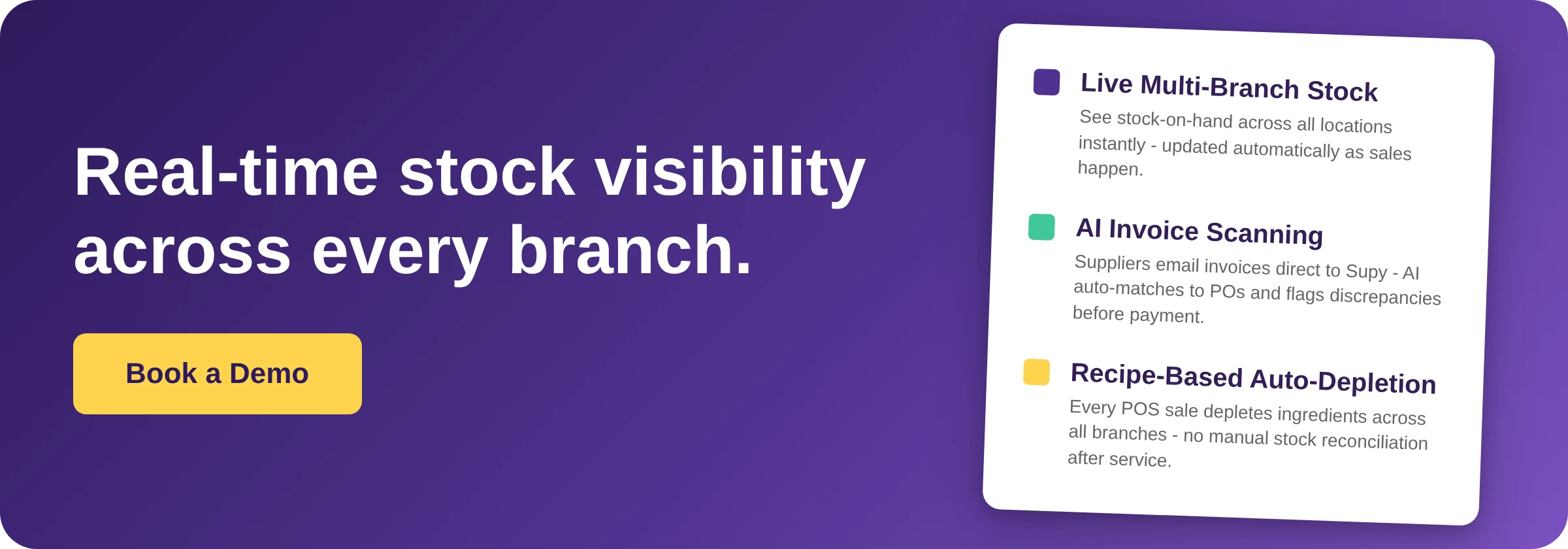
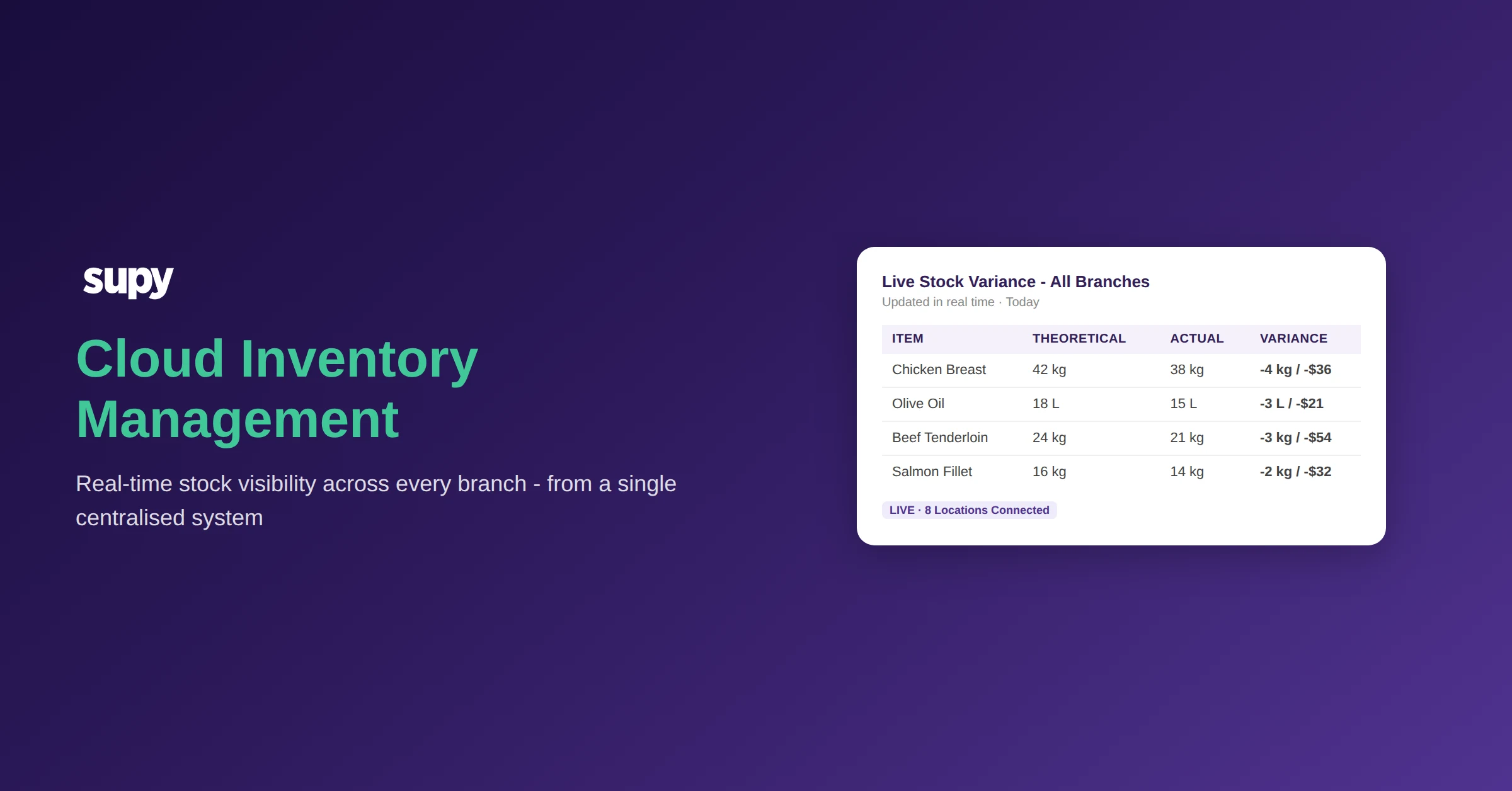
Cloud inventory management changes the architecture at a fundamental level. Rather than storing data on local servers, all locations write to and read from the same centralised system. A stock count completed at one branch is visible to every other location within seconds. For restaurant inventory management software to function across multiple sites, that shared data layer is the minimum requirement.
How Shared Spreadsheets Create Version Conflicts Across Locations
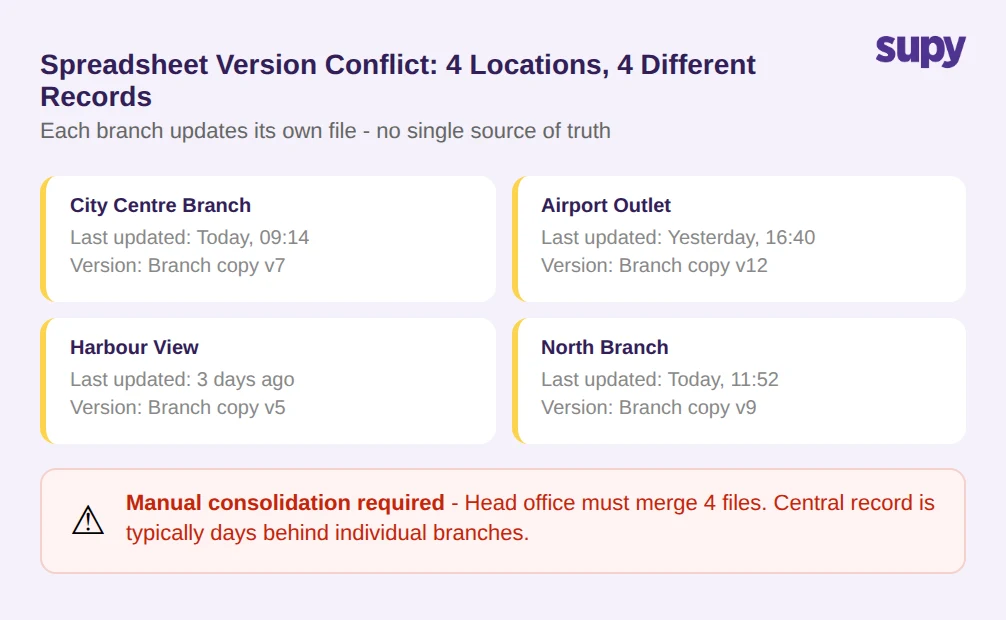
Before dedicated cloud tools became standard, most multi-site groups managed inventory with spreadsheets. The workflow was intuitive at small scale: one master file, updated regularly, accessible to the team. It falls apart as locations multiply.
Each location maintains its own version of the spreadsheet. A manager at one branch records a supplier delivery in their copy. That delivery is not reflected in another branch's version, or in the central record, until someone manually consolidates the data. That consolidation often happens days or weeks later.
The result is a system with multiple conflicting versions of the truth running simultaneously. Head office might be operating on figures from last Tuesday. Individual branches are operating on figures from this morning, but only for their own stock. Nobody has a complete, current picture.
These version conflicts are not just inconvenient. They generate real operational risk. Purchasing decisions made on last week's consolidated sheet may duplicate orders that branch managers have already placed. Waste calculations are unreliable because the consumption data comes from different points in time. Food cost reports at month-end aggregate figures that were never clean to begin with.
Cloud-based systems replace this fragmented model with a single shared record. Every location updates the same dataset in real time. When a delivery arrives at one site, it is logged once and visible everywhere. When stock is consumed, it is recorded once and reflected across the group. There are no versions, no conflicts, and no manual consolidation cycles.
How Cloud Inventory Management Ends the Over-Purchasing Cycle
One of the most immediate operational benefits that multi-site operators report after switching to cloud inventory management is a reduction in over-purchasing. The mechanism is straightforward: when managers can see stock levels across all branches before placing orders, they stop buying what they already have.
A restaurant group operating 8 locations resolved over-purchasing within the first full month of adopting a cloud-based system with real-time stock views across all branches. That outcome is not unusual. Over-purchasing is typically not the result of careless management; it is the result of managers operating without the information they need.
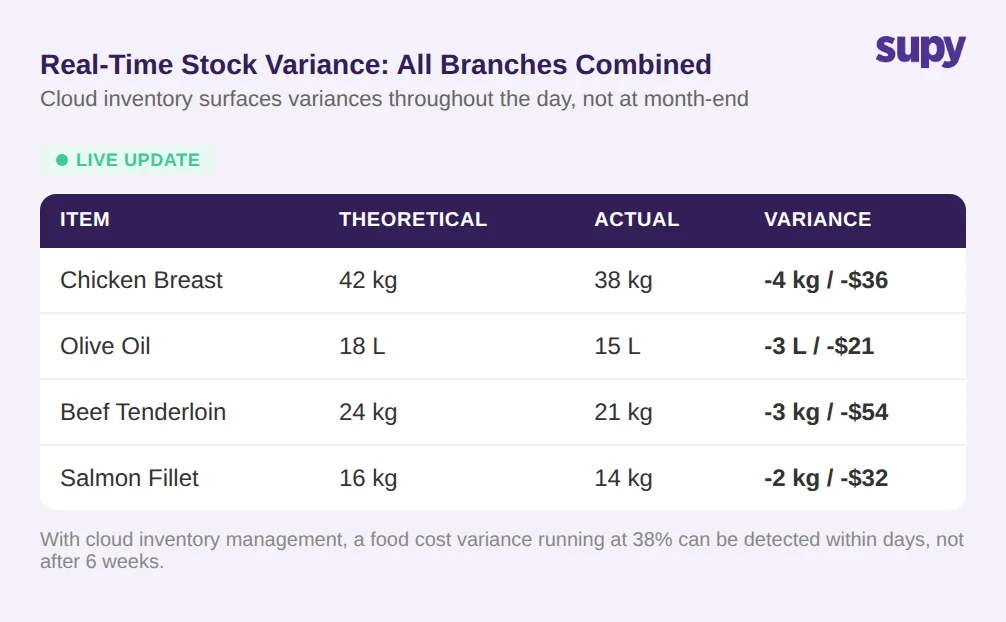
The same information gap creates a slower, more expensive problem: delayed food cost variance detection. When a group relies on month-end spreadsheet reconciliation, a food cost variance running at 38% can persist for six weeks before anyone identifies it. By that point, the loss has compounded across dozens of service periods. With cloud inventory management, variance data is available continuously. A discrepancy that develops mid-week is visible mid-week, not at the end of the accounting period.
When this data updates in real time rather than once a month, operators can investigate variances while the cause is still traceable. For groups working toward tighter food cost control, that timing difference is significant.
POS Integration and Automatic Stock Depletion
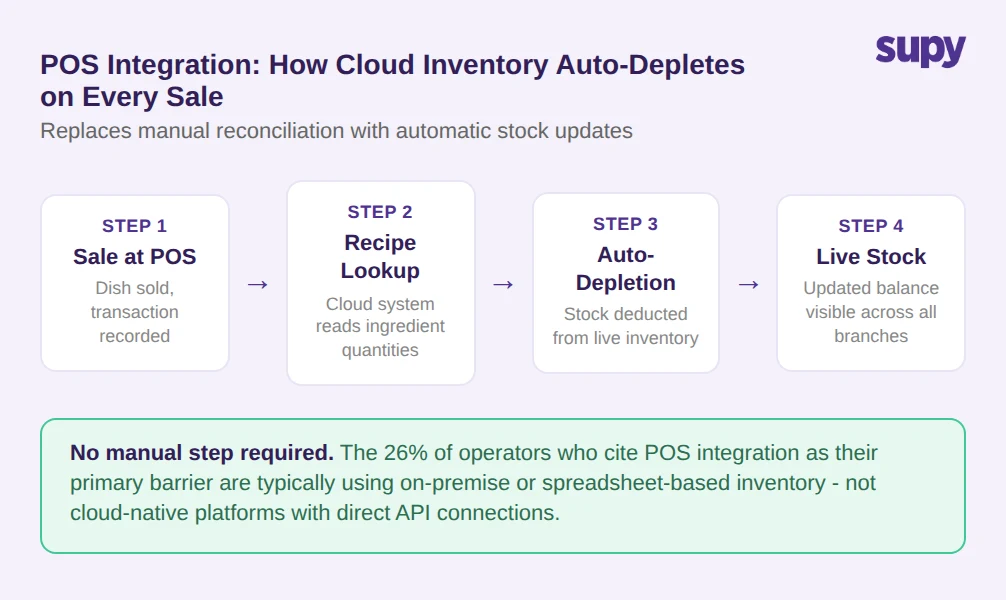
One of the persistent barriers to adopting inventory software has been the integration challenge between inventory systems and point-of-sale platforms. Research from FSR Magazine in 2026 found that 26% of restaurant operators cite POS integration challenges as their primary reason for not adopting inventory software.
The friction is understandable in the context of on-premise systems. Traditional inventory software often requires manual export and import cycles to sync sales data with stock levels. A manager must pull sales records from the POS, cross-reference them with inventory entries, and update stock counts accordingly. In a multi-site group, that process runs independently at each branch, multiplying the manual workload.
Cloud-native inventory platforms resolve this by connecting directly to the POS via API. When a dish is sold, the system identifies the recipe components, calculates the quantities consumed, and depletes the relevant stock in real time. No manual step is required. If the kitchen sells 40 portions of a dish containing 200 grams of Beef Tenderloin each, the cloud inventory system automatically deducts 8 kg from theoretical stock.
This auto-depletion mechanism has two meaningful effects. First, it closes the gap between theoretical and actual stock faster. Variances that develop during service are visible during service, not at the next manual count. Second, it removes the administrative overhead of manual stock reconciliation after each trading period. Staff enter sales at the POS; the inventory system handles the stock arithmetic.
For operators who want to explore cloud-based restaurant inventory management specifically designed for POS-connected environments, this integration layer is often the deciding factor.
Cloud Inventory Management vs On-Premise: How Scaling Costs Diverge
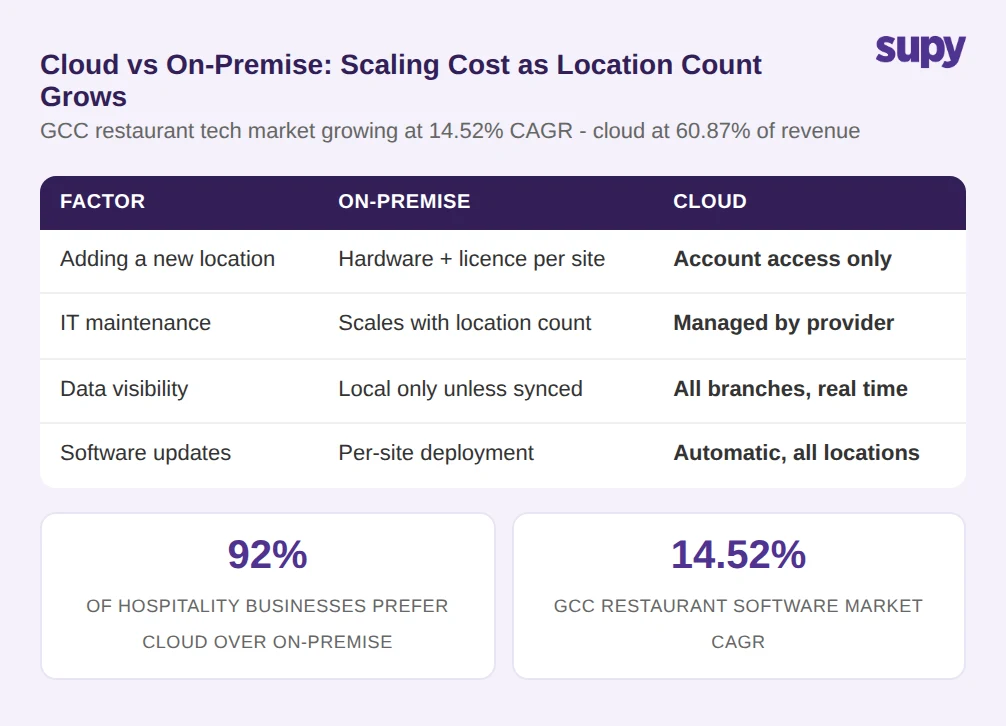
The business case for cloud inventory management becomes clearer when operators examine how costs scale across locations. On-premise systems scale linearly: every new branch requires its own hardware installation, software licensing for that site, and ongoing IT maintenance. A group growing from three to ten locations replicates that infrastructure cost seven additional times.
Cloud systems do not work that way. A group adding a new location connects it to the existing cloud account, typically without hardware purchases or per-site infrastructure costs. The marginal cost of adding a location is lower, and operational complexity does not increase proportionally.
This cost structure difference helps explain the adoption patterns visible in regional markets. GCC restaurant management software is growing at a CAGR of 14.52%, with cloud solutions accounting for 60.87% of revenue in the segment. Across the hospitality sector more broadly, 92% of businesses now express a preference for cloud infrastructure over on-premise systems.
The structural digitalisation underway in Saudi Arabia and the UAE has accelerated this shift. Operators in those markets are moving from on-premise systems not because cloud software became cheaper in absolute terms, but because the total cost of running on-premise infrastructure across multiple sites became clearly higher once the comparison was made on a per-location basis.
The preference for cloud is not driven by novelty. It reflects a straightforward calculation: a system that scales without replicating hardware and IT overhead at each site costs less to run as the group grows.
Cloud inventory management solves a set of problems that are specific to multi-site operation. On-premise systems trap data at single locations. Shared spreadsheets create version conflicts that delay accurate reporting by days or weeks. Month-end reconciliation means food cost variances can run for weeks before anyone detects them. POS integration challenges prevent automatic stock depletion. On-premise infrastructure costs scale linearly, making growth more expensive as location count rises.
The move to cloud does not eliminate inventory management work. It changes where the work happens: from manual consolidation and cross-location data gathering to analysis of real-time data that is already centralised, already integrated with sales systems, and already consistent across all branches. For multi-site F&B groups operating in markets where margins are tight and digitisation is accelerating, cloud inventory management is increasingly a baseline operational requirement rather than an optional upgrade.