.jpg)


Restaurant Accounts Payable Automation: From Inbox to Ledger
What It Takes to Automate Restaurant Accounts Payable
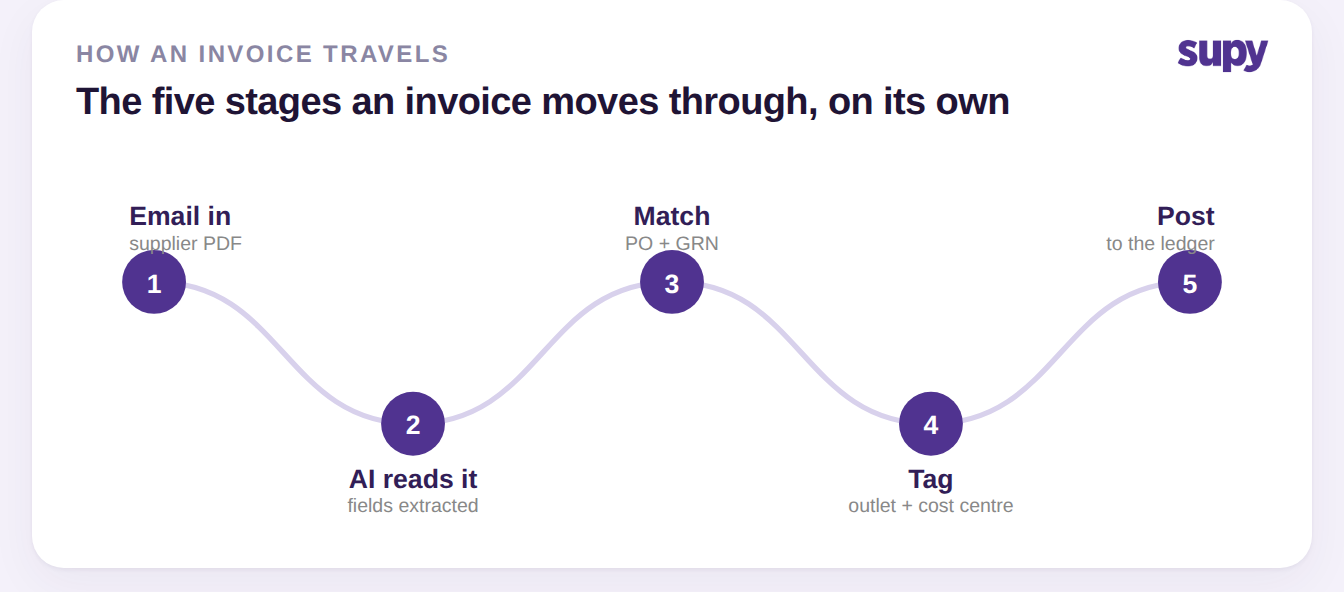
Automating accounts payable in a restaurant group means letting software receive supplier invoices, read them, match each one to the order that was placed and the delivery that arrived, tag it to the right outlet, and post it to your accounting system, so people only step in on the exceptions. The pieces that make that possible are a per-outlet invoice inbox, AI recognition, a three-way match against the purchase order and goods received note, and an accounting integration.
The flow is the same for every invoice, which is what makes it automatable. An invoice arrives by email, the software reads the supplier, dates, line items and totals, it lines those up against what the outlet ordered and what it actually received, the entry is tagged to the branch and cost centre it belongs to, and the cleared invoice posts to the ledger. Get the setup right and most invoices travel that whole path on their own; the ones that cannot are held, with a reason, for someone to resolve.
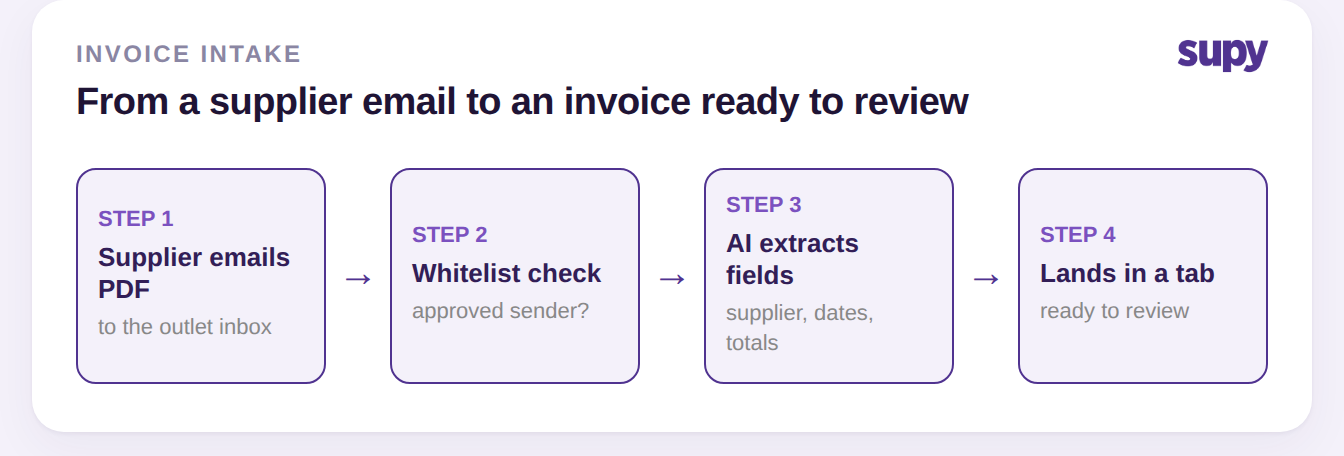
From Supplier Email to a Reviewed Invoice
Each restaurant gets its own inbox address that suppliers email invoices to. When a PDF arrives from an address on the approved sender list, recognition starts automatically: the document number, date, total, supplier and branch are pulled out, and the invoice is ready to review without anyone uploading a file. Emails from senders you have not approved land in a Skipped queue rather than being dropped silently, so nothing is lost while you decide whether to trust a new address. This is the job of Supy's AI invoice and credit note tools.
The inbox sorts everything into tabs, so a finance team can see at a glance which invoices processed on their own, which are still working, which need a supplier or outlet assigned, and which were skipped. Approving a supplier's address is a one-time move, and you can re-process everything that supplier sent before in the same action, so a backlog clears at once. Every email carries its own timeline covering nine activity types, from first receipt through recognition to the goods receipt it creates, which gives finance a complete paper trail per invoice without leaving the inbox.
Matching Each Invoice to the Order and the Delivery
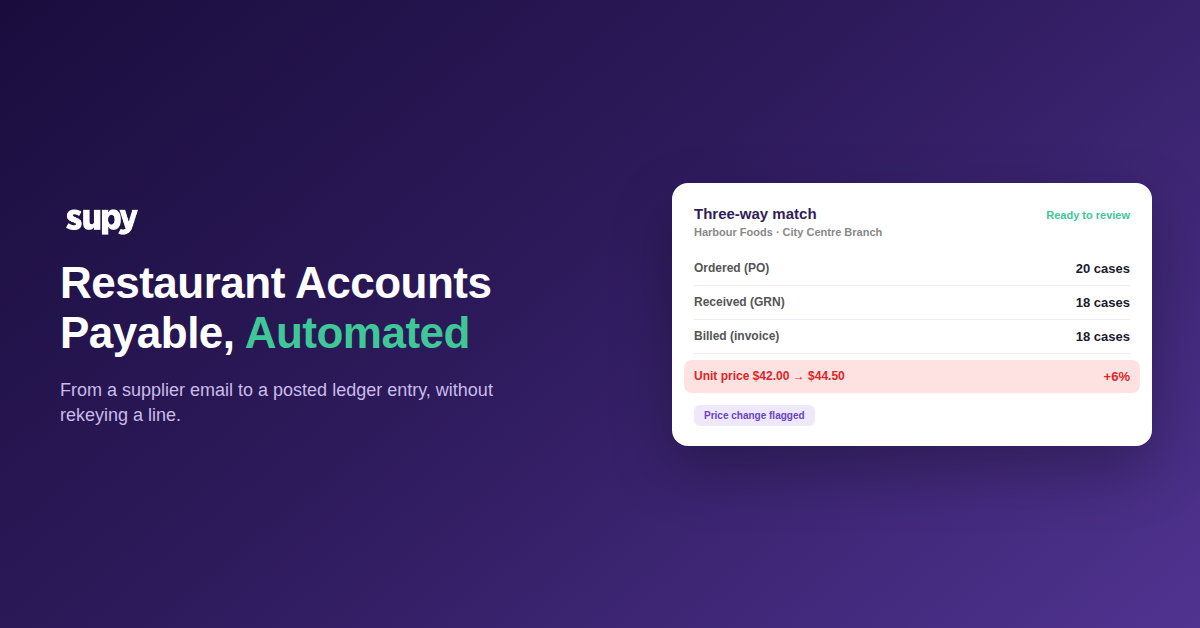
The check that protects your margin is the three-way match: the purchase order (what you agreed to buy), the goods received note (what actually arrived at the outlet), and the supplier invoice (what you are being billed). When the three agree, the invoice is safe to post. When they do not, the gap is exactly where a restaurant group quietly overpays, so the software flags it before the invoice reaches your accounts rather than after. It reads straight from the outlet's food receiving procedure, so the delivery record is the one the kitchen actually signed for.
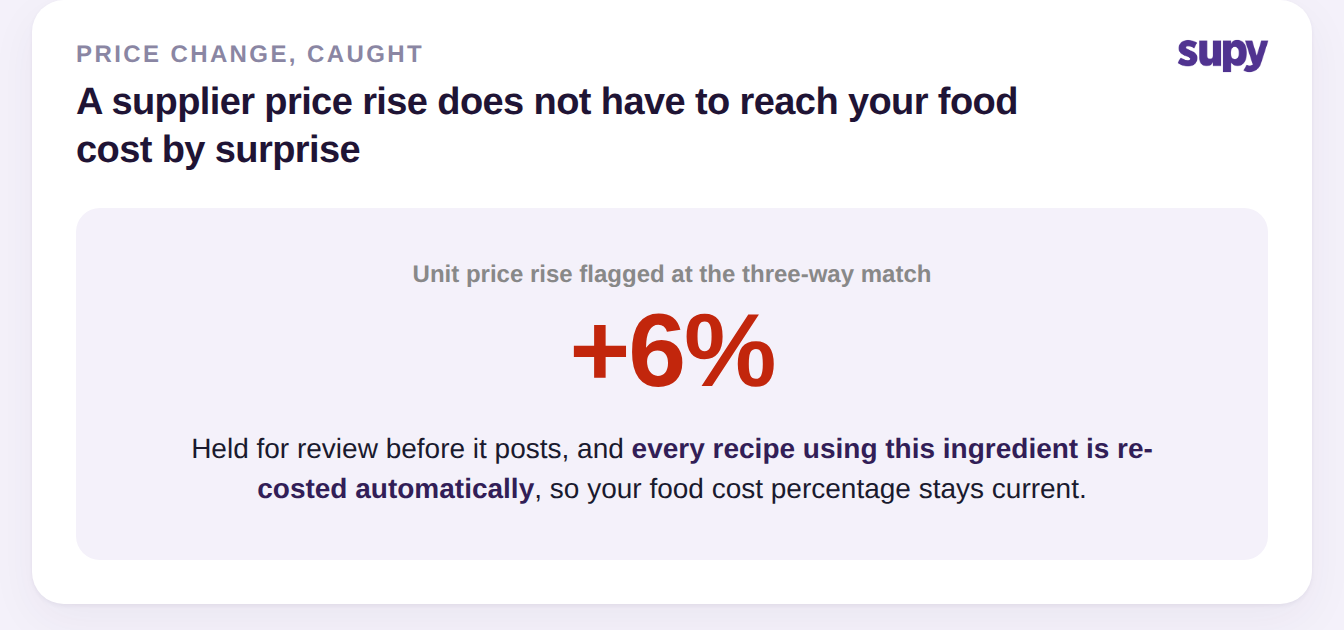
The most common gap is price. Take a delivery of Chicken breast in 5 kg cases to the City Centre Branch. The delivery came up two cases short of the order, which is a normal partial delivery, but the unit price on the invoice is higher than the agreed price on the purchase order, so that line is held for review instead of paid on trust.
| Line detail | Purchase order | Goods received note | Supplier invoice |
|---|---|---|---|
| Quantity | 20 cases | 18 cases | 18 cases |
| Unit price | $42.00 | $42.00 | $44.50 |
| Line total | $840.00 | $756.00 | $801.00 |
Because posted receipts feed inventory as well as accounts, matching also keeps stock honest: goods received are validated against what that outlet is set up to carry before the note can be saved, so a delivery cannot be booked to a site that does not stock it.
Clearing the Invoices That Stall
Automation earns its keep on the invoices that do not sail through, and the difference between a system that saves time and one that creates work is how quickly those clear. Every held invoice shows a plain reason, and the action to fix it, so nobody guesses. The table below covers the ones a multi-site team meets most.
| Exception | Why it happens | How to clear it |
|---|---|---|
| Sender not whitelisted | The invoice came from an address the outlet has not approved | Approve the sender once, and re-process anything they sent before |
| Needs More Info | The AI could not assign a supplier or outlet, often a missing purchase order number or cost centre | Open it, add the missing detail, and re-queue it |
| Suspected duplicate | The same invoice appears to have arrived twice | Confirm it is a genuine new delivery, then force-process in one step |
| Missing or unreadable file | No attachment, or a format the AI could not read | Ask the supplier to resend; the skip reason is shown on the email |
The pattern behind almost all of them is setup, not the AI. Invoices missing a purchase order number or a cost centre are the ones that land in Needs More Info, because the software will not guess which outlet or budget a cost belongs to. That is why the setup moves at the end of this guide matter more than any single feature: they are what keep the queue flowing on its own.
Keeping the Numbers Right After You Post
Prices move between the day you agree them and the day the invoice lands, and a restaurant group needs both the record of that and its effect on food cost. Supy keeps a full price-change history for every supplier item, so you can see exactly when a price moved and by how much without cross-referencing invoices or spreadsheets. When a price does change, through a new goods received note, an invoice update or a manual edit, the cost of every recipe that uses that ingredient is recalculated automatically, so your food cost percentages stay current instead of drifting until the next manual re-costing.
Once an invoice is cleared, it posts to your accounting system rather than being retyped into it. Goods received notes can be posted in a single bulk action that generates the invoices, closes any linked credit notes, and syncs the transactions to your connected accounting system in one step. Posting is supported for Xero, QuickBooks and Odoo, and integration breadth across accounting, point of sale and other tools runs to 75+ connections. If you want the detail on how invoices and goods receipts map to your accounting, that mapping is where posted numbers either reconcile cleanly or create month-end work. Finance keeps control of the calendar too: accounting periods can be opened and closed on a self-service basis up to five months, so month-end reconciliation happens on your schedule rather than a vendor's.
Automating accounts payable does not remove the review, it moves it: your team stops rekeying every line and starts spending its time on the handful of invoices that genuinely need a decision. Four setup moves decide whether that actually happens in your group. Whitelist your trusted suppliers so their invoices process on arrival. Enforce a purchase order number on every invoice, so the match has something to check against. Map a cost centre to every outlet, so tagging is automatic rather than a question. And reconcile against the goods received note weekly, so a held invoice is a quick decision and never a month-end surprise. Get those four in place and the inbox-to-ledger flow runs itself; skip them and even the best recognition stalls in a Needs More Info queue.