.jpg)


Restaurant Stock Count Software: Where Counts Stop Matching
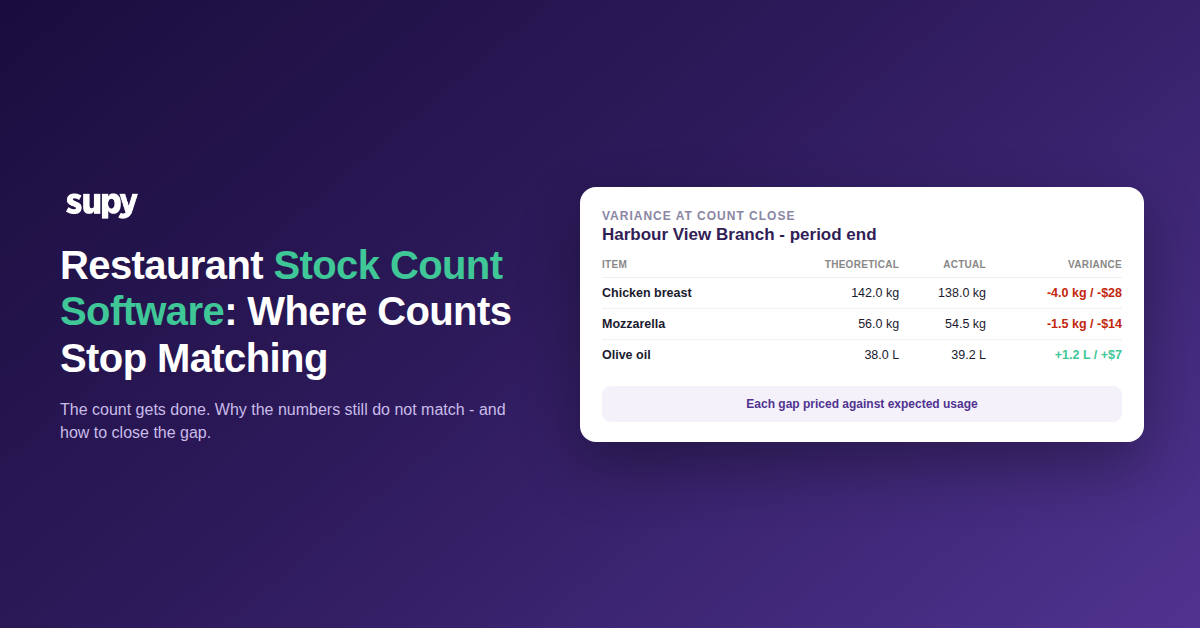
Your stock count is done. So why don't the numbers match?
Restaurant stock count software stops matching reality when the structure, the settings and the recipe mappings behind the number are wrong, not when someone miscounts. In most multi-site groups the count gets submitted and the variance still looks impossible, because the figure was manufactured by configuration long before anyone walked the shelves.
The pattern behind it is rarely a software problem and almost always a people-and-setup one. When frontline teams do not adopt the tool, the counting workload migrates upward until one operations manager is running counts and receiving across every site. Consistent numbers then depend on whether that one person is in the building and has time. One multi-site group had a single trained user who was the only person able to start an end-of-period count; when they went on leave, the whole group could not initiate a count and a full month of counts went unsubmitted, so stock levels were wrong everywhere at once.
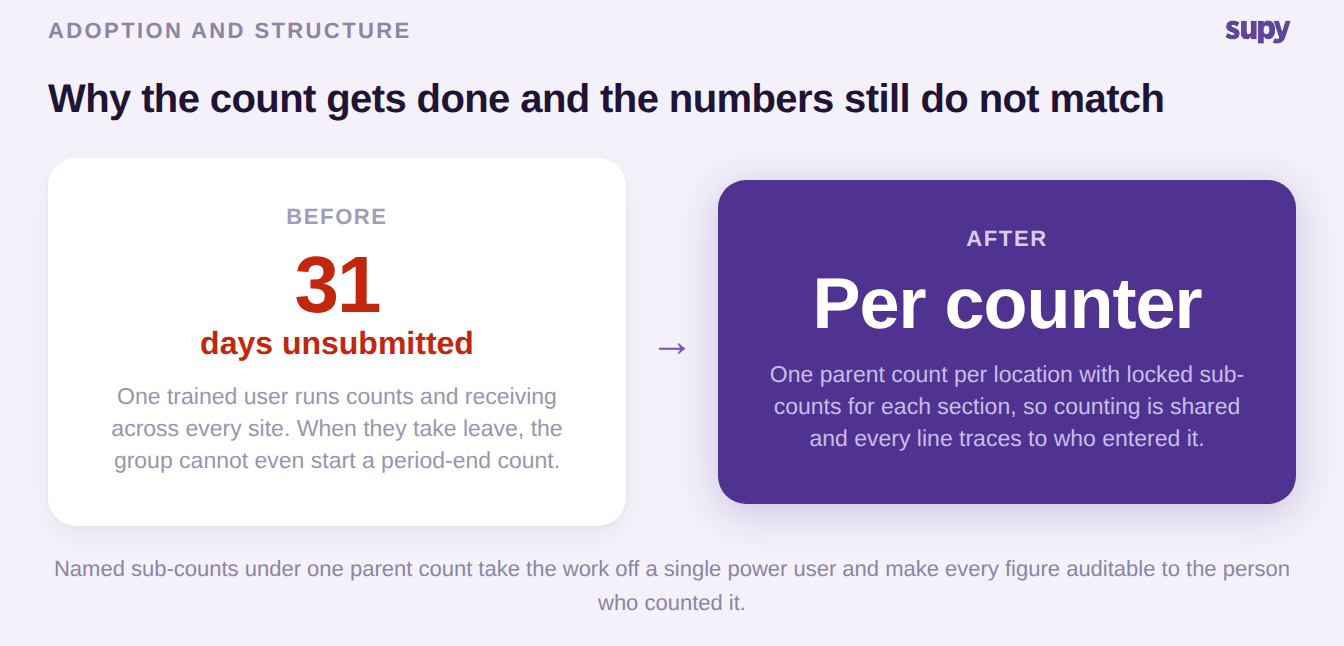
Purpose-built stock count software only helps once the count is structured so more than one person can run it and every line is traceable. The rest of this guide walks the specific places counts stop matching, in the order you should actually check them.
Investigate a variance in a fixed order, or you chase the wrong thing
The single biggest gap on most stock-count pages is that they explain what a variance is and never give you a procedure to investigate one. There is a fixed order, and following it separates a data error from a real loss before you accuse a single member of staff. Work it top to bottom and stop as soon as a step explains the gap.
| Step | What to check | What it rules in | What it rules out |
|---|---|---|---|
| Enter every invoice first | All purchase invoices for the period are posted before you read variance | Positive variance caused by unentered invoices | A real gain on a line that only looks over |
| Verify the opening figure | Last period's actual closing stock equals this period's opening | A wrong baseline manufacturing a gap | Genuine movement inside the period |
| Work the top ten each way | The largest positive and largest negative lines, not the whole list | The few lines worth your time | Noise across hundreds of tiny lines |
| Confirm the item | Whether two similar cuts are being read as one | A phantom gap from item ambiguity | A true single-item discrepancy |
| Flag the impossible | Any line off by a factor of hundreds | A data-entry or unit-of-measure error | An operational loss |
| Ask: same at other branches? | Whether the identical gap appears group-wide | A systemic configuration fault | Local execution at one site |
That last question is the pivotal one. A roughly matching gap on the same top-selling ingredient at every branch is not theft at every branch, it is one setup fault repeated everywhere, and you fix it once. A gap at a single site is a local execution problem you handle differently. The stock-movement view, broken down by location and item across two count periods, is what actually locates the root cause, because it exposes duplicate receipts and returned-to-stock items that a headline variance figure hides.
The most common systemic fault is recipe mapping, so audit your semi-finished recipes before you treat any variance as real. One group hit large month-end variances across several ingredients, thousands of dollars on a single protein line plus packaging and soft drinks. The largest line traced to a prep recipe mapped incorrectly: the finished dish consumed the prep item, but the prep recipe was not depleting the raw ingredient behind it, so the system under-consumed the raw material and reported the shortfall as a variance nobody could account for.
Recipe wastage decomposed to individual ingredients, in proportion to each ingredient's share of the recipe, is what lets you see this at the item level rather than as one recipe-level write-off. Theoretical stock kept continuously current from every goods receipt and recipe consumption event is what makes the variance figure worth reading at all, because it is measured against real expected usage rather than a stale manual baseline. If your theoretical number is built from mismapped recipes, every downstream count inherits the error.
Why your on-hand reads zero on stock you are holding
The highest-intent question operators ask about stock counts is why an on-hand figure reads zero for stock sitting on the shelf. The answer is almost never the count and almost always a setting. These three change your numbers silently, and the fix is to know when each one is correct.
| Setting | What it does | When it is correct | What it looks like when it is wrong |
|---|---|---|---|
| Set uncounted items to zero | Writes any item not touched in a count down to zero | On a full count only | On a partial or template count, held stock silently reads zero |
| Initial count toggle | Marks a count as the migration baseline for a new location | As the first activity on a new location | Set after orders exist, so it will not apply and values read zero |
| Count split across two dates | Lets one count span two calendar days | Fine for the stock value report | Distorts actual food cost unless the count event dates match across the compared periods |
When on-hand looks wrong, check the zero-out toggle state on every historical count, not just the latest, then read the item's transaction history to find where the write-down entered, and correct the unit-of-measure setup errors usually sitting alongside it. One more non-obvious trap: in any system that values stock on a moving average, continuing to count a fast-moving item can keep old stock values alive in the average, so each higher-priced delivery only blends in rather than replacing the cost. The counter-intuitive fix is to stop counting that one line and let it reset to the latest invoice price.
One parent count, sub-counts beneath, not one event per counter
Multi-person counting is where structure quietly decides your accuracy. Across several multi-site accounts, site staff created a separate stock count event per person or per section instead of using sub-counts under one parent count. The result every time was duplicate counts against the same location and business date, a double-counting risk, and phantom variance. The rule that fixes it: one parent count per location per business date, with a locked sub-count beneath it for each section or counter.
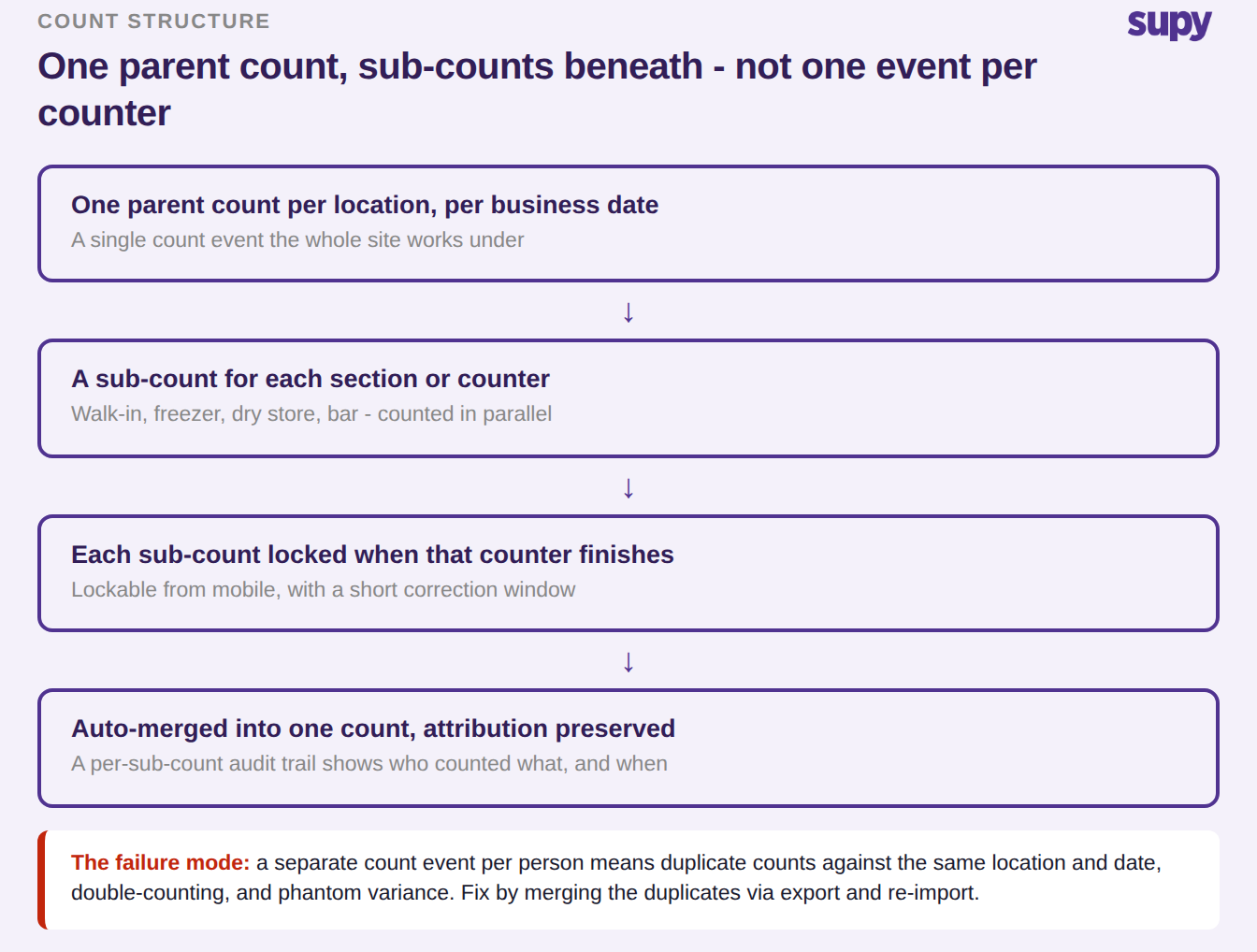
Done this way, several people count different sections of the same location at once, each sub-count is locked from mobile as that counter finishes, and the whole thing auto-merges into one count with attribution preserved, so management can trace any discrepancy to the individual counter. Counting the same ingredient across a main kitchen, a prep area and a dry store aggregates to one item figure while still tracking each area separately. This structure is also the real finance-facing differentiator: sub-count locking, a short post-submission correction window, and a tamper-proof audit trail tied to named users and timestamps are what make a count defensible at period-end close, which matters to finance long after the frontline count is done.
Your first variance report after go-live is meaningless
Nearly every group distrusts its numbers in month one, and the reason is sequencing, not software. Two operators saw large variances and negative on-hand quantities purely because there was no opening stock count, and in one case a location had been created after the count date, so its stock read zero for that date. The rule is simple and unforgiving: the opening count must be the first activity on a new location, before any order or receipt is posted.
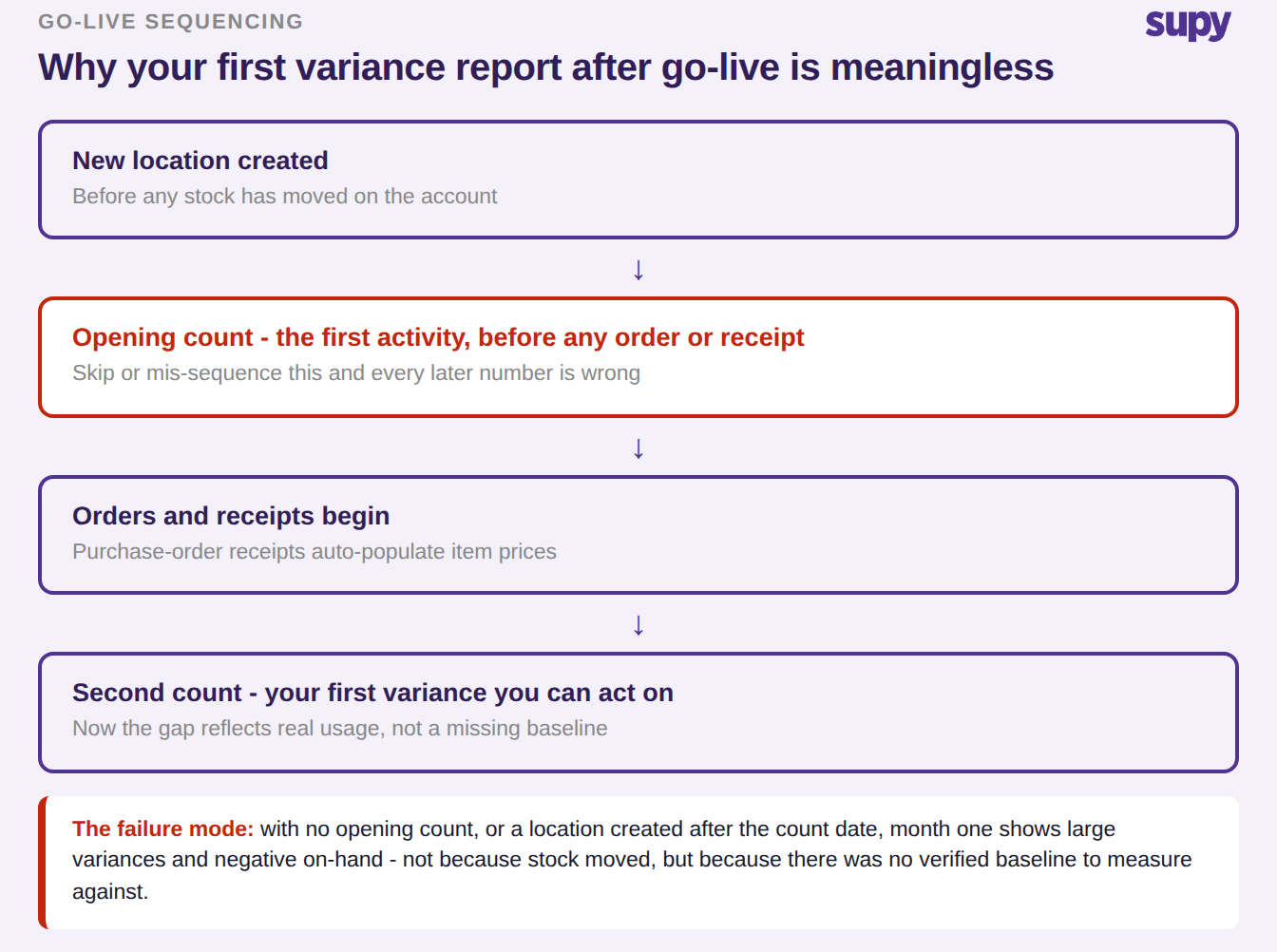
Treat the opening count as a migration event, not your first real count. If you missed the window and the system will no longer let you mark a count as the initial one, the recovery path is to run a normal count and let purchase-order receipts populate prices over the following cycles, rather than keying prices for hundreds of items by hand. Until a second count exists, the gap you are staring at is a missing baseline, not a loss. This is the same discipline that makes a broader restaurant inventory software rollout hold together across sites.
Match your stock count cadence to what you are counting
One cadence for everything is the wrong default. Count frequency is not a compliance duty, it is the only thing that lets you bracket a discrepancy in time: skip a mid-period count and the gap can only be pinned to the entire window between the two counts that do exist. Match the cadence to the item class instead.
| Item class | Cadence | Why | What you lose if you drop it |
|---|---|---|---|
| High-value or high-movement | Daily | These lines move fast and cost the most when they are wrong | The ability to catch a fast leak while it is still small |
| Ambient and slow-moving | Weekly | Frequent enough to spot drift without burning hours | Drift compounds into a posting that is hard to correct later |
| Packaging and consumables | Monthly | Low value and low volatility | Little, as long as the big lines are covered |
The template design behind this carries its own trade-off with no single right answer. A full detailed weekly count takes too long, so groups build targeted templates by category or storage area; but then every new item must be added to every template, templates proliferate per venue, and discontinued items keep reappearing because archiving is not being used. The workable middle ground is to consolidate to one food and one beverage template per site, built in shelf order and cloneable to every branch in one operation, with sub-counts for the sections. Reusable templates that hold both items and prep recipes, and clone across the group, are what stop a multi-site team rebuilding the same count site by site.
Put the count schedule in the system, not in one person's head
Matching cadence to item class only protects you if the counts actually happen, and in the groups where they stop, it is rarely a decision to skip them. It is that remembering which of dozens of locations is due, and on which day, sits with one person. That is the same single point of failure the opening of this guide described: when the one operations manager who runs counts goes on leave, a whole group can go a month without a submitted count, and every stock figure drifts at once.
The fix is to make the cadence something the software enforces rather than something a person has to remember. Supy lets a multi-site operator set a frequency and a branch and then triggers each count automatically on schedule, so the calendar, not a manager, decides when a location counts. A single consolidated view shows the last count date, the next scheduled date and the status for every location, and counts can be paused, resumed or removed in bulk when a site closes for refurbishment or a season ends, so no location quietly falls out of the cycle.
| Location | Last count | Next scheduled | Status |
|---|---|---|---|
| Central kitchen | 18 Aug | 25 Aug | Active |
| Branch, high street | 19 Aug | 26 Aug | Active |
| Branch, mall | 05 Aug | - | Paused, refurbishment |
| Delivery-only kitchen | 19 Aug | 22 Aug | Active |
A schedule the software owns turns the cadence table above from an intention into something you can audit at a glance: any location whose next-scheduled date has passed with no submitted count is visible immediately, instead of surfacing weeks later as an unexplained variance.
Three guards that stop the software reporting a variance it cannot stand behind
Even a well-run count can hand you a number you should not act on, if the system lets it through. Three checks decide whether the variance in front of you reflects real stock movement or an artefact of timing, and they are worth demanding of any stock count software you evaluate.
| Guard | What the system does | The false variance it prevents |
|---|---|---|
| Pending-order check before submission | Before you submit, it checks whether any item in the count sits on an order that has not been received yet, and warns the counting team | A delivery in transit inflating the variance the moment it lands |
| Variance dates limited to real counts | The variance report only offers dates on which a count was actually posted | A meaningless gap from comparing against a calendar date nobody counted |
| Report locked while a count calculates | If a count is still calculating, it blocks the report and warns you rather than returning a half-finished figure | A manager acting on an incomplete count |
None of these is glamorous, and none of them shows up in a demo unless you ask, because they matter to the person who has to defend the number at period-end close rather than to the person running the count. They are also the difference between a variance report you investigate and one you have to second-guess before you even start.
What to ask before you trust a stock count system
If you are evaluating stock count software, the questions below separate a tool that closes the variance gap from one that just records a number. Run them in a demo against your own worst count, not a clean sample.
| Question to ask | Why it matters |
|---|---|
| Can several people count one location at once, with every line traced to who counted it? | Multi-person counts without attribution produce duplicate events and phantom variance. |
| Does each section lock as its counter finishes, with a short correction window after? | Locking is what makes a submitted count defensible at period-end close. |
| Is there a per-section audit trail tied to named users and timestamps? | Finance needs to see who changed what, not just the final number. |
| Can one ingredient counted across several storage areas aggregate to a single item figure? | Sub-location aggregation is where multi-area counts usually break. |
| Does each variance carry a cost impact and drill to the item, per location and count date? | A variance with no money attached will not tell you what to fix first. |
| Can the variance report offer you a date on which no count was actually posted? | Comparing against a period that was never counted produces a meaningless gap. |
| Does it warn you about orders not yet received before you submit a count? | In-transit stock inflates the variance the moment it arrives. |
| Does it separate items you physically count from items valued by recipe cost? | Each needs to be measured the right way or both come out wrong. |
Start with the two cheapest wins: check the zero-out toggle on your last few counts, and confirm every location had a real opening count before its first order. If either is off, fix it before you investigate a single variance line, because until they are right the numbers are not telling you anything. When you do get to the numbers, a quick food cost calculator is a fast way to sanity-check whether a variance is even material to your margin before you spend a morning on it. Purpose-built stock count software earns its place the day it turns a count into an answer you can act on, not just a figure you file.