.jpg)


Restaurant Purchasing Software: What to Look For and How to Choose
Most restaurant groups that switch to purchasing software make the same mistake: they choose a tool designed for a single buyer placing a direct order, then spend the next six months building workarounds for the two-tier approval structure that actually runs their operation. The result is that branch managers keep using WhatsApp to request items from procurement, the system records nothing, and the promised audit trail never materialises.
The right restaurant purchasing software does more than send purchase orders to suppliers. It handles the full ordering chain - from a branch team identifying what they need, through procurement approval, to delivery matching and invoice reconciliation. This guide covers the eight evaluation criteria that separate purpose-built purchasing platforms from tools that look good in a demo but break at scale.
Quick answer: Restaurant purchasing software automates the creation, approval, and tracking of purchase orders between your operation and suppliers. For multi-location groups, the critical features are requisition and approval workflows (so branches can request without ordering directly), multi-location PO management, three-way invoice matching, and integration with your inventory system to close the loop between what you order and what it costs.
Purchasing Software vs Procurement Software: Why the Distinction Matters
These two terms are used interchangeably in most vendor marketing, but they describe different layers of your supply chain operation. Understanding the difference is the first step to choosing the right tool.
Purchasing is the transactional layer. It covers the day-to-day mechanics: which items to order, from which suppliers, in what quantities, with what approval steps, and how to reconcile the delivery against the invoice. Purchasing software automates these transactions.
Procurement is the strategic layer. It covers supplier selection, contract negotiation, preferred supplier agreements, category strategy, and spend analysis. Procurement software - often part of a broader ERP - handles the upstream decisions that determine who your purchasing software orders from.
Most restaurant groups need strong purchasing capability first. The strategic procurement layer matters, but it is useless without reliable transactional data flowing through it. If your team is placing orders by phone and reconciling invoices manually, you do not yet have purchasing data clean enough to do meaningful procurement analysis. See our guide to restaurant procurement for the full strategic picture.
A common pattern among growing groups is to have an ERP handling finance and high-level procurement while the actual purchase orders and delivery management live in a purpose-built restaurant platform. One operator growing across 11 locations put it plainly: "We have SAP that will do with the procurement and the finance. What we're missing is the module that will calculate our wastage, our food cost." The ERP handled the strategic layer; the purchasing layer - connected to recipes, stock counts, and food cost - needed a restaurant-specific tool on top.
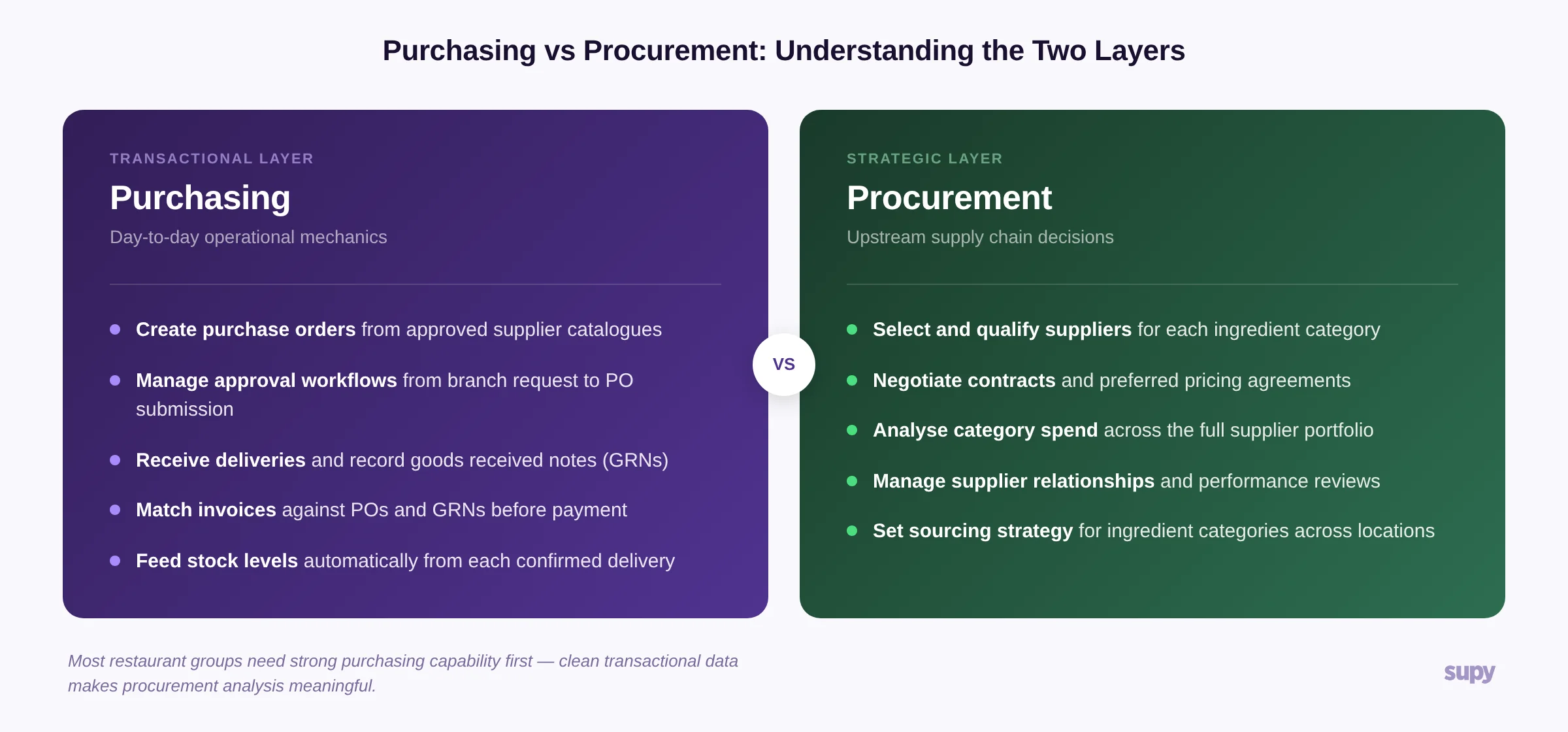
Purchasing handles the transactional layer; procurement handles the strategic layer upstream.
Who Needs Dedicated Restaurant Purchasing Software?
Not every operation requires the same level of purchasing infrastructure. The inflection point typically comes at three to five locations.
A single-site restaurant with one or two core suppliers can manage ordering through email or a simple spreadsheet. Deliveries are predictable, one person handles purchasing, and discrepancies are caught quickly at the door.
Multi-site groups hit a different set of problems. When you have multiple locations ordering from overlapping supplier networks, a central kitchen acting as an internal supplier, and a procurement team sitting between branch managers and external vendors, the complexity multiplies. The critical failure mode is ordering without a trail: branches request items informally, procurement places orders that are not recorded in the system, and when the invoice arrives there is no purchase order to match it against.
The operational consequence is significant. When purchase orders are not tracked, one multi-venue operator found that approximately 90% of invoices were arriving without a PO reference that the system could match - meaning every invoice required manual review and cost-centre assignment instead of automated three-way matching. That is a finance team cost that scales directly with order volume.
Groups operating five or more locations, a central kitchen model, or a supplier catalogue of 20 or more vendors will typically see clear return on investment from purpose-built purchasing software within the first six months.
8 Features to Evaluate in Restaurant Purchasing Software
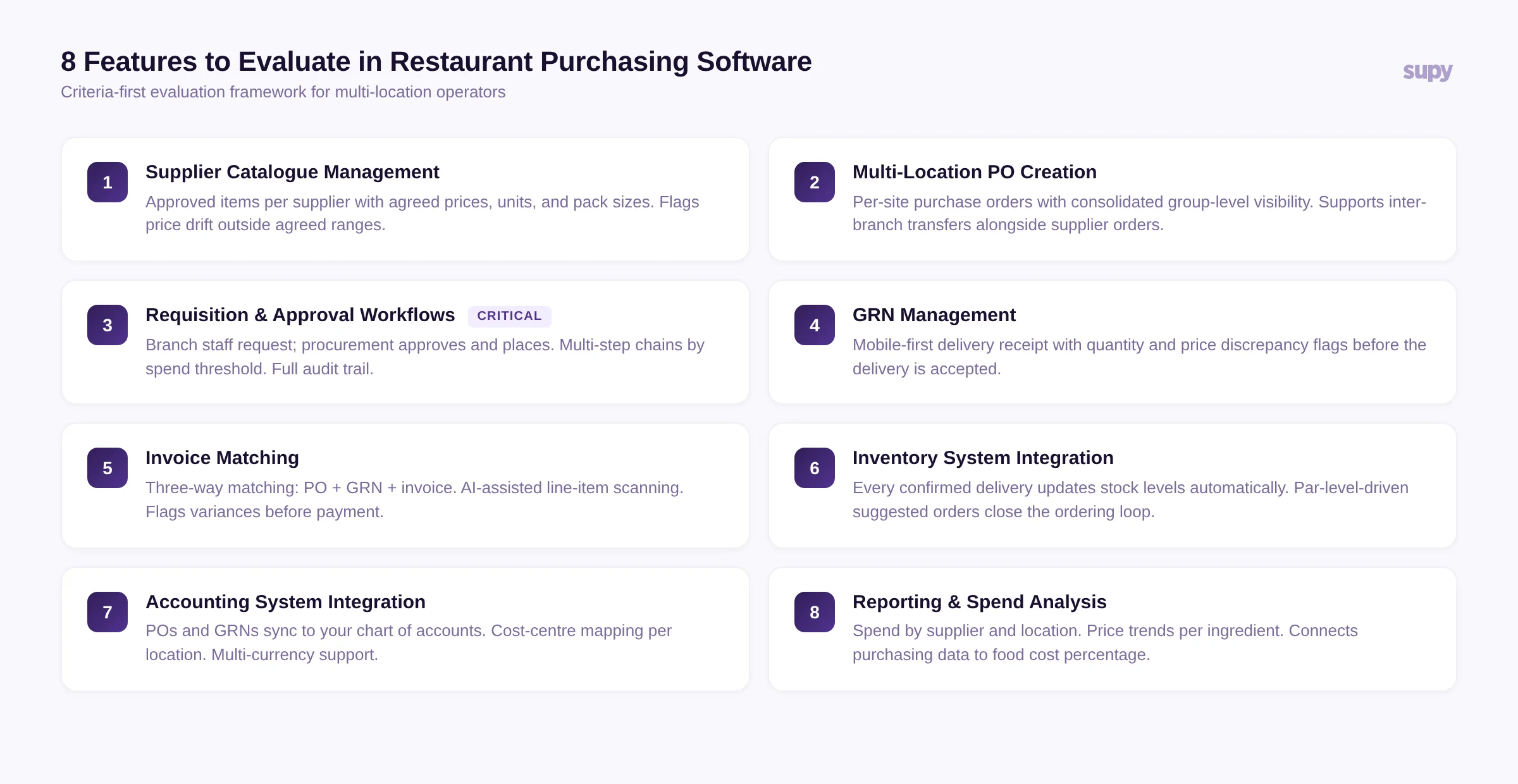
Use this criteria framework when evaluating purchasing software for multi-location restaurant operations.
1. Supplier Catalogue Management
Every item you order should live in a structured supplier catalogue with assigned units, pack sizes, current prices, and supplier lead times. Without this foundation, purchase orders are created freehand - which means price drift, inconsistent units, and no baseline for variance analysis.
Evaluate: Can you set approved items per supplier? Does the system flag when a supplier charges outside an agreed price range? Can you maintain separate catalogues by location for sites with different supplier relationships?
2. Multi-Location Purchase Order Creation
For groups with multiple sites, the ability to create POs per location - or batch POs across locations for the same supplier - is non-negotiable. Each location should have its own stock and purchasing history, with consolidated visibility at the group level for the procurement manager.
Evaluate: Can a branch manager see only their own location's purchasing activity? Can a procurement director see all locations simultaneously? Does the system support inter-location transfers alongside supplier orders?
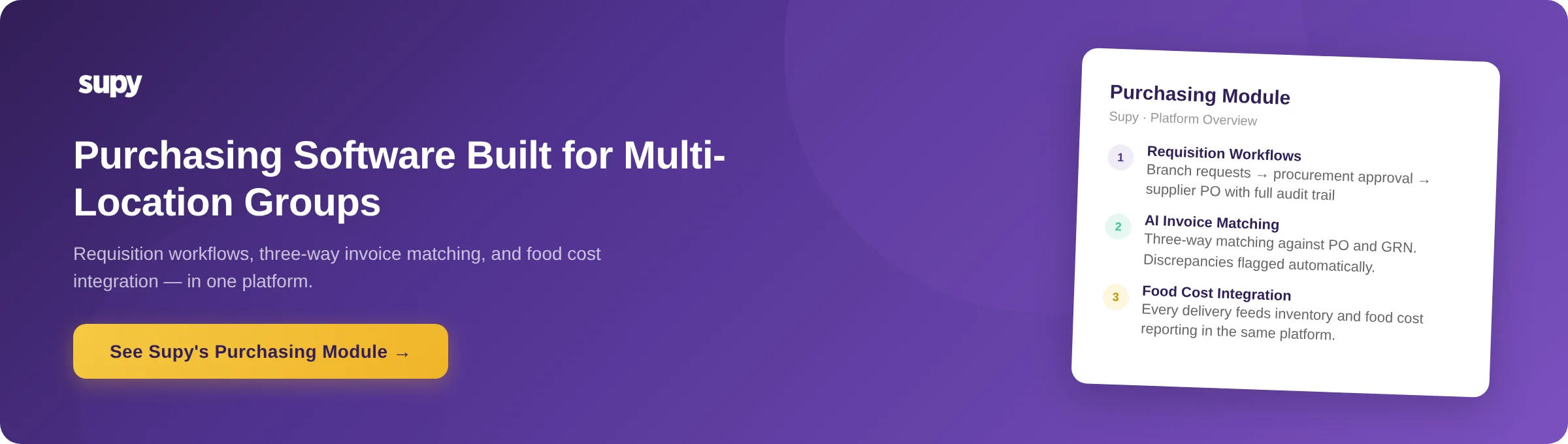
In Supy, purchase orders are location-specific by default, with a consolidated view available at the group level. The system supports both direct supplier orders per location and inter-branch transfers through the central kitchen module - so a site receiving goods from the central kitchen follows the same GRN process as a site receiving from an external supplier.
3. Requisition and Approval Workflows
This is the feature that most single-site tools handle poorly. In a multi-location restaurant group, branch staff should not place direct orders with suppliers. They identify what they need and submit a requisition - an internal request that goes to the procurement manager for review and approval before any supplier order is placed.
The two-tier model is standard: branch level (request) - procurement level (approve and place). The operational reason is sound. Branch managers know what they need, but the procurement team controls which suppliers to use, can aggregate orders across locations for volume pricing, and maintains the relationship and pricing agreements.
Multi-location operators running without a requisition layer typically find their branch managers contacting suppliers directly by phone or WhatsApp - creating orders that never appear in the system and invoices that arrive with no matching PO.
Evaluate: Does the platform support multi-step approval chains? Can you set different approval rules per location or per spend threshold? Is there an audit trail showing who approved what and when? Does requisitions and approval workflows connect to the resulting purchase order with full traceability?
In Supy, requisition-to-order traceability and enforced approval sequencing mean every item purchased has a complete audit trail from branch request through procurement approval to supplier delivery - closing the common gap where branch managers could previously place orders that bypassed the approval chain entirely.
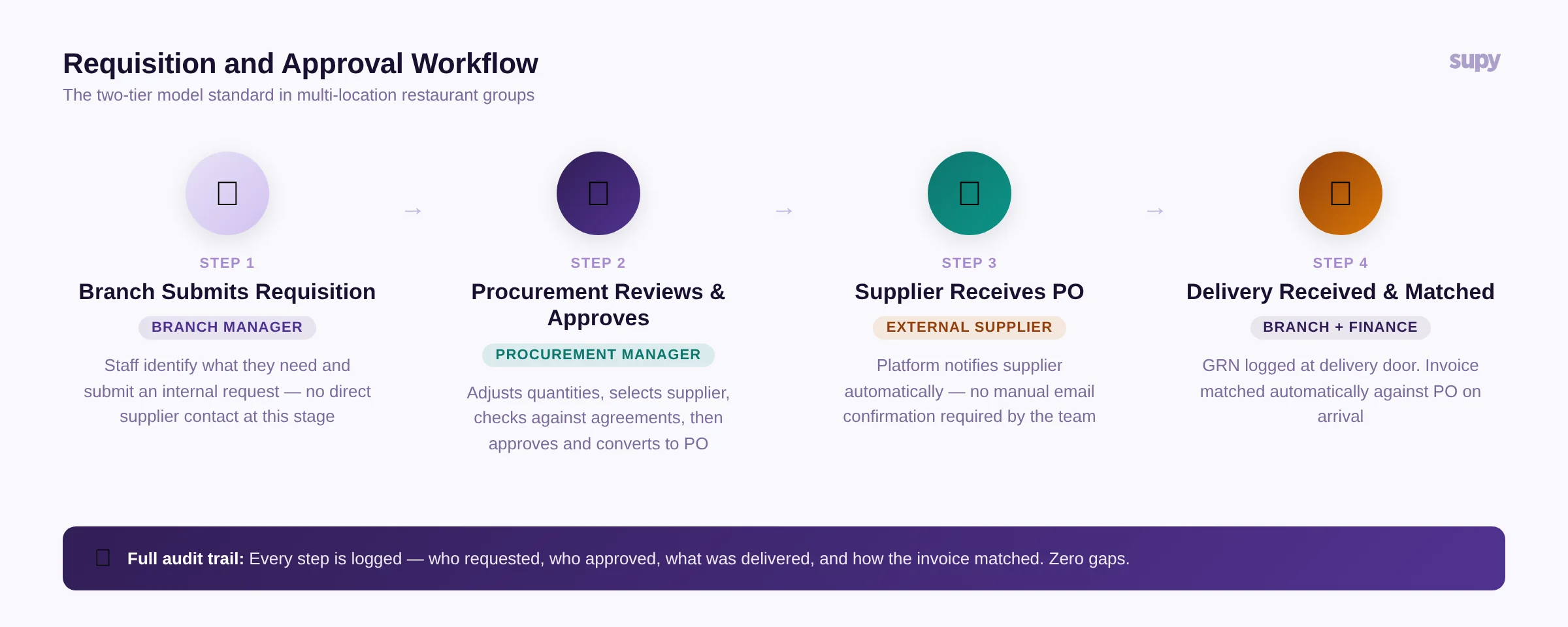
The two-tier model: branch submits requisition, procurement approves and places PO, supplier notified automatically, delivery matched on arrival.
4. Goods Received Note (GRN) Management
A GRN records what was actually delivered against what was ordered. This step is where most manual processes fail - staff sign off on deliveries without checking quantities or prices, and discrepancies only surface weeks later when the accounts team reconciles invoices.
A good GRN process lets the receiving team record what arrived, flag quantity shortfalls, and note price differences before the delivery is accepted. Mobile-first GRN tools - where staff can log a receipt from a tablet or phone at the delivery door - significantly improve accuracy versus paper records entered later.
Evaluate: Can staff complete GRNs on mobile? Does the system flag quantity and price discrepancies against the original PO? Is there a process for managing partial deliveries and credit notes?
5. Invoice Matching and Discrepancy Detection
Three-way matching - comparing the purchase order, the GRN, and the supplier invoice - is the standard for controlled purchasing. When all three align, the invoice is cleared for payment. When they do not, the system flags the discrepancy for review.
Without this matching step, overpayments and supplier errors pass through unchecked. AI-assisted invoice scanning can automate the extraction of line items from supplier invoices, but the matching only works if there is a recorded purchase order to compare against. This is why the PO trail matters: an invoice that arrives with no corresponding PO has nothing to match against and requires full manual review.
Evaluate: Does the platform offer invoice scanning with automatic line-item extraction? Does it compare invoice totals against PO values and flag variances? Can finance teams view discrepancy reports by supplier and location?
6. Inventory System Integration
Purchasing and inventory are not two separate functions - they are the same loop. Every delivery increases stock. Every recipe consumed depletes it. If your purchasing software does not connect to your inventory system, you are ordering based on guesswork rather than actual consumption data.
Purpose-built restaurant platforms handle purchasing and inventory in the same system, which means par levels and stock counts drive purchase order quantities automatically. When stock at a location falls below par, the system generates a suggested order that the procurement team can review and submit.
Evaluate: Are purchasing and inventory in the same platform, or do they integrate via API? When does stock update - immediately on GRN, or on a delay? Can the system generate suggested purchase orders based on par levels and recent consumption?
7. Accounting System Integration
Purchase orders and GRNs generate financial liabilities that need to flow into your accounting or ERP system. Manual export and re-entry is a finance team cost that grows with order volume. Clean accounting integration means the purchase order, received quantity, and approved invoice all sync to your chart of accounts automatically.
Evaluate: Does the platform integrate with your accounting system (Xero, QuickBooks, SAP, Oracle, or your ERP of choice)? Does it map cost centres per location automatically? Can it handle multi-currency suppliers for international groups?
8. Reporting and Spend Analysis
Once purchasing data is structured and consistent, you can start using it. Spend by supplier, price trend by ingredient, order frequency by location, variance between PO and GRN quantities - these reports tell you where your purchasing efficiency is leaking.
Evaluate: Can you see spend by supplier and by location? Does the system track price trends per ingredient over time? Can you export purchasing data for external analysis?
In Supy, the purchasing module feeds directly into the food cost and business intelligence dashboards - so procurement managers can see not just what was ordered but how each order contributed to the location's food cost percentage for the period. See Supy's purchasing and procurement module for how these reports are structured.
The True Cost of Manual Purchasing
Before evaluating software, it is worth quantifying what your current process actually costs. The manual purchasing workflow at a five-location restaurant group typically looks like this: branch managers call or message suppliers to place orders, the procurement manager fields calls and emails to confirm, deliveries are received against paper delivery notes, invoices are manually keyed into accounting, and discrepancies are chased by phone.
The hidden costs are time (finance staff spending hours per week on manual invoice reconciliation), accuracy (unchecked price drift and quantity shortfalls), and compliance (no audit trail for who ordered what or who approved it).
One patisserie group onboarding to Supy asked a question that captures the manual-to-software transition well: they wanted to know whether they still needed to go into their email and manually confirm each order with their supplier after submitting through the platform. The answer was no - the platform handles supplier notification automatically. That one step alone represents hours per week across a growing portfolio of suppliers.
About Supy
Supy is a back-of-house operations platform built for multi-location restaurant groups. The purchasing and procurement module covers supplier catalogue management, requisition workflows with multi-step approval, purchase order creation, GRN management with AI invoice scanning, three-way matching, and integration with accounting systems and ERP platforms. The purchasing data feeds directly into Supy's inventory and food cost reporting, closing the loop between what is ordered, what is received, and what it costs.