.jpg)


Restaurant POS and Accounting Integration: One Cost View Across Sites
What POS and Accounting Integration Means Across Sites
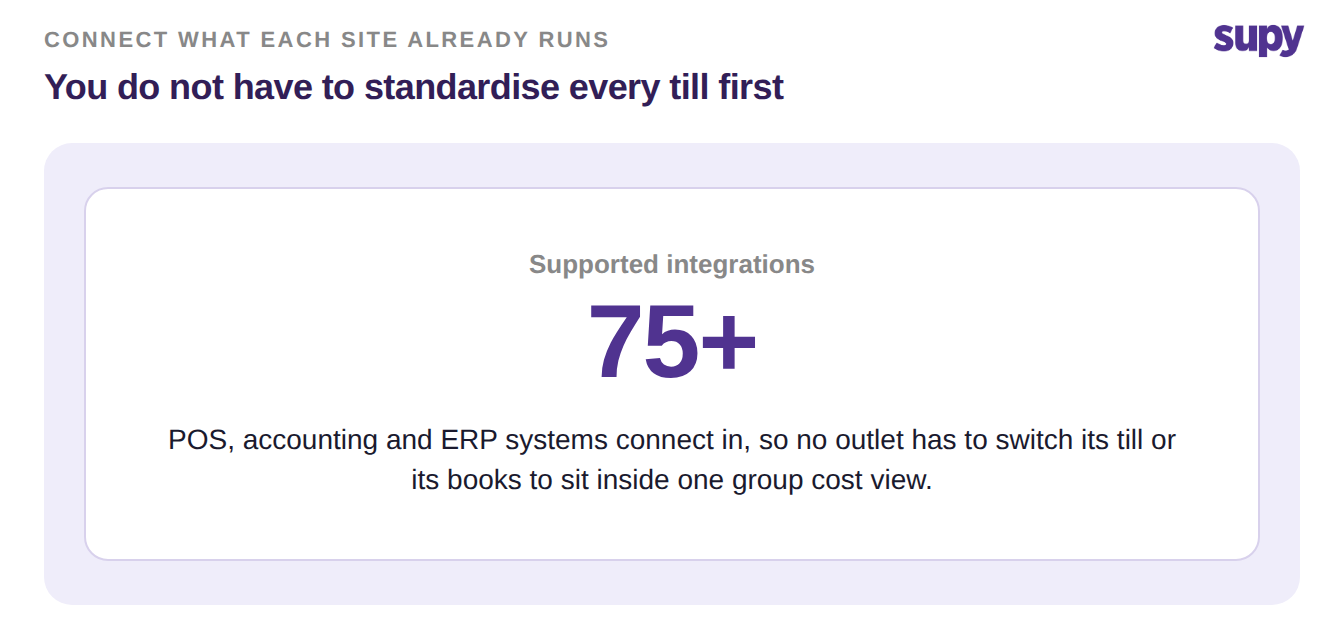
Across a multi-site group, each outlet often runs its own point-of-sale and its own accounting package, with nothing joining them at head office. Restaurant POS and accounting integration fixes that by mapping every location's systems into one shared layer. Sales, purchases and cost then land in a single view, so finance reads one number instead of stitching many together.
That is the real problem behind "we cannot see group food cost." It is rarely one broken report. It is three or four systems per site that were never designed to talk to each other, and a head office team re-keying between them by hand.
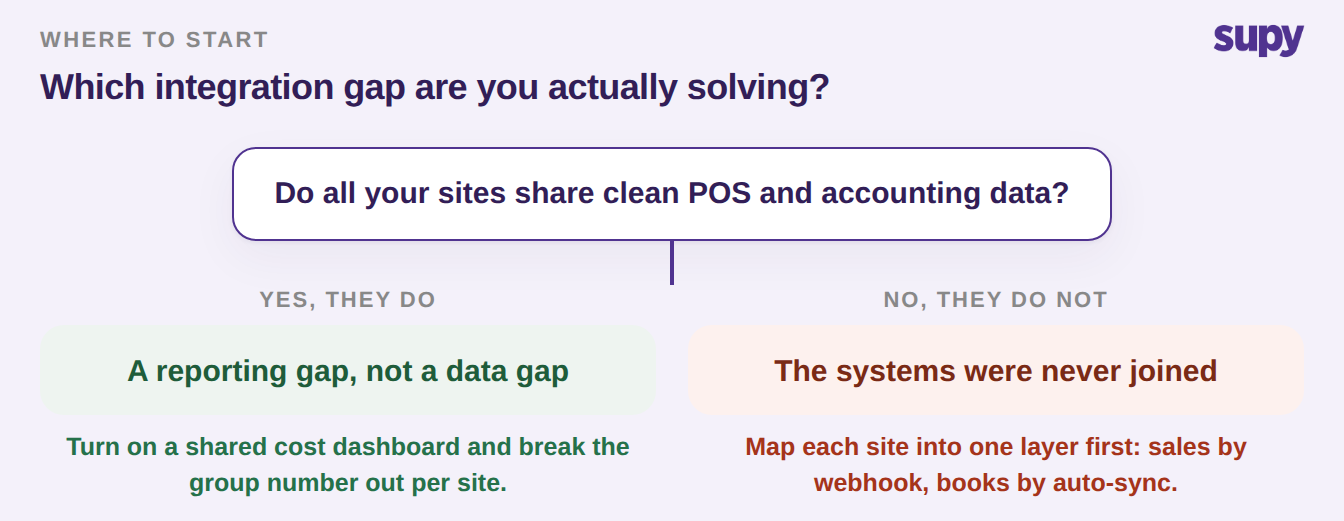
So the first move is not a new report. It is deciding how each site's data reaches the shared layer. The figure below walks that decision.
When Every Outlet Runs a Different POS
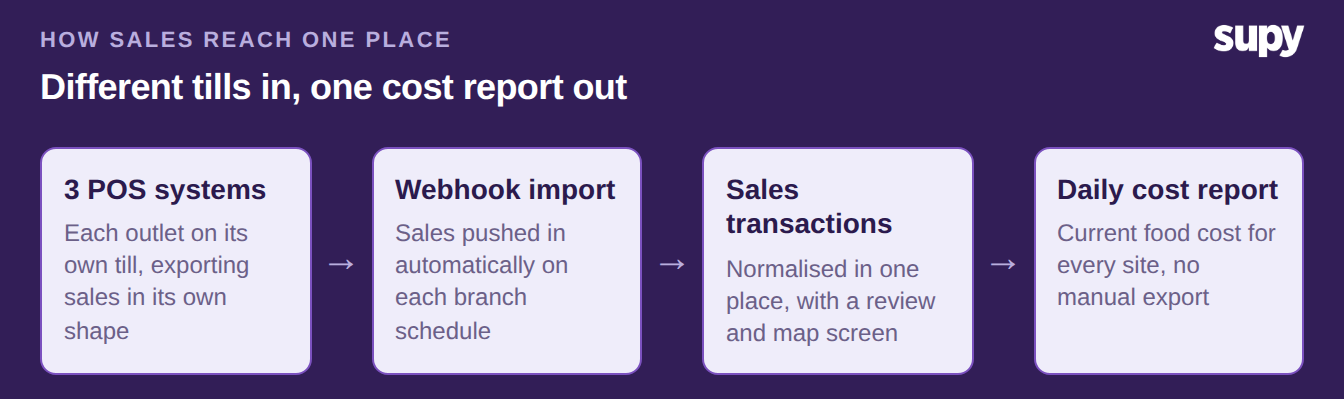
A group of six sites can easily run three different POS systems. One brand grew that way, another was acquired, a third franchise picked its own till. Each POS exports sales in its own shape, so a spreadsheet approach means a different manual export per site every day.
A shared layer removes that. Supy receives sales orders from POS systems, and from food aggregators, by webhook, and imports them as sales transactions automatically. A dedicated screen lets the team review, map and manage every imported sale. A mismatched till code then shows up in one place, not as a silent gap in group revenue.
The sync is scheduled around each branch's own opening hours. Sales from every outlet flow into cost reports each day, without anyone triggering an export. When a manual pull is needed, the same screen shows the import history and a manual sync button.
When the Books Sit in a System That Will Not Sync
The accounting side is where most of the re-keying hides. One casual-dining group had no direct accounting integration at all, so invoices were pulled out through an API and typed back in. That is hours a week of copying, and every copy is a chance to get a number wrong.
Integration closes that loop from the purchasing side. Map each location to its matching branch in its accounting system, turn on auto-sync, and purchasing data flows into the books instead of being re-entered per site. Posting goods-received notes generates the invoice and syncs the transaction to the connected accounting system in one step.
Adjustments travel the same way. A supplier return records a credit note and pushes it straight into the connected books. Nobody recreates the vendor credit by hand in Xero or QuickBooks. Each site's ledger stays current without double entry.
One Cost View That Is Still Accurate Per Site
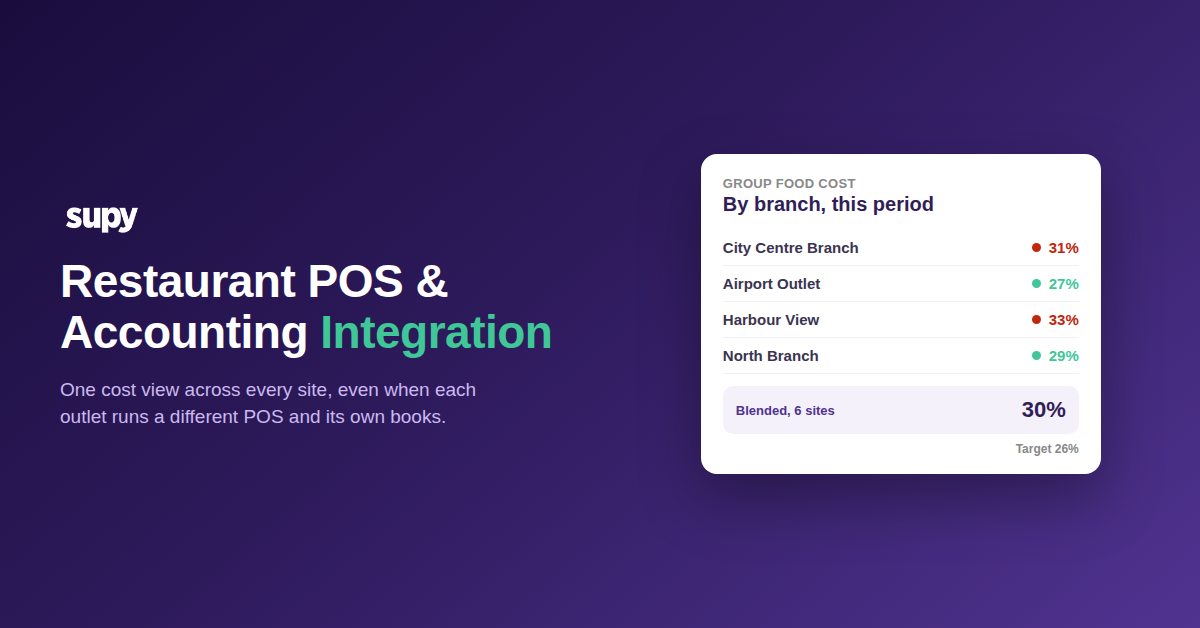
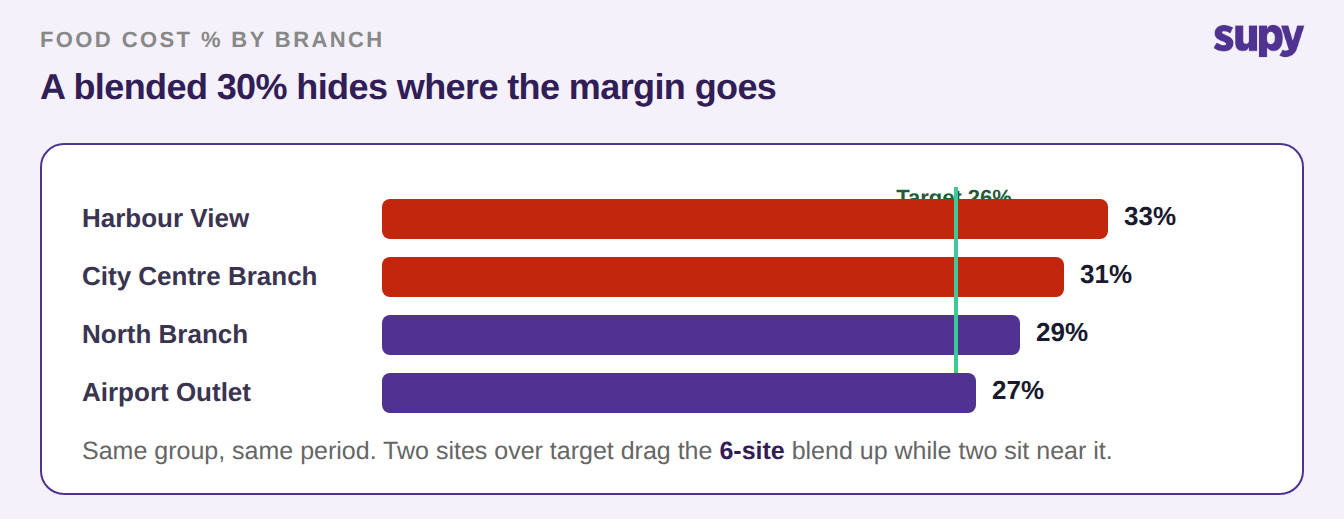
Unifying data is not the same as averaging it. A blended group food cost of 30 percent against a 26 percent target can hide two sites that are fine and two that are bleeding margin. One number is only useful if you can open it per branch.
Because each site's sales and purchases arrive mapped to that branch, Supy builds theoretical cost per location from that branch's real prices, not a group-wide average. The cost dashboards then show the group figure and let you break it out by site, so a variance points at the outlet that owns it. A POS that feeds clean sales is what makes that per-site number trustworthy.
So name the branch you are in before you buy anything. If every site already runs the same POS and your books are integrated, your gap is reporting, and a shared cost dashboard is enough. If your outlets run different systems, the first move is a layer that maps each one in and normalises sales, not another export. And if the books are still re-keyed by hand, start with accounting auto-sync, because that is where the hours and the errors are.
| Your situation | First move | What you get |
|---|---|---|
| Same POS everywhere, books integrated | Turn on a shared cost dashboard | One group number, broken out per site |
| Different POS per outlet | Map each POS into one layer by webhook | Daily sales from every site, no manual exports |
| Books re-keyed by hand | Switch on accounting auto-sync | Purchases and credit notes posted for you |