.jpg)


Restaurant Invoice Scanning Software: Why Digitising Documents Does Not Close the Food Cost Gap
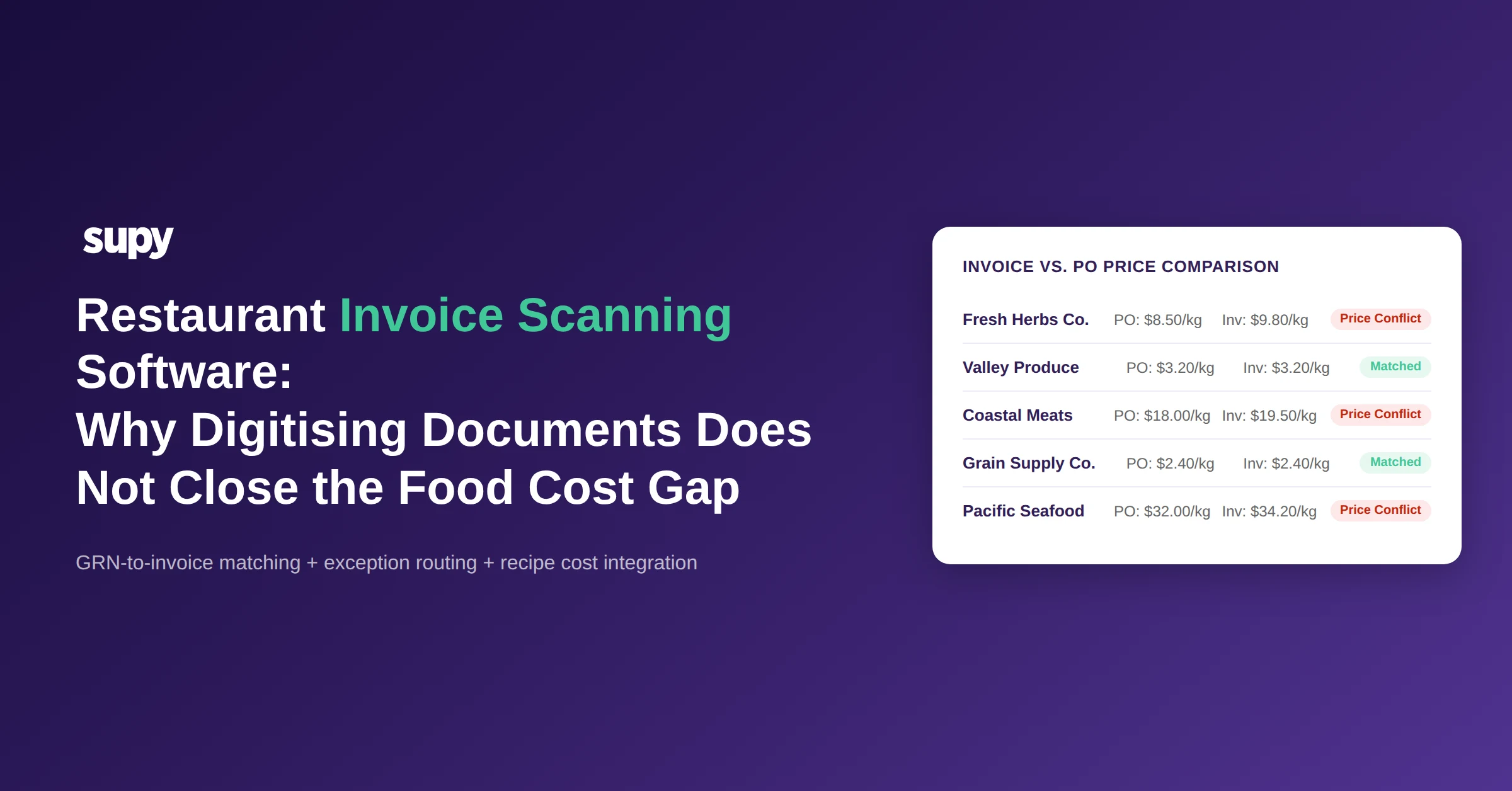
One multi-location hotel restaurant group was running fresh goods inventory entirely on Excel. The operation had no software capturing perishable invoices - fresh produce simply arrived, someone wrote figures into a spreadsheet, and the numbers never reconciled against what had been ordered or what recipes required. The dry-goods side had a partial system. The fresh side had nothing. By the time the month-end food cost report landed, the variance was already baked in and untraceable.
That gap is not unusual. It is the normal outcome when restaurant invoice scanning software is chosen for document digitisation rather than cost control.
What Restaurant Invoice Scanning Software Actually Does
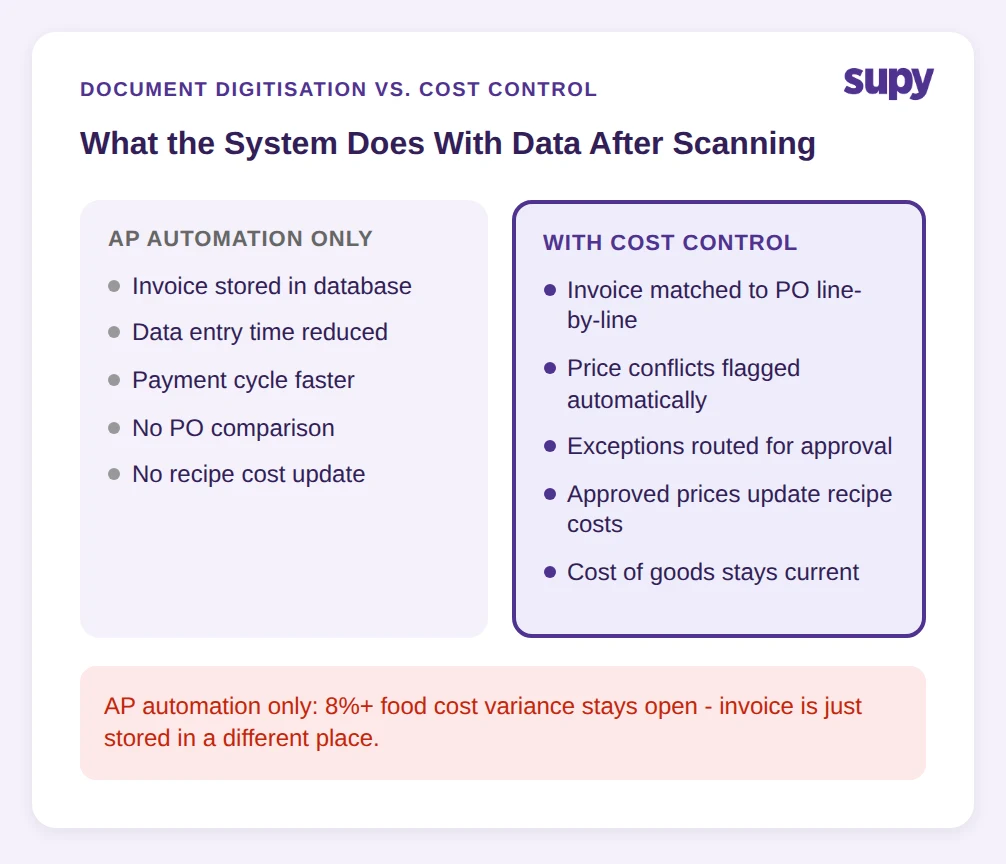
Restaurant invoice scanning software captures supplier invoices - typically via email, mobile scan, or direct supplier feed - and converts the unstructured data on those documents into structured records. The software reads supplier names, invoice numbers, dates, line items, quantities, unit prices, taxes, and totals, and stores them in a searchable database instead of a filing cabinet or inbox folder.
The category exists because hospitality businesses receive a high volume of supplier invoices in inconsistent formats. A food-and-beverage operation handling 45+ invoices per week across multiple suppliers will deal with PDFs, photographs, handwritten delivery dockets, and emailed spreadsheets - all carrying the same information in completely different layouts. Scanning software removes the manual keying burden.
That is what the category does. Where most tools stop is the next step: connecting those digitised figures to what was actually ordered, what the kitchen is currently paying per recipe, and whether the price on the invoice matches the price on the purchase order.
The majority of tools reviewed across the category - including AP-focused platforms - frame invoice scanning as accounts payable automation. The language is about reducing data entry time and speeding up payment cycles. None address whether the invoice data connects to live recipe costs or flags a discrepancy between the goods received note and the invoice price.
What to ask before buying: Does this tool flag a price conflict automatically when the invoice price differs from the purchase order price, or does it require a staff member to spot the difference manually?
The Fresh Produce Gap: Where Manual AP Breaks Down First
In most restaurant operations, the dry-goods procurement workflow reaches some degree of system coverage before fresh produce does. Flour, rice, canned goods, and ambient items get ordered through a platform, priced on a contract, and received against a purchase order. Fresh produce - tomatoes, herbs, fish, soft fruit - arrives daily or several times a week, with prices that move based on season, availability, and supplier discretion.
One 3-location restaurant group managed all supplier ordering through WhatsApp groups and Excel. There was no price history across deliveries. When a produce supplier changed the price of a line item between orders, the only way anyone would know was if a manager noticed on the delivery note - which required the manager to be present, to remember last week's price, and to act on the discrepancy rather than simply signing and moving on.
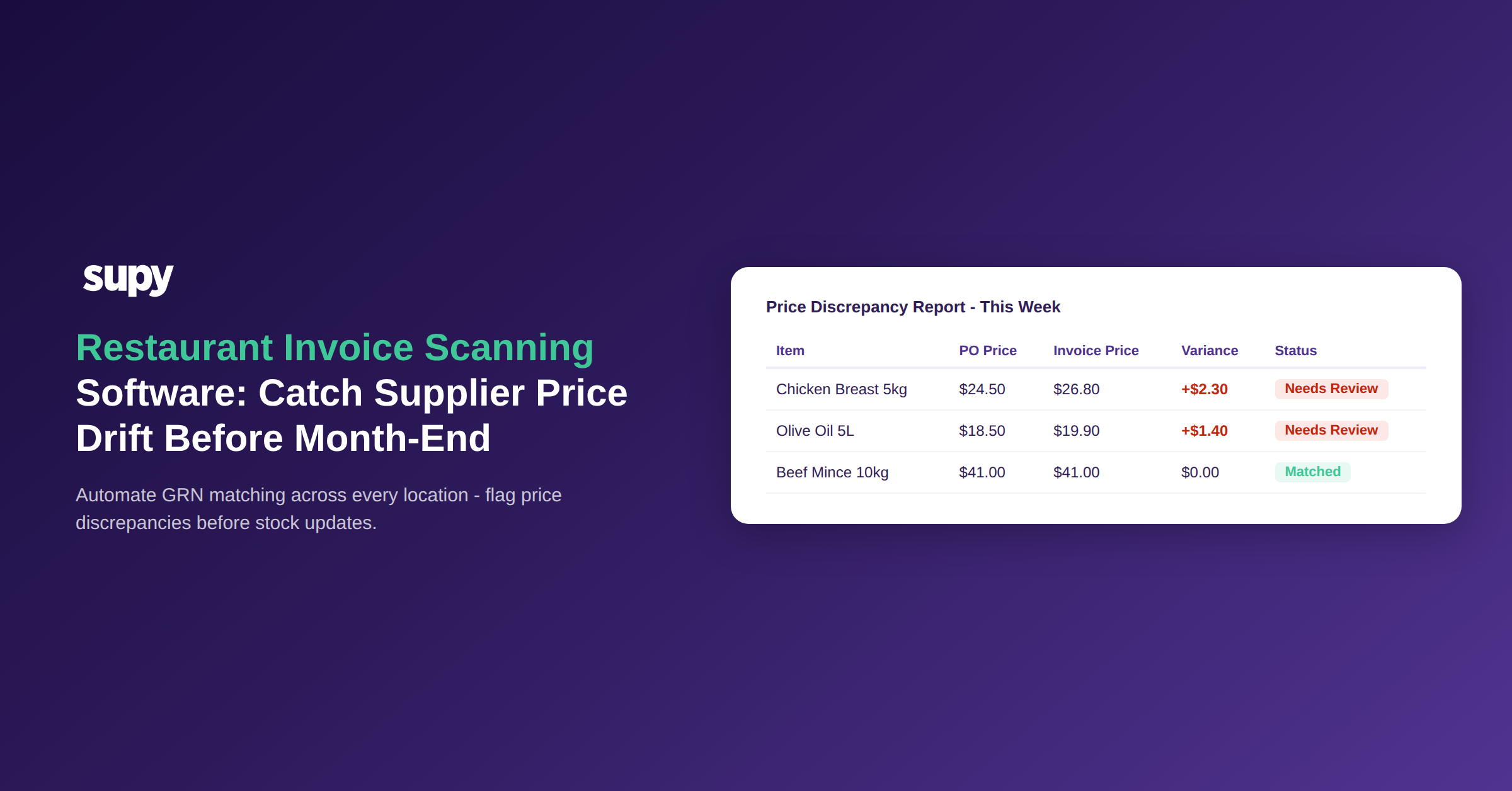
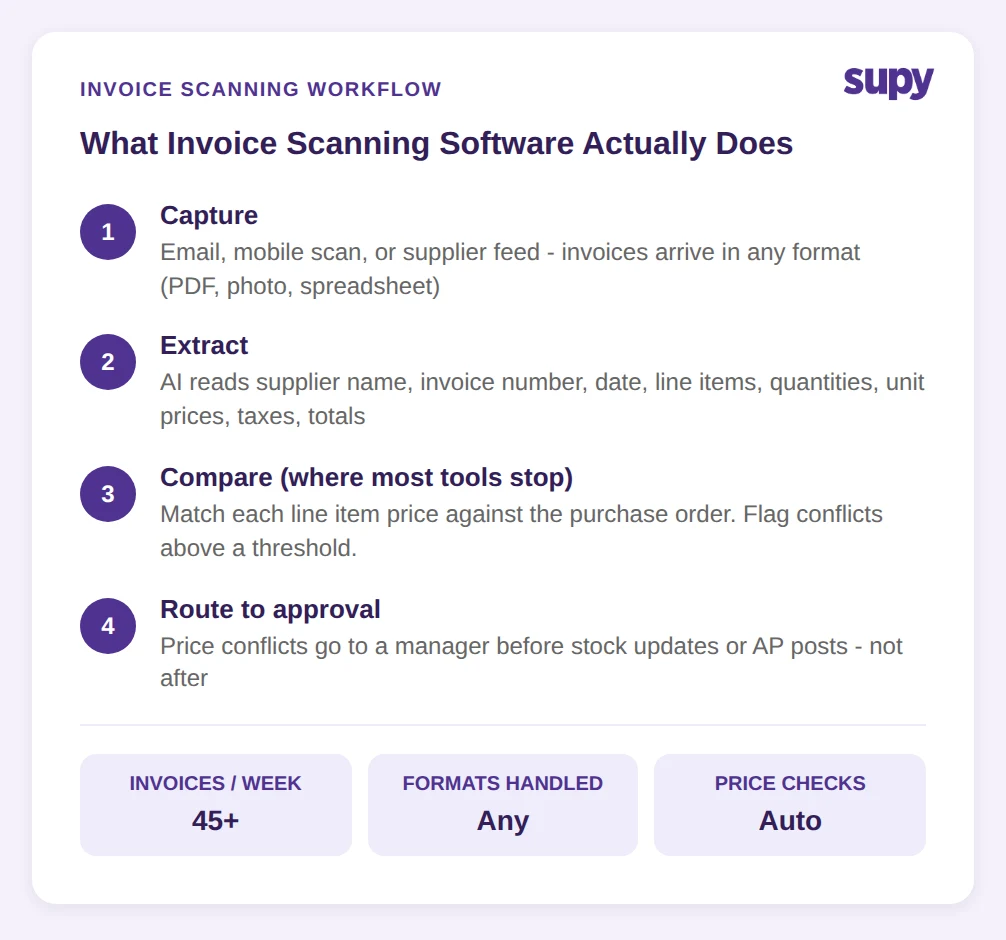
The failure mode is invisible accumulation. A single delivery where fresh herbs are invoiced at $9.80 per kilogram instead of $8.50 does not look like a problem. Across 45+ weekly invoices, across three locations, across a quarter where supplier prices have drifted 12% on seasonal items, the cumulative impact on food cost is significant - and it never appears on a report because no system captured the expected price to compare against.
This is why fresh produce is where manual accounts payable breaks down first. The invoice volume is high, the prices are volatile, and the formats are inconsistent. Scanning the document solves none of those three problems unless the scanned data is matched against an expected price.
Diagnostic question: Can you tell, right now, whether the price on your last five produce invoices matched the price you agreed with your supplier when you placed the order?
Why Document Digitisation Leaves Food Cost Variances Open
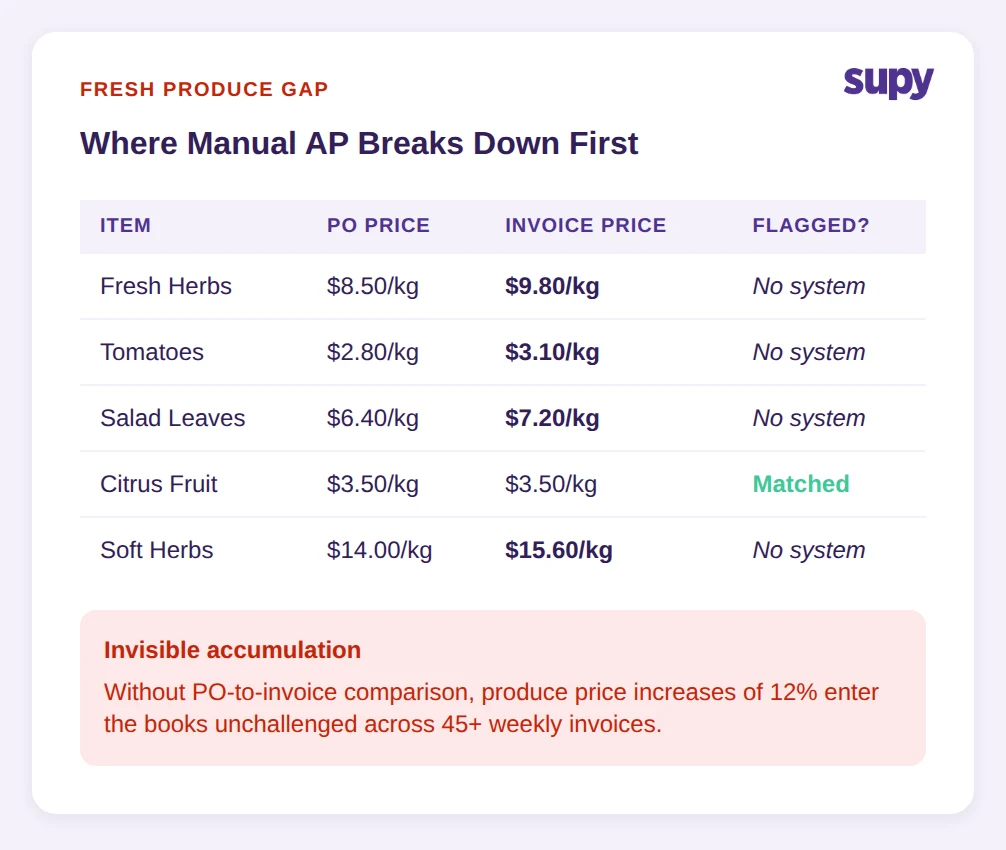
One CFO-level stakeholder at a multi-location hotel restaurant group pushed back directly when invoice scanning was presented as the primary feature of a procurement pitch. The objection was precise: the value is not in digitising the document - it is in what the system does with the data after it reads the invoice. If the scanned invoice does not trigger a comparison against the purchase order, the food cost variance is still open. The document is just stored in a different place.
That objection identifies the core architectural gap in standalone invoice scanning tools. A platform that reads an invoice and populates an AP record has done one useful thing. A platform that reads the invoice, compares each line item to the corresponding purchase order price, flags conflicts above a configurable variance threshold, routes exceptions for approval before updating stock and accounts, and then passes approved figures to recipe cost calculations has done several useful things - and most of them relate directly to food cost.
Platforms that dominate the AP automation space frame their offering around payment cycle efficiency. Digitised invoices move faster to approval and payment. That is a real benefit. But it is a finance workflow benefit, not a food cost benefit. An operator whose invoice prices are drifting upward will have faster payments and the same uncontrolled food cost.
The food cost gap stays open when there is no goods received note to invoice comparison. When an operator receives a delivery and signs a delivery docket, the quantity and price accepted at the door becomes the cost of goods. If the invoice that arrives two days later carries a higher price per unit and no system flags that discrepancy, the higher cost enters the books unchallenged. Research across the category found no tool in the standard invoice scanning space that addresses this as a core workflow - the gap is not being competed on.
Decision question: If your invoice scanning tool flags a price discrepancy between a purchase order and a supplier invoice, what happens next - and is that process automatic or manual?
Multi-Site Invoice Scanning: The Hidden Implementation Cost
One 6-location restaurant group's general manager identified a specific post-implementation problem: the initial invoice scanning setup worked, but the ongoing maintenance of fluctuating market prices made the system more laborious than the manual process it replaced. Every time a fresh produce price changed, someone had to update the expected price in the system before the next invoice would scan correctly without generating a false conflict alert.
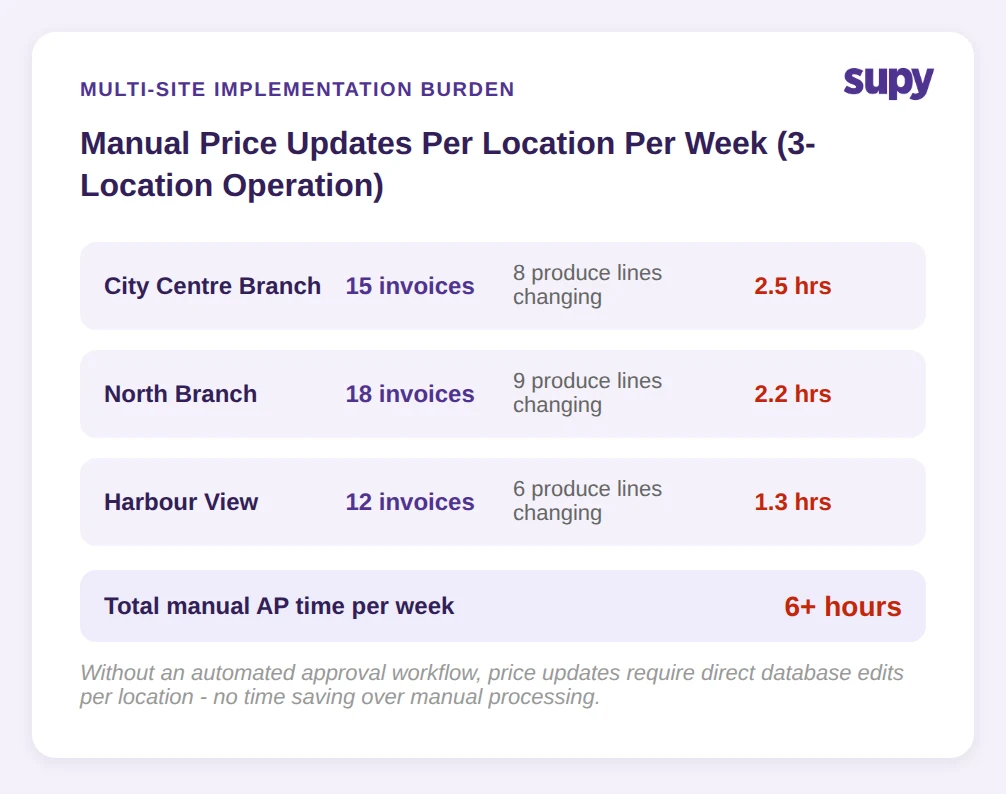
This is the hidden implementation cost of invoice scanning at scale. The setup effort is manageable. The ongoing maintenance burden scales with the number of locations, the volume of fresh produce lines, and the frequency of supplier price changes. A 3-location operation with 25 to 30 fresh produce items per site, where market prices move weekly, can generate a significant number of manual updates per week just to keep the system's expected prices current.
The practical consequence is alert fatigue or override behaviour. If operators find that the system flags conflicts constantly because the expected price database is out of date, they start approving exceptions without reviewing them. When that happens, the GRN-to-invoice matching has failed in effect even if it has not failed technically.
The answer is not to avoid invoice scanning at multi-site scale. It is to choose a tool that handles price exception routing as a managed workflow rather than a manual correction task. The system needs to distinguish between an approved price change and an undisclosed price increase that should be challenged. That distinction requires an exception approval workflow with up to 5 levels of sequential sign-off, not just a conflict flag. Manual AP processing across a 3-location operation runs to 6 hours or more per week - replacing it with a tool that requires equivalent manual maintenance does not recover that time.
Scoping question: For your operation, how many line items have prices that change week to week - and does your invoice scanning tool handle price updates through a managed approval process or through manual database edits?
What to Look for Before Choosing an Invoice Scanning Tool
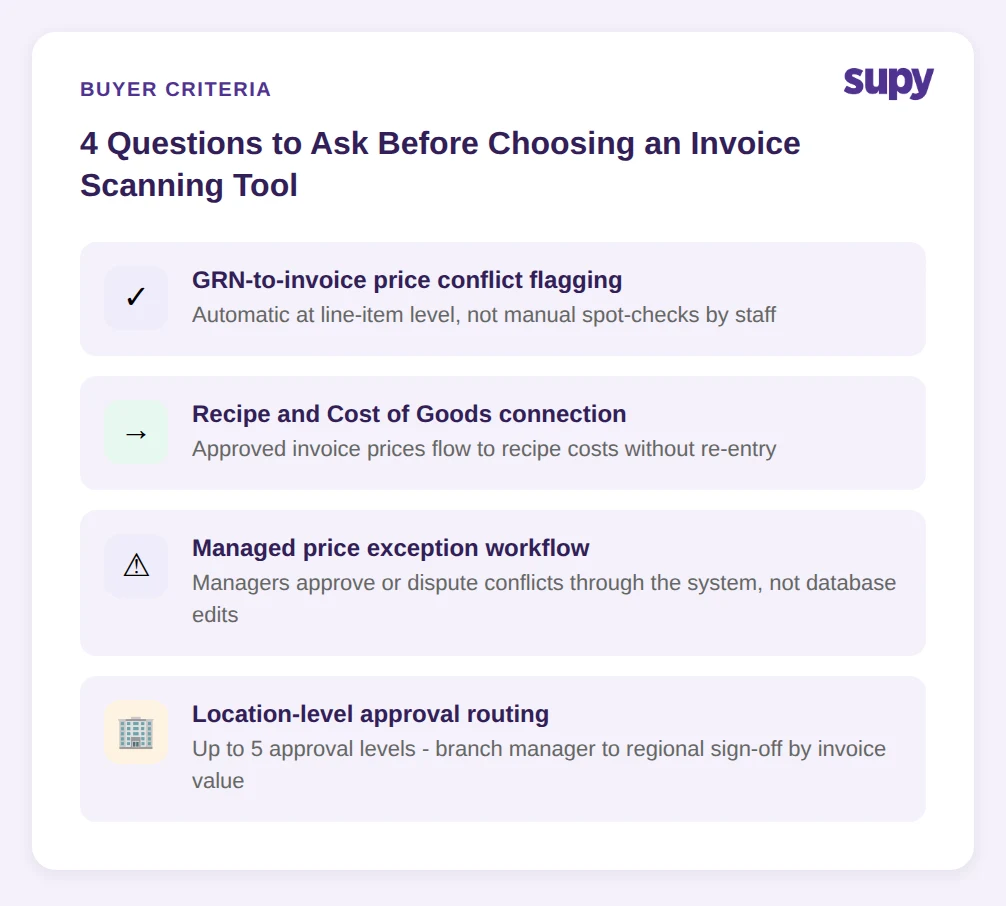
Operators evaluating restaurant invoice scanning software tend to lead with the question of accuracy - how well does the tool read invoices across formats and suppliers. That is a necessary criterion but not a sufficient one. Four deeper criteria determine whether the tool actually closes the food cost gap.
Does it flag GRN-to-invoice price conflicts automatically? The goods received note records what arrived and at what expected price. The invoice records what the supplier is charging. A tool that does not compare those two documents at line-item level - and flag conflicts above a configurable threshold - is not doing food cost control. The conflict flagging needs to be automatic, not dependent on a member of staff noticing a discrepancy.
Does it connect invoice data to recipe and COGS calculations? Approved invoice prices should flow through to the cost of goods sold calculation without manual re-entry. If a manager approves a new price for chicken breast, that updated cost should reflect in the recipe cost for every dish that uses it. Tools that do not make this connection require a separate manual update to keep recipe costs current - which most operations do not perform consistently.
Does it handle price exceptions without manual re-entry? An exception approval workflow allows a manager to review a flagged price conflict, accept or dispute the new price, and have the system update the expected price on approval. Without this, the only options are to manually update the price database or suppress the conflict flag entirely. Neither is acceptable at scale.
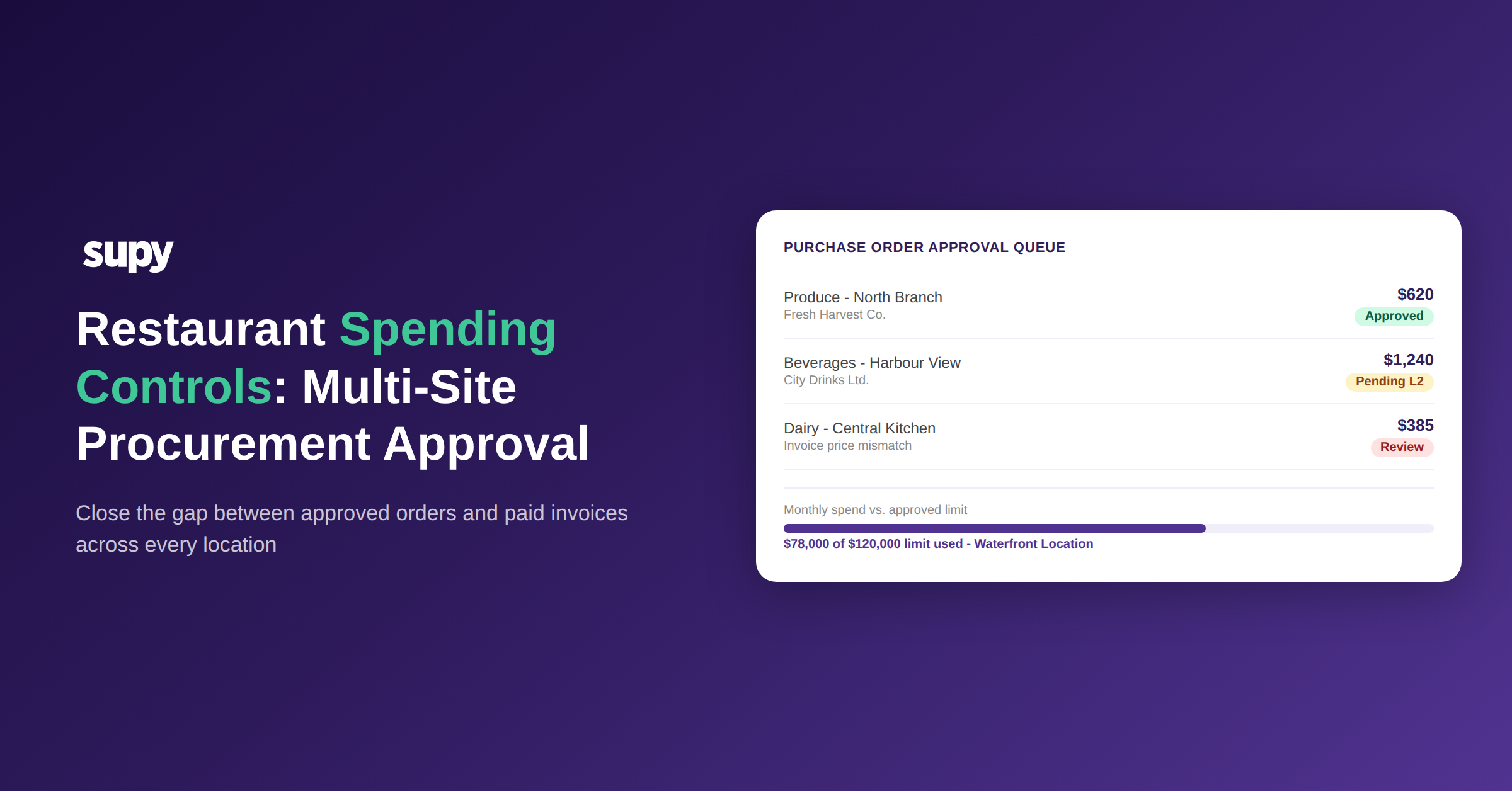
Does it support approval workflows per location? Multi-site operations need location-level control. A price variance at one branch should route to the manager of that branch. Sequential approval chains - where the branch manager approves and the regional manager reviews above a certain value - add a layer of cost governance that standalone scanning tools typically do not offer. Operations with 200+ configurable permissions and 75+ system integrations can calibrate governance precisely to order and invoice value thresholds.
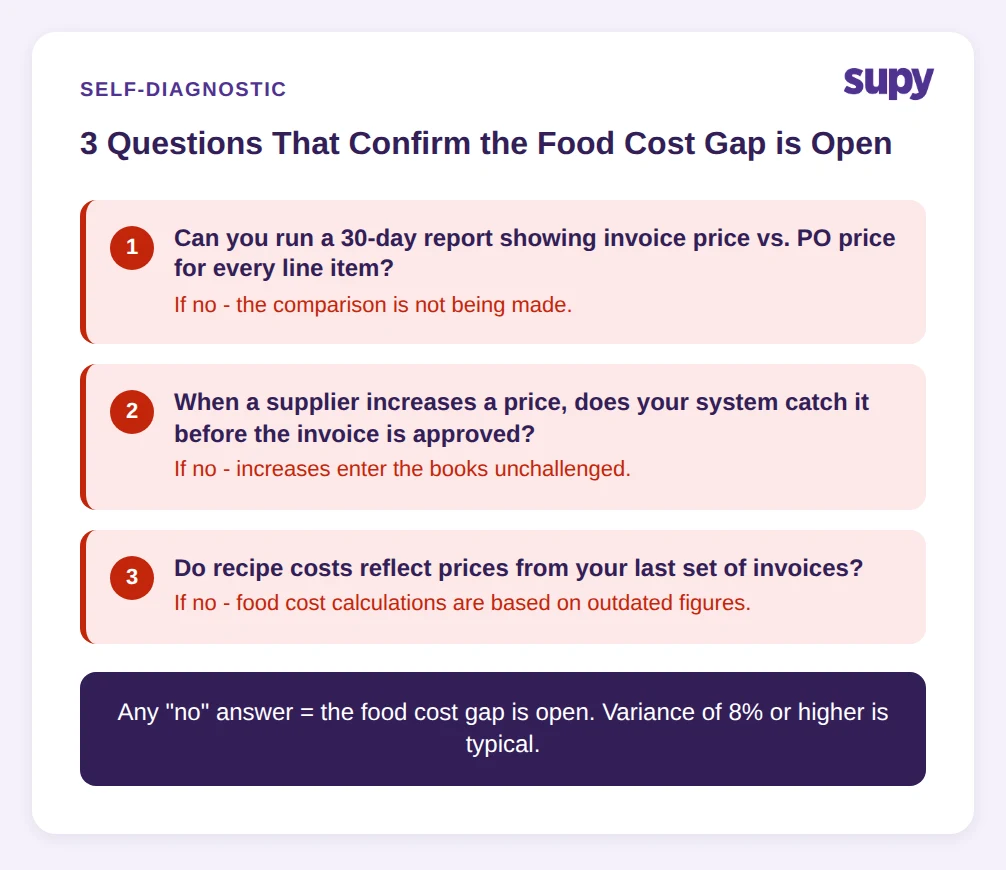
Self-diagnostic - three questions to ask right now:
1. Can you run a report showing every invoice where the price charged differed from the price on the purchase order, for the last 30 days?
2. When a supplier increases a price between orders, does your system catch it before the invoice is approved and the stock updated?
3. Do your recipe costs reflect the prices you actually paid on your last set of invoices, or the prices you set when you built the recipes?
If any of these three questions cannot be answered with data, the food cost gap is open.
Conclusion
The gap between digitising an invoice and controlling food cost is where the real cost of manual AP lives. Operators who cannot run a 30-day report on invoice-versus-PO price conflicts, who cannot trace whether supplier price increases are being challenged before approval, and whose recipe costs are based on historical figures rather than current invoice prices are carrying an 8% or higher food cost variance that no amount of faster payment processing will close.
The first move is to test the comparison. Pull the last month of supplier invoices and cross-reference three to five fresh produce items against what was on the purchase orders. If the numbers do not match and the system did not flag it, the gap is confirmed. The second move is to evaluate whether the invoice scanning tool in use - or under consideration - has the GRN matching, exception routing, and recipe cost connection that turns digitised documents into cost intelligence.
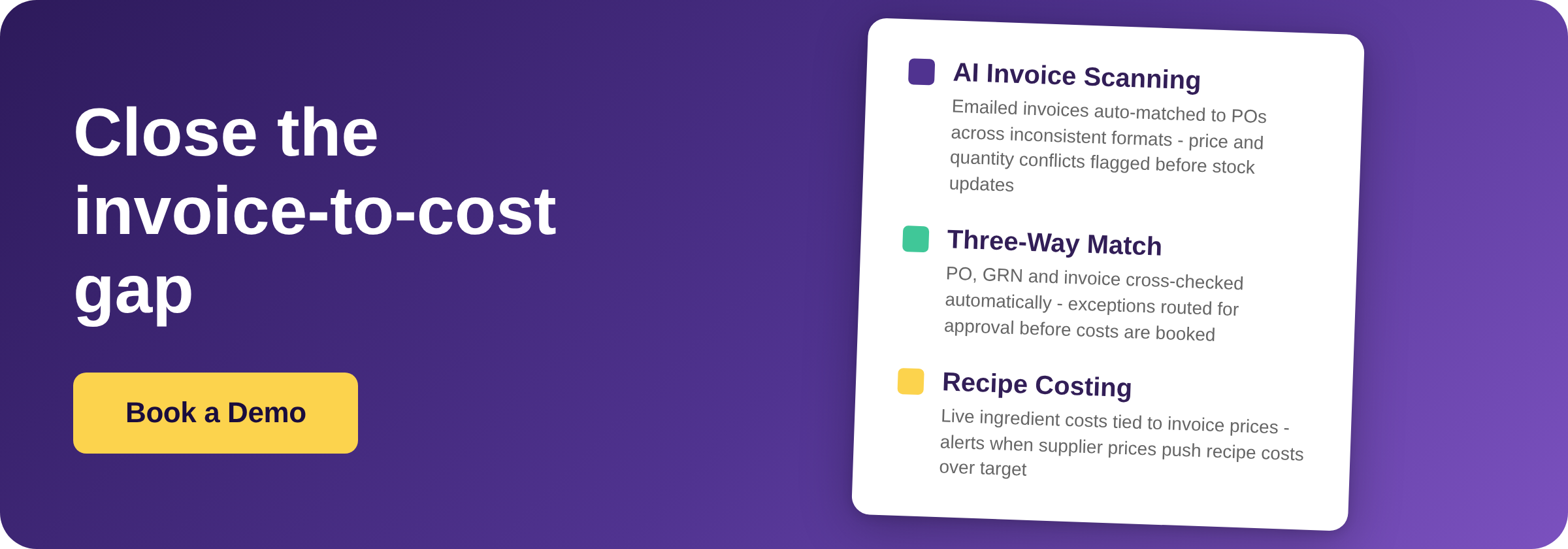
Supy's AI Invoice Receiving connects directly to this gap. Suppliers email invoices to a per-restaurant inbox; the AI reads across inconsistent formats to extract supplier details, invoice numbers, dates, line items, prices, taxes, and totals; and any price or quantity conflict against the purchase order is flagged for exception approval before the goods received note updates stock or accounts. Learn more at supy.io/invoice-receiving. For the broader procurement workflow that invoice control sits within, see our guide to restaurant procurement software.