Inventory
Food cost

Restaurant Opening Stock Count: Unlock Your Monthly Cost Results
Restaurant opening stock count unlocking monthly cost results

Why Your Cost Results Stay Empty Until the Opening Stock Count Closes the Period

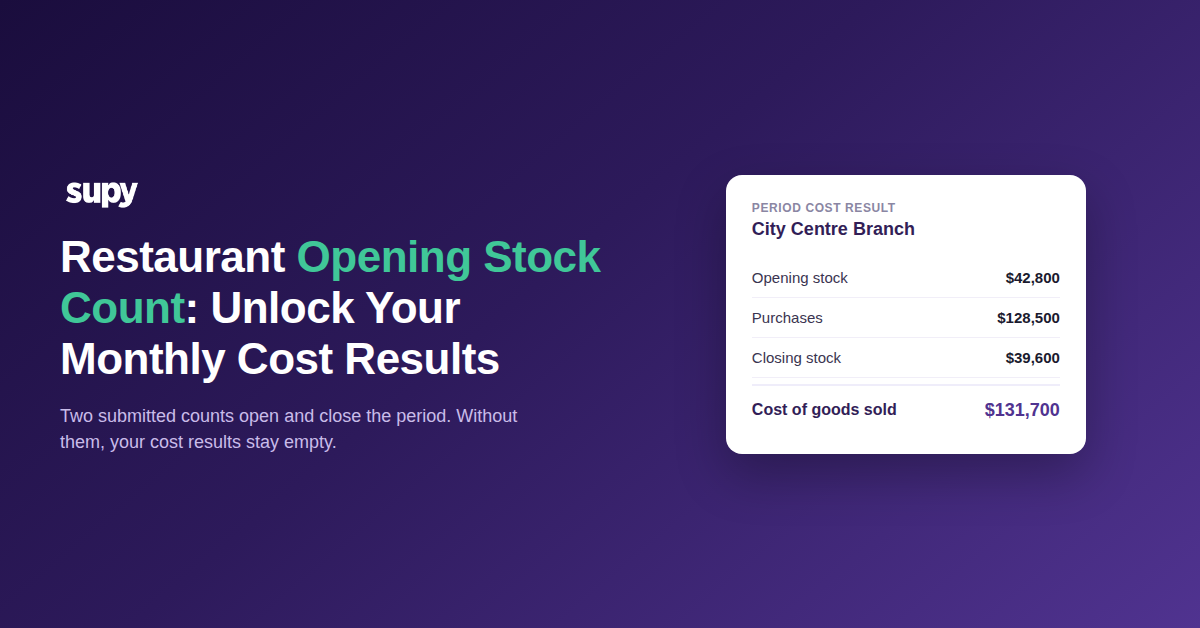
Your monthly actual cost and cost of goods sold stay empty because the system needs two submitted stock counts to define a period. Actual cost is opening stock plus purchases minus closing stock. With no opening count, both ends default to zero and the dashboard shows only purchases. Submit an opening count, then a closing count, and the period's cost results appear.

The maths makes the dependency clear. Say a group opens a period at $42,800 of stock, buys $128,500 during the month, and counts $39,600 on hand at the end. Cost of goods sold for that period is $131,700. Remove the opening count and the calculation has no starting value, so it cannot run at all.

This is why a fresh dashboard often reports only purchases. The opening balance reads as zero, the closing balance reads as zero, and the cost of sales figure collapses to $0 against real spending. Operators read that as a broken report. It is designed behaviour: a period is defined by two submitted counts, and until both exist there is nothing to calculate.

The cost report reinforces the same rule. Its date picker only offers dates on which a stock count was completed, so a location that skips its opening count has no selectable start date for the month. Theoretical cost is available as an interim view while the period is still open, but it needs your POS items mapped to recipes to be accurate. For the actual number, the opening count is the gate. You can see how the cost reports surface each closed period once the counts are in.
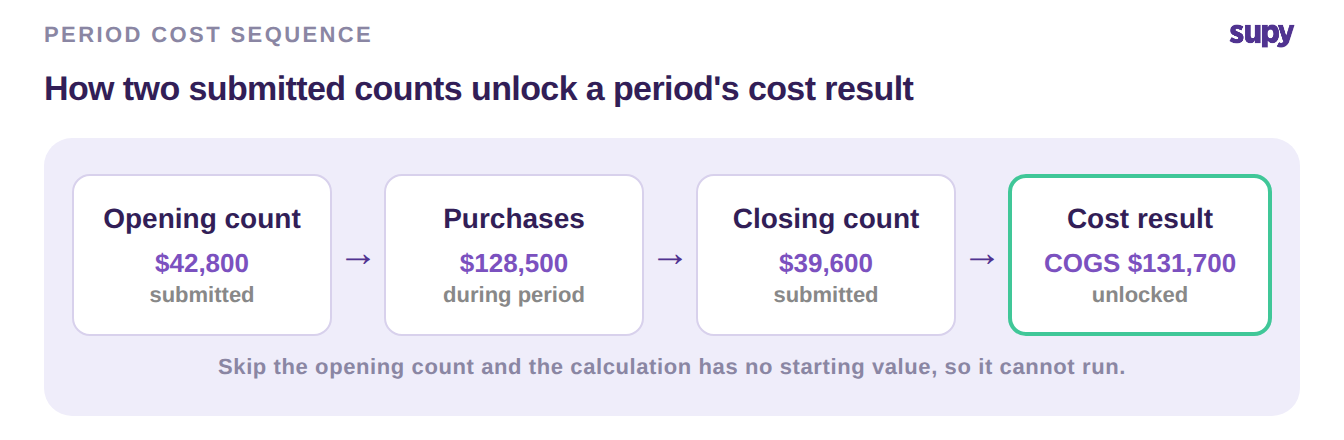
Process flow showing an opening count, purchases, closing count and the unlocked cost result

Recorded Is Not Submitted: The Draft Count That Blocks Every Report

A count left in draft looks finished and unlocks nothing. Teams often record every line, save the count, and move on without submitting it. The count exists, so the work feels done. But actual cost, COGS and variance all stay empty. Each one requires a submitted count, not a draft.

The fix takes seconds once you know to look for it. Open each count for the period and confirm its status reads submitted rather than draft. A period needs both the opening and the closing count submitted before any cost figure will appear. Our guide to stock count accuracy covers the checks that catch a half-finished count before you submit it, and the stock counting workflow shows the submitted state on every count.

The table below shows what each count status actually unlocks.

Count statusActual costCOGS reportVariance report
Left in draftEmptyEmptyEmpty
Submitted (both counts)CalculatesCalculatesCalculates

The First Variance After Go-Live Is Not Real Without an Opening Stock Count

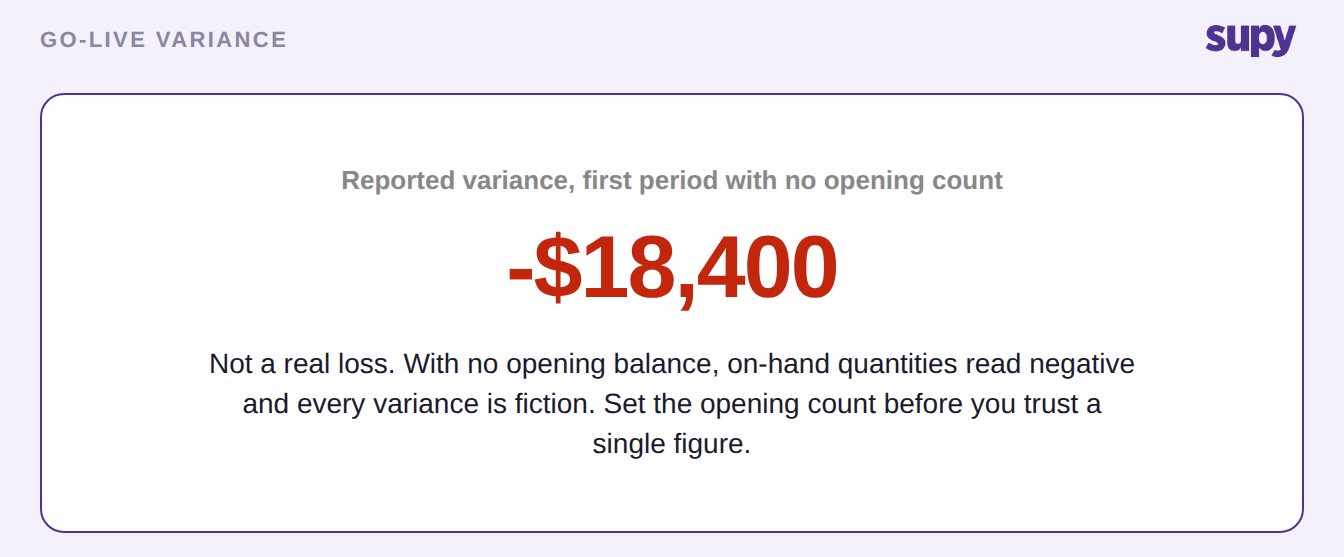
The first variance report after go-live is almost always fiction, and the reason is the missing opening count. With no opening balance, on-hand quantities read negative, and every variance is measured against a starting point that was never set. A warehouse created after the count date reads as zero stock, which inflates the numbers further.

A reported variance of -$18,400 in that first period is not a real loss. It is the arithmetic of an empty opening balance, not stock walking out of the door. Treating it as real sends a team chasing discrepancies that do not exist.

Investigate before you trust any of it. Export the variance to a spreadsheet, rank the largest discrepancies, and establish the opening count before you treat a single figure as real. Our explainer on negative stock reports walks through the same root cause from the inventory side.
Stat callout showing a reported variance of minus 18,400 dollars that is not a real loss

Find Your Situation and the One Fix for It

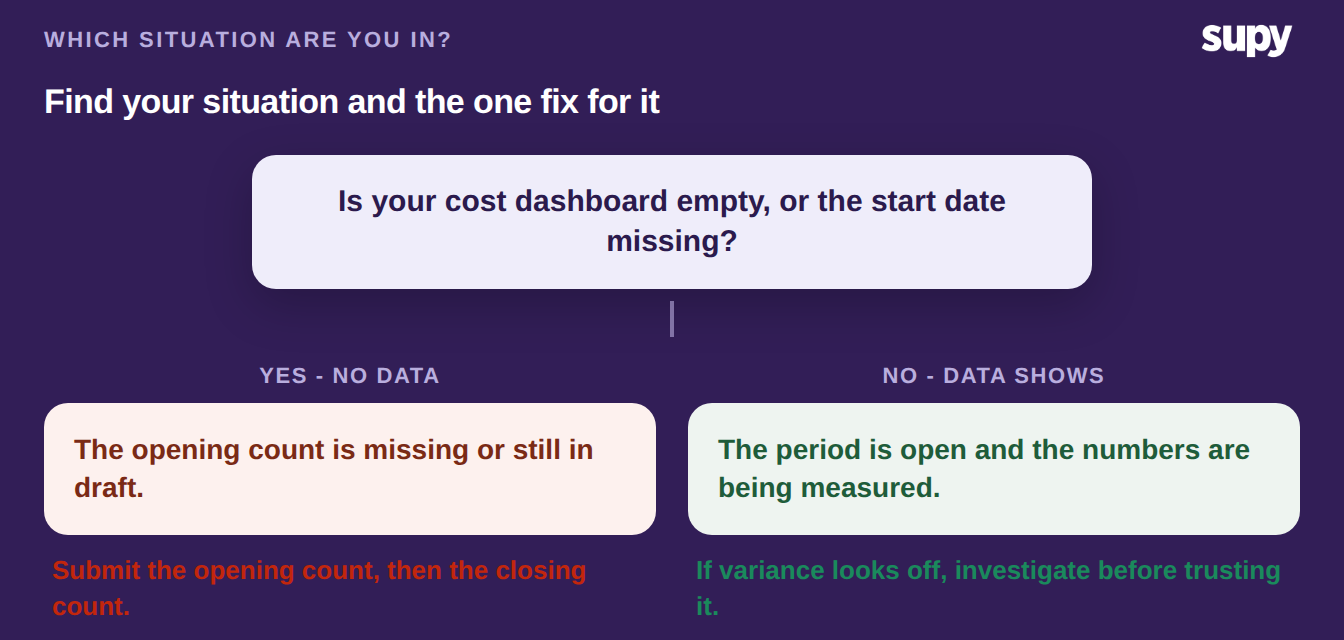
Most empty or wrong cost results trace back to one of two situations, and each has a different fix. Work out which one you are in before you change anything.

If your actual cost dashboard is empty or the cost report offers no start date, the opening count is missing or still in draft. Submit the opening count, then the closing count, and confirm both read submitted. If the dashboard shows data but the variance looks wrong, the period is open and the numbers are real measurements. Investigate before trusting them. Rank your largest discrepancies and check that the opening balance was genuinely set.
Decision tree matching an empty dashboard or a working dashboard to its one fix

Whichever branch you are in, the opening stock count is the anchor. Submit it first, submit the closing count to close the period, and confirm both are out of draft. Do that and your monthly cost results stop hiding.

Book a Demo with Supy: unlock your monthly restaurant cost results

Ready to optimize your restaurant operations?

Blog

Our operational insights

No items found.

Your questions 
answered

Everything you need to know about Supy — from setup to integrations, pricing, and daily use. If it’s not covered here, just ask.

Why does my restaurant cost dashboard show no data?
+

Because the actual cost calculation needs two submitted stock counts to define a period. Actual cost is opening stock plus purchases minus closing stock. With no opening count, the starting value defaults to zero and the report cannot run, so the dashboard shows only purchases or nothing at all. This is designed behaviour, not a fault. Submit an opening count to open the period, then a closing count to close it. Once both counts are submitted, the period's actual cost and cost of goods sold appear.

What is an opening stock count in a restaurant?
+

An opening stock count is the count that sets a period's starting inventory value. It records what you hold on the first day of the period, in both quantity and money. That opening figure is one of the two anchors the cost calculation needs, and the closing count is the other. Without a submitted opening count, the system has no starting balance, so cost of goods sold and variance cannot be worked out for that month. It is the first count you submit at go-live and at the start of every new period.

How do I fix a cost report with no selectable start date?
+

Submit the opening stock count for that period. The cost report's date picker only offers dates on which a stock count was completed. A month whose opening count was skipped therefore has no selectable start date, so no cost result can be generated. Complete and submit the opening count, and the date becomes available. Then submit the closing count to close the period. Confirm both counts read submitted rather than draft, because a draft count leaves the date picker empty and the report blank.

Does a draft stock count count as done?
+

No. A count left in draft looks finished but unlocks nothing. Actual cost, cost of goods sold and variance reports all require submitted counts, not drafts. Teams often record every line, save the count, and move on without submitting, so the work feels complete while every cost report stays empty. Open each count for the period and confirm its status reads submitted. A period needs both its opening and closing counts submitted before any cost figure appears. This single check resolves most cases where counts exist but the reports are still empty.

Why is my first variance report after go-live so large?
+

Because the opening balance was never established. With no opening stock count, on-hand quantities read negative and every variance is measured against a starting point of zero. A warehouse created after the count date also reads as zero stock, which inflates the numbers further. The result is a huge variance that is arithmetic, not real loss. Before you act on it, export the variance to a spreadsheet, rank the largest discrepancies, and submit the opening count. Only then does the variance reflect real movement rather than a missing baseline.

How many stock counts does a cost period need?
+

Two. A period is defined by an opening count and a closing count, both submitted. The opening count sets the starting inventory value and the closing count sets the ending value. Cost of goods sold is opening stock plus purchases minus closing stock, so both ends must exist before the figure can be calculated. One count alone, or two counts left in draft, will not produce a cost result. Submit the opening count first, then the closing count, and confirm neither is still in draft.

Can I see any cost figure before the period is closed?
+

Yes, theoretical cost is available as an interim view while the period is still open. It estimates cost from your recipes and sales rather than from counted stock, so it needs your POS items mapped to recipes to be accurate. It is useful for a running read between counts, but it is not the actual cost. For the real actual cost and cost of goods sold, you still need the opening and closing counts submitted to close the period. Treat theoretical cost as a guide, not the final number.

Ready to transform your operations?

Join 3500+ restaurant operators cutting costs, streamlining operations and making smarter decisions with Supy.