.jpg)


Bulk Supplier Price Updates Across Every Location: How Multi-Site Groups Apply a New Cost Price List in One Pass
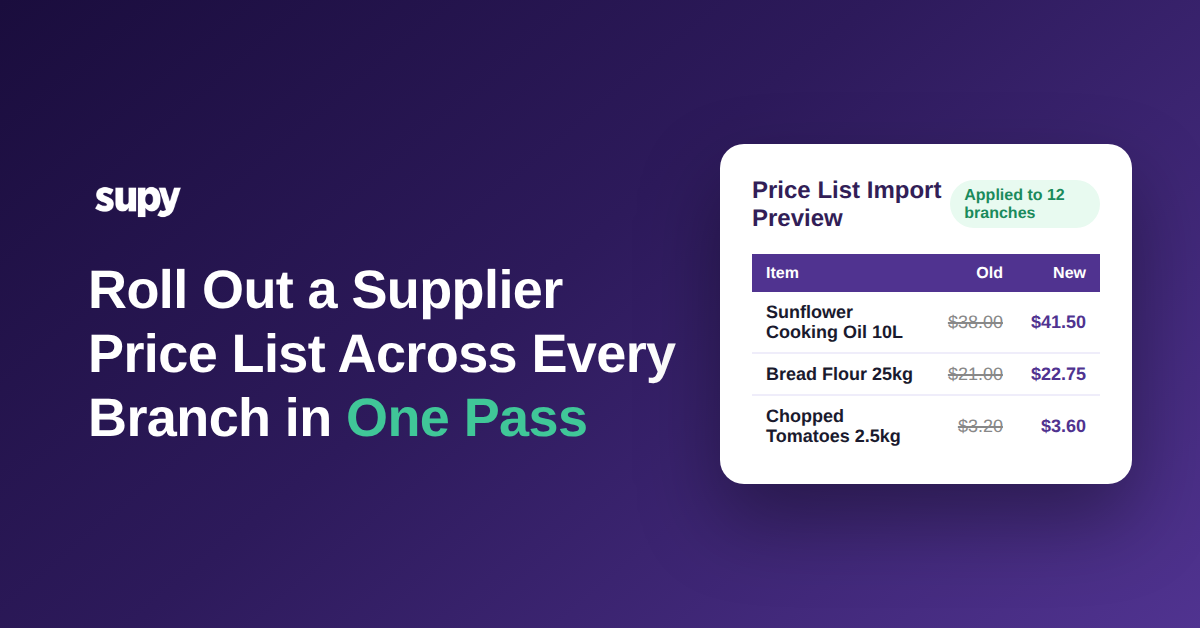
Apply a Supplier's New Price List Across Every Branch in One Pass
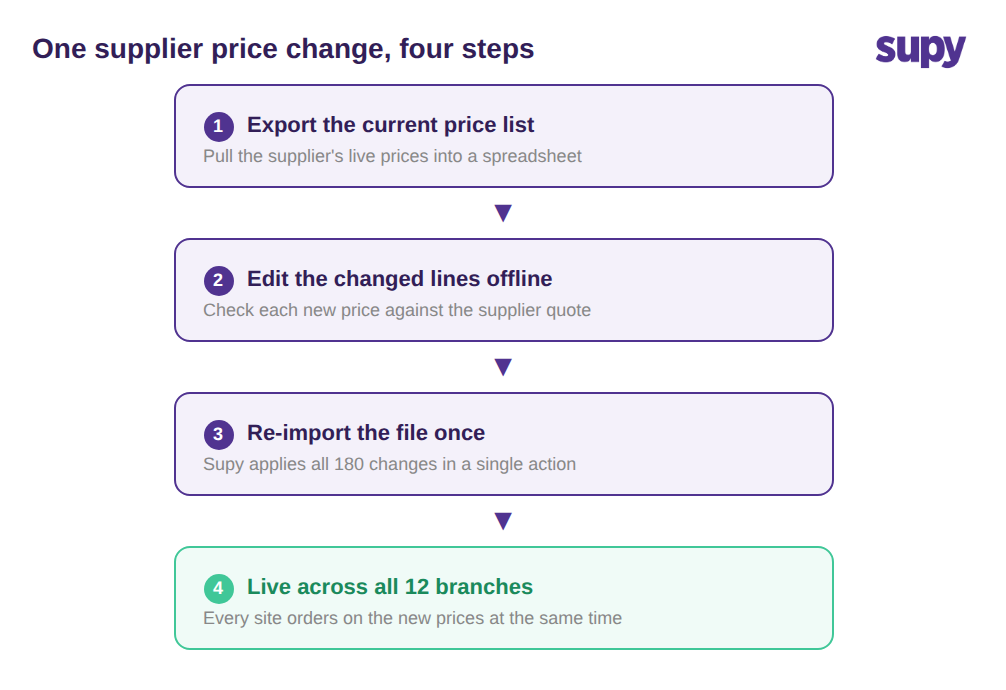
To roll out a supplier's new cost prices across a multi-site group, you export the current supplier price list to a spreadsheet, edit the changed lines, and re-import the file once. Supy applies every change across the shared catalogue in a single action, so all branches move to the new prices together instead of being re-keyed item by item, site by site.
Because the edit happens in a spreadsheet first, the person doing it sees the whole list beside the supplier's quote before anything goes live. A finance lead can sanity-check 180 changed lines in a few minutes, which is far harder when the same edits are buried inside individual item screens. When the file goes back in, every branch buying on that supplier channel works from the new prices at the same time. What used to take most of three days of per-location entry becomes a review of one file, and a price list you can roll out in fifteen minutes is one you will actually keep current. This bulk workflow is part of how Supy's restaurant procurement software keeps cost data accurate at scale.
Where Re-Keying a New Price List Breaks Down at Scale
A supplier price update is not one edit. It is a few hundred edits, repeated at every branch that buys from that supplier. A 1,240-item catalogue with 180 changed lines, applied by hand across 12 branches, is not a coffee-break task. It is the kind of job that gets pushed to "when things are quiet," which in a restaurant group is never, so the new prices go in late, partially, or not at all.
The failure is rarely dramatic. Someone updates the busiest three sites and runs out of time. A branch manager keys $41.50 as $45.10 on one line. Two people edit the same supplier on the same afternoon and overwrite each other. None of these show up as an error. They surface weeks later as a variance nobody can explain, because the cost the system uses to value stock and cost recipes is not the cost you are actually paying.
Doing this per location by hand also scales the wrong way. Every new branch you open makes the next price change longer, not faster, so manual admin grows with the estate at exactly the point you least want it to.

When Two Branches Buy the Same Item at Different Rates
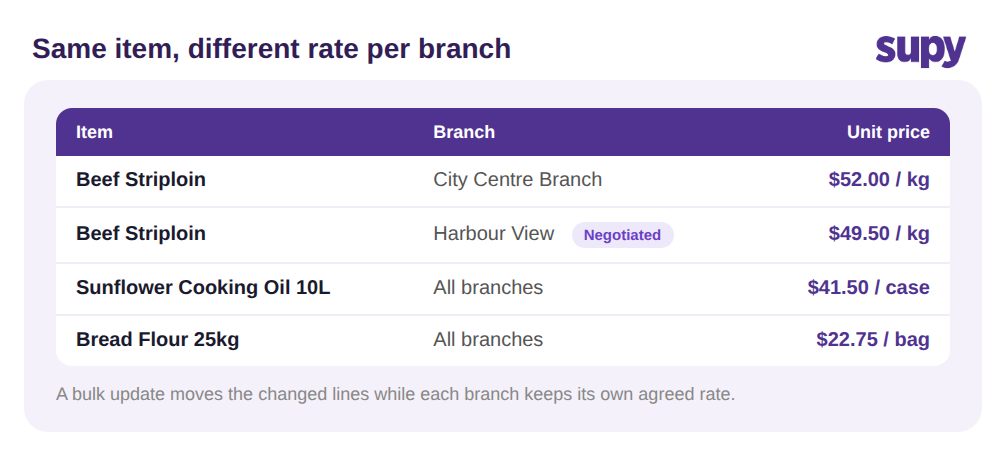
Group-wide does not mean identical. One branch negotiated a better rate on beef because of its volume; another pays the standard price from the same distributor. A bulk update has to respect that, or you flatten every branch to one number and reintroduce the errors you were trying to remove.
Supy handles this with location-specific price overrides on a shared supplier channel, so the same item can carry a different agreed cost at each branch while still sitting under one supplier record. The high-volume site keeps its $49.50 rate on beef striploin, the standard sites stay at $52.00, and the bulk update moves only the lines that changed. Because every branch references the same catalogue item, a price change is a change to one thing viewed many ways, not 12 separate items you hope stay in sync. It is the same discipline behind being able to compare suppliers per ingredient before you order.
Keeping a Bulk Price Change Trustworthy
The honest objection to any bulk change is that you cannot personally read every line. The answer is not to slow down; it is to make the change reviewable and reversible. Supy keeps a full price-change history for every supplier item, so you can see exactly when a price moved and by how much without cross-referencing old invoices or spreadsheet versions. If a number looks wrong two weeks later, you can trace it to the import that set it, the same way you would when you catch supplier prices drifting up before anyone notices.
Two more guards matter at scale. Preferred-supplier-per-item logic means that if you remove or swap a supplier link during the cleanup, the item still has a default supplier ready for the next order, so ordering never silently breaks. And secondary-currency support keeps cross-currency supplier prices legible when part of your estate sources internationally, instead of hiding a conversion error inside a bulk edit. The point of the audit trail is not compliance theatre; it is what lets you move fast on a price change and still answer the question every controller eventually asks: who changed this, to what, and when.

Stale cost prices are not a filing problem; they are a margin problem. When a signature burger built on a 28% target food cost quietly runs at 31% because a 6% cost rise never reached the system, you do not find out from an alert. You find out from a soft month you cannot account for. So before the next price list lands, do three things. First, confirm your supplier prices live in one place you can export and re-import, not in per-branch spreadsheets that drift apart. Second, decide which items are genuinely branch-specific rates and which should move together, so a bulk update respects your real deals. Third, when you make the change, open the price-change history on two or three high-spend items to confirm the import did what you intended. Get those in place and rolling out a supplier's new price list stops being a three-day chore and becomes a fifteen-minute file review.