What to Look for in Bar Accounting Software for Hospitality Groups
What Bar Accounting Software Does, and Where a Group Needs More
One multi-site pub group's finance team spends about 10 days a month coding supplier invoices by hand, which holds up the management accounts. Bar accounting software runs the ledger, but on its own it will not close that gap. A hospitality group needs reporting and stock that reach the books per site. This article shows the criteria that matter when you run several bars, and what to check before you buy.
Bar accounting software is where your sales, bills, payroll, tax and management accounts live. For a single bar, a general small-business package does the job. For a group, the question changes.
- Can the books show each site on its own
- Can the kitchen and bar numbers reach them without a day of retyping?
Most buyer guides miss what a group needs. They rank general accounting tools on price and bank feeds, which matter. A hospitality group is choosing on something else.
- How well the software reads each site
- How cleanly cost and stock data reach it
| What you compare | A general accounting package | What a bar group needs on top |
|---|---|---|
| Reporting | One set of group books | Profit and loss for each bar |
| Supplier invoices | Entered and coded by hand | Coded and reconciled from the source |
| Stock and recipes | Not held | Live beverage and food cost per site |
| Access | Shared logins | Permissions and approvals by site |
Reporting by Site, Not One Set of Group Books
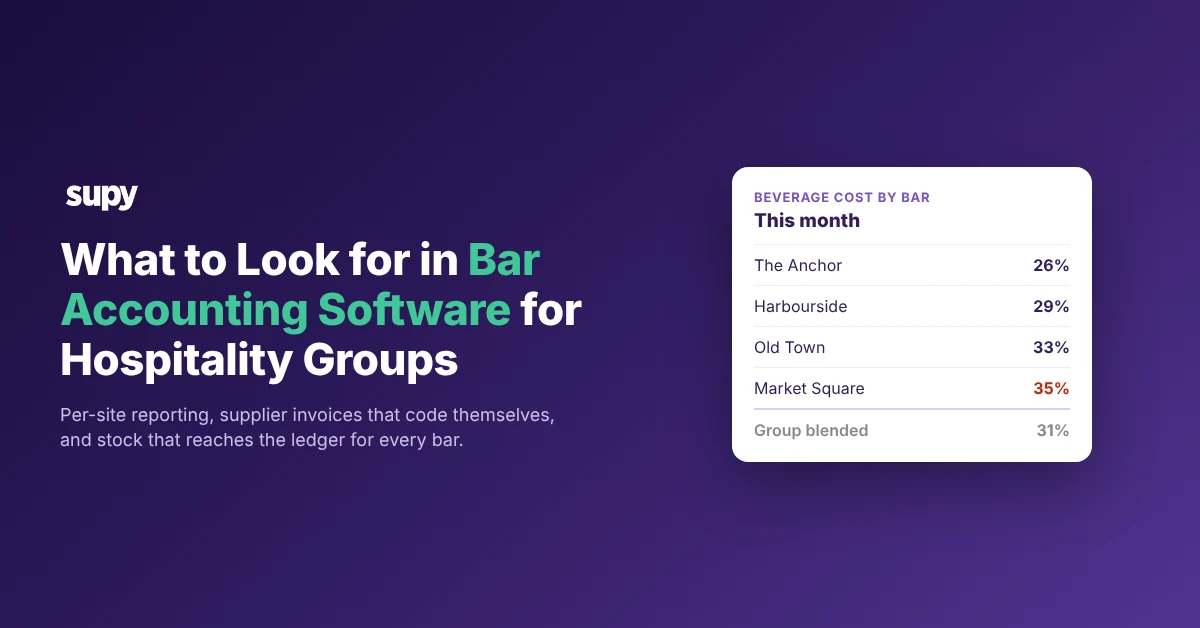
A group that reads only one blended figure cannot see which bar is losing money. Say a four-bar group reads a blended beverage cost of 31%. Per site, one bar runs 26% while another runs 35%, so the blend hides the weak one.
- Tracks each site. The first thing to check is whether the software tracks each site as its own unit. Then every sale, bill and journal carries a location and rolls up into a profit and loss for that bar.
- Confirm the plan. Most accounting packages do this with classes and locations, or tags. Confirm the plan you are quoted includes them, and that it allows enough of them for every site you run, plus room to grow.
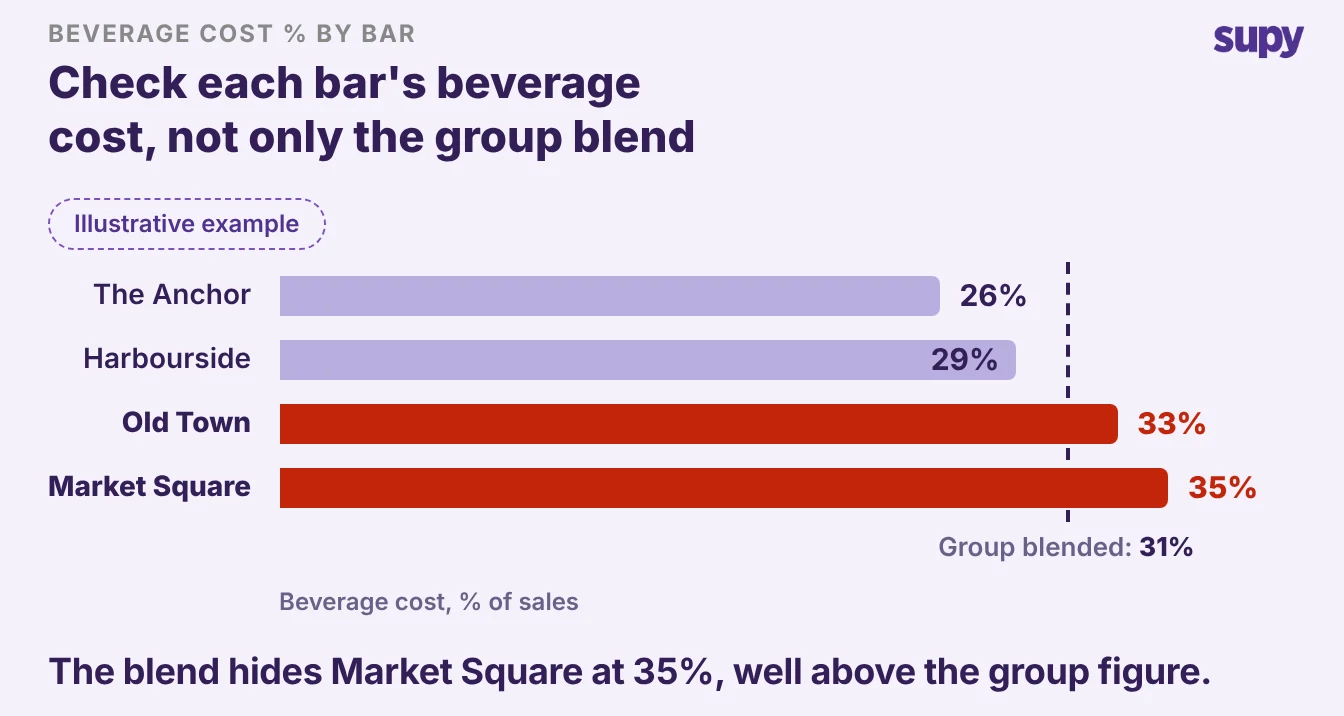
Per-site reporting is also what makes a problem findable. When one bar's beverage cost climbs, a group that reads only the blend sees a small group-wide drift and shrugs. A group that reads each site sees the one bar to ask about this week.
Reporting is one job for a dedicated restaurant analytics layer. It reads live food and beverage cost by site, menu category and item, and shows theoretical cost against what each bar actually used, which the ledger alone cannot work out.
How Supplier Invoices and Stock Reach the Ledger
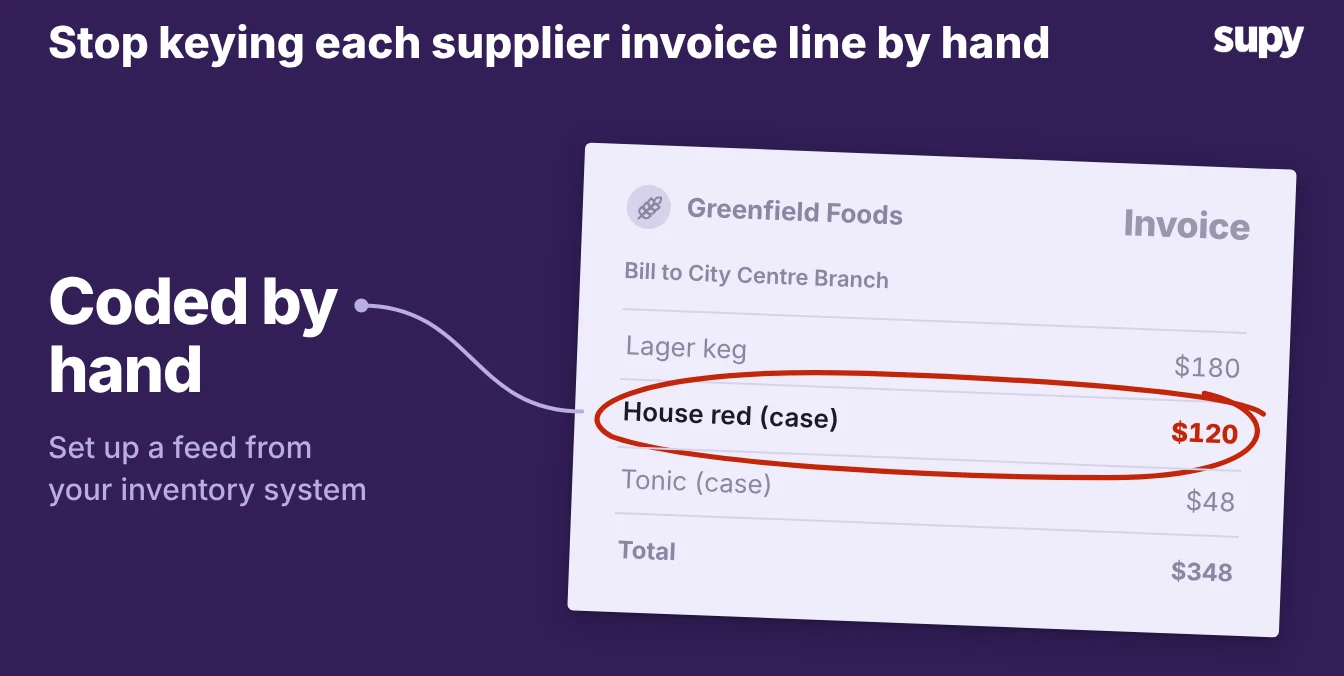
This is the criterion that decides how many finance days a group loses each month. Coding and reconciling supplier invoices by hand is the work behind that 10-days-a-month figure, and it is the first thing a group should try to cut.
- More work. A bigger group has more of this work, not less. Each pub's invoices arrive in a different format, on different days, and the finance team keys and codes them one by one before the numbers can be trusted. A single missed code, or an invoice coded to the wrong site, throws off that bar's cost, and nobody catches it until the month-end accounts look wrong.
- The clean answer. Ask how invoices and stock get into the accounting software. The clean answer is an inventory system that holds recipes, counts and supplier invoices. It feeds the coded cost to the ledger, so the finance team checks rather than retypes. Supy connects to the major accounting tools, including QuickBooks, Xero, Zoho Books and Wafeq, as part of its accounting integrations.
A good integration also tells you when something is wrong. When a sync fails, retrying only works once you fix the root cause, such as a missing supplier or tax code.
Supy shows what needs fixing, so a retry is not wasted. For the accounting tools themselves, see our guide to the best accounting software for restaurants.
Support, Access, and What to Check in a Demo
Support quality decides how the software feels a year in, not on day one. One multi-site operator waited about two days for an answer after their provider changed teams, which is a long time when month-end is running. Ask who answers, how fast, and in your time zone.
- Access controls. A group also hands different people different jobs, so check the access controls. You should be able to give a bar manager their own site, not the whole group's books. Approvals, such as signing off a supplier invoice, should sit with the right person. Shared logins are the sign of a tool built for one site, and they are easy to miss in a demo that only shows the owner's view.
- Run the demo. Run the demo against your own group, not the sales script. Four checks separate a tool built for one bar from one that works across a group.
| Check | What to ask to see | Why it matters |
|---|---|---|
| Per-site books | A profit and loss for one bar, not the group total | A blended figure hides the site that is losing money |
| Invoice flow | How an invoice gets coded, and how much the team still types | This is the finance time a group loses each month |
| Stock and cost | Live food and beverage cost by site, theoretical against actual | The ledger alone cannot show margin per drink |
| Access | Adding a bar manager with their own site and an approval step | Shared logins break the audit trail |
Score each tool on those four, and weight the two that cost your finance team the most time. The right bar accounting software for your group is the one that reaches each site without a day of retyping.