.jpg)


How Multi-Location Restaurants Use Software to Standardise Operations
.png)
Running more than one restaurant feels like juggling chainsaws sometimes, right? You've got menus to update, prices to check, and that one location that always seems to be out of ketchup. It’s a lot. But here’s the thing: software can seriously help make things less chaotic. It’s all about getting everything to run the same way, no matter which door a customer walks through. This article looks at How Multi-Location Restaurants Use Software to Standardise Operations, making sure every spot feels like home, and runs like a well-oiled machine.
Key Takeaways
- Standardise everything from menus and recipes to customer service expectations across all your restaurant locations. This creates a predictable experience for diners.
- A central Point-of-Sale (POS) system is your best friend for managing menus, prices, inventory, and sales data across all sites from one place.
- Invest in clear staff training and communication channels. When everyone knows the game plan, each location operates more smoothly and consistently.
- Keep your brand looking and feeling the same everywhere. Uniform signage, promotions, and a consistent brand promise build customer trust.
- Use data from your POS and other software to compare how each location is doing. This helps you spot what’s working, what’s not, and where you can save money or make more.
Standardising Operations Across All Locations
Running several restaurant locations isn’t for the faint of heart. Anyone who has, knows one store’s hero sandwich can somehow taste entirely different at another spot if you don’t put structure in place. Standardizing day-to-day operations keeps your brand predictable, no matter where the customer walks in. Here’s what that actually looks like when you put software and clear procedures to work.
Implementing Uniform Menus and Recipes
- Create a central source of truth for your menu and all recipes (think digital documents everyone can access).
- Make menu updates in one place and push changes live to every POS system. No more phone calls or email chains.
- Set up detailed recipe cards for every dish to stop stores from freelancing with their own tweaks.
A single menu version cuts down on confusion - there’s no "we don’t have that here" moment for regulars hopping between locations.
Ensuring Consistent Portion Sizes and Pricing
- Use digital portion guides with clear instructions and scaling for sides, mains, and modifiers.
- Put pricing updates in your POS system so every location syncs instantly, avoiding accidental mismatches.
- Regular portion checks (even just a quick staff huddle at the start of a shift) ensure no one’s eyeballing measures.
Establishing Standardised Customer Service Expectations
- Write down customer interaction basics (greeting script, how to handle complaints, time-to-table targets).
- Use online checklists or tablets so everyone knows what’s expected on their shift.
- Hold quick regular reviews to spot gaps in service and share wins from other sites.
- Greet everyone within 10 seconds of entry.
- Address feedback the same day - don’t let it wait.
- Follow loyalty and promo scripts to keep offers consistent.
Consistency in service means regulars always know what they’re getting, making your brand feel reliable - even as your footprint grows.
Leveraging Centralised Technology for Efficiency
Running more than one restaurant means you've got a lot of moving parts. Trying to keep track of everything across different spots can feel like juggling chainsaws. That's where smart tech comes in. Centralised technology acts as the nervous system for your entire restaurant group, making sure every location is singing from the same song sheet. It’s not just about having computers; it’s about having systems that talk to each other and make your life easier.
Utilising a Unified Point-of-Sale (POS) System
Forget those old-school cash registers or separate systems for each store. A unified POS system is your command center. You can manage menus, prices, and even roll out specials across all your locations from one spot. Think about updating a price on your signature burger - with a good POS, you do it once, and it’s updated everywhere, instantly. This saves a ton of time and stops those annoying
Enhancing Staff Training and Communication
Keeping everyone on the same page across multiple restaurant locations can feel like a juggling act. Software helps make this a lot less chaotic. It's not just about getting new hires up to speed; it's about making sure everyone, everywhere, knows the drill.
Developing Standardised Training Manuals and Onboarding
Forget those dusty binders. Digital platforms let you create clear, easy-to-follow training guides that staff can access on their phones or tablets. This means everyone gets the same information, whether they're starting out in Chicago or working a shift in Dallas. Think step-by-step instructions for making that signature burger, cleaning procedures, or how to handle a tricky customer complaint. This consistency in training is key to building a reliable team.
- Digital SOPs: Standard Operating Procedures can be uploaded and updated easily, so everyone is working with the latest info.
- Video Tutorials: Short videos showing how to do specific tasks can be a game-changer for visual learners.
- Quizzes and Checklists: Software can track who has completed training modules and passed assessments, giving managers a clear view of readiness.
Relying on paper manuals or just verbal instructions often leads to mistakes and confusion, especially during busy times. Digital tools put the information right where staff need it, when they need it.
Fostering Cross-Location Collaboration and Knowledge Sharing
When one location figures out a clever way to speed up service or reduce waste, why should everyone else have to reinvent the wheel? Software can create spaces for teams from different stores to share tips and best practices. This could be through a simple message board or a more structured forum within the system. It helps build a sense of community and allows good ideas to spread quickly.
Implementing Clear Communication Channels for Updates and Issues
Things change fast in the restaurant world. New specials, policy updates, or even a sudden equipment issue need to be communicated quickly and effectively. Software can act as a central hub for all official announcements. Managers can push out important messages that staff receive instantly on their devices. This also makes it easy for staff to report problems or ask questions, ensuring that issues are addressed before they become big headaches.
Maintaining Brand Consistency and Customer Experience

When a restaurant group grows past a single location, keeping everything feeling the same everywhere gets harder - and more important. Brand consistency isn’t just about the logo out front, it runs through every part of the guest experience, from the signs and menu to the way staff greet you at the door. Software makes it possible to keep things lined up, whether you’ve got two stores or twenty.
Ensuring Uniformity in Signage and Promotions
If every restaurant looks wildly different, customers won’t trust that they’ll get the same meal, deal, or service each time. That’s why restaurants use centralized tools to manage:
- Digital menu boards so every location shows the same look and layout
- Scheduled promotions that roll out to all stores - or just one when needed
- Templates for signs and table toppers that make printing easy and foolproof
Simple rule: The specials board at one store should never say “Buy One Get One Free” while another has “Free Fries Friday” - unless you made that decision on purpose.
Delivering a Consistent Brand Promise Across All Outlets
It’s not just the look - it’s the experience. Ideally, customers walk into any of your restaurants and feel like it’s the same family, even if the faces behind the counter change. The right software supports this by:
- Standardizing how loyalty programs and discounts are tracked
- Sharing the same menu updates, allergy info, and ordering tools
- Setting clear operating hours and holidays for all to follow
Here’s a simple checklist restaurants use:
- Does every location offer the same core menu items and pricing?
- Are staff trained the same way on how to greet and thank customers?
- Can managers roll out a new policy or offer everywhere at once?
Uniformity can’t be forced by hand for long. Easy-to-use systems help managers keep the experience the same through real-time changes, rather than endless emails and confusion.
Utilizing POS for Targeted Promotions and Loyalty Programs
These days, you don’t need to guess who’s coming in or what they like. Modern POS systems store details about regulars, track orders, and run loyalty schemes that actually keep people coming back. Some ways restaurants make the most of software:
- Run site-wide or regional promotions with a click (not a phone call)
- Set up automatic birthday discounts or "Your Usual is Waiting" messages
- Track how each loyalty offer performs by location
Here’s a quick look at loyalty program results across locations:
Key takeaway: The right POS lets restaurants tweak offers by location, test what works, and spot trends that can boost the brand where it’s lagging.
Consistency isn’t about everything being rigid. It’s about using technology to keep your best promises everywhere, so guests know exactly what they’ll get - whether they come in once or every week.
Utilising Data for Informed Decision-Making
Restaurants with several locations need solid facts, not just hunches. Having accurate numbers and reports is what helps managers spot patterns, catch problems early, and run a tight ship. With the right software, owners can see how each store is doing without a dozen phone calls or spreadsheets.
Comparing Sales Performance Across Multiple Locations
By collecting data from each point-of-sale system, operators track how much is sold, which menu items move best, and which stores have slow periods. This makes it easy to spot outliers - maybe one store is lagging or another is booming. Here’s a sample of how a sales comparison might look:
- Compare locations side-by-side
- Find out which menu items work where
- See who needs extra support or attention
Good data lets managers act quickly instead of finding out weeks later why numbers dropped at one outlet.
Monitoring Staffing and Labor Costs by Site
Labor is a big expense, and it’s even trickier when you’re running multiple stores. Software can show in real-time if one location is scheduling too many people or running overtime costs that eat into margins.
Key things to track:
- Weekly hours clocked per employee
- Overtime costs and trends
- Labor as a percentage of sales by location
Identifying Areas for Cost Reduction and Profit Boost
Using all that data, smart restaurant operators ask: where can we cut costs, and where do we have room to grow? A good software platform can alert you to waste, pricing errors, or changes in supplier costs.
Here’s a simple list of profit-boosting uses for data:
- Cut down on food waste by tracking spoilage and over-ordering
- Spotly menu items with low margins - consider rethinking or removing
- Use sales trends to plan targeted promotions at underperforming locations
Every location becomes easier to manage with steady access to numbers you can trust. Decision-making stops being a guessing game, and instead feels more like turning knobs and levers to tune up each restaurant for the week ahead.
The Role of Integrated Software Stacks
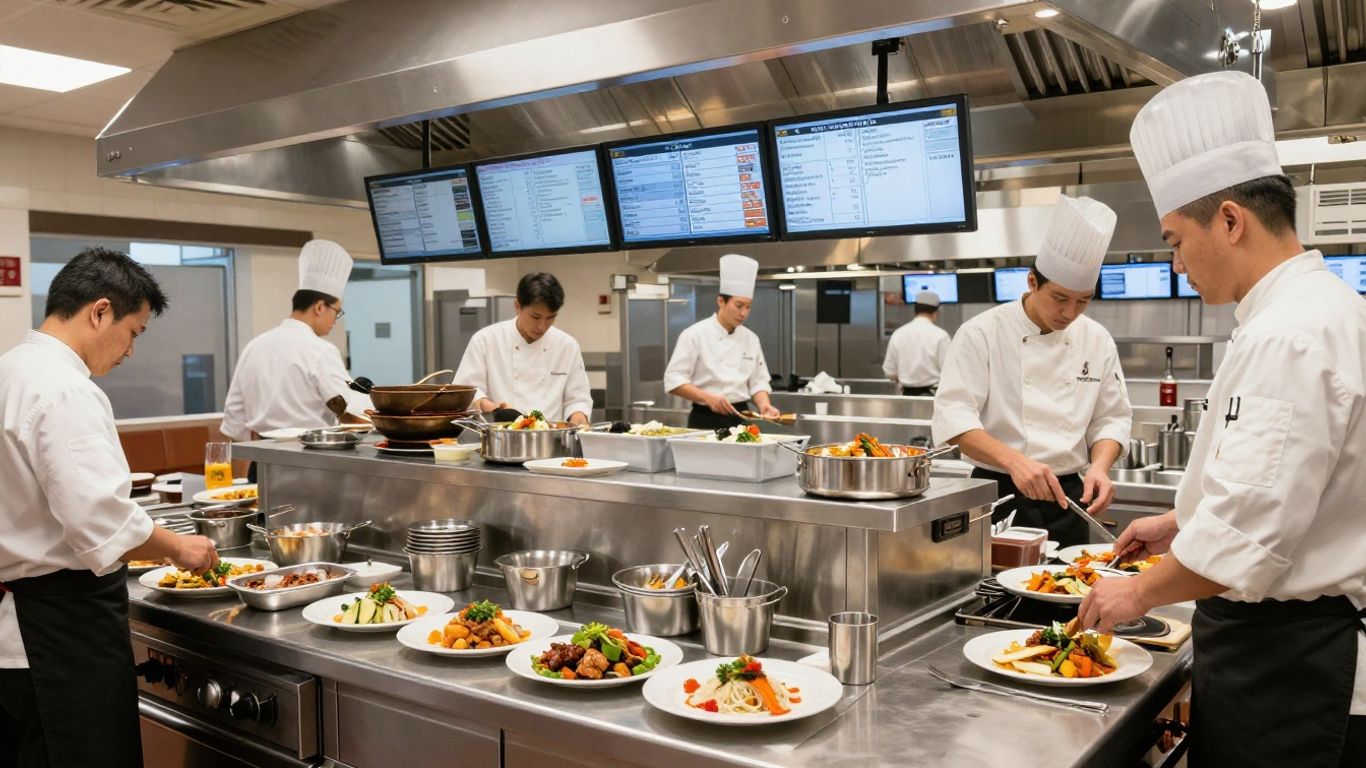
Restaurant operations today are not about finding a magic all-in-one tool. Most multi-location restaurants use a bundle of different software - each one the best for a specific job, but all linked up so they talk to each other. An integrated stack is what keeps things running smoothly across all your sites.
Understanding the "Best-In-Class + Integrated" Model
Rather than expecting one platform to do everything right, restaurant groups are choosing top tools for POS, inventory, labor, and accounting, then connecting them. These integrations let data flow between departments, making business decisions easier and more informed.
- Use a POS as your sales data source and keep everything else like stock or recipes in a very focused system
- Connect back-of-house controls directly to finance for real-time cost visibility
- Sync labor schedules with payroll for fewer errors
When you connect your tools, you cut down on manual entry, spot problems faster, and keep the whole team on the same page - even if they’re on opposite sides of town.
Prioritizing Integration Over All-in-One Solutions
All-in-one platforms often look tempting, but they usually lose out to best-of-breed integrations. Each function - like payroll, ordering, or POS - has its own nitty-gritty requirements. If you force everything into one tool, you often end up with compromises you regret later.
- Only pick software that already has live, working integrations - not just promises on a roadmap
- Ask if the connection is two-way or one-way, and how often it syncs
- Figure out fast who supports you when something breaks - the vendor or your team
For a real-world example, integrating POS, inventory, labor, and financial data makes every function more reliable and cuts reporting delays. This can quickly highlight cost leaks or out-of-date recipes.
Selecting Tools That Support Operational Workflows
Getting data is good, but acting on problems is better. Look for tools that don’t just flag issues, but actually let your teams solve them in the same workflow.
Here's what helps real restaurant teams:
- Templates for ordering, counting, and recipes - so everyone follows the same process
- Built-in workflows for common tasks like price checks or inventory adjustments
- Clear, flexible permissions - let managers approve or override based on location or product
When your software stack lines up with the way your staff already work, you get less confusion, faster fixes, and better numbers by the end of the week.
Integrated stacks aren't about big tech words - they're about practical, everyday results. Pick the best tool for each part of the business, then connect them so you can trust your numbers no matter where you’re looking from.
Bringing It All Together
So, running a bunch of restaurants isn't just about good food anymore. It's about making sure every single location feels like the same reliable place for your customers, no matter which door they walk through. That's where smart software really shines. By using the right tools, you can get everyone on the same page, from the menu to how staff greet people. It cuts down on the guesswork and the little headaches that pop up when you're spread thin. Ultimately, it’s about building a strong system where technology, clear processes, and good communication work together. This makes managing multiple spots way less stressful and a lot more successful.