.jpg)


AI Invoice Receiving: 10 Advantages Of Automating One Manual Process
.jpg)
Dealing with invoices can be a real drag. Most businesses still handle them the old-fashioned way, which means a lot of manual work, potential mistakes, and slow payments. This process eats up valuable time and money. But what if there was a better way? AI invoice receiving is changing the game, turning a tedious task into something much smoother. Here are ten ways this technology can help your business run better.
Key Takeaways
- AI invoice receiving saves significant time by automating data entry and manual checks.
- It cuts down on costs associated with processing each invoice, like labor and error correction.
- Accuracy gets a big boost, reducing mistakes that can lead to financial losses.
- The whole process speeds up, meaning faster approvals and payments.
- Businesses can handle more invoices without needing more staff, especially during growth periods.
1. Time Savings Through Automation
Nobody enjoys spending hours sifting through invoices, manually typing in numbers, and chasing down approvals. It's tedious, repetitive, and frankly, a drain on resources. Automating your invoice receiving process is like giving your accounts payable team a much-needed break. Think about it: instead of invoices sitting on someone's desk for days, an automated system can zip through the entire approval chain in a fraction of the time. We're talking about cutting down processing times significantly, sometimes by as much as 85% compared to old-school manual methods. This isn't just about making things faster; it's about reclaiming valuable hours.
What does this actually look like on a day-to-day basis? Those repetitive data entry tasks? Gone. The endless searching for lost paperwork? A thing of the past. This frees up your team to focus on more important things, like analyzing financial data or building better relationships with your suppliers. It's a shift from being bogged down in busywork to actually contributing to the strategic side of the business.
Here's a quick look at how time gets saved:
- Elimination of Manual Data Entry: No more typing invoice details into your system. AI tools extract the information directly.
- Streamlined Approvals: Automated workflows route invoices to the right people instantly, with reminders for those who are slow to act.
- Reduced Searching Time: Digital records mean you can find any invoice in seconds, not hours.
- Fewer Errors to Correct: Higher accuracy upfront means less time spent fixing mistakes later.
The sheer volume of invoices many businesses handle can be overwhelming. When you add up the time spent on each step – from receiving and coding to approving and filing – it really starts to pile up. Automation tackles this head-on by making each step quicker and more efficient, allowing your team to process more invoices without needing more people.
This reclaimed time is a big deal. It means your AP department can handle a larger workload without breaking a sweat, and it helps prevent those annoying backlogs from forming. Plus, faster processing means you're less likely to miss payment deadlines, which keeps your vendors happy and can even help you snag early payment discounts. It's a win-win that starts with simply automating the mundane tasks.
2. Cost Reduction and Financial Savings
Who doesn't want to save money? Automating your invoice receiving process isn't just about making things easier; it's a direct path to cutting down on expenses. Think about all the little costs that add up with manual invoice handling: paper, printing, postage, filing cabinets taking up space, and the actual hours your team spends just moving paper around.
When you switch to AI-powered invoice receiving, these costs shrink dramatically. You're cutting out the physical stuff, which means less spending on supplies and storage. More importantly, you're reducing the need for people to do repetitive data entry. This doesn't necessarily mean fewer jobs, but it means your existing team can focus on tasks that actually move the needle for the business, rather than just processing bills.
Here's a quick look at where the savings come from:
- Labor Costs: Manual invoice processing is time-intensive. Even at a modest hourly rate, the time spent receiving, checking, and chasing each invoice adds up fast - especially when a single invoice can take 15–30 minutes to process manually. Automation can cut that time by 80% or more, freeing your team for higher-value work.
- Operational Expenses: Say goodbye to costs associated with paper, printing, mailing, and physical storage. These might seem small individually, but they add up significantly over a year.
- Late Payment Fees: Manual processes often lead to missed deadlines. Automation ensures invoices are processed and paid on time, helping you avoid those annoying late fees.
- Early Payment Discounts: Many suppliers offer discounts if you pay early. With faster processing, you can actually take advantage of these discounts, putting more money back into your company's pocket.
The financial benefits go beyond just direct cost cuts. By reducing errors and preventing duplicate payments, you avoid costly mistakes that can drain your budget and damage vendor relationships. It's about making your accounts payable department more efficient and, frankly, more profitable.
3. Improved Accuracy and Error Reduction
Manual invoice processing is a magnet for mistakes. Think about it: someone's typing numbers, checking dates, maybe even deciphering handwriting. It's no wonder errors pop up. We're talking about typos that change a dollar amount, accidentally entering the same invoice twice, or even losing a paper invoice somewhere between desks. These aren't just minor annoyances; they cost real money through overpayments, late fees, and the time spent fixing them.
Automated systems drastically cut down these errors by taking the human element out of repetitive data tasks. AI-powered tools use advanced optical character recognition (OCR) and machine learning to read invoices. This means they can pull out key information like vendor names, dates, amounts, and line items with really high accuracy, often hitting 95% or even higher right out of the gate. Plus, they learn over time, getting even better as they process more invoices.
Here's how automation tackles common errors:
- Duplicate Payments: AI can scan incoming invoices against your payment history in real-time. It looks at invoice numbers, amounts, and vendor details to flag any potential duplicates before they get paid. This is a huge win for preventing money from going out the door twice.
- Incorrect Amounts or Coding: Automated systems can compare invoice details against purchase orders (POs) and receiving documents. This 'three-way matching' - also known as invoice reconciliation - instantly highlights if the quantity or price on the invoice doesn't match what was ordered or received, or if the wrong general ledger code is being used. In restaurants specifically, invoice reconciliation is the process of matching supplier invoices against purchase orders and goods received to ensure quantities, prices, and totals are accurate before payment. Getting this right is critical to protecting your food cost.
- Data Entry Mistakes: Instead of manual keying, data is extracted automatically. This removes the risk of simple typos that can lead to significant financial discrepancies.
- Lost Invoices: When invoices are digitized and processed through a system, they don't get misplaced in a pile of paper or lost in an overflowing inbox. Their status is tracked, and they move through the workflow predictably.
The shift from manual data entry to automated extraction means fewer mistakes slip through the cracks. This isn't just about saving a few bucks here and there; it's about building a foundation of reliable financial data. When your invoice data is clean, your financial reports become more trustworthy, and you spend less time chasing down and correcting errors.
4. Faster Processing Times and Efficiency Gains
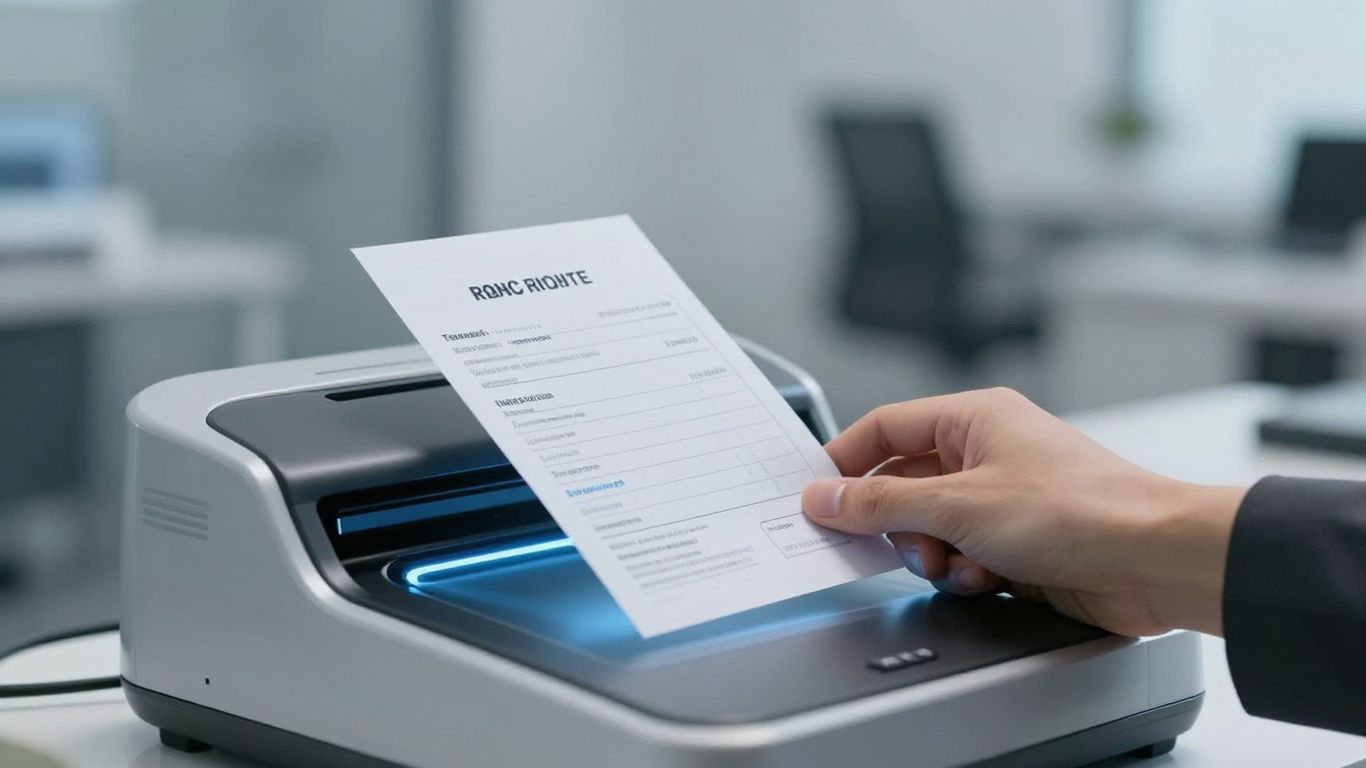
When you're dealing with invoices manually, things can get bogged down pretty quickly. Think about it: one invoice might go from your receiving department to accounts payable, then maybe to a manager for approval, and then back again. That whole trip can take days, sometimes even weeks. With AI-powered invoice receiving, that same process can often be wrapped up in a matter of hours.
This dramatic reduction in processing time means your team can handle more invoices without feeling completely swamped. It's not just about getting things done faster; it's about making your whole accounts payable operation run smoother. Imagine cutting down those processing times by 70% or more. That's a huge chunk of time back for your staff.
Here's what that looks like in practice:
- No More Missed Deadlines: Faster processing means you're way less likely to miss a payment due date. This helps you avoid late fees and keeps your suppliers happy.
- Better Cash Flow Management: When invoices are approved and processed quickly, you get a clearer, more up-to-date picture of what money is going out. This lets you plan your spending better and maybe even snag early payment discounts.
5. Enhanced Audit Readiness
When it comes to audits, whether internal or external, having your ducks in a row is pretty important. Manual invoice processing often means digging through piles of paper, searching through endless email chains, or trying to piece together information from different systems. It's a headache, and frankly, it leaves a lot of room for error or missed details.
With AI invoice automation, things change quite a bit. Every single action taken on an invoice is logged automatically, creating a clear, digital trail. Think of it like a security camera for your accounts payable department. You can see who did what, when they did it, and if any changes were made, why they happened. This makes getting ready for an audit much less painful.
Here's how it helps:
- Complete Audit Trails: Every step, from invoice receipt to final approval and payment, is recorded with timestamps. No more guessing games about who signed off on what.
- Easy Information Retrieval: Auditors can get the exact documents and history they need in seconds, not days. A quick search can pull up an invoice, its corresponding purchase order, and all approval records.
- Consistent Documentation: The system ensures that all necessary supporting documents are attached and accounted for, meeting compliance requirements without manual chasing.
Having a system that automatically documents everything means you're not scrambling when an auditor shows up. It's all there, organized and accessible, which really cuts down on stress and potential audit findings. It also means your finance team can spend less time on paperwork and more time on actual financial analysis.
This level of organized, automated record-keeping not only satisfies auditors but also helps prevent compliance issues down the line. It's about having confidence that your financial processes are transparent and verifiable at any moment.
6. Strengthened Vendor Relationships

Dealing with invoices can sometimes feel like a chore - and for your vendors, getting paid late or dealing with payment mix-ups is a real headache. Automating your invoice receiving process can actually turn this whole thing around.
When payments are consistently on time, or even early, vendors definitely notice. It's not just about avoiding late fees for you; it's about showing respect for their business. A supplier who knows they can count on you builds a lot of goodwill.
Here's how automation helps build that trust:
- On-Time Payments: No more invoices getting lost in the shuffle or missed deadlines. Automated systems schedule payments, so vendors get paid when they're supposed to. This means they can plan their own cash flow better.
- Fewer Errors, Fewer Disputes: Mistakes happen, but when they lead to incorrect payments, it's a pain for everyone. Automation cuts down on data entry errors and overpayments, meaning fewer arguments about wrong amounts or missing funds.
- Transparency: Some systems let vendors check the status of their invoices online. Knowing when to expect payment without having to call your office is a big plus for them.
Building good relationships with your suppliers isn't just a nice-to-have. It can mean better service, priority access to stock when things are tight, or even better prices down the line. Treating your vendors well, and making it easy for them to get paid, is just smart business.
Plus, when you're paying on time and accurately, you might even start snagging early payment discounts. That's a win-win: they get cash faster, and you save money. It really shifts the dynamic from a transactional headache to a more collaborative partnership.
7. Increased Visibility and Control
Remember those days when invoices just seemed to vanish into thin air? The ones that would get lost on someone's desk or buried in a pile, making it impossible to know their status? That kind of black hole is a major headache, and it's often why payments get delayed or missed entirely. Automating your invoice receiving process changes all that.
With AI-powered invoice automation, everything gets centralized in one digital spot. Think of it like a command center for your accounts payable. At any given moment, you or your team can pull up a dashboard and see exactly where each invoice is in the process, who's supposed to be working on it, and when it's due. A finance director, for instance, can instantly see how many invoices are waiting for approval or even look up a specific vendor's invoices to answer a quick question, all without having to hunt down paper files.
This transparency means no more nasty surprises at the end of the month and way fewer frantic emails asking, "Where's that invoice? We're about to be late!"
Here's what that looks like in practice:
- Real-time Status Updates: Know the exact stage of every invoice, from receipt to payment.
- Centralized Document Access: All invoice-related information is in one easily searchable digital location.
- Automated Audit Trails: Every action taken on an invoice is logged, creating a clear history.
This improved visibility naturally leads to better control. Automated systems create a detailed record of every step an invoice takes - who touched it, when, and what they did. This is gold for audits or making sure you're following all the rules, like those from tax authorities or compliance regulations.
Plus, automation lets you set up rules that the system follows automatically. You can dictate that any invoice over a certain amount needs multiple approvals, or that payments can't go out without a valid purchase order attached. These built-in checks and balances significantly cut down on fraud and prevent money from being spent without proper authorization. It's like having a diligent assistant who never misses a step.
Ultimately, this means smarter financial decisions and a much tighter grip on your company's spending.
8. Reduced Fraud Risk
Manual invoice processing is like leaving the front door wide open for fraudsters. It's easy for fake invoices to slip through, or for duplicate payments to happen, especially when things get busy. Think about it: a scammer sends a bill for services you never got, and if your team is swamped, it might just get paid without a second look. Or maybe an employee, if controls aren't tight, could reroute a payment to their own account. It's a real problem - businesses lose a good chunk of their income to fraud every year, and a lot of that happens in accounts payable.
Automating your invoice receiving process puts up some serious defenses against these kinds of schemes. AI-powered systems can spot unusual patterns that a human might miss. They can check if an invoice matches a purchase order, flag if a vendor's bank details suddenly change, or catch if the same bill is being submitted twice.
Here's how automation helps:
- Duplicate Payment Prevention: The system automatically identifies and flags invoices that have already been paid, stopping you from paying the same bill twice.
- Vendor Verification: New or changed vendor bank details can trigger extra checks or alerts, making it harder for fraudsters to divert funds.
- Anomaly Detection: AI can spot unusual invoice amounts, patterns, or requests that fall outside your normal business operations, signaling a potential issue.
- Segregation of Duties: Automated workflows can enforce rules so that the person who creates a payment request can't be the same person who approves it, reducing internal fraud opportunities.
Relying on manual checks and balances is simply not enough in today's environment. Automated systems provide a level of scrutiny and consistency that's hard to achieve with human oversight alone, significantly lowering your exposure to financial loss from fraudulent activities.
9. Scalability for Business Growth
As your company expands, so does the number of invoices you deal with. It's a natural part of growth, but manual invoice processing just doesn't keep up. Imagine doubling your invoice volume - with manual work, you'd likely need to double your accounts payable staff too, or face delays and mistakes. That's where automation really shines.
Automated systems can handle a much larger workload without needing a proportional increase in people. A process that might max out at 1,000 invoices a month manually can scale to 5,000 or more with automation - with the same team. The software does the heavy lifting - grabbing data, sorting, matching, and sending things along for approval - much faster than a person can. This means you can grow your business without your back-office operations becoming a bottleneck.
This ability to scale is a lifesaver for businesses experiencing rapid growth or those with predictable busy seasons. Instead of scrambling to hire temporary help that might not be fully trained, your automated workflow simply adjusts to the increased load.
Here's how automation supports growth:
- Handles Volume Surges: Easily manages seasonal peaks or sudden increases in business without slowing down.
- Adapts to New Vendors: Quickly incorporates new suppliers as your business expands its product lines or services.
- Maintains Efficiency: Keeps processing times consistent, regardless of how many invoices come in.
- Integrates with Future Systems: Connects with your existing and future accounting or ERP software, so your tech stack stays aligned as you grow.
When you're planning for the future, you want systems that grow with you, not hold you back. Automation provides that flexibility, letting your finance team focus on strategic tasks rather than getting bogged down in repetitive data entry as your company scales.
10. Less Stressful AP Operations
Manually processing invoices can feel like a constant uphill battle. There's the pressure of deadlines, the tedious nature of data entry, and the nagging worry about making a mistake. It's no wonder that many finance leaders report significant stress on their teams due to these manual processes. In fact, a study found that the biggest issue finance leaders face with delayed manual AP processing was the stress on their team, with over 64% citing it as the core problem.
Automating your accounts payable process can really change that dynamic. When the system handles the repetitive tasks, your team is freed up. They can focus on more interesting work, like analyzing spending patterns or talking to vendors, instead of just typing numbers all day. This shift not only makes the job more engaging but also improves overall employee well-being.
Here's how automation helps reduce AP stress:
- Fewer Errors, Less Rework: Automation drastically cuts down on mistakes, meaning less time spent correcting errors and chasing down missing information.
- Predictable Workflows: Automated systems create a smoother, more predictable flow of invoices, removing the last-minute rushes.
- Focus on Meaningful Tasks: Your team can shift from data entry to more strategic activities, which is generally more satisfying.
- Improved Communication: Automated reminders and status updates reduce the need for constant back-and-forth emails and calls.
When the pressure of manual tasks is lifted, AP teams can breathe easier. This isn't just about making people happier; it's about creating an environment where your finance department can operate more effectively and contribute more strategically to the business.
How Supy Makes This a Reality for Restaurant Operators
If you're running a restaurant or multi-location F&B operation, Supy's AI Invoice Receiving feature is built specifically for the way your business works. Supy automatically captures supplier invoices, extracts line-item data, and matches it against your purchase orders - flagging discrepancies in price, quantity, or totals before you ever approve a payment. That means faster invoice reconciliation, fewer costly errors, and complete visibility over every delivery and payment across your entire operation. It's one less thing your team has to chase, and one more lever for tightening your food cost.
Wrapping It Up
We've covered ten solid reasons why switching to automated invoice processing makes a lot of sense. It's not just about getting rid of tedious paperwork, though that's a big part of it. Think about saving time, cutting down on mistakes, getting paid faster, and making your finance team's life a bit easier. Sticking with the old way just doesn't seem worth the hassle anymore when there's a better option out there.

.jpg)
.jpg)
