.jpg)


Restaurant Software: A Buyer Guide for Multi-Site Operators
What Multi-Site Operators Actually Need from Restaurant Software
For multi-site groups, the choice of restaurant software shapes operational outcomes at every level. Single-site tools handle day-to-day operations adequately. The problem is that groups running ten, fifty, or a hundred locations have fundamentally different requirements that single-site tools were never designed to meet.
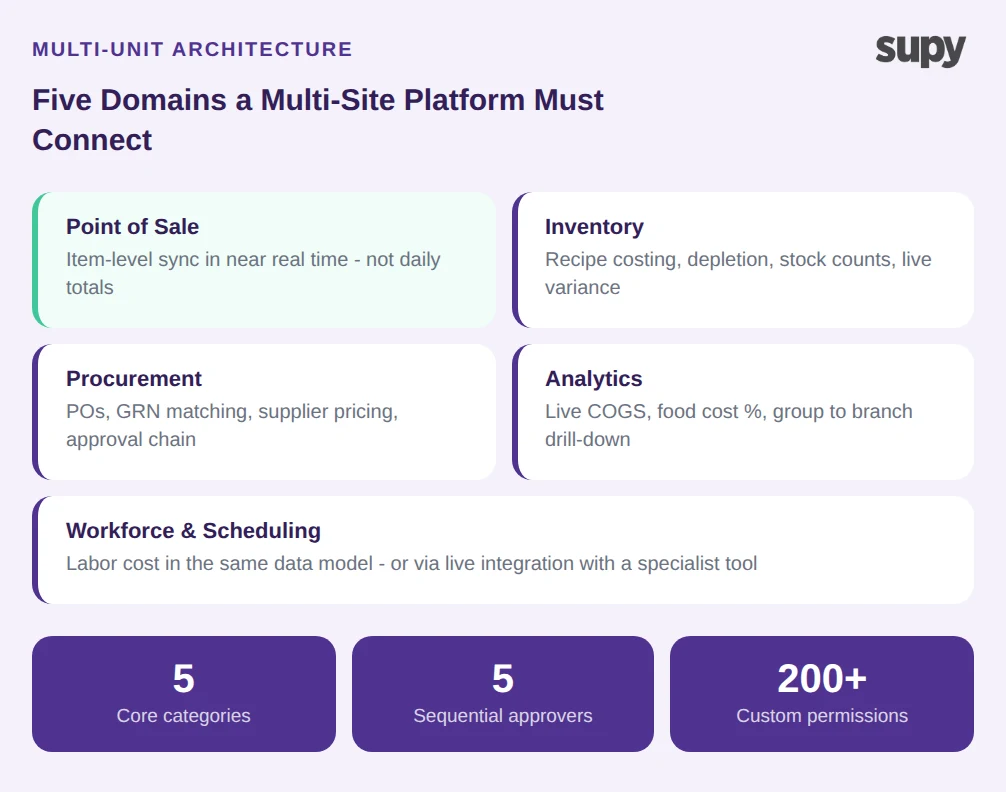
A multi-site operator deploying restaurant software needs group-level reporting with location drill-down - not a separate report for each branch that someone manually combines into a spreadsheet. The system needs to handle multi-level approval workflows (up to 5 sequential approvers), site-by-site permissions, and central kitchen logistics alongside individual branch operations. It also needs to hold together five distinct operational domains: POS, inventory management, procurement, analytics, and workforce scheduling.
The practical test is whether the system natively connects those domains in a single data model. If purchasing, stock, and sales data live in separate tools, the operator ends up doing the integration work manually - which defeats the purpose. A platform that links POS menu items (including modifiers) to recipes, and recipes to purchasing quantities, creates a chain that runs automatically: sales happen, stock depletes, reorder triggers fire. That chain either exists natively or it does not.
For groups that have outgrown their current setup, the right restaurant software is not the most feature-rich tool on the market. It is the one that handles multi-unit data natively, connects back-office to front-of-house in real time, and supports the specific workflows that keep procurement and inventory controlled at scale.
The Five Categories Every Evaluation Must Cover
Before comparing platforms, define what you need your restaurant software to do. Restaurant software for multi-site operators covers five categories, and most groups need competence across all of them rather than excellence in one.
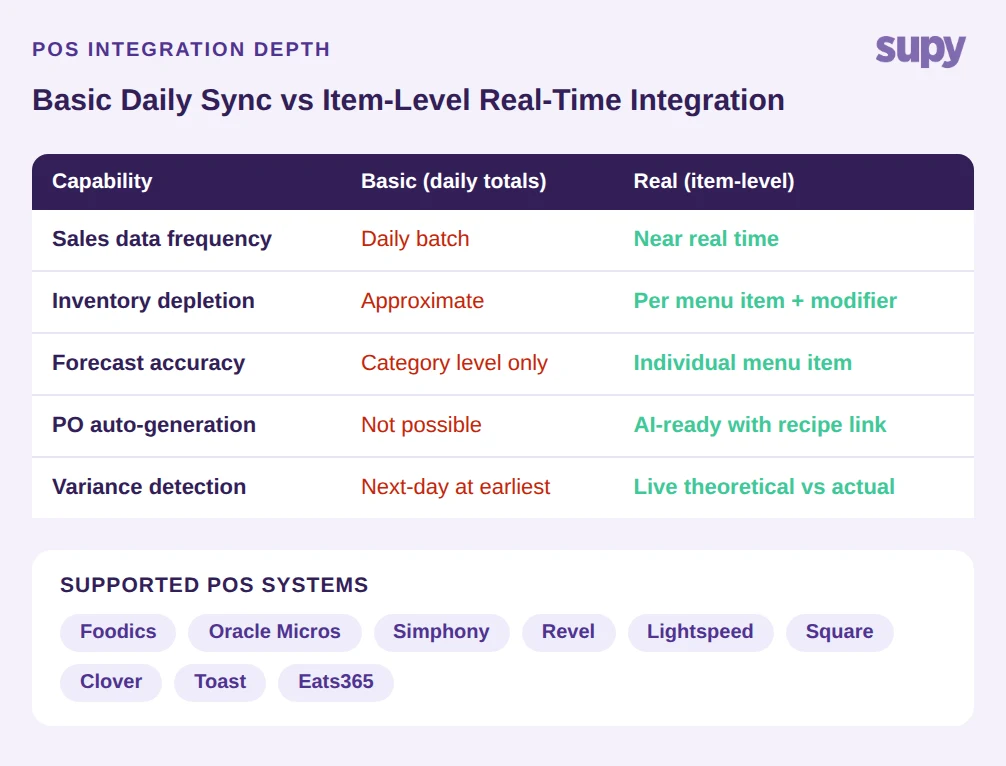
Point of sale integration is the starting point. A real POS integration syncs item-level sales in near real time - not daily totals. The difference matters because daily totals tell you what you sold; item-level data tells you what you sold and what that depleted from inventory. Groups running Foodics, Oracle Micros, Revel, Lightspeed, Square, Clover, Toast, or Eats365 should verify that the integration is genuinely item-level before any other evaluation criteria matter.
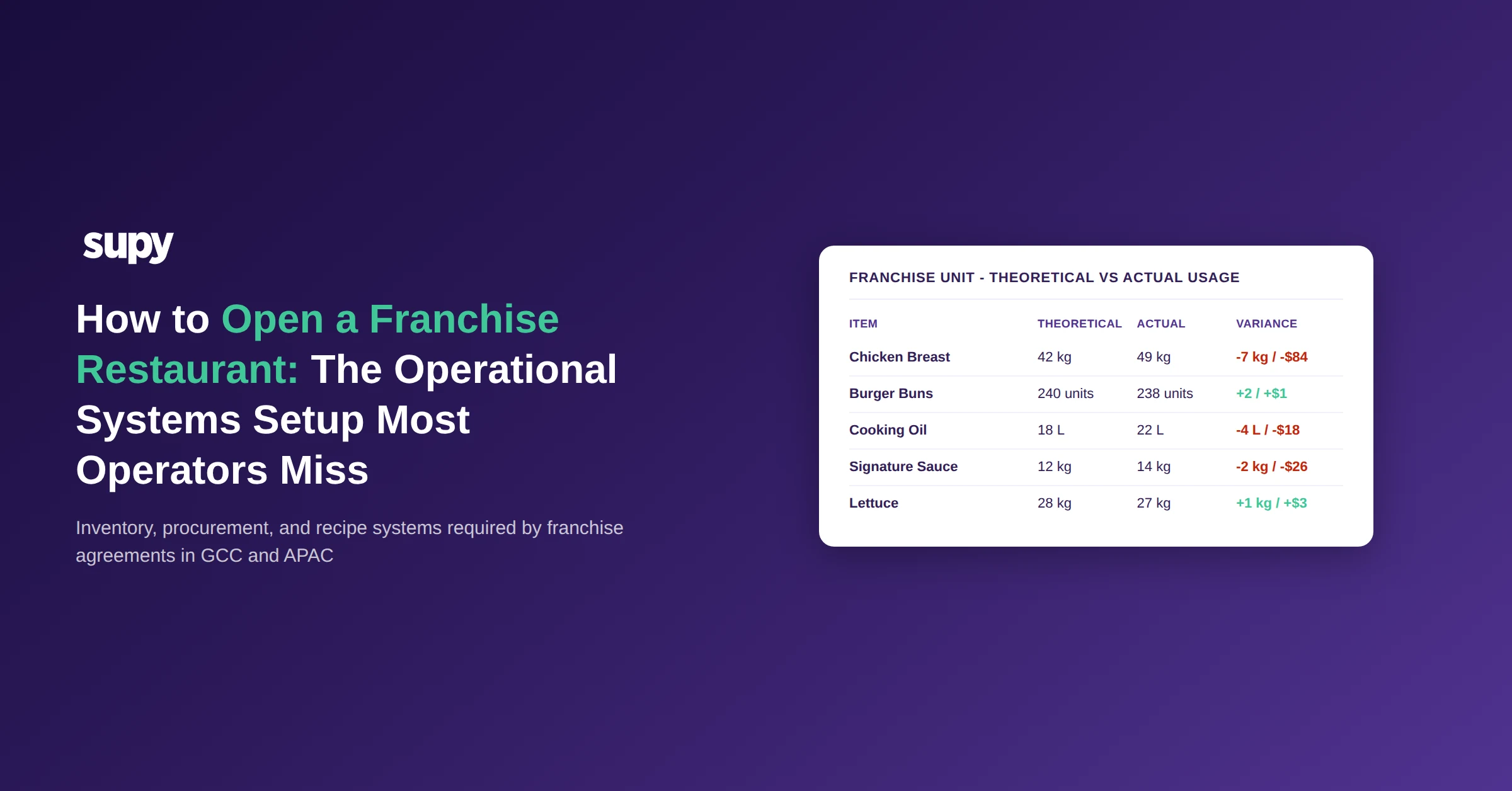
The restaurant software categories that generate the most value at multi-unit scale are inventory and procurement. Inventory management covers recipe costing, stock depletion against those recipes, physical stock counts, and live variance reporting. The key capability is theoretical-versus-actual usage: the system calculates what stock should have been used based on sales, compares it to what was actually used, and shows the gap. Without that comparison, you are managing stock by intuition.
Procurement covers purchase orders, supplier pricing, goods received note matching, and the approval chain. The practical benchmark is whether the system can auto-match supplier invoices to open POs and flag discrepancies - eliminating the manual reconciliation that typically consumes several hours per week per site.
Analytics and reporting determines how useful the data actually is. Numbers without decision guidance create overhead. A dashboard showing live cost of goods sold (COGS) and food cost percentage by group, by site, and by menu category - with drill-down capability - turns data into decisions. A flat export that someone needs to pivot in a spreadsheet does not.
Workforce and scheduling integrates labor cost into the same picture. This category varies most by operator type and size; it is worth evaluating whether it needs to be in the same system or whether a solid integration with a specialist tool is sufficient.
How AI Changes What Restaurant Software Can Do
AI is now a functional category in restaurant software, not a marketing label - but what it does varies significantly between platforms. The meaningful distinction is whether the AI has access to ingredient-level data or only POS totals.
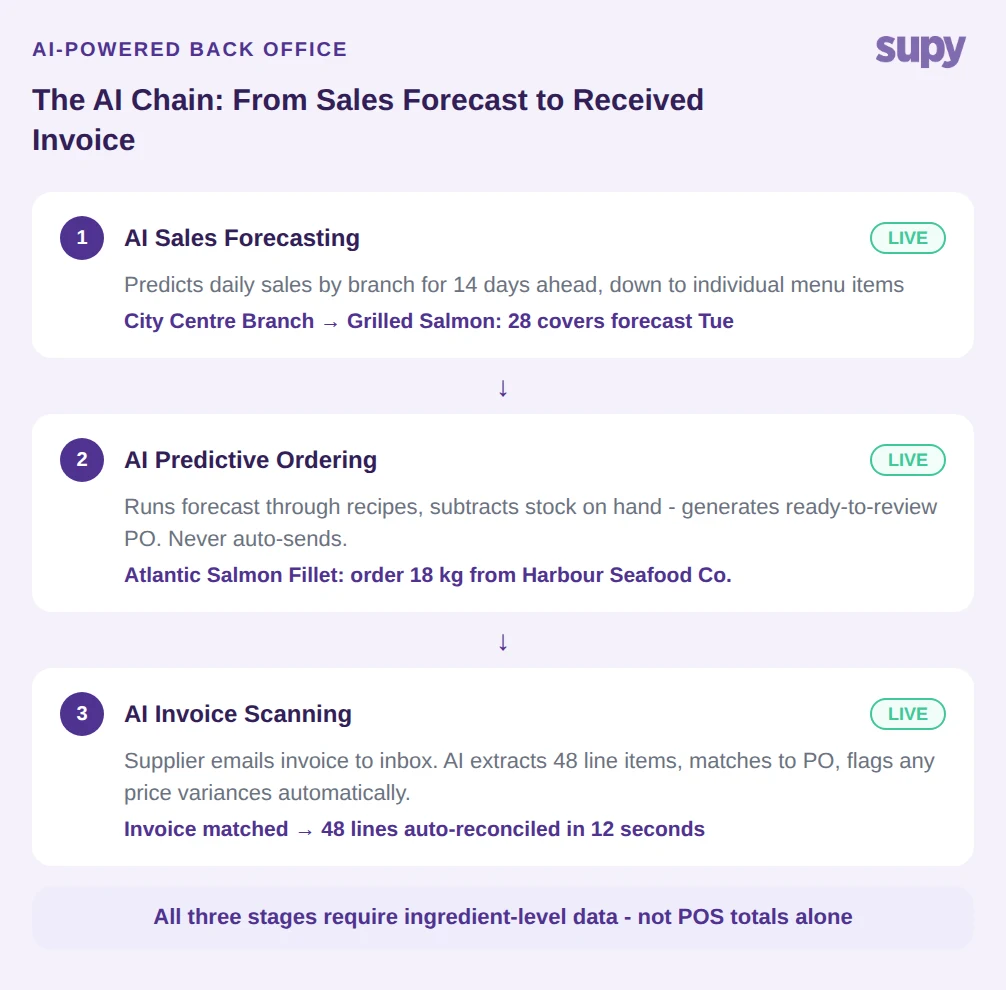
AI Sales Forecasting at the useful end of the market predicts daily sales by branch for the next 14 days, down to individual menu items. That granularity matters because it feeds directly into purchasing: if the system knows which items are forecast to sell, and those items are linked to recipes, it can calculate exactly what needs to be ordered from each supplier.
AI Predictive Ordering takes that forecast, runs it through the recipe database, subtracts current stock on hand, and produces a ready-to-submit purchase order. The critical detail is that it never auto-sends - a manager reviews and approves before anything goes to a supplier. This distinction matters operationally: the system removes the calculation burden while keeping the human in control of the decision.
AI Invoice Scanning removes another manual step: suppliers email invoices to a per-restaurant inbox, and the system automatically extracts line items, prices, and taxes, then matches them to open purchase orders. Discrepancies surface automatically rather than appearing in the next monthly reconciliation.
Platforms that describe their AI as "demand forecasting" or "smart reordering" without specifying what data they use for the forecast are often working from POS totals only. A forecast built on POS totals cannot account for recipe-level ingredient requirements, which means the purchase orders it generates will be approximate. Ask the vendor to demonstrate the connection between forecast and purchase order, step by step.
Four Warning Signs When Evaluating Restaurant Software Vendors
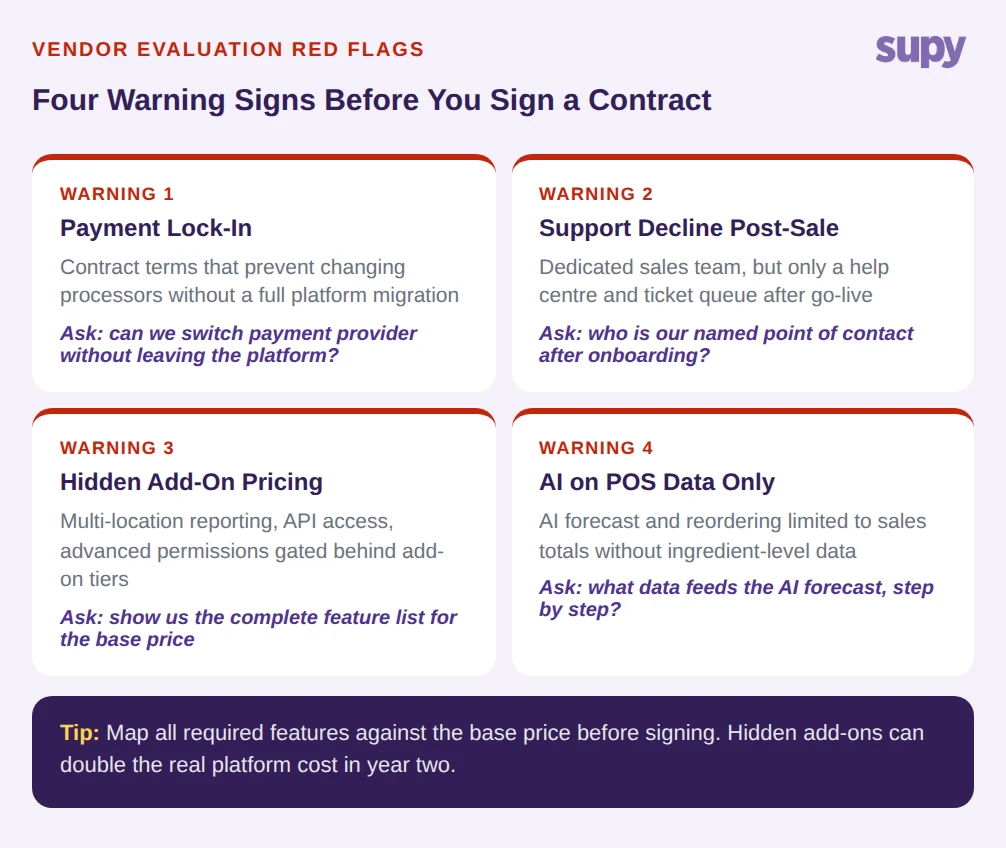
Choosing the wrong restaurant software costs more than the subscription fee. Switching platforms mid-growth is expensive, time-consuming, and operationally damaging. These four patterns have driven most platform switches among multi-unit operators.
Payment lock-in is the first. Some vendors structure contracts so that changing processors or payment providers requires a full platform migration. This is less about the software and more about commercial pressure - but it becomes a real cost when the business needs to renegotiate payment rates or move to a preferred provider.
Support quality decline post-sale is common and predictable. Vendors optimize sales teams; post-sale support is a cost center. For a group running 10 to 200 locations, initial onboarding matters, but so does having a named point of contact through the operational learning curve. A help center and a ticket queue is not equivalent to a dedicated implementation partner.
Hidden add-on pricing makes the real cost of a platform impossible to evaluate from a headline number. Core features - multi-location reporting, API access, advanced permissions - are sometimes gated behind add-on tiers. The evaluation process should include a line-by-line mapping of required features against what is included in the base price.
AI limited to POS data only is discussed above but worth naming as a vendor pattern: a platform may market AI capabilities that are genuine but limited by the underlying data model. If inventory and recipe data are not part of the system, the AI cannot act on them. The question to ask is what data sources feed the AI, not whether AI exists.
Making the Decision: What Good Looks Like at Scale
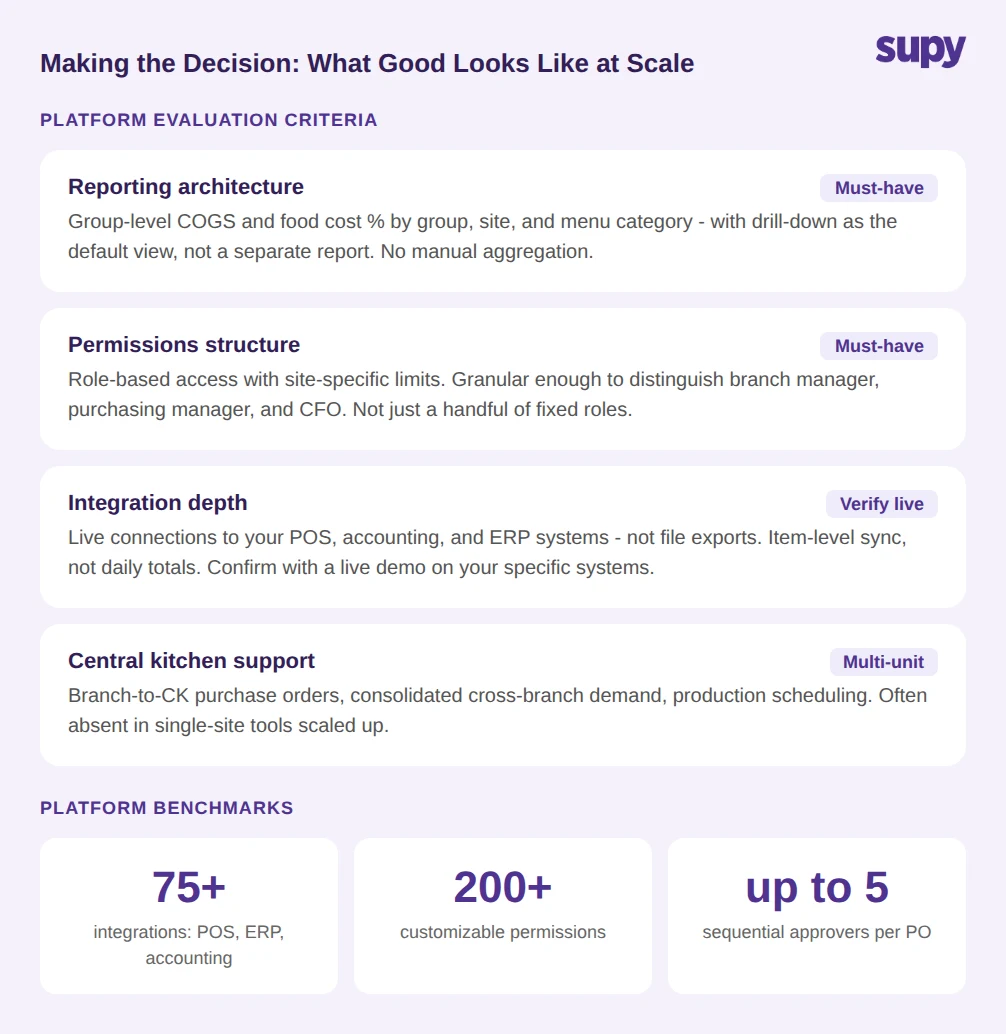
A platform built for multi-unit operators looks different from a single-site tool in measurable ways. The practical evaluation criteria are more specific than most vendor comparisons make them.
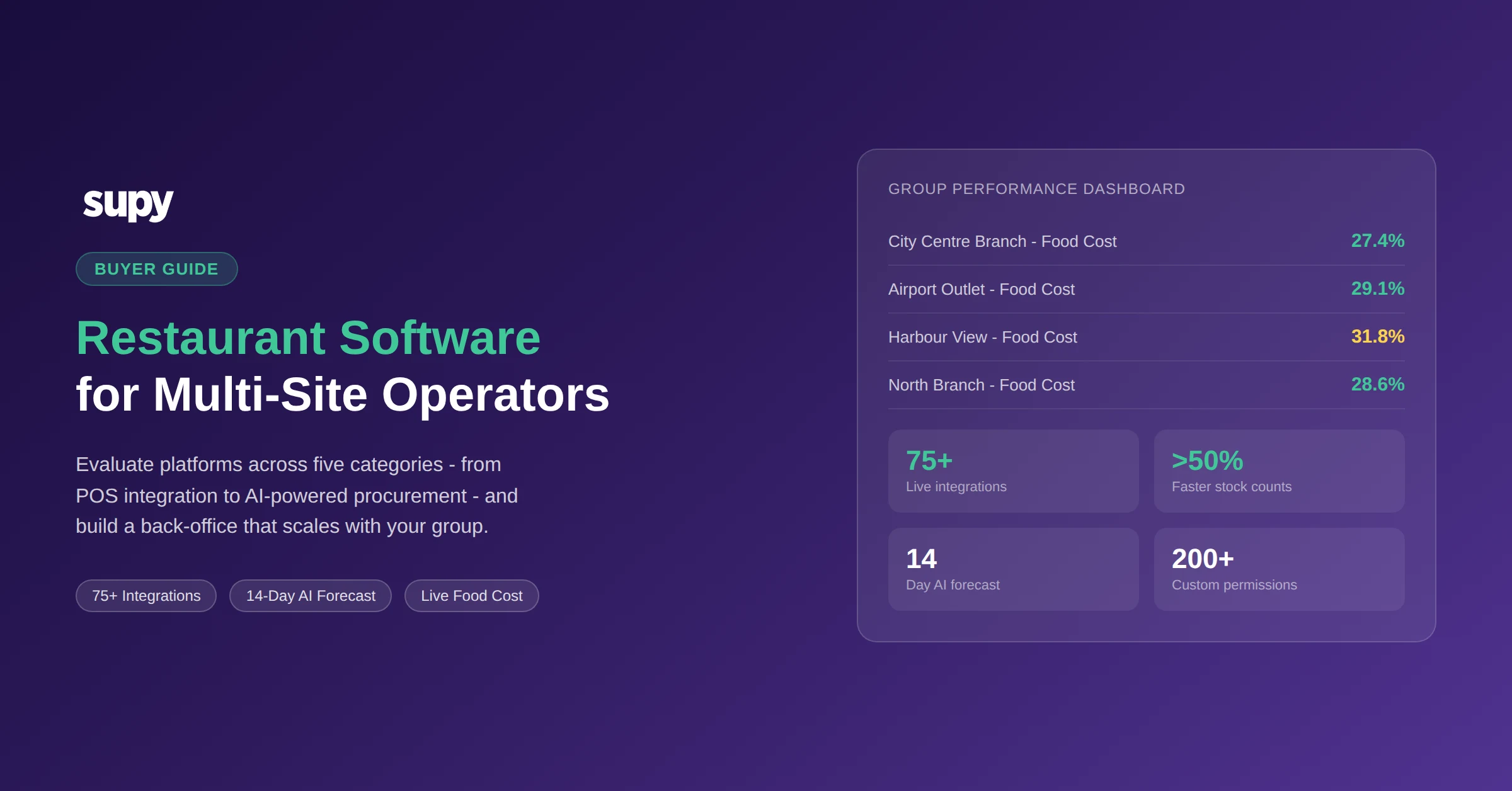
Reporting architecture: group-level data with location drill-down should be the default view, not a separate report. The system should show COGS and food cost percentage by group, by site, and by menu category without requiring manual aggregation. Supy's interactive dashboards deliver live food cost percentage and COGS at every level with full drill-down - so operators see the number and can immediately trace which site or category is driving it.
Permissions structure: multi-site operations require role-based access with site-specific limits. The 200+ customizable permissions available in a mature platform reflect the reality that a branch manager, a purchasing manager, and a CFO all need different views of the same data. Limiting permissions to a handful of roles is a single-site design decision.
Integration depth: the 75+ integrations that a serious platform maintains represent years of building and maintaining connections to the tools operators actually use. POS integrations with Foodics, Oracle Micros/Simphony, Revel, Lightspeed, Square, Clover, Toast, and Eats365; accounting integrations with QuickBooks, Xero, and Zoho Books; ERP connections to NetSuite, SAP, and Odoo. Each integration is a live data connection, not a file export.
Central kitchen support: groups with a central production kitchen need the system to handle branch-to-central-kitchen purchase orders, consolidated cross-branch demand, and production scheduling. This capability is often absent from single-site tools and present in multi-unit platforms.
When evaluating restaurant software, the question is not which platform has the longest feature list. It is which platform operates the way your business actually operates - with native multi-unit data architecture, AI that connects forecast to purchasing to receiving, and a support model that treats implementation as a project rather than a self-service activity.
Groups that get this decision right spend less time managing their restaurant software and more time using it. A platform that connects forecast, recipe, purchasing, and receiving data does not just reduce food cost in month one - it builds a data history that makes every subsequent decision more accurate. Seasonal forecasting improves because the system has prior-year item-level data. Supplier negotiation improves because the system shows price history and usage trends across all locations. The right restaurant software is infrastructure, not a tool.