.jpg)


Restaurant AI Sales Forecasting: How to Predict Demand and Plan Inventory
Most multi-location restaurant groups are forecasting. Almost none are doing it in a way that actually changes what they order. The forecast lands as a number someone glances at on a Monday, and the order still goes out on the same standing quantities it did last month.
One multi-site buyer, part-way through evaluating three platforms, put the frustration plainly: in the age of AI, why does a fixed stock minimum still have to be set by hand? That is the real test of restaurant sales forecasting. Not whether it produces a chart, but whether the prediction reaches the purchase order before the order is placed, on the right day, in the right quantity, for the right branch. This guide is about making that happen, spotting when your forecast is lying to you, and recognising the operations where forecasting is the wrong tool entirely.
What the forecast predicts, and how it turns into an order
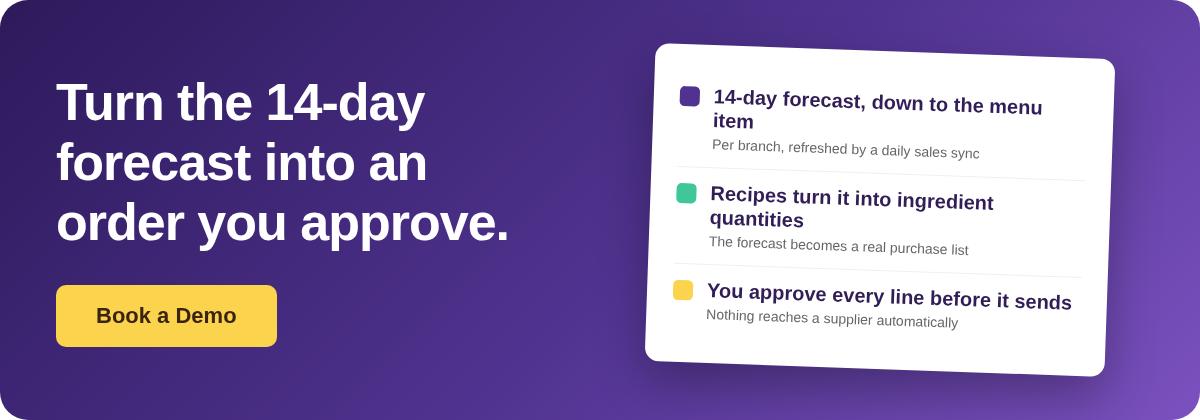
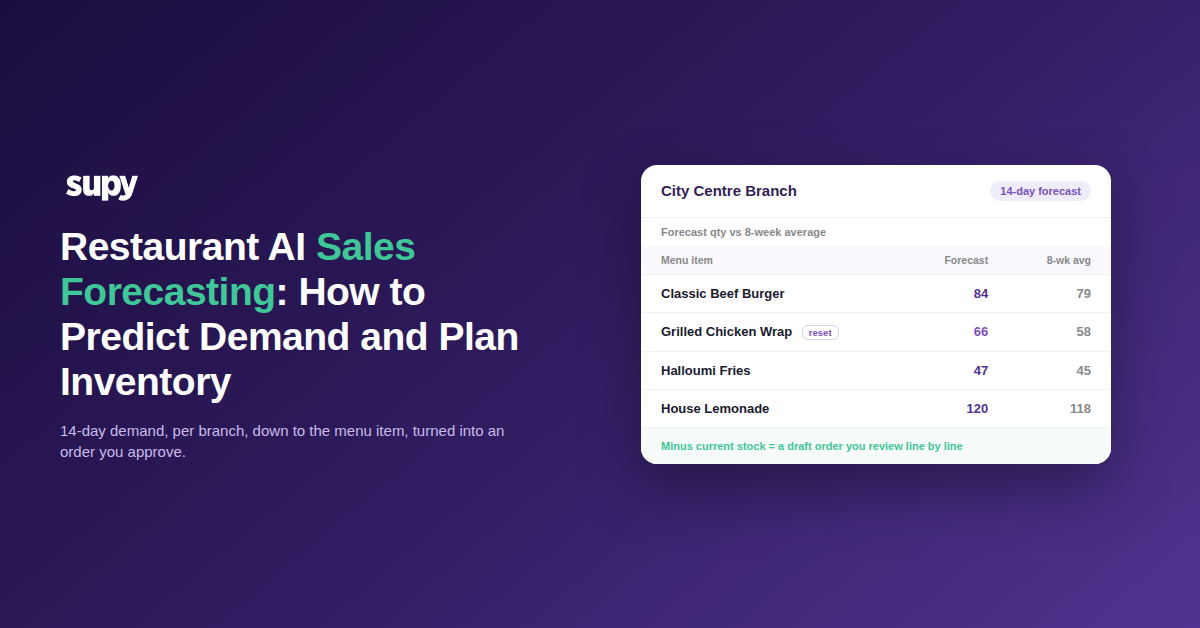
Restaurant AI sales forecasting predicts daily sales for the next 14 days, per branch, down to the individual menu item, not just a revenue total. A daily point-of-sale sync refreshes each branch’s own model. Recipes then convert those predicted menu items into ingredient quantities, and subtracting current stock leaves a draft purchase order you review line by line.
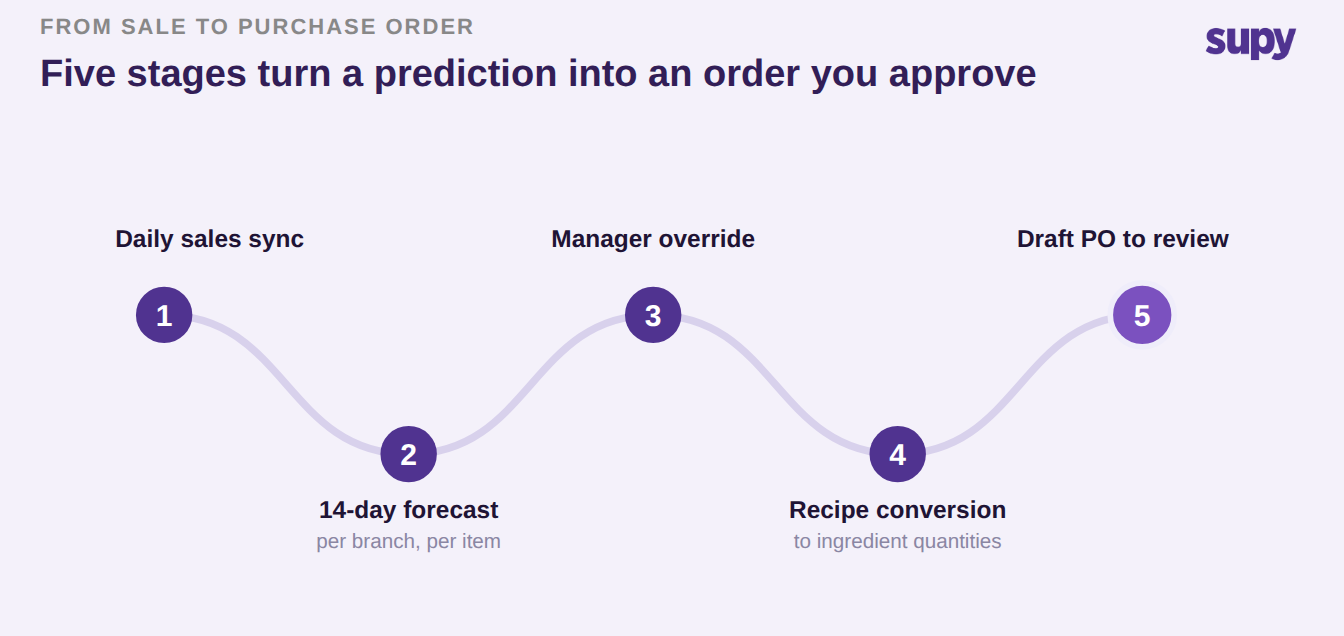
That last step is the whole point. The forecast is not a finance report; it is the front of a purchasing system. The mechanism runs in five stages: the daily sales sync, the 14-day per-item forecast, an optional manager override at day or item level, the recipe conversion into ingredients, and the draft order built from demand minus stock. Operators often call this suggestive ordering, while most vendors label it predictive ordering. The human gate at the end is deliberate: nothing is sent to a supplier until a person approves it.
The recipe step carries more weight than it looks. Recipes gross up the effective quantity to cover what the kitchen actually consumes, so a recipe-card weight is not the purchase requirement once prep and cooking loss are applied. Ignore that and you systematically under-order your highest-volume proteins. The predictive order screen shows current on-hand, projected stock on the delivery date, the last order quantity and a four-week ordering average for each line, but the full walkthrough of turning a forecast into a supplier order belongs to our guide to predictive ordering for multi-site groups. Here we stay on predicting demand and trusting it.
What it forecasts, and what it will never order for you
A forecast built on sales data can only see what sells. Recipe-linked ingredients flow through cleanly, and so do centrally-produced items made in your own kitchen or production hub. What it cannot see is anything that no sale consumes: packaging, gloves, cleaning chemicals, disposables. Nothing in the sales mix depletes them, so they never appear in a predicted order. Keep those on par-level or template ordering and filter by category so they are not quietly missed. Items with no recipe mapping are invisible for the same reason. Map the recipe first, or the sale never turns into an ingredient. Knowing this line up front is what stops an operator concluding the forecast missed their gloves and losing trust in the whole system.
If you'd rather not work par out by hand, the free par level calculator does it for every item on your sheet from your usage, delivery days and supplier lead times.
| Item type | Appears in the predictive order? | How to order it instead |
|---|---|---|
| Recipe-linked ingredients | Yes | Flows through from the forecast automatically |
| Centrally-produced items from your own kitchen | Yes | Covered, not only direct-to-supplier lines |
| Packaging, gloves, chemicals, disposables | No | Keep on par-level or template ordering; filter by category |
| Items with no recipe mapping | No | Map the recipe first, then it becomes visible |
Your forecast looks wrong. Check things in this order
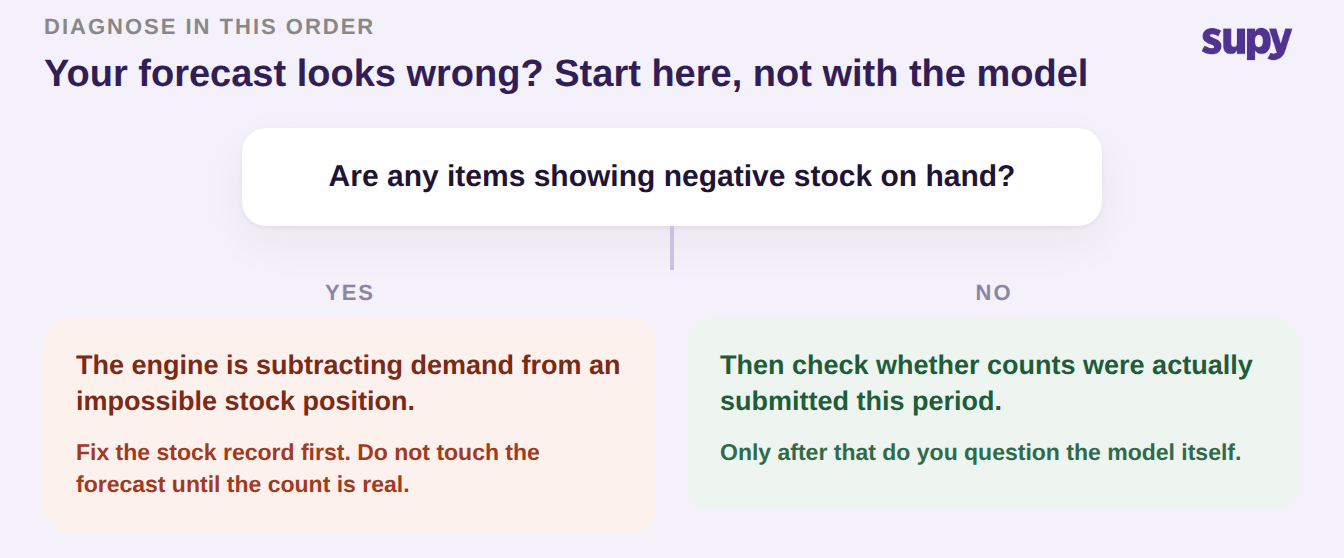
When an AI order comes back materially wrong, the instinct is to blame the model. It is almost never the model first. A support team resolved one multi-site group’s badly wrong predictions by finding negative stock-on-hand in the operator’s own inventory: the engine was subtracting demand from a stock position that was already impossible. The order it produced could only be wrong.
So the diagnostic order is fixed. First, check whether any items show negative stock on hand, and fix the stock record before touching anything else. Second, check whether counts were actually submitted this period, because a forecast run on a stale count is a forecast run on fiction. Only third do you question the model itself. Two input faults sit behind most of the rest: duplicate or inconsistent recipe and product names splitting one item’s sales across two records, and absurd par outliers sitting unchallenged, such as a par entered as 288 kg. Single-branch anomalies are diagnosed at that branch and confirmed by the person who reported them, never declared fixed centrally.
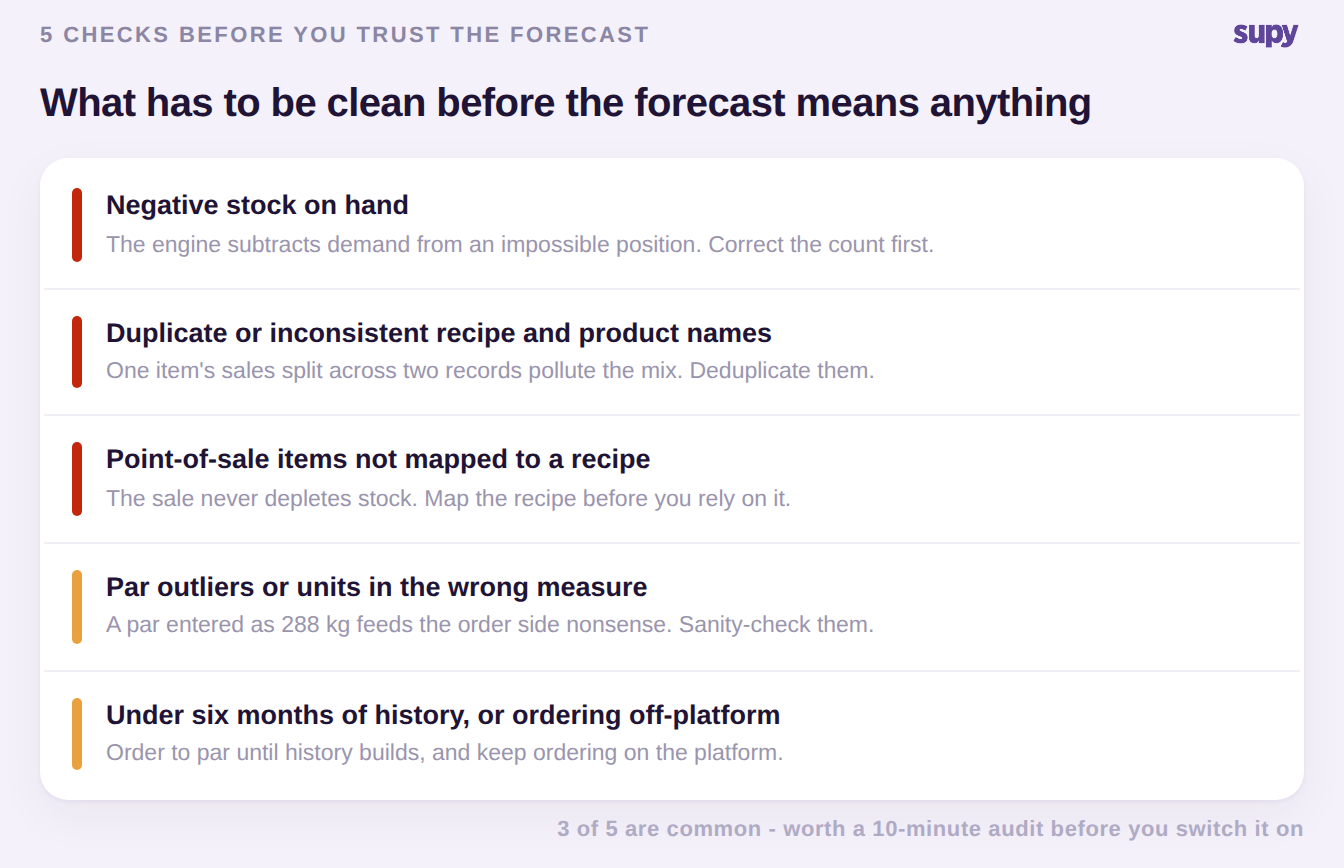
What has to be clean before you trust the forecast
A forecast is only as honest as the data underneath it, and five faults quietly poison it. Negative stock on hand is the first and the most damaging, for the reason above. Duplicate or inconsistent recipe and product names split one item’s sales across two records, so the forecast reads a polluted sales mix. Point-of-sale items that are not mapped to a recipe mean the sale never depletes stock at all. Par values that are obvious outliers, or units entered in the wrong measure, feed the ordering side nonsense. And roughly six months of sales history is the real readiness bar, not the twelve you may have read, so a branch younger than that is guessing.
Two prerequisites are easy to miss. The ordering itself has to have been running through the platform long enough to build purchase history, or suggested quantities come back at zero or nonsense. And the forecast runs on gross sales, so a heavy discounting operation should remember that comps and refunds sit between gross and net. One clean distinction helps here: exclude voided orders, which are cancelled before prep so no ingredients were consumed, but keep comped orders, which are prepared and served, because the kitchen still used the ingredients. Get these clean and the forecast is worth trusting. Skip them and no model can save you.
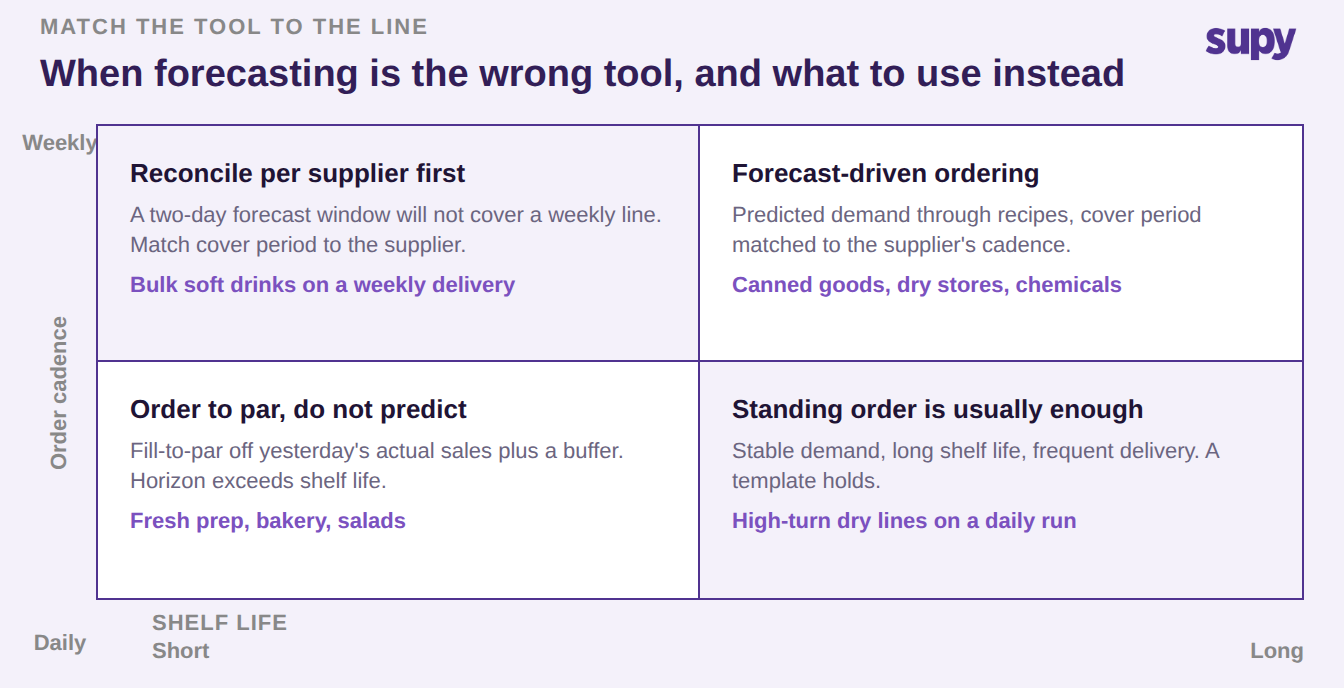
When demand forecasting is the wrong tool
Naming who should not use forecasting is more useful than selling it to everyone. A multi-site fresh-food operator with three-day shelf life on centrally prepped items and daily deliveries from its own hub was shown the forecasting module, and it landed badly, correctly so. Multi-day forecast ordering is structurally wrong for a business that has to replenish exactly what sold yesterday. The requirement there is fill-to-par ordering driven off actual end-of-day sales plus a configurable buffer, not prediction.
The rule that falls out of it is simple: your forecast horizon must be shorter than or equal to your shelf life. Where it is not, order to par off real sales instead, the same mechanism covered in our guide to par level inventory management. The second half is a cadence question. During one live walkthrough, a two-day forecast window did not line up with lines ordered weekly, such as bulk soft drinks, so cover period and delivery date have to be reconciled per supplier rather than set once globally. Map your categories against shelf life and order cadence and the right tool for each becomes obvious.
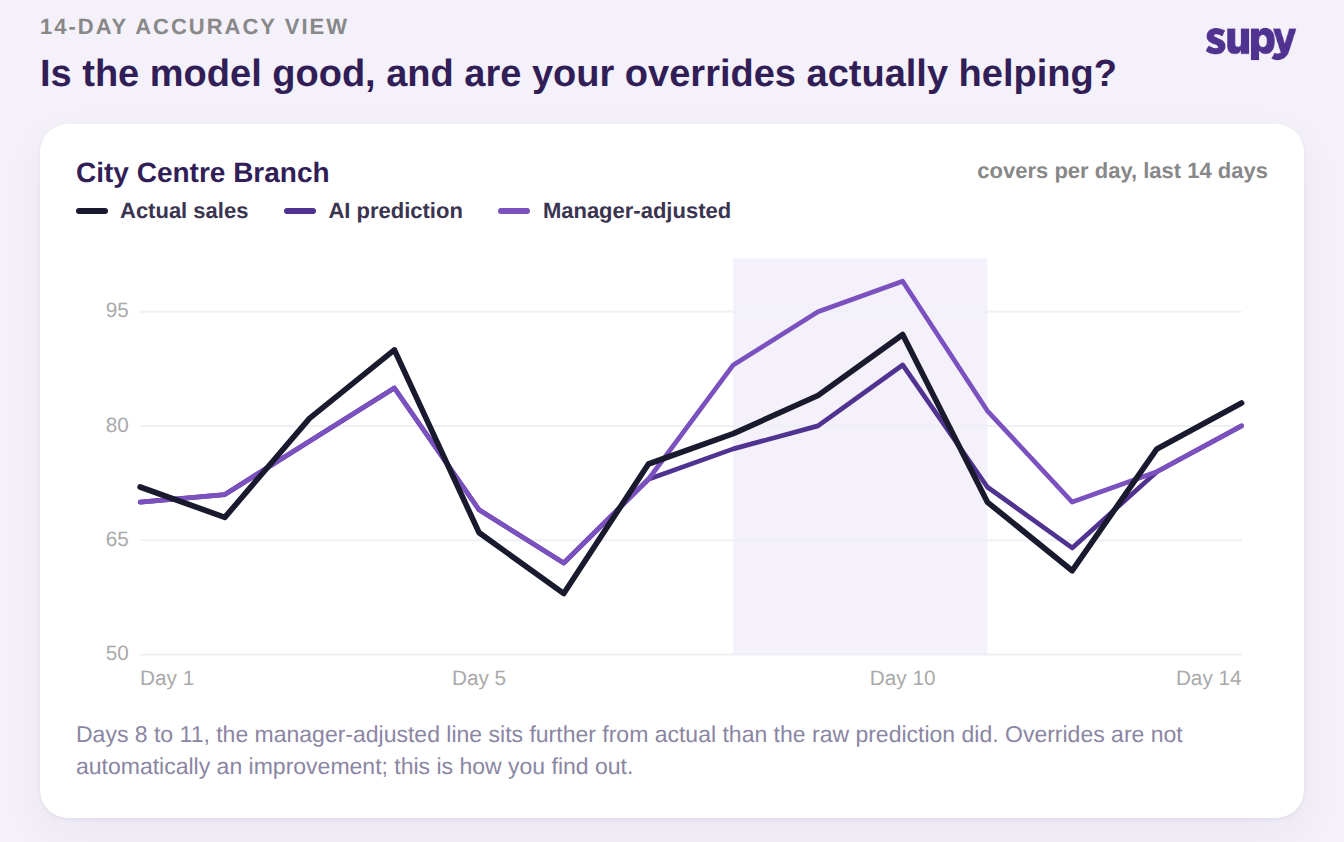
Is the model any good, and are your overrides helping?
Most forecasting content boasts about accuracy and publishes no way to check it. The product does the opposite. A 14-day accuracy view puts three lines side by side for a branch: actual sales, the AI’s raw prediction, and the manager-adjusted forecast. That lets an operator see two different things at once. Is the model tracking reality, and, just as important, are the manager overrides actually making it better?
They are not always. There are stretches where the adjusted line sits further from actual than the raw prediction did. That is not a flaw to hide; it is exactly how you find out that a well-meaning override is costing you. Adjusting a day up or down does not retrain the model, and any change can be reset to the AI’s own value. Weather is worth a word here too, because the old assumption was that it drives everything. A live customer, an operations lead at a fine-dining group, found weather far less useful than local events and their own raw sales history in their market. Trust what you can measure on this chart over what a vendor claims about inputs you cannot see.
The two baselines, and which screen shows which
Operators conflate the two sense-check numbers constantly, and the mix-up quietly erodes trust. They are different on purpose and they live on different screens. The forecast screen shows each predicted volume against the eight-week historical sales average, which tells you whether the prediction is plausible for this branch and this day. The predictive order screen shows the four-week ordering average and the last order quantity, which tells you whether the suggested purchase is out of pattern. One sense-checks demand, the other sense-checks the buy. Read the right baseline for the screen you are on and a suspicious number resolves itself in seconds.
| Screen | Baseline shown alongside the number | What it lets you sense-check |
|---|---|---|
| Forecast view | 8-week historical sales average | Whether the predicted volume is plausible for this branch and day |
| Predictive order view | 4-week ordering average and last order quantity | Whether the suggested purchase quantity is out of pattern |
Opening a new site with no sales history
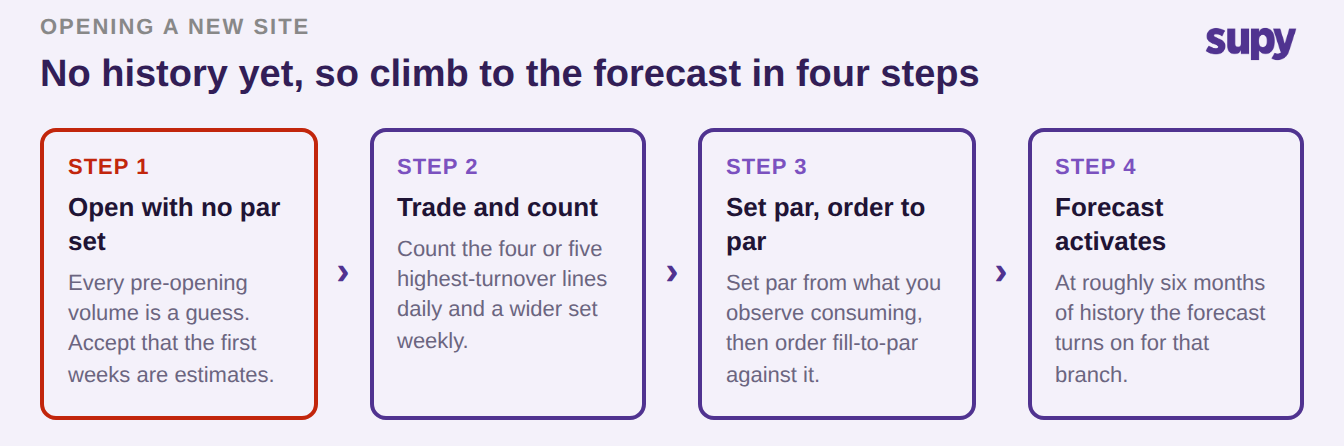
A brand-new branch has no trading record, so it cannot be forecast on day one, and pretending otherwise is how pre-opening orders become guesses. The honest sequence is short. Go live with no par levels set, and accept that the first weeks are estimates. Trade for a few weeks while counting the four or five highest-turnover lines daily and a wider set weekly. Set par from what you actually observe consuming, and order fill-to-par against it. Then, at roughly six months of sales history, the forecast activates for that branch and you graduate it off manual pars. One group piloting forecasting did exactly this in order of confidence: they started in the market where they already had the deepest sales history, then rolled outward.
The replenishment ladder, from a person’s judgement to forecast-driven
Forecasting is the top rung of a ladder, not a switch you flip from nothing. Most groups climb it one step at a time, and each step breaks in a predictable way that tells you it is time for the next. Find your current rung honestly, and you will know both why it is failing and what the next one fixes.
| Stage | What triggers the order | When you outgrow it |
|---|---|---|
| Manual ordering | One person’s judgement | The moment that person is on leave |
| Order template | A fixed list of items | When the menu drifts away from the list |
| Standing order | A fixed recurring quantity | On day-of-week and seasonal swing |
| Fill-to-par | Current stock versus a manually-set par | When one static par cannot cover a quiet Tuesday and a peak weekend |
| Forecast-driven | Predicted demand through recipes, minus stock | It needs history and clean recipes to work at all |
What to ask any forecasting vendor before you sign
Buyers who get this right walk in with a short, pointed list, and the answers separate a real product from a demo. Treat a promise of fully automatic ordering as a warning, not a feature: stock data always lags, so an auto-order fired off a stale count is worse than no order. If you want the commercial side of how this fits a multi-site operation, our restaurant procurement platform page lays out where forecasting sits in the wider ordering workflow.
| Question to ask | Why it matters | What a good answer sounds like |
|---|---|---|
| Does it forecast on gross or net sales? | It changes every ingredient quantity | A clear statement, with comps and refunds accounted for |
| Is forecasting included or a paid add-on? | Add-ons hide the real cost | Included in the platform, not a separate bolt-on |
| What happens at a brand-new site with no history? | No model can run without data | You order to par first, forecast activates later |
| Does it send purchase orders automatically? | Stale stock makes auto-orders dangerous | A human approves every line before it sends |
| Can two managers adjust the same day without overwriting? | A real multi-site failure mode | The platform flags the conflict rather than silently overwriting |
So which of these is you right now? If your forecast exists but your orders have not changed, the gap is the handoff from prediction to purchase order, not the model. If your predictions look wildly off, run the three-step check before anything else: negative stock, then submitted counts, then the model. If you run short shelf life on daily deliveries, stop trying to forecast it and order to par off yesterday’s actual sales. And if you are opening a site, do not expect a forecast for roughly six months; set par from observed consumption and climb the ladder. Pick the one that describes you and make that single move this week. If you want to pressure-test the cost side of the plan first, our free food cost calculator is a quick place to start.
Supy runs this whole chain in one place: AI sales forecasting down to the menu item, recipes that turn the forecast into ingredient quantities, and a draft purchase order you approve line by line before anything reaches a supplier. See how it fits your group’s data.