.jpg)


Restaurant Food Waste Tracking Software: A Practical Guide
Your food waste categories decide what you can actually fix
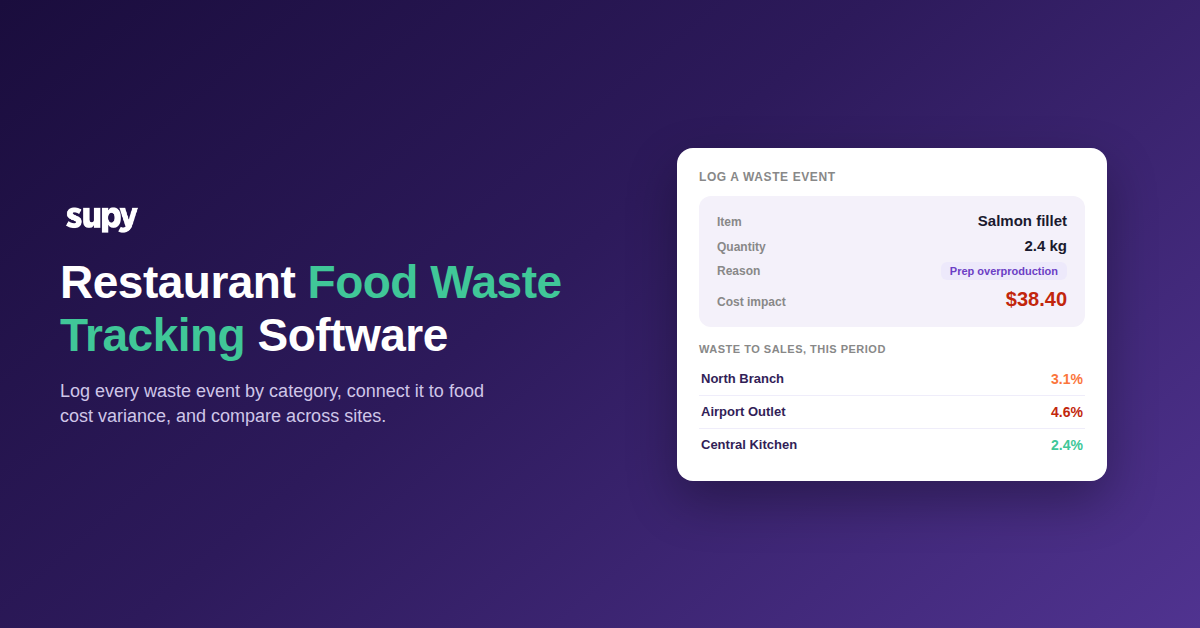
Restaurant food waste tracking software logs every discarded item by quantity, reason and cost, deducts it from stock, and rolls the total up across sites so you can see where margin is leaking. The software is the easy part. Whether the data is usable comes down to a decision you make before the first shift is logged: how you design the categories you record waste against.
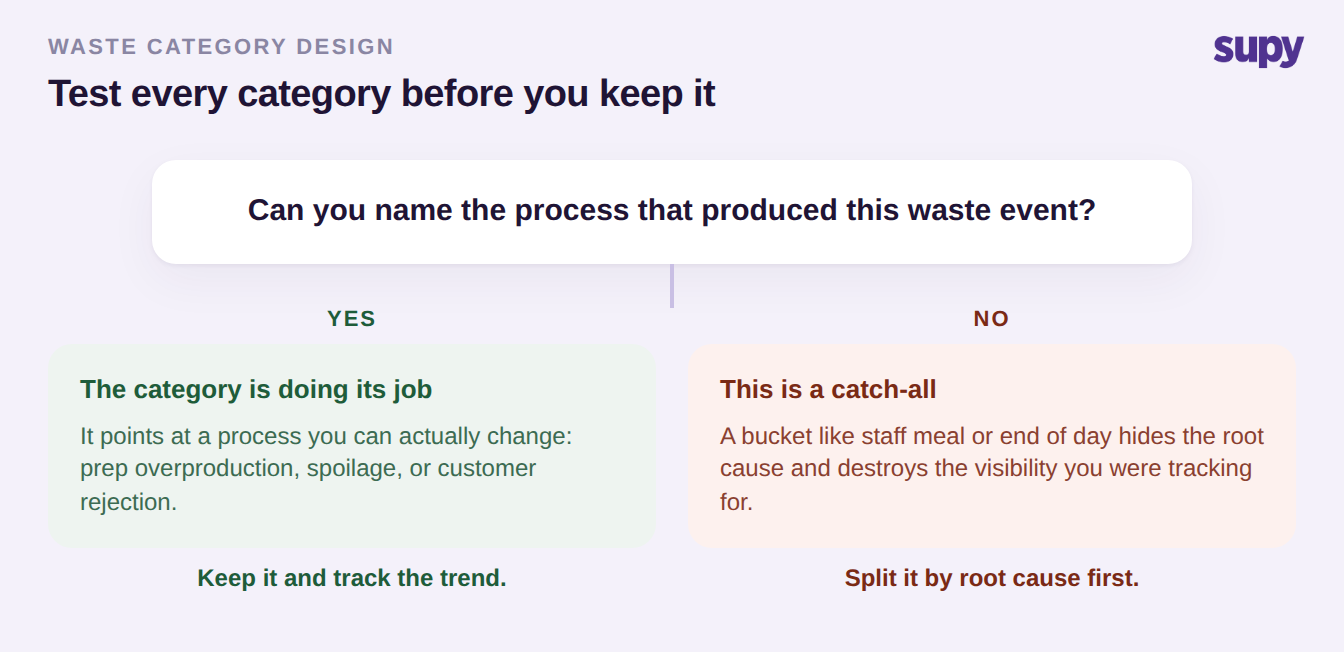
The common failure is a catch-all. When most of a site's monthly wastage lands in a bucket like "staff meal" or an ad-hoc "end of day", the tracking destroys the visibility it was meant to create: you know something was thrown away, but not which process to change. The fix is to design categories around root cause, so each one points at a decision you can act on. Separate prep overproduction (a batch made every Sunday that goes unsold) from fridge spoilage, and both from customer rejection, because the category is what tells you which process is broken.
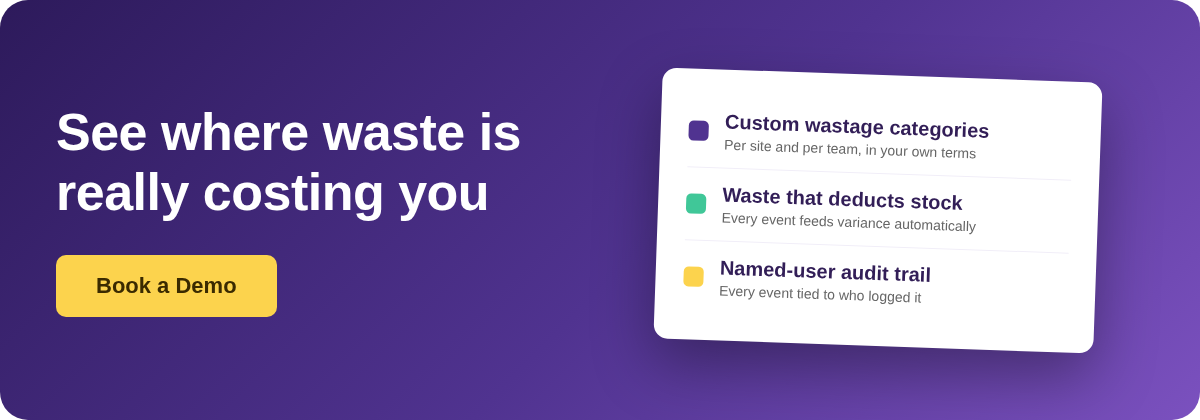
Good software lets you build that structure to your own operation. In Supy, custom wastage categories are created in settings, so records tag to your own terminology or cost-centre breakdown rather than a fixed default list, and you can attribute a category such as staff-meal waste to named individuals for month-end review. Before you keep any category, apply one test: can you name the process that produced the event? If yes, it is doing its job. If no, it is a catch-all, and you should split it before you log another shift.
Prep wastage or portion yield: two fields, one expensive mistake
Once categories are right, the next trap is a recipe-level one, and it produces numbers so wrong they stop a costing report cold. Prep wastage and portion yield are two different recipe fields, and confusing them is the fastest way to an impossible recipe cost.
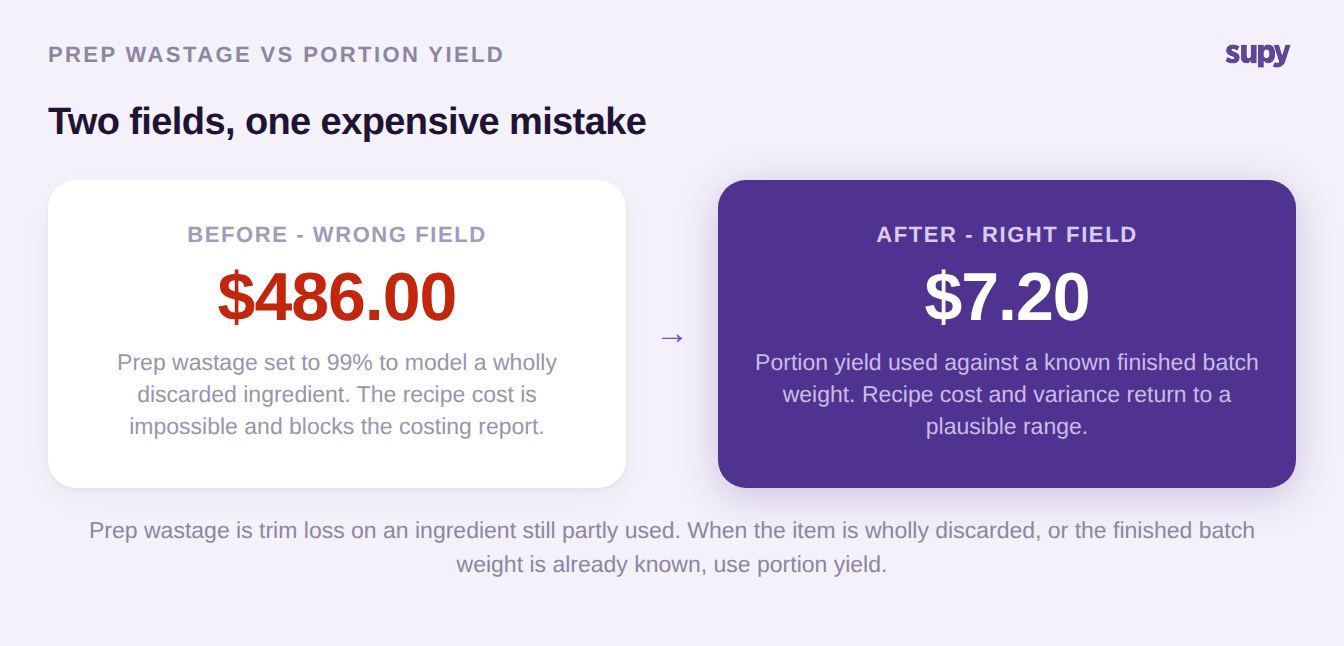
Operators reach for prep wastage to model an ingredient that is largely or wholly discarded, setting it to 99%. The result is an absurdly inflated cost on a single line that blocks the whole report. The rule is simple: prep wastage is trim loss on an ingredient that is still partly used, such as removing herb stalks. Where the item is wholly discarded, or where you already know the finished batch weight, use portion yield instead. In Supy's recipes and prep recipes, yields, shrinkage and prep wastage are distinct fields for exactly this reason, alongside batch production tracking and target costs. Correct the field and both the recipe cost and the variance return to a plausible range.
The sibling problem is yield drift on high-value proteins. Run a fixed theoretical yield of 85% on a semi-finished beef cut while the actual daily yield moves between 83% and 86%, and the gap accumulates quietly across a month until your theoretical and actual numbers no longer agree. Track yield as its own field and review it against reality, rather than trusting a number set once at setup.
Expense or cost of goods sold: the toggle that hides staff meals
Every wastage category carries one more configuration decision, and getting it wrong makes whole categories vanish from your food cost number. Each category is treated either as an expense or as cost of goods sold, and that setting decides whether its cost ever reaches your food cost percentage.
This is the cause behind a symptom operators usually report as a bug: staff-meal wastage costs missing from a purchasing manager's dashboard, or a wastage event that shows no monetary value at all. The usual causes are this toggle, or no positive stock balance for the item, not a calculation delay. Decide at configuration time which categories are expense and which are cost of goods sold, because that is what determines whether they show up in the number you manage margin against. Some categories are genuinely contested: a "complimentary" line may need to map to entertainment, PR or marketing rather than food cost, and that mapping is a management call worth making before setup, not after.
| Category | Expense or cost of goods sold | In food cost %? | Common misconfiguration |
|---|---|---|---|
| Prep waste | Cost of goods sold | Yes | 99% prep wastage instead of portion yield |
| Spoilage | Cost of goods sold | Yes | Merged into a generic "end of day" bucket |
| Overproduction | Cost of goods sold | Yes | Not separated from spoilage |
| Staff meals | Expense | Depends on policy | Left as cost of goods sold, so it inflates food cost |
| Complimentary | Expense | Usually no | No clean map to a marketing or PR line |
| Breakage | Expense | Usually no | Booked against food cost by default |
The consumption your recipes can never carry
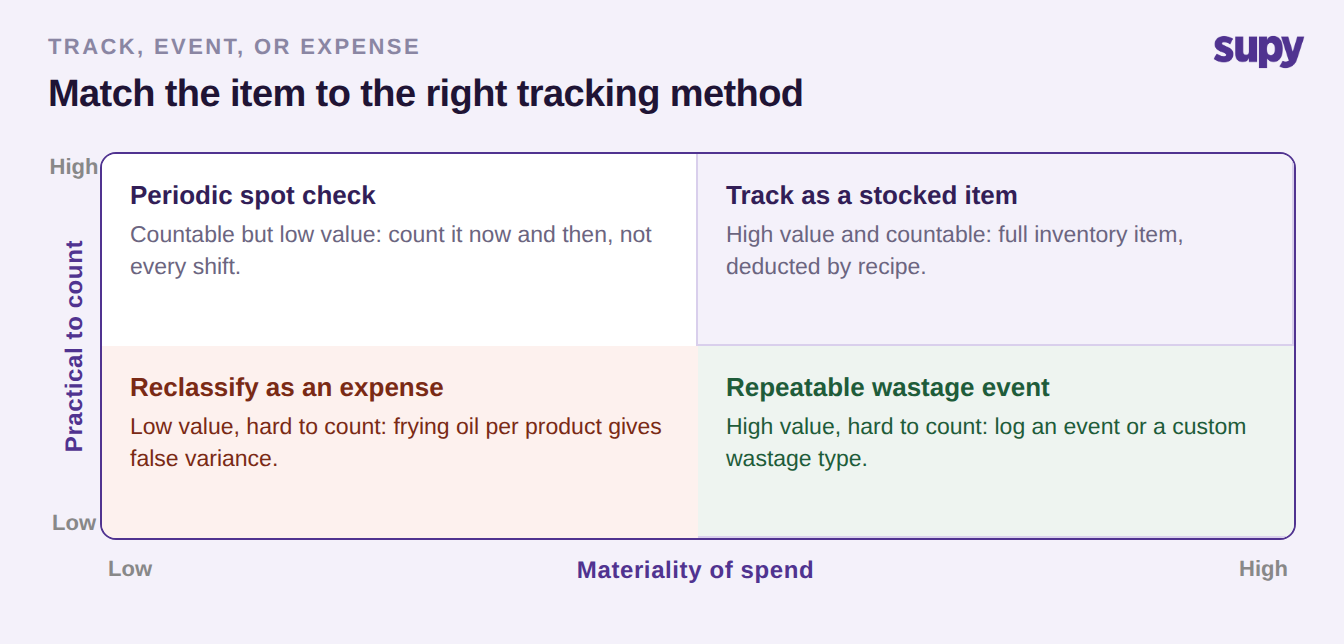
Some consumption will never sit on a recipe line, and treating that as a gap to close is a mistake. Gloves, hairnets, cleaning chemicals, roll towel, packaging and frying oil are used across many dishes in amounts no recipe captures. The decision is not how to force them into recipes, but whether to track them at all, and that turns on two things: how material the spend is, and how practical the item is to count.
Where usage matters but the item is hard to count, log repeatable wastage events or create a dedicated custom wastage type for the specific case, such as an opened bottle charged on the point of sale but not depleted from stock. Where per-product tracking produces unrealistic variance, frying oil being the classic example, reclassify the item as an expense rather than chasing it per product. One consequence is worth planning for: items that a recipe never depletes will not appear in a predictive order view, so consumables need their own reorder routine rather than riding along with ingredient forecasting. The same shape applies to recipe-mapped packaging, which is often fixed at one unit per order when in reality several cups go out.
Three checks before you trust the waste report
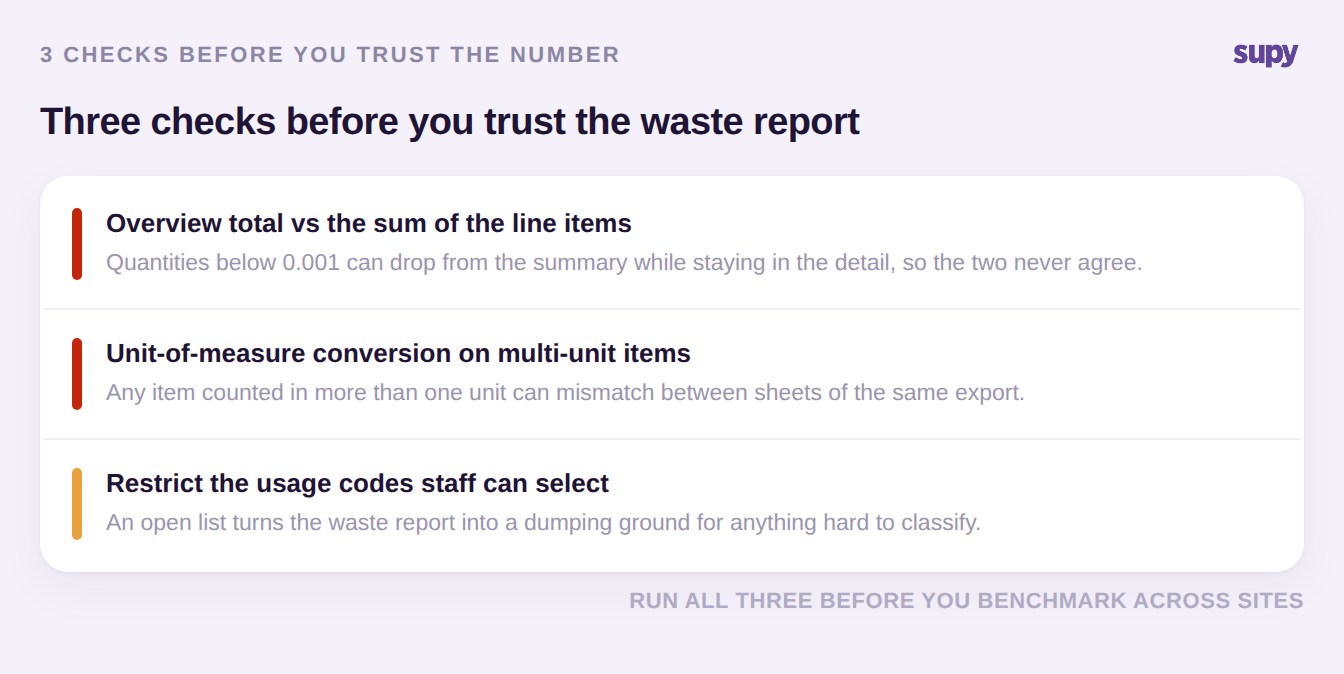
A waste report is only as good as its integrity, and a few faults recur often enough to be worth checking before you benchmark anything or act on a number. Each of these came out of a real reporting fault in an enterprise group.
First, reconcile the overview total against the sum of the line items. A mismatch is often traced to quantities below 0.001 being dropped from the summary while retained in the detail, so the two never agree. Second, check unit-of-measure conversion on any item that appears in more than one unit, because a conversion is a common source of quantity mismatches between sheets of the same export. Third, restrict which usage codes staff may select. An unrestricted list turns the waste report into a dumping ground, and simply removing an option such as "complimentary" from the pick list stops consumption being booked there by habit.
When the wastage event is the production record
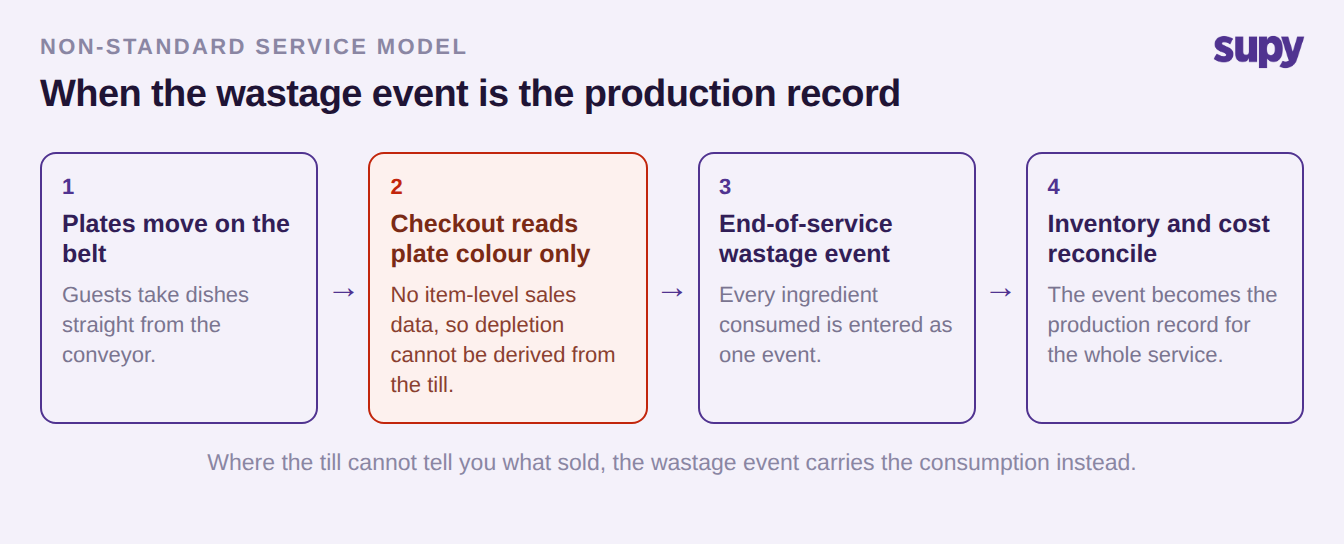
Most tracking assumes the point of sale tells you what was consumed. In some service models it cannot, and the wastage event has to carry that weight instead. A conveyor-belt sushi group is the clearest case: the checkout records only the plate colour a guest took, with no item-level sales data, so depletion cannot be derived from the till at all.
Here the end-of-service wastage event becomes the primary production consumption record for the whole service. Every ingredient consumed is entered as one event, and inventory and cost of goods sold reconcile from it rather than from sales. It is an unusual arrangement, but it makes a general point: waste tracking is not always the afterthought at the end of the pipeline. Where the till cannot tell you what sold, the wastage record is the closest thing you have to a production log, and the software has to treat it as first-class data, not an exception.
What to require of waste tracking software at 10 or more sites
At a single site you can hold most of this in your head. Across ten or more, the software has to enforce it, because inconsistency between sites is what makes a group-level number meaningless. When you evaluate a tool, the questions below separate genuine multi-site tracking from a single-site product with a location filter bolted on. It is the same discipline that separates real restaurant inventory software from a spreadsheet.
| Capability | Why it matters at group scale | Question to ask the vendor |
|---|---|---|
| Custom categories per site and team | A group needs one structure everyone logs against, with room for local nuance | Can I define categories centrally and still allow site-specific ones? |
| Waste that deducts stock and feeds variance | A record that does not move stock is just a note | Does a logged event deduct inventory and show in theoretical vs actual? |
| Named-user audit trail | Accountability needs to survive staff turnover and disputes | Is every event tied to a named user, and can entries be edited or deleted? |
| Expense vs cost of goods sold mapping | It decides whether a category reaches food cost at all | Can I set this per category, and change it without re-keying history? |
| Multi-site comparison and export | Benchmarking is the whole point of a group rollout | Can I compare waste by site, period and category, and export it? |
On the accountability point specifically, insist on an immutable record. In Supy, every action is logged against a named user with a timestamp, filterable and exportable, and entries cannot be quietly edited or deleted, which is what makes the numbers defensible in a review. Variance and wastage by type, site and item sit on the dashboards with drill-down, and the same data exports to Excel or CSV in one click. One capability to be careful about in any pitch: automatic detection of abnormal waste is not something to assume is live, so ask directly whether anomaly alerting exists today or is on a roadmap before you weight it in a decision.
Where to start. You do not need a new system to make the next number better. Three moves, in order. First, open your category list and split any catch-all until every category names a process you can change. Second, check each category's expense or cost of goods sold setting, so nothing you care about is missing from your food cost percentage. Third, run the three integrity checks above before you next benchmark across sites. If food cost is where this is heading, the food cost calculator is a quick way to see what a corrected waste number does to the figure that matters. When you are ready to see how this works across a group, book a demo and bring your current category list to the call.