.jpg)


Restaurant AI Predictive Ordering for Multi-Site Groups: How It Really Works
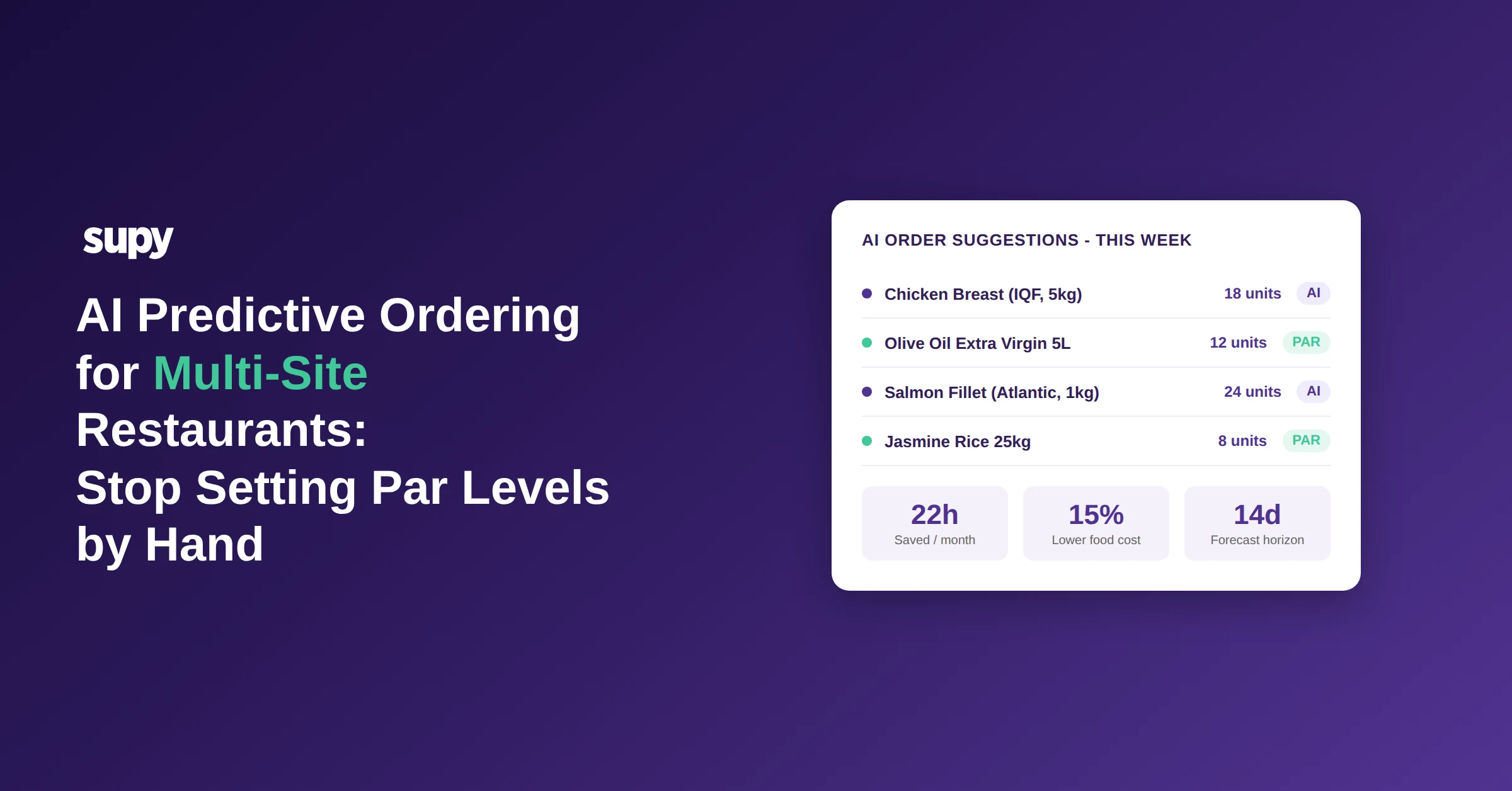
Multi-site restaurant groups that have adopted restaurant AI predictive ordering at scale describe a consistent shift in how their procurement function works: instead of 12 or 15 purchasing managers each maintaining their own par level lists, adjusting quantities after every menu rotation, and checking compliance one location at a time, the calculation work happens automatically. Managers review, adjust for anything the system cannot see, and submit. The admin cycle compresses significantly.
Want the numbers for your own kitchen? The free par level calculator works out a par for every item on your sheet from your usage, delivery days and supplier lead times.
This post covers how Supy's AI Predictive Ordering, Spending Policies and Guardrails, and Standing Orders work together to remove the three largest sources of procurement admin in a growing group.
How AI Predictive Ordering Calculates What Each Location Needs to Order
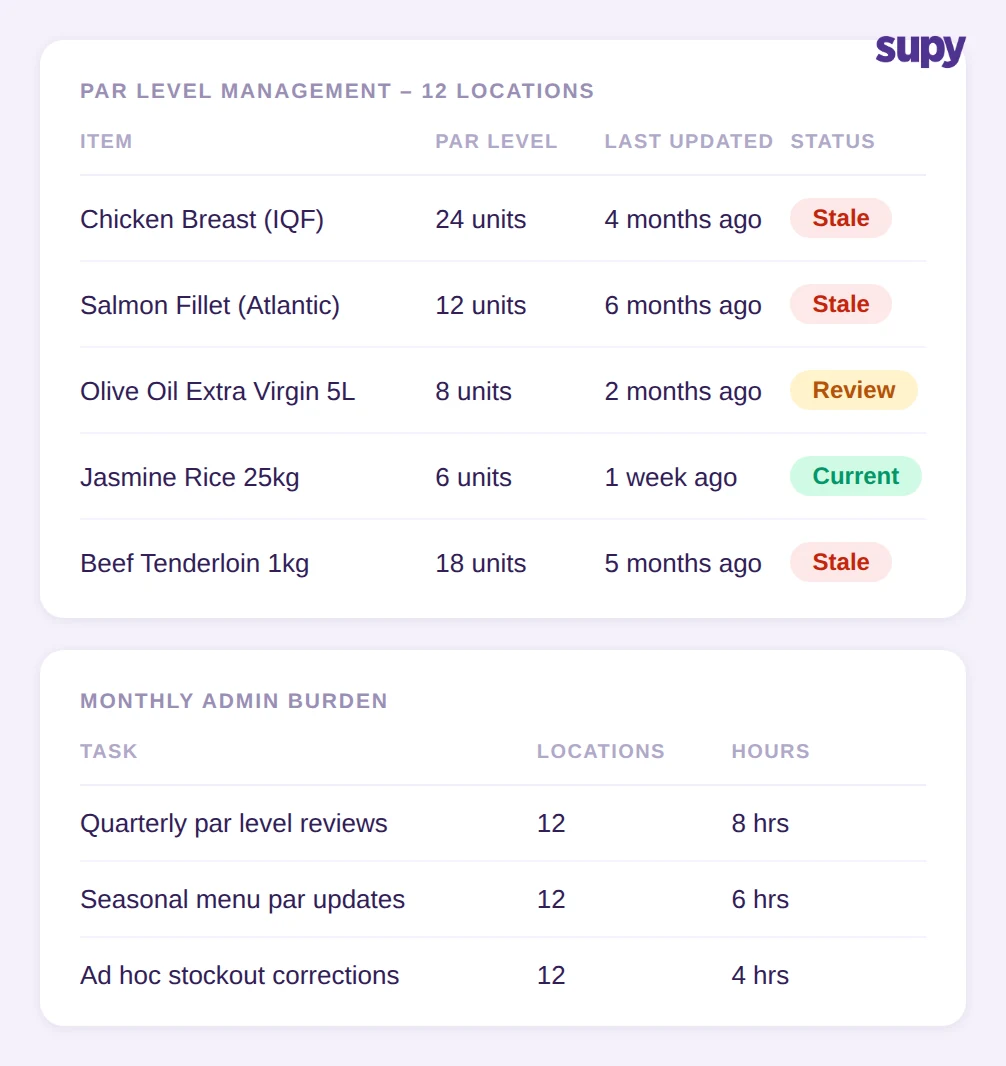
The standard multi-site ordering workflow relies on par levels: a fixed target quantity for each item at each location. A purchasing manager checks current stock against the par, calculates the gap, and submits an order. The system works when demand is stable and menus stay the same. It fails when a seasonal menu adds 40 new ingredients, when an upcoming event is expected to drive higher covers, or when a supplier delivers short and the par level no longer reflects what the location actually needs.
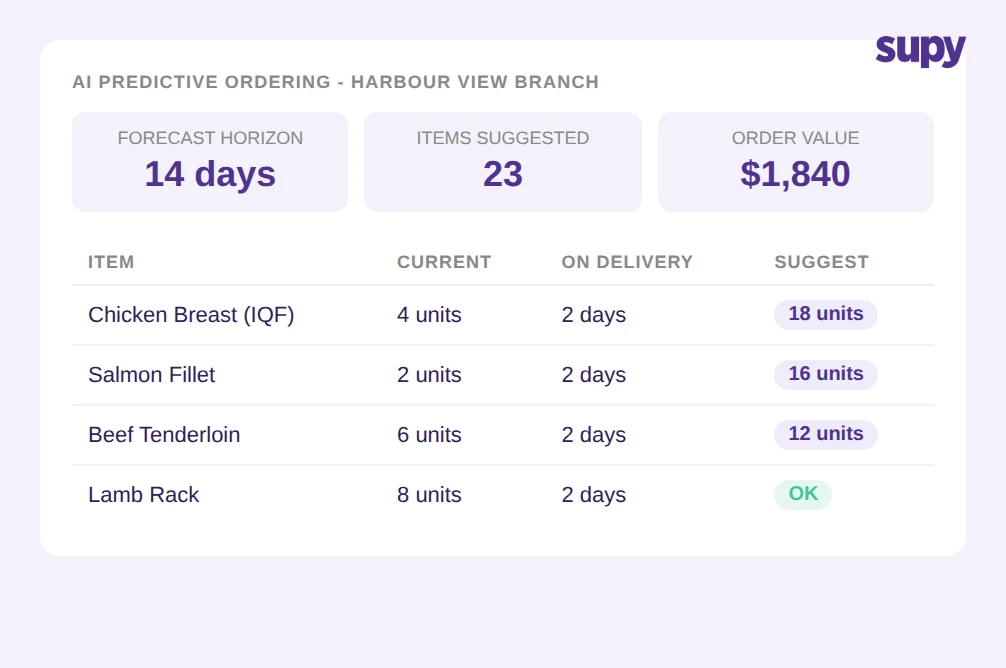
AI predictive ordering in Supy calculates order quantities from a 14-day demand forecast rather than from a fixed par level. The forecast is built from historical POS data for each location - daily sales volumes, item mix, seasonal patterns - and is recalculated each time an order is generated. The system maps forecast demand to active recipe configurations to determine ingredient quantities, then compares against current stock to produce a suggested order.
The practical effect is that par-level maintenance disappears. When a menu item changes, the next order calculation picks it up automatically because it draws from the current recipe configuration, not from a threshold someone set six months ago. When demand increases heading into a busy weekend, the forecast reflects that in the suggested quantities. Purchasing managers review suggestions rather than build them from scratch.
Groups using this approach report spending 75% less time on the weekly ordering process. The time recovered comes from eliminating par-level updates, reducing the per-item review cycle, and removing the manual recalculation that follows any menu or seasonal change.
Spending Guardrails That Control Procurement Budgets Before Orders Are Placed
In a multi-site group, every purchasing manager with ordering access represents a budget risk. Without controls, a manager can submit a purchase order that exceeds the agreed category spend for the month without any system intervention. The problem surfaces at invoice reconciliation - weeks after the order was placed and the goods received.
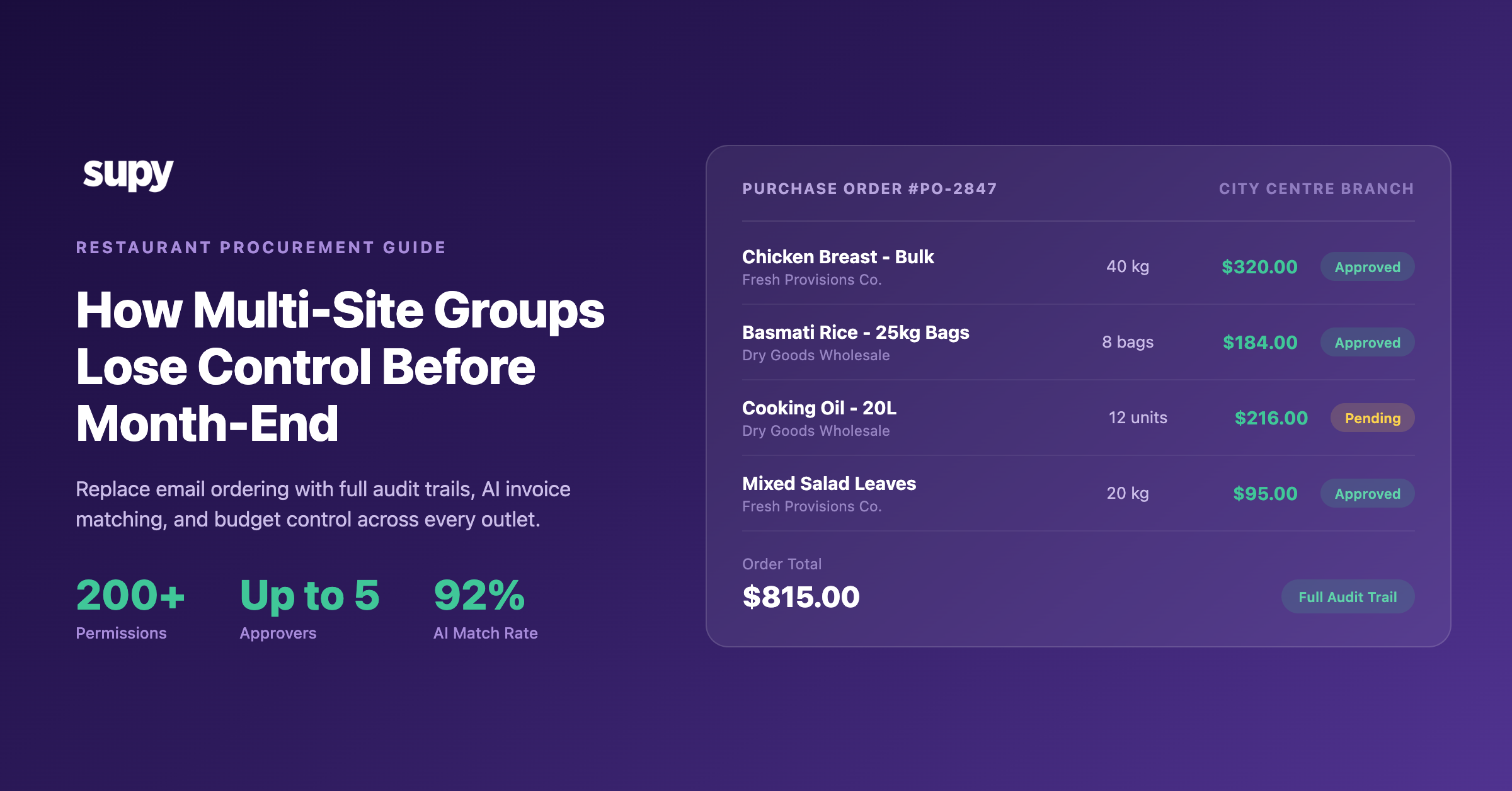
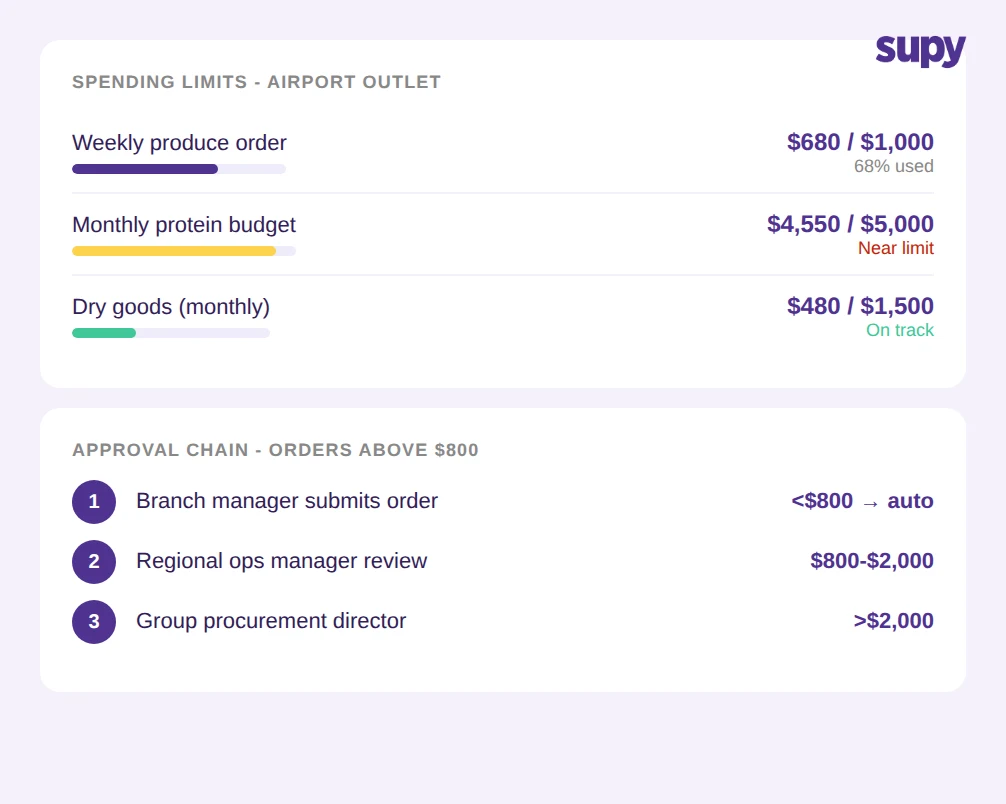
Supy's Spending Policies and Guardrails adds a control layer at the point of submission. Budget limits are configured per location, per supplier category, or at group level. When a submitted order would breach a configured limit, the system routes it to a designated approver before it reaches the supplier. Up to five approval tiers can be configured - for example, a site manager approves orders up to $500, a regional manager approves up to $2,000, and the procurement director approves above that threshold.
The guardrails apply to every order type: AI-generated suggestions, Fill to PAR recommendations, and manual purchase orders. No order bypasses the policy layer. For groups where budget conversations currently happen after month-end invoice data arrives, this moves the control point from retrospective to pre-order. The approved spend at the end of a month matches the submitted and approved order total within the audit trail.
This matters particularly for groups expanding into new markets, where local purchasing managers may not yet have the institutional knowledge about target food cost percentages. The guardrail system enforces budget discipline at the system level rather than relying on individual judgment at each site.
Standing Orders Remove Weekly Resubmission Admin for Staple Items
Not every item in a restaurant purchasing cycle needs demand forecasting. Flour, oil, packaging materials, cleaning supplies - for these high-frequency staples, demand is predictable enough that the real operational need is not a more accurate quantity calculation but zero resubmission admin. The order should go out on schedule without requiring anyone to review and submit it manually each cycle.
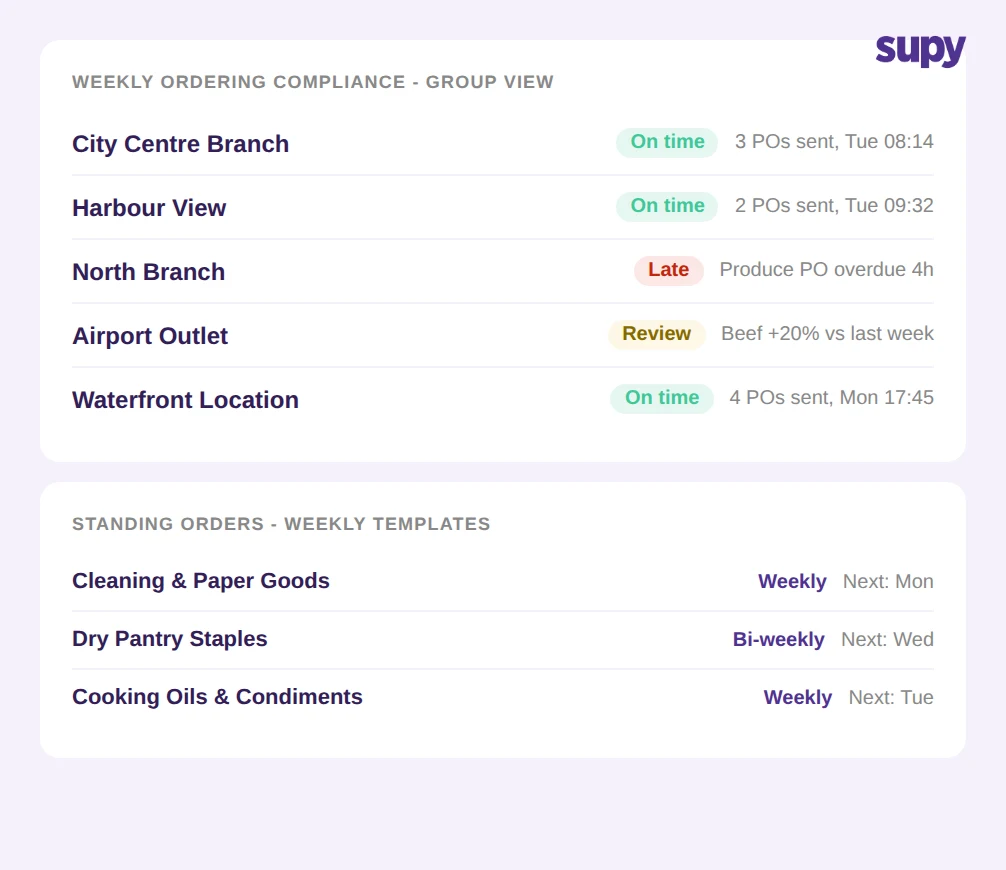
Supy's Standing Orders feature handles this directly. A purchasing manager configures a recurring order template for a supplier, specifying the items, quantities, and submission cycle (weekly, bi-weekly, or at any defined interval). The system auto-submits on schedule. No manual trigger, no risk of a staple order being missed because the purchasing manager was managing a busy service or was unavailable.
Standing orders operate alongside AI predictive ordering in the same procurement workflow. AI-generated suggestions handle the variable items where forecasted demand drives the correct quantity. Standing orders handle the stable items where schedule drives the quantity. Together they cover the full purchasing cycle without any overlap in admin work. Purchasing managers deal with exceptions and adjustments - not routine resubmission.
Monitoring Ordering Compliance Across Locations Without Manual Checking
One of the recurring operational problems for multi-site operations managers is that verifying ordering compliance requires logging into each location's system individually. Checking whether each site has submitted this week's orders, reviewing what was ordered against the agreed supplier list, and identifying locations that are ordering outside the approved category mix - all of this requires per-site manual work that adds up quickly as the group grows.
Supy's ordering dashboard presents a group-level view of ordering activity across all locations in a single screen. Managers can see which locations have AI suggestions waiting for review, which have purchase orders currently in approval, and which locations have orders that are past the configured submission window. The system surfaces compliance gaps without requiring anyone to navigate location by location.
For operations managers who run monthly procurement reviews with site managers, this changes the conversation. Instead of spending the first part of the meeting establishing what was actually ordered and when, the group-level dashboard provides that history before the meeting starts. The conversation can focus on patterns - why three locations consistently submit orders late, or why one site's food cost variance is higher than comparable sites - rather than on data collection.
The dashboard also supports the approval workflow for spending guardrails. Approvers with multi-site responsibilities can see pending approval requests from all locations they manage in a single queue, rather than receiving requests by email or messaging app.
How Groups with 12 Active Locations Are Scaling Procurement with AI Predictive Ordering
A procurement model that requires a dedicated, manually-maintained par list per location caps how efficiently a group can grow. Each new site adds a proportional admin burden at the configuration and maintenance level. Groups that have adopted restaurant AI predictive ordering at the multi-site level describe a different scaling pattern: as locations are added, the ordering workload grows much more slowly because the calculation work is handled by the system at each site.
For a group with 12 active locations, the structural change looks like this: instead of 12 separate par-level lists to maintain and update each time a menu changes, the team maintains a single recipe and ingredient configuration in Supy. The AI ordering model at each location draws from that shared configuration to calculate site-specific suggestions based on local sales patterns. When a seasonal menu update is confirmed centrally, the ordering suggestions at all 12 locations reflect the new configuration from the next order cycle. No location-by-location manual update is required.
Groups report saving an average of 22 hours per week across the procurement function after activating AI predictive ordering - time recovered from eliminating par-level maintenance, reducing the ordering review cycle, and removing the manual compliance checking described above. Supy connects to 75+ POS and inventory integrations, which means the historical sales data feeding the AI forecasting model is pulled automatically rather than through manual data entry or spreadsheet imports.
What It Takes to Activate AI Predictive Ordering in Supy
AI predictive ordering in Supy requires three things to generate accurate suggestions: an active POS integration providing historical sales data, a recipe configuration that maps dishes to ingredients, and sufficient sales history at each location for the demand model to build a reliable 14-day forecast. Groups already using Supy for inventory management and recipe costing typically meet all three requirements and can activate the feature without additional data work.
For groups coming to Supy from a different system, the onboarding sequence starts with POS integration, then recipe build-out, then AI ordering activation once the demand model has accumulated sufficient data. Supy's onboarding team works through this sequence with each group across multiple locations within a defined project timeline.
For groups that want to start with budget controls before enabling AI suggestions, Spending Policies and Guardrails and Standing Orders can be activated independently. A group can run manual ordering with guardrails in place while the data required for AI forecasting is being accumulated. The full procurement automation suite can be deployed in stages, with each component adding value before the next is configured.
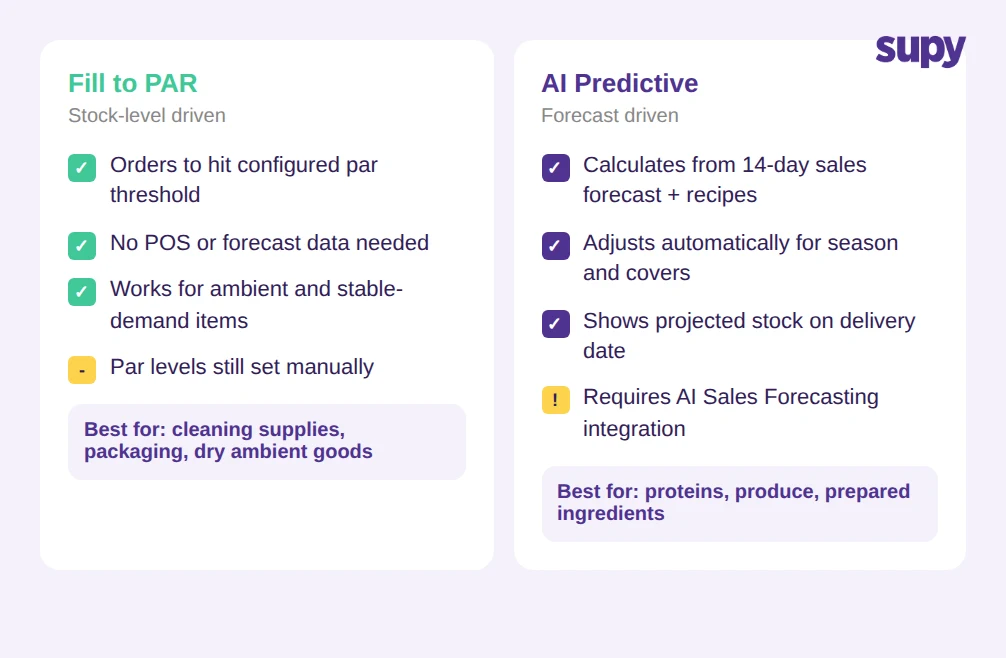
Fill to PAR is also available for groups whose items have stable enough demand that a forecasting model adds little additional accuracy over a well-maintained par level. The two approaches - AI suggestions from forecast and Fill to PAR from configured thresholds - can be used for different item categories within the same location. More detail on the comparison is available in the Fill to PAR guide.
Groups that have implemented the full suite - AI predictive ordering, spending guardrails, and standing orders - report an average 15% reduction in food cost within three months of activation. The reduction comes from fewer ordering errors, reduced emergency out-of-stock purchases, and tighter budget compliance across all locations without increasing the time spent on the procurement function.
If your group manages procurement across multiple locations and wants to see how AI predictive ordering fits your current POS and inventory setup, the setup assessment takes around 30 minutes.