.jpg)


Real Time Inventory Tracking System: Five Gaps That Cost Multi-Site Groups Control
When Your Team Orders by Memory Instead of Data
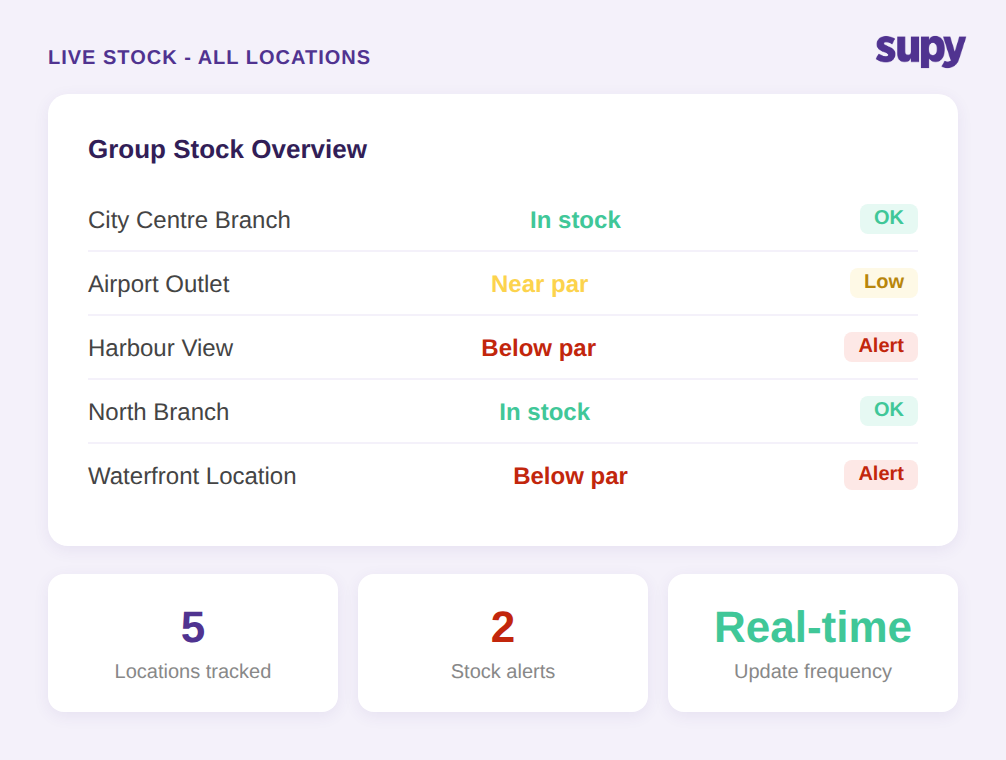
The most common trigger for evaluating a real time inventory tracking system is straightforward: branch managers do not know what stock they actually have when they place orders. In groups with no centralised stock view, each site operates as its own island. Managers walk the storeroom, make a mental note, and order based on experience rather than current on-hand quantities.
The result is predictable. Perishables are over-purchased at some sites while others run short, and inter-branch discrepancies accumulate without anyone noticing. A group running 8 locations without centralised visibility can have one site over-stocked with a slow-moving item while another runs out of the same item mid-service -- and neither site is aware the other holds the surplus.
The fix is a live stock visibility layer that aggregates across every location into a single view. Group finance and ops teams should be able to see stock-on-hand by branch, by category, and by storage unit without pulling data manually from each site. For multi-location groups, this consolidated view is the core functional requirement -- not a premium add-on.
A system that meets this requirement updates stock levels automatically as goods are received (via goods-received notes), as sales are recorded through POS integration, and as inter-branch transfers are logged. There should be no manual sync step and no delay between a real-world stock event and its appearance in the system.
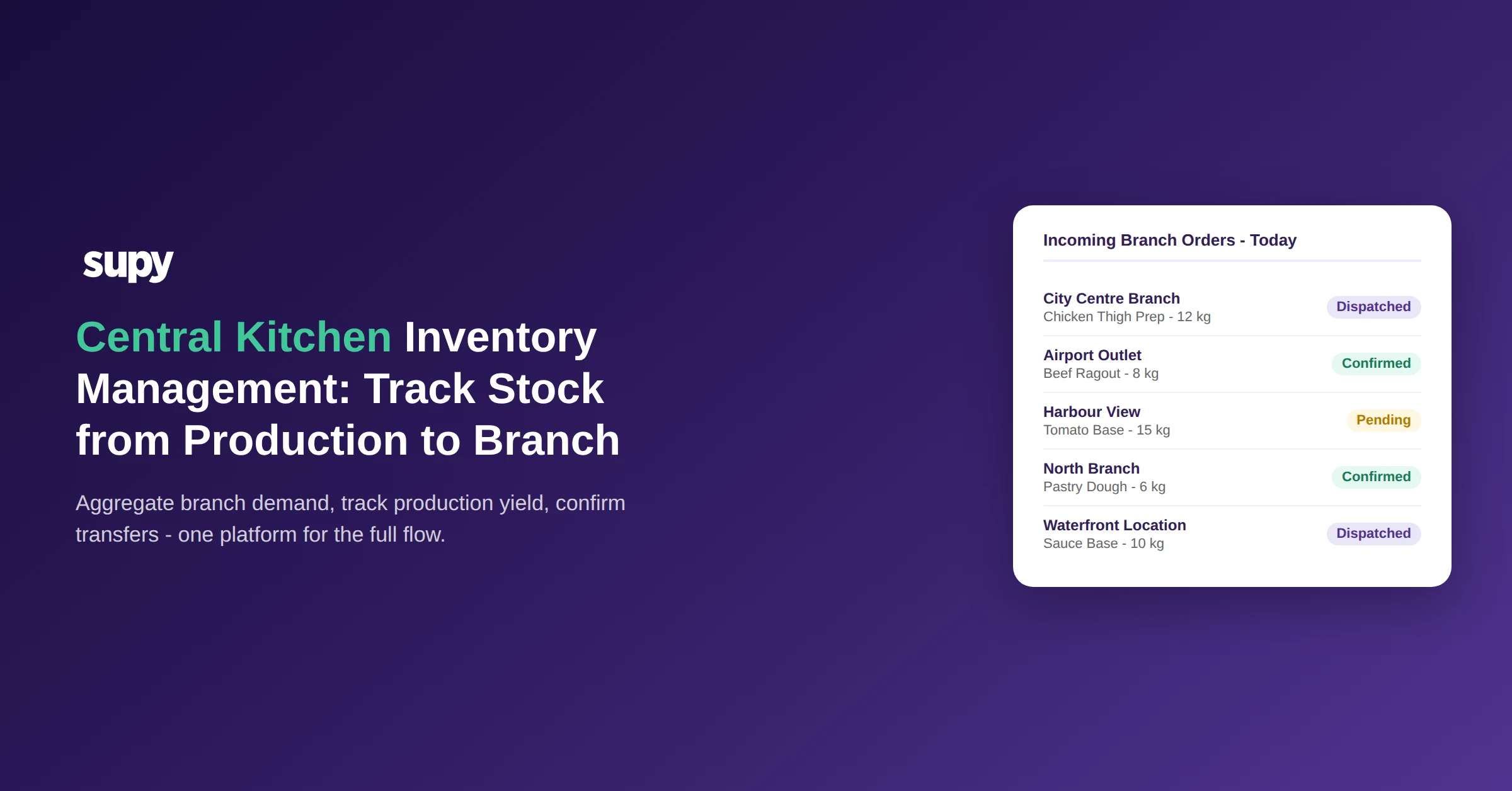
Inventory transfers between sites are part of this picture. When stock moves from a central kitchen to a branch, or between two branches, the system should adjust both locations simultaneously, with the receiving site's count not updating until they formally accept the transfer. This prevents phantom stock from appearing in the consolidated view and ensures the group-level number is always accurate.
The POS Lag Problem That Most Buyers Miss
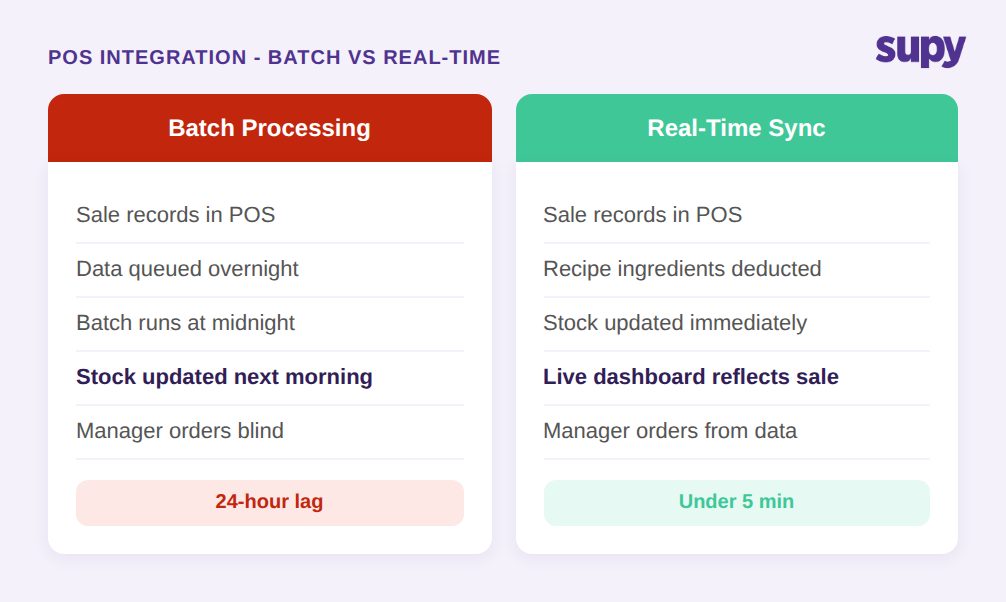
Here is a distinction competitor buyer guides rarely make: there is a meaningful operational difference between a system that integrates with your POS and a system that integrates in real time. Many platforms batch-process POS data on a nightly cycle, which means that on any given morning, the previous day's sales consumption has not yet been deducted from inventory. For groups running late-night or early-morning ordering workflows, that 24-hour lag makes the inventory data functionally useless at the moment it is needed most.
True real-time POS-to-inventory sync means that when a dish sells, the ingredient quantities linked to that recipe are immediately decremented from the stock count. Operators managing high-throughput sites -- particularly groups with breakfast, lunch, and dinner services back-to-back -- can then make mid-service ordering decisions based on current consumption, not yesterday's final state.
The recipe linkage matters as much as the sync speed. If a dish is modified, has a size variant, or includes a modifier, the system should map every POS menu item to the correct ingredient quantities at recipe level. A sale of a large portion should deduct a proportionally larger quantity of ingredients than a small portion. Without this granularity, the theoretical stock calculation drifts from reality even if the sync is fast.
When evaluating vendors, ask specifically: how frequently does your POS integration update stock-on-hand? If the answer is "nightly" or "end of day," that is a batch system, not a real-time system. Ask to see a live demonstration with an active POS connection, where a sale in the POS is reflected in the inventory dashboard within minutes. The distinction matters for intra-day decision-making, and the vendor's answer will tell you which category their system falls into.
Variance That Stays Invisible Until Month-End
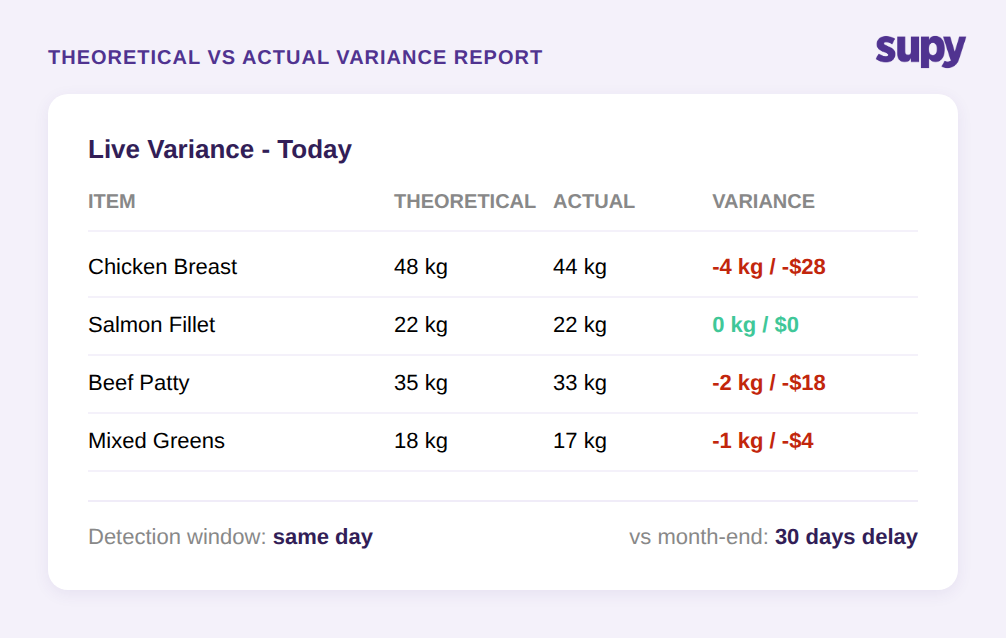
In groups without real-time tracking, stock consumption variance is typically checked at month-end. The process looks something like this: a physical count is done, the result is compared to theoretical stock based on POS sales and recorded waste, and the difference is flagged as variance. By the time that number surfaces, it represents up to 30 days of accumulated shrinkage, waste, or recording errors that cannot be traced back to a specific shift, a specific item, or a specific location.
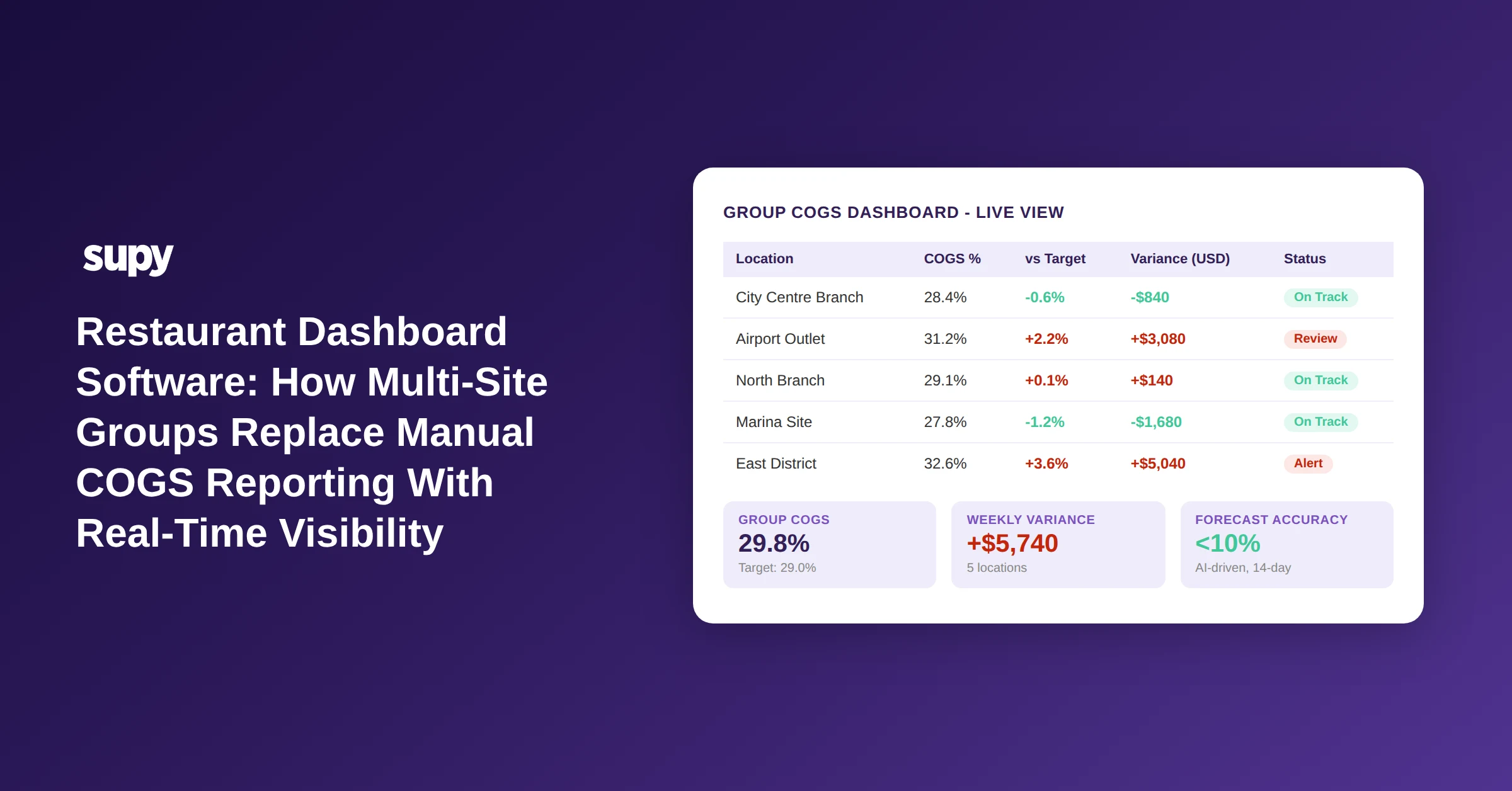
A real time inventory tracking system changes the economics of variance detection by compressing the window. Theoretical-versus-actual comparisons run continuously, so a variance that appears on Monday morning can be investigated on Monday -- not at the end of the month when the shift team responsible is long gone and the paper trail is cold. The items most likely to show variance -- high-value proteins, expensive spirits, produce with short shelf lives -- can be flagged immediately rather than surfacing as a blended number in a period-end report.
For group finance teams, the aggregated view matters as much as the per-site view. Being able to see inventory valuation across all branches in a single report -- without manually exporting and merging spreadsheets from each site -- replaces a process that typically takes hours and produces a number that is already several days stale. Interactive dashboards that show live food cost percentage at group and site level, alongside theoretical-versus-actual variance by item and location, give finance teams the ability to ask specific questions rather than waiting for the system to surface a summary.
Low-Stock Alerts: From Reactive Ordering to Triggered Procurement
Without automated low-stock alerting, stockouts are discovered during service. A prep cook runs out of a key ingredient, raises the alarm, and a manager places an emergency order at spot pricing. The cost premium on emergency procurement is rarely tracked explicitly, but across a multi-location group running dozens of high-value SKUs, the cumulative cost is material and avoidable.
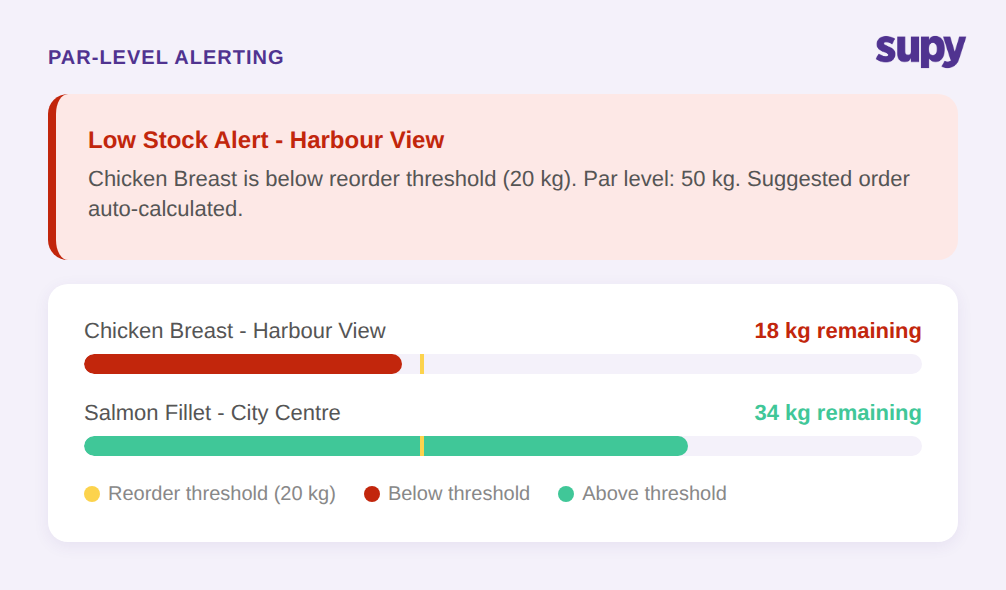
Par-level alerting changes the trigger point. When stock falls below a defined minimum threshold, the system generates an alert before the stockout occurs -- typically with enough lead time to place a normal order on the regular delivery schedule. The alert can route to the site manager, the central procurement team, or both, depending on how the operation is structured. Different items can have different thresholds: a high-volume protein might have a par level of 50 kg with an alert threshold at 20 kg, while a slow-moving specialty ingredient might be tracked more loosely.
If you'd rather not work par out by hand, the free par level calculator does it for every item on your sheet from your usage, delivery days and supplier lead times.
The more capable version of this is order-to-par logic: the system not only alerts when stock is low but also calculates the quantity needed to bring stock back to the par level and pre-populates a suggested order. The manager reviews the suggested quantities, adjusts if needed, and approves. The system handles the calculation; the manager handles the judgement call. For groups managing high-SKU-count operations across multiple sites, this removes a significant manual calculation burden from the daily ordering workflow.
Procurement Without Budget Visibility
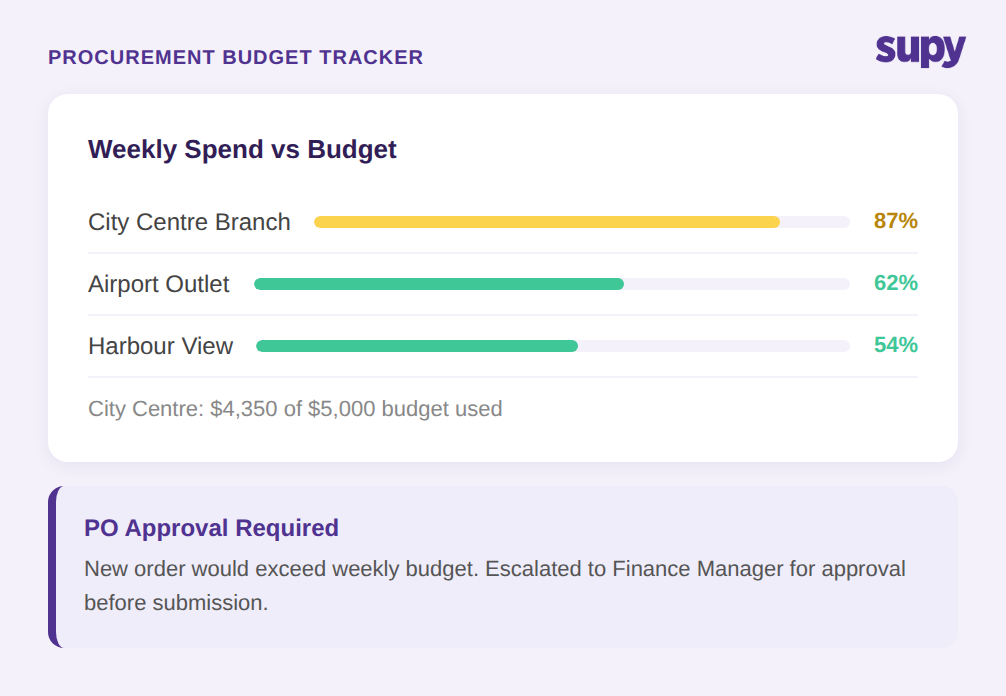
The fifth failure mode is the one most absent from competitor content: purchase orders approved without any visibility into whether the remaining budget can absorb them. In a multi-location group, procurement decisions are often made at the site level, by managers who do not have access to the group's aggregate spend or their own site's remaining period budget. Orders are submitted, approved, and only reconciled against budget at period close. A location that commits 87% of its weekly budget by midweek can still submit and have approved a large supplementary order with no system check in place.
A real time inventory tracking system that extends into procurement should show, at the point of order creation, how much of the period budget has been committed and what headroom remains. Spending policies and approval workflows can be configured so that orders above a defined threshold -- or orders that would push a site past its budget limit -- require escalation to a second approver before a purchase order is issued. Sequential approval chains with up to 5 levels of approval, triggered by branch and order value, are the mechanism for maintaining oversight without slowing down routine procurement.
This is not a niche procurement feature. It is the mechanism that converts real-time stock visibility into real-time cost control. Without it, a group can have perfect stock data and still run procurement cost overruns that surface at month-end. The 200+ customisable permissions available in a full-featured system give ops and finance teams granular control over who can order, up to what value, with what approval path -- scoped to individual locations, regions, or supplier categories.
AI-driven predictive ordering adds another layer: the system builds suggested purchase orders from a sales forecast run through recipe ingredient requirements, minus current stock on hand. Managers see what the system predicts they will sell over the next 14 days, what ingredients are needed to service that volume, and what is already in stock -- and can review and approve a pre-calculated order rather than starting from a blank PO. This is particularly useful in multi-location groups where a central procurement team manages ordering for several sites simultaneously.
What to Look for When You Evaluate a Software
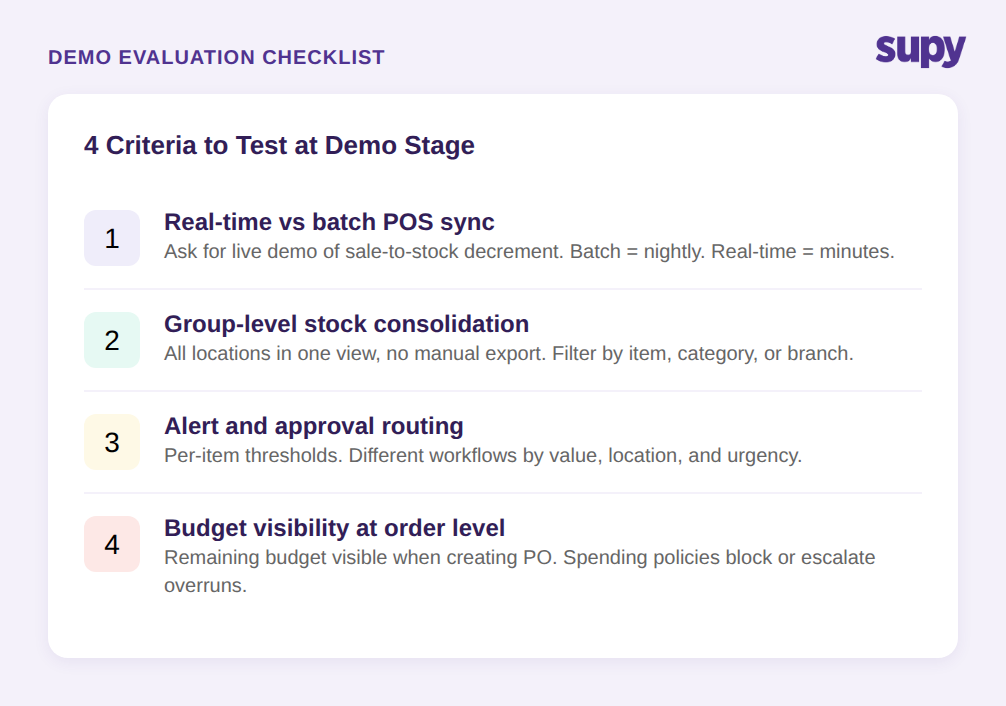
Buyer guides for real time inventory tracking systems tend to list the same feature bullets -- POS integration, stock alerts, multi-location support. The evaluation criteria that differentiate systems are more specific. When you reach demo stage, focus on these four:
1. Real-time versus batch POS sync. Ask the vendor to demonstrate the lag between a sale recording in the POS and stock being decremented in the system. Request a live demonstration with an active connection, not a slide. If the answer involves end-of-day processing, you are evaluating a batch system.
2. Group-level stock consolidation. Ask to see the multi-location consolidated stock view. Can it filter by category, by storage unit, by a single item across all branches? Can it show aggregated inventory valuation without any data export or manual merge? This view should exist as a standard dashboard, not a custom report generated on request.
3. Alert and approval routing. Ask how low-stock alerts are configured and where they route. Can different items have different thresholds? Can alerts trigger different approval workflows at different value levels? A system that sends a single undifferentiated alert is not the same as one that routes by item type, location, and urgency.
4. Budget visibility at the order level. Ask whether the remaining period budget is visible to the manager at the point of creating a purchase order. Can spending policies block or escalate orders that exceed a defined threshold? Can different approval rules apply to different suppliers or order categories?
A vendor who demonstrates all four of these in a live system has built a real time inventory tracking system. One who cannot has built a stock ledger with a reporting layer on top.
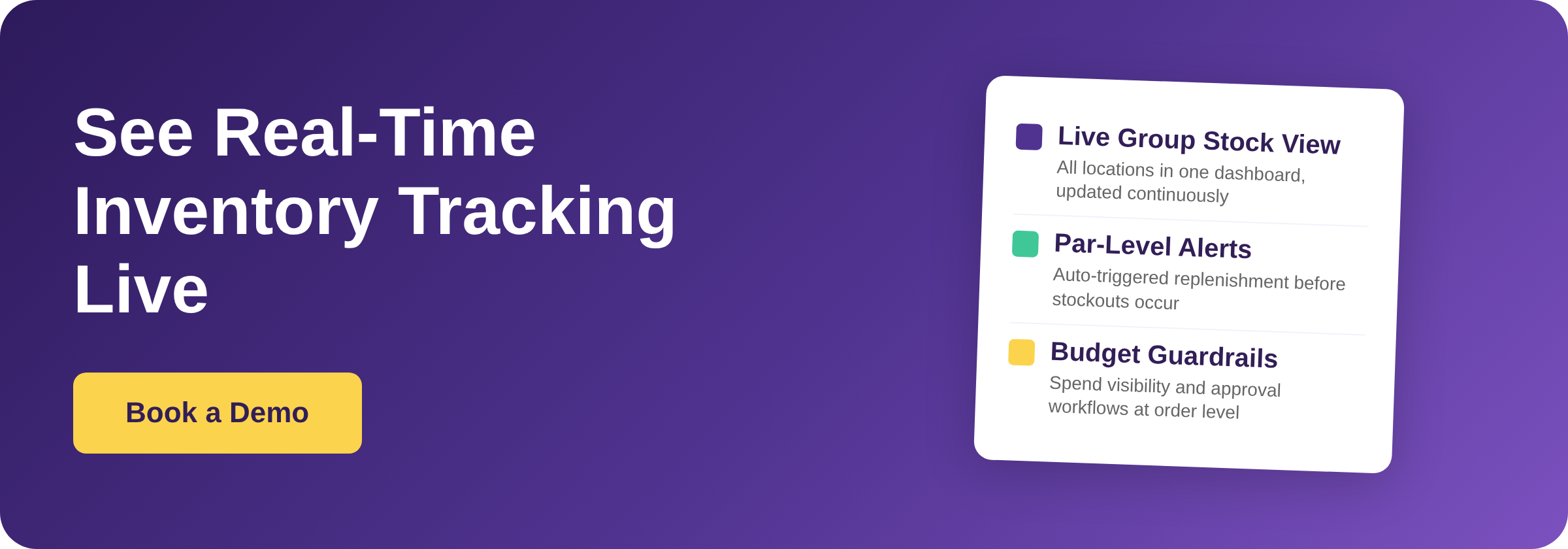
Supy covers each of these areas as live functionality: real-time stock visibility with per-location and group-level views, par-level alerting with order-to-par logic, theoretical-versus-actual dashboards, and spending policies with configurable approval workflows -- connecting across 75+ POS, accounting, and ERP integrations. If you want to see how these work in practice for a multi-location group, book a demo.