.jpg)


Restaurant Par Level Management: A Guide for Multi-Site Operators
Why Par Levels Never Take Hold Across a Group
Par level management across a restaurant group is a sequencing, configuration and governance problem, not a formula problem. Every site can hold correct par numbers on paper and still over-order, run out, or quietly stop trusting the figures. What breaks par levels at group scale is almost never the maths behind them - it is whether the data underneath is trustworthy and whether the rollout was ever finished.
Want the numbers for your own kitchen? The free par level calculator works out a par for every item on your sheet from your usage, delivery days and supplier lead times.
One multi-brand cafe and casual-dining group, running a mid-size estate and opening a new premium concept, said plainly that they had never once implemented par levels or predictive ordering successfully. They named two reasons, and neither was the calculation. First, stock count errors made the inputs untrustworthy, so any par set on top of them was built on sand. Second, every site and brand had different storage capacity, so nothing could be standardised into a single group-wide template - the bar and the kitchen at one site need different par lists, and a city site and a high-street site in the same brand do too.
The second lesson comes from the order of operations. Par-based reordering only works once the data feeding it is live. In one group, par-level reordering could not be trusted because the point-of-sale integration was not live, so stock-on-hand was wrong and a month of invoices had to be back-entered before the system became reliable. The working sequence is the same everywhere: get stock counts trustworthy, get receiving live, integrate sales, and only then set par. Par is step four, not step one.
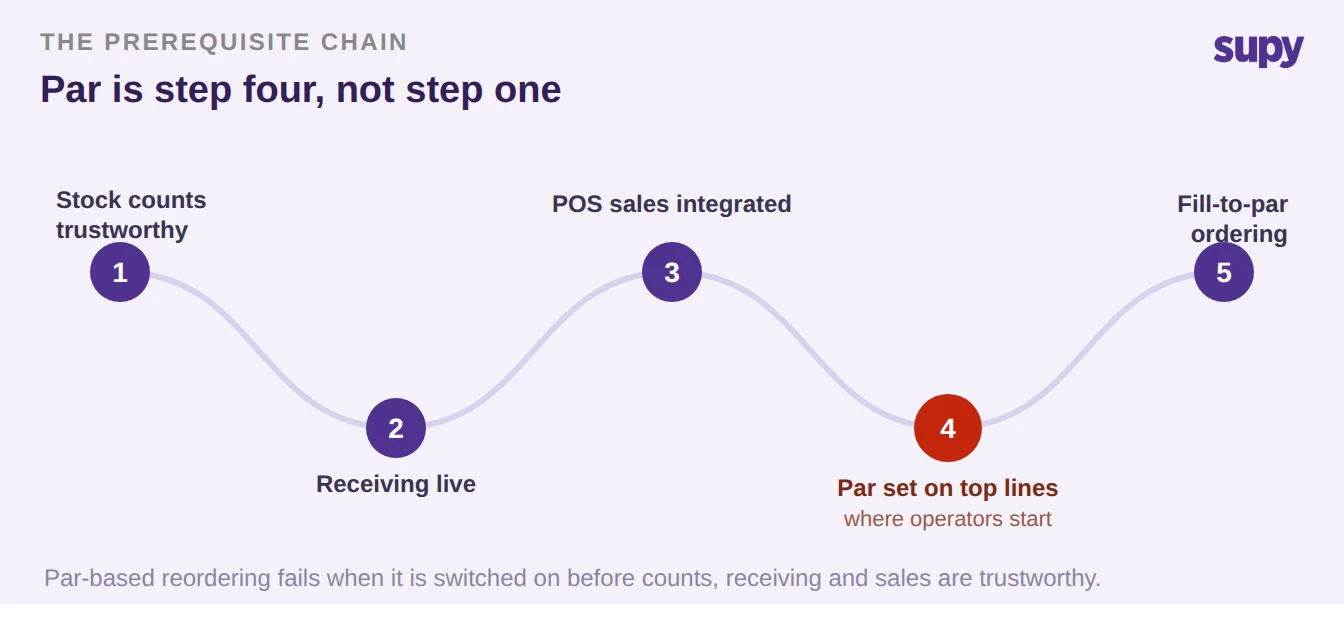
This is why count coverage matters as much as par accuracy - they are the same problem seen from two angles. A 22-venue group asked for a report showing what percentage of items each venue had actually counted per stocktake, not variance, just coverage, because some venues were only counting their top 10 or 20 lines and letting the rest drift. Uncounted items accumulate inflated balances that suppress par triggers even after the physical stock has run down. The fix is not telling staff to count everything; it is making count coverage a visible management metric per site, so a location running on stale data shows up before it runs out of something the system believed was overstocked.
Par Level, Minimum Level and Fill-to-Par Are Three Different Things
Par is a manually set target: the quantity of an item a location should hold, entered per item and per location. Fill-to-par is the calculation that turns that target into a suggested order quantity - enough to bring current stock back up to par. Forecasting is a third thing again: it recommends order quantities from demand trends and does not touch the par configuration at all. Getting these three straight is most of the battle, because "dynamic par levels" is the confusion at the centre of this whole topic.
The cleanest example came from an operator who was manually raising pars before every weekend food order and wanted the system to do it automatically. Forecasting does not auto-update par levels. What it does is build the Friday order large enough to cover the weekend lift - solving the actual problem without changing the par configuration underneath. Minimum level is a separate floor, and a minimum with no alert or blocking action attached to it is decoration: decide what fires when an item hits the floor before you populate a minimum across every line. The arithmetic of the par formula itself is covered in our guide to calculating par levels; this guide is about running them across an estate.
| Term | What it is | What it triggers | The error operators make |
|---|---|---|---|
| Par level | A manually set target stock quantity, per item and per location | Nothing on its own - it is the reference point fill-to-par reads against | Treating it as automatic or self-adjusting |
| Minimum level | A floor below the par target | An alert or a block, only if one is configured | Populating it with no action attached, so it means nothing |
| Fill-to-par | The calculation of current stock versus par | A suggested order quantity to refill to par | Expecting it to send an order by itself |
| Forecast recommendation | An order quantity from demand trends | A one-off order sized for the coming period | Believing it edits the par level, which it never does |
The Replenishment Ladder, and the Items Your Forecast Will Never Reorder
Fill-to-par and forecast-driven ordering sit at the top of a ladder, not at the start of one. Sites climb it: manual ordering, then order templates, then standing orders, then fill-to-par, then forecast-driven predictive ordering. Each rung needs the one below it working first. A group that jumps straight to predictive ordering without placing orders through the system gets useless suggestions, because there is no purchase history for the engine to learn from. Order and requisition templates and scheduled standing orders are the honest interim step, and they cut guesswork for less experienced supervisors while the history builds.
| Stage | What the site does | What it needs in place first |
|---|---|---|
| Manual ordering | Staff order to their own judgement | Nothing - but no consistency and no history |
| Order template | Loads a pre-built item list per location and supplier | Clean base items and supplier setup |
| Standing order | Recurring scheduled orders on a weekly or monthly cadence | A stable template to build the schedule on |
| Fill-to-par | Orders sized automatically from stock versus par | Trustworthy counts and par set on the top lines |
| Forecast-driven ordering | Predictive orders from demand trends through recipes | Order history and live sales integration |
There is a whole category the top of that ladder will never cover. Items that are not depleted by a recipe - cleaning chemicals, gloves, hairnets, packaging, disposables - never appear in a predictive order view, because nothing in the sales data consumes them. An operator who trusts the forecast end to end will run out of exactly these items. Keep non-recipe consumables on explicit par-level or template-based ordering alongside the predictive flow, and filter by category when ordering so they are not missed. This is the same reason non-COGS lines drift: if they are dropped from the count template so staff can focus on ingredients, their balances climb month over month with nothing to reconcile them, and par on those lines is the only thing that holds them to a sensible floor.
Do Not Set Par Levels Before You Open
Par is not a day-one setup task, and treating it as one is a common way to poison the numbers before the site has traded a single cover. Every volume figure before opening is theoretical, so a par set then is a guess dressed up as a target. Pre-go-live operators routinely defer par and minimum levels - one because the real trading data did not exist yet, another because par values needed alignment between district and restaurant managers that had not happened. Deferring is the right call; forcing guessed pars in just to tick a box makes the system less trustworthy, not more.
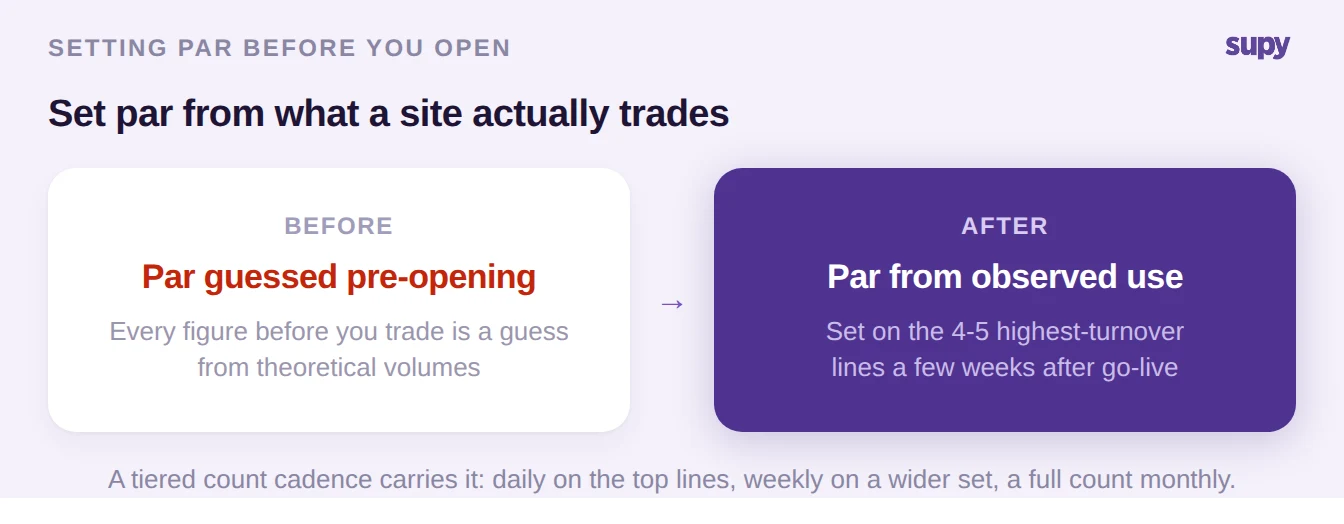
The recipe that works is deliberately small. Go live without par, run real volumes for a few weeks, then start par on only the four or five highest-turnover lines - the ones that actually cause a crisis when they run out. Behind those lines, run a tiered count cadence: daily counts on the top few, weekly on a wider set, a full count monthly. That gives par numbers data accurate enough to trust without asking every site to count everything every day, which answers the real objection you will hear from the floor: that staff will not count.
Rolling Par Out Across an Estate Without Half-Finishing It
Once par earns its place, it goes in at scale, and this is where multi-site rollouts quietly fail. Par and minimum values are bulk-loaded onto base items rather than typed one at a time, per branch or cost centre rather than once globally. The upload file has a fixed shape, and the rollout succeeds or fails on whether every row is genuinely populated - not on whether the sheet was handed back marked complete.
| Column in the upload file | What goes in it | Rollout check before sign-off |
|---|---|---|
| Branch / Cost Centre Name | The site or cost centre the par applies to | Every branch present - par is per site, not global |
| Base Item Code | The base item the par is set against | Codes match the repository, no free text |
| Base Unit | The counting and ordering unit for the item | The unit staff actually count and order in |
| Par Level | The target quantity for that item at that site | Count populated rows against total rows, per sheet, per site |
| Minimum Level | The floor for that item at that site | A par of 0 needs an explicit decision - zero is indistinguishable from unset |
On one rollout the setup sheets were reported complete, but a check found over 150 items in a single sheet with no par or minimum value at all, plus items sitting at par 0 and minimum 0 with no decision recorded. Zero par is indistinguishable from unset par to everyone downstream, so it either needs a deliberate rule or it needs a real number. The audit that catches this is dull and non-negotiable: count populated rows against total rows, per sheet and per site, before the task is closed.
How to Tell a Par Level Is Wrong
Par levels are not set once and left. They are audited, and the audit is already sitting in the reporting you have. The sharpest question an operator can ask is whether a par is set correctly, and the answer is not a gut feel - you read it out of variance and wastage. You do not need a special report; you need to know which pattern to look for.
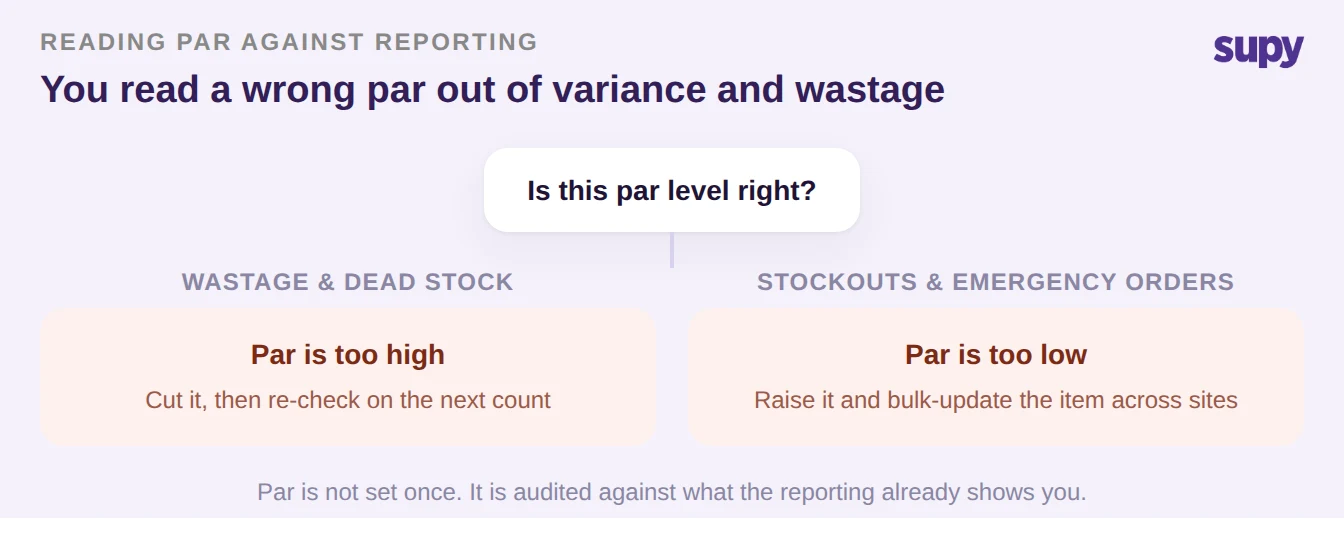
A par set too high shows up as wastage and dead stock on that line - cut it, then re-check on the next count. A par set too low shows up as stockouts and emergency orders - raise it, and because the same item usually behaves the same way across similar sites, bulk-update the par for that item across locations rather than editing it site by site. Run this read on your worst variance lines first and most wrong pars announce themselves.
Where Fill-to-Par Collides With the Supplier
Fill-to-par computes what a site needs. Whether that number can actually be ordered is a separate question, and two collisions break it in the first week. The first is unit of measure: par has to be expressed in the unit the person counting and the person ordering both use, or the number is misread by an order of magnitude. A drinks-led group wanted par in bottles, not millilitres; another group's screens defaulted to kilos instead of boxes and actively confused staff. The fix is a packaging hierarchy - a case of 24 - and a default counting unit per item so the order unit matches how the supplier sells and how the floor counts.
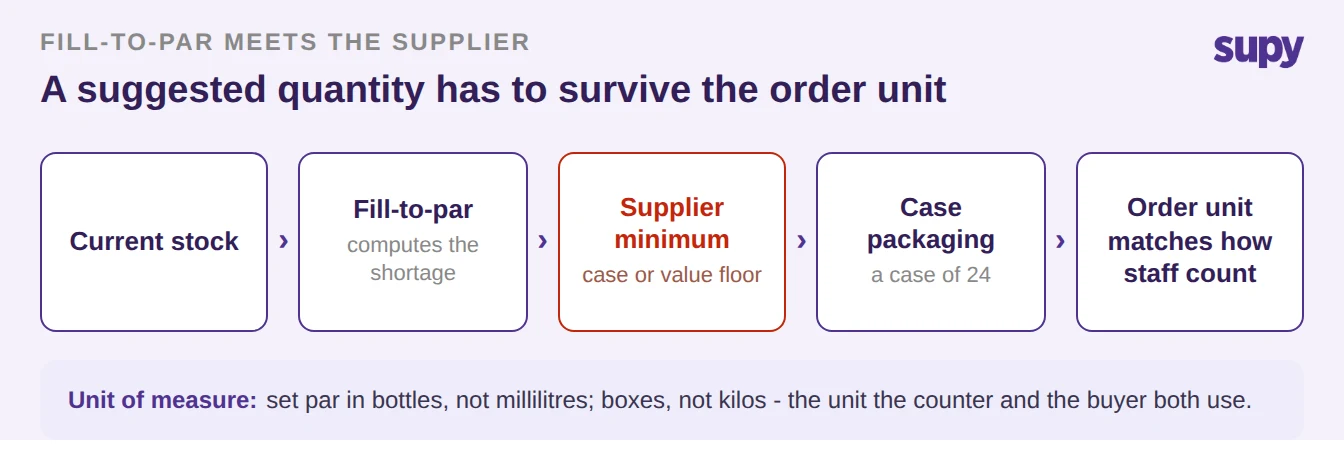
The second collision is the supplier's own minimum. A fill-to-par suggestion below a supplier's case minimum or value minimum either does not ship or ships with a freight penalty - one operator hit a several-hundred-dollar order minimum with a protein supplier that the order flow had not accounted for. The same packaging-hierarchy fix applies on the supplier side, so the suggested quantity rounds to something the supplier will actually deliver. This is also where the open-orders question lives, and it is one a good system has to answer: an account manager put it directly, asking whether par-level ordering takes into account "orders submitted but not yet received, hence the quantities weren't yet received in stock." If in-transit stock is not deducted before a par trigger fires, a site orders twice - once when it hits par, and again before the first delivery lands.
Par as a Ceiling, Not Just a Floor
Most par writing treats par as a floor - the level you top back up to. For a finance or operations director running an estate, par is just as useful as a ceiling and a governance boundary. The driver is usually food cost: some branches run a high food cost percentage against untracked staff meals and over-ordering, and the ask is to cap or lock ordering above par rather than only prompt a refill below it.
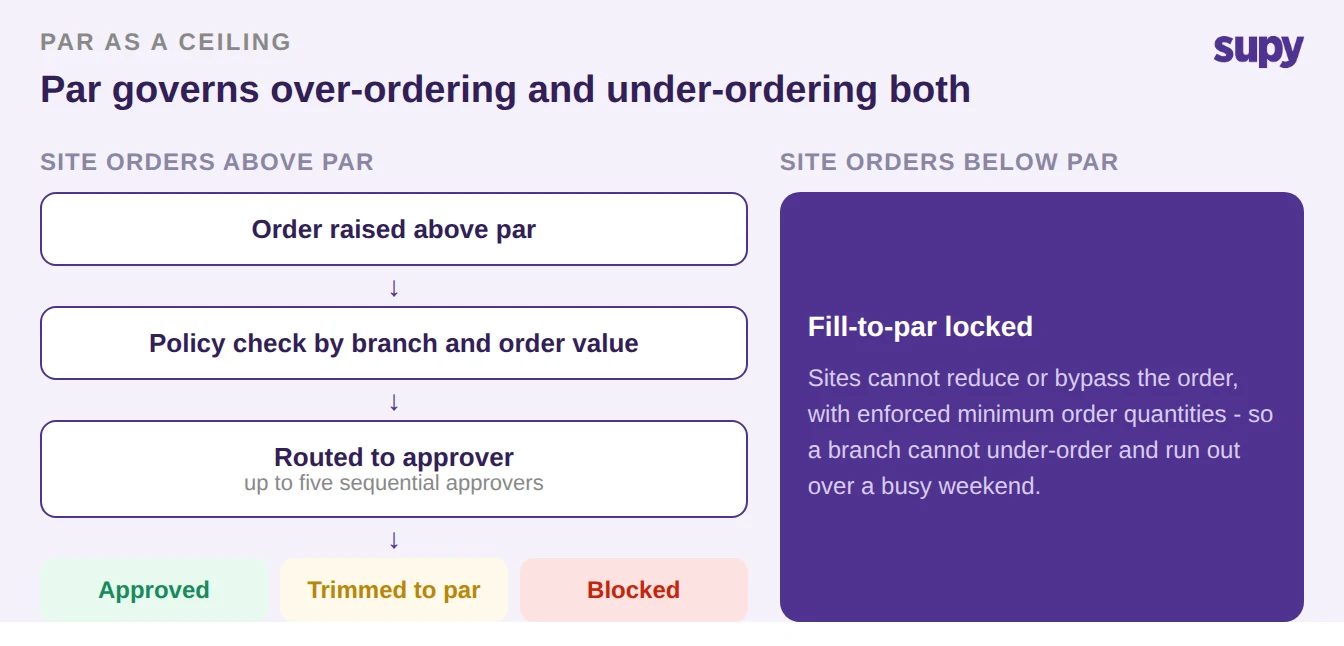
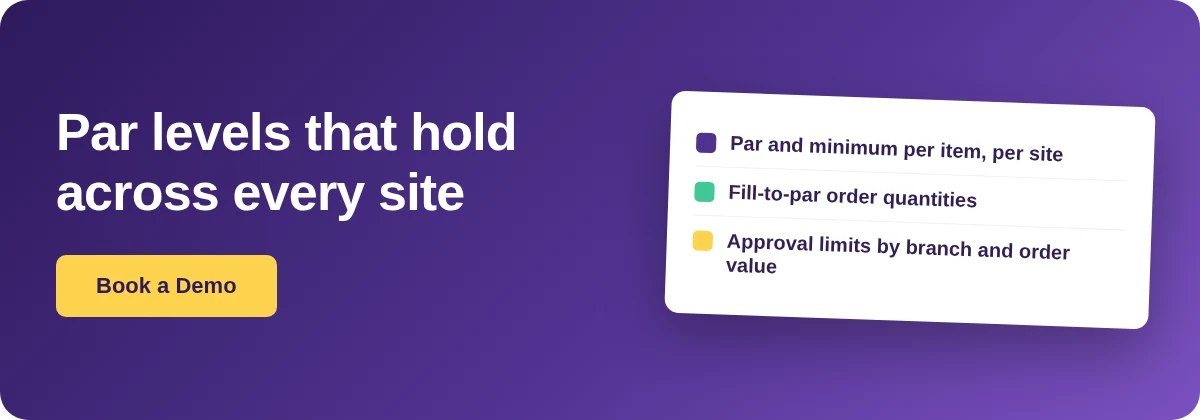
The same control runs in reverse. A franchised operator with a central production unit found franchisees deliberately under-ordering to manage cash, then running out over busy weekends, and wanted fill-to-par locked so a site could not reduce or bypass it. Both cases are the same feature seen from two ends: purchase-order value limits set by supplier, branch, category, user and par, with sequential approvals routed up to five approvers by branch and order value. Par stops being a passive refill number and becomes the boundary the estate is run inside.
What This Means for Your Estate on Monday
If par levels are not landing across your group, do not start with the formula - start with a diagnostic. Pick your three worst variance lines and ask, for each, whether the pattern is wastage (par too high) or stockouts (par too low), and fix those first. Then check one rollout sheet the way the consultant did: count populated rows against total rows, and flag every par sitting at 0 with no decision behind it. If either check turns up problems, the par numbers were never the issue - the data underneath them or the rollout was.
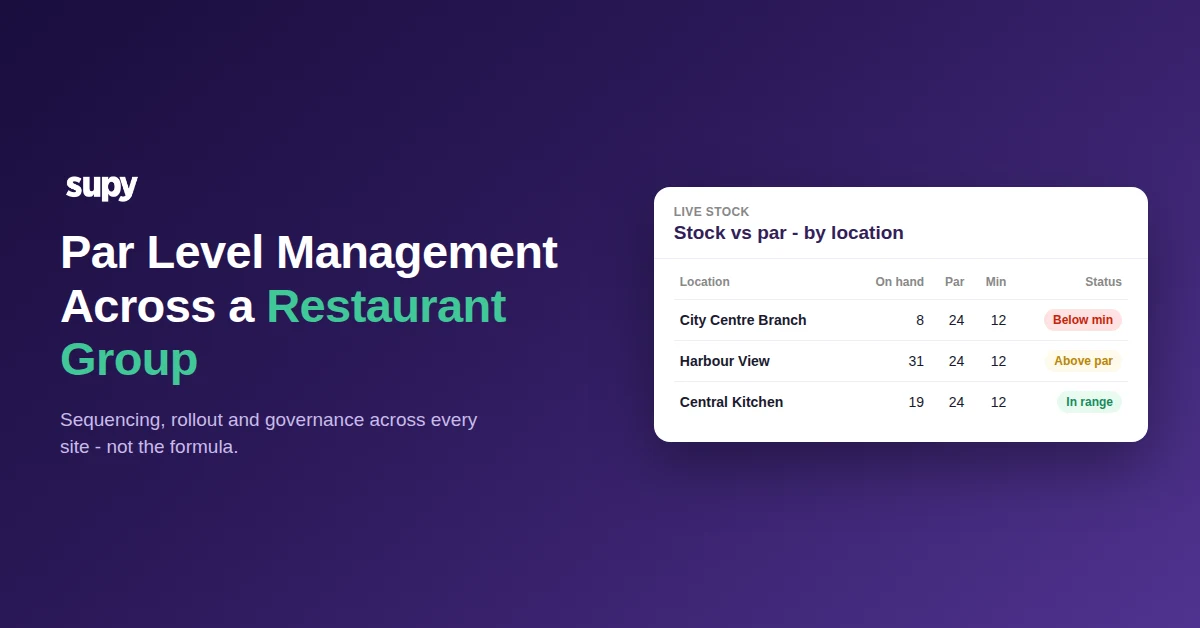
This is the work connected inventory software is meant to carry. Supy sets par and minimum thresholds per item and per location and flags any line that drops below minimum or climbs above par, and those par positions can be viewed across every location in a group from one view, so an operations manager sees where each site sits without rebuilding it in a spreadsheet. Fill-to-par sizes the order from current stock against par on web and mobile, the ordering screen colour-codes each line green at or above par and blue below, and purchase-order limits and approvals give par its role as a ceiling. Sales forecasting and predictive ordering sit on top for the sites ready for them, with every predictive order reviewed before it sends - never auto-generated. You can see how it fits your restaurant inventory management across a group, and where the manual work disappears.