.jpg)


Multi-Currency Restaurant Inventory: A GCC Operator's Guide
Where Multi-Currency Actually Bites a GCC Restaurant Group
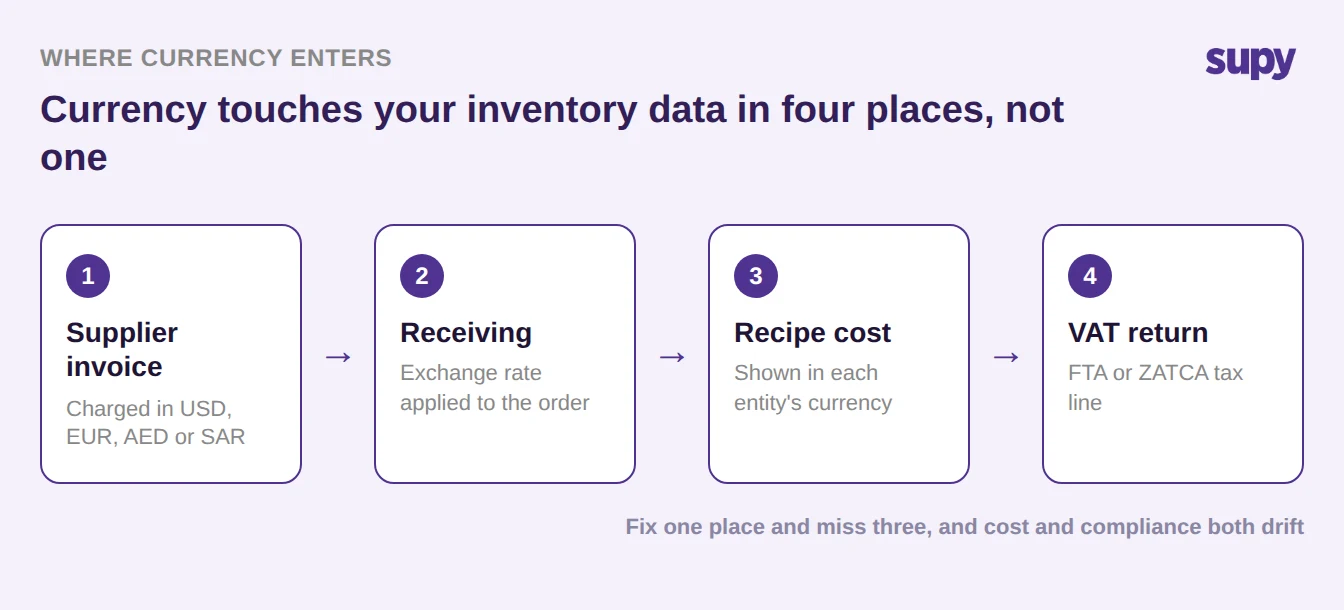
A GCC restaurant group can run a tidy inventory system and still watch its food cost and its VAT return go wrong the moment a supplier invoices in a currency the system treats as an afterthought. Multi-currency restaurant inventory software is the part of a back-of-house system that records what a supplier charged in the currency they charged it, converts it at the rate that applies, and carries that cost cleanly into food cost and the VAT return. The catch for a GCC group is that currency enters your data in four places at once, and a spreadsheet only fixes one of them.
A group running outlets across the UAE, Saudi Arabia and the wider Gulf commonly buys across 4+ currency zones: dirham and riyal for local suppliers, and US dollars or euros for imported produce, equipment and specialist ingredients. Currency touches the supplier invoice, the receiving screen, the cost booked against each recipe, and the tax line you file. Handle it in one place and miss the other three, and your margins and your compliance both drift quietly.
Why a Manual Conversion Rate Drifts From Your Real Food Cost
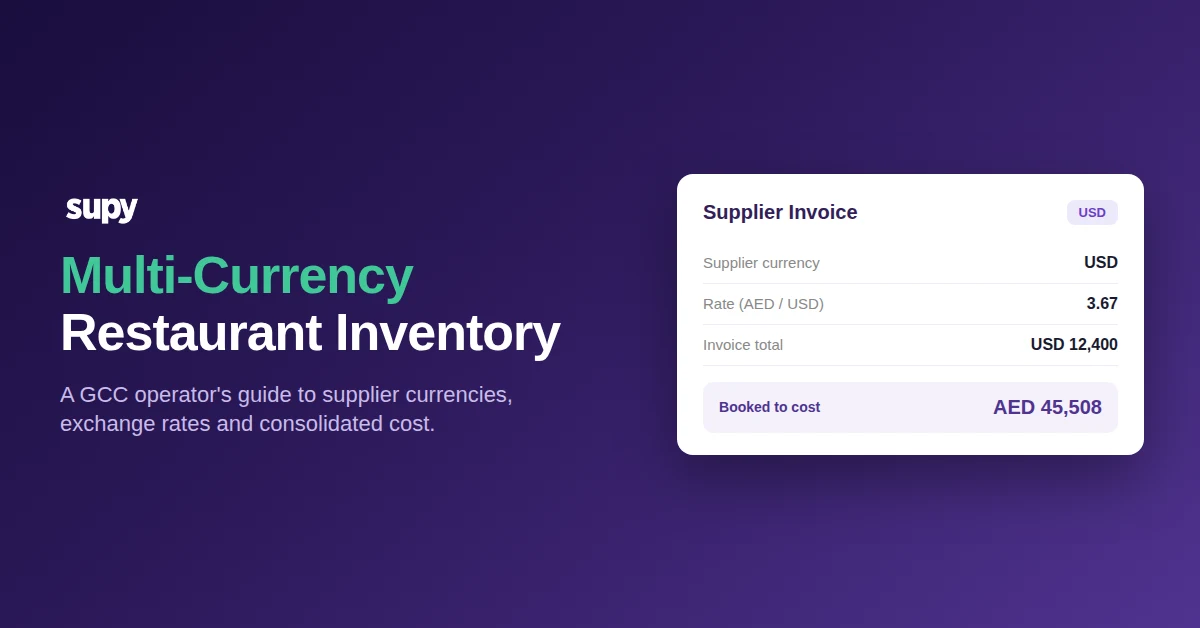
The usual workaround is a spreadsheet: someone types last month's exchange rate into a column and converts every foreign invoice with it. The trouble is that the rate you typed and the rate that actually applied when the stock landed are rarely the same number, so the cost that reaches your food cost report is already wrong before anyone counts a single item. Across a run of imported orders, that gap is the difference between a food cost you can trust and one you argue about.
The fix is to capture the rate against the order at the moment of receiving, not to reconstruct it later from memory. The table below shows why the two approaches produce different numbers, and why only one of them survives an audit.
| What you are checking | Manual spreadsheet rate | Rate captured at receiving |
|---|---|---|
| When the rate is set | Typed in later, often last month's figure | Locked to the order as the stock lands |
| What your food cost shows | The rate someone remembered | The rate you actually paid |
| VAT return accuracy | Reconstructed and hard to defend | Matches the invoice and the payment |
| Audit trail | Lives in one person's file | Recorded against every order |
If the food cost number itself is where you feel the pain first, our free food cost calculator is a quick way to see how sensitive your margin is to a small cost movement, and our guide to what operators actually need from restaurant inventory software covers the rest of the evaluation.
The Supplier Currency Field Your VAT Return Depends On
Currency is not only a costing question in the Gulf; it is a tax one. UAE Federal Tax Authority submissions carry standard VAT at 5%, Saudi ZATCA submissions at 15%, and both need to know the currency a supplier transacted in and whether that supplier was local or an import. A finance team we worked with could not close their tax mapping because their supplier records had no currency field at all, and no way to separate a domestic supplier from an imported one. That is a go-live blocker, not a nice-to-have.
The decision is simpler than it looks once currency and country of origin are recorded against the supplier rather than remembered by a person. Every supplier falls into one of two branches, and the branch decides how the line is taxed and reported.
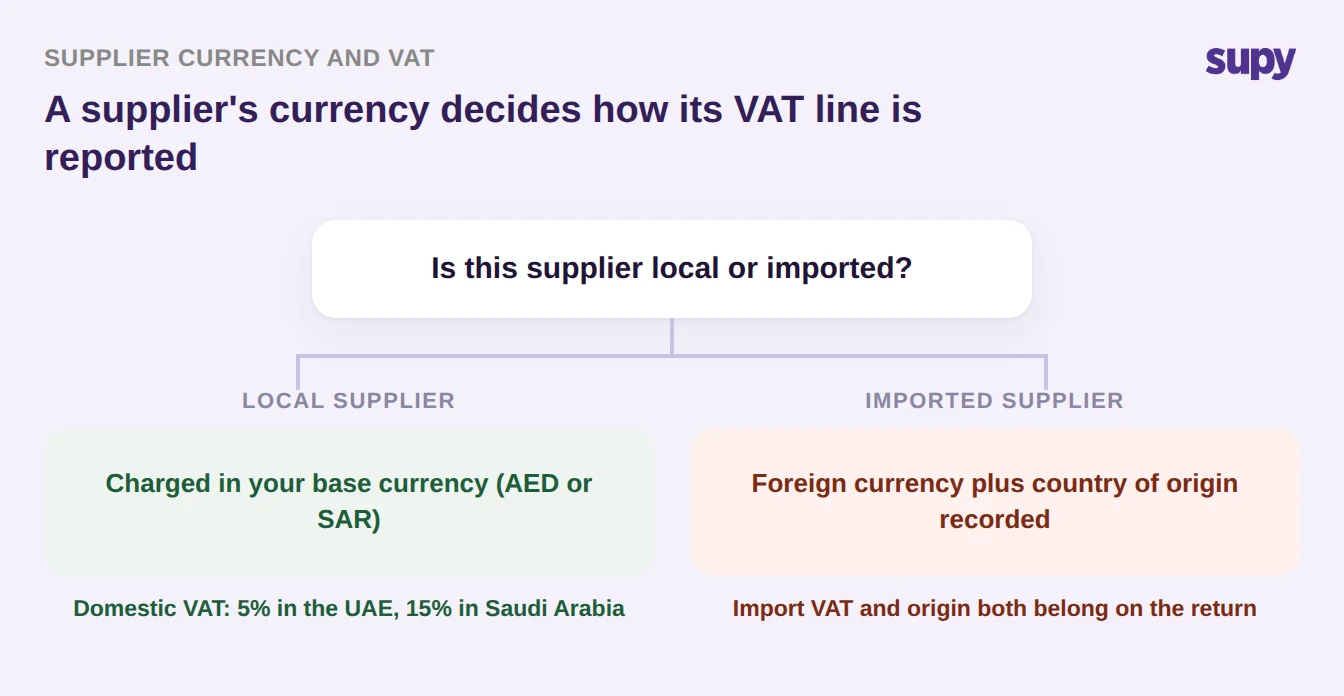
This is why the supplier record is the right place to hold currency, tax treatment and country of origin: set it once and every order, credit note and tax line inherits it.
Consolidating Cost Across Dirham and Riyal Entities
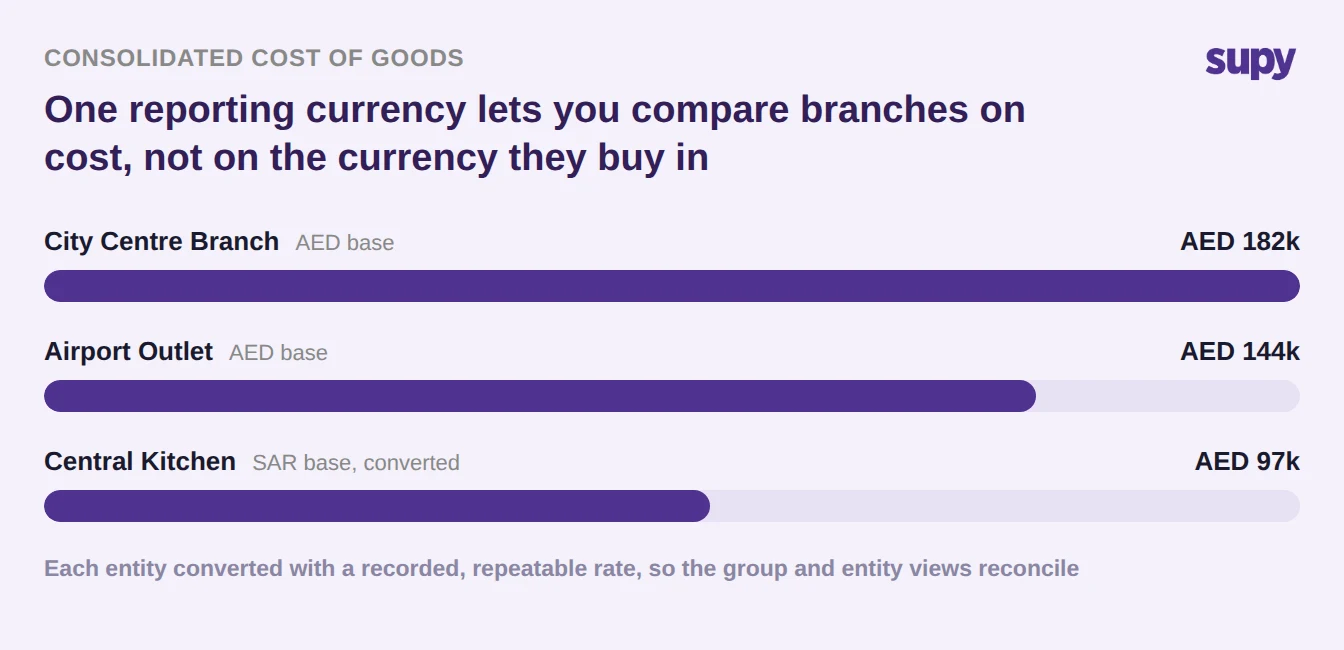
The moment a group operates a dirham entity and a riyal entity, head office wants one number: what did the group spend on goods this month? If each entity reports in its own currency and someone blends them with whatever rate was handy, the consolidated figure is an estimate dressed up as a fact. A board does not want an estimate, and neither does a lender.
Consolidation only holds when every entity's cost is converted with a rate that is recorded and repeatable, so the group view and the entity views reconcile to the cent. The chart below shows three entities normalised into a single reporting currency, which is the view that lets you compare branches on cost rather than on the accident of which currency they happen to buy in.
How Multi-Currency Inventory Software Handles This in Practice
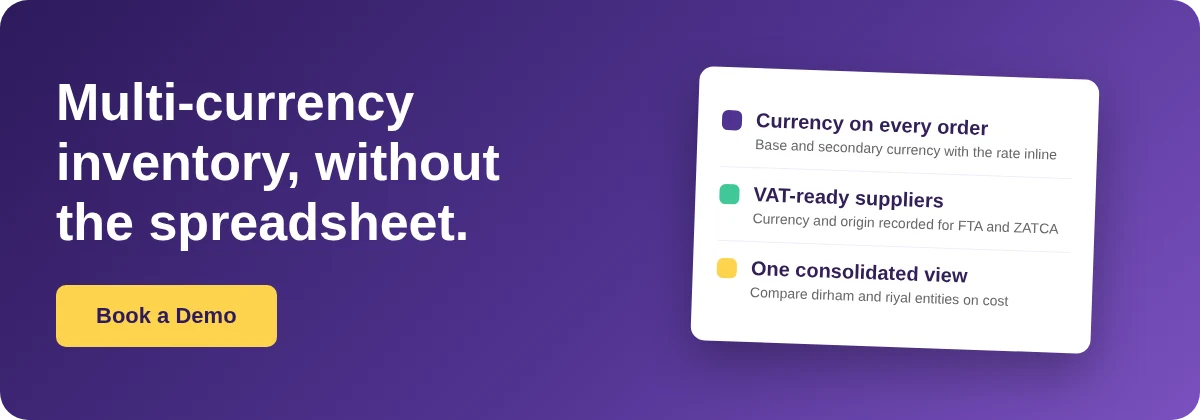
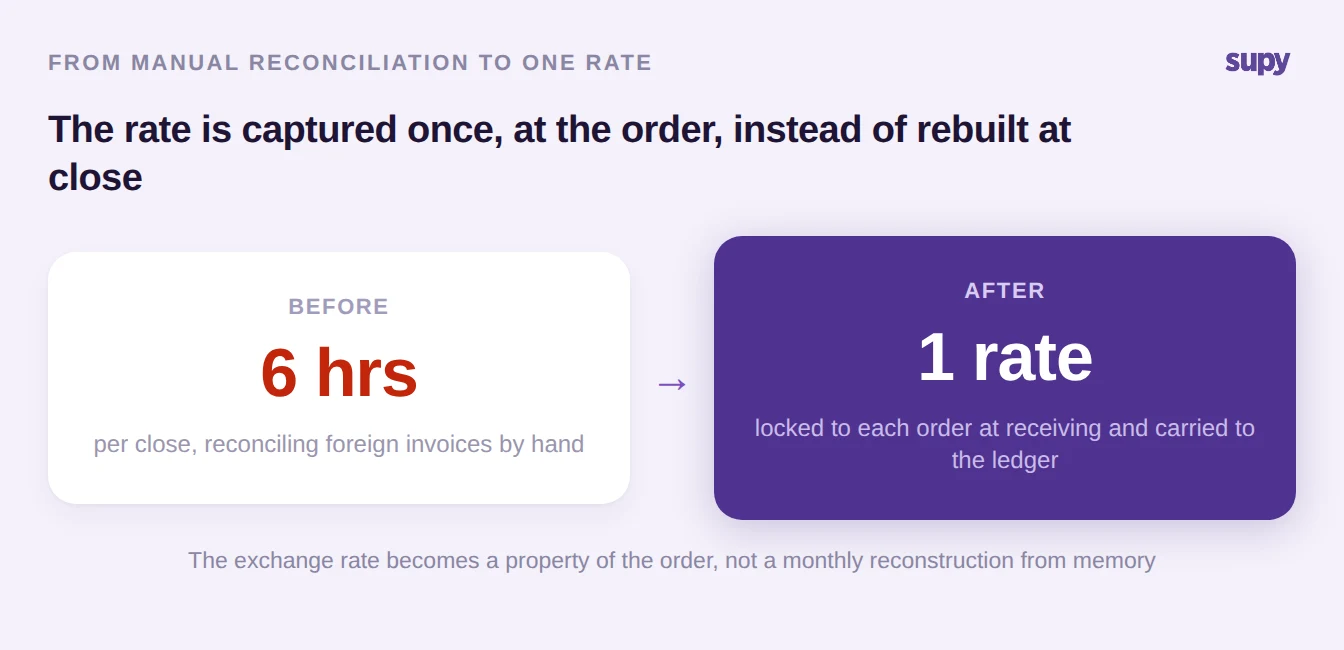
Software earns its place here by making currency a property of the data instead of a task for a person. When a supplier in the price list transacts in a different currency, the system flags it so you can see at a glance which relationships are cross-currency. When you raise an order, it pre-selects the supplier's currency from the receiving location's base currency, shows the secondary currency alongside the base with the exchange rate inline, and locks that rate to the order, so the converted cost you approve is the cost that reaches your books. Recipe and plate costs then display in each entity's own currency, so a chef in a riyal outlet reads riyal.
Because the same platform connects to 75+ POS and accounting systems, including Xero, QuickBooks, Zoho Books and Wafeq, the currency captured at receiving flows straight into the ledger without a second round of manual conversion. The result is the shift below: hours of month-end reconciliation replaced by a single rate captured once, at the right moment.
You can see how the pieces fit together on the restaurant inventory management platform, which is built for multi-site groups that buy in more than one currency.
Which Situation Are You In
Work out which branch you are standing in, then take the one action for it. If your foreign invoices are converted in a spreadsheet after the fact, your food cost is already drifting: move the rate to the point of receiving so cost and VAT share one number. If your supplier records have no currency or country-of-origin field, that is your tax blocker: fix the supplier master before your next filing. If head office is blending entity currencies by hand at close, your consolidated cost is an estimate: standardise on a recorded, repeatable rate so the group and entity views reconcile. Multi-currency is not a display preference to switch on at the end; it is a data decision to make at the supplier, the order and the ledger, and the groups that treat it that way stop arguing about their own numbers.