.jpg)


Kitchen Inventory Management Software: The Complete Guide for Restaurant Operators

Effective kitchen operations require both efficient processes and the right tools. By strategically implementing kitchen management solutions at specific operational touchpoints, multi-location restaurants can tackle their most pressing challenges - often without massive system overhauls. The key is knowing where to focus.
We've identified five critical areas where kitchen management technology delivers immediate, measurable impact: inventory visibility, role-based access control, station-level execution, recipe consistency, and operational reporting. Here's how each works in practice.
1. Centralised Inventory Visibility
The traditional approach of managing multiple locations' inventory manually is prone to error and costly waste. When each location maintains its own spreadsheets or memory of stock, you lose visibility across your network and struggle to optimise purchasing decisions.
A centralised kitchen management system solves this by giving you real-time visibility into inventory across all locations. You can see exact stock levels for every item - from proteins to spices - across your entire operation. This enables better purchasing decisions, reduces stockouts and overages, and helps prevent expensive waste.
2. Role-Based Kitchen Access Control
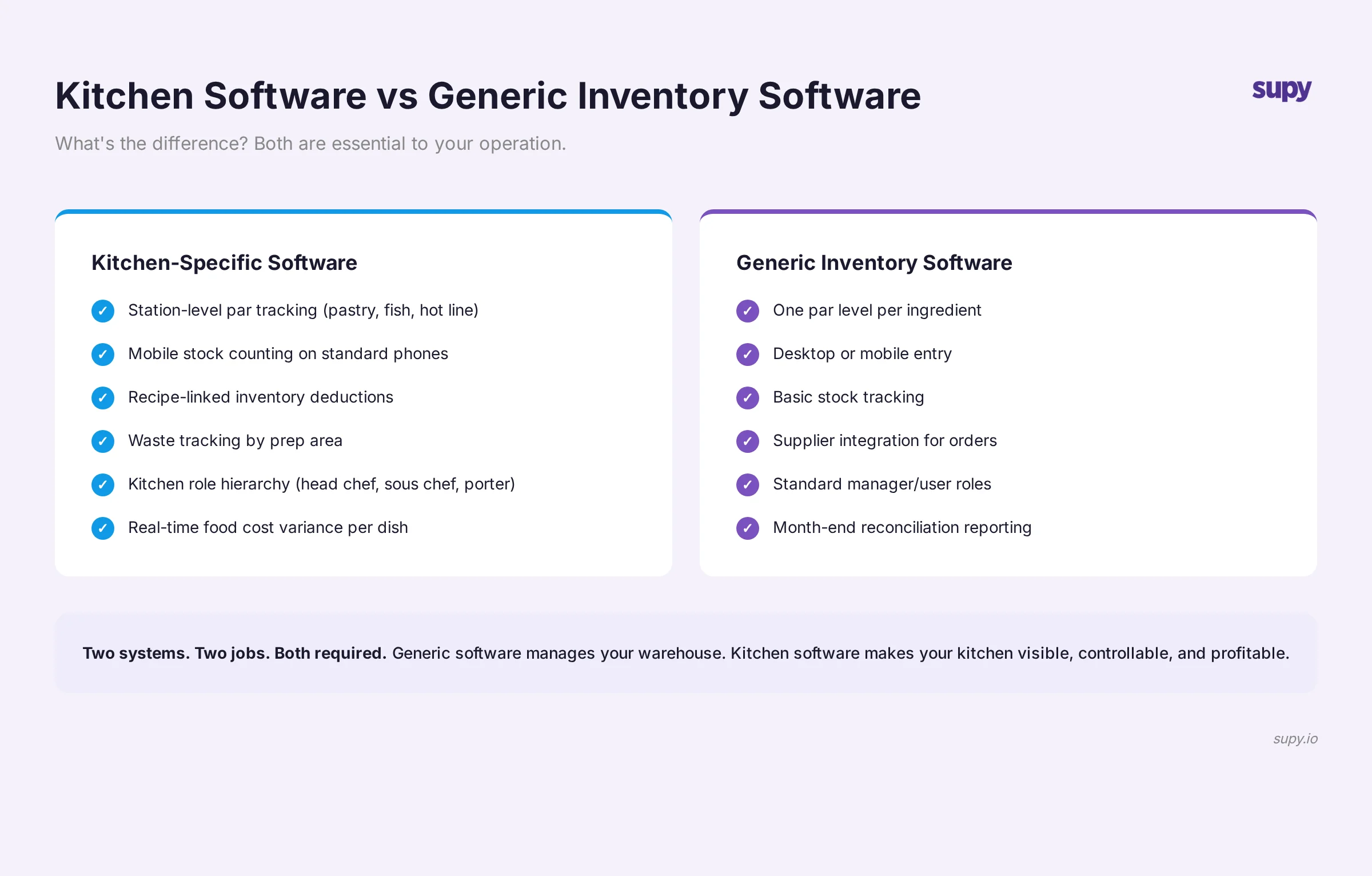
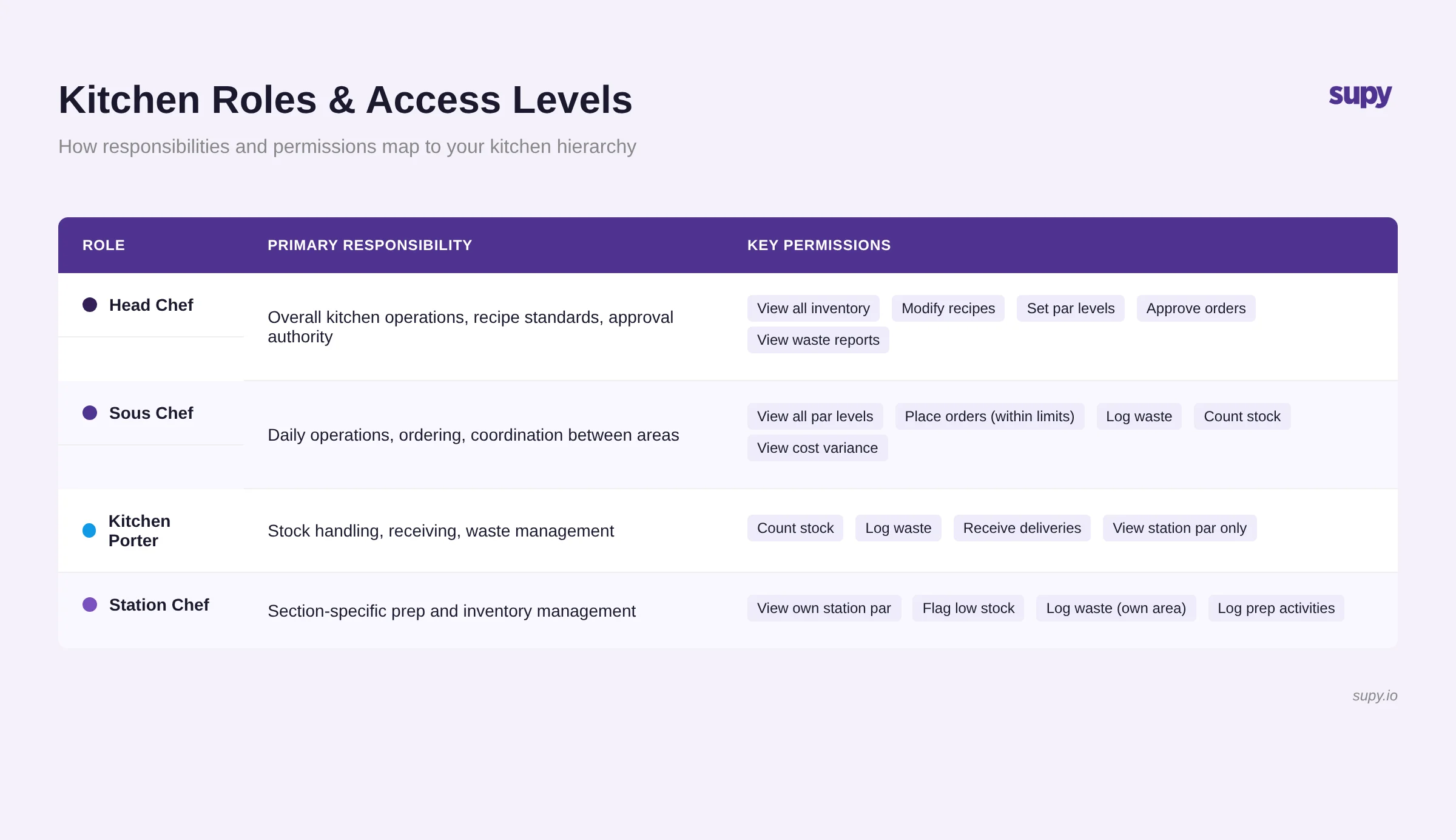
Kitchens operate with different roles - head chef, station managers, prep staff - each needing different levels of access to information and controls. Without proper access control, you risk operational chaos, food safety issues, and inventory discrepancies.
Implementing role-based access in your kitchen system means each team member sees only the information relevant to their role. A prep cook might see their assigned station's par levels. A head chef sees the whole kitchen's status. Station managers see their area plus cross-station dependencies. This reduces confusion, improves execution speed, and maintains proper control over your kitchen operations.
If you'd rather not work par out by hand, the free par level calculator does it for every item on your sheet from your usage, delivery days and supplier lead times.
3. Station-Level Par Management
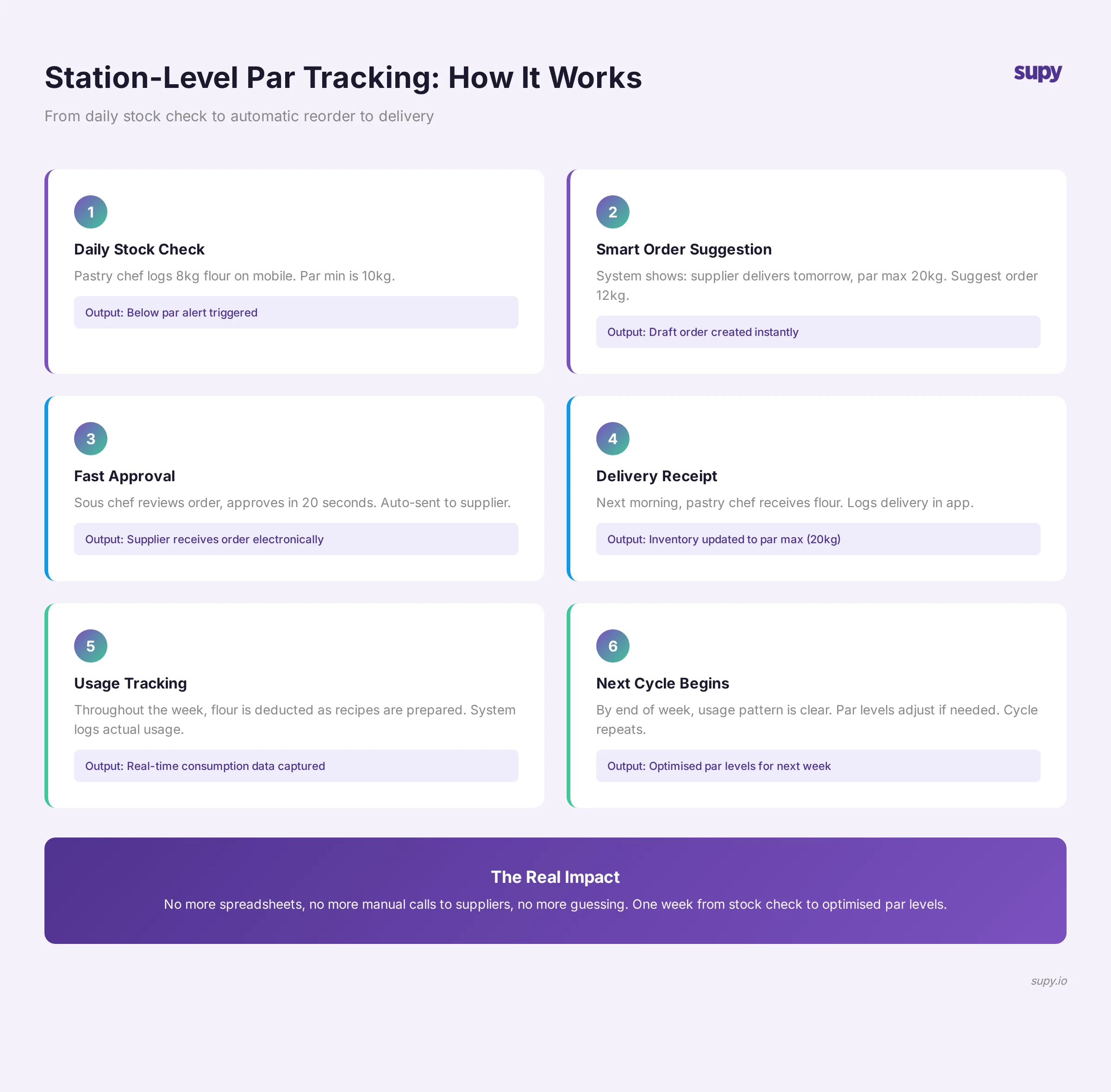
Restaurant kitchens work on par levels - the amount of each ingredient a station should have prepared and ready at service start. Traditional par management relies on memory and habit, which breaks down across multiple locations or when staff rotate.
Modern kitchen systems enable real-time par tracking by station. Before service starts, managers can instantly see whether each station has met its par targets. During service, the system alerts managers to shortfalls before they impact ticket times or food quality. Across multiple locations, this ensures consistent execution and prevents the chaos of understocked stations.
4. Recipe-Linked Inventory Tiers
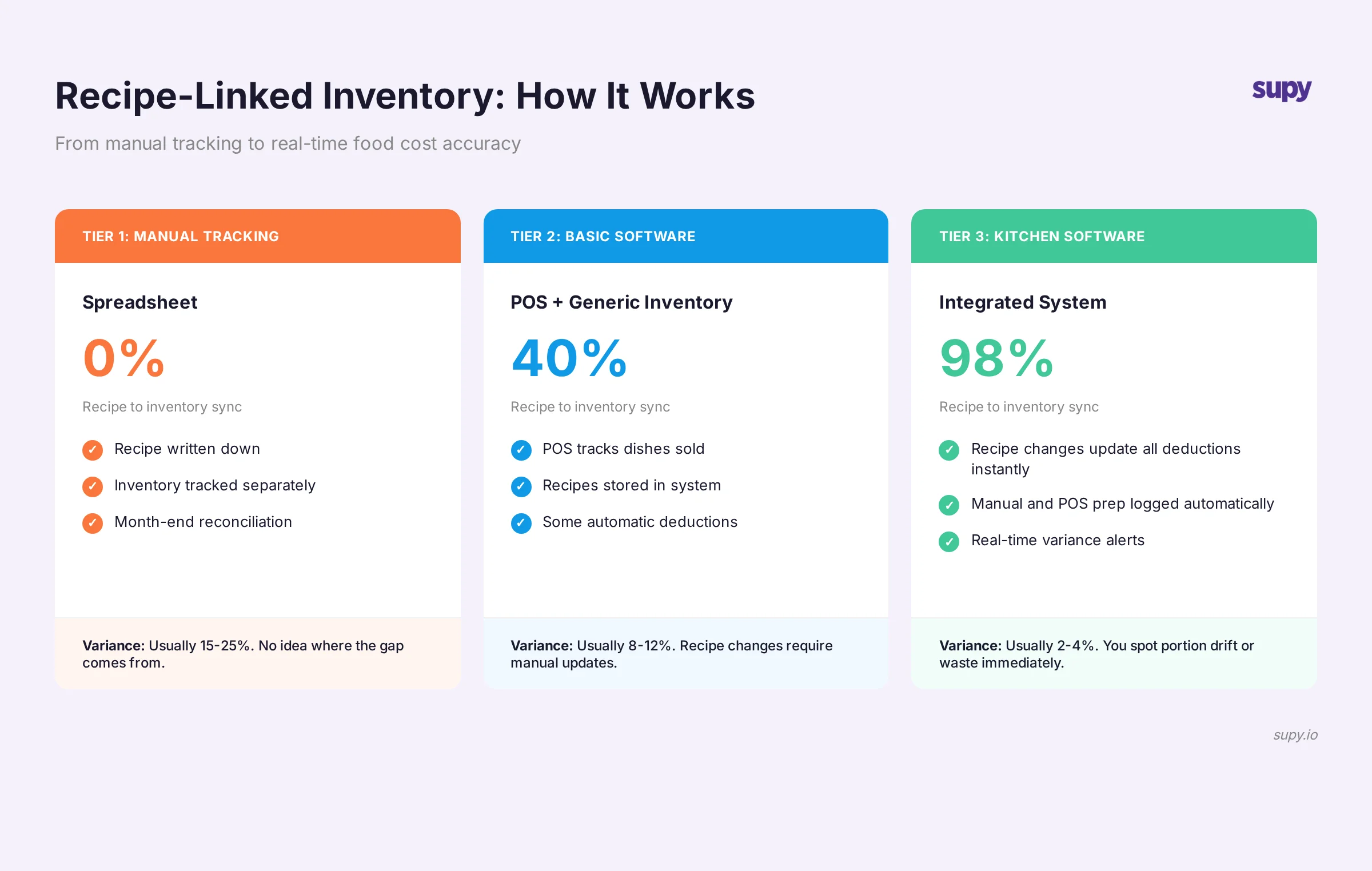
Your recipes define what your kitchen needs. Yet most inventory systems treat recipes and stock as separate concerns. When you change a recipe or add a dish to the menu, inventory par levels often stay out of sync with actual needs.
Linking recipes to inventory tiers means your par levels automatically reflect what you're actually selling. A new seasonal menu item automatically updates inventory requirements at affected stations. Changes to a classic dish flow through the system. This keeps your kitchen in sync with your menu and ensures you're always prepared for what you're actually cooking.
5. Operational Intelligence and Reporting
Data from your daily kitchen operations is valuable. When tracked properly, it reveals patterns - which stations run hot, which items you waste most, which times are bottlenecks. This intelligence drives continuous improvement across your operation.
A modern kitchen system captures this data automatically - waste logs, prep times, inventory adjustments - and surfaces it as actionable insights. Over time, you spot trends that manual processes would miss entirely. You identify which menu items stress your stations, which suppliers have quality issues, and where training gaps exist.
The Cumulative Impact
Individually, each of these five areas delivers measurable benefits. But the real power emerges when they work together. Inventory visibility informs par management. Par management drives purchasing. Role-based access ensures proper execution. Recipe links keep operations aligned with menu. Operational data drives continuous improvement.
The restaurants seeing the biggest gains aren't the ones implementing every advanced feature at once. They're the ones identifying their most critical operational pain point - whether that's inventory waste, inconsistent execution, or lack of visibility - and tackling it first. Once that's solved, the next problem becomes clearer.
If you're running multiple kitchen locations and wondering where to start, begin by diagnosing which of these five areas is costing you the most. That's your entry point to better kitchen operations.