.jpg)


Food Inventory Management System: Why Generic Solutions Break Down Across Locations
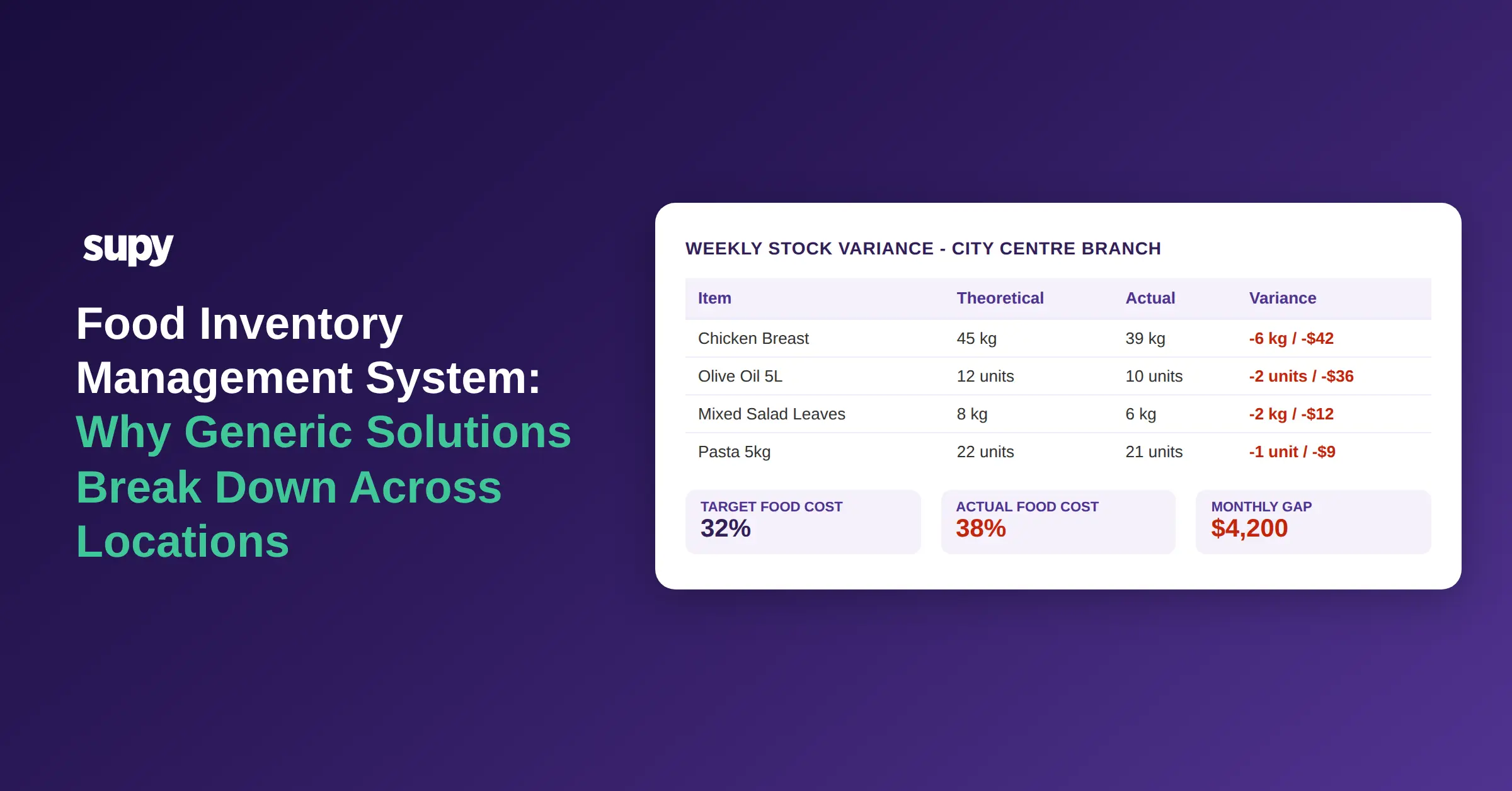
An 8-location casual dining group spent 12 weeks customising their ERP to handle F&B inventory. At go-live, stock counts were updating correctly. Three months in, they could not explain why actual food cost was running 6 percentage points above the recipe-based theoretical figure - and the ERP had no concept of "theoretical vs. actual" to diagnose it from. The customisation had covered what the system needed; it had not covered what F&B inventory management actually requires.
Most operators searching for a food inventory management system are in a similar position. They already have something - a POS inventory module, a general ERP, disconnected spreadsheets, or a combination of all three. The search happens when that something stops being enough. Understanding precisely where generic tools fail helps clarify what a purpose-built system needs to do differently.
What Most Food Operators Already Have (And Why It Runs Out of Road)
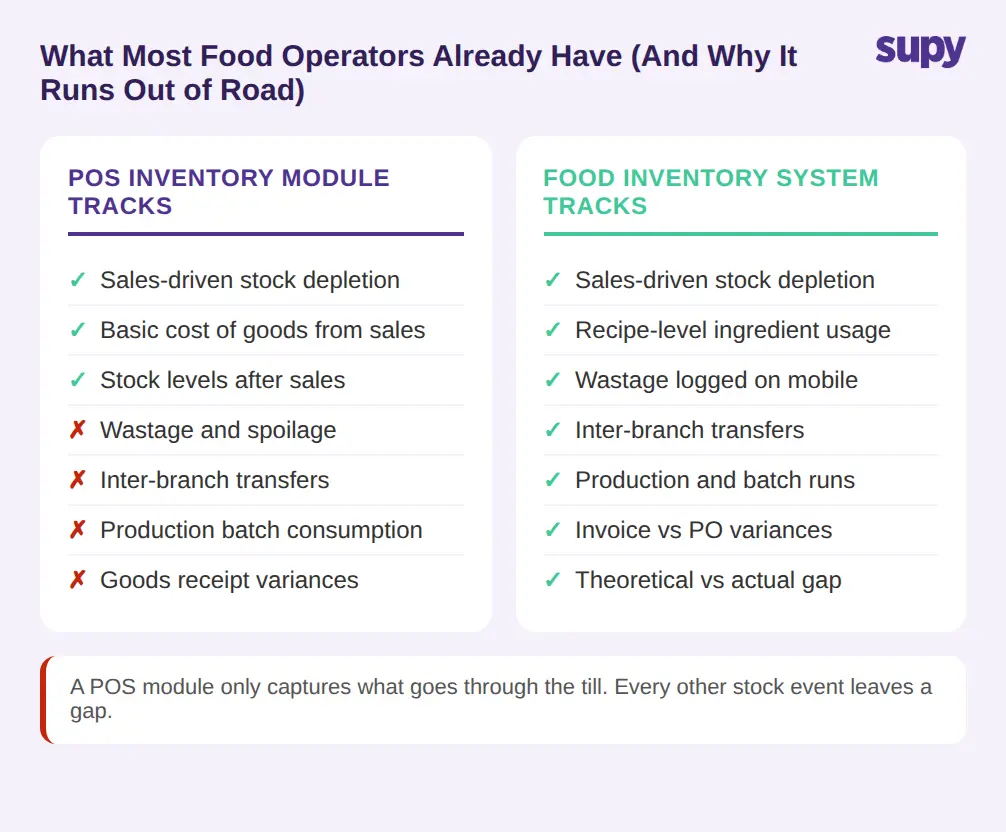
The most common starting point for food inventory is the POS system's built-in module. For a single location running straightforward operations, it covers the basics: stock levels, cost of goods, and simple purchase tracking. The problems surface when the operation adds locations, introduces a central kitchen, or tries to reconcile what the recipes say it should have used against what it actually used.
A POS inventory module tracks stock depletion from sales. It does not typically track depletion from prep recipes, production batches, wastage, inter-branch transfers, or goods receipt variances. Each of those events affects actual stock. None of them is captured, which means the system's stock figure is wrong almost from the moment it is set up. A 12-location enterprise casual dining group's operations manager found this out when they tried to understand why their POS reported one food cost number and their accountant reported another - the POS was calculating from gross revenue, the accountant from actual ingredient spend, and neither matched the recipe-based theoretical.
The gap is not a flaw in the POS. It is a design boundary: POS systems are built to record sales transactions. Food inventory management is a different function.
Ask your POS provider whether their inventory module records wastage, inter-branch transfers, and production batch consumption automatically - or only sales-driven depletion. The answer tells you immediately whether you are looking at a full food inventory management system or a stock counter attached to a till.
The ERP Customization Gap in Food Operations
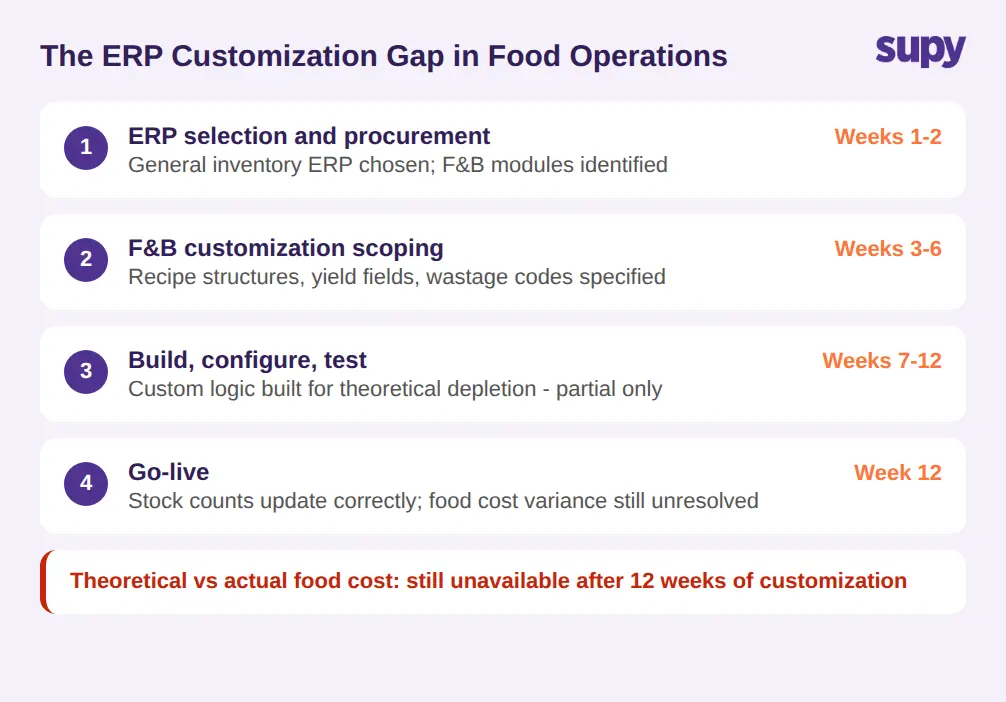
The next fallback is an ERP - either a full enterprise system or a mid-market accounting platform with inventory modules. ERPs handle stock across industries, which is part of the problem. F&B inventory has specific requirements that standard ERPs do not model natively: recipe-level ingredient depletion, yield and shrinkage per prep method, theoretical vs. actual food cost variance, and multi-level bills of materials that change when a recipe is modified.
Customising an ERP to handle these is possible but expensive and slow. An 8-location casual dining group found the process took 12 weeks and still left the theoretical-vs-actual gap unresolved, because the ERP had no native understanding of what "theoretical usage" meant in an F&B context. The configuration team built what was specified. What was not specified - because the operators did not know they needed to specify it - was the automatic consumption calculation that depletes stock based on sales, adjusted for recipe yields, wastage, and prep batches.
ERP customisations also tend to break. When a recipe changes, or a new dish is added, the customised logic needs to be updated. In a purpose-built food inventory system, recipe changes propagate automatically. In a customised ERP, they require manual IT intervention.
When assessing an ERP for F&B inventory, ask: does it calculate theoretical stock from recipe yields and sales automatically, or does it require a separate configuration step every time a recipe is added or changed?
When Accounting, POS, and Stock Systems Do Not Sync
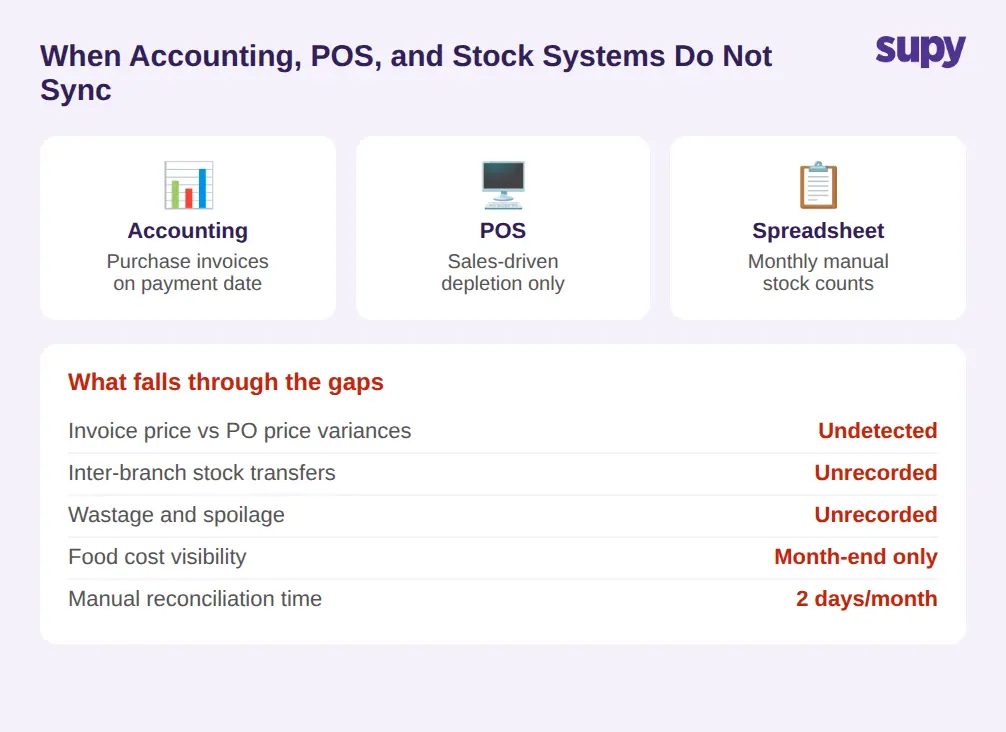
A third common pattern is three separate tools running in parallel: an accounting system, a POS, and a spreadsheet-based stock tracker. Each is doing its job. The problem is that none of them is talking to the others.
A multi-location restaurant and catering group's owner described spending two days each month reconciling the three manually. Purchases appeared in the accounting system when invoiced. Stock appeared in the spreadsheet when counted. Sales appeared in the POS. The relationship between them - whether what was purchased matched what was received, whether what was used matched what was sold - existed only in the manual reconciliation process, and only for the days it was run.
This creates specific blind spots. Price variances between POs and invoices are not caught automatically. Goods received at the wrong quantity update the PO but not the stock count (or the reverse). Inter-branch transfers do not appear in any system. Wastage is either unrecorded or recorded in a format no tool can query. Monthly food cost figures are available at month-end, which means operators are seeing six-week-old information when they sit down to review it.
A purpose-built food inventory management system records every stock-affecting event - goods receipts, production runs, wastage logs, inter-branch transfers, and stock counts - to a single auditable ledger, so any variance can be traced to its source and stock figures are current.
Before choosing any system, ask: can it record every stock-affecting event - from goods receipt to wastage log to inter-branch transfer - in one place and return a current stock figure without waiting for a manual reconciliation run?
Multi-Location Stock Visibility: Where the Cracks Widen
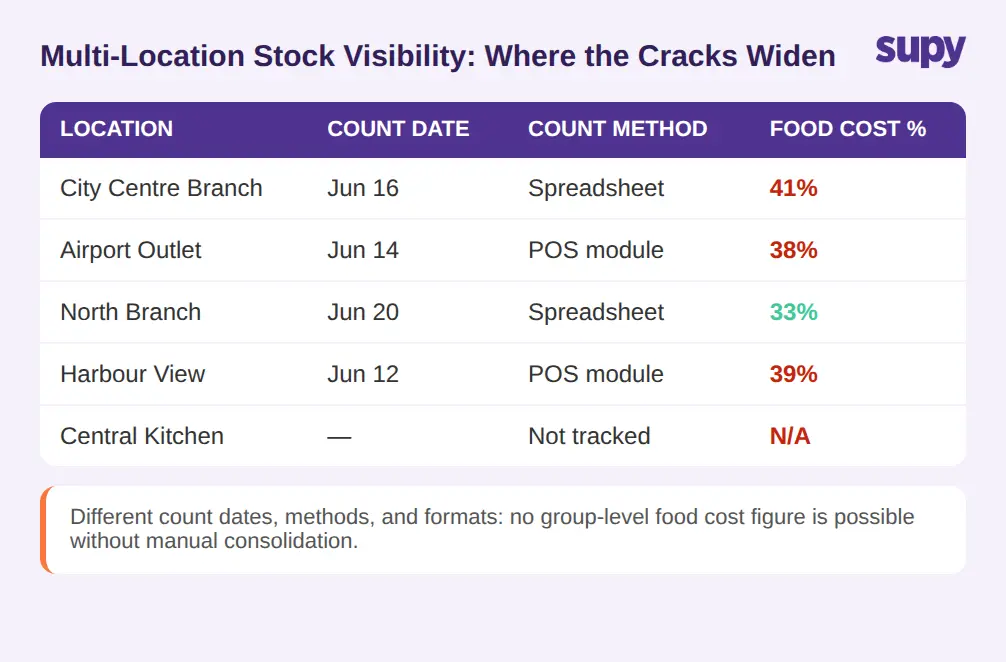
Single-location problems with generic tools are manageable. Adding locations multiplies the gaps.
Each location runs its own stock count in its own spreadsheet or POS module. Consolidating those into a group-level food cost view requires manual extraction, formula-matching, and interpretation of counts done at different times in different formats. The group does not have one food cost figure - it has eight, and they are not comparable because the underlying process was not consistent.
The multi-location structure also creates a central kitchen problem for groups that have one. A commissary or central kitchen that supplies branches is effectively an internal supplier. It needs to receive orders from branches, confirm them, ship against them, and have those shipments appear as stock arrivals at the receiving branch - automatically, without manual entry at both ends. Generic inventory systems have no model for this. A customised workaround requires treating the central kitchen as an external supplier, which breaks the cost model: inter-company transfers are not purchases, but the system has no way to know the difference.
A 12-location group found this gap when they tried to account for the cost of goods supplied by their central kitchen to branches. Because the system treated central kitchen output as a sale rather than an internal transfer, branch food cost was inflated by the full cost of received items even when those items had already been costed at production.
When evaluating any food inventory management system for a multi-location operation, ask specifically: can it consolidate food cost across all sites into a single group view, and does it handle inter-branch or central kitchen transfers as internal stock movements rather than external purchases?
What a Purpose-Built Food Inventory Management System Does Differently
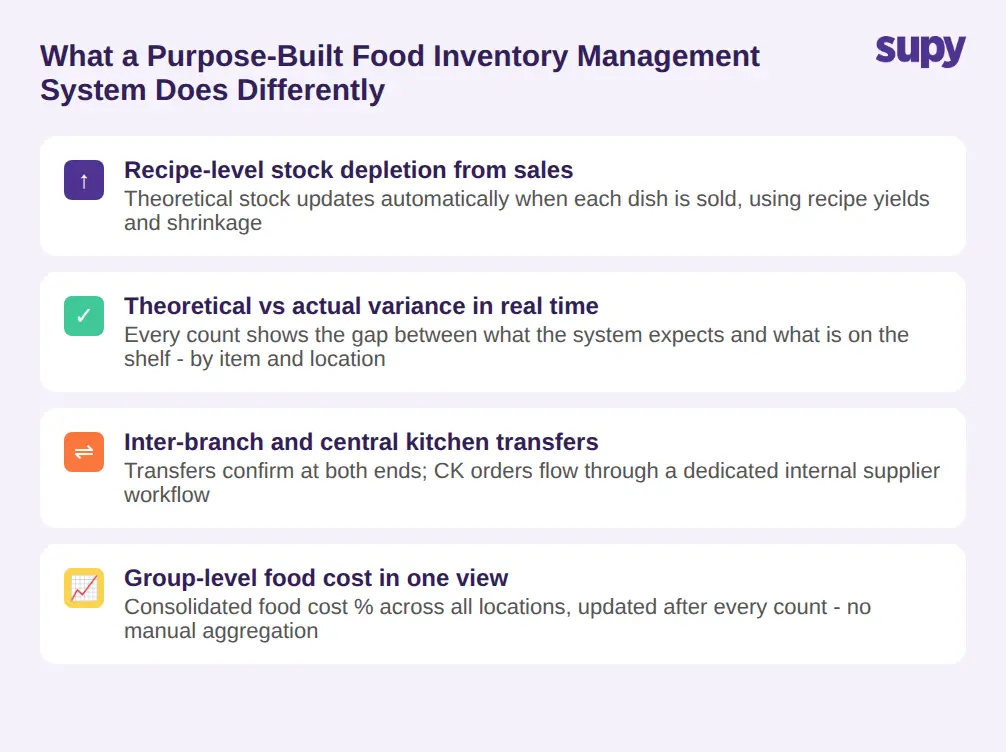
The core difference is that a purpose-built system is designed around the operational sequence food operators actually run - not adapted from a general inventory or accounting framework.
Recipe-level depletion means every sale automatically reduces the exact ingredients in the proportions the recipe specifies, adjusted for yield, shrinkage, and prep wastage. Theoretical stock is therefore always current. The gap between theoretical and actual stock (the variance) is visible in real time by location, by category, and by item - so a 6% food cost variance does not go undetected for three months.
Stock counting in a purpose-built system is not a monthly reset. It is a structured operation with reusable templates cloned across locations, run as frequently as needed, with multiple staff counting in parallel and the system auto-merging tallies and attributing each entry to the individual counter. The variance between the count and the system's theoretical figure is visible the moment the count closes. Operators who previously spent 6 hours per location per week on manual counts have reduced that time by more than half.
Inter-branch transfers have a dedicated workflow: the sending location requests, the receiving location confirms, and stock adjusts at both ends automatically. Central kitchen operations run through a module designed for internal supplier relationships - branches order, the kitchen consolidates demand, ships, and issues delivery notes that update stock at both ends without double-entry.
Supy's food inventory management module covers all of this natively - stock counting with parallel counting and instant variance, real-time stock-on-hand by location and storage unit, automatic depletion from recipe usage and GRN receipt, wastage recording on mobile, and inter-branch transfer workflows with full audit trail. It connects to 75+ integrations so purchasing, accounting, and POS data flow through one system rather than sitting in three.
If your current setup cannot tell you tonight what your theoretical-vs-actual food cost variance is by location, that is the specific gap a purpose-built system closes first.
Before You Choose: The Three Questions That Matter
A food inventory management system is the right tool when the existing setup cannot answer three questions in real time: What should we have in stock right now (theoretical)? What do we actually have (counted or calculated from receipts and usage)? What is the difference, and what caused it?
Ask any vendor how their system calculates theoretical stock - whether it depletes from sales through recipe yields automatically, or whether it requires manual input. Ask how inter-branch transfers appear in each location's stock ledger. Ask whether the system can show a single food cost figure consolidated across all locations, and how frequently that figure updates.
Those three questions cut through feature lists quickly. A system that cannot answer them natively - without spreadsheet workarounds or custom reports - will hit the same wall the ERP and the POS module hit before it.