





How Restaurant Vendor Price Comparison Shows True Cost per Ingredient
See What Every Supplier Charges for the Same Ingredient
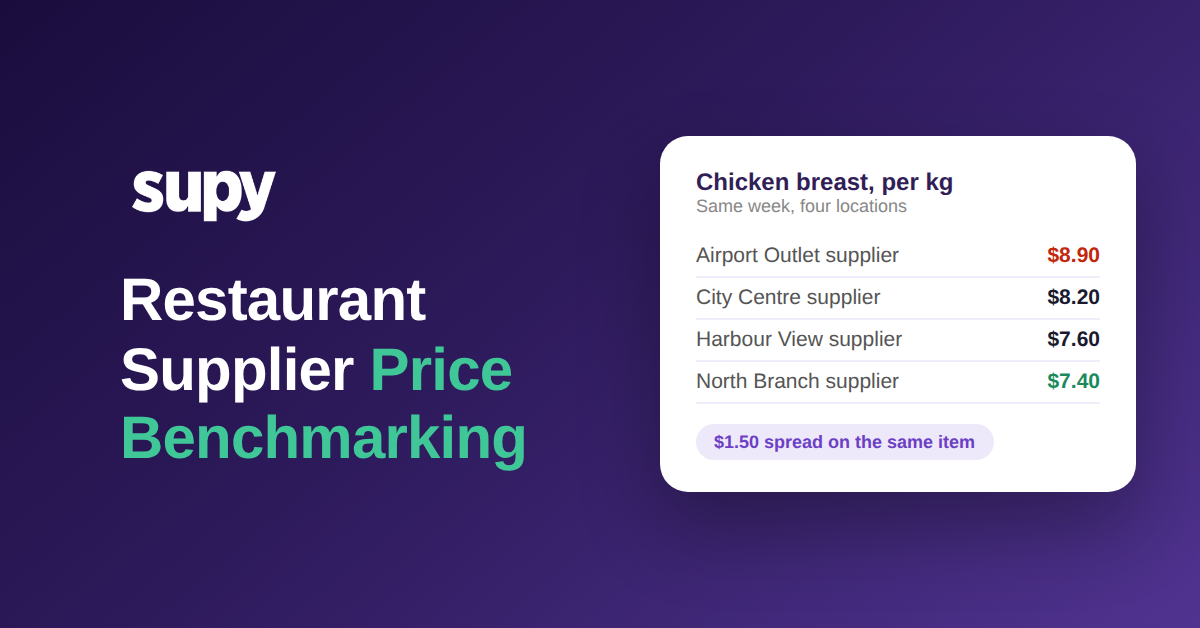
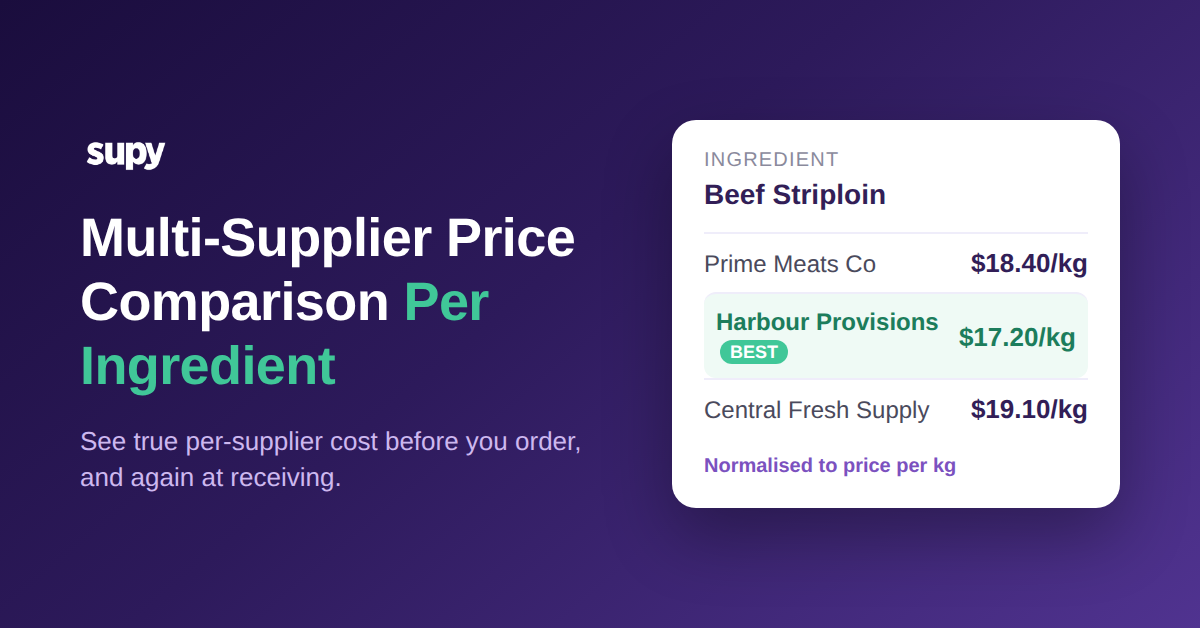
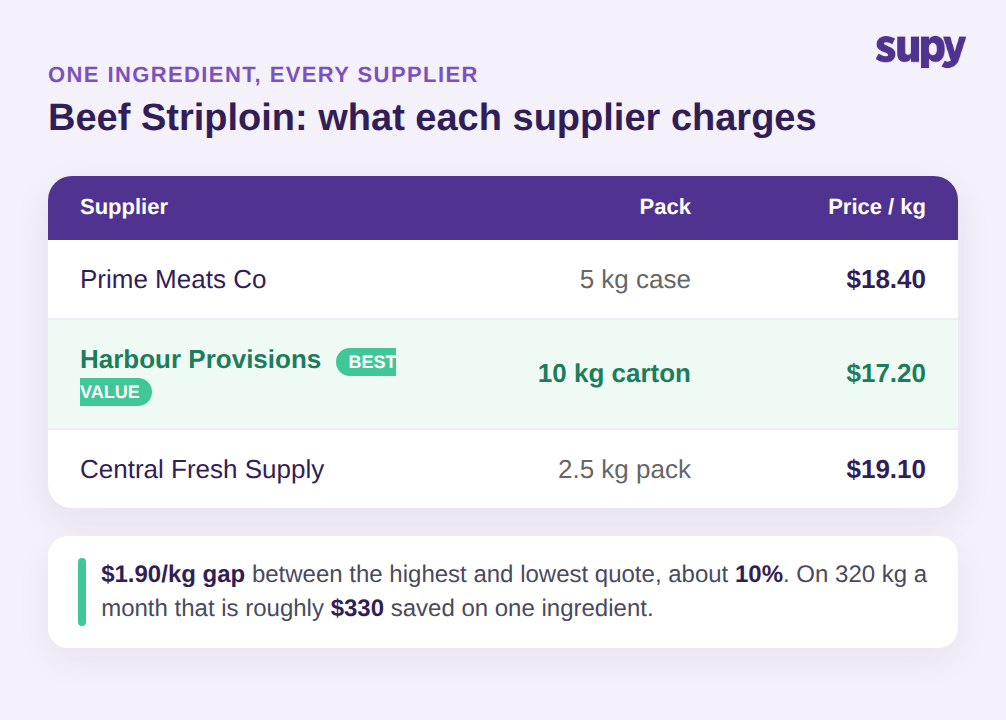
Ask three suppliers to quote beef striploin and you get three prices you cannot line up: $18.40 per kg from one, $17.20 from another, $19.10 from a third. That $1.90 per kg gap between the cheapest and the dearest is real money, and on a group buying 320 kg a month it is roughly $330 a month on one ingredient alone. The buyer who can see all three quotes side by side, priced to the same unit, routes the order to the $17.20 supplier and moves on. Without vendor price comparison software, the buyer pays whatever last month's default supplier charges.
Multi-supplier price comparison per ingredient is the ability to see, for a single ingredient, exactly what each of your approved suppliers charges, before you raise the purchase order. In Supy, every ingredient is a single Base Item, and every supplier SKU, packaging size and unit price for that ingredient links to it. When you open the item, you see each supplier's live price for the same thing, normalised to a common unit, so the comparison is honest rather than a guess across three catalogues. You choose the supplier on price, availability or contract, and the order goes out at the rate you actually agreed.
This is the outcome most operators want and few tools deliver cleanly: a per-ingredient view of the market you buy in, updated as prices move, sitting one screen away from the order itself. It works because the ingredient, not the supplier catalogue, is the thing you manage. If you are building out the wider purchasing picture, this sits alongside the rest of your restaurant supplier management setup rather than replacing it.
The practical shift is small but it changes every order. Instead of a buyer opening a supplier's price list and ordering what that supplier sells, the buyer opens the ingredient and lets the ingredient show them the suppliers. The question stops being "what does this supplier charge" and becomes "who charges least for the thing I need this week." On a volatile ingredient that answer can change month to month, and a buyer who checks it each time captures the difference that a buyer working from a fixed default never sees. Multiply the beef striploin example across a few dozen high-volume ingredients and the per-ingredient view is quietly protecting a meaningful slice of food-cost margin every single order cycle.
Prices Only Compare When Every SKU Rolls Up to One Base Item
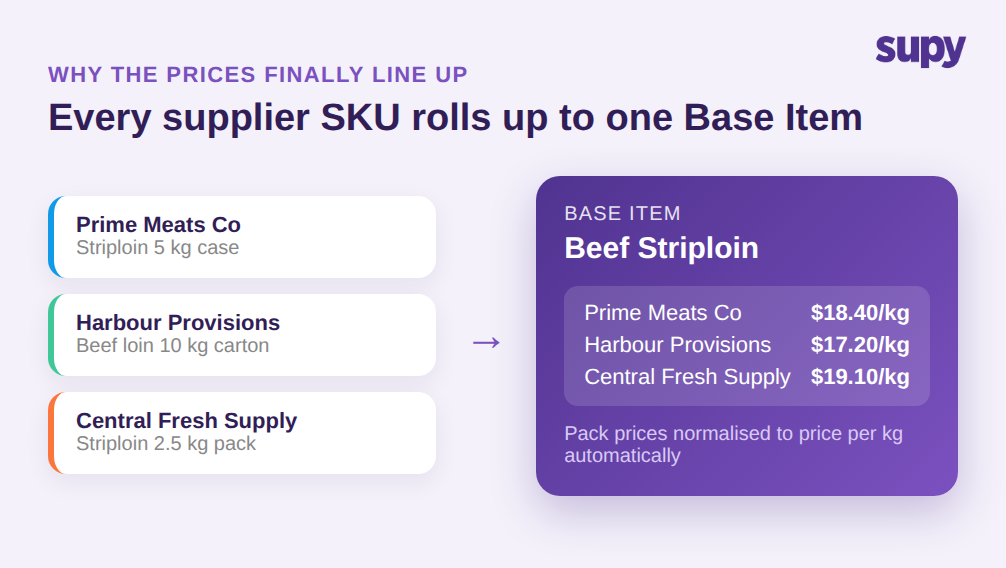
Here is the part most restaurant vendor price comparison software gets wrong: it compares line items at the order screen without first making them comparable. The same beef striploin arrives in a 5 kg case from one supplier, a 10 kg carton from another and a 2.5 kg pack from a third. Each supplier names it differently, packs it differently and prices the pack, not the kilogram. Put those three lines next to each other and the numbers do not mean the same thing, so the cheapest pack is not always the cheapest ingredient.
Comparison is only valid once every one of those supplier SKUs rolls up to one Base Item for the ingredient. Supy's Ingredient and Allergen Management holds one Base Item per ingredient with all supplier SKUs and packaging linked to it, so a price per pack becomes a price per kg automatically and the three quotes finally line up. You are no longer maintaining a separate item catalogue per supplier and eyeballing which one is cheaper. The system does the normalising, and you read a true per-supplier cost.
That single-item model is also what keeps the comparison from decaying over time. Because allergen tags and packaging live at the ingredient level and sync live across outlets, adding a fourth supplier for the same ingredient is one more SKU on the same Base Item, not a fresh catalogue to reconcile. The competitors that frame comparison as an order-time convenience skip this step, which is why their comparison looks tidy on the ordering screen and falls apart the moment pack sizes differ.
It also removes the hidden manual work that makes most operators stop comparing after a few weeks. When each supplier lives in its own catalogue, someone has to convert pack prices by hand, keep the conversions current as pack sizes change, and remember which line in which list maps to which real ingredient. That work is tedious enough that it gets skipped, and once it is skipped the comparison is decoration. Rolling every SKU up to one Base Item moves that effort into the system once, so the per-supplier view stays trustworthy without a person maintaining a spreadsheet behind it. The comparison you can rely on six months from now is the one nobody has to babysit.
Give Each Location the Right Supplier, and Keep Recipe Costs Honest
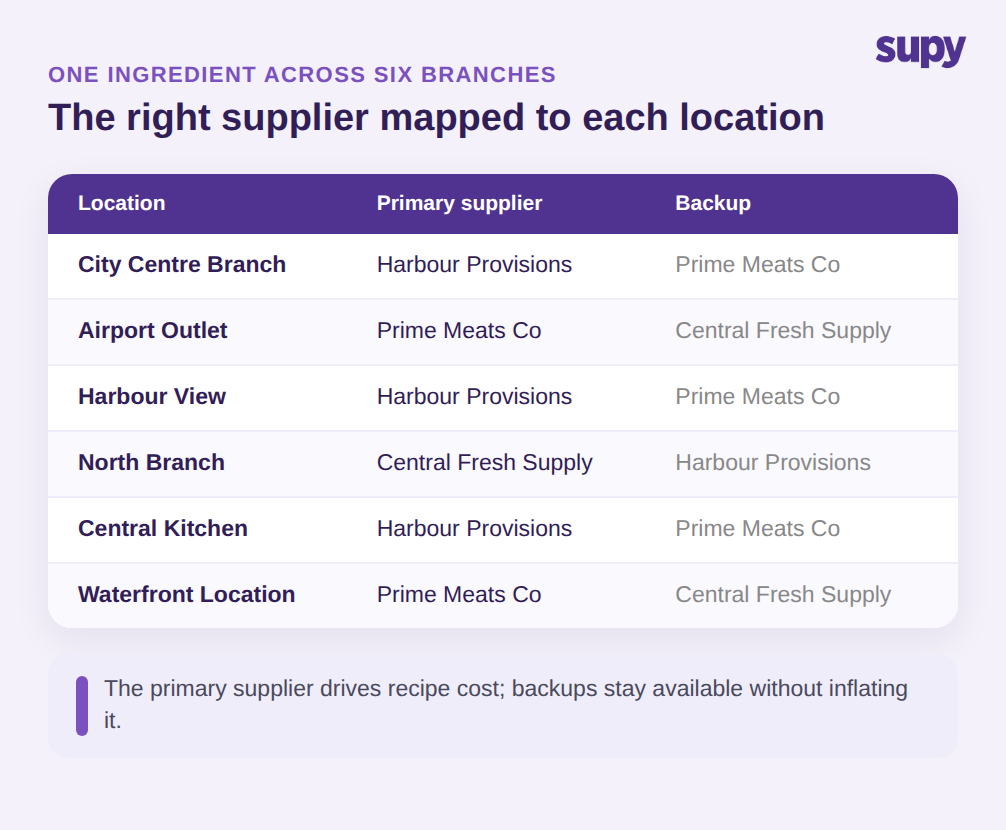
A single group rarely buys one ingredient from one supplier everywhere. A city-centre branch and an airport outlet may sit on different delivery routes, so the correct supplier for beef striploin is not the same at both. Multi-site operators need to map one ingredient to different suppliers per location and have the system enforce the right one at each site, rather than trusting every branch manager to remember the rule. Across six branches that is six correct answers for one ingredient, and getting it wrong means paying a delivery premium or missing a contracted rate.
Per-ingredient comparison has to feed accurate recipe costs, not just a tidier order screen. When backup suppliers sit in the product master and the system averages across all of them, recipe costs inflate: a dish is costed against a blend that includes a supplier you rarely buy from. The fix is to designate a primary supplier for costing and treat the others as backups, so the recipe reflects what you actually pay. Supy links every supplier price to the one Base Item and lets you set the primary, which keeps food-cost reporting anchored to the real buying price rather than an average that quietly overstates margin risk.
Governance sits on top of this. With 200+ customisable permissions and sequential approvals of up to 5 approvers by branch and order value, you control who can switch a location's supplier or override a price, so a per-location rule is not undone by the first person in a hurry. The comparison stays trustworthy because the rules behind it are enforced, not advisory.
Catch Price Drift Again at Receiving, Not Just at Ordering
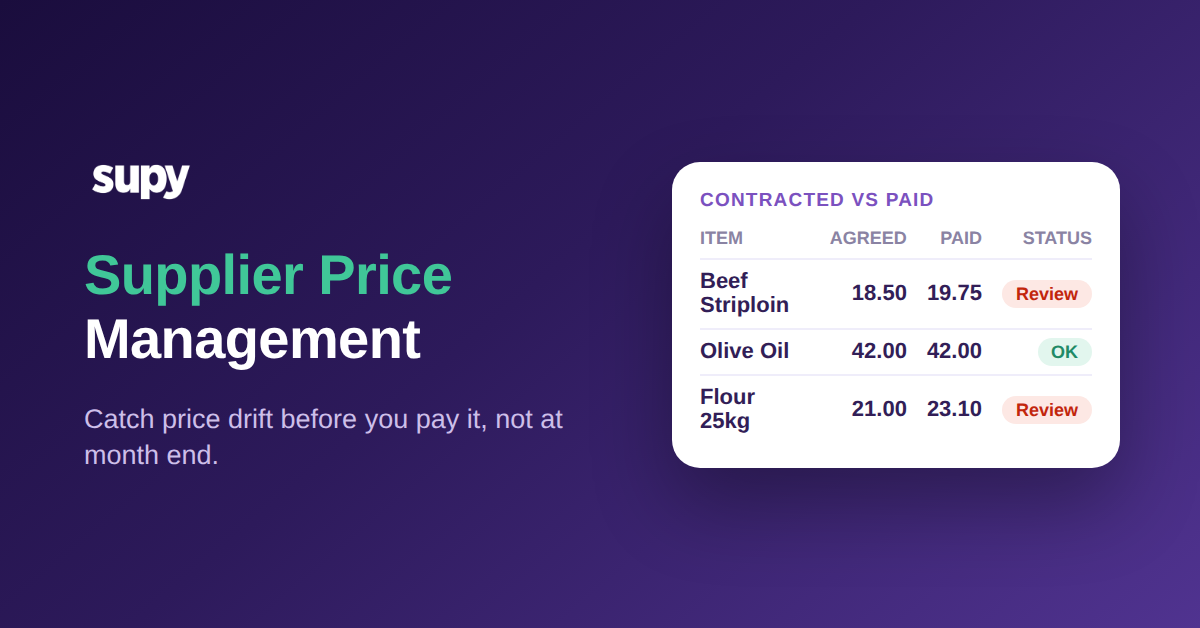
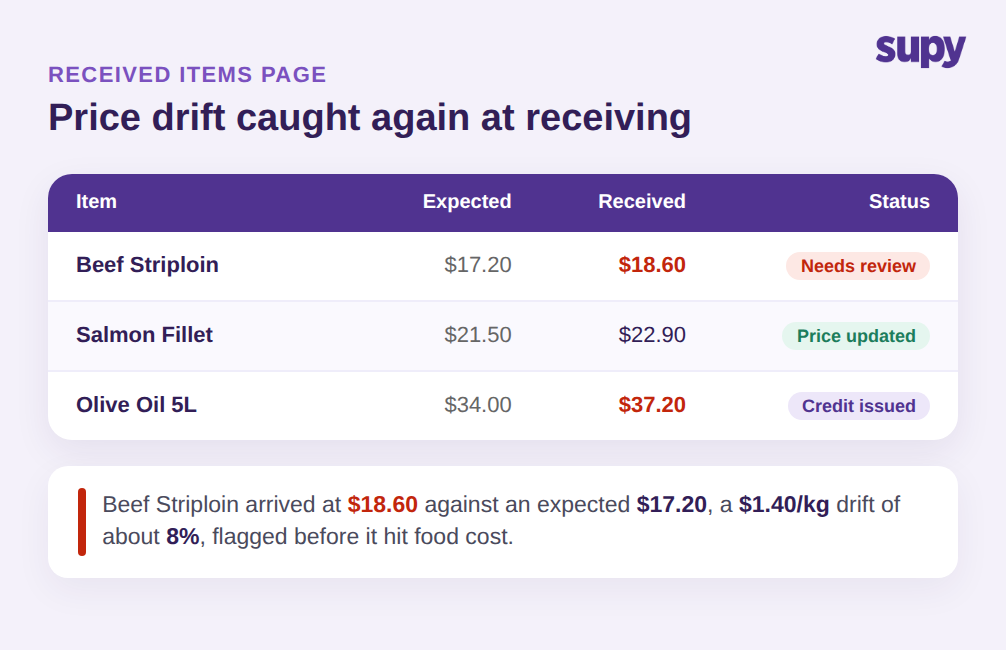
Choosing the cheapest supplier means nothing if $17.20 per kg agreed becomes $18.60 on the delivery. In Supy's procurement software, the Received Items page lists each received line against its expected price, so a gap gets fixed from one screen. Ordering and receiving then become two checks on the same number: the price you picked and the price that actually arrived.
Where to Start
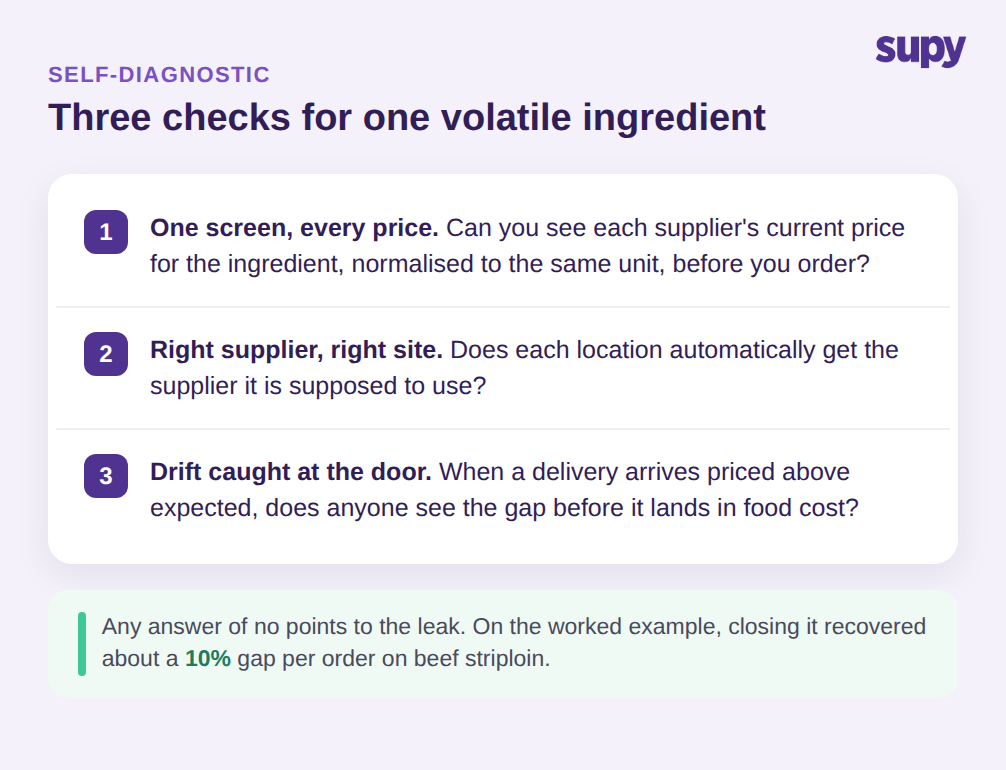
You do not need to rebuild procurement to get this working. Run a quick check on your own operation first. Pick one volatile ingredient you buy from more than one supplier and ask three questions. Can you see every supplier's current price for it, normalised to the same unit, on one screen? Does each location automatically get the supplier it is supposed to use? And when a delivery arrives priced above what you expected, does anyone see the gap before it lands in food cost? If the answer to any of these is no, that ingredient is where the leak is, and a single Base Item linking every supplier SKU is the fix that closes all three gaps at once, at ordering and again at receiving. Start with the one ingredient that fails the most checks, get it modelled correctly, and use it as the template for the next ten. The operators who get the most out of per-ingredient comparison are not the ones who switch everything on day one; they are the ones who prove the loop on a single volatile ingredient, see the price gap close on the next order, and roll it out from there.