Top 10 MCPs for Restaurant Operators: Supy, Xero, Square and More
What an MCP server does for a restaurant group
An MCP server (short for Model Context Protocol) lets an AI assistant such as Claude or ChatGPT answer from your restaurant's own data. Supy MCP is the one to connect first, because it reads your group's live food cost, purchasing and recipe numbers. One multi-site UK burger group already uses Claude daily and asked Supy to switch it on. This article shows the 10 best MCP servers to connect, and whether each can change your data.
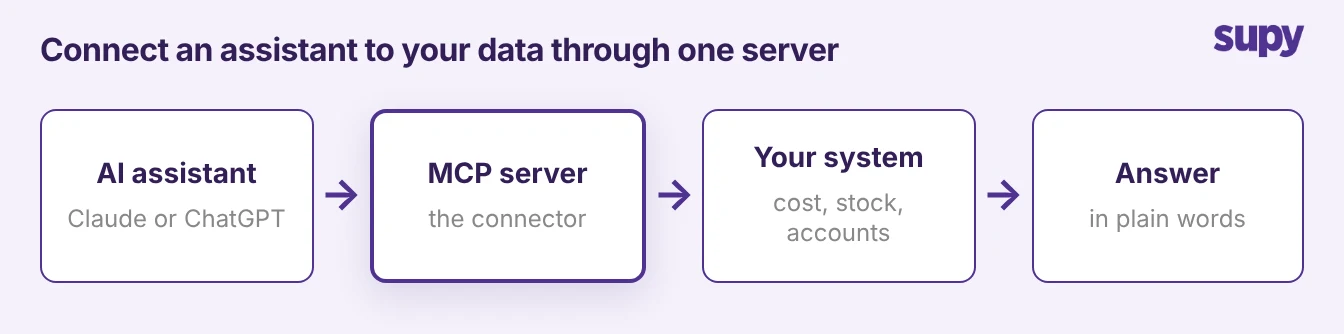
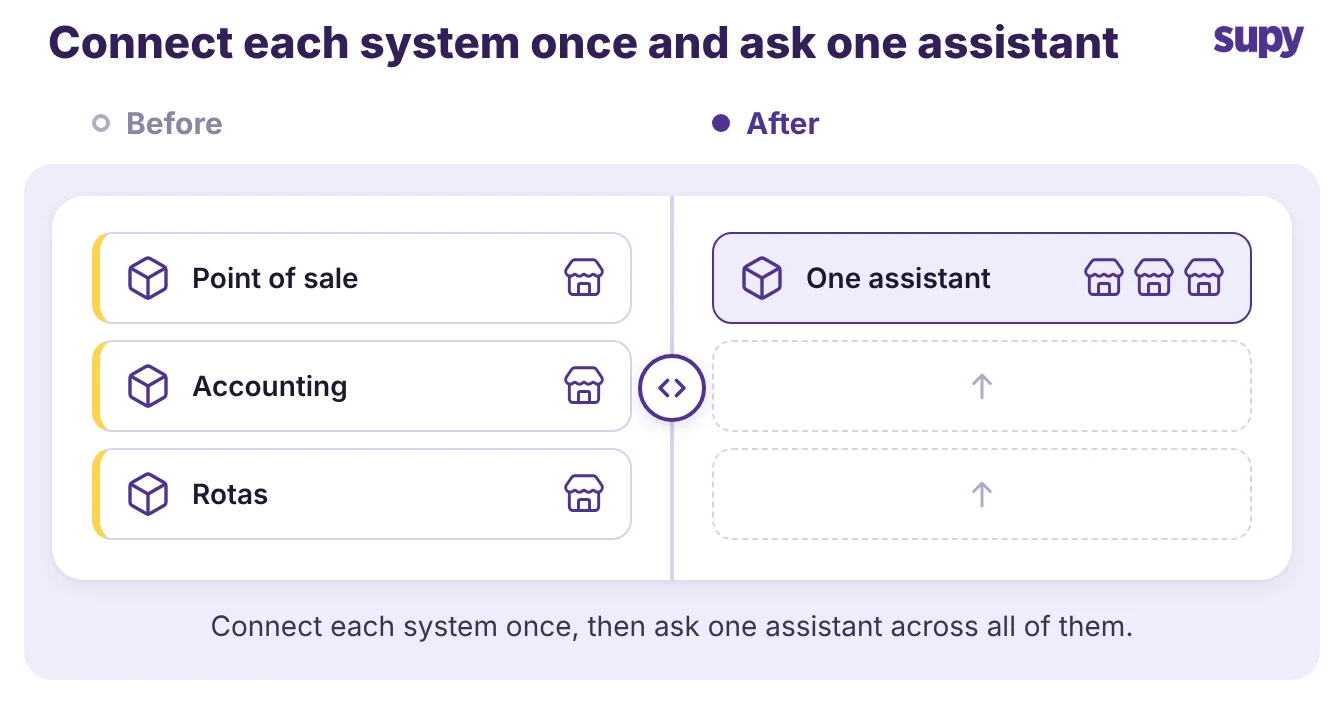
Picture the assistant as the person asking the question and the MCP server as the key to one system.
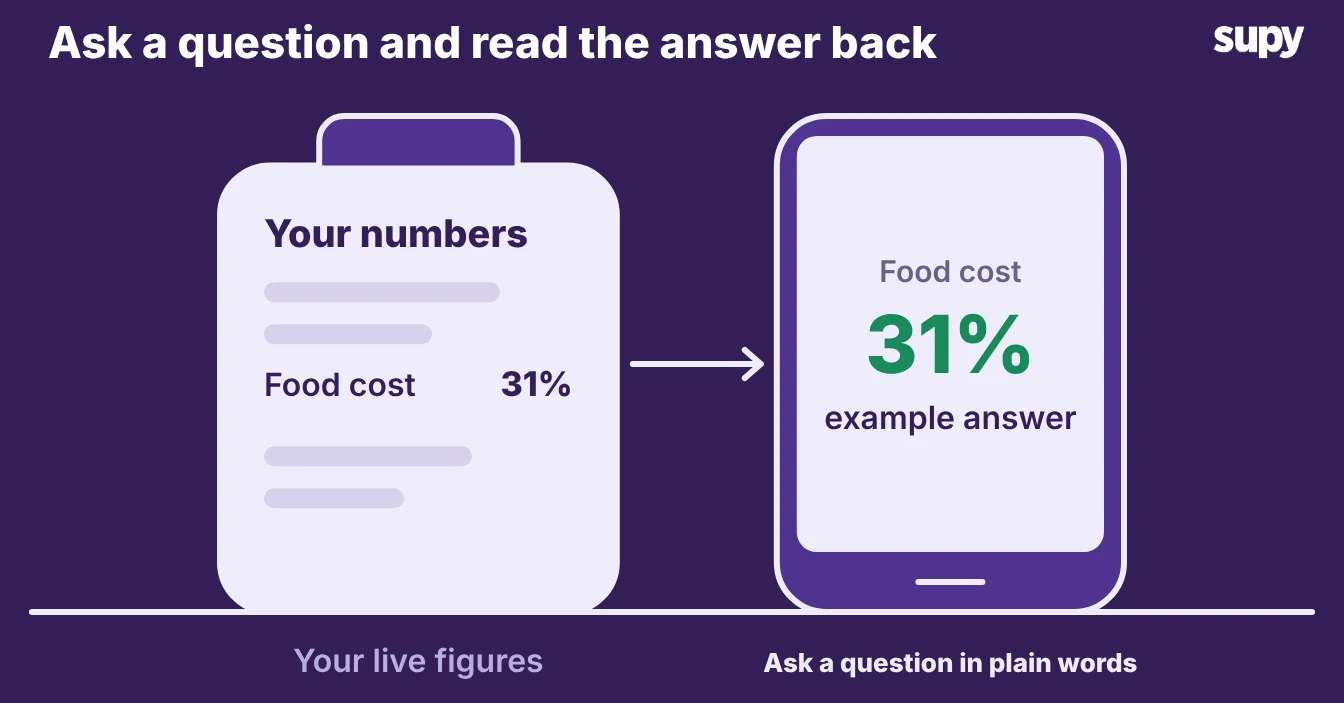
Add the key for your inventory and cost data, and the same assistant answers a food cost question. Add the key for your accounting system, and it pulls a profit figure. Most operators start with one server and add more as the team gets used to asking.
Two things separate a good choice from a risky one. The first is what the server lets the assistant do. A read-only server answers questions but changes nothing, while a write-capable server can also edit records, so a person should approve any change.
The second is who builds and supports it. A server published by the vendor you already pay is safer with your restaurant inventory and back-of-house data than a community build you found online.
The 10 best MCP servers restaurant operators can connect, with Supy MCP first
Here are the servers worth connecting first, with who makes each one, what an assistant can read, whether it can change data, and its status today. Supy MCP leads because it answers from your own numbers in Supy. The Xero row appears twice because Xero offers two servers, one for operators and one for builders.
| Server | What an assistant can read | Can it change data | Status |
|---|---|---|---|
| Supy MCP (Supy) | food cost and cost of goods sold, wastage, dish margin, supplier prices, procurement and open purchase orders, recipes (examples, not a full list) | No, read-only | Released, switched on per company |
| Square MCP server (Square) | catalogue, inventory, orders, labour, locations, payments, customers, vendors | Yes; a local copy can be read-only | Beta |
| Foodics MCP (Foodics) | sales, customers, orders, menu, inventory, branches, promotions, taxes | No write claim | Live |
| Xero connector in Claude (Xero) | profit, cash, overdue invoices, top customers | No, read-only | Free to add |
| Xero developer server (Xero) | Xero data for custom agents and apps | Yes; V1 tools do not confirm first | No status label |
| QuickBooks connector for Claude (Intuit) | profit and cash-flow reports, transactions, invoices, estimates, customers, products | Yes; deleting asks you to confirm | US only, no status label |
| NetSuite AI Connector Service (NetSuite) | records, reports, saved searches, read-only SuiteQL | Yes; by your NetSuite role | Available, no GA label |
| Business Central MCP server (Microsoft) | API pages, read-only by default | Admin can switch on create, modify, delete, posting | Online only; data query tools in preview |
| Zoho Books MCP (Zoho) | profit and revenue reports, invoices, expenses, customers, vendors, items | Yes; admin approval advised | No status stated |
| Tenzo MCP (Tenzo) | sales, labour cost, covers, transactions by location, reviews, manager logs | No, read-only | No status stated |
| Planday connector (Planday) | rota, team, holiday balances, absence policies, working-time rules | Drafts shifts; publishes only when asked | No status stated |
Supy MCP: food cost, purchasing and recipe answers from your own data
1. Supy MCP
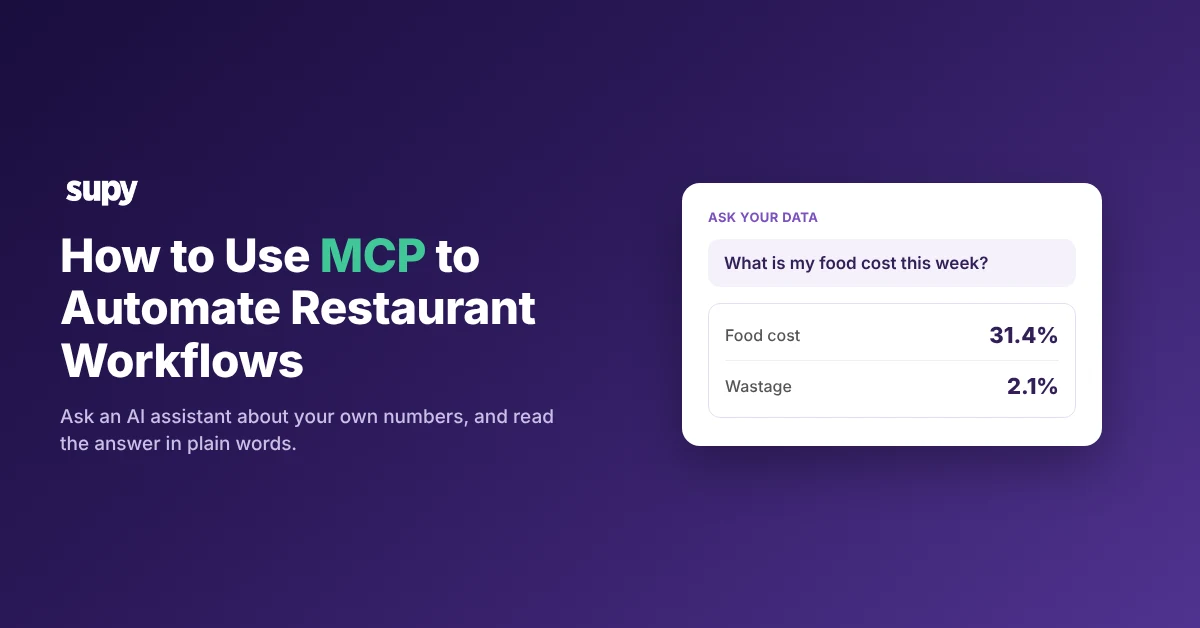
Supy MCP connects an AI assistant to your own data in Supy, so your team can ask about food cost and get an answer from the group's live numbers. Supy announced it on 27 October 2026 and has switched it on per company since 3 November 2026. Supy says it is read-only today, so the assistant reads and answers from Supy's analytics data and cannot create or change anything.
You connect with your own Supy login. The assistant shows a consent screen that names the assistant and asks you to approve it, which you can decline, and there is no API key to pass around. Supy switches Supy MCP on per company, so anyone with an active Supy login at a company where it is on can connect. Ask your Supy account manager to switch it on for your group.
Supy MCP answers questions from Supy's restaurant analytics data. Supy's own suggested questions cover food cost and cost of goods sold (COGS), wastage, dish margin and supplier prices. Supy also names procurement data, such as order details and procurement reports, among what it reads. Operators have used it to check open purchase orders and to see how a recipe is set up.
These are examples, not a full list, and Supy's engineering team suggests asking Supy MCP what it can read. Operators also ask it about cost variance, stock on hand and items below par. Keep those as questions you can try, not as answers Supy MCP is promised to give.
Setup takes a few minutes and needs no developer. It works the same way in Claude, ChatGPT and other AI tools that support MCP connectors:
- Open the assistant's connector settings.
- Add Supy.
- Sign in with your Supy login.
- Approve the consent screen.
- Ask your first question.
Claude and ChatGPT both work this way, and Claude has the most evidence of real use with Supy MCP so far. Each assistant moves its menus around, so follow the assistant's own help page for the exact steps.
One cost question comes up early. The assistant runs the questions on its own subscription, so Supy MCP spends no AI tokens of its own. Access terms for Supy MCP come from your account manager, so ask them what applies to your group before you plan a wider rollout.
Sales, accounting and rota servers to add next
Once your team is comfortable asking Supy MCP, these servers connect the rest of the back office. Each entry gives who makes it, what an assistant can read, whether it can change data and its status. Where a server can write, keep a manager in the loop to approve the change.
2. Square MCP server
Square, a Supy point-of-sale partner, publishes the Square MCP server. An assistant can read across the Square platform, including catalogue, inventory, orders, labour, locations, payments, customers and vendors. It reads and writes, though a local copy can be set to read-only. Square states that the server is in Beta, so test it on data that does not matter before you trust it with a change.
3. Foodics MCP
Foodics, another Supy point-of-sale partner, offers Foodics MCP. An assistant can query sales, customers, orders, menu, inventory, branches, promotions and taxes through one conversation. The page makes no write claim, so treat it as read-only for now. Foodics also warns you to verify important figures in Foodics before you act on them, and the page shows a Live badge.
4. Xero (connector in Claude, and the developer server)
Xero, a Supy accounting partner, offers two servers, so pick by who will use it.
- Xero connector in Claude. Built for operators. It is read-only, follows your Xero permissions, and answers about profit, cash, overdue invoices and top customers. Claude cannot create, edit, approve, reconcile or pay in Xero. It is free to add and needs an active Xero subscription.
- Xero developer remote server. Built for builders of custom agents. It reads and writes Xero data, and its V1 tools do not ask for confirmation first, so tell your agent to confirm. It needs a Xero developer app on the Core plan or above, and Xero gives it no beta or GA label.
5. QuickBooks connector for Claude
Intuit, a Supy accounting partner, offers the QuickBooks connector for Claude. An assistant can read profit and cash-flow reports, transactions, invoices, estimates, customers and products. It can also write: it creates invoices, and deleting asks you to confirm first. The connector is currently available to US customers only, and the page shows no status label.
6. NetSuite AI Connector Service
NetSuite, a Supy enterprise resource planning partner, offers the NetSuite AI Connector Service. An assistant can create, read and update records and run reports, saved searches and read-only SuiteQL, all by your NetSuite role. Administrator roles cannot connect. It is available now, with no formal general-availability label.
7. Business Central MCP server
Microsoft publishes the Business Central MCP server, and it is not a Supy integration, because Supy lists Microsoft Dynamics Navision instead. By default it gives an assistant read-only access to the API pages a signed-in user may use, and an admin can switch on create, modify, delete and posting. It works with Business Central online only, and its data query tools are in preview.
8. Zoho Books MCP
Zoho, a Supy accounting partner, offers the Zoho Books MCP. An assistant can pull profit and revenue reports, and it also writes. It creates invoices, records expenses, reconciles bank transactions, and updates customers, vendors and items. Zoho states no status for it and advises getting approval from your organisation's admin before acting through it.
9. Tenzo MCP
Tenzo, a Supy analytics partner, offers the Tenzo MCP. An assistant can read sales, labour cost, covers and transactions by location, plus customer reviews and manager logs. Its docs say it is read-only and cannot modify your data, only your Tenzo configuration. The docs page states no status.
10. Planday connector
Planday handles rotas, and its connector is not a Supy integration. An assistant can read the rota, your team, holiday balances, absence policies and working-time rules. It drafts and assigns shifts as drafts, publishing them only when you ask. It is listed in Claude's connector directory, with no status stated.
A few more servers are worth knowing, though none is a Supy integration:
- Marqii. Menus, hours and listings; it writes.
- Eat App. Reservations; read-only.
- Slack. Team messaging across your sites.
- Google Workspace. In developer preview.
- Zapier. A bridge to systems that have no server of their own.
Read-only or write: what each server lets an assistant change
The single most important question before you connect a server is whether it can change your data. A read-only server answers questions and changes nothing, so the worst it can do is give a wrong answer, which a person catches. A write-capable server can edit records, so one wrong instruction can change a real figure. The table below sorts the servers into the two groups.
| Can the assistant change your data? | Servers |
|---|---|
| No, answers only | Supy MCP, Xero connector in Claude, Foodics, Tenzo |
| Yes, so a person approves | Square, QuickBooks, NetSuite, Zoho Books, the Xero developer server, Business Central once an admin switches writes on, and Planday for drafting shifts |
Supy MCP sits firmly in the first group. Because it is read-only today, it cannot change a count, a price or a recipe. That makes it a safe first server to put in front of a whole team.
Choosing servers your sites can trust
Pick the first two or three servers against four plain checks, then add the rest once the team trusts the answers.
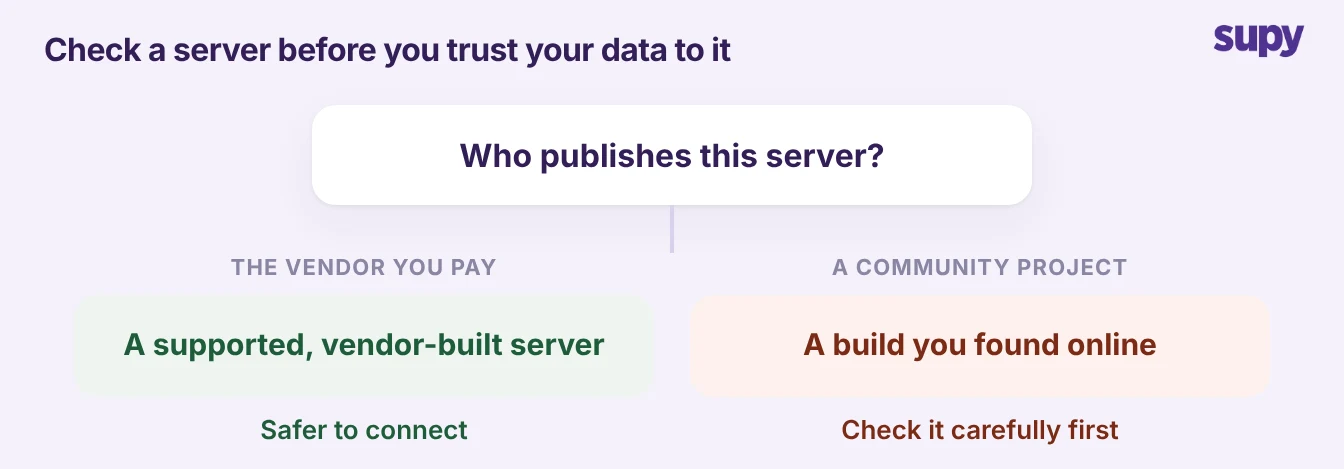
- Vendor-built or community. Prefer a server the vendor publishes and supports over a community build you found online, especially for point-of-sale and accounting data.
- Read-only or write. Decide whether you want answers only or changes too. If a server can write, put a manager between the assistant and the change.
- Works with your assistant. Check the server connects to the assistant your team already uses, usually Claude or ChatGPT.
- Brings the pieces together. A Supy sales colleague's test for any partner server is a good one to borrow: does it bring all the pieces together, or only talk about its own data?
Start with Supy MCP, because it answers from your own cost, purchasing and recipe data and changes nothing while your team learns to ask. Add a point-of-sale server for sales, and an accounting server for the numbers your finance team needs. Add a rota server if your managers live in the schedule, and connect the rest one at a time so you always know which server answered.