Food Label Regulations UK: What Cafes and Restaurants Must Print
Which UK labelling rules apply to food you make on site
UK food label regulations turn on one question: do you pack the food before a customer orders it? If you do, that food is prepacked for direct sale, or PPDS, and each pack needs a full label with the 14 allergens made to stand out. Natasha's Law made this UK law in October 2021. This article shows what each kind of food needs, and how to keep the label right as recipes and suppliers change.
Which rule you follow depends on how the food reaches the customer, not on what it is. Confirm your own case against the FSA guidance before you rely on the cases below.
| Case | How the food reaches the customer | What you must do |
|---|---|---|
| Prepacked for direct sale | Packed on site before the customer orders it | Full label: name, ingredients, the 14 allergens emphasised, and a date where needed |
| Non-prepacked (loose) | Made to order and handed over unpackaged | Give allergen information in writing or by asking staff; no pack label needed |
| Distance selling | Sold for delivery or collection | Give allergen information before the sale and again when the food arrives |
These rules can change, so confirm your own case against the FSA guidance before you rely on it.
What a prepacked for direct sale label must show
A PPDS label must carry the name of the food, a full list of ingredients in descending order of weight, and the 14 regulated allergens emphasised within that list. Emphasis means the allergen word stands out, usually in bold. Where the food needs a date, that goes on the label too.
A label that lists ingredients but does not emphasise the allergens does not meet the rule. Confirm your own labels against the FSA PPDS guidance before you rely on the parts below.
| Part of the label | What it must show |
|---|---|
| Name of the food | A clear name the customer would recognise |
| Ingredient list | Every ingredient, in descending order of weight |
| Allergens | The 14 regulated allergens emphasised in the list, usually in bold |
| Date | A use-by or best-before date where the food needs one |
Food counts as PPDS when three things are all true.
- Enclosed in packaging. It is fully or partly enclosed by its packaging.
- Sealed until opened. It cannot be changed without opening that packaging.
- Sold where packed. It is ready for sale to the customer on the same premises where you packed it.
A wrap sealed in film and placed in the grab-and-go fridge meets all three, so it needs the full label.
The 14 allergens are fixed in law.
- Cereals containing gluten
- Crustaceans
- Eggs
- Fish
- Peanuts
- Soybeans
- Milk
- Tree nuts
- Celery
- Mustard
- Sesame
- Sulphur dioxide and sulphites
- Lupin
- Molluscs
The FSA PPDS guidance for restaurants, cafes and pubs shows worked label examples you can check your own against. Confirm your own labels against the FSA guidance before you rely on them, because the detail can change.
Getting the date label right on prepped and stored food
Pick the date label by what the date protects, not by habit. A use-by date is about safety and belongs on food that goes off quickly, and the food must not be sold or eaten after it.
A best-before date is about quality, so the food is usually still safe afterwards but may not be at its best. Whether an item takes a use-by or a best-before depends on how you make it and how perishable it is.
| Date label | What it protects | Use it on | After the date |
|---|---|---|---|
| Use by | Safety | Highly perishable prepped food, like a filled sandwich or a cooked chilled dish | Do not sell or eat it |
| Best before | Quality | Food that keeps longer, like a dry or ambient item | Usually still safe, check it first |
The FSA date-label guidance sets out which foods need which date. Set the date from your own prep and storage, and write it where a customer and your own team can both read it.
Why allergen labels go wrong when a recipe or a supplier changes
A label is only as current as the data behind it, and that data moves every time a recipe or a supplier changes. Operators tell us the same story.
The label was right the day it was printed. Then a chef swaps an ingredient or a supplier reformulates a product, and the allergen line no longer matches the food. These are the common breaks, and each one has a fix.
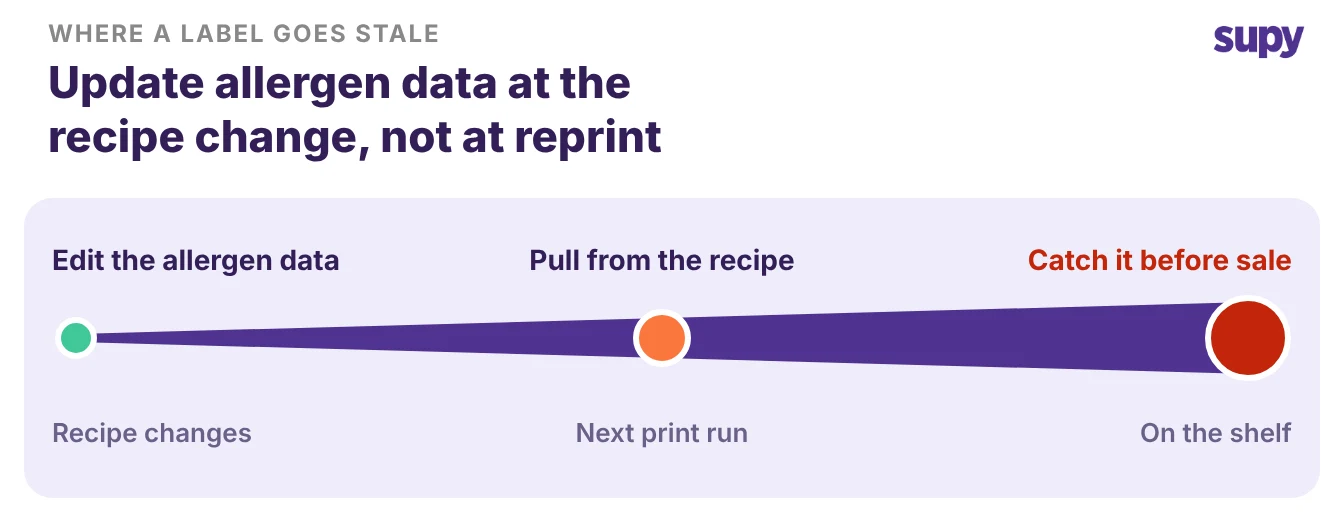
- A recipe changes and the label does not. A chef swaps butter for a nut-based spread, but the printed label still reads from the old recipe. Fix it by updating the allergen data on the recipe the moment the recipe changes, not at the next label print run.
- A supplier reformulates a product. A supplier adds an allergen to a sauce, sends a new spec sheet, and nobody feeds the change back into the recipe. Fix it by reviewing supplier spec changes before they reach a label, so a new allergen is caught at the source.
- You keep the same allergen data in several places. One operator described logging the same allergen information four or five times across an online tool, a labelling tool, the till and the inventory system. Each copy is one more thing to update and one more chance to miss one. Fix it by holding the data in one place that every label reads from.
- Allergen data is pulled by hand from spec sheets. A team copies allergens off supplier spec sheets item by item, which does not scale as the menu grows. Fix it by tagging allergens on the ingredient once, so every recipe that uses it carries the right allergens automatically.
If you manage recipes in a system already, that is the place to hold allergen data in one spot. Our guide to recipe management software covers how ingredient and recipe data stays linked as menus change.
Keeping label data right across every site
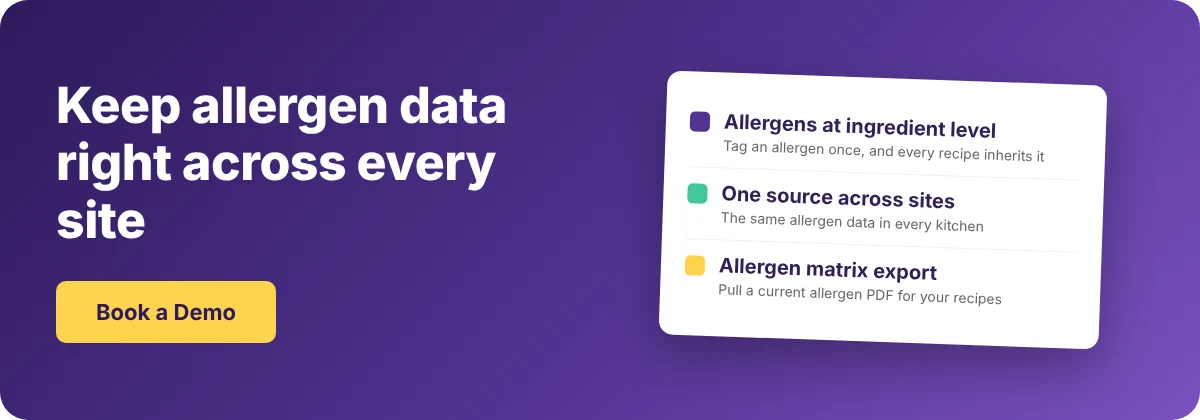
Hold your allergen data at ingredient level and keep one source of truth, and your labels stay correct as menus and suppliers change. A group running several sites needs that single source even more, because the same ingredient has to carry the same allergens in every kitchen.
| Practice | Why it keeps labels right |
|---|---|
| Tag each allergen on the base ingredient once | Every recipe that uses the ingredient inherits it |
| Keep one source of truth for allergen data | No extra copy to miss when something changes |
| Review supplier changes before they reach a label | A new allergen is caught at the source |
Supy tags allergens at ingredient level and carries them into every recipe automatically.
- Synced across outlets. It keeps that data in sync across every outlet and holds a version history, so you can see what changed and when.
- Allergen matrix export. It can export an allergen matrix as a PDF across all your recipes or a filtered set, which gives you a current reference to work from.
Supy keeps the data right; printing the physical pack label stays your own process, with whatever label hardware your sites use. You can see how the recipe and ingredient side fits together on the recipe and prep management page.
Run a quick check on your own operation. List the foods you pack on site before a customer orders them, because those are your PPDS items and each one needs a full label. Confirm every one of those labels carries the four parts.
- The name
- The full ingredient list
- The emphasised allergens
- A date where the food needs one
Then check where your allergen data lives, and if it sits in more than one place, move it to a single source first. That one move is what stops the next recipe change from quietly breaking a label.