.jpg)


Spreadsheet Recipe Costing vs Software: Why Static Recipe Costs Go Wrong When Supplier Prices Move
Where a Spreadsheet Recipe Cost Goes Stale
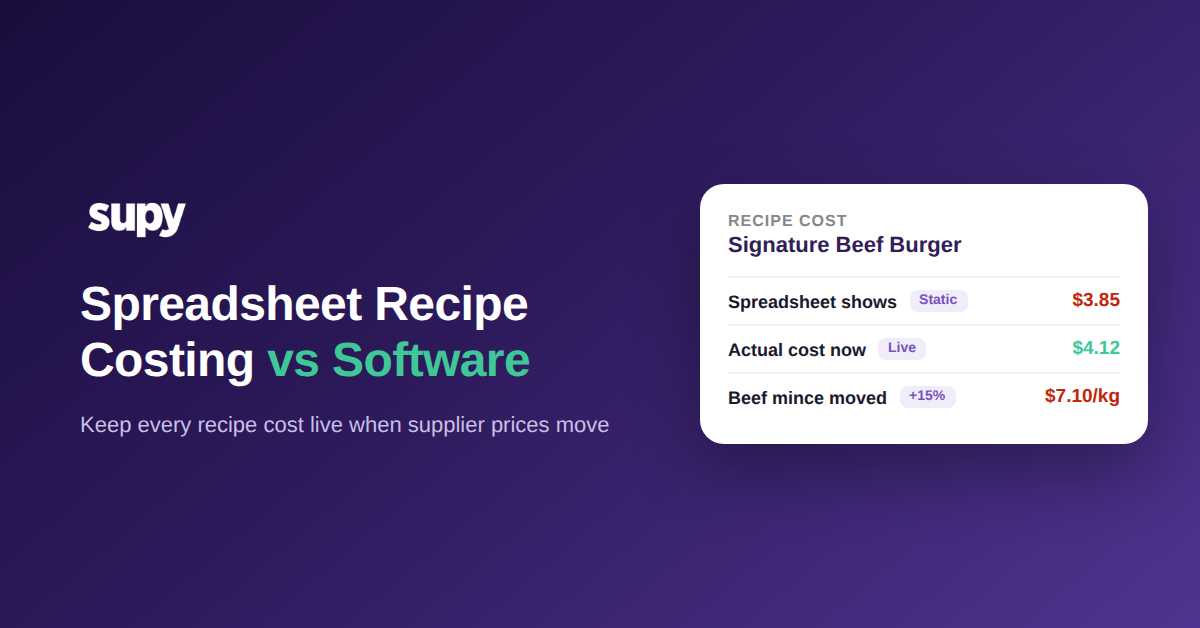
Spreadsheet recipe costing means typing each recipe's ingredient costs into a sheet and reading off a total; software recipe costing calculates that total from live ingredient prices and keeps it current on its own. The difference only bites when a price moves. A spreadsheet holds the old number until someone re-keys it, so the recipe cost is wrong the moment a supplier price changes and nobody notices until month-end.
Take a single line. A Signature Beef Burger built on beef mince at $6.20 per kg shows a recipe cost of $3.85 in the sheet. The supplier raises mince to $7.10 per kg, a 15% move, and the real cost of that burger is now $4.12. The menu price has not changed, the sheet has not changed, and the 7% gap between the printed cost and the true cost is pure margin quietly walking out of the door.
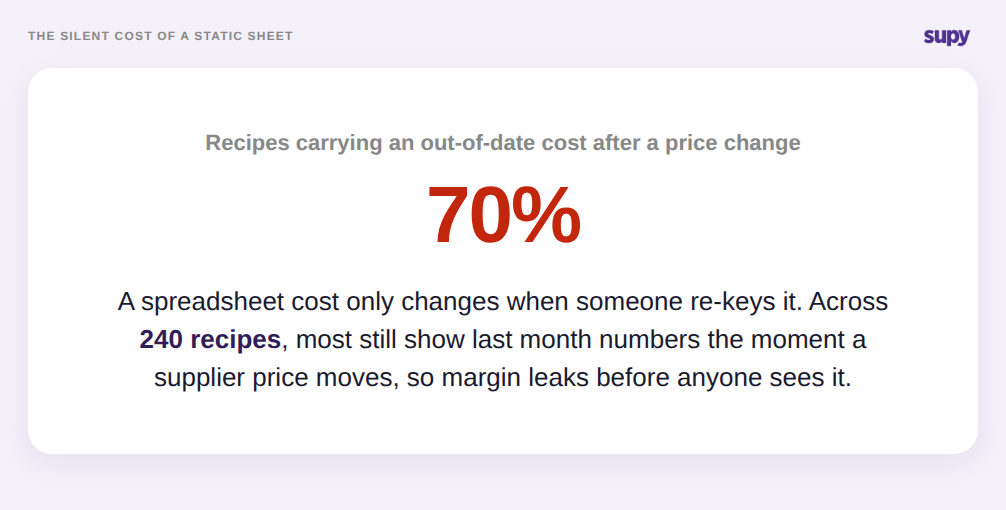
One line is easy to catch. The problem is that a group runs hundreds of recipes off the same supplier list, and a single price change touches every recipe that uses that ingredient. Unless each affected recipe is re-costed by hand the same day, most of the menu is now carrying a cost that is out of date.
What a Flat Recipe Cost Misses: Wastage, Yield and Branch Price
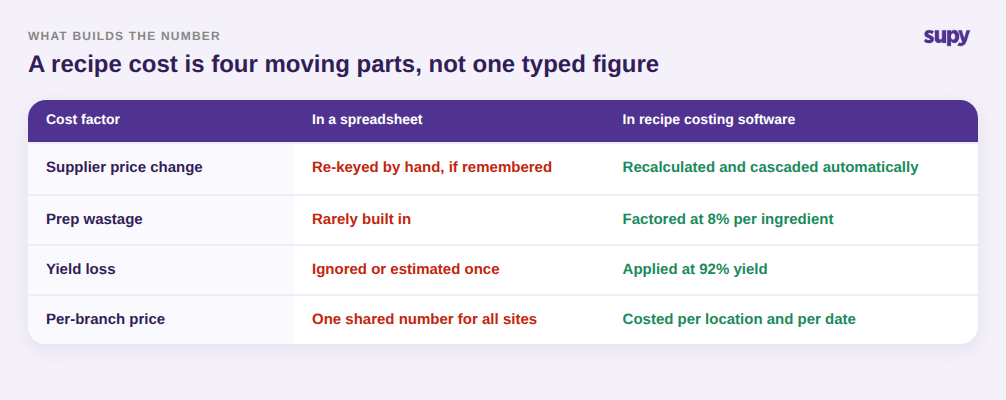
A typed spreadsheet cost is a single frozen figure, but a real recipe cost is built from several moving parts. Treating it as one number is the second way spreadsheet recipe costing drifts away from the truth, even before any price moves.
Three factors get lost. Prep wastage means the kitchen has to buy more of an ingredient than ends up on the plate, so the true cost per portion is higher than the raw price suggests. Yield does the same in reverse: trimming, cooking loss, and portioning mean a purchased kilo rarely becomes a full costed kilo of finished product. And a group buying the same item on different supplier terms per site does not have one ingredient price at all. A spreadsheet number that ignores an 8% prep wastage and a 92% yield understates the plate cost, and the more careful the operator tries to be, the more manual maintenance the sheet demands. Software recipe costing folds wastage and yield into every recipe automatically, using average cost or last purchase price per location, so the number reflects what the dish actually costs to make. The same discipline underpins any honest food cost percentage calculation.
Why One Shared Sheet Cannot Cost Every Site
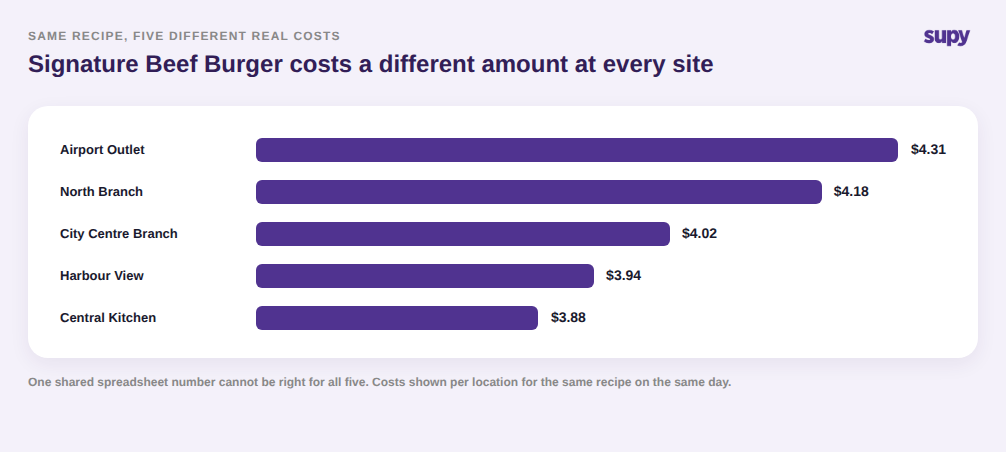
The single hardest thing to fix in a spreadsheet is that a multi-site group does not have one recipe cost. It has one per location. The same burger is not $4.12 everywhere, because each branch buys on its own supplier prices, delivery terms, and local availability.
A shared master sheet can only hold one figure per recipe, so it is forced to pick an average or a headquarters price and apply it to every outlet. That hides the sites that are quietly overpaying and flatters the ones that are not. When the same Signature Beef Burger costs $4.31 at one outlet and $3.88 at another, a group cost of roughly $4.00 tells the operator nothing about where the real problem is. Software costs each recipe per location and per date, so the group can see the spread and act on the outlet that is actually out of line rather than a blended number that describes none of them. It is the same reason theoretical and actual food cost diverge by site and have to be read branch by branch.
Spreadsheet or Software: What Changes When Costs Update Themselves
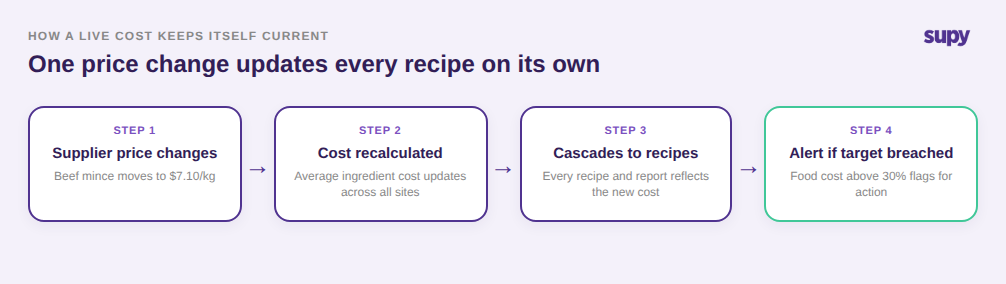
The reason software closes all three gaps at once is that it does not wait for a person to maintain the number. When a supplier price changes, the platform recalculates the average ingredient cost across every location and cascades it into each recipe and report that uses it, then flags any recipe whose food cost percentage has broken its target. Costing stops being a monthly clean-up and becomes a live guardrail. Supy handles this within its restaurant inventory and recipe costing platform, keeping supplier prices, recipes, and food cost targets on one connected model.
That is also the honest case for and against each approach. Choose a spreadsheet when you run a single site with a short, stable menu and a supplier list that barely moves, where re-keying a handful of costs now and then is genuinely quick. Choose recipe costing software when you run more than one site, carry a large menu, or buy on prices that move often, because at that scale the manual re-keying a spreadsheet demands is exactly the work that never gets done, and the cost of it not getting done is a food cost percentage you only discover after the period has closed.
The test is simple. If you cannot say what a specific recipe costs at a specific branch today, and be confident the answer reflects this week's supplier prices, your recipe costs are already stale and the only question is by how much. Pick one high-volume dish, check its costed price against a recent invoice at two branches, and the size of the gap will tell you whether a sheet is still serving you or quietly costing you.