.jpg)


Restaurant Allergens: Keep Every Menu Right When a Recipe Changes
The allergens a restaurant must declare, by country
Restaurant allergens are the foods the law makes you declare on every dish. The list differs by country: 14 in the UK, 9 in the US, 23 in Australia. You keep the answer right by holding each allergen on the ingredient, not the printed menu. Then a recipe or supplier change updates every dish that uses it. This article shows what to declare and how to keep it current across sites.
Every market names its own list, and the count is not the same across borders. Treat the table below as a starting point. Confirm the current list with your own food safety authority before you rely on it.
| Market (regulator) | Allergens to declare | Note |
|---|---|---|
| United Kingdom (FSA) | 14 | Includes celery, lupin, molluscs and sulphites. |
| United States (FDA) | 9 | Sesame became the ninth, enforced since 1 January 2023. |
| Australia (FSANZ) | 23 | A broader list; a UK or US matrix does not cover it. |
In the UK, the Food Standards Agency names 14 regulated allergens:
- celery
- cereals containing gluten
- crustaceans
- eggs
- fish
- lupin
- milk
- molluscs
- mustard
- peanuts
- sesame
- soybeans
- sulphur dioxide (sulphites above 10 parts per million)
- tree nuts
US federal law names 9 major allergens:
- milk
- eggs
- fish
- crustacean shellfish
- tree nuts
- peanuts
- wheat
- soybeans
- sesame (the ninth, enforced since 1 January 2023)
Australia requires 23 declarable foods under its Food Standards Code. Its Plain English Allergen Labelling rules have applied since 25 February 2024. If you serve more than one country, hold the widest list so no site under-declares.
Where allergen information goes wrong: supplier swaps and recipe edits
The declaration goes stale when the dish changes and the menu does not. It is correct the day you print it, then a supplier or a chef changes what is on the plate. These are the four ways it slips:
- A supplier swaps a product. The replacement sauce comes from a facility that also handles peanuts, but the menu still says no nuts. The change reaches the plate before anyone reviews it.
- A chef edits a recipe. A new garnish or a substitution adds an allergen, and the printed matrix never catches up.
- Nobody records the data in a system. Staff remember allergen handling instead of writing it down. At one five-site group a new head chef inherited that, called it really loose, and flagged real legal exposure.
- Declarations are kept by hand. One 14-site operator worked out every allergen and nutrition declaration in spreadsheets. A spreadsheet cannot keep pace when recipes change every week.
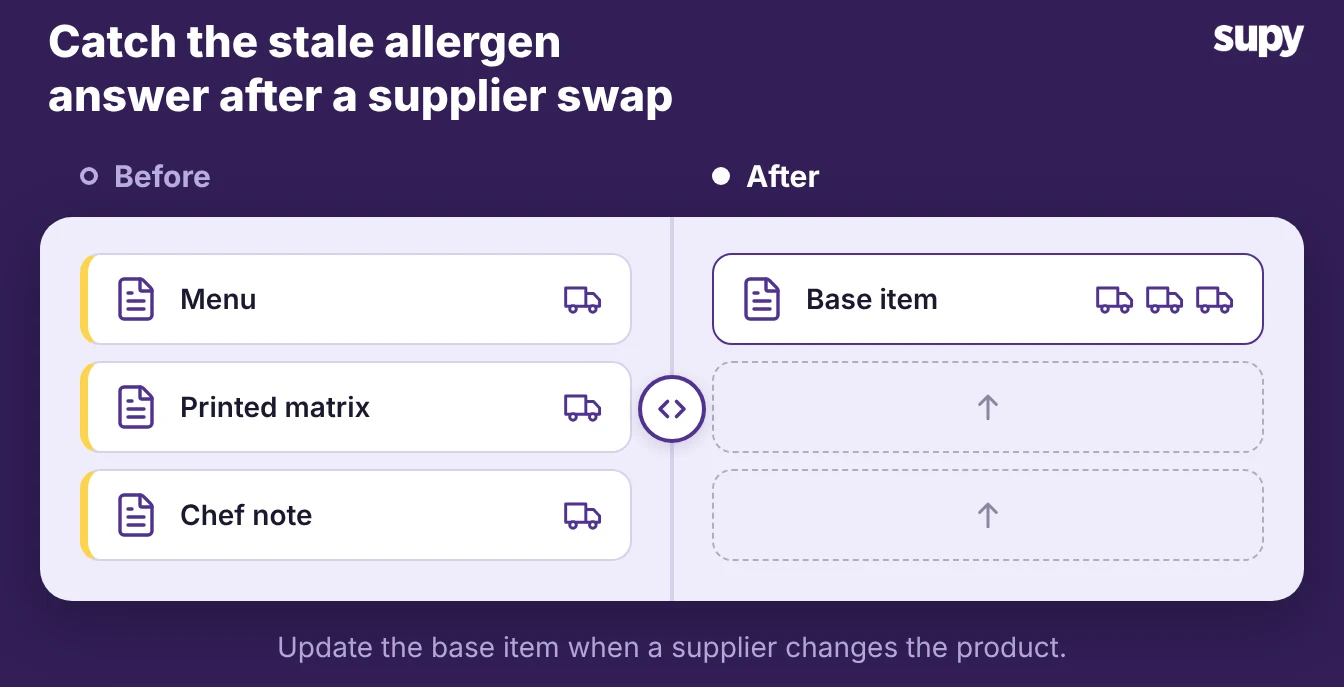
When a supplier changes a product, every dish that uses it needs re-checking. Doing that by hand is why groups now swap an ingredient across every recipe at once. The common thread is the same: the allergen answer sits in a document, so it only changes when a person remembers to change it.
Building an allergen matrix from ingredient data
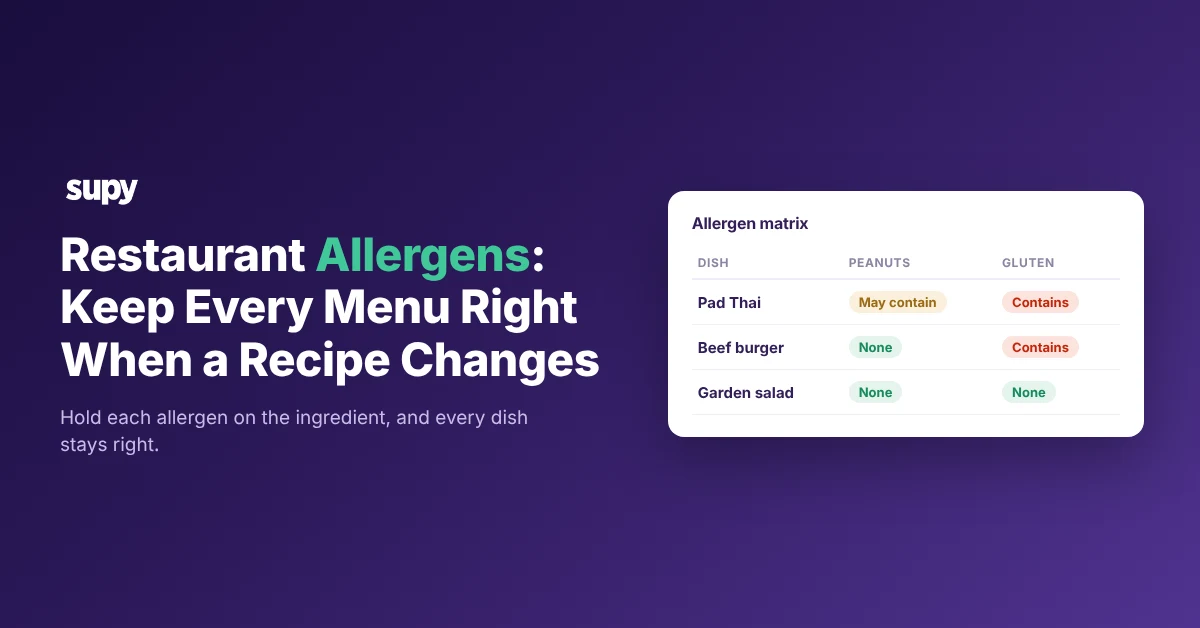
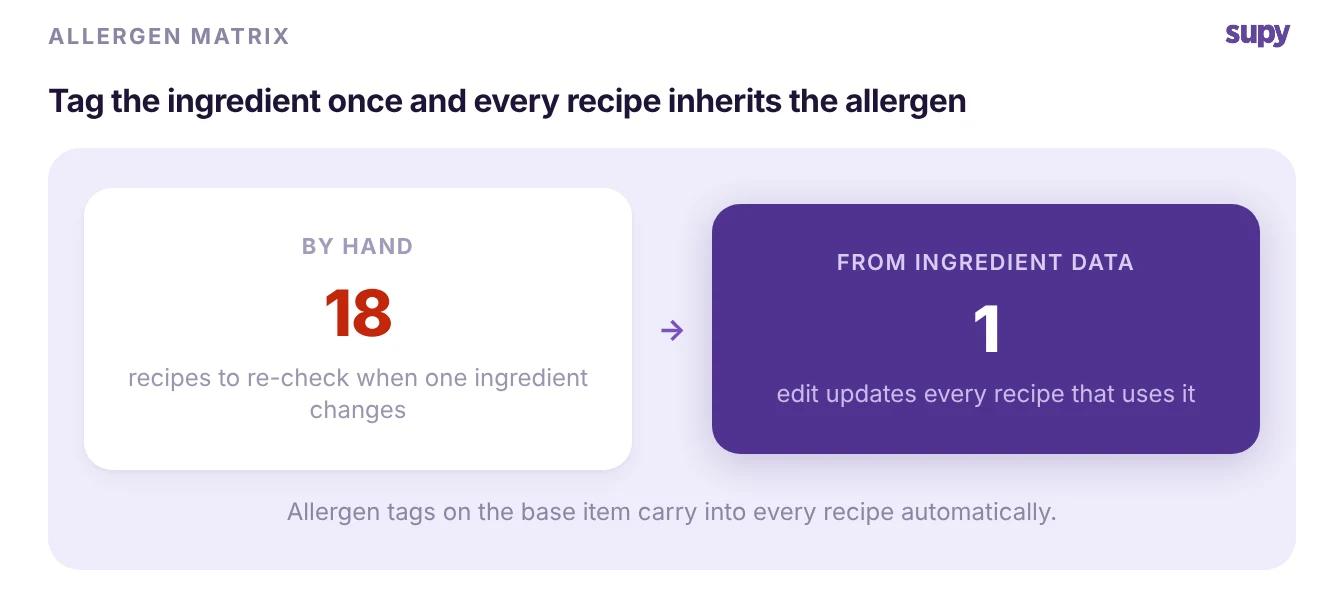
An allergen matrix stays right when it is built from ingredient data, not typed by hand. You set the allergen status once on each base ingredient, and every dish that uses it inherits that status. The matrix becomes a report of the data, not a separate document to maintain.
Supy's recipe and ingredient management tags allergens on the base ingredient and carries them into every recipe automatically. It aligns to the FSA, FDA and SFDA lists. Build the matrix like this:
- Set the allergen state on each base ingredient. Mark it Contains, May Contain or Does Not Contain once, where you define the ingredient, not dish by dish.
- Let it carry into every recipe. A dish inherits the allergen state of all its ingredients, so you never re-enter the same answer per menu item.
- Generate the matrix from the data. Supy produces an allergen matrix across all or filtered recipes, so the published version matches what the recipes contain.
- Swap in bulk when a supplier changes. Change the base ingredient once and every dependent recipe updates, with version history you can restore.
Confirm the market first. Supy's allergen list aligns to the UK, US and Saudi standards, so an operator in Australia should check the FSANZ list separately before relying on it.
Training staff to answer allergen questions
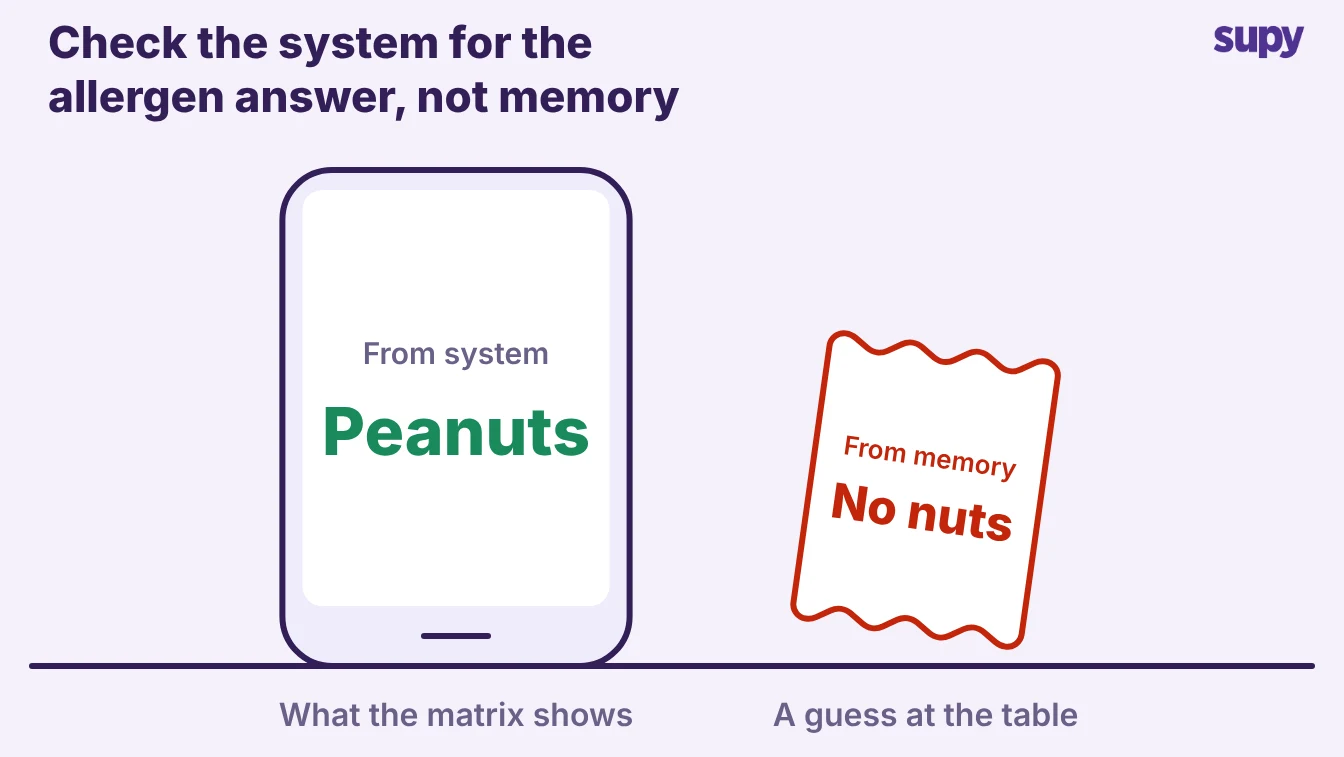
Staff give the right answer when they read it from one live source, not from memory. Good ingredient data does the hard part. The person at the table still decides what to say, so set these four rules:
- Point staff at one live source. Put the current matrix on a screen or a dated printout, and retire every private copy, so nobody quotes last month's answer.
- Teach the three answers. Contains, may contain, or does not contain. A may contain is a real answer, not a hedge, and staff should give it plainly.
- Make "I will check" the default. When a server is unsure, the rule is to check the system, never to guess from the dish name.
- Re-brief when the matrix changes. A supplier swap or a recipe edit changes the answer, so flag the affected dishes to the floor that shift.
Because the matrix comes from the ingredient data, the answer staff read is the same answer the kitchen is cooking to. Training stops being about memorising a list. It becomes about reading the current one.
Keeping allergen menus the same across sites
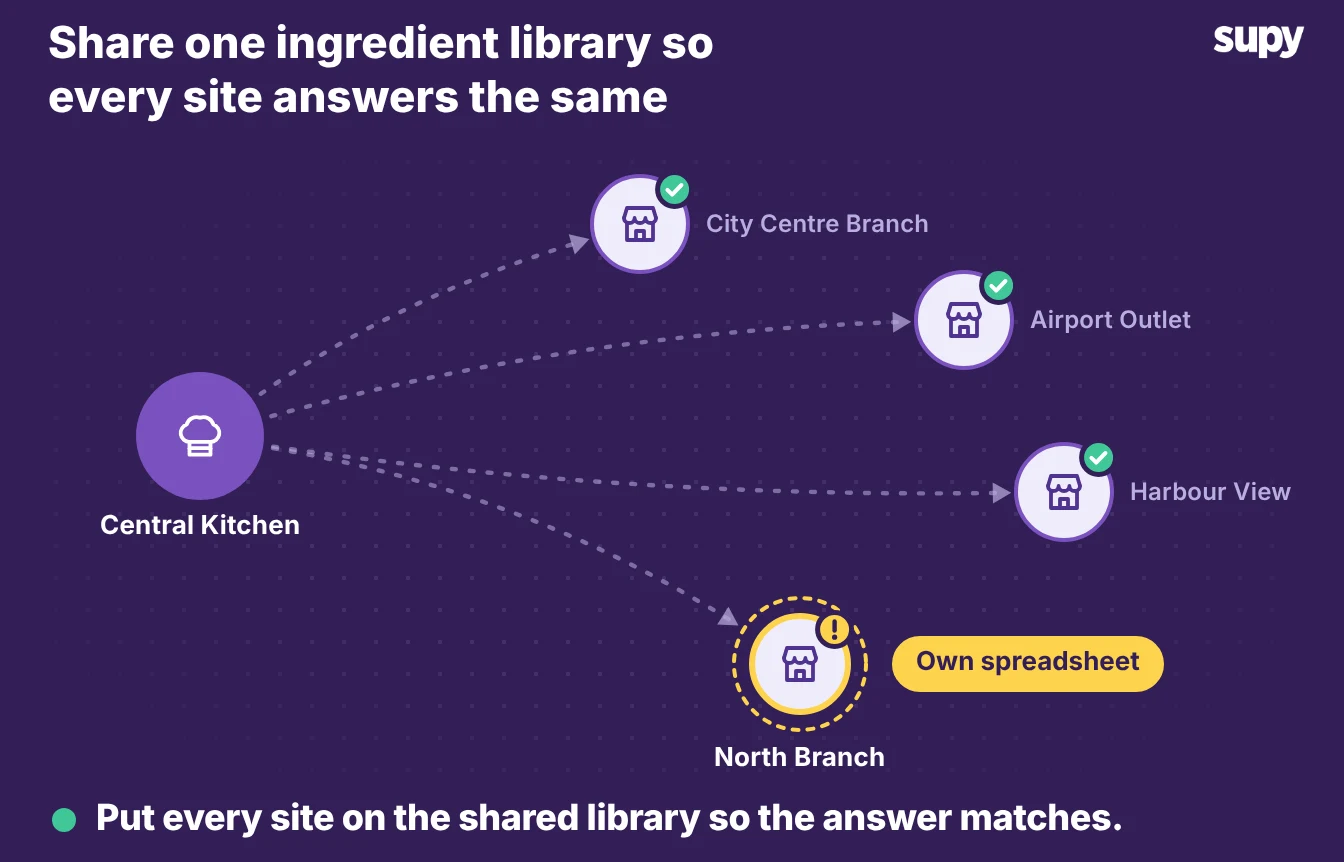
Every site gives the same allergen answer when every site shares one ingredient library. Groups diverge when each venue keeps its own spreadsheet, because the same dish ends up with two answers across two towns. One shared source of ingredient data removes that gap.
- Share one ingredient library across outlets. Define each ingredient once, and every site reads the same allergen state for it.
- Sync a change to every venue at once. A supplier swap updates the dish everywhere it is served, not one site at a time.
- Treat allergen reporting as a core requirement. One 80-site group across eight countries listed it alongside stock counts and supplier invoices when it chose a system.
Cross-site consistency is the single-site matrix run once for the whole group. Hold the data at ingredient level in one place, and the answer is identical in your first branch or your fiftieth.
Check one dish today. Read its allergen answer, then trace it to the ingredients the kitchen uses now; if the two disagree, you recorded the answer on the document, not on the ingredient. Put the allergen state on the base ingredient so the dish inherits it, and the next supplier swap updates the menu for you.