.jpg)


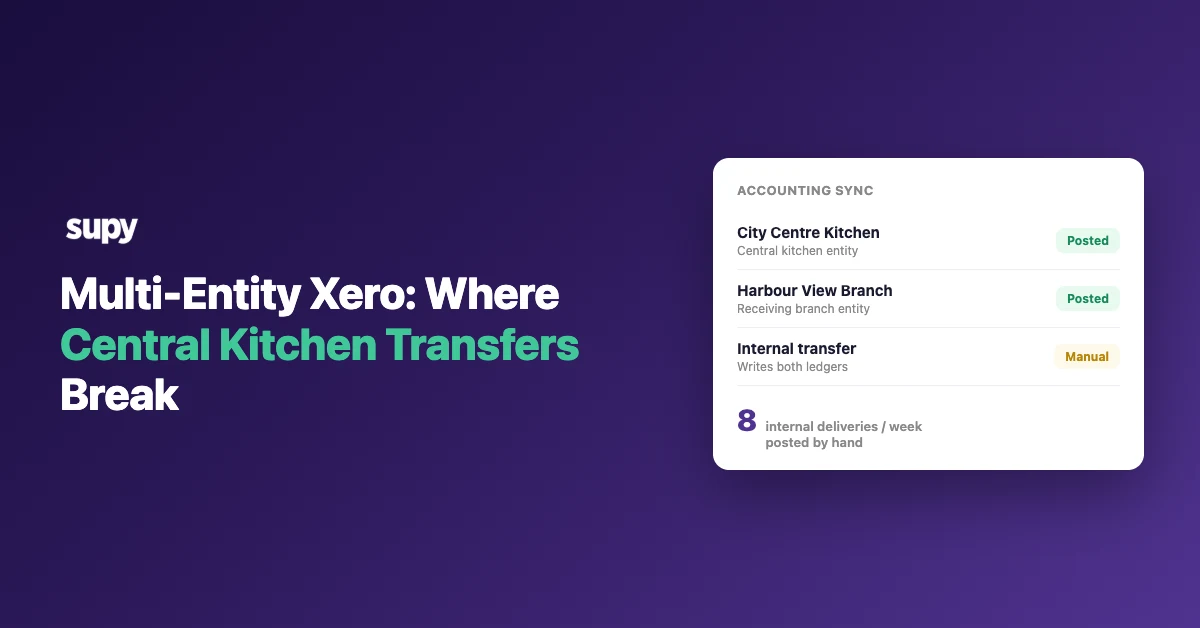
Multi-Entity Xero: Where Central Kitchen Transfers Break
What a Multi-Entity Xero Setup Actually Automates
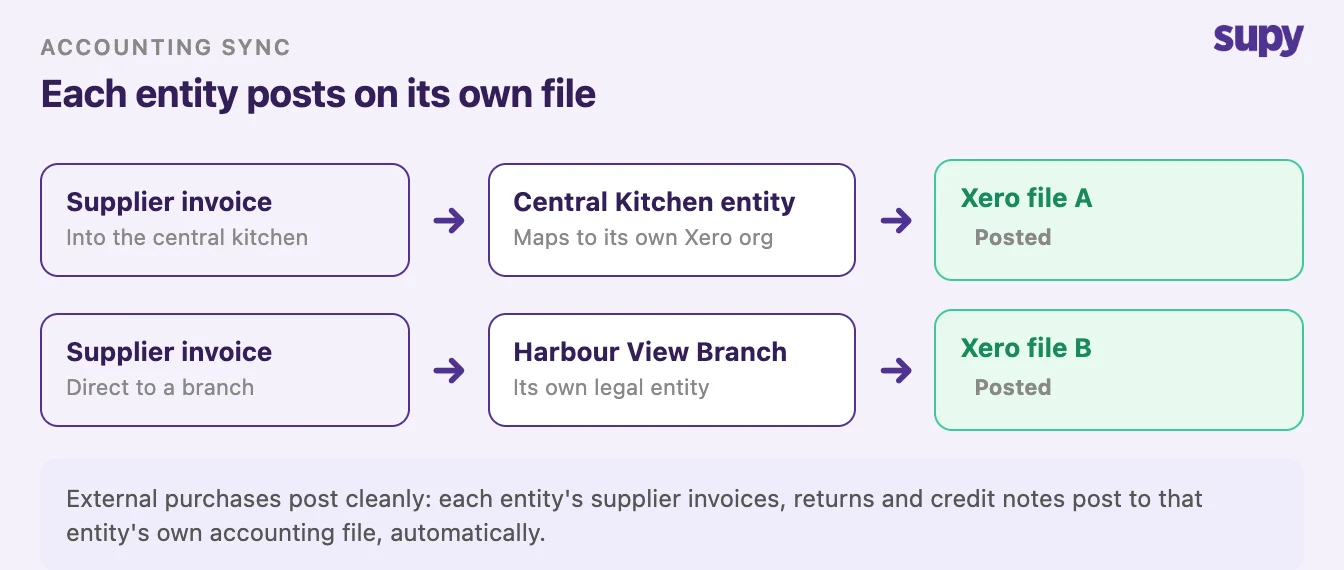
Run a restaurant group as several legal entities and each one usually keeps its own Xero file. A multi-entity Xero setup is that arrangement: one accounting organisation per legal entity, each mapped to its own outlets. The external purchasing posts cleanly. It is the single internal delivery between two of your own entities that has nowhere to go.
Start with what works, because most of it does. Each entity in the group connects its own accounting platform, and purchase invoices, supplier returns and central kitchen B2B orders post to the correct entity automatically. If a sync fails, the source document is un-posted and flagged with a retry, so nothing is left half-recorded. Per-location mapping routes each outlet to its own Xero organisation from one place, so a group can run many separate Xero files without logging into each one to move data across.
Underneath that, every entity maps its outlets to accounting cost centres, aligns its tax rates to Xero's tax codes, and assigns a general ledger (GL) purchase account to each inventory item, so purchase journal entries land on the right code from day one. That is the reliable spine of a multi-entity Xero restaurant group: invoices and credit notes flowing per entity, each file self-contained. The break comes at exactly one point.
Where the Internal Transfer Breaks the Chart of Accounts
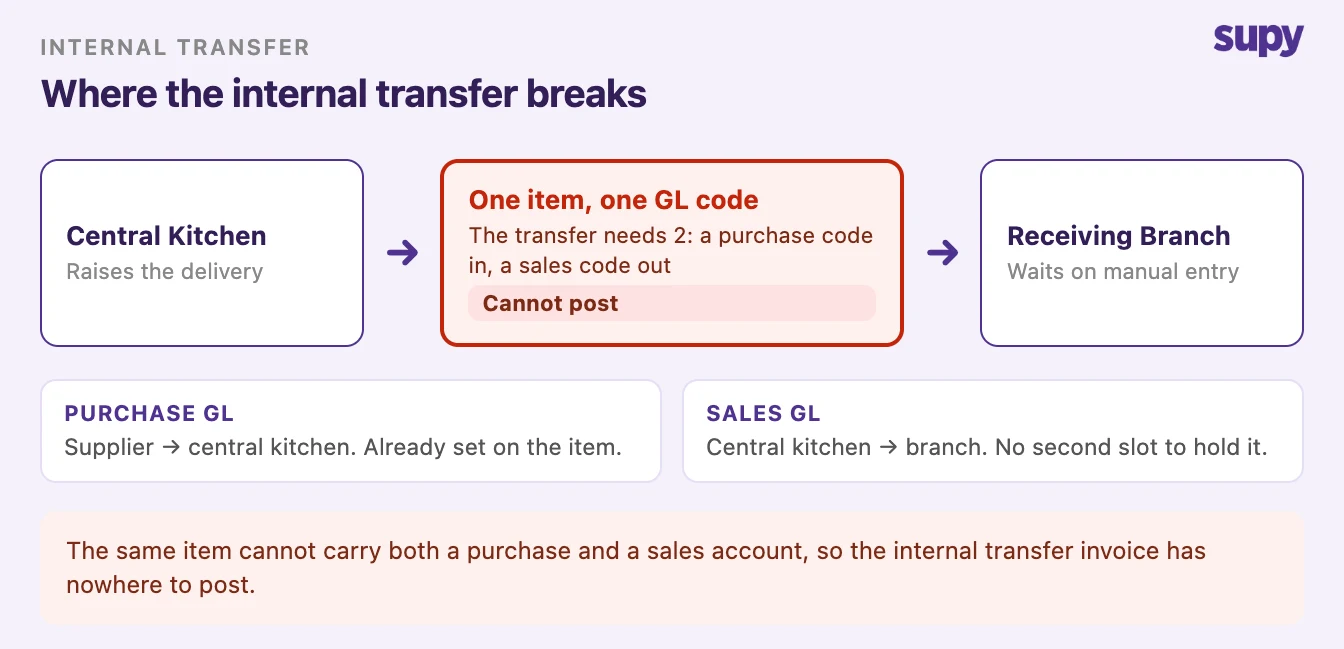
The break is structural, not a setup mistake. When a central kitchen sells to one of its own stores, the same item has to carry two roles: a purchase code when a supplier delivers it into the kitchen, and a sales code when the kitchen ships it out to the store. An inventory item holds one general ledger code, so the moment that item also carries external supplier invoices, the internal transfer invoice has no second code to post against and cannot land.
This is the same fault line that runs through a group's multi-entity chart of accounts, seen from the transfer side rather than the code-mapping side. It is not solved by a clever configuration: no standard setup posts an internal central-kitchen-to-store transfer as two entries in two separate files on its own, and the common workaround among groups that hit it is simply not to post internal transfers into the kitchen's ledger at all. That is a real, defensible choice, and it is the reason this has to be decided rather than assumed.
The Manual Double Entry, Counted
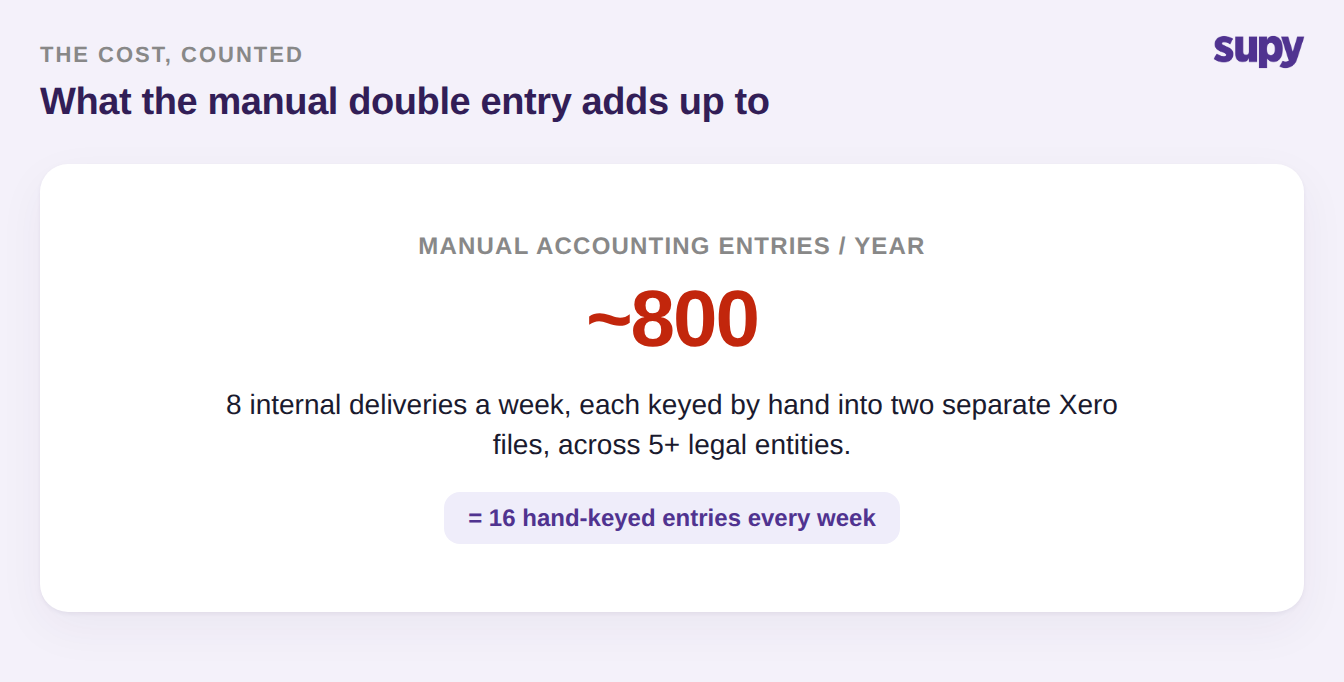
Because the transfer will not post itself, someone keys it in twice: once as a sales invoice in the kitchen's file and once as a bill in the store's file. On its own that is a two-minute job. Across a real group it is not. A mid-size operator running roughly eight internal deliveries a week across five or more separate Xero files is entering about sixteen accounting lines by hand every week, near eight hundred a year, and every one is a chance to mistype a figure, code it wrong, or miss the delivery entirely.
The number also grows with the group, not with effort. Each new store or brand that trades internally adds another file and another set of hand-keyed entries, so the task gets heavier exactly as the finance team gets busier. This is the cost that stays invisible on a feature comparison and shows up only in the month-end close.
One Delivery, Two Ledgers in Multi-Entity Xero
To decide anything, be precise about what a single internal delivery actually is in accounting terms. It is not one event, it is two, sitting in two different Xero organisations. The kitchen owes a sales record for goods it sold out; the store owes a purchase record for goods it bought in. Both describe the same physical delivery, and both have to reconcile at close.
| Ledger | Document that must post | How it happens today |
|---|---|---|
| Central kitchen's Xero file | Draft sales invoice, out to the store | Entered by hand |
| Receiving store's Xero file | Draft bill, in from the kitchen | Entered by hand |
Pricing the Internal Transfer
The second decision is the number on that invoice, and it is easy to get wrong by defaulting to a figure the system already knows. Neither the recipe build cost nor the store's menu price is the right value for an inter-entity transfer: cost price hides the kitchen's own margin and makes the store look cheaper to run than it is, while menu price inflates the kitchen's revenue against a sale that never left the group. What most operators actually need is a third, distinct internal transfer price, agreed once and applied consistently.
| Price basis | What it is | What it distorts |
|---|---|---|
| Recipe cost price | The internal build cost of the item | Hides the kitchen's margin; the store looks cheaper than it runs |
| Menu or retail price | The price the store sells at | Inflates kitchen revenue on a sale that stayed inside the group |
| Set internal transfer price | A distinct, agreed inter-entity price | Nothing, once agreed and applied the same way every time |
How to Decide Before You Build
Before you build any automation or write a workaround, place your group on two axes: how many internal transfers you genuinely run in a week, and whether your entities truly need separate accounting files or only look like they do. Those two questions sort almost every group into a clear answer, and they matter more than any tool choice.
If the entities could sit in one file, keeping them as cost centres and skipping inter-entity posting entirely removes the whole problem; a clean accounting integration and GL mapping does more for close accuracy than automating a posting you did not need to make. If the entities are genuinely separate and the transfer volume is high, the manual burden is real, so agree a single internal transfer price and a posting policy before you add the next store rather than after. Low volume with separate files is the one case where posting by hand for now is the honest answer.
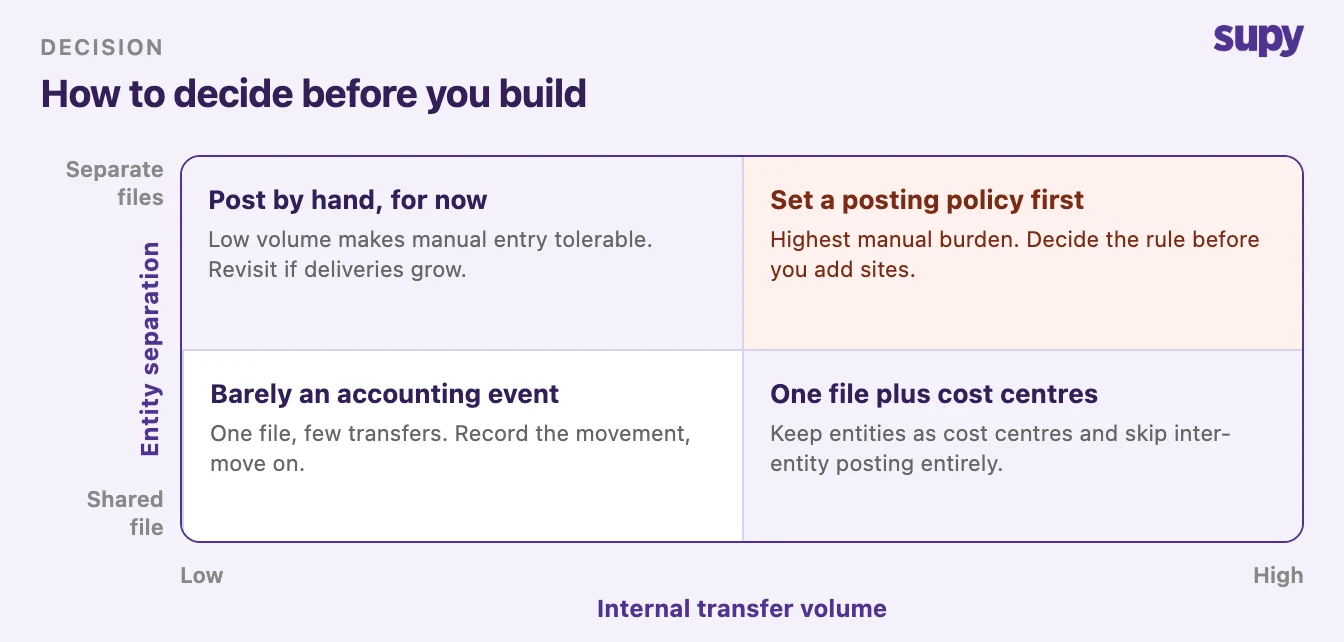
Start with one count: how many internal deliveries cross an entity boundary in a typical week. If it is a handful, post them by hand and move the finance team's attention somewhere higher-value. If it is dozens, decide your internal transfer price and your posting policy now, because retrofitting either across live multi-entity Xero ledgers once the group has grown is far harder than agreeing them once, early, while the structure is still small enough to change.