Food cost

Restaurant Food Waste Log: The Fields Worth Acting On at Every Site
What a Restaurant Food Waste Log Should Capture

A restaurant food waste log is the running record of what your kitchens throw away, entered as the loss happens. A useful one captures far more than a quantity. It records the item, its cost, the reason, the outlet, and the moment. Those entries roll up into one number a group can act on, not a pile of per-site notes.

Most logs stop at "6 croissants binned." That answers one question and leaves six unanswered. A field-complete entry names which item, what it cost, why it went, where, when, and on whose shift. Capture those and waste stops being a line you accept. It becomes a number you can move.
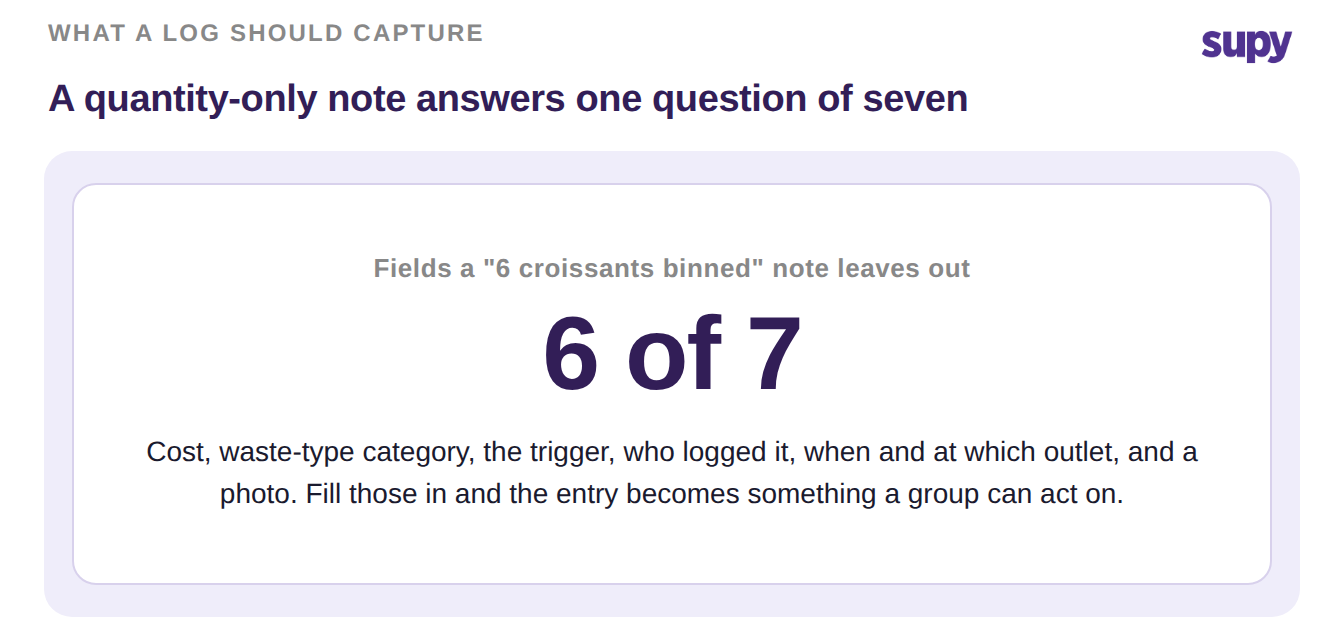
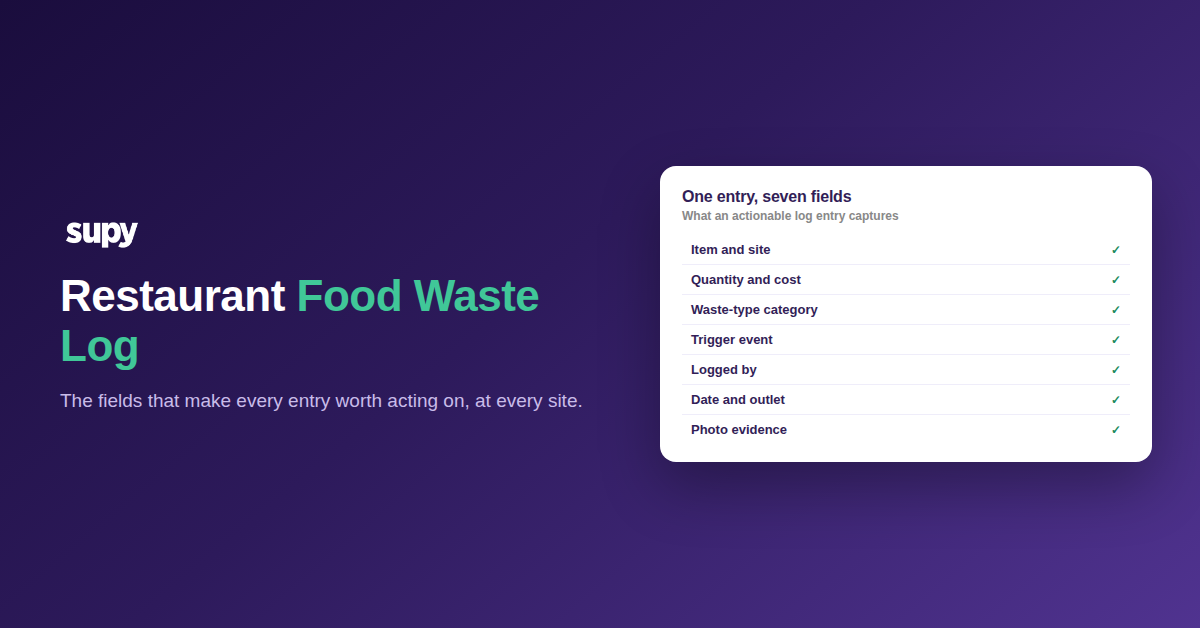
A quantity-only food waste note leaves out six of the seven fields a log should capture


The Seven Fields Every Food Waste Log Should Capture

Here is the field set a multi-site food waste log needs to be worth acting on. Work down it when you build your own template, or when you audit the one you already run.

  1. The exact item, picked from what that site actually stocks. Free-text guesses cannot be costed or counted. Supy scopes each wastage record to one outlet on one date, and you pick the item from that site's real stock list. The entry ties to a priced ingredient, not a phrase.
  2. The quantity and the cost it represents. A quantity alone tells you volume, not money. Supy calculates the cost of every line for you, using the right unit cost for a raw ingredient versus a finished or semi-finished dish. The same line also deducts from stock, so your counts stay honest.
  3. A waste-type category you can configure. Fixed category lists never match how a real kitchen loses stock. Supy lets you create custom wastage categories in settings, so spoilage, over-production, trim, and handling damage each become their own tag. Categories are what let you see where the money actually goes.
  4. The trigger event, including the ones that fire on their own. Manual entries miss the losses no one stops to record. When a POS order is cancelled, Supy creates a wastage entry automatically at the branch where it happened. Voided sales flow into the food-cost picture instead of quietly vanishing.
  5. Who logged it. A log people trust names the person behind each entry. It settles questions without blame and shows the team that the record is read, not filed. Accountability on the record is the field multi-site operators ask for most.
  6. When it happened, and at which outlet. Date and outlet are what make a group log more than a stack of separate ones. Because every Supy record carries its own outlet and date, entries line up for a like-for-like comparison across sites and periods. That is how a head office spots the branch, and the week, that needs a look.
  7. A photo taken at the point of capture. Some losses need evidence, not a number. Supy wastage records accept photo attachments on both mobile and the web, so a team can shoot the spoiled case before it hits the bin. The image stays on the entry for whoever reviews it later.
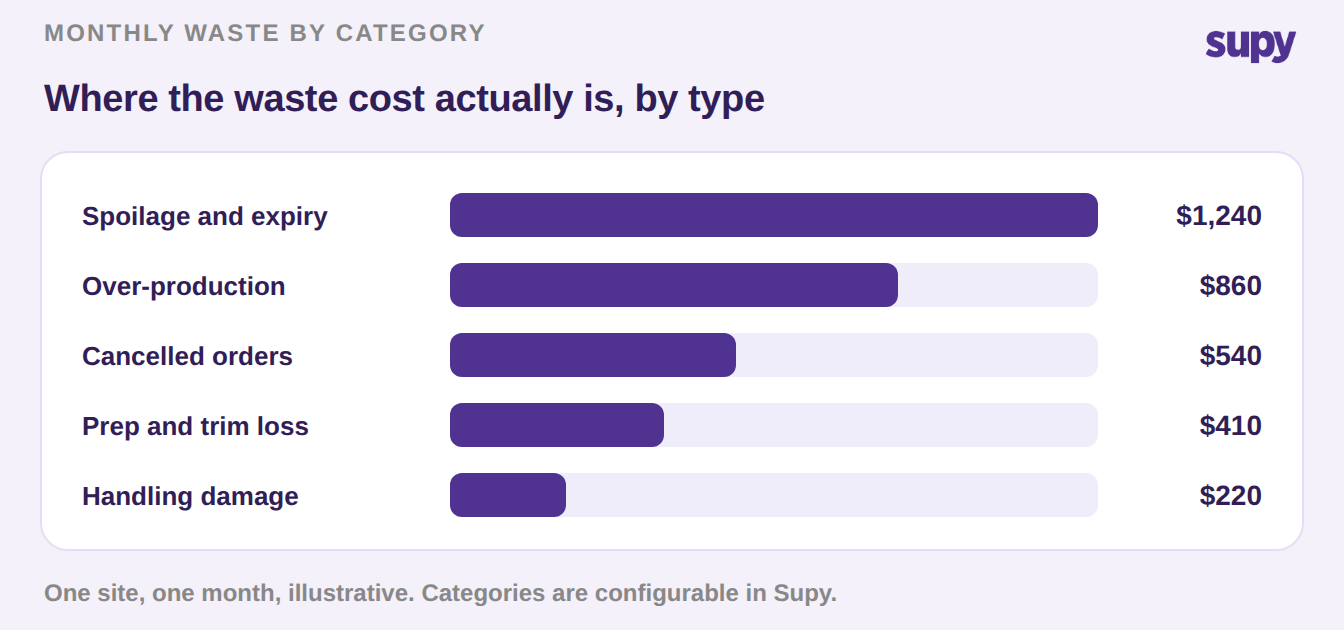
Bar chart of monthly restaurant food waste cost by category, with spoilage the largest


How to Turn the Log Into Fewer Wasted Dollars

A complete log is the input, not the win. The win is acting on what it shows. Start with a two-week baseline: log every loss against the seven fields above, then read the total by category and by outlet.
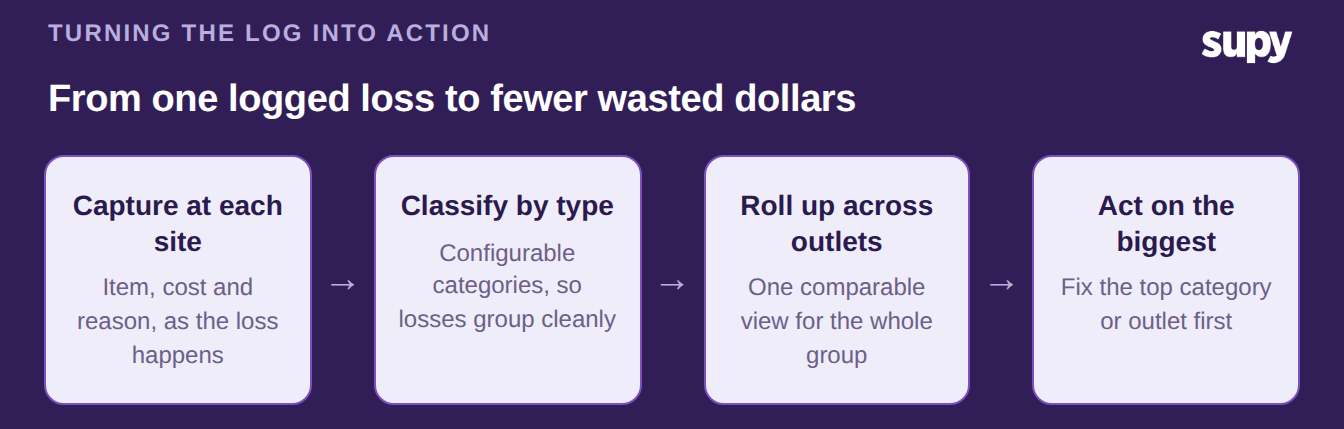
Process flow from capturing a food waste loss at each site to acting on the biggest cost


Look for the category that costs the most, and the outlet that runs above its peers. Those two answers point straight at your first fix, whether that is a prep sheet, a par level, or a supplier conversation. For losses that repeat, like daily trim or seasonal spoilage, clone a record to a new date or another site instead of re-keying the same lines. Feed the totals into a food cost calculator to see what the waste is doing to your margin, and pair the log with broader restaurant food waste tracking once the habit sticks.

Waste you can name is waste you can cut. A log built on these seven fields turns a bin into a report, and a report into a smaller bin next month. Supy's restaurant inventory management software captures each field at the point of loss. It rolls every site into one view, so the numbers are ready the moment you open them.

Book a Demo with Supy - restaurant food waste log

Ready to optimize your restaurant operations?

Blog

Our operational insights

Migrating a multi-site restaurant group to new inventory software
Inventory
Procurement

Migrating a Multi-Site Restaurant Group to Inventory Software: Go Live

Rollout tracker for a restaurant inventory software business case, showing pilot window, sales forecast and food cost variance
Inventory
Procurement

Restaurant Inventory Software Business Case: Get the Board to Yes

Build vs buy restaurant inventory software: a group inventory summary card showing 75+ integrations, a 14-day forecast and six live sites
Inventory
Procurement

Build vs Buy Restaurant Inventory Software: When Each One Wins

Your questions 
answered

Everything you need to know about Supy — from setup to integrations, pricing, and daily use. If it’s not covered here, just ask.

What is a restaurant food waste log?
+

A restaurant food waste log is the running record of stock a kitchen throws away, entered as each loss happens. A basic log captures the item and quantity. A useful one goes further and records the cost, the reason, the outlet, the date, and who logged it. That fuller record is what lets a multi-site group compare waste across kitchens and act on it, instead of holding a stack of separate notes that never add up to a decision. The log is the raw input; the reporting built on it is where the savings show up.

What should a restaurant food waste log include?
+

A food waste log should include seven fields: the exact item wasted, the quantity and its cost, a waste-type category you can configure, the trigger event behind the loss, who logged it, when and at which outlet it happened, and a photo where evidence helps. Quantity alone answers only one question. The other six fields are what turn an entry into something a manager can read and act on. Configurable categories matter most, because they show which kind of loss, such as spoilage or over-production, is costing the most money across the group.

How does a food waste log reduce food cost?
+

A food waste log reduces food cost by turning invisible losses into a number you can target. When every entry carries a cost and a category, you can see which type of waste, and which outlet, is draining the most margin. That points you at a specific fix, such as a prep sheet, a par level, or a supplier conversation. A log that also deducts waste from stock keeps your counts accurate, so your theoretical and actual food cost stay close. Waste you can name and price is waste you can cut, month over month.

How often should you log food waste?
+

You should log food waste as it happens, not in a batch at the end of the day or week. Real-time entry keeps the record accurate, because a team member logging a loss in the moment remembers the item, the quantity, and the reason. Batching invites guesswork and missed entries. A practical starting point is a two-week baseline, where every kitchen logs every loss against a full field set. That baseline gives you enough data to spot the biggest category and the outlet running above its peers, which is where your first fix should go.

Why track food waste separately at each outlet?
+

Tracking food waste separately at each outlet is what makes a multi-site log worth keeping. When every record carries its own outlet and date, entries line up for a like-for-like comparison across the group. Head office can then see the branch, and the week, that is running above the others, rather than an averaged total that hides the outlier. Site-level capture also keeps accountability local, because each kitchen sees its own numbers. Without per-outlet detail, a group log collapses into one blurred figure that tells you waste exists but never where to go and fix it.

Can restaurant food waste be logged automatically?
+

Some restaurant food waste can be logged automatically, which closes the gap manual entry always leaves. In Supy, when a POS order is cancelled, the system creates a wastage entry at the branch where the cancellation happened. That means voided sales flow into the food-cost picture without anyone stopping to record them. Automatic capture matters because the losses people forget to log are often the ones that add up. Manual entry still covers spoilage, over-production, and damage, but pairing it with automatic triggers gives you a fuller, more honest waste picture than either approach alone.

What is the difference between a food waste log and food waste tracking?
+

A food waste log is the record itself: the individual entries, one per loss, each with its fields filled in. Food waste tracking is the wider practice built on top of that log, including the reports, comparisons, and actions the entries feed. Put simply, the log is what you capture and tracking is what you do with it. You cannot track waste well without a field-complete log underneath, because reporting is only ever as good as the entries beneath it. Get the log right first, then the tracking, targets, and reductions follow from clean, comparable data.

Ready to transform your operations?

Join 3500+ restaurant operators cutting costs, streamlining operations and making smarter decisions with Supy.