.jpeg)


العناصر المكررة في مخزون المطعم: الدمج مقابل الأرشفة مقابل الاستبدال
العناصر المكررة تُفسد بهدوء كل رقم تثق به
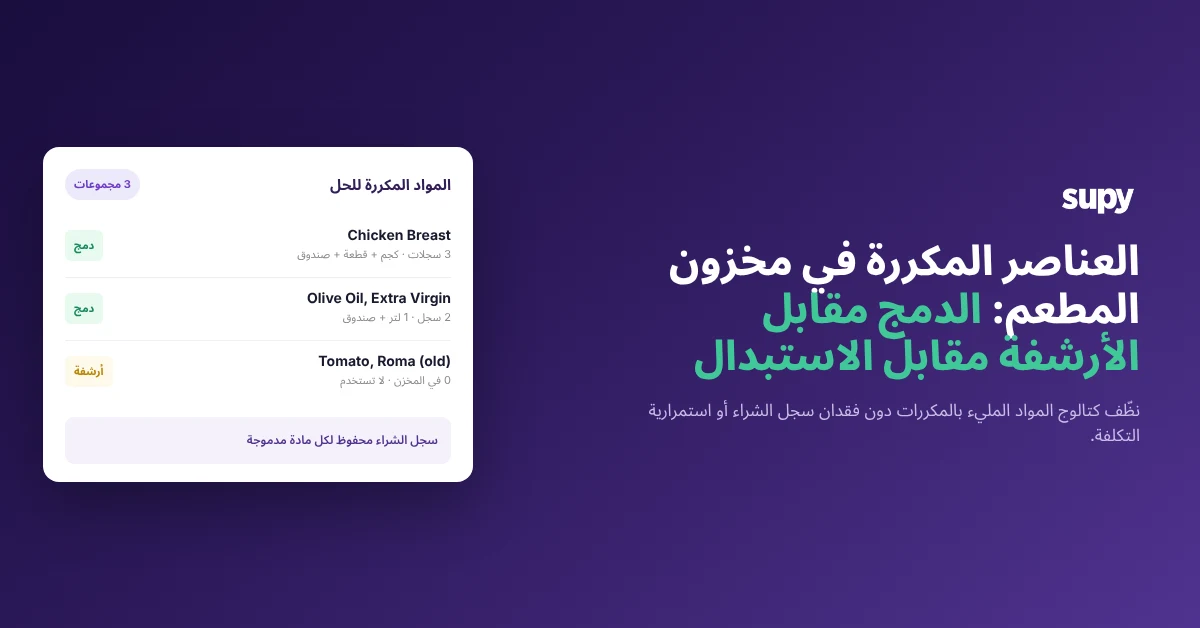
إذا كانت قائمة أصنافك تحتوي على ثلاثة سجلات لنفس صدر الدجاج وسجلين لنفس زيت الزيتون، فكل عدّ وتكلفة تستخرجها ستكون خاطئة بالفعل. السجلات المكررة لمكوّن واحد، عادةً سجل لكل مورّد أو سجل لكل وحدة القياس، تشتت سجل المشتريات بينها وتجعل التباين غير مقروء، لأن الأعداد والتكاليف تُسجَّل مقابل عناصر مختلفة. يتراكم هذا بهدوء: سمحت إحدى المجموعات لمكوّن واحد بالتمدد إلى ثمانية عشر سجلاً منفصلاً على مدى ثلاث سنوات قبل أن يتمكن أحد من تسويتها، وعادةً ما تظهر الفوضى في أسوأ وقت، في الأيام التي تسبق جرد المخزون.
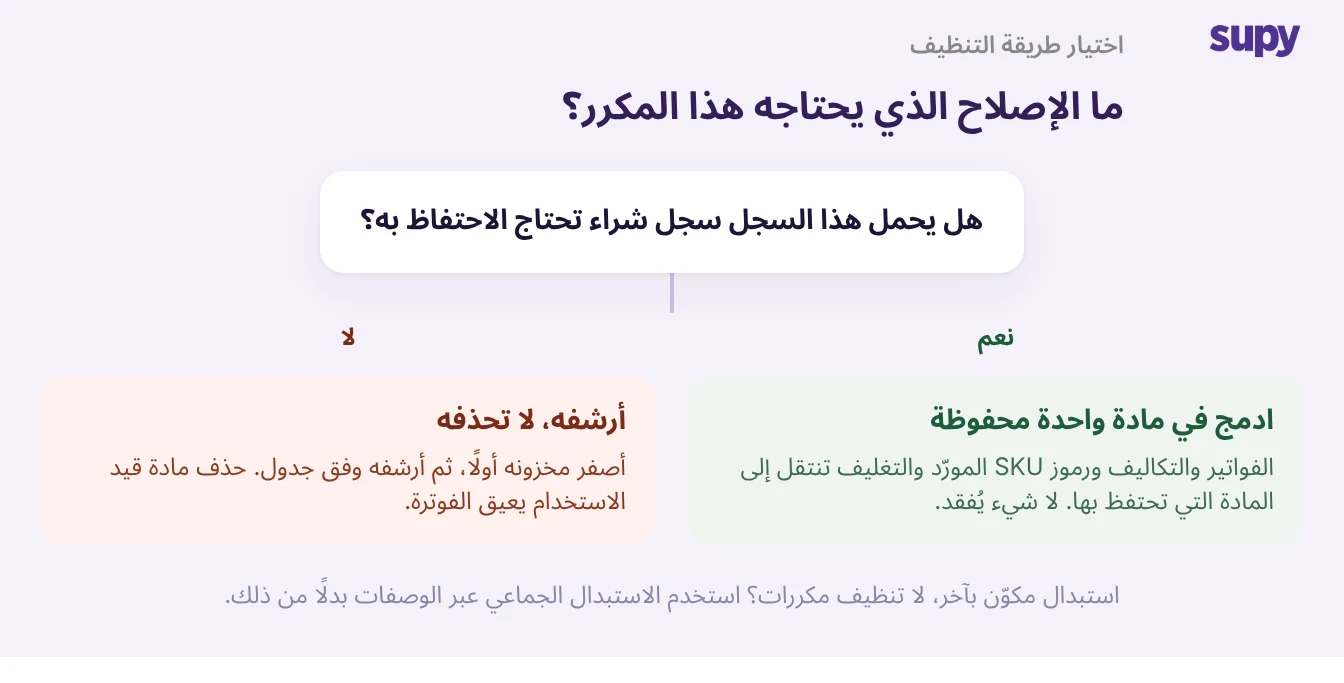
الغريزة الأولى هي البدء بالحذف، وهذه هي الخطوة الوحيدة التي تأتي بنتائج عكسية بشكل موثوق: حذف سجل لا يزال قيد الاستخدام يمنع إصدار الفواتير مقابله، ولم يتمكن أحد المشغّلين الذي أزال خطاً للحوم في منتصف عملية التنظيف من إضافته مجدداً بعد ذلك. تنظيف العناصر المكررة هو قرار، وليس حذفاً، وهذا الدليل يمنحك القاعدة لاتخاذ هذا القرار بسرعة وبشكل صحيح. لكل عنصر مكرر، لديك بالضبط ثلاث خطوات: دمج سجلين يحملان سجل مشتريات في عنصر واحد محفوظ، أو أرشفة سجل "لا يُستخدم" بشكل مجمّع، أو استبدال مكوّن في جميع وصفاته. المهمة بأكملها هي معرفة أي خطوة يحتاجها عنصر مكرر معين، والاختيار الصحيح هو ما يتيح لك تنظيف الكتالوج دون تشتيت سجل التكلفة أو توقف فاتورة واحدة. أي منصة متكاملة لإدارة المخزون للمطاعم يمكنها الدمج أو الأرشفة أو استبدال سجل؛ المهارة، والسبب الذي يجعل هذا الدليل يستحق وقتك، هي الاختيار، وليس النقرة. لذا أجب على سؤال واحد لكل عنصر مكرر أولاً: هل يحمل هذا السجل سجل مشتريات تحتاج إلى الاحتفاظ به؟
الدمج عندما يحمل كلا السجلين سجل مشتريات
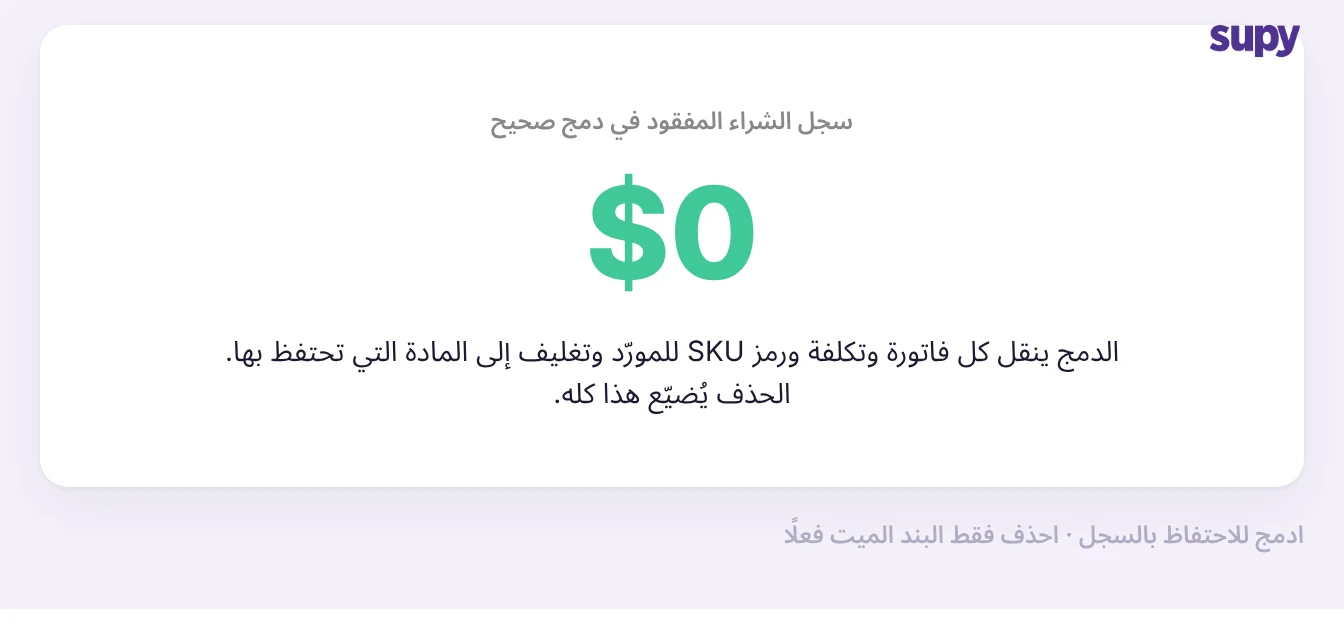
ادمج سجلين عندما يحمل كلاهما فواتير أو سجلات تكلفة لا يمكنك تحمّل فقدانها. يجمع الدمج العناصر المكررة في عنصر واحد تحتفظ به وينقل روابط المورّد والتغليف إلى ذلك السجل المحفوظ، بحيث يظل سجل الشراء والتكلفة مستمراً. كمية السجل المفقودة في عملية دمج صحيحة تساوي صفراً، وهذا هو السبب الكامل للدمج بدلاً من الحذف. وهذه أيضاً هي الطريقة التي تتمكن بها مجموعة أخيراً من دمج تشعّب مثل ثمانية عشر سجلاً منفصلاً لمكوّن واحد، تراكمت على مدى ثلاث سنوات، في عنصر واحد نظيف.
تنطبق قيدان. السجل الذي تم قفله لا يمكن دمجه حتى يقوم مستخدم مفوَّض بفتح قفله، مما يحمي العناصر التي جمّدها شخص ما عن قصد. وعناصر نوع الوصفة أو التحضير يتم استبعادها من عمليات الدمج المجمّعة عمداً، لذا تظل هوية التكلفة لكل وصفة تحضير سليمة. عادة يجب الحفاظ عليها: بعد الدمج، افتح العنصر المحفوظ وتحقق من أن ارتباطات المورّد والتغليف قد انتقلت فعلاً قبل الاعتماد عليه في الطلب أو التكلفة.
أرشفة مجمّعة، لكن صفّر المخزون أولاً
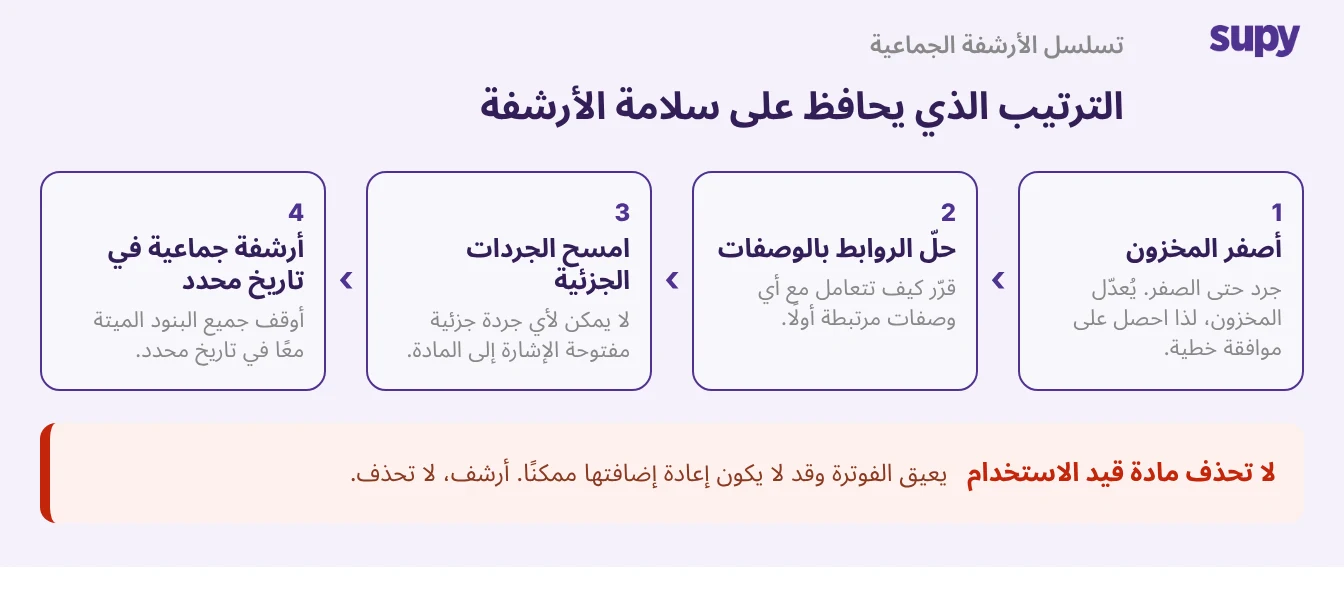
أرشف السجلات التي تتقاعدها بدلاً من دمجها: العناصر المكررة غير المستخدمة والخطوط الميتة التي تشوش على الجرد. إزالتها واحداً تلو الآخر بطيئة للغاية، لذا أرشفها بشكل مجمّع في تاريخ مجدول. سلسلة المتطلبات الأساسية هي الجزء الذي يخطئ فيه المشغّلون. العنصر الذي يحمل كمية موجودة غير صفرية أو سالبة لا يمكن أرشفته، لذا تقوم أولاً بإنشاء جرد مخزون لتصفيره، وبما أن ذلك يكتب إلى المخزون الحي، فهو يحتاج إلى موافقة خطية قبل تشغيله. في نفس المرحلة، قرر كيفية التعامل مع أي وصفات مرتبطة وأغلق أي جرد مخزون مسودة مفتوح، لأن عنصراً مرتبطاً بوصفة أو موجوداً في جرد غير مكتمل سيرفض الأرشفة.
التحذير الجدي موجود هنا أيضاً: لا تحذف أبداً سجلاً لا يزال قيد الاستخدام. أرشفة خط ميت حقيقياً آمنة وقابلة للعكس من خلال سجل الإصدارات؛ حذف خط حي يمنع إصدار الفواتير مقابله وقد يجعلك عاجزاً عن إضافته مجدداً. في حالة الشك، أرشف بدلاً من الحذف، واحتفظ بنطاق أي إجراء مجمّع مؤكداً خطياً أولاً. التسمية المتسقة والقائمة النظيفة هي الأساس الذي يرتكز عليه عمل التنظيف بأكمله، ولهذا السبب تؤتي نظافة بيانات قائمة الأصناف الرئيسية ثمارها في كل مرة تعدّ أو تحسب فيها التكاليف.
الدمج أو الأرشفة أو الاستبدال: المقارنة المباشرة
الخطوة الثالثة هي الاستبدال: عندما يتم استبدال مكوّن بمكوّن مختلف بدلاً من تقاعده، استبدله بشكل مجمّع في جميع الوصفات بدلاً من الأرشفة وإعادة البناء. التصحيحات بأثر رجعي، بما في ذلك تعديلات جرد المخزون والتأريخ السابق، مسموح بها فقط في نافذة تمتد لشهرين تقريباً، لذا خطط لأي تنظيف تاريخي ليقع ضمنها. الجدول أدناه هو المرجع السريع لتحديد الخطوة التي يحتاجها عنصر مكرر معين.
| الخطوة | استخدمها عندما | سجل المشتريات | افعل هذا أولاً |
|---|---|---|---|
| الدمج | سجلان كلاهما يحمل سجلاً تحتاجه | محفوظ على العنصر المحتفظ به | افتح قفل العناصر المقفولة؛ استبعد عناصر الوصفات |
| الأرشفة | سجل ميت أو غير مستخدم | محفوظ، قابل للاسترداد عبر سجل الإصدارات | صفّر المخزون، بالموافقة الخطية |
| الاستبدال | استبدال مكوّن بآخر | منقول عبر عملية الاستبدال المجمّعة | ابقَ ضمن نافذة التأريخ السابق لشهرين |
بمجرد تحديد المسار الذي أنت فيه، الخطوة التالية تكون واحدة ومحددة. إذا كان كلا السجلين يحملان سجلاً، ادمجهما ثم تحقق من أن روابط المورّد والتغليف قد انتقلت. إذا كان السجل ميتاً، صفّر مخزونه واحصل على موافقة وأضفه إلى الأرشفة المجمّعة المجدولة التالية. إذا كنت تستبدل مكوّناً، استبدله بشكل مجمّع في الوصفات ضمن نافذة التأريخ السابق. افعل ذلك لكل عنصر مكرر وسيتقارب الكتالوج إلى عنصر أساسي واحد لكل مكوّن، مع كل SKU مورّد وتغليف مرتبط، متزامن بشكل مباشر عبر المنافذ، وسجل الإصدارات الكاملة خلفك إذا احتاجت خطوة ما إلى التراجع.