.jpg)


The Ultimate Guide to Using a Restaurant Manager Logbook
When you’re managing a restaurant, there’s always something happening: staff changes, equipment issues, guest complaints, and deliveries running late. You might jot down a note in your phone, scribble on paper, or just try to remember it all. But important details can often slip through the cracks, and small things can quickly turn into bigger problems.A restaurant manager logbook keeps everything organized in one place. It helps you track what happens each day, spot issues early, and keep your whole team on the same page. In this guide, we’ll walk you through how to use one effectively and why it’s a small habit that makes a big difference.
- Why Every Restaurant Needs a Manager Logbook?
- What to Log: Key Information to Record Each Day
- Paper vs. Digital Logbooks: What Works Best?
- Best Practices for Keeping a Logbook That Actually Works
- Conclusion
- About Supy
1. Why Every Restaurant Needs a Manager Logbook?
A restaurant manager logbook is a simple but powerful tool that helps keep your day-to-day operations on track. It’s where managers record shift notes, such as staffing changes, customer feedback, maintenance issues, sales numbers, and anything else the next team needs to know. It keeps your team connected, your service consistent, and your problems easier to spot and fix.Here’s why every restaurant needs to create a manager log:
Centralized Communication
A restaurant manager logbook helps managers and owners stay aligned without relying on sticky notes, scattered messages, or rushed team communication. Everyone knows where to look for updates, and nothing important gets missed.
Accountability and Continuity
A good logbook creates a clear record of what happened during each shift. Managers can easily see if the morning crew flagged an issue, like a broken fridge, so the next shift can follow up without starting from scratch. It builds accountability and ensures that small problems don’t get forgotten as the day moves on.
Quick Reference for Operations
Need to check if yesterday’s delivery arrived? Or whether a maintenance issue was reported? The logbook becomes your quick go-to. Instead of tracking down different managers for answers, you can glance at recent notes and pick up exactly where the last team left off.
Consistency for Multi-Location Groups
For restaurants with multiple locations, a standard logbook system keeps reporting consistently across the board. Each site tracks the same key details, making it easier for owners and area managers to spot sales trends, address issues early, and keep performance standards aligned.
Real-Time Problem Solving
Logging issues right away makes it easier for the next shift to act fast. If one team logs a surprise delivery delay or a big walk-in party, the next manager can prepare before service gets busy. Instead of reacting late, teams can stay a step ahead.
2. What to Log: Key Information to Record Each Day
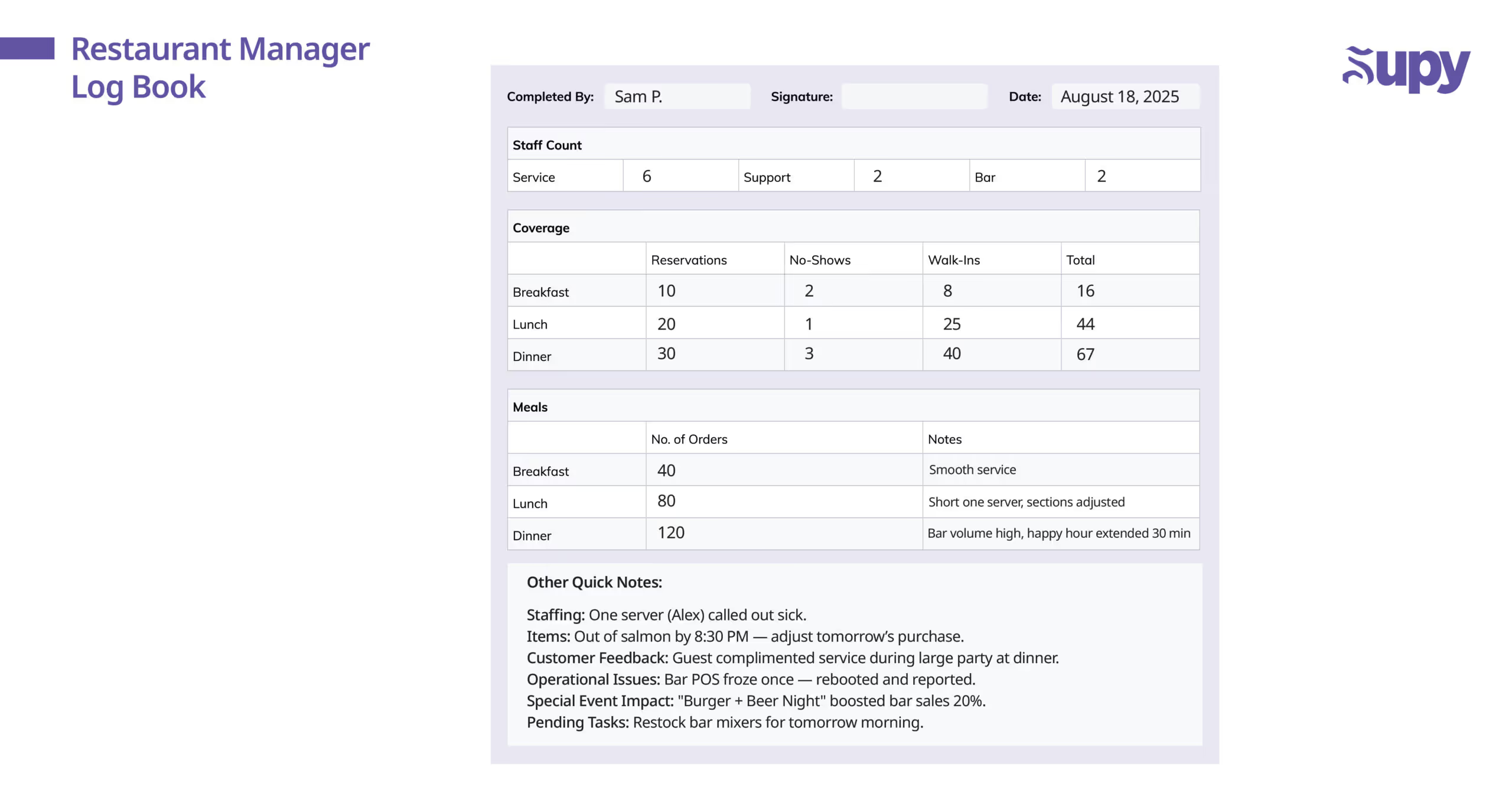
A good restaurant logbook helps your management team capture the right information, keeping restaurant operations running smoothly. Here’s what should be logged daily to make it useful:
- Shift Details: Record the date, day of the week, shift time (morning, afternoon, evening), manager on duty, and any key staff notes like absences, weather conditions, or major events.
- Staffing and Labor Notes: Track who showed up, who called out, who stayed late, and note any standout staff performance that affected the shift.
- Sales and Key Metrics: Log total sales data, cover counts, average check size, happy hour results, or labor costs linked to shift performance.
- Inventory and 86’d Items: Note anything that ran out, low stock alerts, supplier delivery issues, or substitutions that could impact future purchase planning.
- Customer Feedback and Incidents: Capture all guest feedback, compliments, complaints, recovery actions, and anything that needs a follow-up.
- Operational Issues and Maintenance: Record equipment breakdowns, facility issues, or tech problems like POS glitches to build a running maintenance history.
- Special Events or Promotions: Mention promos, private parties, or special events, and note how they affected sales, staffing, and service flow.
- Tasks Completed or Pending: List key tasks finished (like deep cleaning or stock counts) and any important follow-ups for the next shift.
3. Paper vs. Digital Logbooks: What Works Best?
There are several ways to manage a restaurant manager logbook. You can keep it old-school with a notebook, build your own shared sheet, or move to specialized digital systems designed for busy restaurants.As the industry leans more into technology, with online ordering, delivery platforms, and cloud-based POS systems becoming the norm, more operators are choosing tools that make it easier to stay organized across teams and locations.
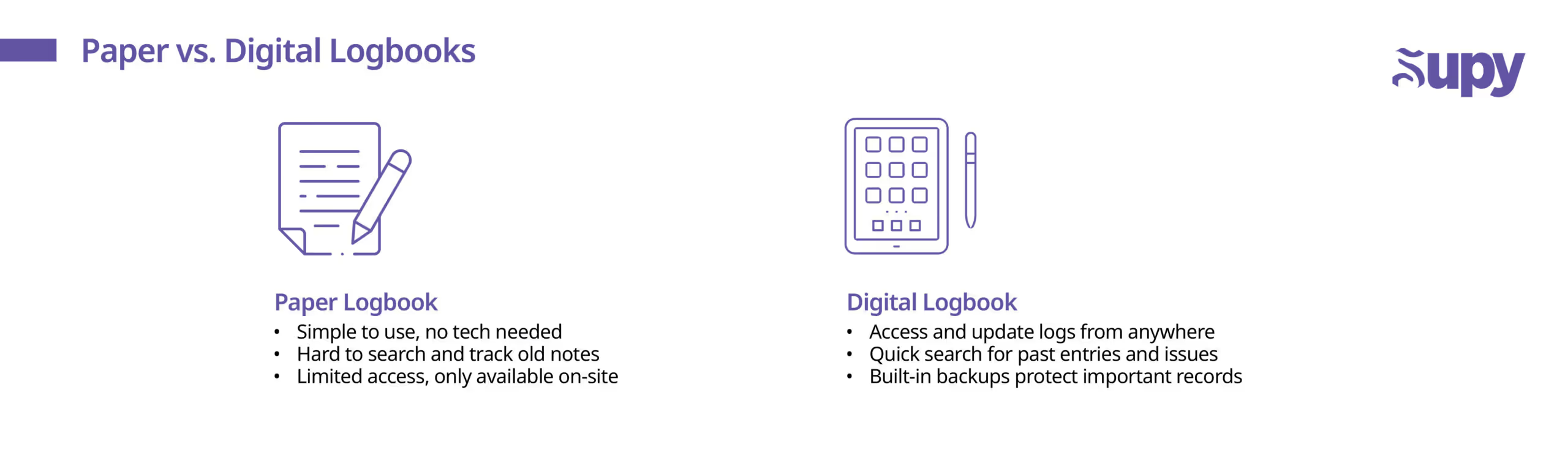
Let's compare both options:
1. Paper Logbooks
If you’re managing a small team or just need a quick way to jot down notes, paper logbooks still get the job done. You grab a pen, write down what happened, and you’re done. No passwords, no apps, no learning curve.Why some managers stick with paper:
- Simple and familiar
- No tech problems to deal with
- Quick for writing a few fast notes at the end of a shift
Where paper struggles:
- Easy to lose, damage, or misplace
- Only one person can use or view it at a time
- Hard to go back and find old notes without flipping through pages
- Not great if you’re managing multiple locations and want a full view
Physical logbook works if you’re keeping things simple. But as your restaurant grows, it usually becomes more of a limitation than a help.
2. Digital Logbooks
As restaurants move more of their operations online, it makes sense to log daily operations the same way. Digital logbooks, whether part of a restaurant management platform or a simple cloud-based tool, make recording, sharing, and tracking information a lot easier.Why more restaurants are going digital:
- Access and update logs from anywhere
- Search instantly for key info without flipping through pages
- Tag issues, leave comments, and track action items in real time
- Some systems automatically pull sales, staffing, and inventory data
- Built-in backups mean no risk of losing important records
What to watch out for:
- You’ll need basic tech (tablet, phone, or laptop) and a steady internet connection
- Staff might need a little time to adjust if they’re used to paper
- Quality digital platforms usually come with a subscription cost
For restaurants growing beyond one location, or those dealing with complex daily shifts and online orders, digital isn’t just helpful. It’s a serious advantage.
4. Best Practices for Keeping a Logbook That Actually Works
A restaurant leader knows how to use a logbook the right way. Here are simple best practices to keep your notes clear, consistent, and valuable for your business.
- Log Every Shift: Make logging a non-negotiable part of closing or handover, even a quick recap, improves accurate documentation across shifts.
- Keep It Clear: Write entries so anyone on the next shift can understand them without guessing, even during busy times or quick scheduling changes.
- Allow Team Input (with Rules): If senior staff are adding notes, set expectations — keep it professional, relevant to operations, and focused on helping the next shift.
- Stick to a Format: Use a consistent structure (sales, staffing, issues, notes) or create custom categories that fit your restaurant’s needs to avoid missing key details.
- Review Before Every Shift: Managers should skim the last few entries before service starts to stay ahead of any ongoing issues or important updates.
- Follow Up on Issues: Don’t just log problems. Assign clear action steps and update the outcome so nothing gets lost or repeated.
- Protect Sensitive Info: Limit access if the logbook contains HR, legal, or sensitive operational notes, especially if you’re moving to digital tools.
Look for Trends Over Time: Review your log monthly or quarterly to spot patterns that can help you improve staffing, prep, menu changes, or overall operations.
5. Conclusion
A good restaurant manager logbook is one of the simplest tools to keep your team aligned, spot issues early, and make every shift run smoother. When managers get into the habit of logging clearly and consistently, those daily notes turn into a real system for improving service, boosting accountability, and building a stronger business over time. Small details logged each day help you make smarter decisions tomorrow, giving your restaurant a real advantage in a fast-moving industry.
6. About Supy
While a restaurant manager logbook keeps daily operations organized, having the right systems behind the scenes matters just as much. Supy is a modern inventory management platform built specifically for the food and beverage industry.It helps restaurants gain real-time visibility into purchasing, stock levels, supplier performance, and cost control. Just like consistent logging improves communication on the floor, smarter inventory management helps you make better decisions across your entire operation. Book a demo with Supy and learn how better inventory management can strengthen your daily operations.