Procurement
Inventory

Restaurant Transfer Pricing Between Sites: Keep Group Costs Accurate
Where Inter-Site Transfer Costs Distort Your Group Numbers

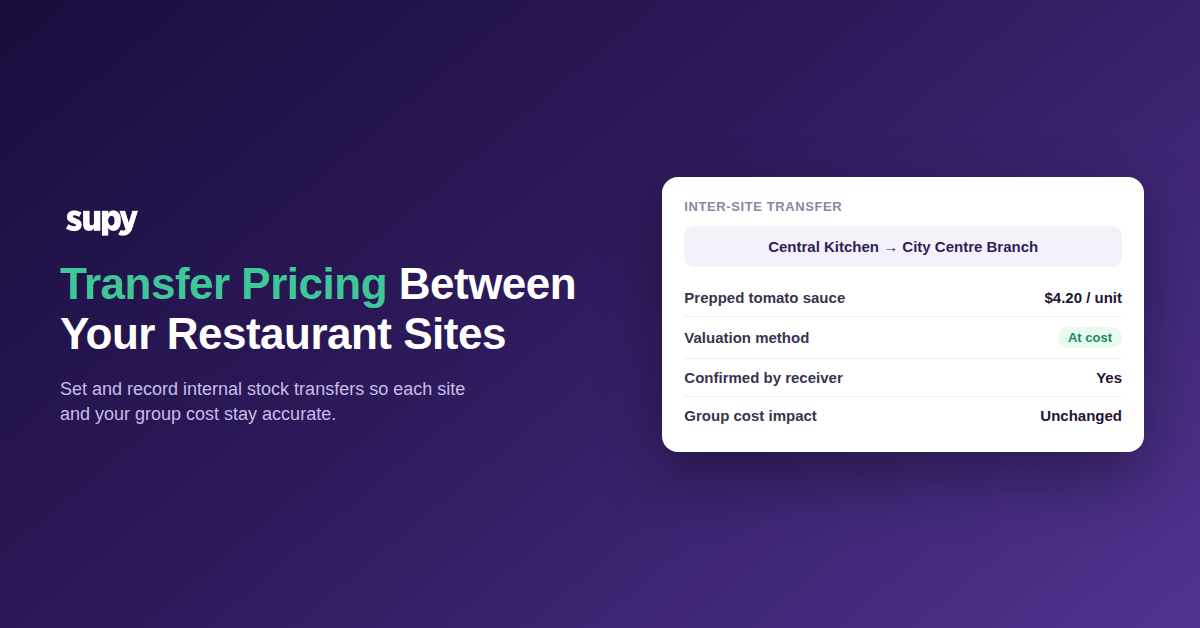
Internal transfer pricing between restaurant sites is the cost you put on stock moved from one location to another, like a central kitchen shipping prepped items to an outlet. Get that price wrong and each site's cost of goods sold, or COGS, drifts. A branch then looks over or under target for a reason that has nothing to do with how it actually traded.

The distortion is easy to miss because the number still looks plausible. A blended group figure can hide it, and a single site can carry the error for a whole period before anyone asks why.

Say a site moves about $2,800 of stock a week in from another location. If that stock arrives priced wrong, it can move the site's food cost percentage by roughly 3.5 points. That is a full review meeting spent on a problem the kitchen never had.
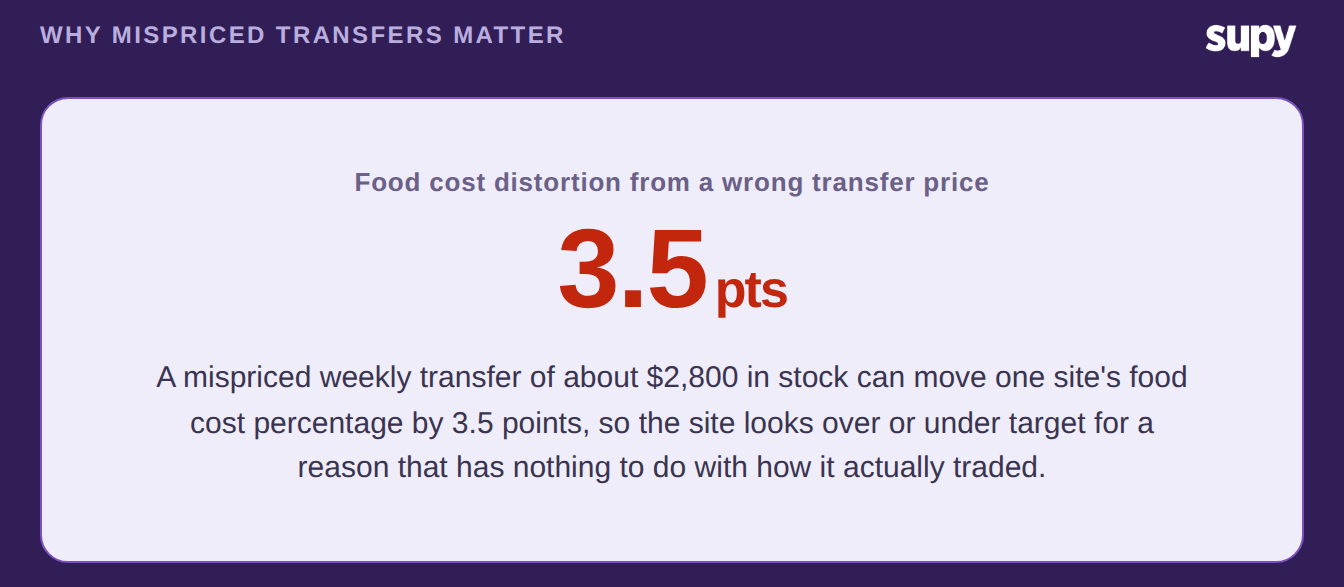
A wrong internal transfer price can move one site's food cost percentage by 3.5 points

The reason is almost always the transfer price, not the site. So the rest of this guide sets that price once and records it so both locations agree. For the accounting side of moving stock between entities, our guide on multi-entity central kitchen transfers goes deeper on how the postings land.

Choose How You Value a Transfer: At-Cost, Cost-Plus, or Fixed

Every transfer needs one clear rule for what it is worth. There are three sensible choices, and the right one depends on how your group reports, not on the stock itself.

At cost keeps things simple: the item moves at its recorded cost, so the group total never changes. Cost-plus adds a set margin, which suits a central kitchen that bills its outlets. Fixed price sets an agreed number per item that stays put until you change it.

Valuation methodHow the transfer is pricedBest whenEffect on group cost
At costThe item's recorded cost moves with the stockSites share one set of books and you want the true group costNo internal margin, so group cost is unchanged
Cost-plus or markupRecorded cost plus a set percentage, such as 12%A central kitchen bills outlets, or sites report separatelyAdds an internal margin you remove on consolidation
Fixed priceA set price per item, agreed in advanceYou want stable, budgeted internal pricingPredictable, and variance shows when real cost drifts

Supy lets a central kitchen hold a separate price list per outlet or customer group, with a cost, markup, or fixed mode on each one. So the receiving site is invoiced at the agreed price automatically, and nobody works out the number by hand.

Which Method Fits Your Group

You do not need to pick the same rule for the whole group. The clean test is whether the two sites sit on one set of books or report separately.

If they share a profit and loss statement, transfer at cost. The stock simply moves at its recorded value, so the group cost stays true and each site still sees a real number. If a central kitchen bills its outlets, or the brands report on their own, use cost-plus or a fixed price and set the margin on the price list.
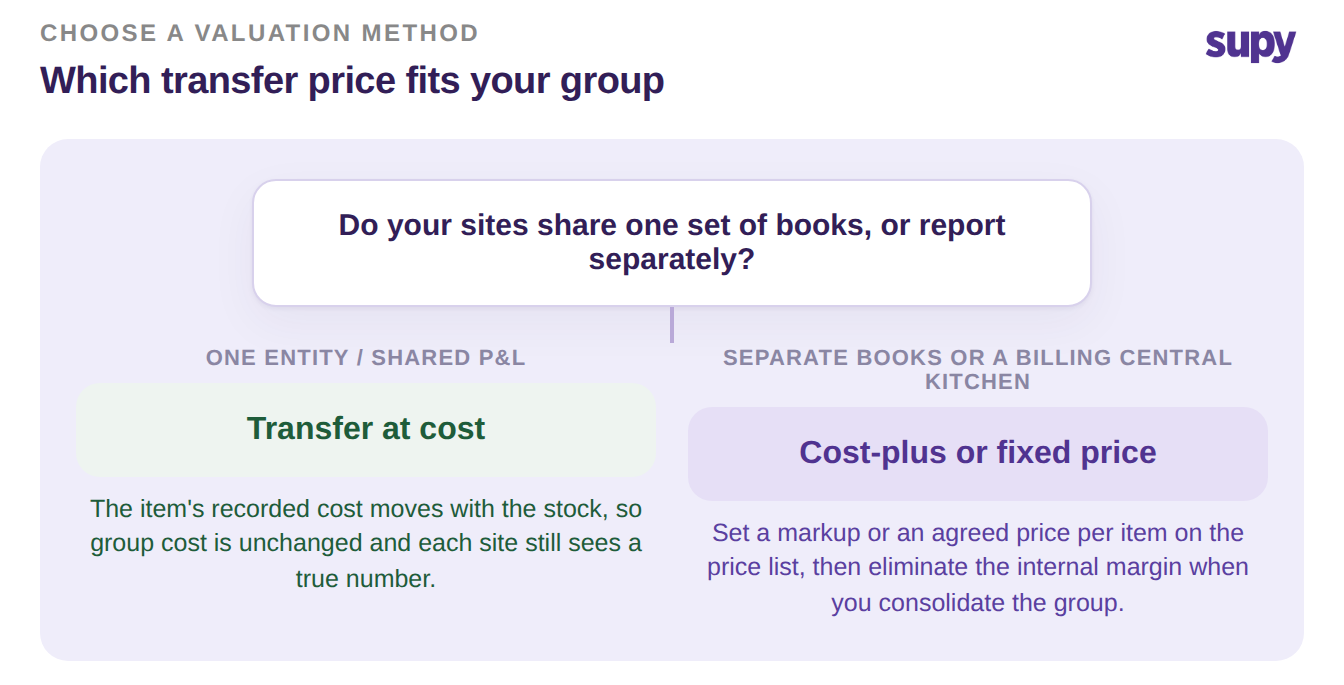
Decision tree: transfer at cost when sites share books, cost-plus or fixed price when they report separately

One caution on the numbers. A restaurant system values a transfer from the last recorded purchase cost, not a live market price, so keep your receiving prices current if costs move fast. When you build a group figure, remember to strip out any internal markup, or you will count the same margin twice.

Record the Transfer So Both Sites Reconcile

A valuation rule only helps if the transfer is recorded cleanly. The safe pattern is a confirmed movement in three stages, so the stock and its cost land on both sets of books at the same value.

The sending site raises the transfer. The cost travels with the shipment. The receiving site accepts it, and only then does stock update at either end, which prevents phantom adjustments. Both ledgers then carry the same cost, with an audit trail linking the two sides.
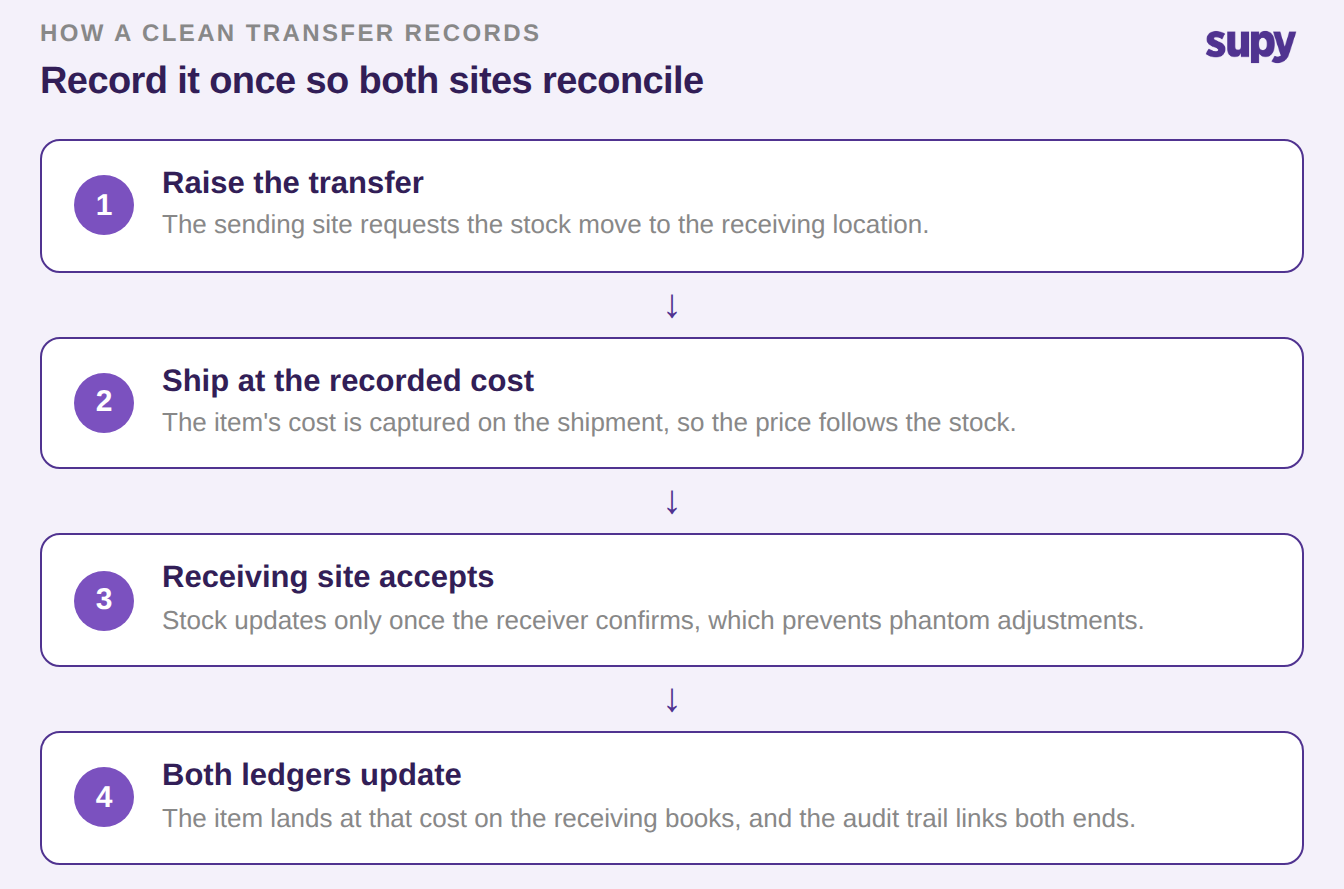
A clean transfer in three stages: raise, ship at recorded cost, receiving site accepts, both ledgers update

Because acceptance is required before anything moves, neither site can quietly disagree on what was sent or what it cost. You can see the full pattern in our guide to central kitchen stock transfer tracking. The same movements also feed the variance and live stock views in Supy's restaurant inventory management software.

Name the branch you are in and act on it. If your sites share one set of books, transfer at cost and move on. If a central kitchen bills its outlets, set the markup on the price list and remove that margin when you consolidate. Either way, record every transfer as a confirmed movement, so both sites reconcile on one number and your group cost finally means what it says.

Book a Demo with Supy — accurate group cost across every restaurant site

Ready to optimize your restaurant operations?

Blog

Our operational insights

No items found.

Your questions 
answered

Everything you need to know about Supy — from setup to integrations, pricing, and daily use. If it’s not covered here, just ask.

What Is Internal Transfer Pricing Between Restaurant Sites?
+

Internal transfer pricing is the cost your group puts on stock that moves from one of its own locations to another, such as a central kitchen sending prepped items to an outlet. It is not a sale to a customer; it is an internal valuation that decides what the receiving site records as its cost. Getting it right keeps each site's cost of goods and your group figure accurate. Getting it wrong shifts a branch's food cost for reasons that have nothing to do with how it actually traded that week.

How Should a Central Kitchen Price Transfers to Its Outlets?
+

A central kitchen can price transfers in one of three ways: at cost, at cost plus a set markup, or at a fixed price agreed in advance. At cost suits groups that share one set of books. Cost-plus or fixed pricing suits a kitchen that formally bills its outlets or reports separately. In Supy, the kitchen holds a price list per outlet or customer group and picks a cost, markup, or fixed mode, so each site is invoiced at the agreed price automatically rather than worked out by hand.

Does Transfer Pricing Change My Group Cost of Goods Sold?
+

When you transfer at cost, your group cost of goods sold does not change, because the stock simply moves at its recorded value with no margin added. When you use cost-plus or a fixed price, the transfer adds an internal margin that inflates the receiving site's cost. That margin is fine for site-level reporting, but you must remove it when you consolidate the group, or you will count the same value twice. The safest habit is to agree the method first, then apply the same consolidation rule every period.

When Should I Use Cost-Plus Instead of At-Cost Transfers?
+

Use cost-plus when the sending location needs to show a margin, which usually means a central kitchen that bills its outlets as if it were a supplier, or brands that report on separate books. The markup lets each entity's profit and loss statement stand on its own. Use at-cost when the sites share one profit and loss statement and you want the truest possible group cost. If you are unsure, start at cost, because it is simpler and never double counts, and move to cost-plus only when a real reporting need appears.

How Do I Stop Inter-Site Transfers From Distorting a Site's Food Cost?
+

Start by giving every transfer one clear valuation rule instead of leaving each person to guess. Then record the movement as a confirmed transfer that the receiving site accepts, so stock and cost land on both sets of books at the same value. Keep your recorded costs current, because a system values a transfer from the last recorded purchase price rather than a live market rate. Finally, review transfers when a site's food cost jumps, since a mispriced move is a common and easily missed cause.

Can I Keep Each Brand's Costs Separate When They Share a Central Kitchen?
+

Yes. A shared central kitchen can still bill each brand or outlet on its own price list, so each one carries only the cost of what it actually received. Assign every receiving site to a price list, set the cost, markup, or fixed mode you want, and let the transfers post to that site's cost of goods. Because each transfer is confirmed and logged, you can trace any brand's cost back to the specific movements behind it, which keeps per-brand reporting clean even on one production site.

Why Do Transfer Prices Drift, and How Do I Catch It?
+

Transfer prices drift when the underlying purchase cost changes and the recorded value is not kept current, or when someone edits a price without the other site seeing it. A transfer is valued from the last recorded cost, so stale costs quietly move with the stock. Catch it by using confirmed transfers that both sites accept, keeping recorded costs up to date, and watching for sudden food cost swings at a single site. A variance or stock movement report will usually point you to the exact item and transfer.

Ready to transform your operations?

Join 3500+ restaurant operators cutting costs, streamlining operations and making smarter decisions with Supy.