.jpg)


Restaurant Item Catalog: Control Who Adds New Items Across Locations
Why a Shared Item Catalog Breaks When Every Location Can Add Items
A shared item catalog breaks when any location can add to it directly. The same product gets entered several times under different names, and records reach the active list missing a supplier, packaging, or cost. The fix is a permissioned approval step: anyone can request a new item, but only a named approver lets it into the catalog.
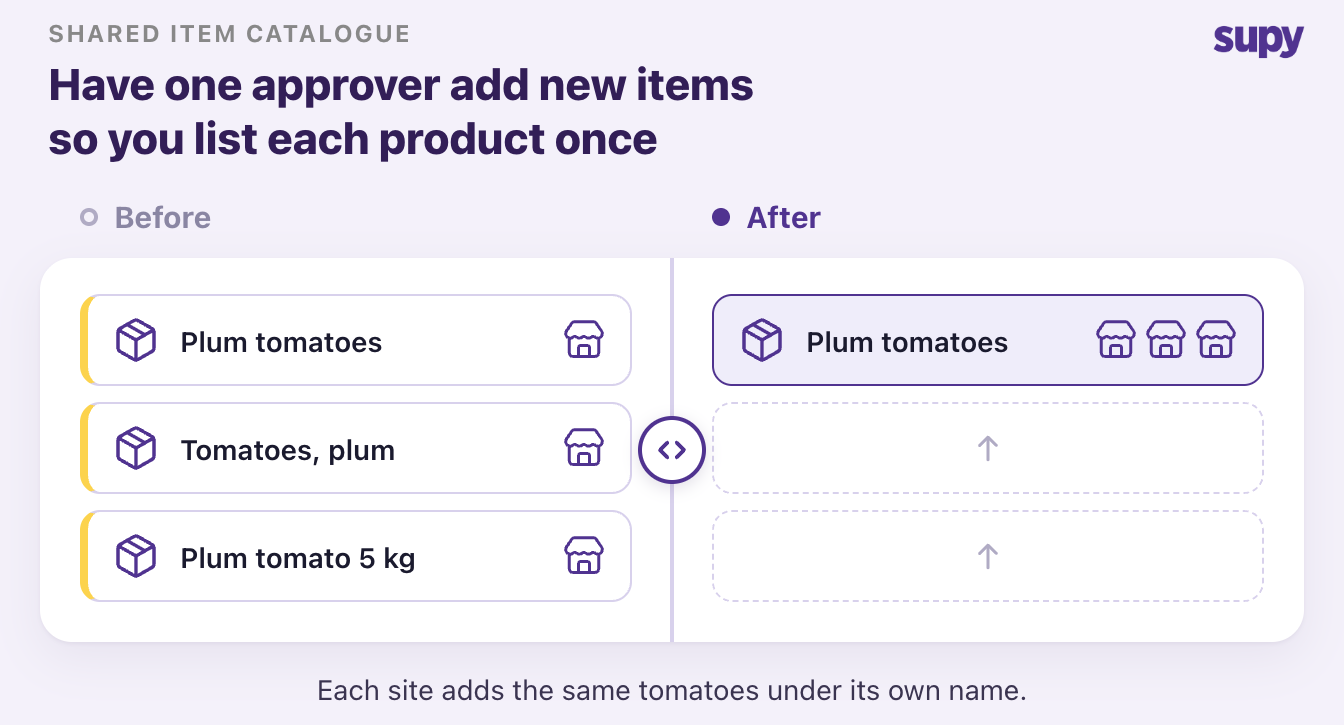
Left open, the item master grows faster than anyone can clean it. A venue team that cannot see what is already ranged keeps raising fresh requests for products the group already stocks. One tomato ends up as six near-identical entries. Approved items then arrive without the supplier link, pack size, or cost that reporting depends on, and the numbers stop reconciling across sites.
Control does not mean locking people out. It means one clean item master that every location shares, built from Supy's restaurant inventory management software, with a request-and-approve step in front of it. The rest of this guide shows who should request, who should approve, and how to keep deliveries moving while the gate is in place.
Decide Who Can Request an Item and Who Can Approve It
Controlling catalog growth starts with splitting two rights that usually sit together: requesting an item and approving it. A line cook or a venue manager can flag that a product is missing, but only a purchasing manager should decide whether it joins the shared catalog. Pulling item-creation rights back to named roles is one use of role-based access control, and our guide to role-based access control for restaurant inventory covers the wider permission model.
Supy exposes 200+ customisable permissions, so you can grant the request right widely and the approve right narrowly. The same approval ladder also caps spend: sequential approvals up to 5 approvers, set by branch and order value. Our guide to restaurant spending controls and procurement approval walks through that side.
| Role | Can request a new item | Can approve into the catalog |
|---|---|---|
| Line cook or receiver | Yes | No |
| Venue or outlet manager | Yes | No |
| Purchasing manager | Yes | Yes |
| Group admin | Yes | Yes |
Catch Incomplete Items in the Pending Queue Before They Reach Reporting
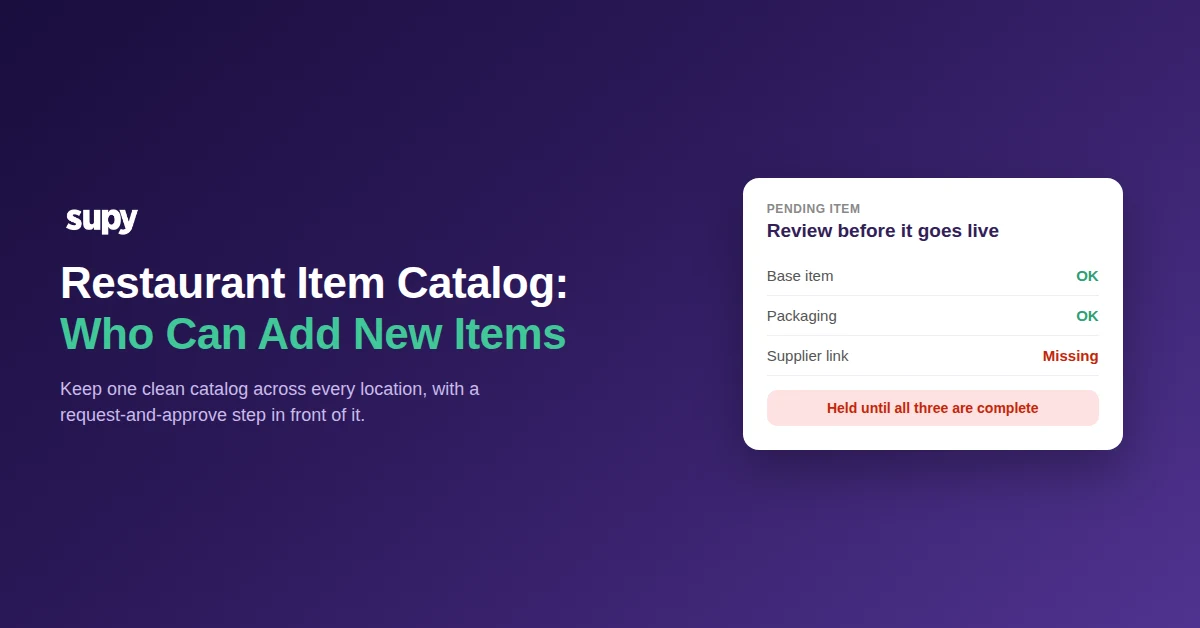
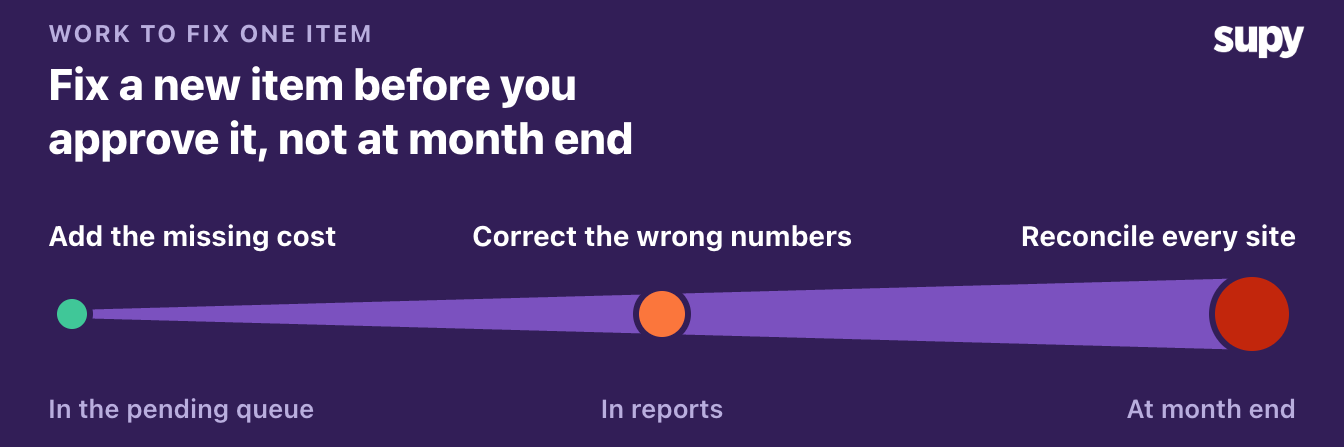
A requested item does not go straight into the catalog. It lands in a pending items queue, where an approver with the right permission reviews every request in one view before anything goes live. This is what stops half-finished records reaching reporting.
Catching an incomplete item here is cheap: a quick review before it goes live. Let it through and the missing cost surfaces as a wrong number in reporting. By month end it breaks reconciliation across sites, and the fix is far more work than the review would have been.
Each new item has three layers, and the queue lets the approver confirm them together or one at a time:
- Base item. The product itself, named once so every location uses the same entry.
- Packaging. The pack size and unit the item is bought and counted in.
- Supplier link. Which supplier provides it, at what price.
Approving the base item can cascade to approve its packaging and supplier link in a single action, or the approver can clear each layer separately. Rejecting an item cancels its pending packaging and supplier links automatically, so an incomplete entry never reaches the active list. The approver sees the whole backlog in one place rather than chasing requests across locations.
Approve New Items From the Goods Received Note Without Stalling Deliveries
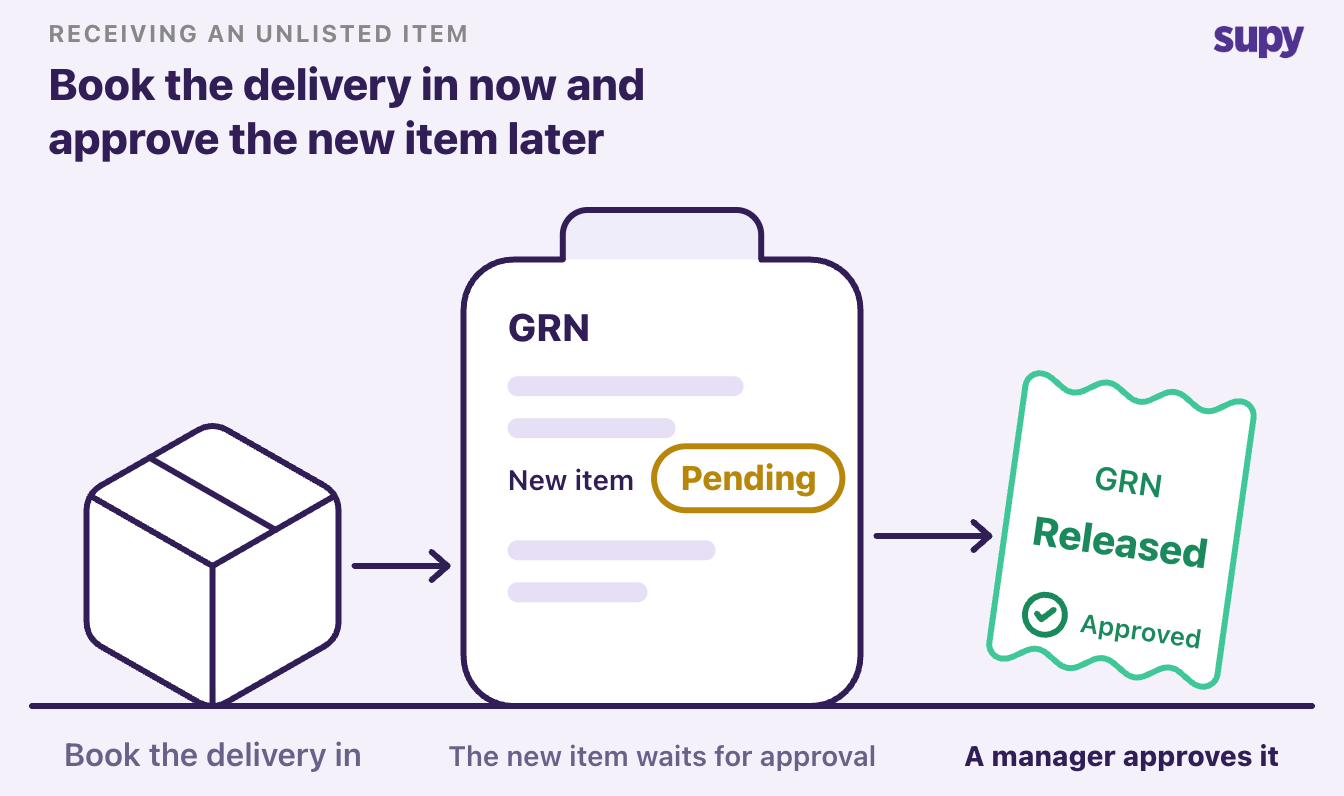
The gate has to hold at the one moment it is most tempting to bypass it: receiving. When a delivery arrives with a product that does not match any catalog entry, the goods received note (GRN) would normally stall while someone creates the item. That pressure is what pushes receiving staff to spawn ad hoc items just to book the delivery in.
Supy handles this without dropping the control. An unmatched item on a GRN goes into the same pending approval queue rather than blocking the note, so the delivery is still recorded. A manager with the approve permission clears the item, and the moment it is approved the waiting GRN is unblocked automatically. Receiving staff do not re-enter the delivery, and no one has to create an unchecked item under time pressure at the back door.
Where to Start: Match the Control to Your Situation
Pick the row that sounds like your operation, then make the one move next to it. The point is to close the gap that is actually hurting you, not to rebuild every permission at once.
| Your situation | What is happening | The one move to make first |
|---|---|---|
| Duplicates everywhere | Locations raise requests for items already ranged | Make the catalog visible at request time, and route every request through one approver |
| Records missing data | Approved items lack supplier, packaging, or cost | Require all three layers before an item can be approved |
| Catalog grows at the back door | Receivers create items from the GRN to book deliveries | Send unmatched GRN items to the pending queue instead of the live catalog |
| Too many hands on the catalog | Everyone can add items directly | Split the request right from the approve right, and grant approve to named roles only |
Start with the row that matches your operation today, make that one move, and keep the catalog clean as you add the rest. One shared item master, with a request-and-approve step in front of it, is what keeps costs reconciling across every location.