.jpg)


How Bulk Supplier Price Updates for Can Save Your Restaurant Time & Increase Cost Accuracy Today
How Bulk Price Updates Replace Item-by-Item Toggling
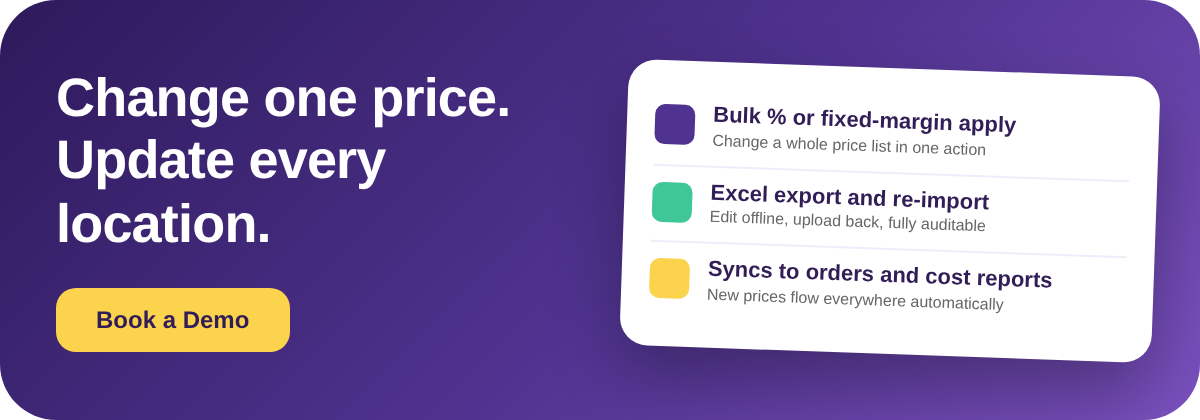
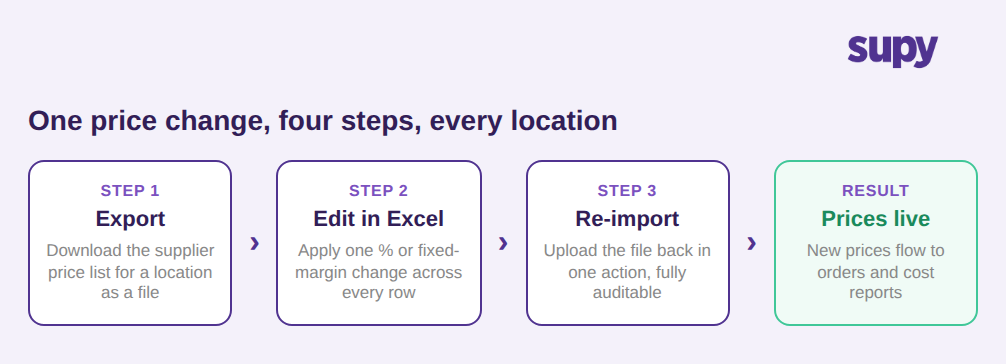
A bulk supplier price update lets you apply one change to an entire price list at once. You export the supplier's catalogue for a location, edit every row together in a spreadsheet with a single percentage or fixed-margin change, and re-import the file. Hundreds of items move to their new prices in one action, across every location, instead of one toggle at a time.
For a single site with a short list, editing prices by hand is fine. The picture changes for a group running the same catalogue across dozens of branches. A routine supplier increase then becomes the same edit, repeated item by item and location by location, every time a cost moves. Bulk price updates collapse that work into one export, one edit, and one re-import.
The mechanics are the same whether you are moving a whole list up by a set percentage or holding a fixed margin over cost. What matters is that the change is expressed once and applied everywhere it belongs, rather than re-entered by hand for each item and each branch.
Where Per-Item Price Changes Break Down Past a Few Locations
Item-by-item pricing is the quiet tax on multi-site groups. Picture a 30-location group carrying roughly 450 catalogue items. Pushing a single round of supplier price changes across that estate by hand is about 13,500 individual edits, or close to 56 hours of work a month, before anyone has checked a number twice.
The cost is not only the hours. Every manual edit is a chance to fumble a decimal, skip a branch, or update one location and forget another, so the same item ends up carrying different costs in different places. By the time a month-end report surfaces the gap, the wrong cost has already flowed into dozens of orders and quietly distorted food cost.
This is the friction operators name most often as they grow: the pricing itself is simple, but doing it one toggle at a time stops holding up once the catalogue and the branch count both climb. The work scales with locations, not with the size of the actual price change.

Applying One Percentage or Fixed-Margin Change to a Whole List
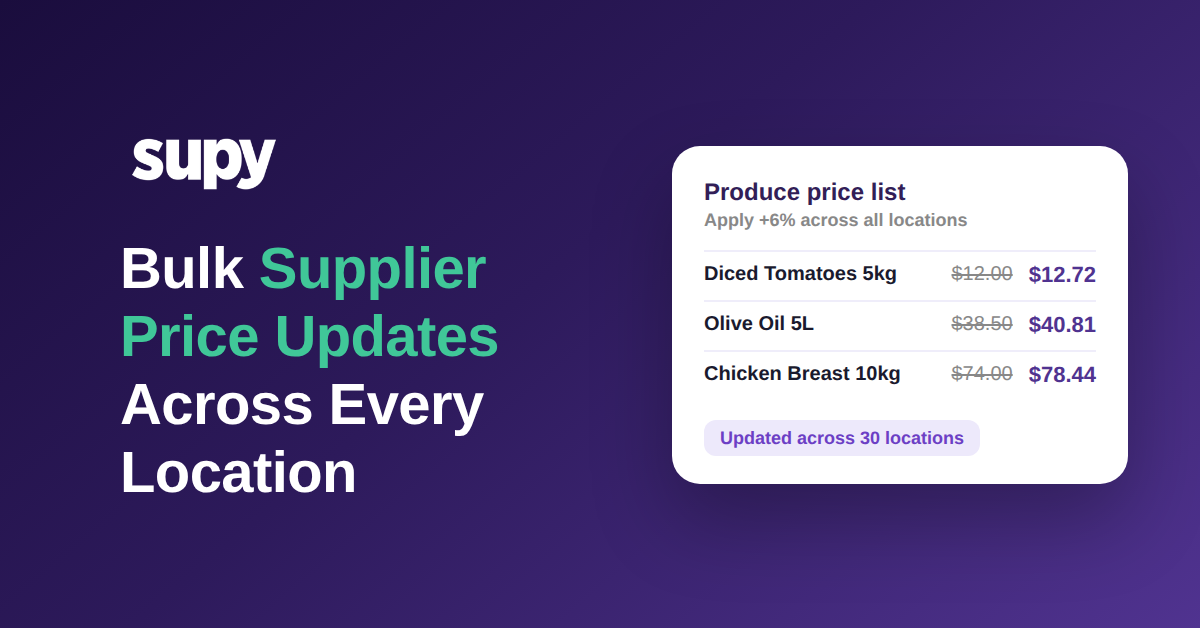
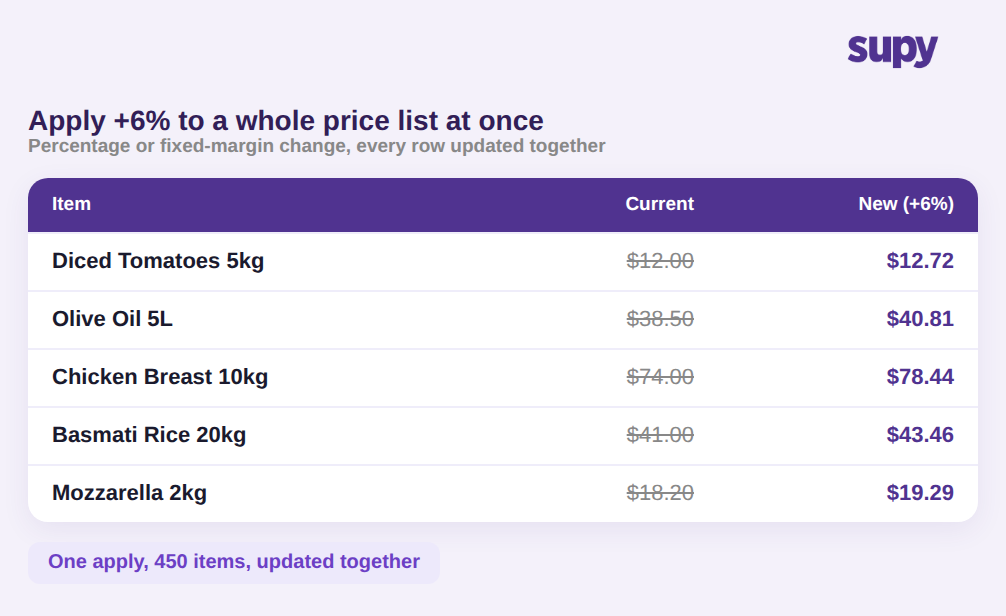
With named price lists per supplier, a bulk price update is a single operation. Supy lets you apply a percentage or a fixed-amount margin across an entire list, and supports the export, edit, and re-import round-trip so large changes are handled in a spreadsheet rather than one item at a time. A 6 percent supplier increase, for example, moves a $12.00 case of diced tomatoes to $12.72 and a $74.00 case of chicken breast to $78.44 in the same pass.
Because the change goes in as one import, it is auditable. There is a clear record of what moved, by how much, and when, instead of a scatter of individual edits no one can reconstruct later. And if different branches genuinely need different prices, per-location overrides sit on top of the shared list, so a single global apply never flattens a deliberate local difference.
For groups managing buying across many sites, this is the gap between a pricing task that takes an afternoon and one that takes minutes. You can see how the wider workflow fits together on Supy's restaurant procurement software page.
Why a Bulk Price Update Has to Reach Orders and Cost Reports
A price change is only finished when everything downstream is using it. Once a bulk update is applied, the new cost should appear the moment the next purchase order is raised, feed the invoice check on each goods received note, and flow straight into recipe and food cost reports across the group.
When pricing lives in a spreadsheet off to the side, that link is missing: the list says one thing while orders, invoices, and cost reports still run on last month's numbers. Keeping the update inside the same system that raises orders and tracks cost closes the gap, so theoretical food cost stays honest without a second round of manual entry. Catching a supplier's own increases early matters just as much here; our guide to why supplier prices drift up before anyone notices covers the detection side, and the per-ingredient price comparison piece covers choosing the cheapest source in the first place.

If you are still updating prices one item at a time, the first move is small. Pick your highest-churn supplier list, export it, apply the change as a single percentage or fixed margin, and re-import it. Confirm the new cost shows up on the next order and in your cost report, then repeat the pattern for the rest of your suppliers. In a demo, the one thing worth checking is whether a bulk change reaches your orders, goods received notes, and cost reports with no extra manual entry, because that is what keeps bulk supplier price updates accurate as the group grows.